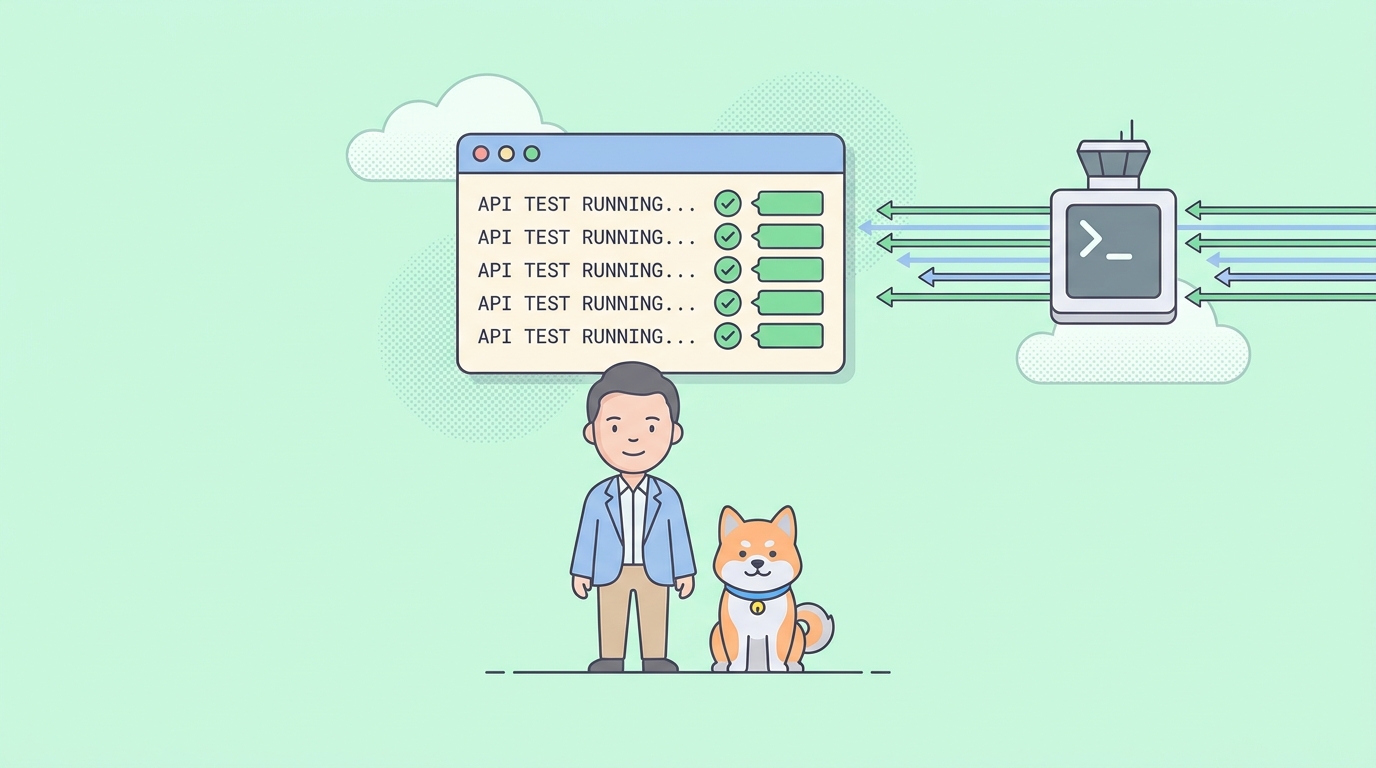
API testing has moved out of the GUI. Tests now run in CI containers with no display attached, on staging boxes you only reach over SSH, and under AI agents that speak nothing but shell. In all three places, the terminal is where a test passes or fails without a human watching.
This roundup ranks the tools that carry real testing work from a shell prompt. “Terminal-based” here means the whole loop runs in a shell: install from a package manager, run one command, read an exit code. The ranking weighs built-in assertions, multi-step flows, CI-ready reports, and maintenance status. Manual clients like curl still earn a slot near the end, because every terminal workflow leans on them between test runs. For a wider survey that includes GUI and hosted tools, see the best free API testing tools roundup.
What separates a testing tool from a client
A terminal client sends a request and shows you the response. A terminal testing tool judges the response and reports the verdict as an exit code your pipeline can gate on. The second group is the heart of this list, and four traits define it:
- Assertions built in. Status, headers, and body checks belong in the tool, not in a pile of
jqglue. - Exit codes that mean something. Zero on pass, non-zero on failure, so CI fails the build for you.
- Repeatability. Tests live in files or projects you can version and re-run, not in your shell history.
- Reports. Output a human can read in the terminal and a dashboard can parse as JSON, JUnit, or HTML.
With the criteria set, here are the ten tools worth your time in 2026.
1. Apidog CLI: author visually, run headless anywhere
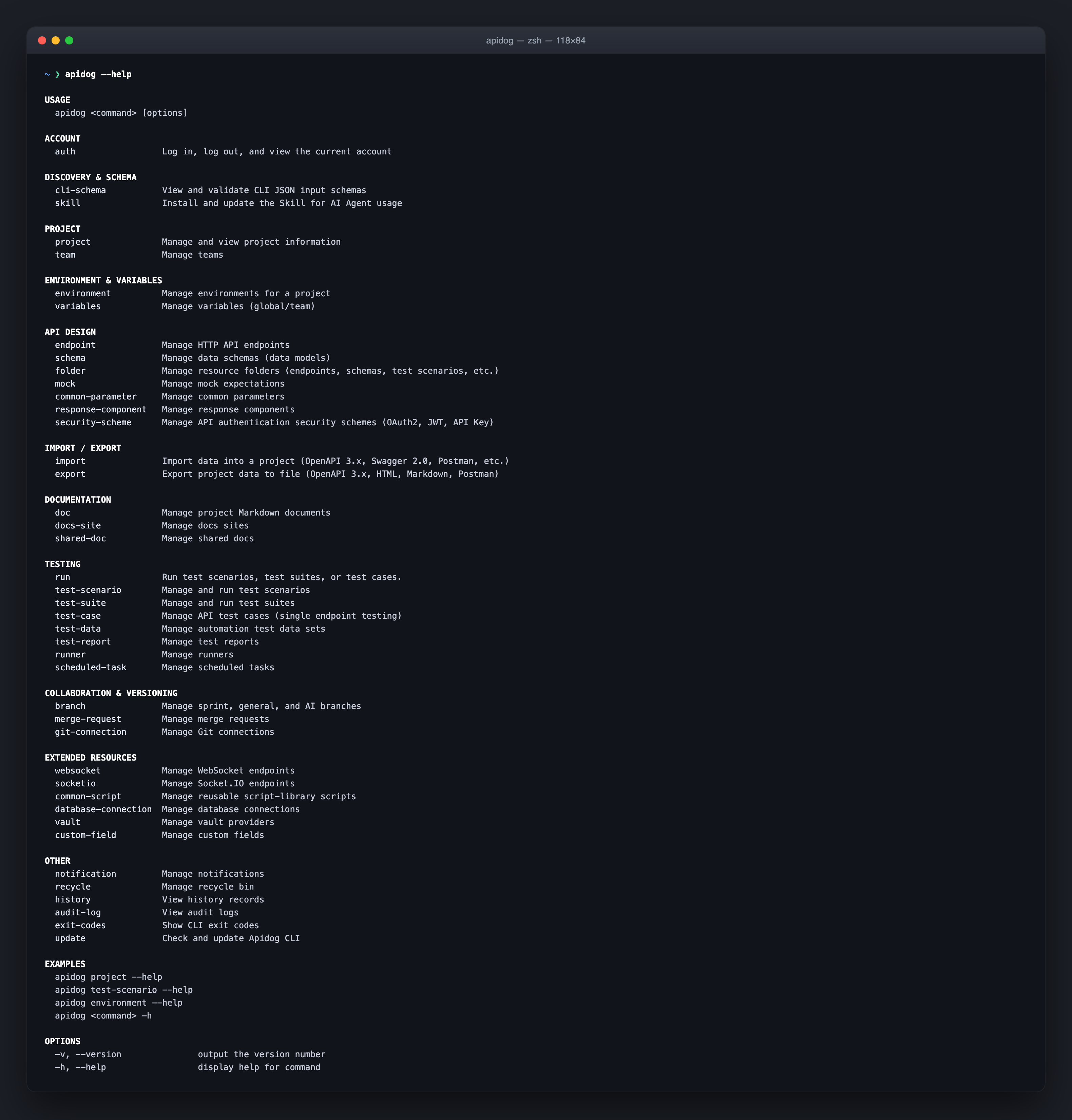
Apidog is an all-in-one API platform covering design, testing, mocking, and documentation. The Apidog CLI (apidog-cli on npm) is its terminal arm. You build test scenarios in the visual editor, with chained requests, extracted variables, and assertions, then apidog run executes them from any shell and hands your pipeline a clean exit code.
npm install -g apidog-cli
apidog login --with-token <YOUR_TOKEN>

# Copy the exact command from your scenario's CI/CD tab
apidog run -t <scenario_id> -e <env_id> -r cli
You don’t guess the IDs. Open the scenario in Apidog, go to the CI/CD tab, and copy the generated command. Reporters cover cli, html, json, and junit, written to apidog-reports/, so the same run feeds a terminal, a dashboard, and an artifact store. Data-driven runs pull iterations from CSV or JSON files. The output is structured JSON with agentHints.nextSteps, which lets an AI coding agent run a suite and decide its next move without screen-scraping. It needs Node.js 16 or later.
Best for: teams that want complex, multi-step scenarios authored in an editor and run identically on a laptop, in CI, and by agents. Honest limit: it isn’t open source and it isn’t an ad-hoc sender. Scenarios live in an Apidog project, so this is the integrated-platform option rather than a bare HTTP tool. The Apidog CLI complete guide covers the full command set.
2. Hurl: plain-text tests in one Rust binary
Hurl runs HTTP requests written in a plain-text format and asserts on the responses. It’s built in Rust on top of libcurl and ships as a single binary, so there’s no runtime to install. Tests read almost like raw HTTP, which makes them easy to review in a pull request.
brew install hurl   # or: cargo install --locked hurl

cat > login.hurl <<'EOF'
POST https://api.example.com/login
{ "user": "acme", "pass": "s3cret" }

HTTP 200
[Asserts]
jsonpath "$.token" exists
EOF

hurl --test login.hurl   # non-zero exit if an assertion fails
Best for: contract-style checks and smoke tests you keep in version control as readable text. The --test flag makes it a natural CI gate. Honest limit: it’s HTTP-focused, so it won’t drive gRPC or generate load, and complex logic means more .hurl files rather than a scripting language.
3. Newman: run Postman collections headless
Newman is the open-source command-line runner for Postman collections (Apache-2.0). If your team already writes requests and tests in Postman, Newman runs that exact collection from a terminal with no GUI. You export the collection and environment as JSON and point Newman at the files.
npm install -g newman

newman run collection.json -e staging.json
Best for: teams invested in Postman who want existing collections running in a pipeline without extra seats. It exits non-zero when a test fails, so CI gates cleanly. Honest limit: it only runs Postman-format collections, and the authoring still happens in the Postman GUI. It executes tests; it doesn’t help you write them.
4. Postman CLI: the first-party alternative to Newman
The Postman CLI is Postman’s own closed-source runner. Unlike Newman, it signs in to your Postman account and can run a collection by its ID, straight from the workspace, with results reporting back to Postman’s cloud.
postman login --with-api-key <YOUR_API_KEY>

postman collection run <collection_id> -e <environment_id>
Best for: Postman teams who want cloud-linked runs without exporting JSON files. Honest limit: it’s closed source and tied to a Postman account, and having two official runners creates real confusion about which to adopt. The Postman CLI vs Newman comparison untangles when each makes sense.
5. Bruno CLI: git-native collections, run with bru
Bruno stores collections as plain-text .bru files in ordinary folders, so requests live in your repo like any other code. Its CLI, @usebruno/cli, runs those collections from the terminal with the bru command, no cloud account involved.
npm install -g @usebruno/cli

# Run every request in the current collection folder
bru run --env staging
Best for: teams that want collections reviewed in pull requests and run offline, with assertions and scripting handled in the same files. It writes JSON, JUnit, and HTML reports for CI. Honest limit: authoring in plain text suits developers more than mixed teams, and the ecosystem is younger than Postman’s. See how it stacks against Apidog’s runner in Bruno CLI vs Apidog CLI.
6. Schemathesis: your schema writes the tests
Schemathesis takes a different route: it reads your OpenAPI or GraphQL schema and generates thousands of test cases from it, using property-based testing built on Python’s Hypothesis. Instead of writing each case, you let it fuzz inputs to find 500s, schema violations, and responses that break the contract your docs promise.
pip install schemathesis

schemathesis run https://api.example.com/openapi.json
Best for: catching edge-case bugs nobody thought to write a test for, especially before a release. It’s one of the strongest arguments for keeping an accurate schema. Honest limit: it needs a real schema to work from, and a large API can produce noise you’ll filter with hooks and options.
7. Step CI: one YAML file per multi-step flow
Step CI describes an API workflow in a single YAML file: steps, captured values, and checks. It covers REST, GraphQL, gRPC, tRPC, and SOAP in one workflow and validates against an OpenAPI schema. The same file runs on a laptop and in a pipeline.
npm install -g stepci

stepci run workflow.yml
Best for: login-then-use-the-token sequences described declaratively, with no scripting. Honest limit: it carries a Node runtime, and release cadence has slowed, so check the repo’s recent activity before building a pipeline on it.
8. curl: the baseline that’s already installed
curl ships with macOS, most Linux distros, and current Windows, so the lightest install is no install. It’s the reference client every other tool measures itself against, and with -w and shell glue it can act as a minimal test harness.
# POST JSON and print only the HTTP status
curl -s -o /dev/null -w "%{http_code}\n" \
  -X POST https://api.example.com/orders \
  -H "Content-Type: application/json" \
  -d '{"sku":"A-102","qty":2}'
Best for: one-off requests, scripts, and locked-down environments where nothing new can be installed. Honest limit: assertions are entirely DIY. You pipe into jq, compare values yourself, and manage exit codes by hand. It sends and shows; it doesn’t test. The curl alternatives for REST API testing guide covers what to reach for when that stops being enough.
9. HTTPie and xh: readable requests by hand
HTTPie made terminal requests readable: the command is http, JSON fields are key=value pairs, and responses come back colorized and formatted. xh reimplements that same syntax in Rust as a single static binary, with faster startup and a --curl flag that prints the equivalent curl command.
http POST api.example.com/users name=acme plan=pro   # HTTPie
xh   POST api.example.com/users name=acme plan=pro   # same syntax, one binary
Best for: exploring an API by hand while you build the real tests elsewhere. Honest limit: both are clients, not runners. HTTPie carries a Python runtime; xh trades a smaller feature set for speed. Neither asserts on a response.
10. k6: when the question is load
k6 answers a different question: not “is this response correct” but “does it hold up under traffic.” It’s a single Go binary from Grafana, scripted in JavaScript, with thresholds that turn a load test into a pass/fail gate. Breach a threshold and k6 exits non-zero, which CI reads as a failure.
brew install k6

k6 run load.js   # vus, duration, and thresholds defined in the script
Best for: performance checks that live in the same repo as functional tests and run from a laptop or a pipeline. Honest limit: it’s a load tool under AGPL-3.0, not a functional test client, and meaningful scenarios mean learning its JavaScript API.
Prefer something interactive?
If you want a Postman-like interface without leaving the shell, that’s a separate category: TUI clients such as atac and posting draw full request editors inside the terminal. They explore APIs; they don’t gate pipelines. The best terminal and TUI REST API clients roundup covers that side in depth.
Comparison table
| Tool | Job | Assertions built in | Install | Open source |
|---|---|---|---|---|
| Apidog CLI | Run visually authored scenarios in CI | Yes | npm i -g apidog-cli |
No (free tier) |
| Hurl | Plain-text HTTP tests | Yes | brew install hurl |
Apache-2.0 |
| Newman | Postman collections headless | Yes | npm i -g newman |
Apache-2.0 |
| Postman CLI | Cloud-linked Postman runs | Yes | Postman installer | No |
| Bruno CLI | Git-native .bru collections |
Yes | npm i -g @usebruno/cli |
MIT |
| Schemathesis | Fuzzing from a schema | Generated | pip install schemathesis |
MIT |
| Step CI | Multi-step YAML flows | Yes | npm i -g stepci |
MPL-2.0 |
| curl | Raw requests, scripting | DIY | preinstalled | Yes |
| HTTPie / xh | Readable manual requests | No | brew install httpie / xh |
Yes |
| k6 | Load with pass/fail thresholds | Thresholds | brew install k6 |
AGPL-3.0 |
How to choose
Start from the job, not the tool. If tests already exist in Postman, Newman or the Postman CLI runs them tomorrow. If you want tests as reviewable text in your repo, Hurl and Bruno CLI are the strongest picks. If you have a solid OpenAPI schema, add Schemathesis and let it hunt the bugs you didn’t predict. Keep curl and xh for the manual layer, and bring in k6 the day the question turns from correctness to capacity.
Pick the Apidog CLI when you’d rather author scenarios in a visual editor and run them everywhere else. It’s the one option here where the same project also carries your API design, mock data, and documentation, which is the trade explained in Apidog CLI: the API client that lives in your terminal. For the wider testing picture behind these picks, the API testing strategies guide maps where each layer fits.
FAQ
Can I test APIs entirely from the terminal? Yes. Author tests as files (Hurl, Bruno, Step CI) or in a visual editor (Apidog, Postman), then run them headless with the matching CLI. Every runner on this list returns an exit code, which is all CI needs.
What’s the difference between a terminal API client and a testing tool? A client (curl, HTTPie, xh) sends a request and shows the response. A testing tool (Apidog CLI, Hurl, Newman) asserts on the response and fails with a non-zero exit code. Clients explore; testing tools gate.
Which of these run in CI pipelines? All of the runners: apidog run, hurl --test, newman run, postman collection run, bru run, schemathesis run, stepci run, and k6 run all exit non-zero on failure. For a working pipeline example, see how to run Apidog CLI tests in GitHub Actions.
Do any of these handle load testing? k6 is the load specialist here, with thresholds as pass/fail gates. The others check correctness, not capacity, so many teams pair one functional runner with k6.
Do I need an OpenAPI spec to use these tools? Only Schemathesis requires one, since it generates tests from the schema. Everywhere else a spec helps rather than gates: Apidog imports OpenAPI 3.x, Swagger 2.0, and Postman collections, and Step CI can validate responses against a schema.
The pattern across all ten tools is the same: authoring wants comfort, running wants a shell. Choose where you want to write tests, then make sure the runner hands your pipeline an exit code. If you want both halves from one platform, download Apidog, build one scenario in the editor, and drop its apidog run command into CI to close the loop.