

Hey there! Tired of shelling out cash for AI coding tools? Let’s talk about the Serena MCP Server, a free, open-source gem that turns your favorite LLM into a coding powerhouse, all without breaking the bank. Built by Oraios AI, Serena lets you code smarter with tools like Claude or open-weight models, and the best part? You can use it for free! In this guide, we’ll cover what Serena is, how to install it for a project with Claude Code, and how to set up the Serena MCP Server in Claude Desktop and Cursor. Let’s dive in and save you some subscription fees!
Want an integrated, All-in-One platform for your Developer Team to work together with maximum productivity?
Apidog delivers all your demands, and replaces Postman at a much more affordable price!
What Is the Serena MCP Server?
The Serena MCP Server is a free, open-source toolkit from Oraios AI that transforms any large language model (LLM) into a full-fledged coding agent. It uses the Model Context Protocol (MCP) and Language Server Protocol (LSP) to provide IDE-like features, such as semantic code analysis, symbol-level editing, and multi-language support (Python, JavaScript, Java, and more). Whether you’re refactoring code, analyzing large codebases, or prototyping, Serena handles it all—from planning to committing changes to version control.
Why’s it awesome? Serena was born out of frustration with pricey IDE subscriptions like Cursor or Windsurf and API-heavy tools like Claude Code or Cline. Oraios AI wanted a free alternative that works with LLMs you already have, like Anthropic’s Claude (even on the free tier!) or open-weight models via Agno. It’s their gift to the dev community, and they use it daily themselves. Plus, it’s MIT-licensed, so you can customize it to your heart’s content.

Installing Serena in a Project with Claude Code
Let’s get the Serena MCP Server running in your project using Claude Code, a popular coding assistant that supports MCP servers for free. Here’s how to set it up:
Step 1: Install Prerequisites
- Install uv:
- Serena uses
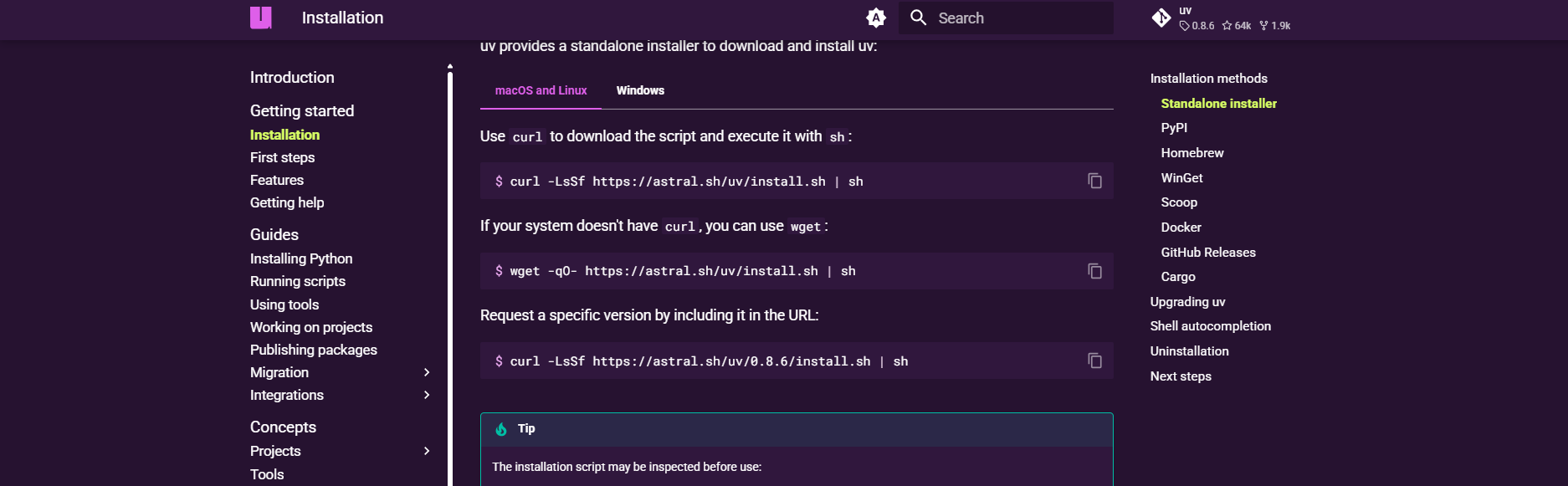
uv(a Python package manager) to run. Install it via:
curl -LsSf https://astral.sh/uv/install.sh | sh
# For windows users:
powershell -ExecutionPolicy ByPass -c "irm https://astral.sh/uv/install.ps1 | iex"
Or use Homebrew: brew install uv.
2. Clone Serena’s Repository:
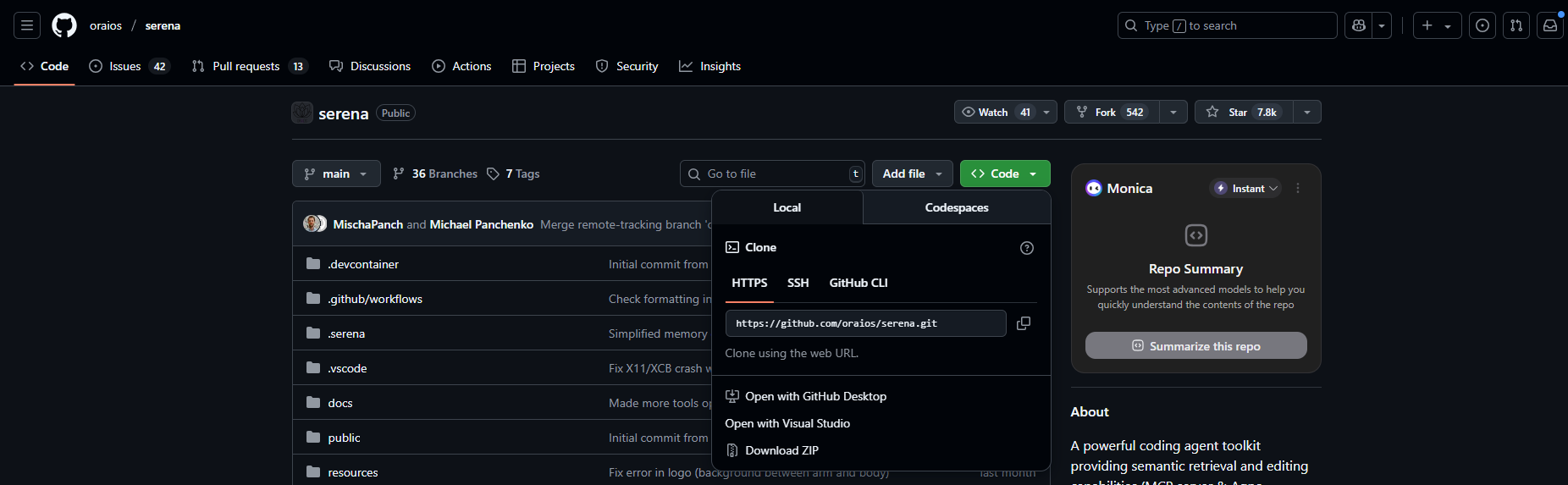
- Grab the Serena codebase from GitHub:
git clone https://github.com/oraios/serena
cd serena
3. Set Up Environment:
- Copy the example environment file:
cp .env.example .env
- No API keys are needed for Claude’s free tier, but if using a paid model, add its key to
.env.
Step 2: Configure Serena for Claude Code
- Start the MCP Server:
- Run Serena’s MCP server directly from the repo:
uv run serena start-mcp-server
This starts a local server with a web dashboard at http://localhost:24282/dashboard/index.html for logs and shutdown.
2. Add Serena to Claude Code:
- In your terminal, add Serena as an MCP server to Claude Code:
claude mcp add-json "serena" '{"command":"uvx","args":["--from","git+https://github.com/oraios/serena","serena-mcp-server"]}'
This tells Claude Code to use Serena’s MCP server without local installation.
3. Test It:
- Open Claude Code, start a new conversation, and type:
Analyze my Python codebase in ./src.
- Serena will scan your project, store memories in
.serena/memories/, and provide a detailed analysis. Try:
Refactor main.py to use async/await.
- Watch Serena suggest precise code changes!
Troubleshooting
- Server Not Starting? Ensure
uvis installed and the.envfile is set up. Check the dashboard logs. - Claude Code Errors? Verify the MCP command syntax and restart Claude Code.
- Permissions Issues? Use absolute paths (e.g.,
/path/to/serena) to avoid relative path errors.
Using the Serena MCP Server in Claude Desktop
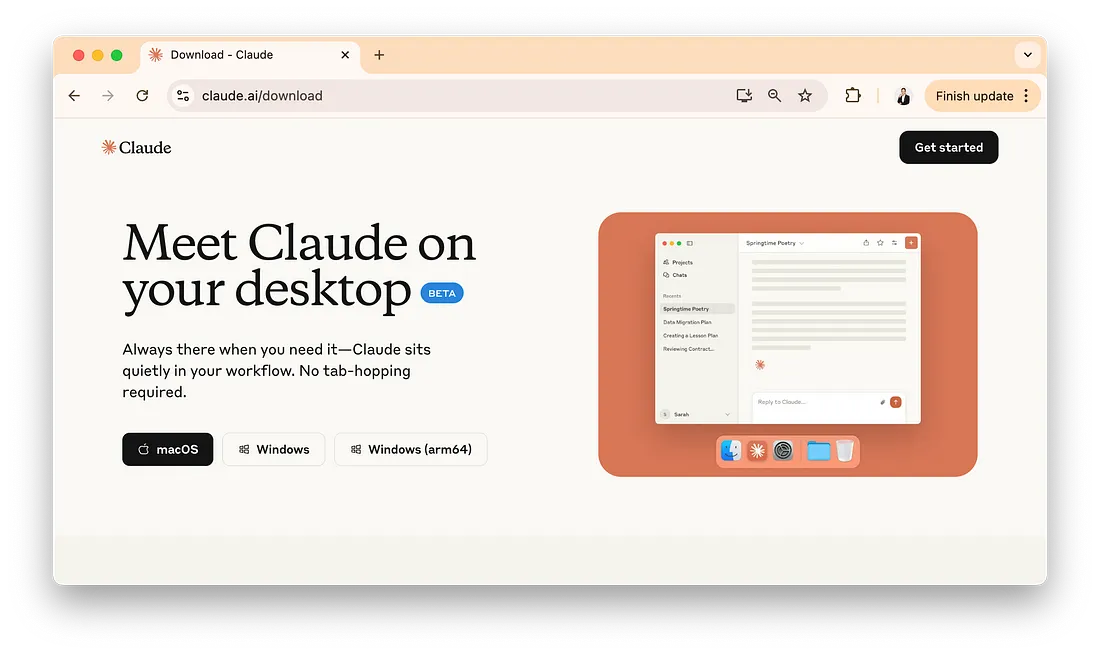
Claude Desktop is another great way to use the Serena MCP Server for free, leveraging Claude’s free tier. Here’s how to hook it up:
Step 1: Configure the MCP Server
- Run Serena’s MCP Server:
- In the Serena repo directory, start the server:
uv run serena start-mcp-server
Or use Docker (Experimental) for a cleaner setup:
docker run --rm -i --network host -v /path/to/your/projects:/workspaces/projects ghcr.io/oraios/serena:latest serena start-mcp-server --transport stdio
Replace /path/to/your/projects with your project’s absolute path.
2. Edit Claude Desktop Config:
- Open Claude Desktop’s config file:
- macOS:
~/Library/Application Support/Claude/claude_desktop_config.json - Windows:
%APPDATA%\Claude\claude_desktop_config.json - Add Serena’s MCP server:
{
  "mcpServers": {
    "serena": {
      "command": "/path/to/uv",
      "args": ["run", "--directory", "/path/to/serena", "serena-mcp-server"]
    }
  }
}
Replace /path/to/uv and /path/to/serena with actual paths (use double backslashes \\ on Windows).
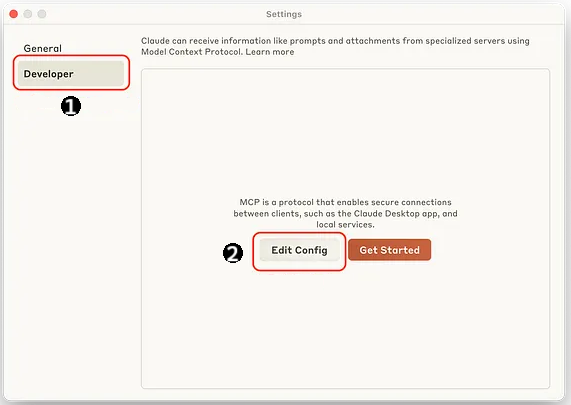
3. Restart Claude Desktop:
- Close and reopen Claude Desktop. You’ll see a hammer icon indicating Serena’s tools are active.
Step 2: Test Serena in Claude Desktop
- Start a Conversation:
- In Claude Desktop, type:
Summarize my project in ./myproject.
- Serena will analyze your codebase and return a summary, using its LSP-powered semantic understanding.
2. Try Coding Tasks:
- Ask:
Fix bugs in src/app.js based on logs.
- Serena will suggest fixes, drawing from logs and its project memory in
.serena/memories/.
3. Check the Dashboard:
- Visit
http://localhost:24282/dashboard/index.htmlto monitor logs or shut down the server.
Tips
- Enable Logging: In
myproject.yml, setshow_logs: truefor easier debugging. - Version Control: Add
.serenato.gitignoreto avoid committing memory files. - Safety: Avoid
execute_shell_commandin Agno mode without confirmation to prevent unintended actions.
Using the Serena MCP Server in Cursor
Cursor is a slick AI-powered IDE, and you can use the Serena MCP Server with Cursor globally or per-project. Here’s how:
Step 1: Set Up Serena’s MCP Server
- Start the Server:
- As before, run:
uv run serena start-mcp-server
Or use the Docker command from the Claude Desktop section.
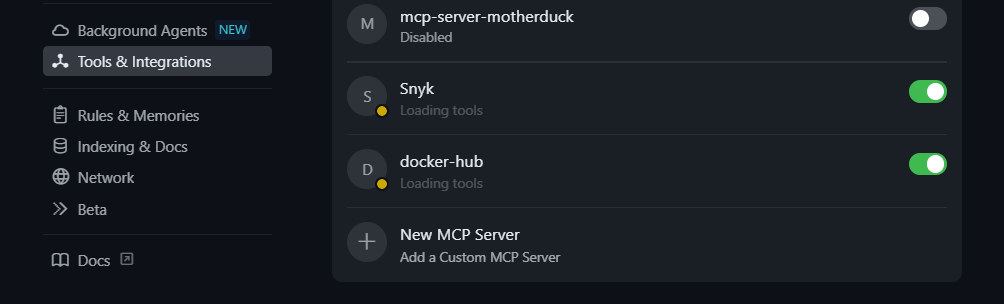
2. Configure Cursor Globally:
- Open
~/.cursor/mcp.json(under the "Tools and Integrations" section):
{
  "mcpServers": {
    "serena": {
      "command": "uvx",
      "args": ["--from", "git+https://github.com/oraios/serena", "serena-mcp-server"]
    }
  }
}
This makes Serena available across all Cursor projects.
3. Or Configure Per-Project:
- In your project’s root, create
.cursor/mcp.jsonwith the same config as above.
4. Restart Cursor:
- Close and reopen Cursor to apply the changes.
Step 2: Test Serena in Cursor
- Open Cursor’s Chat Panel:
- In a project, open the chat panel and type:
Generate a REST API in src/api.py.
- Serena will create code, respecting your project’s structure.
2. Refactor Code:
- Highlight code, press
Ctrl+L(orCmd+Lon macOS), and enter:
Optimize this function for performance.
- Serena will suggest improvements, but note that Edit mode may be limited without a Pro subscription.
3. Check Logs:
- Use the web dashboard (
http://localhost:24282/dashboard/index.html) to troubleshoot.
Why Use the Serena MCP Server?
The Serena MCP Server is a lifesaver for developers fed up with subscription costs. Here’s why it rocks:
- Free Forever: Works with Claude’s free tier or open-weight models via Agno, no API keys needed.
- Powerful Features: Semantic code retrieval, symbol-level edits, and multi-language support rival paid tools like Cursor.
- Privacy-Friendly: Runs locally, keeping your codebase off third-party servers.
- Community-Driven: With 2.9k+ GitHub stars and active development, Serena’s improving fast.
Users are buzzing about Serena, with some calling it “the strongest coding setup” when paired with Claude. Whether you’re a solo dev or on a team, Serena lets you cancel those pricey subscriptions and code smarter. Soon, ChatGPT Desktop might support MCP servers, expanding your options even more.
Beyond configuring Serena as your MCP context layer,setting up Cursor rules for consistent AI behavioris the next lever for locking in how the model responds across every file in your codebase.
Conclusion
The Serena MCP Server is your ticket to free, AI-powered coding with tools like Claude Code, Claude Desktop, and Cursor. From installing Serena to running it in your favorite editor, you’re now equipped to tackle coding tasks without subscription headaches. Give it a spin, explore its web dashboard, and let me know in the comments how you’re using Serena to supercharge your workflow!
Want an integrated, All-in-One platform for your Developer Team to work together with maximum productivity?
Apidog delivers all your demands, and replaces Postman at a much more affordable price!


