

TL;DR
Qwen 3.6 Plus Preview launched on March 30, 2026, with a 1-million-token context window, mandatory chain-of-thought reasoning, and tool use support. It’s completely free on OpenRouter right now. Use the model ID qwen/qwen3.6-plus-preview:free with any OpenAI-compatible client to start sending requests today.
The model that showed up quietly
Alibaba Cloud dropped Qwen 3.6 Plus Preview on March 30, 2026. No splashy announcement. No waitlist. Just a new model available on OpenRouter at $0 per million tokens.
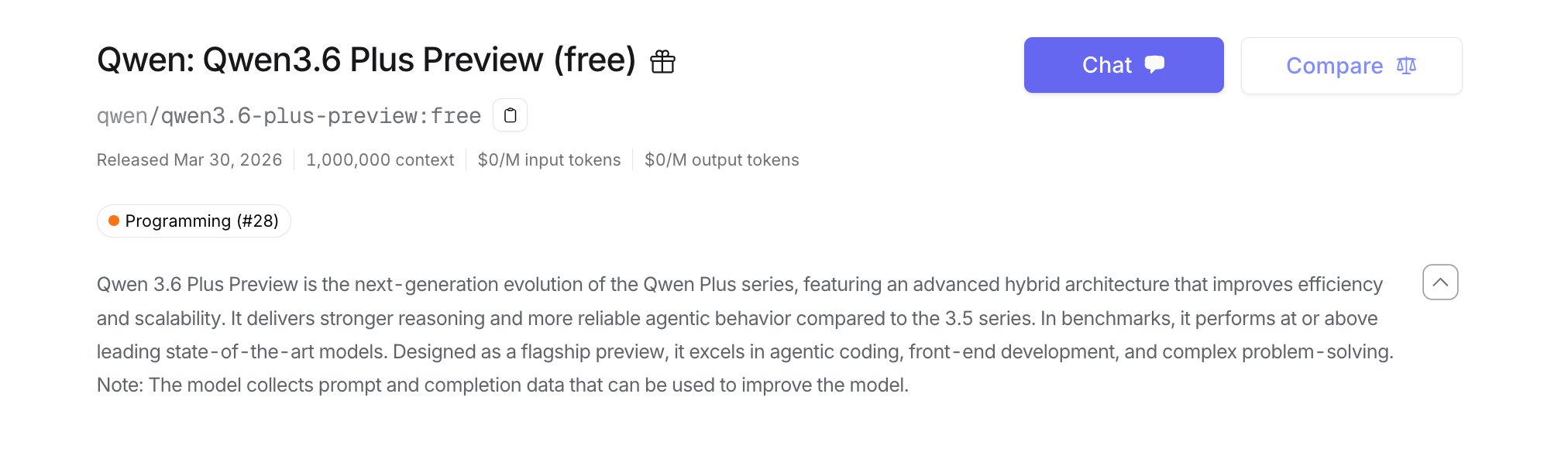
In its first two days, it processed over 400 million completion tokens across roughly 400,000 requests. Developers found it fast.
This article walks you through everything you need to get up and running: account setup, API keys, working code examples in cURL, Python, and Node.js, and specific advice on where this model performs best.
By the end of this guide, you’ll know exactly how to call Qwen 3.6 for free, what it’s capable of, and where it falls short.
What Qwen 3.6 adds over the 3.5 series
The jump from 3.5 to 3.6 isn’t incremental. Three things changed in meaningful ways.
1. The context window grew to 1 million tokens
Qwen 3.5 had a 32K to 128K context window depending on the variant. Qwen 3.6 supports 1 million tokens input.
To put that in practical terms: 1 million tokens is roughly 750,000 words. That’s enough to feed the model an entire codebase, a year of Slack logs, a full legal document library, or a large research corpus in one request.
Most free models top out at 8K to 32K. Getting 1M tokens for free is uncommon.
2. Reasoning is built in, not optional
Qwen 3.6 uses mandatory reasoning tokens. Before the model produces its final answer, it generates an internal chain-of-thought. You don’t need to prompt it with “think step by step” or any special instruction.
This is the same pattern DeepSeek R1 popularized. The difference is Qwen 3.6 applies it across coding, front-end, and general problem-solving tasks, not just math.
3. Agentic behavior is more reliable
Tool calling in the 3.5 series was inconsistent. Functions would get called with wrong argument types, or the model would hallucinate a function call that didn’t exist.
Qwen 3.6 addresses this directly. According to Alibaba Cloud’s own description, it “delivers stronger reasoning and more reliable agentic behavior compared to the 3.5 series.” In practice, this means fewer broken tool calls in multi-step workflows.
The model is specifically tuned for three tasks:
- Agentic coding (multi-step code generation with tool use)
- Front-end development (HTML, CSS, JavaScript component generation)
- Complex problem-solving (research, analysis, long-context summarization)
How to access Qwen 3.6 for free
You need two things: an OpenRouter account and an API key. No credit card required for free models.
Step 1: Create your OpenRouter account
Go to openrouter.ai and sign up with email or a Google account. The whole process takes under two minutes.
Free models don’t require you to add a payment method. You get access immediately after email verification.
Step 2: Generate an API key
- Click your profile avatar in the top-right corner
- Select API Keys from the dropdown
- Click Create Key
- Give it a name (e.g.,
qwen-test) and click Create - Copy the key. It starts with
sk-or-v1-...
Store this somewhere secure. OpenRouter won’t show it to you again.
Step 3: Send your first request
The model ID is qwen/qwen3.6-plus-preview:free.
OpenRouter uses the same request format as the OpenAI API, so any OpenAI-compatible client works without modification.
cURL:
curl https://openrouter.ai/api/v1/chat/completions \
  -H "Authorization: Bearer sk-or-v1-YOUR_KEY_HERE" \
  -H "Content-Type: application/json" \
  -d '{
    "model": "qwen/qwen3.6-plus-preview:free",
    "messages": [
      {
        "role": "user",
        "content": "Write a Python function that parses a JWT token and returns the payload as a dictionary."
      }
    ]
  }'
Python (requests library):
import requests

def call_qwen(prompt: str, api_key: str) -> str:
    response = requests.post(
        "https://openrouter.ai/api/v1/chat/completions",
        headers={
            "Authorization": f"Bearer {api_key}",
            "Content-Type": "application/json",
        },
        json={
            "model": "qwen/qwen3.6-plus-preview:free",
            "messages": [{"role": "user", "content": prompt}],
        },
        timeout=60,
    )
    response.raise_for_status()
    return response.json()["choices"][0]["message"]["content"]

result = call_qwen(
    "Write a Python function that parses a JWT token and returns the payload.",
    api_key="sk-or-v1-YOUR_KEY_HERE"
)
print(result)
Node.js (fetch):
async function callQwen(prompt, apiKey) {
  const response = await fetch("https://openrouter.ai/api/v1/chat/completions", {
    method: "POST",
    headers: {
      "Authorization": `Bearer ${apiKey}`,
      "Content-Type": "application/json",
    },
    body: JSON.stringify({
      model: "qwen/qwen3.6-plus-preview:free",
      messages: [{ role: "user", content: prompt }],
    }),
  });

  if (!response.ok) {
    throw new Error(`OpenRouter error: ${response.status} ${await response.text()}`);
  }

  const data = await response.json();
  return data.choices[0].message.content;
}

callQwen(
  "Write a JavaScript function that validates an email address.",
  "sk-or-v1-YOUR_KEY_HERE"
).then(console.log);
Python with the OpenAI SDK:
If you already use the OpenAI Python SDK, you can point it at OpenRouter with no other changes:
from openai import OpenAI

client = OpenAI(
    base_url="https://openrouter.ai/api/v1",
    api_key="sk-or-v1-YOUR_KEY_HERE",
)

response = client.chat.completions.create(
    model="qwen/qwen3.6-plus-preview:free",
    messages=[
        {
            "role": "system",
            "content": "You are a senior backend engineer. Write clean, production-ready code."
        },
        {
            "role": "user",
            "content": "Write a Python function that retries a failed HTTP request up to 3 times with exponential backoff."
        }
    ],
)

print(response.choices[0].message.content)
Tool use and agentic workflows
Tool use is where Qwen 3.6 stands out at the free tier. Here’s a working example:
from openai import OpenAI
import json

client = OpenAI(
    base_url="https://openrouter.ai/api/v1",
    api_key="sk-or-v1-YOUR_KEY_HERE",
)

# Define the tools available to the model
tools = [
    {
        "type": "function",
        "function": {
            "name": "search_api_docs",
            "description": "Search the API documentation for a specific endpoint or parameter",
            "parameters": {
                "type": "object",
                "properties": {
                    "query": {
                        "type": "string",
                        "description": "The search query"
                    },
                    "version": {
                        "type": "string",
                        "enum": ["v1", "v2", "v3"],
                        "description": "API version to search"
                    }
                },
                "required": ["query"]
            }
        }
    },
    {
        "type": "function",
        "function": {
            "name": "run_api_test",
            "description": "Execute a test request against an API endpoint",
            "parameters": {
                "type": "object",
                "properties": {
                    "endpoint": {"type": "string"},
                    "method": {"type": "string", "enum": ["GET", "POST", "PUT", "DELETE"]},
                    "body": {"type": "object"}
                },
                "required": ["endpoint", "method"]
            }
        }
    }
]

messages = [
    {
        "role": "user",
        "content": "Find documentation for the /users endpoint and run a test GET request against it."
    }
]

response = client.chat.completions.create(
    model="qwen/qwen3.6-plus-preview:free",
    messages=messages,
    tools=tools,
    tool_choice="auto",
)

message = response.choices[0].message

# Check whether the model wants to call a tool
if message.tool_calls:
    for tool_call in message.tool_calls:
        print(f"Tool: {tool_call.function.name}")
        args = json.loads(tool_call.function.arguments)
        print(f"Arguments: {json.dumps(args, indent=2)}")
else:
    print(message.content)
The model will generate a structured function call rather than hallucinating a free-form response. You then execute the function in your own code and feed the result back in the next turn.
This is how multi-step agentic workflows are built: the model calls tools, your code runs them, and you loop until the task is done.
Using the 1 million token context window
A 1M token context isn’t useful for simple questions. It’s designed for tasks where you need to give the model a large amount of context at once.
Here are three patterns where this actually matters:
Full codebase review
Feed the model your entire codebase (within the token limit) and ask it to identify security issues, inconsistent patterns, or undocumented functions.
import os
from pathlib import Path
from openai import OpenAI

client = OpenAI(
    base_url="https://openrouter.ai/api/v1",
    api_key="sk-or-v1-YOUR_KEY_HERE",
)

def load_codebase(directory: str, extensions: list[str]) -> str:
    """Load all source files from a directory into a single string."""
    content_parts = []
    for path in Path(directory).rglob("*"):
        if path.suffix in extensions and path.is_file():
            try:
                text = path.read_text(encoding="utf-8", errors="ignore")
                content_parts.append(f"--- FILE: {path} ---\n{text}\n")
            except Exception:
                continue
    return "\n".join(content_parts)

codebase = load_codebase("./src", [".py", ".js", ".ts"])

response = client.chat.completions.create(
    model="qwen/qwen3.6-plus-preview:free",
    messages=[
        {
            "role": "user",
            "content": f"Review this codebase and identify:\n1. Security vulnerabilities\n2. Functions with no error handling\n3. Inconsistent naming conventions\n\nCodebase:\n{codebase}"
        }
    ],
)

print(response.choices[0].message.content)
Large document analysis
Pass in a long legal document, financial report, or research paper and ask specific questions about it.
with open("annual_report_2025.txt", "r") as f:
    document = f.read()

response = client.chat.completions.create(
    model="qwen/qwen3.6-plus-preview:free",
    messages=[
        {
            "role": "user",
            "content": f"Extract all mentions of API rate limits and pricing changes from this document:\n\n{document}"
        }
    ],
)
Multi-turn conversation with full history
Keep the entire conversation history in context without truncation, useful for long debugging sessions or technical interviews.
conversation = []

def chat(user_message: str) -> str:
    conversation.append({"role": "user", "content": user_message})

    response = client.chat.completions.create(
        model="qwen/qwen3.6-plus-preview:free",
        messages=conversation,
    )

    assistant_message = response.choices[0].message.content
    conversation.append({"role": "assistant", "content": assistant_message})
    return assistant_message

# Long back-and-forth debugging session
print(chat("I'm getting a 401 error from the GitHub API. Here's my code..."))
print(chat("I added the token but now I get a 403. The token has repo scope."))
print(chat("The repo is private. What scopes do I actually need?"))
Testing OpenRouter API requests with Apidog
When you’re building on top of the OpenRouter API, debugging failed requests gets tedious fast. You’re making HTTP requests, checking JSON responses, and iterating on your prompts. Doing this from the command line or Postman is slow.
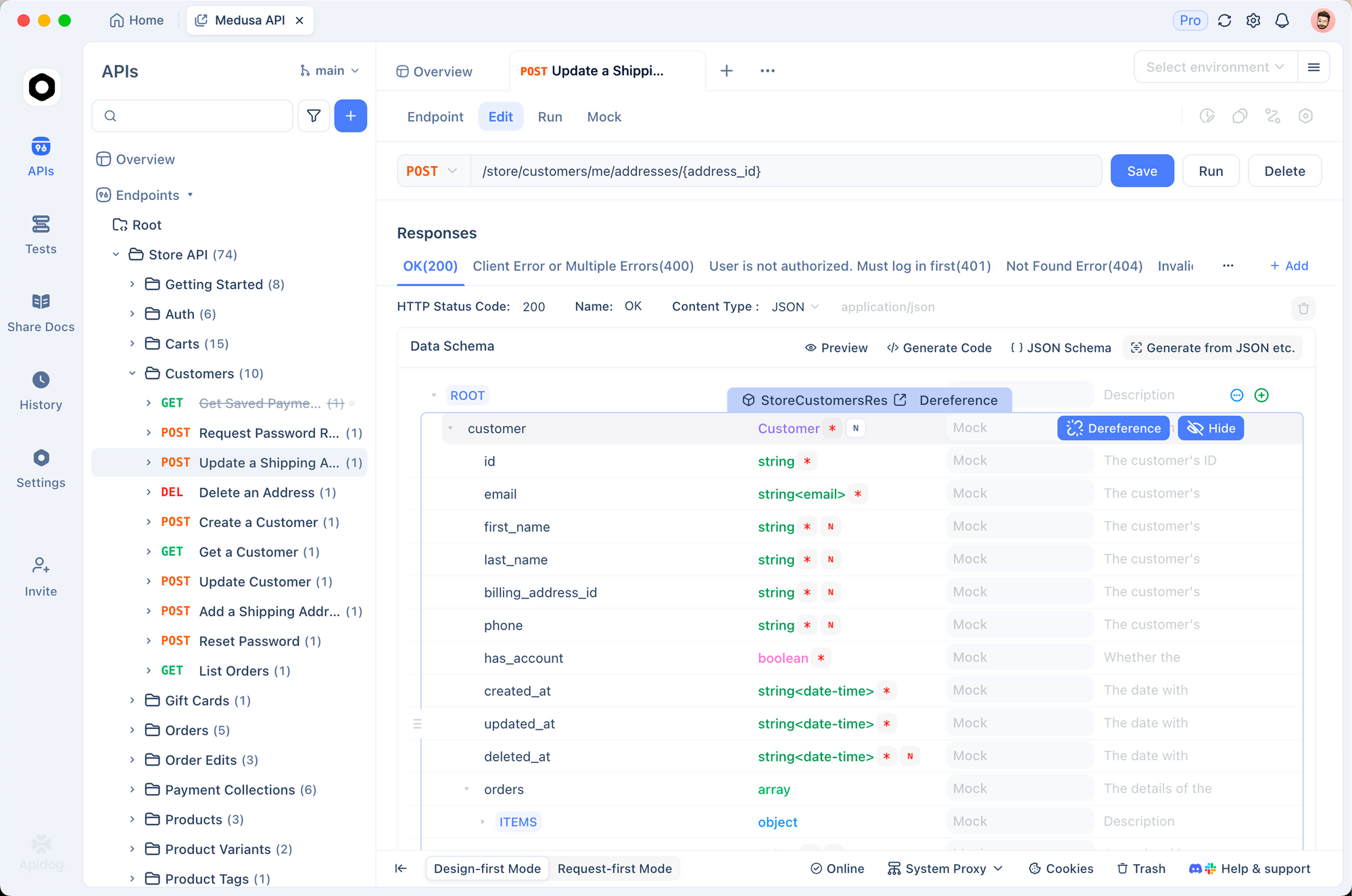
Apidog is worth trying here. It’s a free API client that handles request building, response inspection, and test automation in one place.
To test the Qwen 3.6 endpoint in Apidog:
- Create a new POST request to
https://openrouter.ai/api/v1/chat/completions - Add your
Authorization: Bearer sk-or-v1-...header - Set the body to JSON with your
modelandmessagesfields - Send the request and inspect the response
You can save this as a collection, switch between model IDs to compare outputs, and write automated tests that check response structure, verify that choices[0].message.content is not empty, or assert that tool calls contain the expected function name.
If you’re building an app that calls OpenRouter, writing a few request tests in Apidog early on saves time when the model behaves unexpectedly.
Free tier limits to know before you build on this
Qwen 3.6 is free now. That won’t last indefinitely, and there are practical constraints to plan around.
Rate limits are shared. Free models on OpenRouter share capacity across all users. During peak hours (US evening, typically), you’ll see higher latency and occasional rate limit errors. Build retry logic into any production code.
import time
import requests
from requests.adapters import HTTPAdapter
from urllib3.util.retry import Retry

session = requests.Session()
retry_strategy = Retry(
    total=3,
    backoff_factor=2,
    status_forcelist=[429, 500, 502, 503, 504],
)
adapter = HTTPAdapter(max_retries=retry_strategy)
session.mount("https://", adapter)

response = session.post(
    "https://openrouter.ai/api/v1/chat/completions",
    headers={"Authorization": "Bearer sk-or-v1-YOUR_KEY_HERE"},
    json={
        "model": "qwen/qwen3.6-plus-preview:free",
        "messages": [{"role": "user", "content": "Hello"}],
    },
    timeout=30,
)
Data is logged. OpenRouter’s model page states that “the model collects prompt and completion data that can be used to improve the model.” Don’t send API keys, passwords, or personally identifiable information through this endpoint.
Preview status. This is a preview release. The model’s behavior may change. If you’re using it for production inference, pin your integration tests to the current model ID and monitor for regressions.
Text only. Qwen 3.6 takes text input and produces text output. No images, no audio, no file uploads.
Real-world use cases
Building a code review agent. A team building an internal PR review tool fed their entire pull request diffs (sometimes 10K+ lines) into Qwen 3.6 and got detailed feedback on logic errors, missing tests, and security issues. The 1M token window made it possible without chunking.
Front-end component generation. A solo developer building a SaaS dashboard used Qwen 3.6 to generate React components from design specs. The model produced clean TypeScript with proper prop types and responsive CSS without needing multiple correction passes.
API documentation summarization. A team migrating between third-party payment APIs passed in the full documentation for both APIs (each around 100K tokens) in one request and asked for a side-by-side comparison of authentication methods, webhook formats, and rate limits. The model returned a structured table in under 30 seconds.
Sign up at openrouter.ai, grab your key, and swap in qwen/qwen3.6-plus-preview:free for any model you’re currently paying for.
FAQ
Is Qwen 3.6 actually free to use?
Yes. As of March 2026, the model is listed at $0 per million input tokens and $0 per million output tokens on OpenRouter. Free status can change when the preview period ends, so check the OpenRouter pricing page before building anything that depends on the cost staying at zero.
What is the rate limit for the free tier?
OpenRouter doesn’t publish exact rate limits for free tier models. In practice, free models share capacity and are subject to throttling during high traffic. Start with one request at a time and add retry logic before increasing concurrency.
Can I use Qwen 3.6 for commercial projects?
Yes, OpenRouter allows commercial use. Check Alibaba Cloud’s Qwen model license for any restrictions on the underlying model itself, particularly if you’re distributing outputs.
Why does Qwen 3.6 take longer to respond than other models?
The mandatory reasoning tokens add latency. Before generating a response, the model works through an internal chain-of-thought. For simple prompts, this may add a few seconds. For complex reasoning tasks, the extra latency is worth it. Use streaming if you want to show partial output as it generates.
Is there a way to disable the reasoning tokens?
As of the current preview, reasoning is mandatory and cannot be turned off. If you need faster responses without chain-of-thought, try a different model variant when one becomes available, or use a smaller free model like LLaMA 3.1 8B for latency-sensitive tasks.
How does the 1M token context window affect cost?
On the free tier, it doesn’t. You pay $0 regardless of how many tokens you send. Keep in mind that very large requests take longer to process and may time out on the free tier. Start with a 30-60 second timeout and increase it for requests over 100K tokens.


