TL;DR
OpenClaw's power lies in its extensibility through skills. With over 700 community-built skills available via ClawHub and the ability to create custom skills using SKILL.md files or TypeScript, you can transform your OpenClaw assistant into a specialized tool for virtually any task. This guide covers everything from installing existing skills to building and publishing your own.
Introduction
OpenClaw already provides powerful capabilities out of the box, but its true potential unlocked through skills. Whether you need specialized coding assistance, DevOps automation, research tools, or industry-specific functionality, there's likely a skill for that—and if not, you can build one.
With over 700 community-built skills available via ClawHub and the ability to create custom skills, OpenClaw becomes whatever AI assistant you need it to be.
In this comprehensive guide, we'll cover:
- How to find and install skills from ClawHub
- Managing and organizing your skills
- Building custom skills from scratch
- Publishing your skills for the community
- Security best practices
Understanding OpenClaw Skills
What Are Skills?
Skills are modular extensions that add specific capabilities to OpenClaw. Think of them as plugins that give your AI assistant new abilities—from sending specific types of emails to interacting with particular APIs.
Types of Skills
1. Natural Language Skills (SKILL.md)
The simplest form—written in Markdown with YAML frontmatter. These define operational runbooks that OpenClaw follows when certain conditions are met.
2. TypeScript Skills
Full-featured skills built with TypeScript that can access APIs, execute complex logic, and integrate deeply with external services.
3. CLI-Based Skills
Skills that wrap command-line tools, allowing OpenClaw to use any tool available on your system.
How Skills Work
Skills are loaded dynamically when needed (just-in-time loading), which keeps memory usage manageable. When a user request matches a skill's triggers, OpenClaw executes the skill's defined actions.
Skill Categories
ClawHub hosts skills across numerous categories:
- Coding Agents & IDEs (133+ skills)
- DevOps & Cloud (212+ skills)
- Search & Research (253+ skills)
- AI & LLMs (287+ skills)
- Productivity (150+ skills)
- Data & Analytics (100+ skills)
- And many more...
Installing Skills from ClawHub
Finding Skills
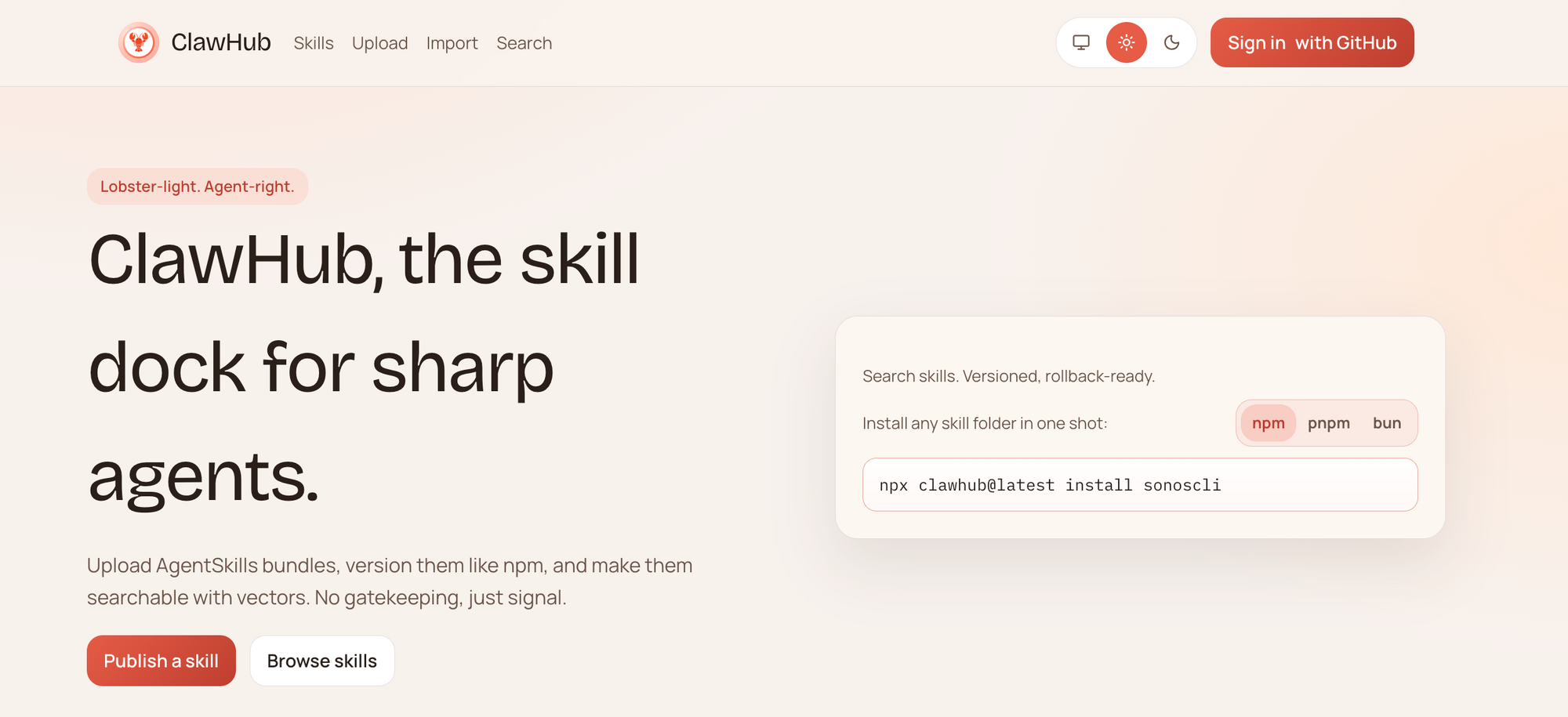
Browse the ClawHub marketplace at clawhub.ai or search directly through OpenClaw:
# Search for skills
openclaw skills search "github"

# List popular skills
openclaw skills popular

# Browse a category
openclaw skills browse devops
Installing a Skill
Once you've found a skill you want, installing it is straightforward:
# Install a specific skill
openclaw skills install github-actions

# Install with a specific version
openclaw skills install github-actions@1.2.0

# Install from a specific publisher
openclaw skills install @username/skill-name
Installing All Recommended Skills
# Install popular starter skills
openclaw skills install-recommended
Verifying Installation
# List all installed skills
openclaw skills list

# Check skill details
openclaw skills info github-actions
Managing Your Installed Skills
Enabling and Disabling Skills
# Disable a skill (keeps it installed but unused)
openclaw skills disable github-actions

# Enable a disabled skill
openclaw skills enable github-actions
Updating Skills
# Update a specific skill
openclaw skills update github-actions

# Update all skills
openclaw skills update-all
Removing Skills
# Uninstall a skill
openclaw skills uninstall github-actions
Skill Configuration
Many skills support custom configuration:
# Configure a skill
openclaw skills config github-actions --set token=your-github-token
Or edit the skill's configuration file directly:
# ~/.openclaw/skills/github-actions/config.yaml
token: your-github-token
default-branch: main
auto-merge: false
Building Custom Skills
When to Build Custom Skills
Build a custom skill when you need:
- Specific API integrations not covered by existing skills
- Custom automation workflows
- Industry-specific functionality
- Proprietary internal tools
Skill Structure
A basic skill consists of:
my-custom-skill/
├── SKILL.md          # Skill definition (for natural language skills)
├── config.yaml       # Configuration schema
└── icon.svg          # Skill icon (optional)
For TypeScript skills:
my-typescript-skill/
├── src/
│   └── index.ts      # Main skill code
├── package.json
├── tsconfig.json
├── config.schema.json
└── skill.yaml        # Skill manifest
Creating SKILL.md Skills
Basic SKILL.md Structure
Here's a minimal SKILL.md file:
---
name: weather-alert
description: Get weather alerts for your location
triggers:
  - "weather"
  - "weather alert"
  - "forecast"
requires:
  - location
actions:
  - name: get_weather
    api: https://api.weather.com/v3
    params:
      location: "{location}"
---

# Weather Alert Skill

This skill provides weather alerts and forecasts for your location.

## Configuration

Set your location in the skill config:
- city: Your city name
- units: metric or imperial
Full Example: Email Summary Skill
---
name: daily-email-summary
description: Receive a daily summary of your important emails
triggers:
  - "email summary"
  - "daily emails"
  - "summarize my emails"
requires:
  - email_access
  - api_key
actions:
  - name: fetch_emails
    method: gmail.users.messages.list
    params:
      q: "is:unread"
      maxResults: 10
  - name: summarize
    model: gpt-4
    prompt: "Summarize these emails in bullet points"
---

# Daily Email Summary Skill

Stay on top of your inbox with automated daily summaries.

## Features

- Fetches unread emails from Gmail
- Uses AI to summarize key points
- Sends summary to your preferred channel

## Setup

1. Configure Gmail API access in your OpenClaw settings
2. Set your preferred summary time
3. Choose your delivery channel (Telegram, Discord, etc.)

## Example Usage
You: Send me my email summary
OpenClaw: Here's a summary of your 8 unread emails:
- Meeting request from John about Q3 planning
- Order confirmation from Amazon
- Newsletter from TechCrunch...
### Advanced Triggers

Use more sophisticated triggers:

```markdown
---
name: smart-reminder
triggers:
  # Exact phrases
  - "remind me to {action}"
  # Patterns
  - "remind me in {duration}"
  # Contextual
  context:
    - channel: work
      patterns: ["meeting", "deadline", "project"]
---

# Smart Reminder Skill

Handles all reminder requests with intelligent parsing.
Building TypeScript Skills
For more complex integrations, TypeScript skills provide full control.
Setting Up Your Development Environment
# Create a new skill project
openclaw skills create my-awesome-skill

# Navigate to the skill directory
cd my-awesome-skill

# Install dependencies
npm install

# Start development server
npm run dev
TypeScript Skill Structure
// src/index.ts
import { Skill, SkillContext, SkillResult } from '@openclaw/skill-sdk';

export default class MyAwesomeSkill implements Skill {
  name = 'my-awesome-skill';
  description = 'A skill that does something awesome';

  // Called when the skill is loaded
  async onLoad(context: SkillContext): Promise<void> {
    console.log('Skill loaded!');
  }

  // Called when the skill matches a trigger
  async execute(context: SkillContext): Promise<SkillResult> {
    const { userMessage, config } = context;

    // Your skill logic here
    const result = await this.doSomethingAwesome(userMessage.content);

    return {
      message: result,
      actions: []
    };
  }

  private async doSomethingAwesome(input: string): Promise<string> {
    // Implement your skill logic
    return `You said: ${input}`;
  }
}
Skill Manifest (skill.yaml)
name: my-awesome-skill
version: 1.0.0
description: A skill that does something awesome
author:
  name: Your Name
  email: you@example.com

triggers:
  - pattern: "do something awesome"
    type: exact

config:
  apiKey:
    type: string
    required: true
    description: API key for the service

permissions:
  - network
  - filesystem

runtime: nodejs18
Configuration Schema (config.schema.json)
{
  "$schema": "http://json-schema.org/draft-07/schema#",
  "type": "object",
  "properties": {
    "apiKey": {
      "type": "string",
      "description": "API key for the service"
    },
    "enabled": {
      "type": "boolean",
      "default": true
    }
  },
  "required": ["apiKey"]
}
Building and Testing
# Build the skill
npm run build

# Run tests
npm test

# Package for distribution
npm run package
Example: GitHub Integration Skill
Here's a more complete example showing API integration:
import { Skill, SkillContext, SkillResult } from '@openclaw/skill-sdk';
import axios from 'axios';

export default class GitHubSkill implements Skill {
  name = 'github';
  description = 'Interact with GitHub repositories';

  async execute(context: SkillContext): Promise<SkillResult> {
    const { userMessage, config } = context;
    const message = userMessage.content.toLowerCase();

    if (message.includes('list repos')) {
      return this.listRepositories(config);
    } else if (message.includes('create issue')) {
      return this.createIssue(context);
    }

    return {
      message: 'I can help with listing repos, creating issues, and more.',
      actions: []
    };
  }

  private async listRepositories(config: any): Promise<SkillResult> {
    const response = await axios.get('https://api.github.com/user/repos', {
      headers: {
        Authorization: `token ${config.githubToken}`
      }
    });

    const repos = response.data.slice(0, 5).map((r: any) => r.name).join('\n');

    return {
      message: `Your recent repositories:\n${repos}`,
      actions: []
    };
  }

  private async createIssue(context: SkillContext): Promise<SkillResult> {
    // Extract issue details from user message
    return {
      message: 'I need more details to create an issue. Please specify the repository, title, and description.',
      actions: [
        {
          type: 'request_input',
          fields: ['repo', 'title', 'description']
        }
      ]
    };
  }
}
Publishing Skills to ClawHub
Preparing Your Skill for Publishing
- Test thoroughly: Ensure your skill works in various scenarios
- Add documentation: Clear SKILL.md with examples
- Set proper permissions: Only request necessary access
- Add an icon: Create a simple SVG icon
- Versioning: Use semantic versioning (1.0.0, 1.1.0, etc.)
Publishing Process
# Login to ClawHub
openclaw skills login

# Check your skill is ready
openclaw skills validate

# Publish your skill
openclaw skills publish
Publishing Requirements
- Valid skill manifest (skill.yaml)
- Required: name, version, description, author
- At least one trigger defined
- virusTotal scanning (automatically performed)
- Identity verification
Version Management
# Bump version
openclaw skills version patch  # 1.0.0 -> 1.0.1
openclaw skills version minor  # 1.0.0 -> 1.1.0
openclaw skills version major  # 1.0.0 -> 2.0.0

# Publish new version
openclaw skills publish
Security Best Practices
Installing Third-Party Skills
Important Security Note: The ClawHavoc incident in early 2026 revealed malicious skills on ClawHub. Always follow these precautions:
- Verify publishers: Only install skills from trusted, verified publishers
- Review permissions: Check what permissions the skill requests
- Audit code: For TypeScript skills, review the source code
- Start isolated: Test skills in a separate environment first
# Check skill permissions before installing
openclaw skills inspect github-actions
Building Secure Skills
When building your own skills:
# Always specify minimum required permissions
permissions:
  - network  # Only if needed
  - filesystem  # Only if needed

# Never hardcode secrets
# BAD:
const apiKey = "sk-1234567890";

# GOOD:
const apiKey = process.env.API_KEY;
Recommended Security Configuration
# ~/.openclaw/security.yaml
skill_security:
  require_virustotal: true
  require_verified_publisher: false  # Set to true for production
  audit_permissions: true
  sandbox_mode: true
Advanced Skill Development
Skill Dependencies
Skills can depend on other skills:
# skill.yaml
dependencies:
  - name: github
    version: ">=1.0.0"
  - name: slack
    version: ">=2.0.0"
Event-Driven Skills
React to OpenClaw events:
export default class EventSkill implements Skill {
  async onMessage(context: SkillContext): Promise<SkillResult> {
    // Called on every message
  }

  async onTimer(context: SkillContext): Promise<SkillResult> {
    // Called based on schedule
  }

  async onStartup(context: SkillContext): Promise<void> {
    // Called when OpenClaw starts
  }

  async onShutdown(context: SkillContext): Promise<void> {
    // Called when OpenClaw stops
  }
}
Using MCP with Skills
Combine skills with MCP servers:
# skill.yaml
mcpServers:
  - name: filesystem
    command: npx @modelcontextprotocol/server-filesystem ./data
  - name: github
    command: npx @modelcontextprotocol/server-github
Troubleshooting
Skill Not Loading
# Check skill status
openclaw skills status my-skill

# View skill logs
openclaw logs --skill my-skill
Common causes:
- Missing dependencies
- Invalid configuration
- Permission issues
Trigger Not Matching
# Test trigger matching
openclaw skills test-trigger "your trigger phrase"
Performance Issues
# Check skill resource usage
openclaw skills monitor

# Disable resource-heavy skills temporarily
openclaw skills disable heavy-skill
Conclusion
OpenClaw's skill system transforms it from a simple AI assistant into a powerful, extensible platform. Whether you're installing community-built skills from ClawHub or building your own custom solutions, the possibilities are virtually unlimited.
The OpenClaw ecosystem grows stronger with each new skill. Start building today!