When you pick a tool to generate your API docs, the license is part of the decision. An open-source generator means you can read the code, self-host the output, fork it if it stalls, and never hit a seat limit or a paywall on a feature you already shipped. For a job that runs in every CI build, that matters as much as the output quality.
This list is the open-source cut of API documentation tooling that runs from the command line. Every tool here is source-available under a real license, MIT or Apache 2.0, hosted on GitHub, and free to run with no account required. You point it at an OpenAPI or Swagger file and it hands you Markdown, a static HTML page, or a full docs site you own and host yourself.
I’ll flag the exact license and the self-host story for each one, because that’s the whole reason you’re reading an open-source roundup instead of a general one. If you want the broader field, the top REST API documentation tools roundup covers the GUI platforms too. The OpenAPI Specification is the format every tool below reads, so a valid spec is your starting point.
One honest note up front. Apidog appears near the end, and it is not an open-source entry; it’s a commercial freemium platform. I’ve included it only as a labeled aside for the case where the open tools leave a gap, and I’ll be explicit about that line.
What makes a CLI documentation tool “open source”
Open source isn’t just “free to download.” For documentation tooling that you’ll wire into a build, three things decide whether a tool is genuinely yours.
A real license. MIT or Apache 2.0 means you can use, modify, and redistribute the tool commercially without asking. Both are OSI-approved. Apache 2.0 adds an explicit patent grant, which some legal teams prefer. Every tool below carries one of the two.
Self-hostable output. The point of open docs is that nothing depends on a vendor’s servers. These tools write static files: Markdown you commit, a single HTML page, or a folder of HTML/CSS/JS. You host it on GitHub Pages, S3, or a plain Nginx box, and it keeps working whether or not the project behind the tool does.
Maintenance and community. Source-available only helps if the code is alive. Stars, recent commits, and open issues tell you whether a fork would be viable if you ever needed one. A couple of tools here are archived but still work; I’ll say so.
For the no-cost angle across both open and freemium options, the free API documentation tools list is the companion piece. Now the tools.
Redocly CLI
Redocly CLI is the fastest way to turn a spec into a polished, self-contained HTML reference. It’s MIT-licensed and open core: the CLI and the Redoc rendering engine underneath it are open source on GitHub, while some hosted portal features live in Redocly’s paid product. The build-docs command is fully in the open half.
npx @redocly/cli build-docs openapi.yaml -o api-docs.html
That writes one HTML file built on Redoc. Open it locally, drop it on any static host, or attach it to a release. Nothing phones home, and you can run it offline once the package is cached.
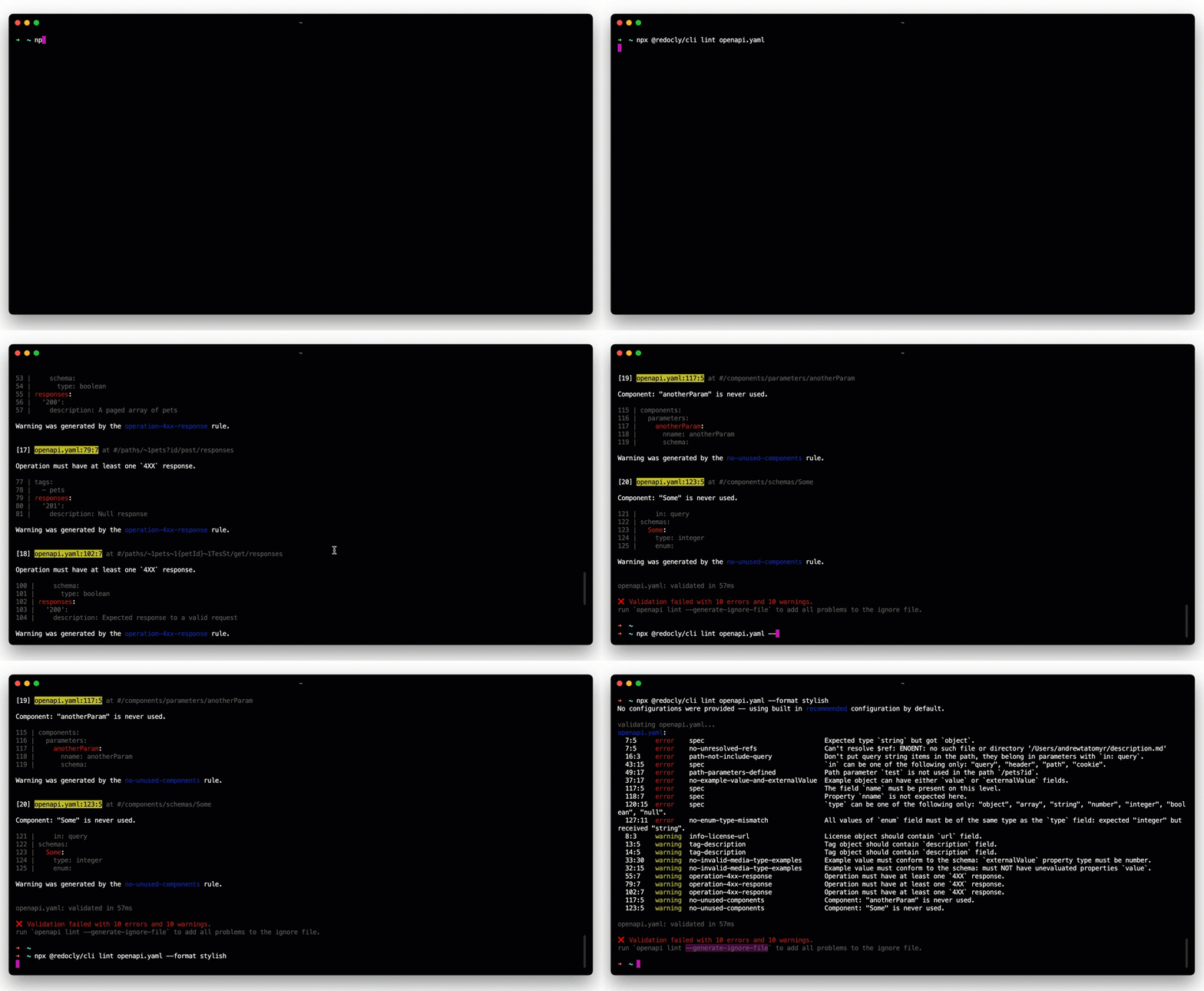
Best at: a clean single-page API reference from one command, MIT-licensed and self-hosted. Honest limits: the output is one page, so it’s a reference rather than a multi-page portal, and the richer theming sits in the paid tier. If you’re weighing the rendering engines against each other, the Redocly alternatives comparison lays out where the open line falls.
Widdershins
Widdershins is a pure converter under the MIT license. It reads OpenAPI 3, Swagger 2, or AsyncAPI and emits Markdown; that’s the entire job. Because the output is plain Markdown, you own it completely: commit it, diff it in a pull request, or feed it into whatever static site you already run.
npm install -g widdershins
widdershins openapi.yaml -o api-docs.md
The Markdown it writes is Slate-compatible, which pairs it neatly with the site generators later in this list. Useful flags: --omitHeader drops the front-matter, and --language_tabs picks the code-sample languages.
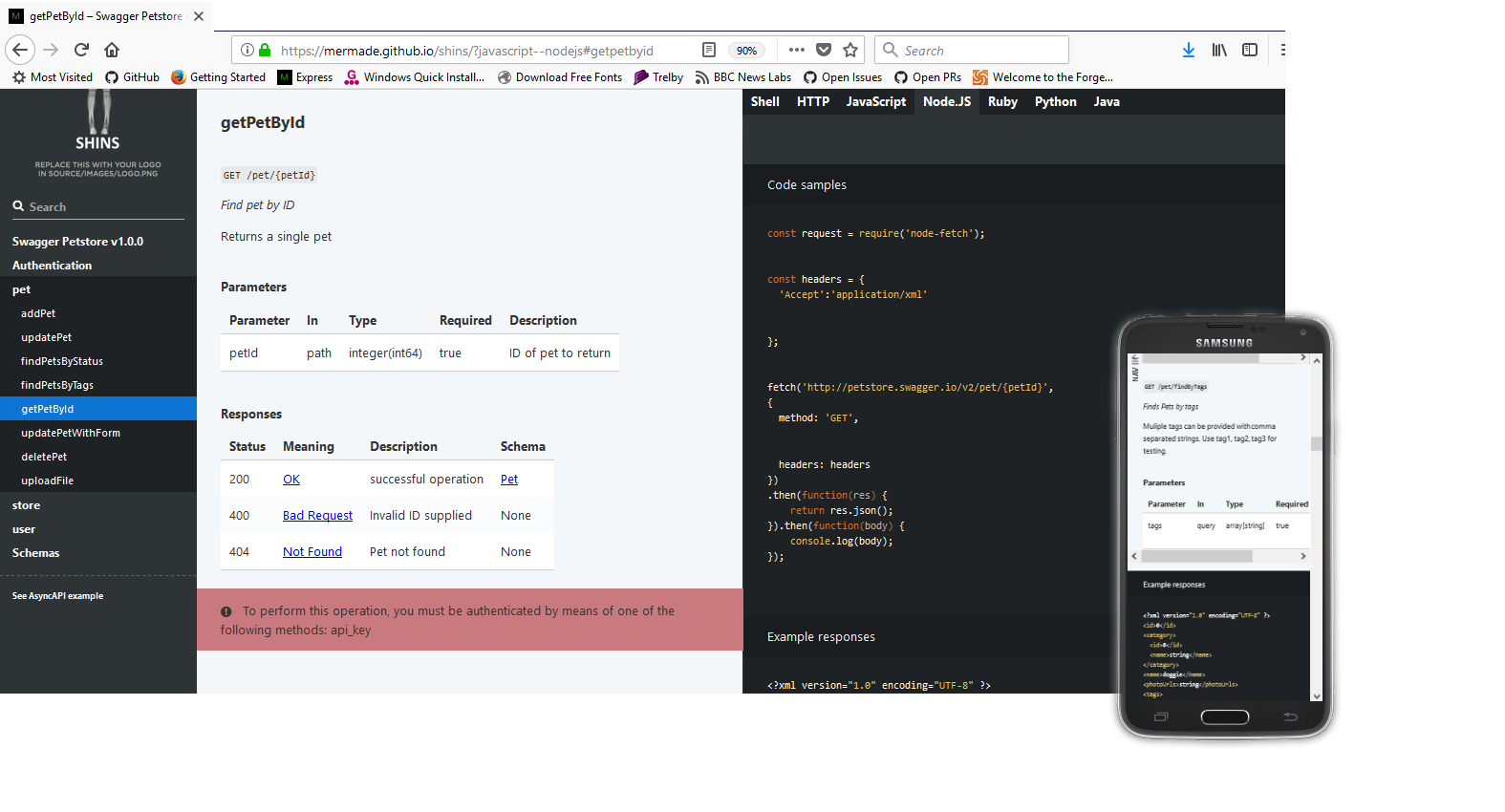
Best at: getting spec content into version-controllable Markdown with zero lock-in. Honest limits: Markdown is all you get. There’s no styling and no rendered site, so Widdershins is one half of a pipeline; something else turns the Markdown into pages.
OpenAPI Generator
OpenAPI Generator is Apache 2.0 licensed and community-run, forked from Swagger Codegen in 2018. It’s best known for client SDKs, but it ships documentation generators too: the markdown generator writes a folder of Markdown, and html2 writes a single self-contained HTML page.
npm install -g @openapitools/openapi-generator-cli
openapi-generator-cli generate -g markdown -i openapi.yaml -o docs/
openapi-generator-cli generate -g html2 -i openapi.yaml -o docs-html/
The Apache 2.0 license and its patent grant make it an easy approval for cautious legal teams, and the project is one of the most actively maintained in this space.
Best at: reusing one tool for both SDKs and docs, under a permissive license with strong community backing. Honest limits: the npm wrapper still downloads a Java jar on first run, so it’s not a single binary, and the templated output is plain. If you only need docs, lighter converters exist.
Swagger Codegen
Swagger Codegen is the original template-driven generator from the Swagger team, licensed under Apache 2.0. It predates the OpenAPI Generator fork and is still maintained by SmartBear. For docs it offers two paths: html for a static single-page reference and dynamic-html for a small interactive site.
npm install -g swagger-codegen-cli
swagger-codegen-cli generate -i openapi.yaml -l html -o docs/
The two projects share DNA and a lot of options, so if your team already standardized on the Swagger toolchain, this keeps you inside it.

Best at: teams already invested in the Swagger ecosystem who want docs from the same Apache 2.0 tool that generates their stubs. Honest limits: it’s Java-backed like OpenAPI Generator, and development moves slower than the community fork. For most new setups, OpenAPI Generator is the more active choice; Swagger Codegen wins on continuity.
Docusaurus with the OpenAPI plugin
If a single HTML page isn’t enough and you want a real, versioned documentation site, Docusaurus is the open-source anchor. It’s MIT-licensed, built by Meta, and one of the most widely used static site generators on the web. On its own it renders Markdown and MDX; the docusaurus-openapi-docs plugin, also MIT and maintained by Palo Alto Networks, adds spec-to-docs generation.
npx create-docusaurus@latest my-docs classic
npm install docusaurus-plugin-openapi-docs docusaurus-theme-openapi-docs
npm run docusaurus gen-api-docs all
After configuring the plugin with your spec path, gen-api-docs converts the OpenAPI file into MDX pages that render inside the Docusaurus site, complete with a “try it” panel and sidebar navigation.
Best at: a full, self-hosted docs portal with versioning, search, and hand-written guides alongside the generated reference. Honest limits: it’s the heaviest setup here. You’re standing up a React site and a build step, so it’s overkill if all you need is a reference page. For that, Redocly CLI is the shorter path.
Slate
Slate is the classic three-column API docs layout: navigation on the left, prose in the middle, code samples on the right, all rendered as a static site. It’s Apache 2.0 licensed and powered by Middleman, so it needs a Ruby toolchain. Unlike the converters above, Slate doesn’t read OpenAPI directly; you write Markdown, and Slate renders it.
# after cloning your Slate fork and running bundle install
bundle exec middleman build
That writes a complete static site to a build/ folder you host anywhere. This is where Widdershins pays off: convert your spec to Markdown, then let Slate render it into that recognizable layout.
Best at: hand-curated, narrative docs where you want editorial control over structure and prose, on a fully self-hosted static site. Honest limits: the original repo is archived (the maintainer stepped back), though it still builds and forks are active, and the Ruby dependency is heavier than an npx one-liner. If your docs regenerate straight from a spec, a converter is lighter.
Apidog CLI (honest aside, not an open-source entry)
The tools above are all open source, and each covers one slice: convert, render, or host a static file. The gap they leave is a live project. If your API isn’t a lone YAML file but a maintained project with endpoints, schemas, and examples, you end up chaining a converter, a renderer, and a host by hand and keeping all three in sync.
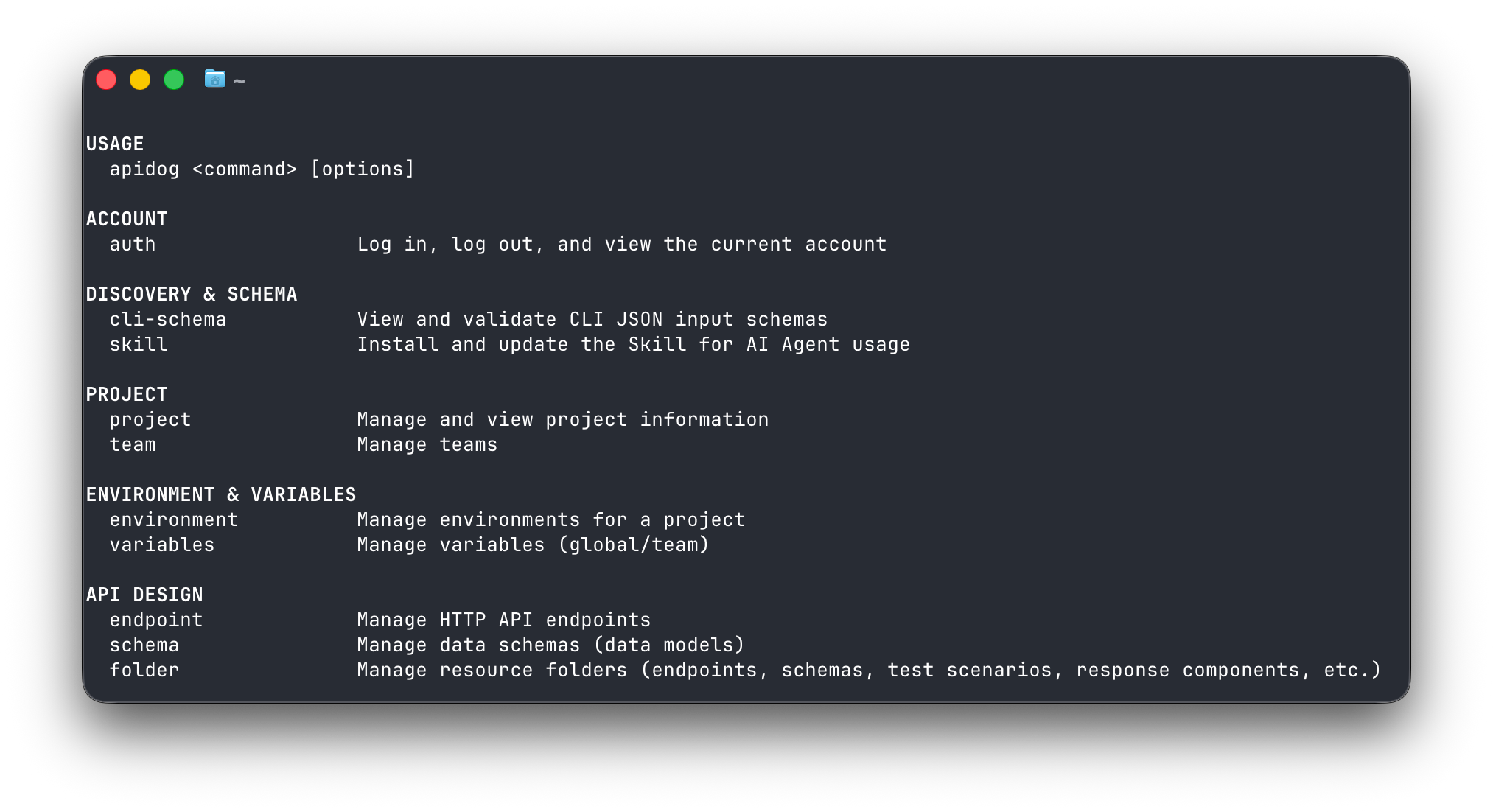
That’s the gap the apidog-cli binary fills. To be direct about the license: Apidog is not open source. It’s a commercial freemium platform with a free tier, and the CLI talks to a hosted project rather than a local spec. I’m including it here only so the comparison is honest about what the open tools do and don’t cover, not as an open-source option.
npm install -g apidog-cli
apidog login --with-token <YOUR_TOKEN>
apidog export --project <projectId> --format markdown --output ./api-docs.md
apidog export --project <projectId> --format html --output ./api-docs.html
One export turns the project into Markdown or HTML with no build pipeline, and apidog doc and apidog docs-site manage docs resources from a script. Output is structured JSON, so it pipes cleanly into CI or an agent. The Apidog CLI complete guide walks through auth and each command group. If the Markdown-export workflow is what you’re after, the API doc generator with Markdown export piece goes deeper.
Where the line sits: the open tools give you code you own, files you self-host, and no vendor dependency. Apidog gives you one integrated route from a maintained project to shareable docs, at the cost of being a hosted freemium product. Pick based on whether your source of truth is a static spec or a live project.
How to choose
Match the license and output to what your team needs to own.
| Tool | Best for | Install | Open source? | Output |
|---|---|---|---|---|
| Redocly CLI | One polished HTML page | npx @redocly/cli |
Yes (MIT, open core) | Standalone HTML |
| Widdershins | Spec to Markdown you commit | npm i -g widdershins |
Yes (MIT) | Markdown |
| OpenAPI Generator | Docs plus SDKs, one tool | npm i -g @openapitools/openapi-generator-cli |
Yes (Apache 2.0) | Markdown or HTML |
| Swagger Codegen | Swagger-standardized teams | npm i -g swagger-codegen-cli |
Yes (Apache 2.0) | HTML |
| Docusaurus + OpenAPI plugin | Full self-hosted docs site | npx create-docusaurus |
Yes (MIT) | Static site |
| Slate | Hand-curated three-column docs | Ruby + Bundler | Yes (Apache 2.0) | Static site |
| Apidog CLI | Export from a live project | npm i -g apidog-cli |
No (freemium) | Markdown or HTML |
The short version: for a bare spec and a shareable HTML reference, use Redocly CLI. For Markdown you version-control, Widdershins. If you’re already generating SDKs, OpenAPI Generator does docs too, and Swagger Codegen covers you if you’re standardized on Swagger. When you want a real portal with versioning and guides, Docusaurus plus the OpenAPI plugin is the open-source anchor, and Slate is the pick for hand-written, editorially controlled docs. Every one of these is source-available and self-hostable, so nothing you ship depends on a vendor staying in business. For the wider no-cost view, the free API documentation tools roundup pulls open and freemium options together.
Wrapping up
Choosing an open-source documentation CLI comes down to license, output, and where your docs live. MIT and Apache 2.0 both let you use, modify, and self-host without a seat cost, so pick the smallest tool that produces the output you need: Redocly CLI for a page, Widdershins for Markdown, OpenAPI Generator or Swagger Codegen for docs beside your SDKs, Docusaurus for a portal, Slate for hand-curated pages.
If your API lives in a maintained project rather than a stray file, and you’d rather export docs than chain three tools, Download Apidog and try apidog export against a project. It drops into a CI job so your docs rebuild every time the API changes, just be clear-eyed that it’s a freemium platform, not an open-source binary.