
TL;DR
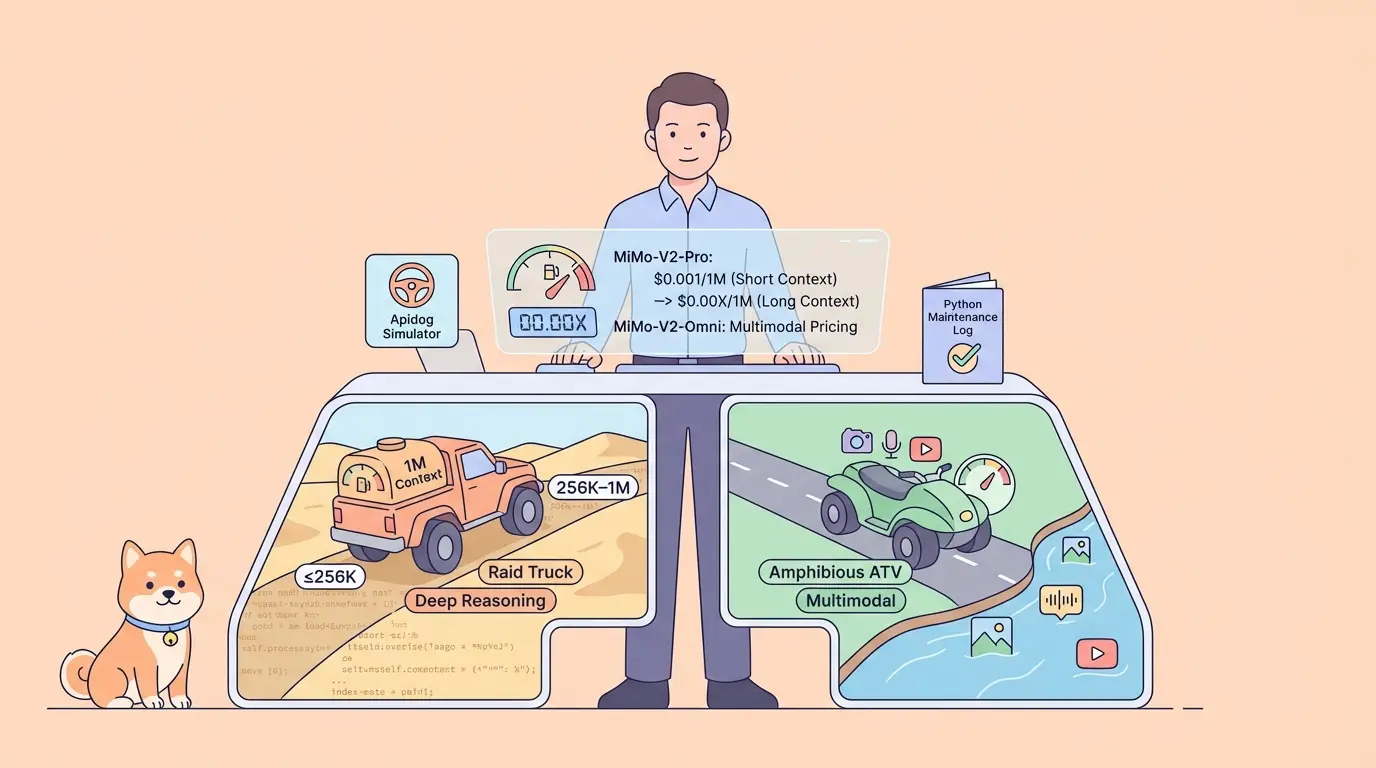
MiMo-V2-Pro Pricing starts at $1/1M input tokens and $3/1M output tokens (≤256K context). MiMo-V2-Omni Pricing covers multimodal inputs text, image, audio, and video in a unified model. Both are accessible via an OpenAI-compatible API at platform.xiaomimimo.com. Use Apidog to test the API visually, or Python for production integrations and always back your integration with a unit test.
Introduction
Xiaomi dropped three new AI models on March 18, 2026 and the developer community took notice fast. MiMo-V2-Pro and MiMo-V2-Omni are the two flagship releases: one built for deep agentic reasoning, the other for true multimodal understanding. If you're trying to figure out MiMo-V2-Pro Pricing, Omni Pricing, or simply how to use the API in your stack, this guide has you covered. We'll break down the full pricing tiers, walk through the API capabilities, and show you two integration paths a GUI-based workflow with Apidog and a Python approach with a unit test to validate your setup.
MiMo-V2-Pro Pricing & MiMo-V2-Omni Pricing Breakdown
Understanding MiMo-V2-Pro Pricing and Omni Pricing is the first step before you start calling the API. Both models use tiered token-based pricing, and the cost structure is competitive enough to make them worth serious consideration for production workloads.
MiMo-V2-Pro Pricing: Tiered by Context Length
MiMo-V2-Pro Pricing is split into two tiers based on how much context you use per request:
| Context Length | Input (per 1M tokens) | Output (per 1M tokens) |
|---|---|---|
| ≤ 256K tokens | $1.00 | $3.00 |
| 256K – 1M tokens | $2.00 | $6.00 |
The tiered structure reflects the model's 1 million token context window one of the largest available. For most workloads that stay under 256K tokens, MiMo-V2-Pro Pricing is extremely competitive: output at $3/1M is only 1/8th the price of Claude Opus. For long-horizon tasks like processing full codebases or extended planning sequences, the 256K–1M tier applies.
MiMo-V2-Omni Pricing
Omni Pricing follows a similar structure to MiMo-V2-Pro, with additional considerations for multimodal inputs. MiMo-V2-Omni natively processes text, image, audio, and video in a unified architecture not as separate bolted-on modules. Image and audio tokens are counted alongside text tokens, so Omni Pricing scales with the richness of your inputs.
For pure text tasks, Omni Pricing is comparable to MiMo-V2-Pro. For multimodal workloads, expect higher token counts per request due to image and audio tokenization.
MiMo-V2 Family Pricing Comparison
To put MiMo-V2-Pro Pricing and Omni Pricing in context:
| Model | Input (per 1M tokens) | Output (per 1M tokens) | Context Window | Modalities |
|---|---|---|---|---|
| MiMo-V2-Pro | $1.00 / $2.00* | $3.00 / $6.00* | 1M tokens | Text |
| MiMo-V2-Omni | ~$1.00* | ~$3.00* | 256K tokens | Text, Image, Audio, Video |
| MiMo-V2-Flash | $0.10 | $0.30 | 256K tokens | Text |
Tiered or approximate verify current rates at platform.xiaomimimo.com
MiMo-V2-Flash is the cheapest option for pure text tasks. MiMo-V2-Pro is the right choice when you need deep reasoning and long context. MiMo-V2-Omni is the pick for multimodal pipelines where Omni Pricing covers all input types in one API call.
MiMo-V2-Pro & Omni API Capabilities
Before you learn how to use the API, it helps to know what each model actually does.
MiMo-V2-Pro is Xiaomi's flagship reasoning model built for the "agent era." Key specs:
- 1 trillion total parameters, 42 billion active (3x larger than MiMo-V2-Flash)
- 1 million token context window handles full codebases and long planning sequences
- Multi-Token Prediction (MTP) for faster inference
- Designed for autonomous multi-step reasoning, tool execution, and software engineering tasks
- Ranks #1 among 160 models in its price tier on the Artificial Analysis Intelligence Index (score: 49 vs. median of 13)
- Strong performance on SWE-Bench and coding benchmarks
MiMo-V2-Omni is Xiaomi's multimodal foundation model:
- Natively processes text, image, audio, and video in a unified architecture
- Dedicated image and audio encoders integrated at the architecture level
- Suited for document understanding, audio transcription, video analysis, and cross-modal reasoning
Both models are available via the official API platform at platform.xiaomimimo.com, with OpenAI-compatible endpoints meaning you can swap them into any existing OpenAI SDK integration with minimal changes.
How to Use the API with Apidog
Apidog is the fastest way to explore how to use the API without writing code first. It gives you a full GUI for sending requests, inspecting responses, and running unit test assertions all in one place. Download Apidog free before you start.
Setting Up MiMo-V2-Pro & Omni API Requests in Apidog
How to use the API in Apidog takes under two minutes:
- Open Apidog and create a new project name it something like
MiMo-V2 API Tests. - Create a new HTTP request:
- Method:
POST - URL:
https://api.xiaomimimo.com/v1/chat/completions
3. Add headers in the Headers tab:
| Key | Value |
|---|---|
Authorization | Bearer YOUR_MIMO_API_KEY |
Content-Type | application/json |
4. Set the request body (Body → JSON) for MiMo-V2-Pro:
{
  "model": "mimo-v2-pro",
  "messages": [
    {
      "role": "user",
      "content": "Write a Python function that checks if a number is prime, and explain how you would unit test it."
    }
  ],
  "temperature": 0.6,
  "max_tokens": 512
}
For MiMo-V2-Omni, change the model and add an image input:
{
  "model": "mimo-v2-omni",
  "messages": [
    {
      "role": "user",
      "content": [
        { "type": "text", "text": "Describe what you see in this image." },
        { "type": "image_url", "image_url": { "url": "https://example.com/diagram.png" } }
      ]
    }
  ],
  "max_tokens": 300
}
5. Click Send. Apidog shows the full response with token usage letting you track MiMo-V2-Pro Pricing and Omni Pricing costs per request in real time.
Writing Unit Tests for the MiMo-V2-Pro & Omni API in Apidog
Apidog has a built-in test scripting engine. After sending a request, open the Tests tab and add these unit test assertions:
// Unit test 1: HTTP status is 200
pm.test("Status code is 200", function () {
  pm.response.to.have.status(200);
});

// Unit test 2: Correct model returned (MiMo-V2-Pro Pricing validation)
pm.test("Model ID is correct", function () {
  const json = pm.response.json();
  pm.expect(json.model).to.include("mimo-v2");
});

// Unit test 3: Response contains assistant message
pm.test("Assistant message is present", function () {
  const json = pm.response.json();
  pm.expect(json.choices[0].message.content).to.be.a("string").and.not.empty;
});

// Unit test 4: Token usage reported (for Omni Pricing and Pro Pricing tracking)
pm.test("Token usage is present", function () {
  const json = pm.response.json();
  pm.expect(json.usage.total_tokens).to.be.above(0);
});
These four unit test checks cover the essentials: status, model identity, response content, and token usage. Apidog runs them automatically on every Send, so you catch regressions immediately as you iterate on prompts. You can also save the collection and run it in CI using Apidog's CLI runner.
How to Use the API with Python
For production use, here's how to use the API in Python with a full unit test suite using pytest.
Installation
pip install openai pytest
The MiMo API is OpenAI-compatible, so the openai SDK works directly.
Basic API Call (MiMo-V2-Pro)
# mimo_client.py
from openai import OpenAI

# Point the OpenAI client at the MiMo API
client = OpenAI(
    api_key="YOUR_MIMO_API_KEY",
    base_url="https://api.xiaomimimo.com/v1"
)

def ask_mimo_pro(prompt: str) -> dict:
    """Call MiMo-V2-Pro API and return structured response."""
    response = client.chat.completions.create(
        model="mimo-v2-pro",
        messages=[{"role": "user", "content": prompt}],
        temperature=0.6,
        max_tokens=512
    )
    return {
        "content": response.choices[0].message.content,
        "model": response.model,
        "prompt_tokens": response.usage.prompt_tokens,
        "completion_tokens": response.usage.completion_tokens,
        "total_tokens": response.usage.total_tokens,
    }


if __name__ == "__main__":
    result = ask_mimo_pro("What is a unit test and why does it matter?")
    print(result["content"])

    # Estimate cost using MiMo-V2-Pro Pricing (≤256K tier)
    input_cost = (result["prompt_tokens"] / 1_000_000) * 1.00
    output_cost = (result["completion_tokens"] / 1_000_000) * 3.00
    print(f"Estimated cost: ${input_cost + output_cost:.6f}")
Unit Test for the MiMo-V2-Pro API
# test_mimo_client.py
import pytest
from unittest.mock import patch, MagicMock
from mimo_client import ask_mimo_pro


@pytest.fixture
def mock_mimo_response():
    """Mock MiMo-V2-Pro API response for unit testing."""
    mock = MagicMock()
    mock.choices[0].message.content = (
        "A unit test verifies a single function behaves correctly in isolation."
    )
    mock.model = "mimo-v2-pro"
    mock.usage.prompt_tokens = 20
    mock.usage.completion_tokens = 30
    mock.usage.total_tokens = 50
    return mock


@patch("mimo_client.client.chat.completions.create")
def test_returns_content(mock_create, mock_mimo_response):
    """Unit test: API returns non-empty string content."""
    mock_create.return_value = mock_mimo_response
    result = ask_mimo_pro("What is a unit test?")
    assert isinstance(result["content"], str)
    assert len(result["content"]) > 0


@patch("mimo_client.client.chat.completions.create")
def test_correct_model(mock_create, mock_mimo_response):
    """Unit test: confirms mimo-v2-pro model ID is used."""
    mock_create.return_value = mock_mimo_response
    result = ask_mimo_pro("Hello")
    assert result["model"] == "mimo-v2-pro"


@patch("mimo_client.client.chat.completions.create")
def test_token_usage_for_pricing(mock_create, mock_mimo_response):
    """Unit test: token usage present for MiMo-V2-Pro Pricing tracking."""
    mock_create.return_value = mock_mimo_response
    result = ask_mimo_pro("Hello")
    assert result["total_tokens"] > 0
    assert result["prompt_tokens"] + result["completion_tokens"] == result["total_tokens"]
Run the unit tests:
pytest test_mimo_client.py -v
Expected output:
test_mimo_client.py::test_returns_content        PASSED
test_mimo_client.py::test_correct_model          PASSED
test_mimo_client.py::test_token_usage_for_pricing PASSED

3 passed in 0.28s
Mocking the API in your unit test suite means zero token spend during CI runs which matters when MiMo-V2-Pro Pricing scales with every request in automated pipelines.
MiMo-V2-Pro & Omni API Best Practices
Getting the most out of how to use the API in production means being deliberate. Here are the key practices:
1. Track token usage to control MiMo-V2-Pro Pricing and Omni Pricing costs Log prompt_tokens and completion_tokens per call. At $1/1M input and $3/1M output, verbose system prompts add up fast. Keep them tight.
2. Use Apidog before writing code Before building a full integration, use Apidog to prototype prompts and validate response shapes. This is the fastest way to learn how to use the API without burning tokens on broken code. Apidog also lets you share request collections with your team.
3. Write unit tests from day one Add a unit test for every function that calls the API. Mock the response with unittest.mock so your test suite runs instantly and free. Use Apidog's test scripts for GUI-based unit test coverage, and pytest for code-level coverage.
4. Choose the right model for the task Use MiMo-V2-Pro for reasoning-heavy, text-only tasks especially anything involving code, planning, or multi-step logic. Use MiMo-V2-Omni when your pipeline involves images, audio, or video. Don't pay Omni Pricing for tasks that only need text.
5. Stay under 256K context when possible MiMo-V2-Pro Pricing doubles at the 256K–1M tier. For RAG pipelines, retrieve only the most relevant chunks rather than passing the full document set.
6. Use the OpenAI SDK for easy integration Since both models expose OpenAI-compatible endpoints, you can integrate them into any existing OpenAI-based codebase by changing base_url and model. No new SDK required which makes how to use the API straightforward for teams already on the OpenAI stack.
Conclusion
MiMo-V2-Pro Pricing at $1/1M input and $3/1M output makes it one of the most cost-effective flagship reasoning models available today. Omni Pricing extends that value to multimodal workloads text, image, audio, and video in a single unified API call.
Whether you're exploring how to use the API for the first time with Apidog's GUI, or building a production Python integration backed by a unit test suite, both MiMo-V2-Pro and MiMo-V2-Omni fit cleanly into modern developer workflows. Start with Apidog to validate your requests visually, then move to code with confidence.
Try Apidog free no credit card required.
FAQ
What is MiMo-V2-Pro Pricing? MiMo-V2-Pro Pricing is $1/1M input tokens and $3/1M output tokens for context up to 256K. For context between 256K and 1M tokens, it's $2/1M input and $6/1M output.
What is MiMo-V2-Omni Pricing? Omni Pricing is comparable to MiMo-V2-Pro for text inputs. Multimodal inputs (image, audio, video) are tokenized and billed alongside text tokens. Check platform.xiaomimimo.com for the latest Omni Pricing rates.
How do I use the MiMo-V2-Pro API? Use the OpenAI Python SDK with base_url="https://api.xiaomimimo.com/v1" and model="mimo-v2-pro". The API is fully OpenAI-compatible. Use Apidog to test it visually before writing code.
How do I write a unit test for the MiMo API? Mock the API client with unittest.mock in Python and assert on the response structure. In Apidog, use the Tests tab to add JavaScript-based unit test assertions after each request.
What is the difference between MiMo-V2-Pro and MiMo-V2-Omni? MiMo-V2-Pro is a text-only reasoning model with 1T parameters and a 1M token context window. MiMo-V2-Omni is a multimodal model that natively handles text, image, audio, and video in a unified architecture.
How does MiMo-V2-Pro Pricing compare to MiMo-V2-Flash? MiMo-V2-Flash is much cheaper at $0.10/1M input and $0.30/1M output, but MiMo-V2-Pro offers significantly stronger reasoning and a 1M token context window. Choose based on task complexity.
Where can I access the MiMo API? The MiMo API is available at platform.xiaomimimo.com. Both MiMo-V2-Pro and MiMo-V2-Omni are also accessible via third-party providers like OpenRouter and Vercel AI Gateway.


