Grok 4.3 is xAI’s flagship model as of May 2026, with a 1M-token context window, native video input, and pricing of $1.25 / $2.50 per million tokens. That price is already aggressive, but if you are prototyping, learning, or building a side project, you can hit Grok 4.3 without paying a cent through three credible routes: xAI Console promotional credits, Puter.js (the developer pays nothing because the user covers usage), and the free chat surfaces on grok.com and X.
This guide walks each path end to end, with code, account setup, and the trade-offs you need to know before you commit. For the full paid API guide, see How to use the Grok 4.3 API. For the voice equivalent, see How to use Grok Voice for free.
TL;DR
- Three free paths to Grok 4.3: xAI Console (promotional credits), Puter.js (user-pays model), and the chat UIs at grok.com and X (no API, no code).
- Best for developers: Puter.js. The end user covers their own usage; you ship without billing keys.
- Best for personal prototyping: xAI Console with a fresh account; promotional credits are usually enough to validate an integration end to end.
- Best for non-developers: grok.com or the X app. Limited daily messages, no code required.
- Grok 4.3 model ID on Puter:
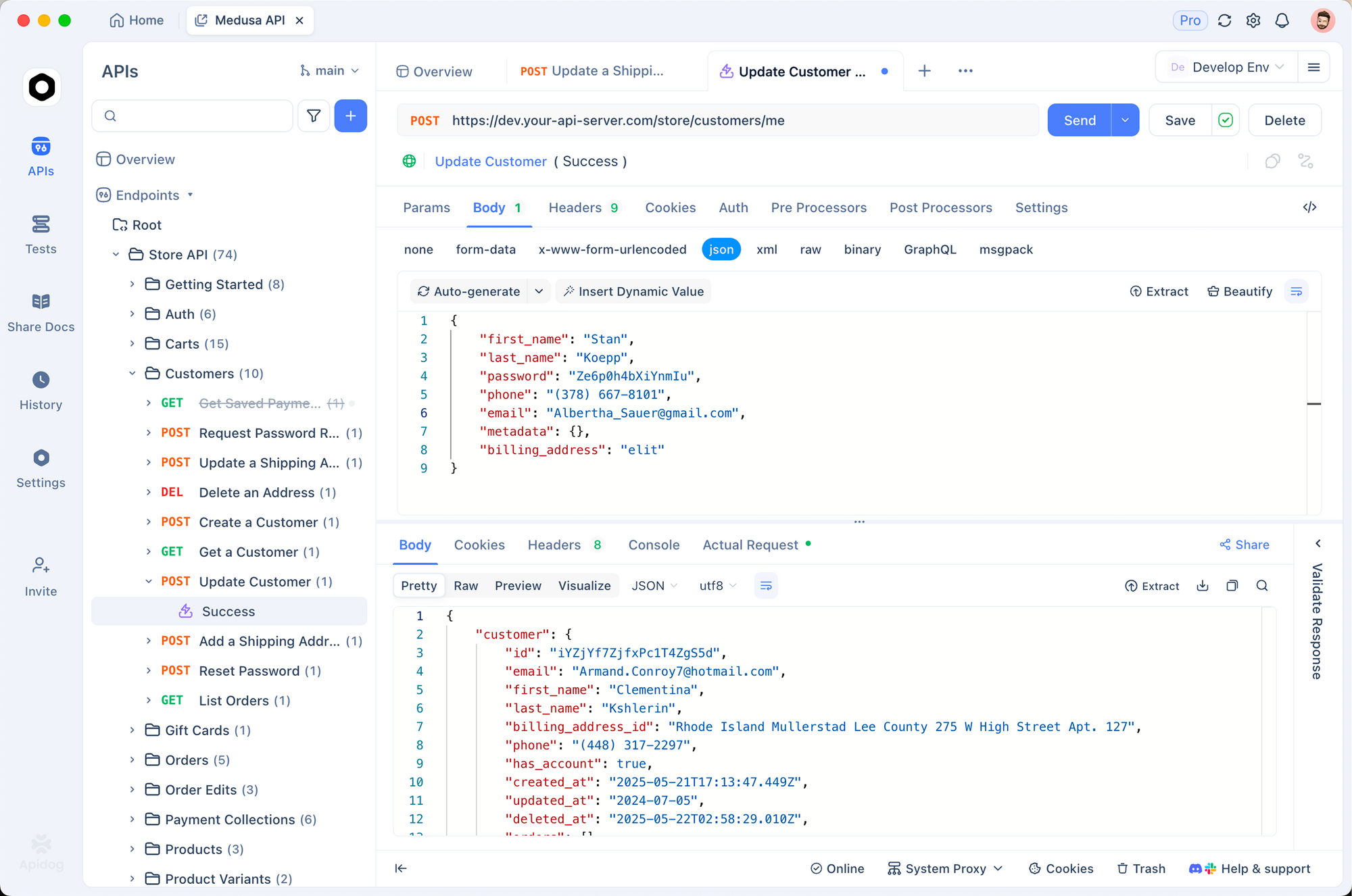
x-ai/grok-4.3. On xAI direct:grok-4.3. - Use Apidog to script the same request against all three providers and pick the path that fits your workload.
Path 1: xAI Console promotional credits
The fastest free path for a developer who wants the real API surface.
Step 1: Sign up
Go to console.x.ai and create an account. Sign-in goes through your X account; no extra email verification beyond what X requires.
Step 2: Claim credits
xAI runs promotional windows that grant new accounts free credit, typically enough to cover several days of testing. The amount and the eligibility window shift over time; check the Billing tab after signup. xAI has also offered standing free access to specific models (Grok 4.1 Fast and the Agent Tools API have both shipped with promotional free usage in past windows).
The pattern that has held: new accounts get a bucket of credit that does not auto-renew. Use it for prototyping, then either move to a paid tier or migrate to one of the two paths below.
Step 3: Make the call
The endpoint is OpenAI-compatible:
export XAI_API_KEY="xai-..."

curl https://api.x.ai/v1/chat/completions \
  -H "Authorization: Bearer $XAI_API_KEY" \
  -H "Content-Type: application/json" \
  -d '{
    "model": "grok-4.3",
    "messages": [
      {"role": "user", "content": "Explain prompt caching in three sentences."}
    ],
    "reasoning_effort": "low"
  }'
Use low reasoning for cheap calls during prototyping; medium and high burn credit faster.
Pros and cons
| Pros | Cons |
|---|---|
| Real production API surface | Credit pool is finite |
| Full Grok 4.3 capabilities (1M context, video, function calling) | Promotional terms shift; no guarantee the next account gets the same allowance |
| Zero migration cost when you go paid | Limited to what fits in the credit bucket |
Recommendation: the Console is the right starting point if you want to know exactly how the production API behaves. For the full request schema, see How to use the Grok 4.3 API.
Path 2: Puter.js (user-pays, developer-free)
This is the option most teams overlook, and it is the cleanest free path for a public app.
How it works
Puter.js exposes a JavaScript client that calls the major LLMs (Grok, GPT, Claude, Gemini, DeepSeek). The wrinkle is the billing model: the end user pays from their Puter account, not you. As the developer, you embed the script and write code; Puter charges the user for the cloud and AI usage their session consumes. If you are shipping a free public app, you pay nothing and your user pays a few cents at most.
Step 1: Add the script
Drop one tag in your HTML:
<script src="https://js.puter.com/v2/"></script>
That is the entire setup. No API key, no account creation on your side.
Step 2: Call Grok 4.3
Use the puter.ai.chat() function with the Grok 4.3 model ID:
<script>
  puter.ai.chat(
    "Summarize the trade-offs between SQLite and Postgres in three bullets.",
    { model: "x-ai/grok-4.3" }
  ).then((response) => {
    document.body.innerText = response.message.content;
  });
</script>
The first time a user runs this, Puter prompts them to sign in (or create a free Puter account). After that, calls flow against their balance. They get a small free credit on signup, and they top up if they want more.
Step 3: Handle streaming and tools
Puter mirrors the OpenAI message shape, so streaming and function calling work the same way:
const stream = await puter.ai.chat(
  "Walk me through migrating a React app to Next.js.",
  {
    model: "x-ai/grok-4.3",
    stream: true,
    reasoning_effort: "medium",
  }
);

for await (const chunk of stream) {
  process.stdout.write(chunk?.text || "");
}
Pros and cons
| Pros | Cons |
|---|---|
| Developer pays $0 forever | User has to sign in to Puter |
| No API key in your repo | Less suitable for backend-only systems |
| Same model ID surfaces every major LLM | Slightly higher per-call latency than direct xAI |
| Production-ready scale | Requires browser context |
Recommendation: ship Puter.js for a public web app, free tools, side projects, or any case where you do not want to manage billing. If your users are not the people running the queries (think internal automation or a Discord bot), this is not the right path.
For a similar pattern with another model, see How to use the DeepSeek V4 API for free and How to use the GPT-5.5 API for free.
Path 3: grok.com and the X app
If you only need to talk to Grok 4.3 (not call it from code), the chat UIs are free.
- grok.com: web chat. Sign in with X. Free users get a daily message quota that is small but resets every 24 hours.
- X app: Grok lives in the X mobile and web apps under the Grok tab. Same quota.
You will not be able to script anything from these. They are useful for:
- One-off research questions.
- Prompt validation before you call the API.
- Testing if the model is the right fit at all.
The free tier on grok.com defaults to a smaller Grok variant (Grok 4.1 today). Premium subscriptions on X unlock Grok 4.3 in the chat UI with higher quotas.
Path 4: OpenRouter (cheap, not free)
OpenRouter aggregates model providers behind a single API key and pricing surface. Grok 4.3 on OpenRouter costs the same as direct xAI ($1.25 / $2.50 per 1M tokens), so it is not free. But OpenRouter does carry truly free model variants for some Grok models (for example grok-4-fast:free), which is useful as a cheaper substitute when you do not need the full 4.3 reasoning depth.
If you want Grok-class output without paying, use grok-4-fast:free on OpenRouter; if you specifically need 4.3, use one of the three paths above.
curl https://openrouter.ai/api/v1/chat/completions \
  -H "Authorization: Bearer $OPENROUTER_API_KEY" \
  -H "Content-Type: application/json" \
  -d '{
    "model": "x-ai/grok-4-fast:free",
    "messages": [{"role": "user", "content": "Hello!"}]
  }'
For broader free model access patterns through OpenRouter, the same key works for free DeepSeek and other open models.
Comparing the four paths
| Path | Cost to developer | Cost to end user | Best for |
|---|---|---|---|
| xAI Console (credits) | $0 (within credit) | n/a | Prototyping, learning the production API |
| Puter.js | $0 forever | Few cents per session | Public web apps, side projects, free tools |
| grok.com / X | $0 | $0 (with quota) | Non-developers, one-off questions |
| OpenRouter free model | $0 | n/a | Free Grok-class output (not 4.3 specifically) |
Testing all three paths in Apidog
When you have multiple providers behind the same model, the fastest validation pattern is to script identical requests against each and diff the results.
The setup we use:
- Create an Apidog environment with three variables:
XAI_API_KEY,OPENROUTER_API_KEY, and aBASE_URLper provider. - Save one request collection with two variants: direct xAI and OpenRouter. (Puter.js is browser-only, so it sits outside this loop.)
- Run both with the same prompt. Compare the response, the token counts, and the latency.
- When a free credit pool runs out, switch the active environment with one click; no code change.
Download Apidog and create a new collection. The xAI base URL is https://api.x.ai/v1; the OpenRouter base URL is https://openrouter.ai/api/v1. Both speak the OpenAI Chat Completions schema, so the request body is identical aside from the model string. For more on cross-provider testing, see API testing tool for QA engineers.
What you give up by going free
The free paths come with three trade-offs you should know before you commit:
- Rate limits are tighter. Console credits do not lift the per-minute caps; if you are testing at scale, you will hit 429s before you exhaust the credit pool. Plan to throttle requests during testing.
- Prompt caching is less impactful. Caching at $0.20 per 1M cached tokens is the killer feature on paid Grok 4.3, but for a 50-call prototype, you will not see the savings.
- Support is best-effort. Free console accounts get community support only. If you are debugging a production issue, you need a paid tier.
None of these matter for prototyping. All three matter the day you ship.
When to graduate to paid
Three signals that you should leave the free path:
- Sustained throughput. You hit the rate limit on the Console more than twice a week.
- Cached system prompts. You have a stable 50k+ token system prompt that would benefit from $0.20/1M caching.
- Compliance. You need SOC 2 audit trails, BAAs, or regional data residency. Free tiers do not include these.
Migration is a base-URL change for OpenRouter and a key change for the Console. Your code does not move.
FAQ
Is Grok 4.3 truly free, or is this a trial?On the xAI Console, it is a credit-funded trial that does not auto-renew. On Puter.js, it is structurally free for the developer (the user pays). On grok.com, it is a daily message quota.
Can I use Grok 4.3 from a backend (Python, Node) without paying?Yes, while xAI Console credits last. After that, you either pay or migrate to a path where the user covers usage (Puter.js, browser-side).
Does Puter.js work in Node.js, or only the browser?Puter.js is browser-first. There is a server SDK in development, but the user-pays model is built around the browser handoff. For backend use, the Console is your free path.
What model ID do I use on Puter for Grok 4.3?x-ai/grok-4.3. The same provider/model format works across Puter’s full LLM catalog.
Will the free credit cover function calling and video input?Yes. The Console credits apply uniformly across all Grok 4.3 features (1M context, function calling, video input, reasoning effort). Just watch token usage; video burns context fast.
How does this compare to the Grok Voice free tier?Grok Voice is structurally free on the Console (no per-minute charge). Grok 4.3 text is credit-funded. See How to use Grok Voice for free.
Is there a free Grok 4.3 mini?Not yet. xAI has not released a separate mini SKU for the 4.3 line. The closest free option is grok-4-fast:free on OpenRouter, which is the smaller, faster Grok 4 variant.
Moonshot’s flagship is just as accessible — our guide to using Kimi K2.6 for free covers every current route.
If these Grok 4.3 free-access paths served you well and you want to move to the newer model, how to use Grok 4.5 for free covers the same structure with updated tier details.
Wrapping up
Three legitimate free paths to Grok 4.3, each suited to a different shape of project:
- Use the xAI Console for prototyping the real production API.
- Use Puter.js for shipping a public web app where users cover their own usage.
- Use grok.com for one-off questions without code.
If your project does not fit any of those, the model is cheap enough at $1.25 / $2.50 per 1M tokens that paid usage rarely breaks a side-project budget. For the full paid API walkthrough, see How to use the Grok 4.3 API. For the head-to-head against OpenAI, see Grok Voice vs GPT-Realtime.
Build the request once in Apidog, swap the base URL between paths, and you are ready to ship on whichever option fits your usage curve.