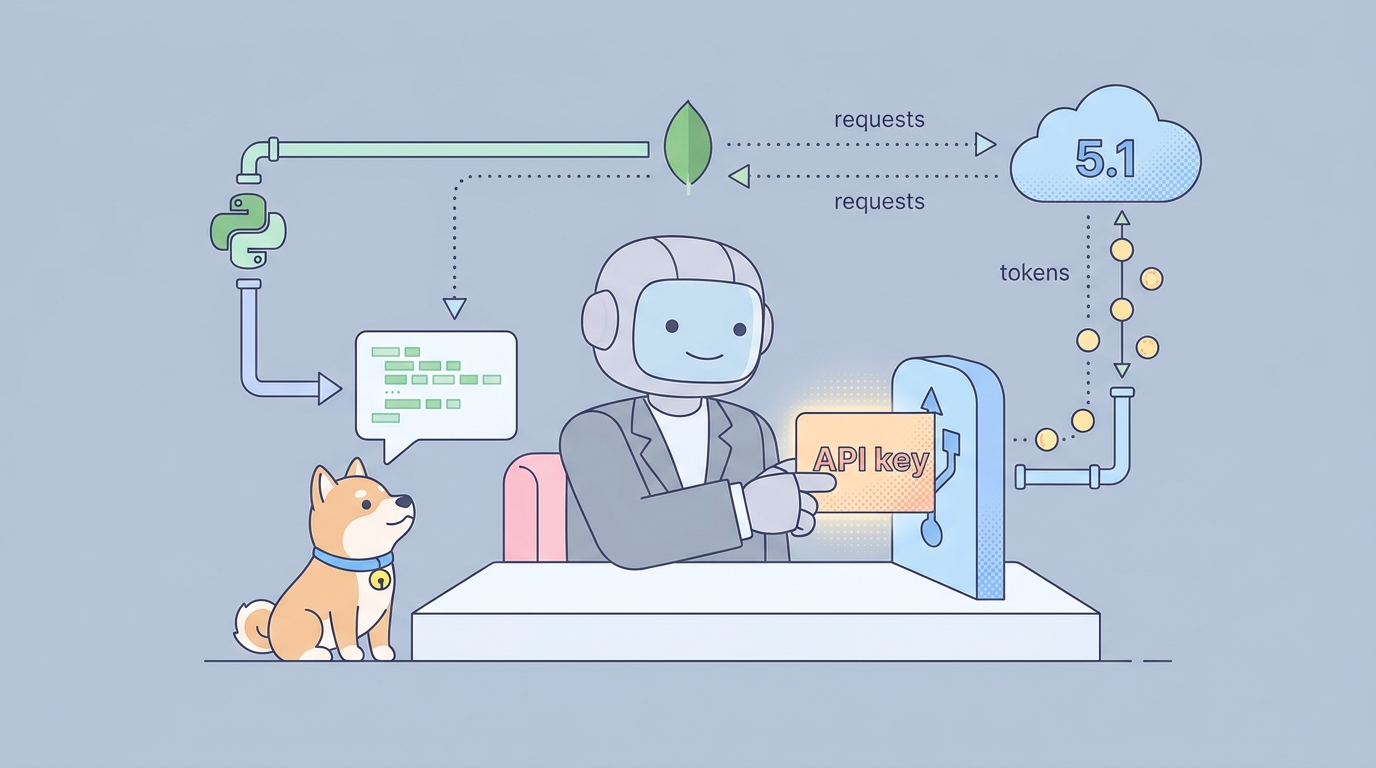
ERNIE 5.1 shipped on May 9, 2026, and within a week the Qianfan API was live for it. If you want to call the model from your own code, route tool calls through it, or wire it into an agent loop with Apidog, this guide walks the full path: account, key, request body, streaming, tool use, error handling.
We’ll keep it practical. By the end you’ll have working curl, Python, and Node snippets, plus a request collection you can drop into Apidog.
If you have not read the ERNIE 5.1 launch breakdown yet, skim it first; it covers benchmarks and trade-offs versus DeepSeek V4 and Kimi K2.6. This post is the implementation companion.
Step 1: Get a Qianfan API key
ERNIE 5.1 is served through Baidu Intelligent Cloud’s Qianfan platform. There is no separate “ERNIE API”; everything routes through Qianfan.
- Go to cloud.baidu.com and create or sign in to a Baidu Intelligent Cloud account. International developers can use email signup; some enterprise features still need a mainland phone number.
- Open the Qianfan console at console.bce.baidu.com/qianfan.
- Under API Key Management (
API Key 管理), click Create API Key. Pick the workspace and grant access to the chat-completions service. - Copy the key. It looks like
bce-v3/ALTAK-xxxx/xxxx. Store it in an env var, not in source.
export QIANFAN_API_KEY="bce-v3/ALTAK-xxxx/xxxx"
Two things to know up front. First, the new v2 endpoint uses a single Bearer token; the older v1 OAuth access_token flow is being deprecated and you should not build new code on it. Second, ERNIE 5.1 is a paid model from day one. Top up a small balance (¥10 is enough to test) before your first request.
Step 2: Hit the OpenAI-compatible endpoint with curl
Qianfan exposes an OpenAI-compatible chat-completions endpoint, so anything in your stack that already speaks OpenAI’s format will work with a base-URL swap and a model-ID change.
Base URL: https://qianfan.baidubce.com/v2 Model ID: ernie-5.1 (also: ernie-5.1-preview for early-access features)
Minimum viable request:
curl https://qianfan.baidubce.com/v2/chat/completions \
  -H "Authorization: Bearer $QIANFAN_API_KEY" \
  -H "Content-Type: application/json" \
  -d '{
    "model": "ernie-5.1",
    "messages": [
      {"role": "system", "content": "You are a senior API designer."},
      {"role": "user", "content": "Sketch a REST schema for a GitHub-style PR review API. Be concise."}
    ],
    "temperature": 0.3
  }'
You get back a standard OpenAI-shaped response:
{
  "id": "chatcmpl-...",
  "object": "chat.completion",
  "created": 1746780000,
  "model": "ernie-5.1",
  "choices": [
    {
      "index": 0,
      "message": { "role": "assistant", "content": "..." },
      "finish_reason": "stop"
    }
  ],
  "usage": {
    "prompt_tokens": 42,
    "completion_tokens": 318,
    "total_tokens": 360
  }
}
If you see 401 Unauthorized, your key is wrong or expired. If you see 403, the key is valid but the model is not enabled on this workspace; go back to the console and add ERNIE 5.1 to the workspace’s allowed models.
Step 3: Call ERNIE 5.1 from Python
Because the endpoint is OpenAI-compatible, the official openai Python SDK works as-is. Point it at Qianfan.
import os
from openai import OpenAI

client = OpenAI(
    api_key=os.environ["QIANFAN_API_KEY"],
    base_url="https://qianfan.baidubce.com/v2",
)

response = client.chat.completions.create(
    model="ernie-5.1",
    messages=[
        {"role": "system", "content": "You explain APIs in plain English."},
        {"role": "user", "content": "Why would I use server-sent events over WebSockets for a chat UI?"},
    ],
    temperature=0.4,
)

print(response.choices[0].message.content)
print(f"\nTokens used: {response.usage.total_tokens}")
If you already have wrappers around the OpenAI SDK in your codebase, swapping ERNIE 5.1 in for A/B testing is a one-line change. The same trick works for DeepSeek’s API and most other Chinese model providers.
Step 4: Stream tokens for chat-style UIs
For any user-facing chat, you want streaming. Set stream: true and consume server-sent events.
stream = client.chat.completions.create(
    model="ernie-5.1",
    messages=[{"role": "user", "content": "Write a haiku about API versioning."}],
    stream=True,
)

for chunk in stream:
    delta = chunk.choices[0].delta.content
    if delta:
        print(delta, end="", flush=True)
Curl equivalent for debugging:
curl https://qianfan.baidubce.com/v2/chat/completions \
  -H "Authorization: Bearer $QIANFAN_API_KEY" \
  -H "Content-Type: application/json" \
  -d '{
    "model": "ernie-5.1",
    "stream": true,
    "messages": [{"role": "user", "content": "Stream a 3-sentence joke."}]
  }' \
  --no-buffer
The stream format is identical to OpenAI’s: data: {...} lines terminated by data: [DONE].
Step 5: Use ERNIE 5.1 with tools (the agentic part)
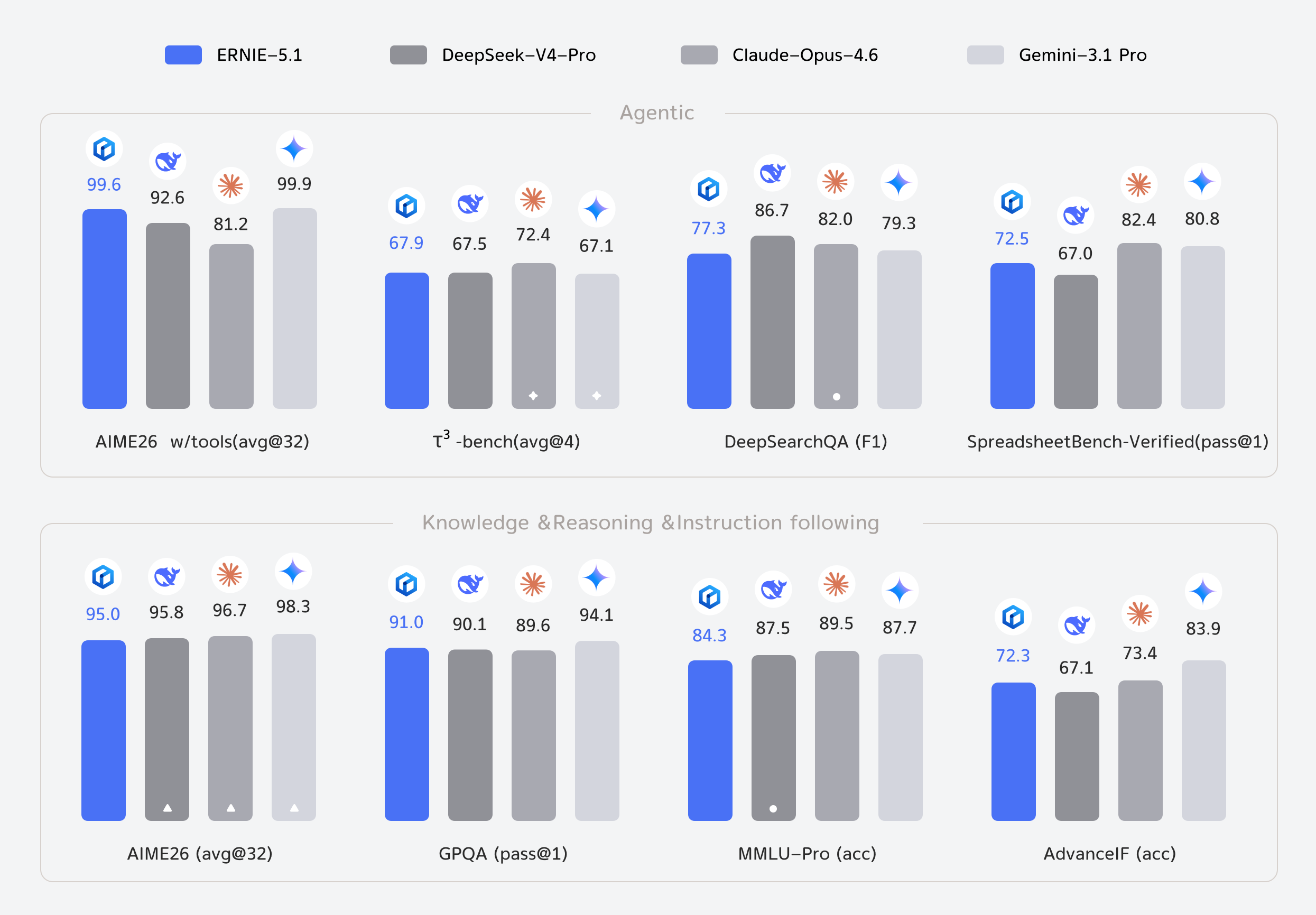
This is where ERNIE 5.1 earns its launch headline. The model scored above DeepSeek-V4-Pro on τ³-bench and SpreadsheetBench-Verified, which means tool-calling works in production, not just in demos.
Same schema as OpenAI function calling:
tools = [
    {
        "type": "function",
        "function": {
            "name": "get_weather",
            "description": "Get current weather for a city.",
            "parameters": {
                "type": "object",
                "properties": {
                    "city": {"type": "string", "description": "City name, e.g. Singapore"},
                    "unit": {"type": "string", "enum": ["celsius", "fahrenheit"]},
                },
                "required": ["city"],
            },
        },
    }
]

response = client.chat.completions.create(
    model="ernie-5.1",
    messages=[{"role": "user", "content": "What's the weather in Tokyo right now?"}],
    tools=tools,
    tool_choice="auto",
)

tool_calls = response.choices[0].message.tool_calls
if tool_calls:
    call = tool_calls[0]
    print(f"Model wants to call: {call.function.name}({call.function.arguments})")
After your code runs the actual tool, append the result as a tool role message and call again. The loop terminates when finish_reason == "stop" and tool_calls is empty.
One gotcha: ERNIE 5.1 occasionally returns tool arguments as a stringified JSON inside a code fence rather than as a clean JSON string. Parse defensively with json.loads() wrapped in try/except, and if it fails, strip ```json fences before retrying.
Step 6: Call ERNIE 5.1 from Node.js
Drop-in for any Node project using openai v5+:
import OpenAI from "openai";

const client = new OpenAI({
  apiKey: process.env.QIANFAN_API_KEY,
  baseURL: "https://qianfan.baidubce.com/v2",
});

const completion = await client.chat.completions.create({
  model: "ernie-5.1",
  messages: [
    { role: "user", content: "Return a JSON object with 3 API design tips." },
  ],
  response_format: { type: "json_object" },
});

console.log(completion.choices[0].message.content);
response_format: { type: "json_object" } works and is reliable. Strict JSON schemas (json_schema) are still being rolled out on Qianfan; verify the response shape in code rather than trusting the constraint.
Step 7: Test and compare with Apidog
If you are deciding between ERNIE 5.1, DeepSeek V4, and Kimi K2.6, do not do it from the terminal. Use Apidog to build a single workspace with one folder per provider, identical request bodies, and saved environments per API key.
The 60-second setup:
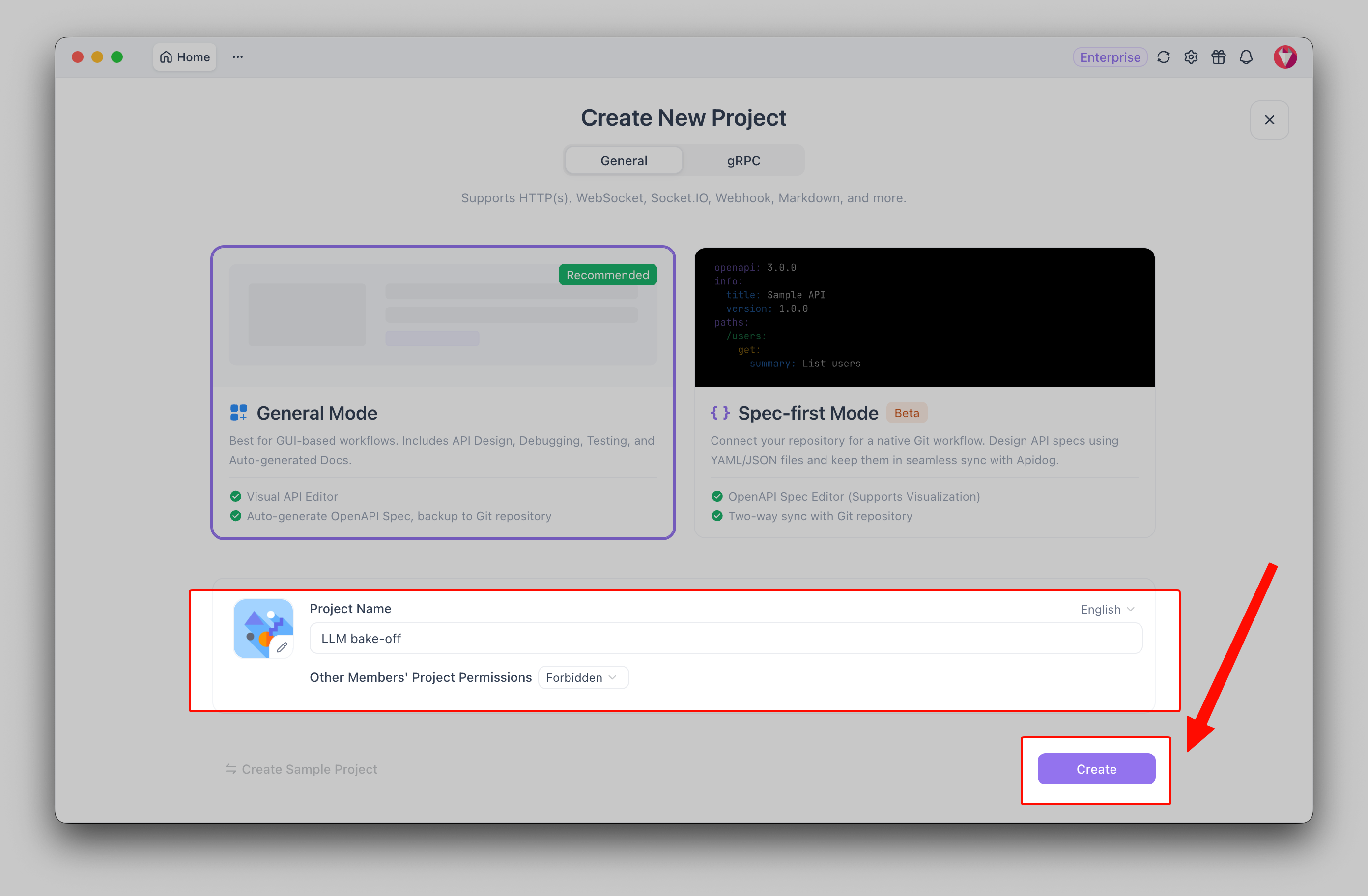
- Open Apidog and create a new project called “LLM bake-off.”
Add an environment with QIANFAN_API_KEY, DEEPSEEK_API_KEY, MOONSHOT_API_KEY as variables.
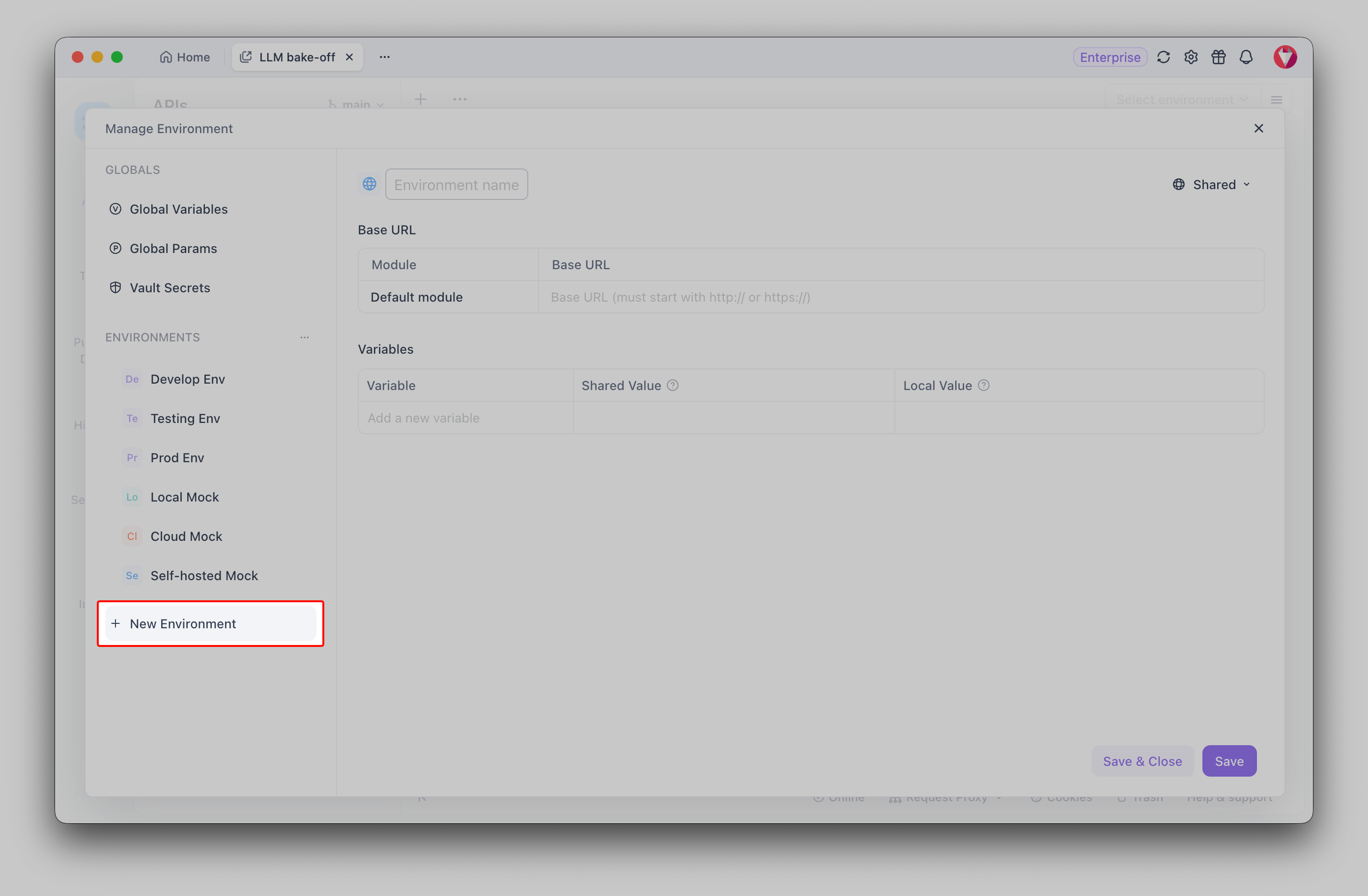
Create three requests pointing at each provider’s base URL with model set to ernie-5.1, deepseek-chat, and kimi-k2-6 respectively.
Pin the same messages array on all three. Use Apidog’s “Run” feature to fire them in parallel and diff outputs.
The free tier handles this comfortably. Apidog saves the request history per environment, so you can come back next week and re-run the exact same eval against a new model version. Beats babysitting curl in a tmux pane.
For more on multi-provider testing, see Test local LLMs as APIs and our GLM 5.1 API guide.
Pricing, rate limits, and quotas
Public Qianfan pricing for ERNIE 5.1 was not in the release post; check the live console rate card before quoting numbers internally. Three practical tips while you wait:
- Default rate limits are workspace-scoped. New accounts start with a low QPS cap. Raise it from the console once you finish testing.
- Token usage shows up in the response. The
usagefield givesprompt_tokens,completion_tokens, andtotal_tokensper call. Log these per request; do not trust the dashboard alone for cost accounting. - Caching is not automatic. Unlike Anthropic, Qianfan does not currently expose a prompt-caching primitive for ERNIE 5.1. If you have a 2,000-token system prompt, you pay for it every call. Architect around that.
Error handling that will save you
The errors you will hit in practice, in rough order of frequency:
| Status | Meaning | Fix |
|---|---|---|
| 401 | Bearer token wrong or expired | Regenerate from console |
| 403 | Model not enabled on this workspace | Add ERNIE 5.1 in console |
| 429 | Rate limit hit | Backoff + retry with jitter |
400 (invalid messages) |
Wrong message-role ordering | Ensure user/assistant alternation |
| 500/502 | Qianfan-side blip | Retry once; if it persists, check status page |
Wrap every call in retry-with-exponential-backoff capped at 3 attempts. For production, log request_id from response headers; Baidu support needs it to debug your case.
A minimal production-shaped wrapper
If you want to drop ERNIE 5.1 into a real app today, here is the smallest wrapper that is not embarrassing:
import os, time, random, json
from openai import OpenAI, RateLimitError, APIError

client = OpenAI(
    api_key=os.environ["QIANFAN_API_KEY"],
    base_url="https://qianfan.baidubce.com/v2",
)

def chat(messages, *, model="ernie-5.1", temperature=0.3, max_retries=3):
    for attempt in range(max_retries):
        try:
            return client.chat.completions.create(
                model=model,
                messages=messages,
                temperature=temperature,
            )
        except RateLimitError:
            time.sleep((2 ** attempt) + random.random())
        except APIError as e:
            if e.status_code and e.status_code >= 500 and attempt < max_retries - 1:
                time.sleep(1 + attempt)
                continue
            raise
    raise RuntimeError("ERNIE 5.1 retries exhausted")
That handles the 80% case. For tool-loops and streaming, build on top.
Frequently asked questions
Is the ERNIE 5.1 API free? No. Qianfan is pay-as-you-go. There is no permanent free tier; new accounts sometimes get trial credits. For free experimentation use the ernie.baidu.com chat UI or look at free LLM options.
Can I run ERNIE 5.1 locally? No. There are no public weights. If on-prem is a hard requirement, look at how to run DeepSeek V4 locally or the best local LLMs in 2026 instead.
Does the OpenAI SDK work without changes? Yes, with base_url set to https://qianfan.baidubce.com/v2 and api_key set to your Qianfan key. The model field takes Qianfan model IDs, not OpenAI ones. Function calling, streaming, and response_format: json_object all work. Strict json_schema validation is still rolling out.
How does ERNIE 5.1 handle Chinese vs English prompts? Both are first-class. The Arena Search score of 1,223 came from a mixed-language voter pool. For technical English tasks (code, API design), it is competitive with the closed frontier; for Chinese creative writing it is best-in-class among Chinese models.
What is the max output length? Not officially published. In practice, single-turn responses cap around 8K tokens before the model wraps up. For long-form generation, chunk and continue.
Building an agent on ERNIE 5.1? Download Apidog and use the OpenAI-compatible request collection to mock, test, and document the Qianfan endpoint alongside the rest of your services.