
GLM-5.2 is one of the few frontier-class models you can actually run on your own hardware. It ships as open weights under an MIT license, with no regional restrictions, so “using it without restrictions” is not a hack. It is a supported path. The trick is knowing which restriction you are actually hitting, because the fix is different for each one.
TL;DR
- GLM-5.2 (Z.ai / Zhipu AI) is open weights, roughly 753B parameters (MoE), MIT licensed, 1M token context, no regional lock.
- Most “restrictions” come from the consumer chat UI or the model’s instruct tuning, not from a hard license limit.
- Raw API access gives you system-prompt control and lets you turn thinking off. Self-hosting gives you full control of the stack.
- Community abliterated builds strip baked-in refusals, the same pattern used for DeepSeek R1 and QwQ. Availability for 5.2 shifts week to week, so verify on Hugging Face.
- You still own moderation and legal responsibility once you self-host. Fewer guardrails means more responsibility, not less.
First, know which restriction you are hitting
“Restrictions” is a loose word. For GLM-5.2 it usually means one of four different things, and each has its own fix.
- Refusals from instruct tuning. The released chat model is aligned to decline some requests. This behavior lives in the weights.
- Product filters in the chat app. The consumer web UI can add its own moderation layer on top of the model. The API often behaves differently from the app.
- Plan and rate limits. Free tiers and Coding Plan tiers cap requests, context, or output. That is a quota, not a content rule.
- Thinking and safety routing overhead. Extended reasoning and safety routing add latency and can shift tone.
Region is deliberately not on this list. GLM-5.2 weights are MIT licensed with no regional restrictions, so access is not gated by country the way some hosted-only models are.
Lever 1: Use the raw API, not the chat app
The fastest change with the biggest payoff is to stop using the consumer chat window and call the API directly. The endpoint is OpenAI-compatible, so you keep your own system prompt, set your own temperature, and can disable the thinking phase.
- Base URL:
https://api.z.ai/api/paas/v4/ - Endpoint:
POST /chat/completions - Model id:
glm-5.2
A minimal curl call with thinking disabled:
curl https://api.z.ai/api/paas/v4/chat/completions \
 -H "Authorization: Bearer $ZAI_API_KEY" \
 -H "Content-Type: application/json" \
 -d '{
 "model": "glm-5.2",
 "thinking": { "type": "disabled" },
 "temperature": 0.7,
 "messages": [
 { "role": "system", "content": "You are a direct, unfiltered technical assistant. Answer concisely." },
 { "role": "user", "content": "Explain how abliteration changes a model." }
 ]
 }'
The same call with the OpenAI Python SDK, just repointed at z.ai:
from openai import OpenAI

client = OpenAI(
 api_key="YOUR_ZAI_KEY",
 base_url="https://api.z.ai/api/paas/v4/",
)

resp = client.chat.completions.create(
 model="glm-5.2",
 temperature=0.7,
 extra_body={"thinking": {"type": "disabled"}},
 messages=[
 {"role": "system", "content": "You are a direct, unfiltered technical assistant."},
 {"role": "user", "content": "Explain how abliteration changes a model."},
 ],
)
print(resp.choices[0].message.content)
Two things matter here. Your system prompt is yours, so you steer tone and scope directly instead of inheriting the app defaults. And thinking: {"type": "disabled"} skips the reasoning pass when you want raw, fast output. For the full parameter set, see the GLM-5.2 API guide.
Pricing moves, so verify live before you budget: as of this writing, secondary sources list roughly $1.40 per 1M input tokens and $4.40 per 1M output. Confirm the current numbers on the GLM-5.2 pricing breakdown, and if cost is the real constraint, read how to use GLM-5.2 for free.
Lever 2: Self-host the open weights
This is the real “no restrictions” answer. Because the weights are MIT licensed, you can download and serve GLM-5.2 yourself. When the model runs on your machine, there is no vendor UI filter and no external rate limit. You set the system prompt, you set the policy.
The simplest path is Ollama:
ollama run glm-5.2
Hardware reality check: GLM-5.2 is a roughly 753B parameter MoE model, so the full weights need serious VRAM. For most people that means a quantized build, a rented multi-GPU box, or a smaller GLM variant. If your hardware is modest, GLM-4.7-Flash runs locally on far less and is a fine stand-in while you build the pipeline. The general run GLM locally guide and the Ollama setup walkthrough cover the rest.
Once it is serving locally, Ollama exposes its own OpenAI-compatible endpoint at http://localhost:11434/v1, so the same code from Lever 1 works with only the base URL changed.
Lever 3: Community uncensored (abliterated) builds
Instruct tuning is where refusals live. The open-source community removes that behavior through a process called abliteration, which suppresses the internal direction that triggers a refusal without a full retrain. The same technique powers uncensored builds of other open models, including QwQ and DeepSeek R1.
Because GLM-5.2 weights are open and MIT licensed, that technique applies here too. A ready-made GLM-5.2 abliterated build is not guaranteed to be available yet, and availability changes often, so search Hugging Face for a current one rather than assuming it exists. If a 5.2 build is not up, the workflow is identical to the QwQ and DeepSeek R1 guides: pull the abliterated weights, load them in Ollama or vLLM, and serve.
This is the most complete way to drop baked-in refusals, and it is also the one that puts the most responsibility on you. Read the responsibility section before you ship it.
Lever 4: Pick a provider that lets you set policy
If you do not want to run your own box, a routing provider is the middle ground. GLM-5.2 is listed on OpenRouter as z-ai/glm-5.2 and in the Ollama library. A router lets you apply your own moderation settings and swap the underlying host without rewriting your app, which sidesteps the consumer UI filter while keeping a managed endpoint.
This piece sits alongside the broader roundup of LLMs with no restrictions if you want to compare GLM-5.2 against other open options before you commit.
Test every setup in Apidog before you ship
Whichever lever you pick, you end up with an OpenAI-compatible endpoint. Confirm it behaves the way you expect before wiring it into a product. Apidog is a clean way to do that because you can inspect the raw streaming response, not just the final text.
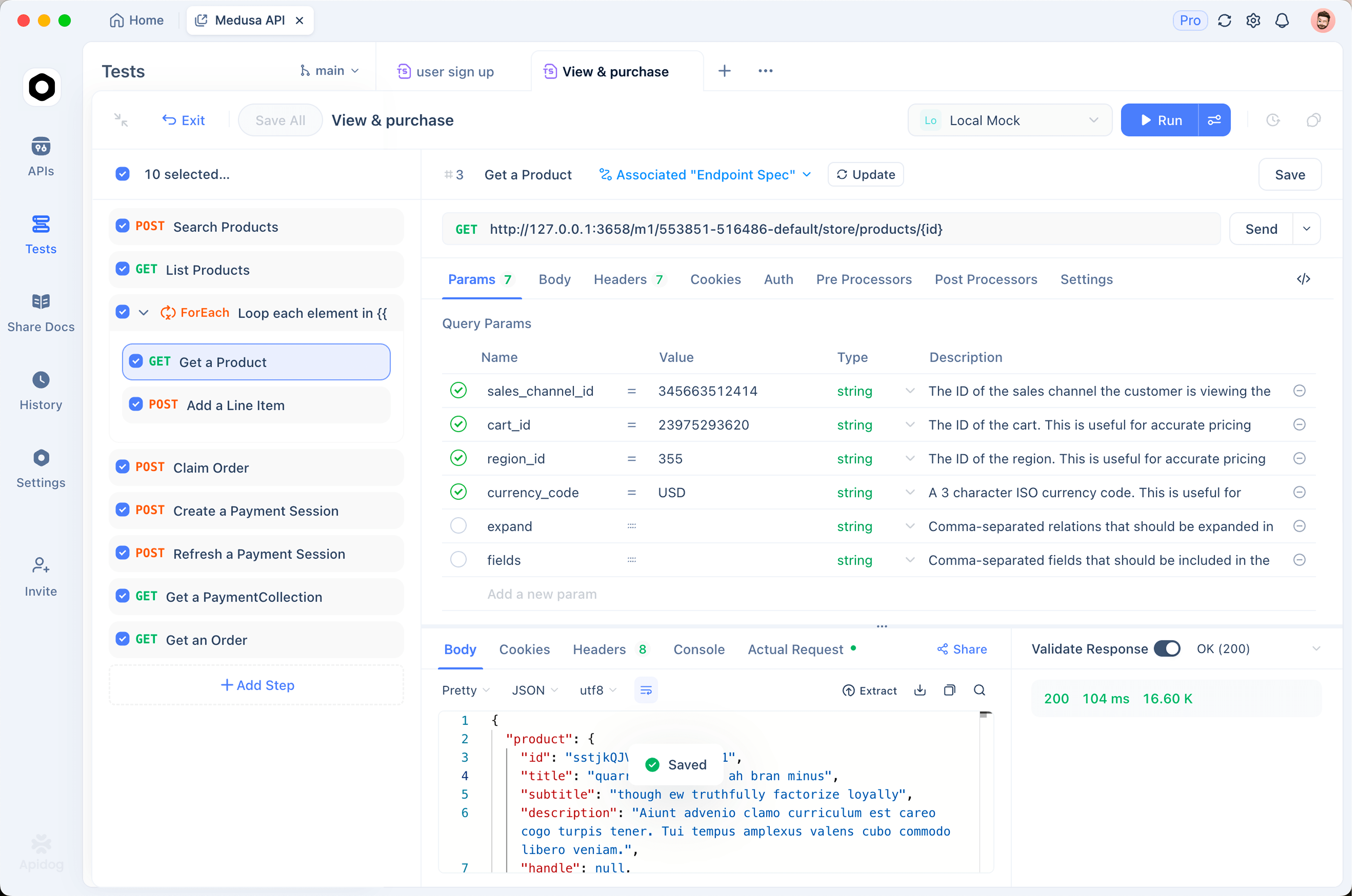
- Create a new request in Apidog pointed at your endpoint (
https://api.z.ai/api/paas/v4/chat/completionsfor the hosted API, orhttp://localhost:11434/v1/chat/completionsfor a local build). - Add the
Authorization: Bearer <key>header for the hosted API. Local Ollama needs no key. - Send a
chat/completionsbody withmodel: glm-5.2, yoursystemmessage, andstream: true. - Watch the SSE stream. You can see the thinking deltas and the content deltas separately, plus the
usageobject with token counts. - Toggle
thinkingon and off and compare the two responses side by side.
This is how you verify that your system prompt actually took effect and that the model responds the way your chosen setup promises, instead of finding out in production.
A word on responsibility
Removing product filters and running uncensored weights is legitimate. It is common for research, red-teaming, and building your own moderation instead of inheriting someone else’s. But once you self-host, the moderation is yours, and so is the legal exposure. Fewer guardrails means you own the outcome. Keep three things in mind:
- You are still bound by law and by the terms of any platform you deploy on.
- If you serve this to other people, add a moderation layer suited to your users.
- “Without restrictions” is about control and cutting false-positive refusals, not a license to generate harmful or illegal content.
FAQ
Is GLM-5.2 really open source?
The weights are released under an MIT license, one of the most permissive licenses available. You can run, modify, and self-host them, including for commercial use, subject to the license terms. For the full identity and spec rundown, see what is GLM-5.2.
Does the GLM-5.2 API censor responses?
The instruct model carries alignment from its tuning, so it can refuse some prompts. The API gives you system-prompt control and lets you disable thinking, which handles most tone and over-refusal issues. To remove baked-in refusals entirely, self-host an abliterated build.
Can I run GLM-5.2 on a laptop?
Not the full 753B model. Use a quantized build, a rented GPU box, or a smaller GLM variant such as GLM-4.7-Flash for local testing, then point the same code at the larger model when you need it.
Is GLM-5.2 region locked?
No. The weights are MIT licensed with no regional restrictions. Hosted API availability can differ by provider, but self-hosting is open to anyone.