Z.ai's GLM-4.7 stands out as a cutting-edge large language model in the GLM series. Developers and engineers rely on it for its superior performance in programming, multi-step reasoning, and agentic workflows. The model handles complex tasks with stability and produces natural, high-quality outputs, including visually appealing front-end designs.
GLM-4.7 builds on previous versions with enhancements in coding benchmarks and tool usage. It supports a 200K token context window, enabling it to process extensive conversations or codebases without losing track. Z.ai positions GLM-4.7 as a competitive alternative to proprietary models from OpenAI and Anthropic, especially in multilingual and agentic scenarios.
What Is GLM-4.7? Key Features and Capabilities
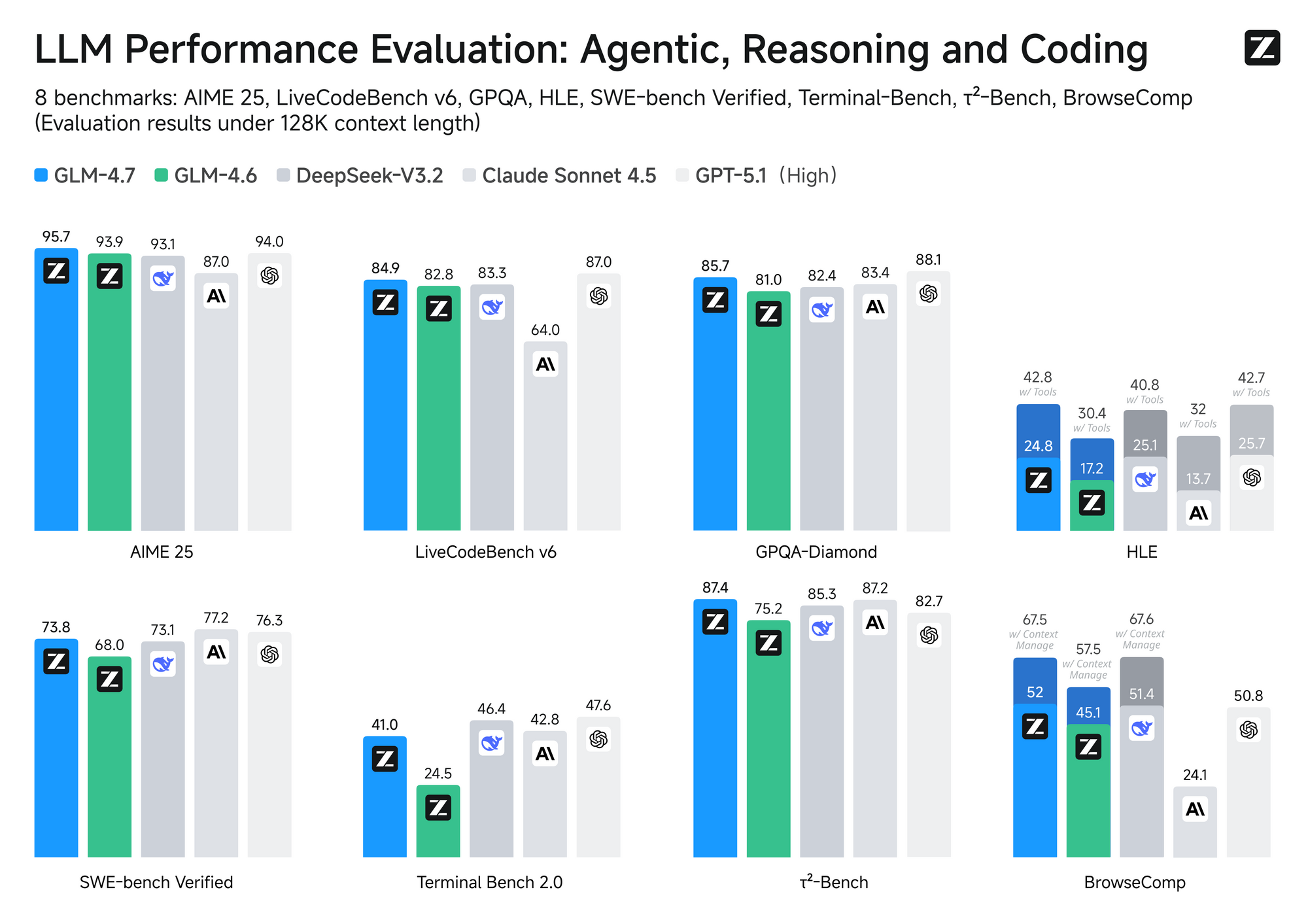
GLM-4.7 uses a Mixture-of-Experts (MoE) architecture with 358 billion parameters. It excels in core coding tasks, achieving high scores on benchmarks such as SWE-bench (73.8%) and Terminal Bench 2.0 (41%). The model supports thinking modes that allow controlled reasoning depth—enable it for intricate problems or disable it for quick responses.
Key features include:
- Enhanced agentic capabilities with native tool calling and web browsing.
- Improved UI generation for modern, clean interfaces.
- Bilingual support (English and Chinese) with strong multilingual coding.
- Turn-level thinking control for stable long-horizon tasks.
Z.ai releases model weights on Hugging Face under an MIT license, allowing local deployment. For API users, the focus remains on cloud access for scalability.
Official Z.ai Platform: Direct Access to GLM-4.7 API
Z.ai provides the primary access point for GLM-4.7. Register on the Z.ai developer platform to obtain an API key. This process takes minutes and unlocks full capabilities.
Step-by-Step Setup on Z.ai
Visit the Z.ai developer portal and create an account.
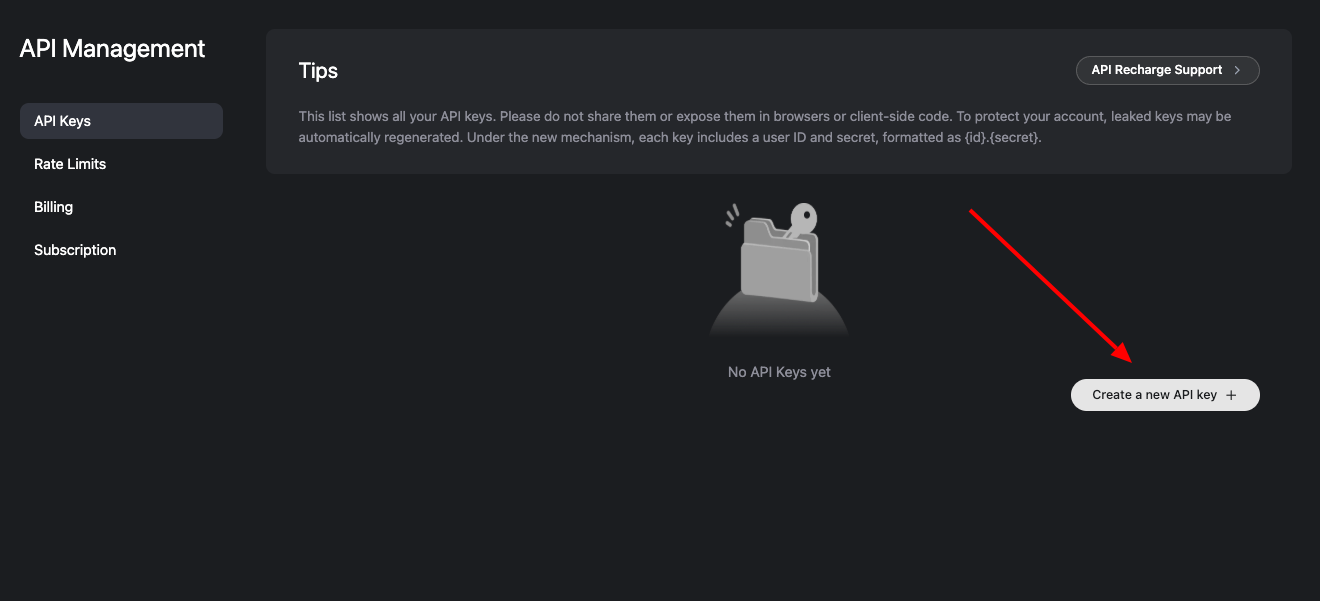
Navigate to the API section and generate your API key.
Use the official endpoint: https://api.z.ai/api/paas/v4/chat/completions.
Authenticate requests with the Authorization: Bearer YOUR_API_KEY header.
The API follows OpenAI-compatible format. Send POST requests with parameters like model: "glm-4.7", messages array, and optional fields such as temperature, max_tokens, and thinking mode.
Example Python request using the official SDK:
from zai import ZaiClient

client = ZaiClient(api_key="your-api-key")
response = client.chat.completions.create(
    model="glm-4.7",
    messages=[{"role": "user", "content": "Write a Python script for data analysis."}],
    thinking={"type": "enabled"},
    max_tokens=4096,
    temperature=1.0
)
print(response.choices[0].message.content)
Z.ai supports streaming for real-time output and structured responses. The GLM Coding Plan subscription starts at $3/month, offering 3× usage at reduced costs (limited-time offer). This plan integrates seamlessly with tools like Claude Code and Cline.
Accessing GLM-4.7 via OpenRouter: Flexible and Cost-Effective
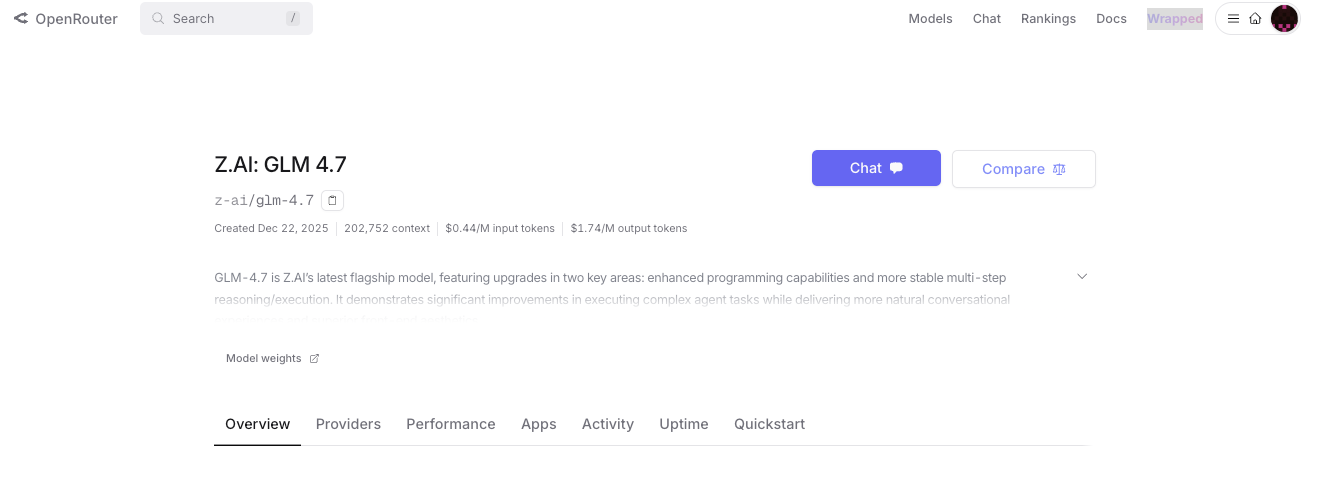
OpenRouter aggregates GLM-4.7 from multiple providers, including Z.ai, AtlasCloud, and Parasail. This route offers fallback options for reliability and competitive pricing.
Step-by-Step Setup on OpenRouter
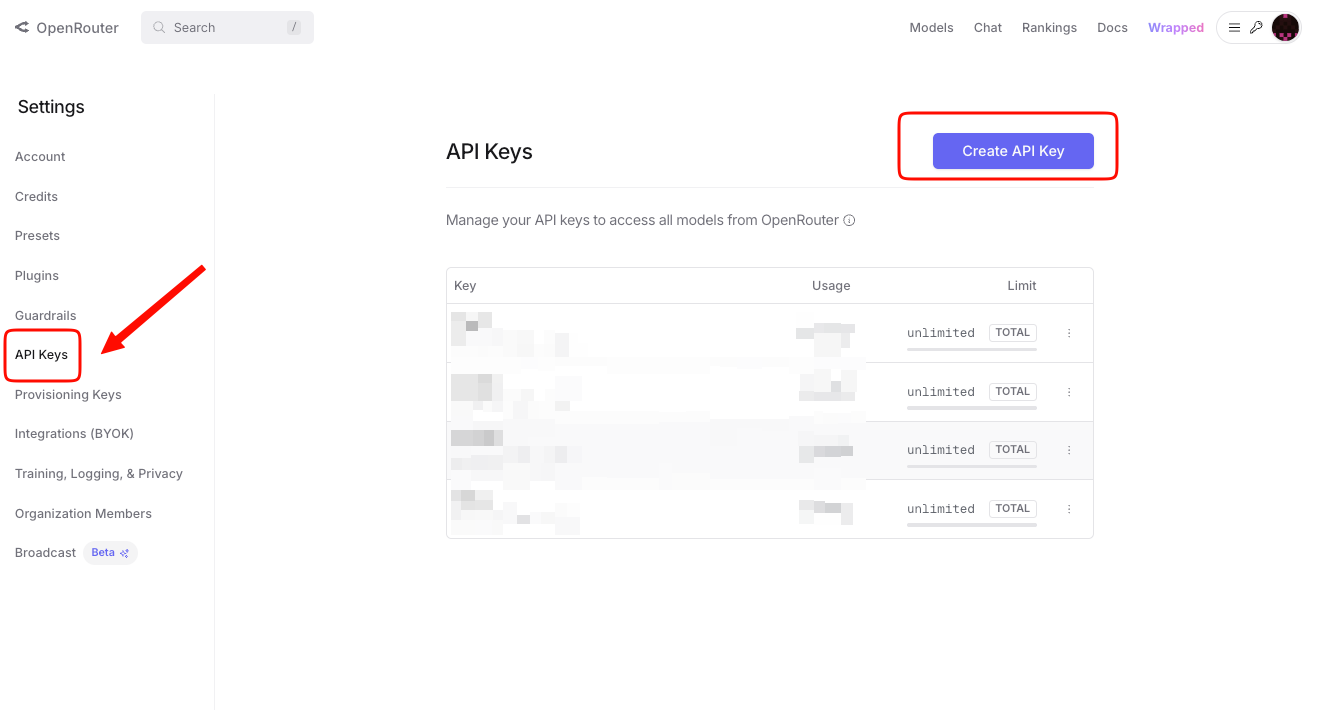
Sign up on OpenRouter and add credits.
Generate an API key.
Use the model identifier: z-ai/glm-4.7.
Send requests to OpenRouter's endpoint (https://openrouter.ai/api/v1/chat/completions).
OpenRouter normalizes responses and supports reasoning mode. Enable it with the reasoning parameter to access step-by-step thinking details.
Example curl request:
curl -X POST "https://openrouter.ai/api/v1/chat/completions" \
  -H "Authorization: Bearer YOUR_OPENROUTER_KEY" \
  -H "Content-Type: application/json" \
  -d '{
    "model": "z-ai/glm-4.7",
    "messages": [{"role": "user", "content": "Explain quantum computing basics."}],
    "reasoning": true
  }'
Pricing Comparison: Z.ai vs. OpenRouter
Z.ai's GLM Coding Plan provides affordable access with bundled benefits for developers. OpenRouter offers per-token pricing with variations by provider.
| Platform/Provider | Input ($/M tokens) | Output ($/M tokens) | Notes |
|---|---|---|---|
| Z.ai (GLM Coding Plan) | ~$0.60 (effective with plan) | ~$2.20 (effective with plan) | Subscription starts at $3/month; 3× usage |
| OpenRouter (AtlasCloud) | $0.44 | $1.74 | Lowest base rate; high uptime |
| OpenRouter (Z.ai) | $0.60 | $2.20 | Direct Z.ai provider |
| OpenRouter (Parasail) | $0.45 | $2.10 | Balanced pricing |
OpenRouter suits users needing flexibility, while Z.ai appeals to those committed to the ecosystem. Both support 200K+ context.
Testing GLM-4.7 API with Apidog: Practical Integration Tips
Apidog streamlines API work with visual request builders and automated testing. Import the GLM-4.7 OpenAPI spec or create collections manually.
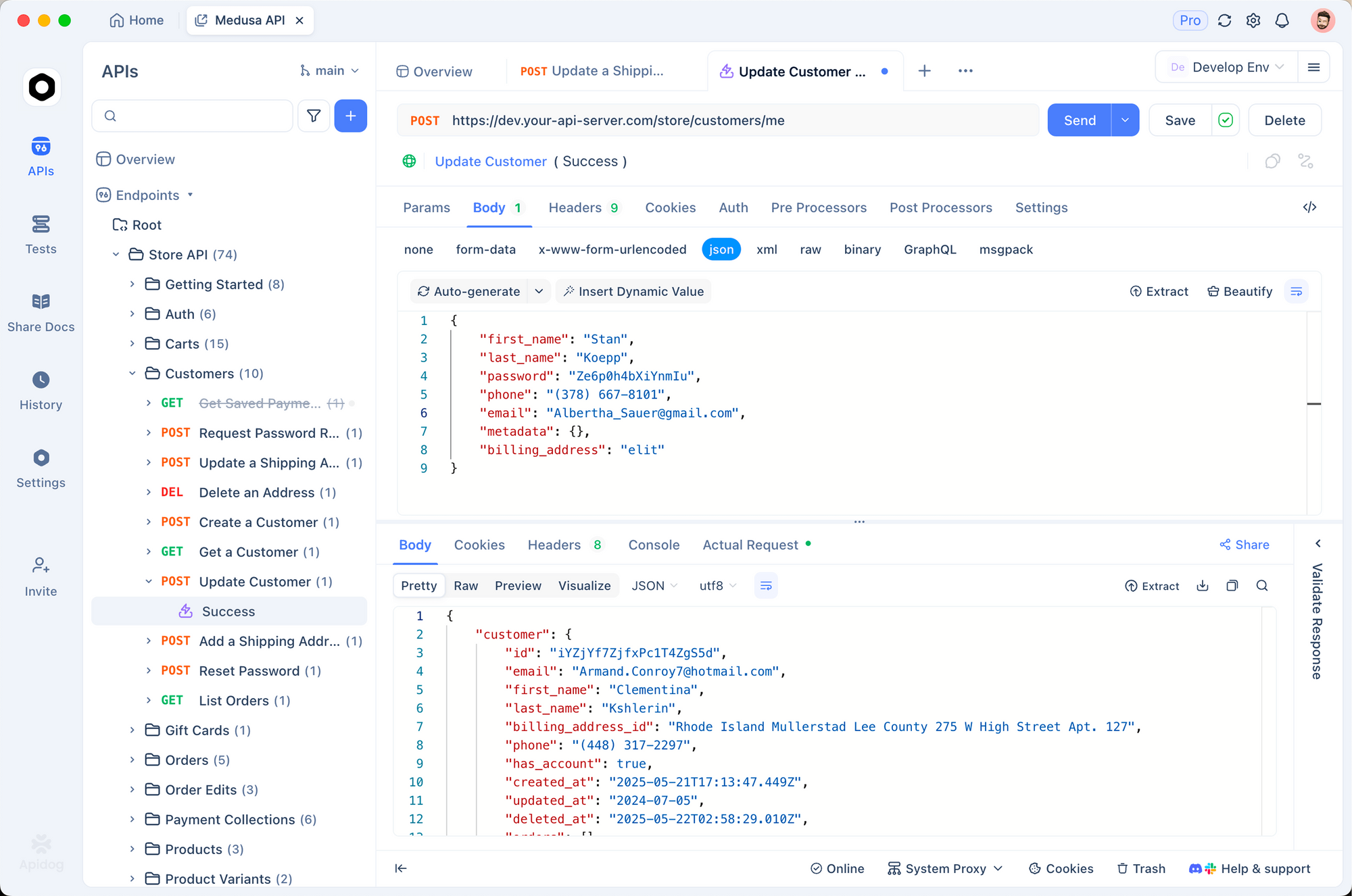
Apidog tracks latency and errors, helping optimize prompts. It supports OpenAI-compatible APIs, so switching between Z.ai and OpenRouter takes seconds.
Advanced Usage and Best Practices
Enable thinking mode for complex tasks to boost accuracy. Use lower temperature (0.7) for deterministic outputs in coding. Monitor token usage to stay within limits.
For local deployment, download weights from Hugging Face and use vLLM or SGLang. This option eliminates API costs for high-volume use.
Once you have a GLM endpoint accessible via API, pairing it with an agentic coding environment is a natural extension —wiring GLM-4.5 into Claude Codefollows the same proxy-routing logic and serves as a useful configuration reference.
Conclusion: Start Building with GLM-4.7 Today
GLM-4.7 delivers powerful capabilities for modern AI applications. Access it directly on Z.ai for integrated features or through OpenRouter for cost savings. Experiment with Apidog to refine your integrations quickly.
Download Apidog for free now and test GLM-4.7 requests in minutes. The right tools make complex APIs manageable and accelerate development.