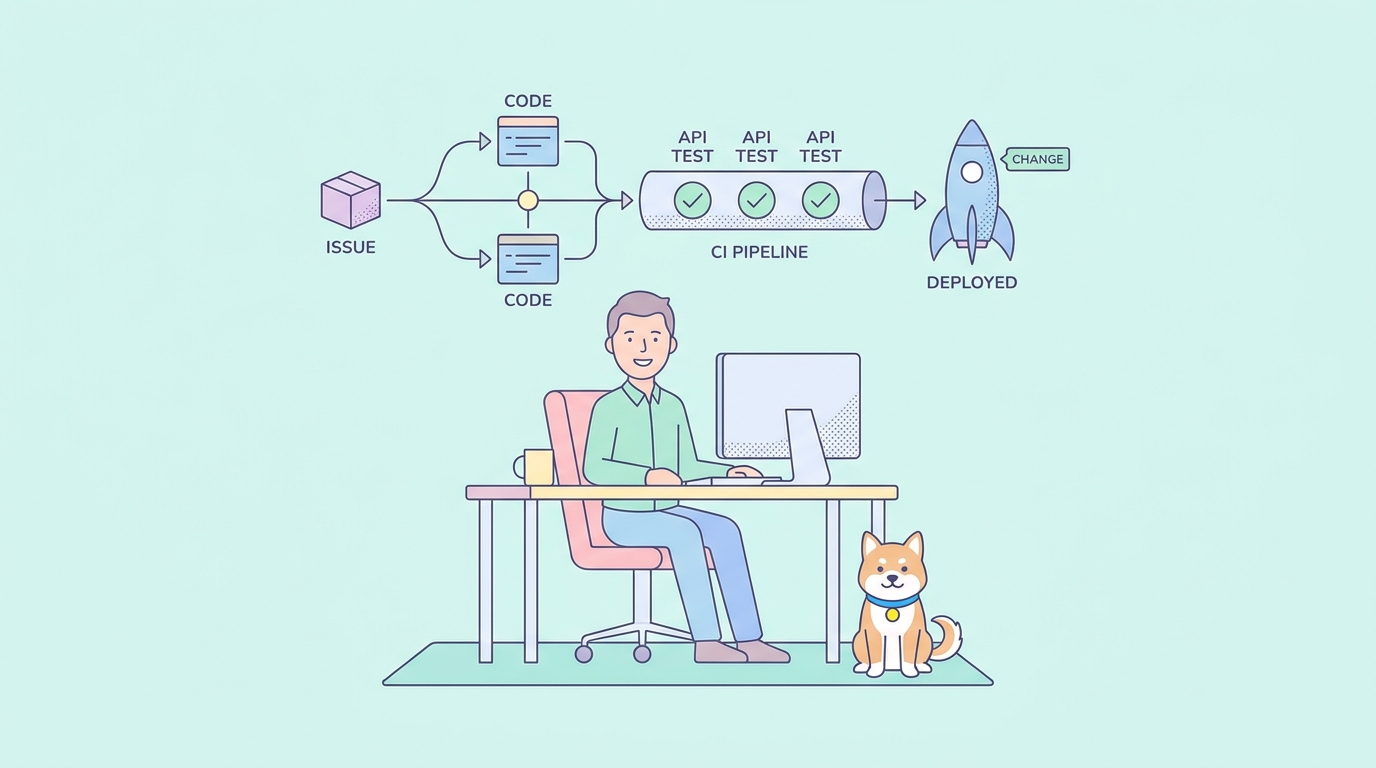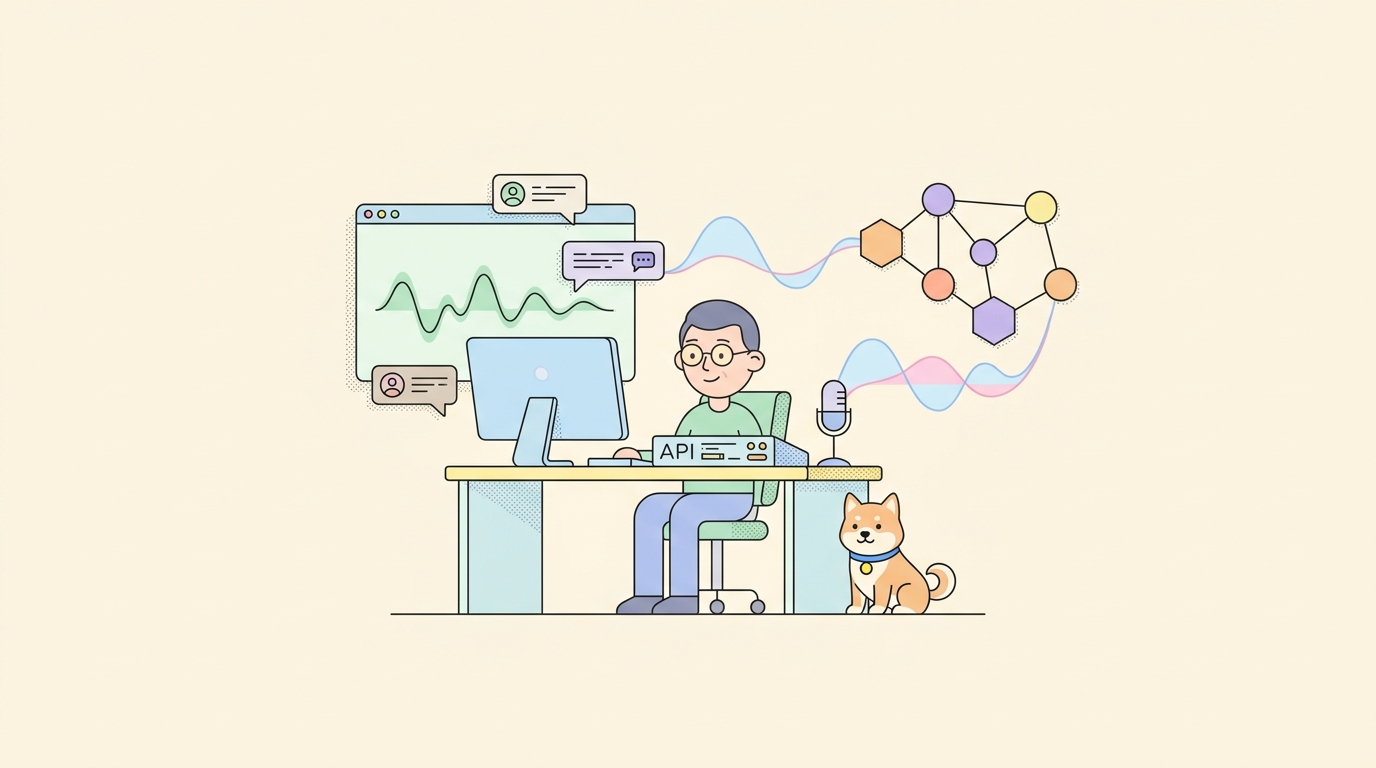
Google shipped two new speech-to-speech models on September 15, 2026, and the Hacker News thread cleared 337 points within a day. That is a large reaction for a voice API launch, and most of the discussion was not about the demo video. It was developers asking the same question: what does it cost to build with this, and how do you actually connect to it?
This is that guide. gemini-3.8-live and gemini-3.8-live-extended-thinking are rolling out now in the Gemini API and Google AI Studio, with Gemini Enterprise and Search Live access in private preview. Both models take free input and output tokens on top of a paid tier with per-token and per-minute rates, which is unusual enough for a live audio model that it is worth walking through the WebSocket session itself, not just the pricing page. We already compared the consumer voice assistants in GPT-Live vs Gemini Live; this piece is the developer path into the API behind one side of that comparison.
What actually launched on September 15
Google’s announcement covers two models. gemini-3.8-live is the standard speech-to-speech model. gemini-3.8-live-extended-thinking adds a reasoning layer that runs while the model talks, described below. Both support 97 languages with automatic mid-conversation switching, meaning a caller can start a sentence in English and finish it in Spanish without a manual language flag.
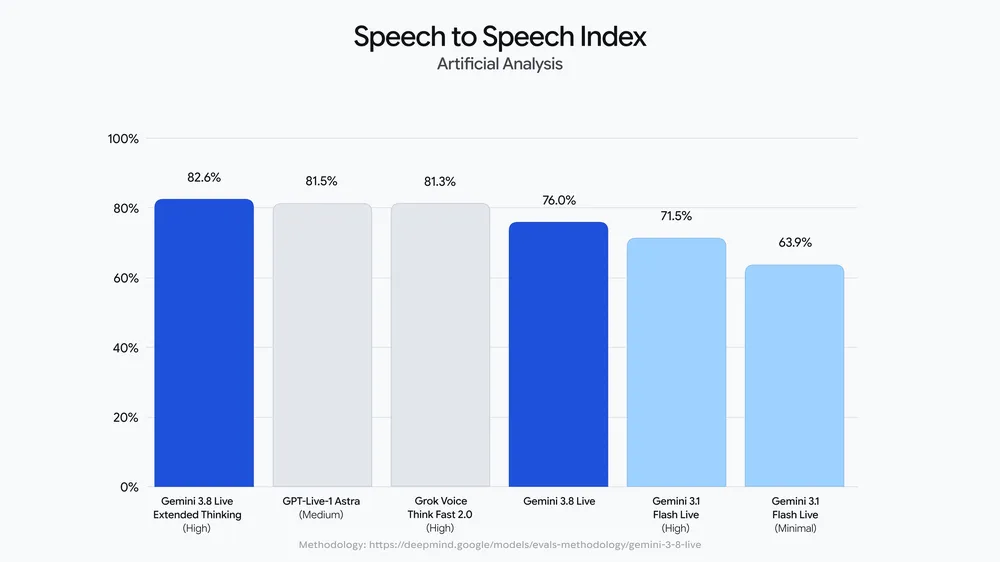
Availability at launch: the Gemini API and Google AI Studio (general access), plus Gemini Enterprise and Search Live (private preview, so most developers reading this will start in the API or AI Studio). Free tokens apply to both models on both input and output, which puts a real prototype within reach before you touch a credit card.
One detail Google has not published: free-tier rate limits for the two Live models. The rate limits page is the source of truth once it lists them; treat any number you see elsewhere as unconfirmed until you check it there yourself.
Search Live and Gemini Enterprise access being private preview only, rather than open like the API, is a signal worth reading: Google is comfortable letting developers build against this in production-adjacent ways before it commits the same model to consumer search or paid enterprise seats. That is normal for a speech model rollout, and it means the API surface is the stable starting point right now, not a stripped-down preview of a better consumer experience arriving later.
Get a free API key and open a session
A Gemini API key comes from Google AI Studio, tied to a Google account, and it works against the Live models the same day they ship since there is no separate approval step for the free tier. Once you have the key, the connection point is a WebSocket, not a REST endpoint, which is the first adjustment if you are used to generateContent calls:
wss://generativelanguage.googleapis.com/ws/google.ai.generativelanguage.v1alpha.GenerativeService.BidiGenerateContent
That URL comes from Simon Willison’s hands-on writeup from launch day, published alongside his usual close reading of a new API. He also flagged something worth knowing before you build a UI around this: you can interrupt the model mid-response the way you would interrupt a person talking, and the transcript that comes back can include speech the model started generating but never finished playing, because playback was cut off by your interruption. Handle that as a distinct state in your client rather than assuming every transcript line was heard in full.
A bidirectional session over that socket follows the shape every WebSocket-based streaming API uses: a setup message first, identifying the model and its generation config, then a stream of content messages carrying audio chunks or text in either direction, with the server pushing back partial and final response segments as they are ready. The exact message schema is Google’s to document precisely, and it can shift between preview and general availability, so verify field names against the live Gemini API docs and the reference for your SDK before you commit to a production client. What is stable is the pattern: connect, send setup, stream content, read streamed responses, and expect interruption to be a normal event rather than an error case.
Practically, that means your first working session should aim for the smallest possible loop: open the socket, send one setup message naming the model you want (gemini-3.8-live or gemini-3.8-live-extended-thinking), send a single short audio or text turn, and confirm you get a streamed response back before adding retry logic, reconnect handling, or a UI. Build the interruption path second, once the happy path works, since testing it well means deliberately talking over the model mid-response and checking that your client correctly marks the cut-off transcript rather than treating it as a completed turn.
Extended thinking: when the reasoning happens out loud
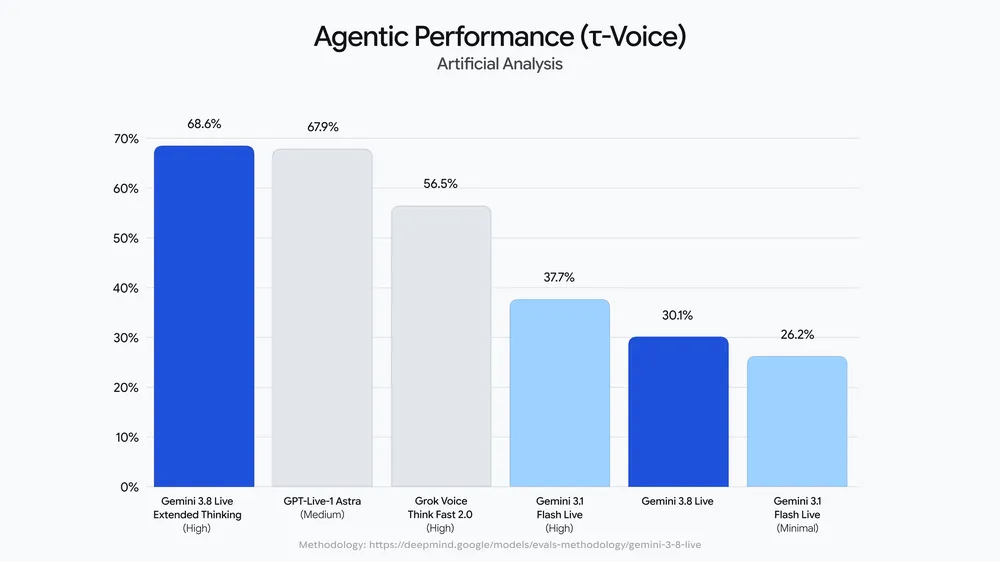
The plain gemini-3.8-live model answers directly. gemini-3.8-live-extended-thinking does something different: Google says it “reasons and speaks simultaneously,” keeping what it calls “uninterrupted conversational flow” by filling the reasoning time with verbal cues, phrases like “Let me check that” instead of dead air while the model works.
That matters for one specific class of app: voice agents that call tools or hit external APIs mid-conversation. The extended-thinking model “executes tools and API calls in the background while continuing the conversation,” and function calling is supported on both models. Picture a booking agent that needs to check availability against a calendar API: instead of going silent for two seconds while the lookup runs, the model can acknowledge the request out loud and keep the exchange going while the call completes behind it.
Choose extended thinking when your session includes tool calls, multi-step lookups, or reasoning-heavy answers where a silent gap would feel broken. Choose the plain model for shorter, low-latency exchanges where the reasoning overhead is not needed. Both cost the same per token, so the choice is about behavior, not budget. If your agent leans on function calling specifically, our function-calling guide for Gemini 3.8 Flash covers the request shape Google uses across the current Gemini 3.8 family, though confirm the Live-specific function-calling payload against the Live API docs before shipping, since the text and speech APIs are not guaranteed to share a schema.
What it costs, worked out
Both Live models share the same standard pricing:
| Type | Rate |
|---|---|
| Text input | $0.75 per 1M tokens |
| Audio input | $3.00 per 1M tokens, or $0.005 per minute |
| Image/video input | $1.00 per 1M tokens, or $0.002 per minute |
| Text output | $4.50 per 1M tokens |
| Audio output | $12.00 per 1M tokens, or $0.018 per minute |
Thinking tokens are billed as output, same as every other Gemini 3.x model, so extended thinking’s background reasoning shows up on the output line rather than as a separate charge.
Worked example: a 10-minute voice call, audio in and audio out the whole time, on the paid standard tier. Audio input: 10 minutes x $0.005 = $0.05. Audio output: 10 minutes x $0.018 = $0.18. Total: $0.23 for a full 10-minute back-and-forth conversation, before any text or tool-call tokens layer on top. Run that same call on the free tier during prototyping and the token cost is zero, subject to whatever rate limit Google eventually publishes for it.
The gemini-3.1-flash-live-preview model on the same pricing page carries identical rates to both new Live models, which is worth checking if you already have a Live integration on that older model; the pricing decision is not a reason to hold off on migrating.
What developers are saying, so far
The Hacker News discussion is not uniformly positive. A recurring complaint: paid Google Workspace and Google AI Plus subscribers do not have consumer access to the new Live experience yet, even though they are paying customers, while the API and AI Studio access is open. One report from the thread described an agentic loop where the model invented extra requirements that were not part of the original task, a failure mode worth testing for specifically if you are wiring Live into an autonomous agent rather than a human-in-the-loop voice assistant. If you are building anything closer to an autonomous loop than a supervised assistant, add an explicit check that compares what the model claims it needs against the task definition you gave it, rather than trusting the model’s stated requirements at face value. Treat both points as day-one signal from a single thread, not a verified defect report, and re-test against your own use case before you generalize from them.
See the raw protocol before you write client code
Before committing to a client library, it helps to watch the actual frames going over the wire. Apidog can open a WebSocket connection to the BidiGenerateContent endpoint, send the JSON setup message and subsequent content messages by hand, and show you the streamed frames coming back in real time, which is the fastest way to understand the setup-then-stream pattern before you write a single line of SDK code around it. Apidog does not capture microphone audio for you; you supply the audio or text payloads yourself and use the connection to inspect what the server sends back, confirm your setup message is accepted, and watch how interruption behaves before you build error handling for it in production. The full protocol reference for building and testing WebSocket APIs this way is at docs.apidog.com. Download Apidog to try the connection yourself before your first client build.
For comparison, our WebSocket vs WebRTC breakdown covers why Google picked a WebSocket for this bidirectional stream instead of the WebRTC path some competing voice APIs use, and what that trade-off means for browser clients specifically.
FAQ
Is the Gemini 3.8 Live API free? Yes, for both models, input and output tokens are free on the free tier. Paid standard rates apply once you move past whatever rate limit Google sets, and that free-tier limit is not published yet, so check the rate limits page directly.
What is the difference between the two new models? gemini-3.8-live answers directly. gemini-3.8-live-extended-thinking reasons while speaking, using verbal filler to cover background tool calls and multi-step lookups, at the same token price.
Do I need WebRTC to use this? No. The API is WebSocket based, connecting to a BidiGenerateContent endpoint rather than a WebRTC peer connection.
Can I test this without writing a client? Yes. Open the WebSocket in Apidog, send the setup and content messages manually, and read the streamed response before building a real client around it.