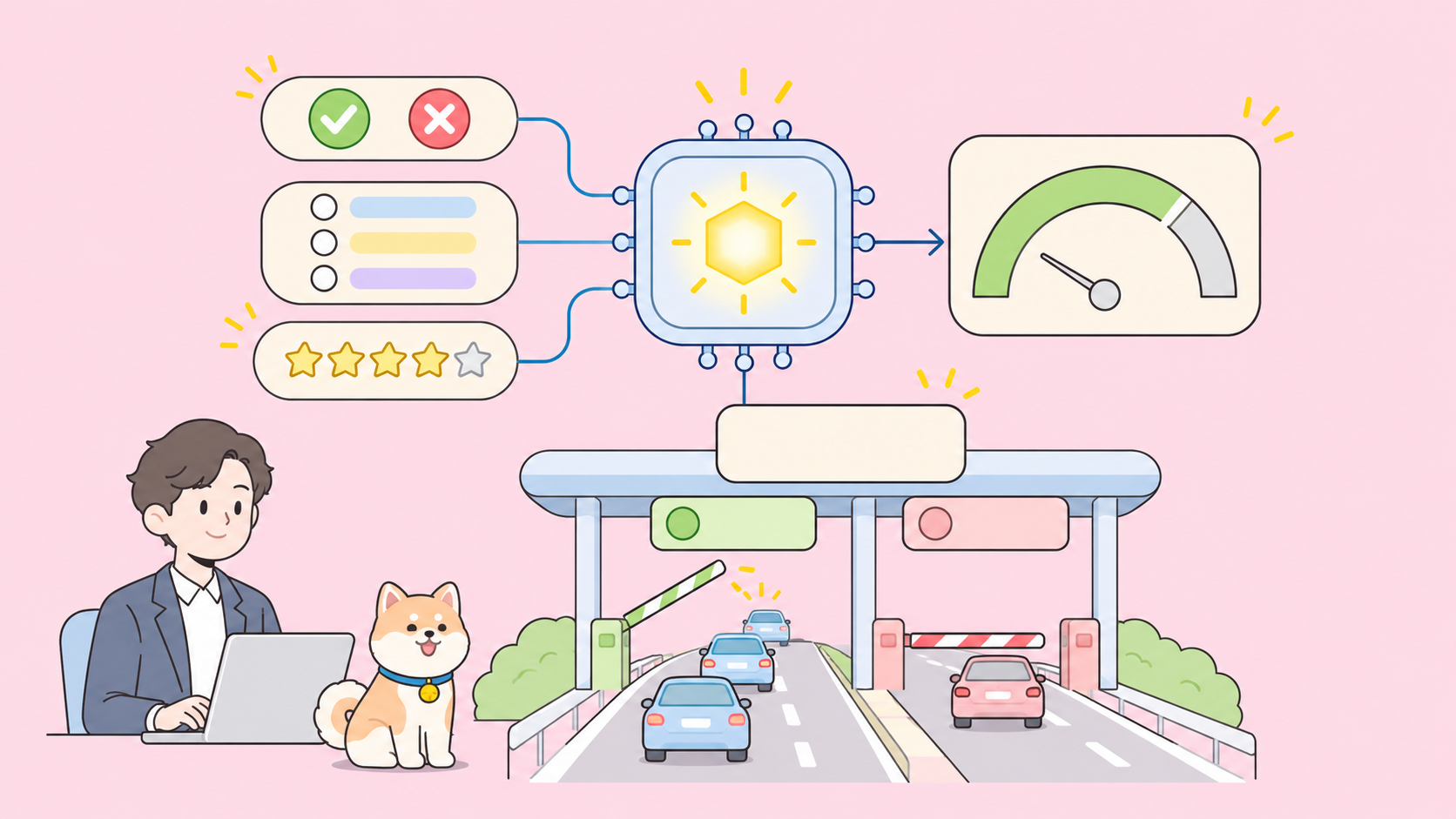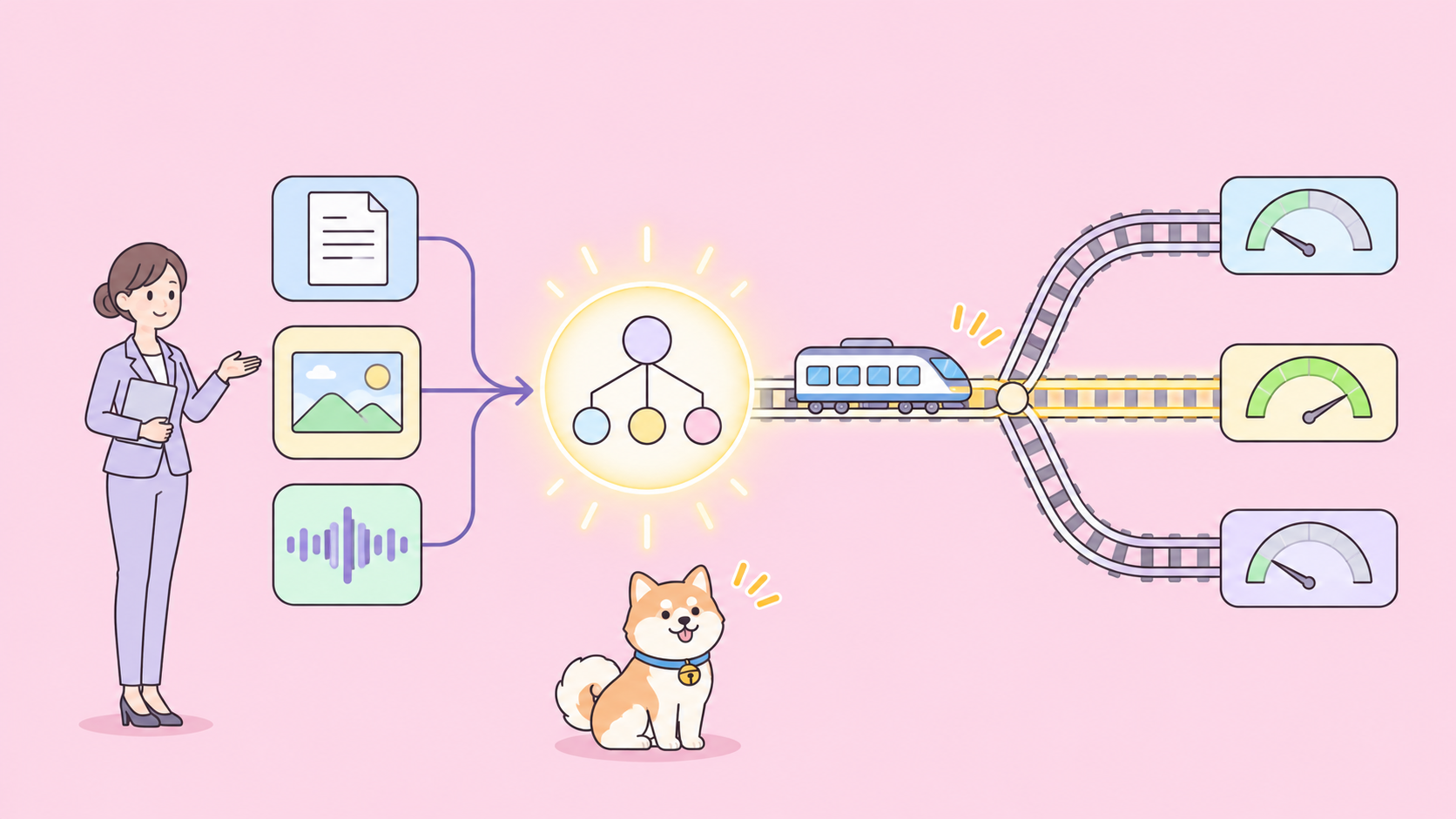
The Gemini Decisions API is a new Google endpoint that answers closed questions instead of generating text. You send one shared input (text, images, audio, video or PDF) plus up to 1,000 typed questions, and Gemini Decision 1 (gemini-decision-1) returns a calibrated probability and a confidence score for each one. It costs $0.10 per 1M input tokens, output is always 0 tokens, and Google quotes 150 to 250 ms end to end.
Google launched it on November 11, 2026, as a v1beta endpoint. For the hands-on build, see how to use the Gemini Decisions API.
What Google shipped with Gemini Decision 1
Gemini Decision 1 is a model that scores a fixed set of candidate answers in a single forward pass rather than decoding text token by token. The Decisions API exposes it, and your code gets numbers it can branch on.
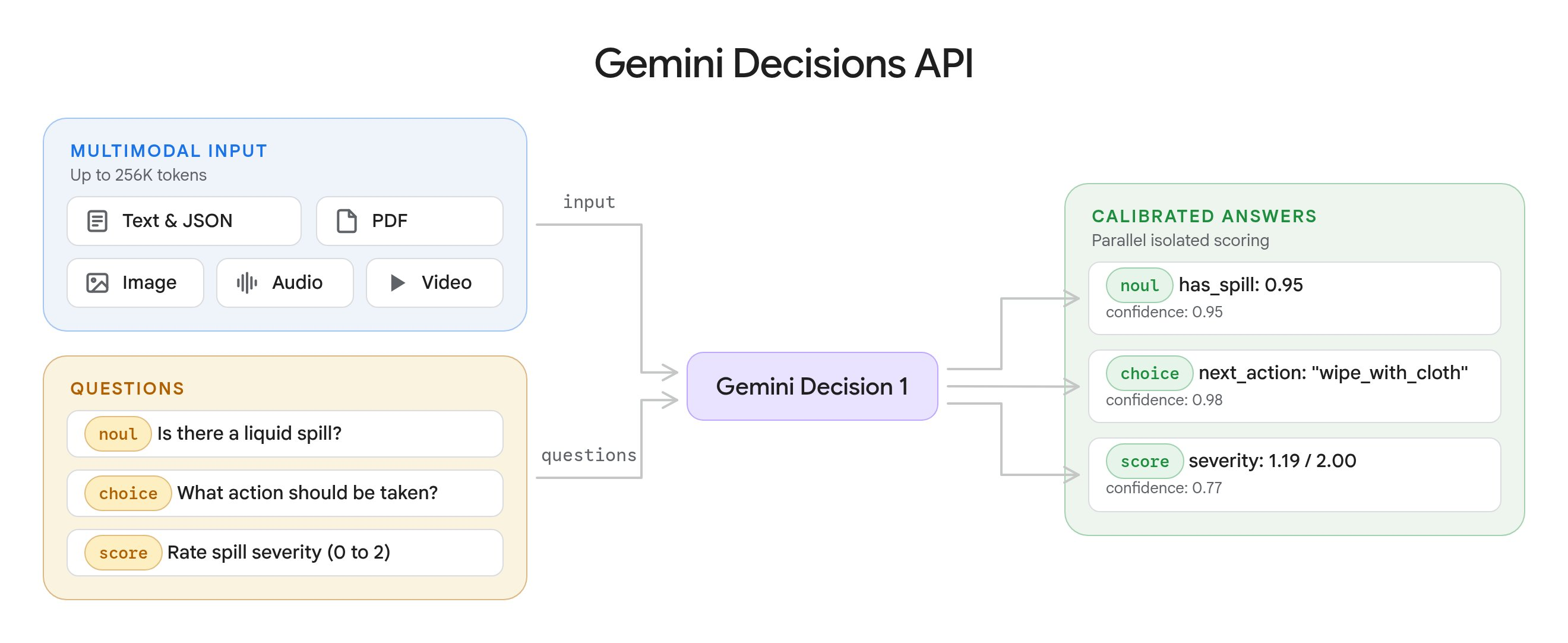
The launch post, “Gemini Decisions API: Fast, calibrated multimodal decisions”, lists the headline facts:
- Model ID
gemini-decision-1, available through the Gemini API and Google AI Studio - One multimodal input per request, up to a 262,144-token context window shared by the input and all questions
- 1 to 1,000 independent questions per request, of three types:
noul,choiceandscore - $0.10 per 1M input tokens, $0 output, plus a no-cost tier for prototyping
- SDK support in
google-genai3.2 or later (client.decisions.create(...)), with OpenRouter, LangChain, Vercel AI SDK and LiteLLM integrations rolling out
Gemini in Google Cloud (Vertex AI) support is listed as “coming soon”, so today it runs on the Developer API only.
Why a decision endpoint instead of a chat call
Most “classify this” code calls a generative model, asks for JSON and parses the reply. You pay for output and thinking tokens, and the parser breaks when the model gets creative.
The Decisions API removes the generation step. Google’s docs put it plainly: it “generates zero text tokens, so output token usage is always 0.” Three design choices follow from that:
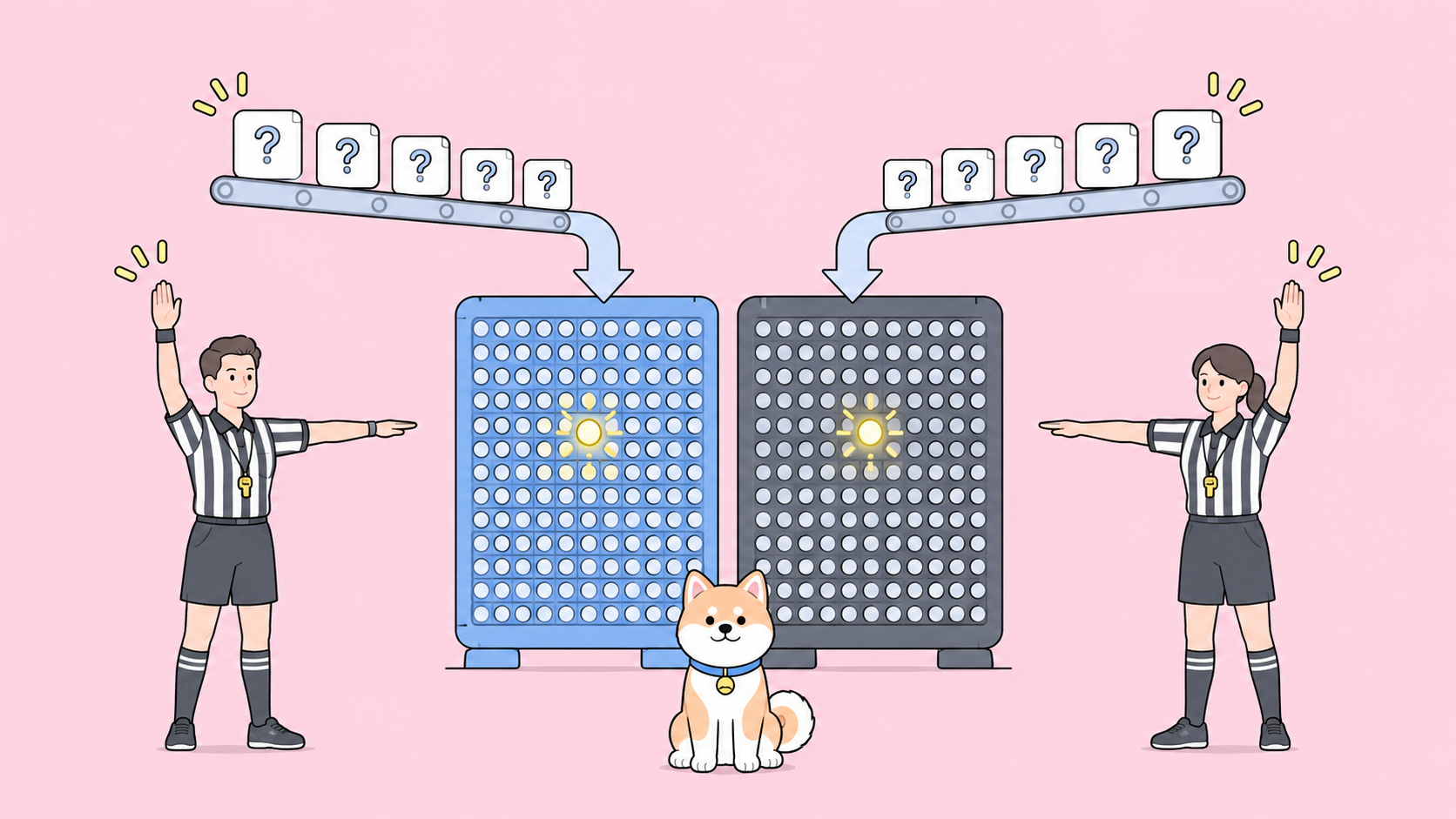
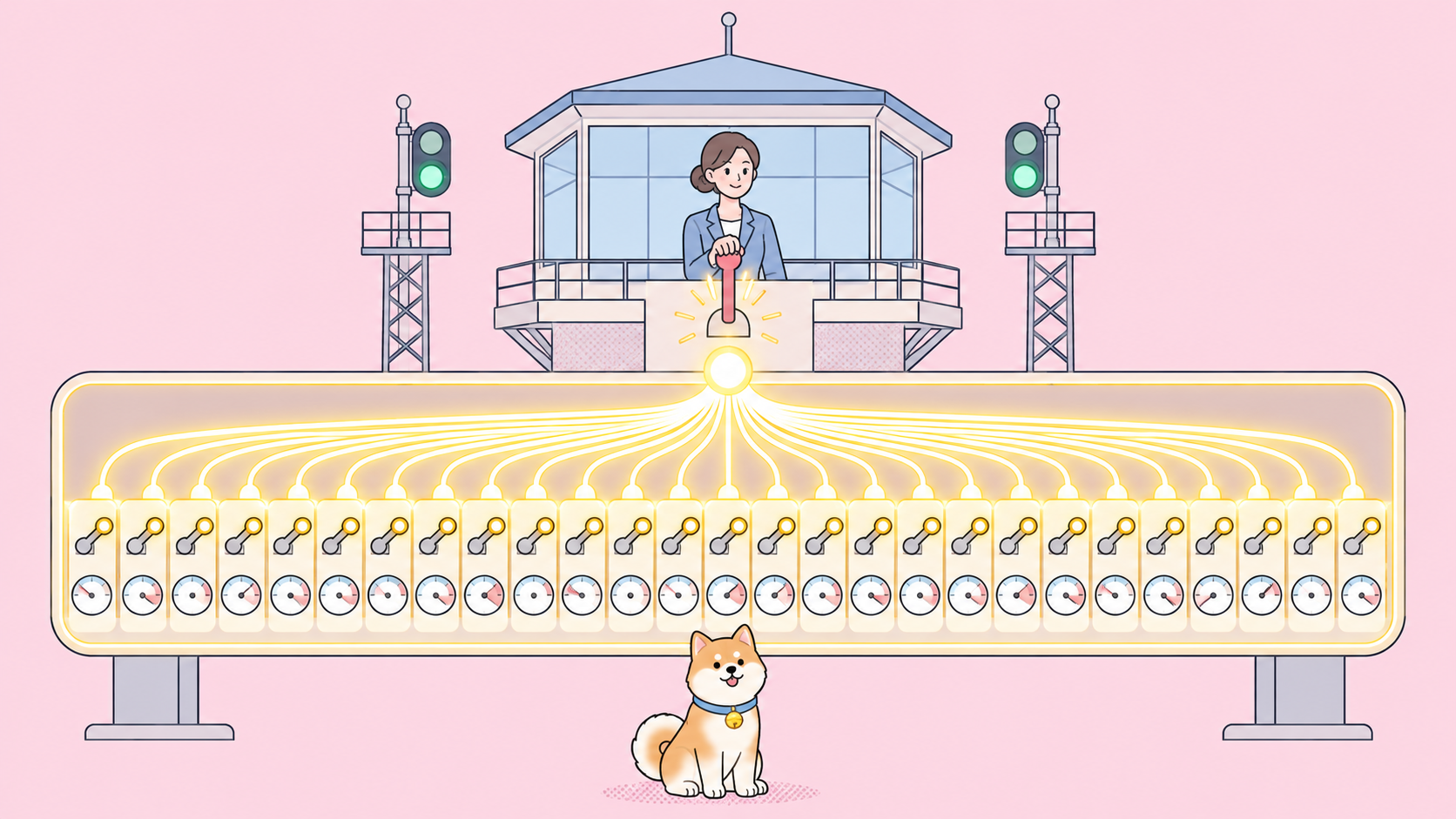
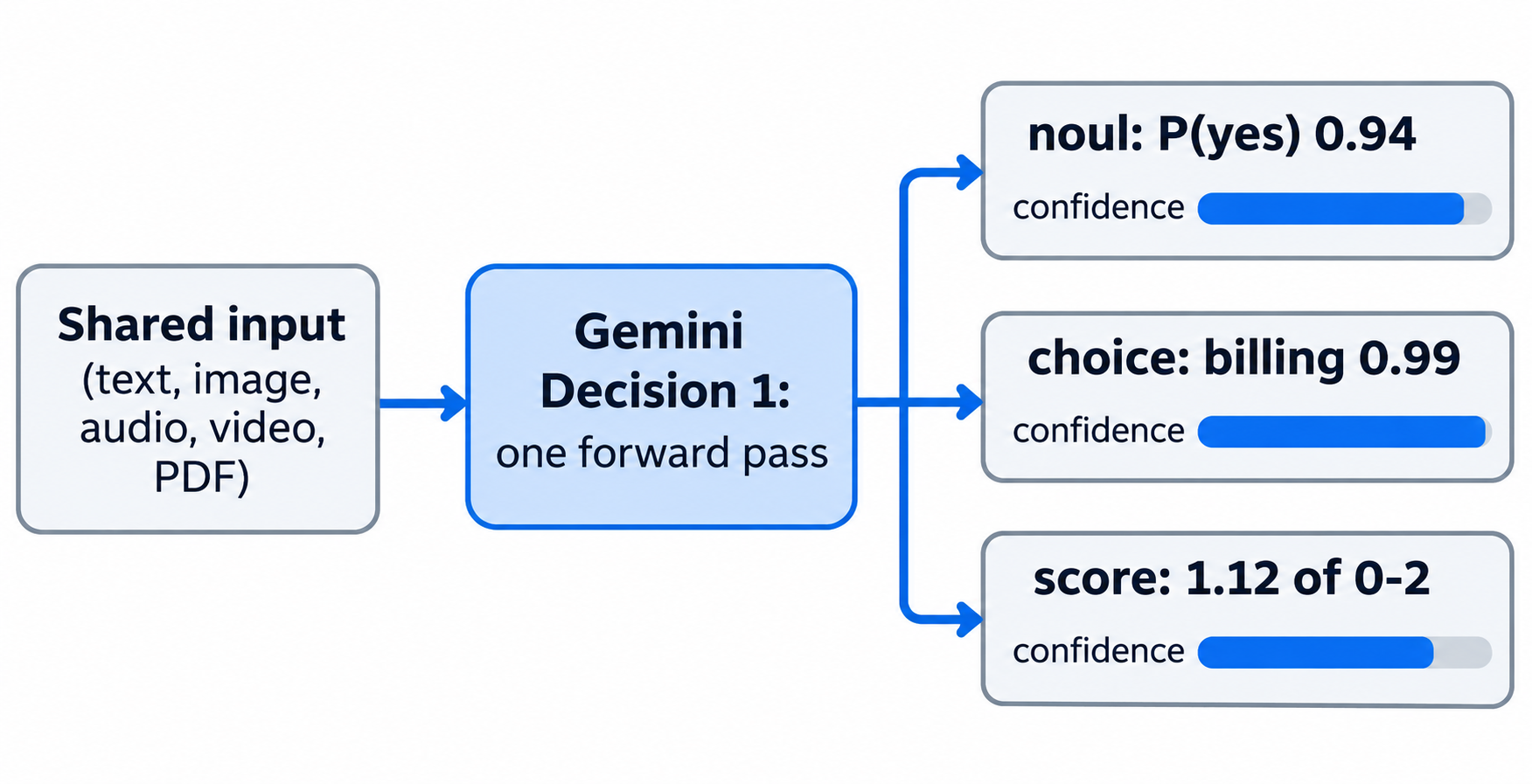
- Parallel, isolated scoring. Every question runs against the shared input in one pass. Questions can’t see each other, so adding or removing one doesn’t change the other answers.
- Value plus confidence. The value tells your code what to do. The confidence tells it whether to do it automatically or escalate.
- Atomic checks composed in code. You ask narrow questions and combine the answers with ordinary
ifstatements and weights.
For generated text, schema-shaped extraction, tool calls or multi-step reasoning, Google still points you to the Interactions API.
The three question types
Each question has a type, instructions and, for two types, criteria. The model never sees your question keys, so write the full question in instructions.
| Type | Use it to | Criteria | Returns |
|---|---|---|---|
noul |
Check whether a statement holds | Optional true_description / false_description |
noul (0.01 to 0.99), confidence |
choice |
Pick one option from a fixed list | Required map of option ID to description, 2 to 255 options | choice, probabilities (sum to 1), confidence |
score |
Rate input on an ordered rubric | Required array of levels, lowest first, 2 to 255 (2 to 10 recommended) | score, probabilities, legend, confidence |
A few behaviours are worth knowing before you write thresholds:
noulnever hits 0 or 1. Probabilities stay between 0.01 and 0.99, so a check for “above 0.99” never matches.choicekeys are sorted alphabetically before scoring, so use a catch-all key likeother, notnone_of_the_above, which sorts to the front.choicealways spreads probability across your options, even when none fits. Pair it with anoulscope check or threshold on confidence.scoreis a weighted average of level indices, so 1.12 means “mostly level 1, some level 2”.
Confidence is defined the same way everywhere: the top outcome’s probability, or max(noul, 1 - noul) for yes/no questions.
One example request and what comes back
The REST endpoint is POST https://generativelanguage.googleapis.com/v1beta/decisions, authenticated with an x-goog-api-key header. This request asks a yes/no question and a choice question about one support message:
curl -X POST "https://generativelanguage.googleapis.com/v1beta/decisions" \
  -H "x-goog-api-key: $GEMINI_API_KEY" \
  -H "Content-Type: application/json" \
  -d '{
    "model": "gemini-decision-1",
    "input": "Audio cuts out on the left earcup. Fix it today or I cancel my membership.",
    "questions": {
      "is_defect": {
        "type": "noul",
        "instructions": "Does the message describe a hardware defect?"
      },
      "department": {
        "type": "choice",
        "instructions": "Which department should handle this request?",
        "criteria": {
          "billing": "Payments, invoices, and refunds.",
          "technical": "Problems using the product.",
          "shipping": "Delivery and tracking.",
          "other": "Anything outside these categories."
        }
      }
    }
  }'
The response has two top-level fields, answers (keyed by your question IDs) and usage:
{
  "answers": {
    "is_defect": { "type": "noul", "noul": 0.94, "confidence": 0.94 },
    "department": {
      "type": "choice",
      "choice": "technical",
      "probabilities": { "technical": 0.9, "other": 0.05, "billing": 0.03, "shipping": 0.02 },
      "confidence": 0.9
    }
  },
  "usage": { "total_input_tokens": 120, "total_output_tokens": 0, "total_tokens": 120 }
}
The numbers are illustrative, shaped like the examples in Google’s Decisions API docs.
For non-text input, input becomes an array of content blocks using the same schema as the Interactions API: text, image, audio, video and document (PDF). Media can be inline base64 (up to 100 MB per request), a Files API URI, or an HTTPS URL (up to 15 MB each). Image and video blocks take a resolution setting to trade detail for tokens.
If an input safety filter blocks a request, you get HTTP 400 with an error.code such as safety or prohibited_content instead of answers.
Gemini Decisions API pricing, latency and rate limits
Pricing is input-only: $0.10 per 1M input tokens on the paid tier, free of charge on the free tier, and no output line because output is always 0 tokens. That’s from Google’s Gemini Developer API pricing page, checked on November 12, 2026. The same page notes that free-tier content is used to improve Google’s products and paid-tier content isn’t.
Two billing details matter:
- Shared input is billed once per request, however many questions you ask. Each question only adds its own instruction and criteria tokens.
- There’s no context caching, Batch API, or Flex/Priority inference for this endpoint, so the same input sent in two requests is billed twice.
Back-of-envelope: a 2,000-token support ticket with 20 questions of about 40 tokens each is roughly 2,800 input tokens, or about $0.00028 per decision call on the paid tier.
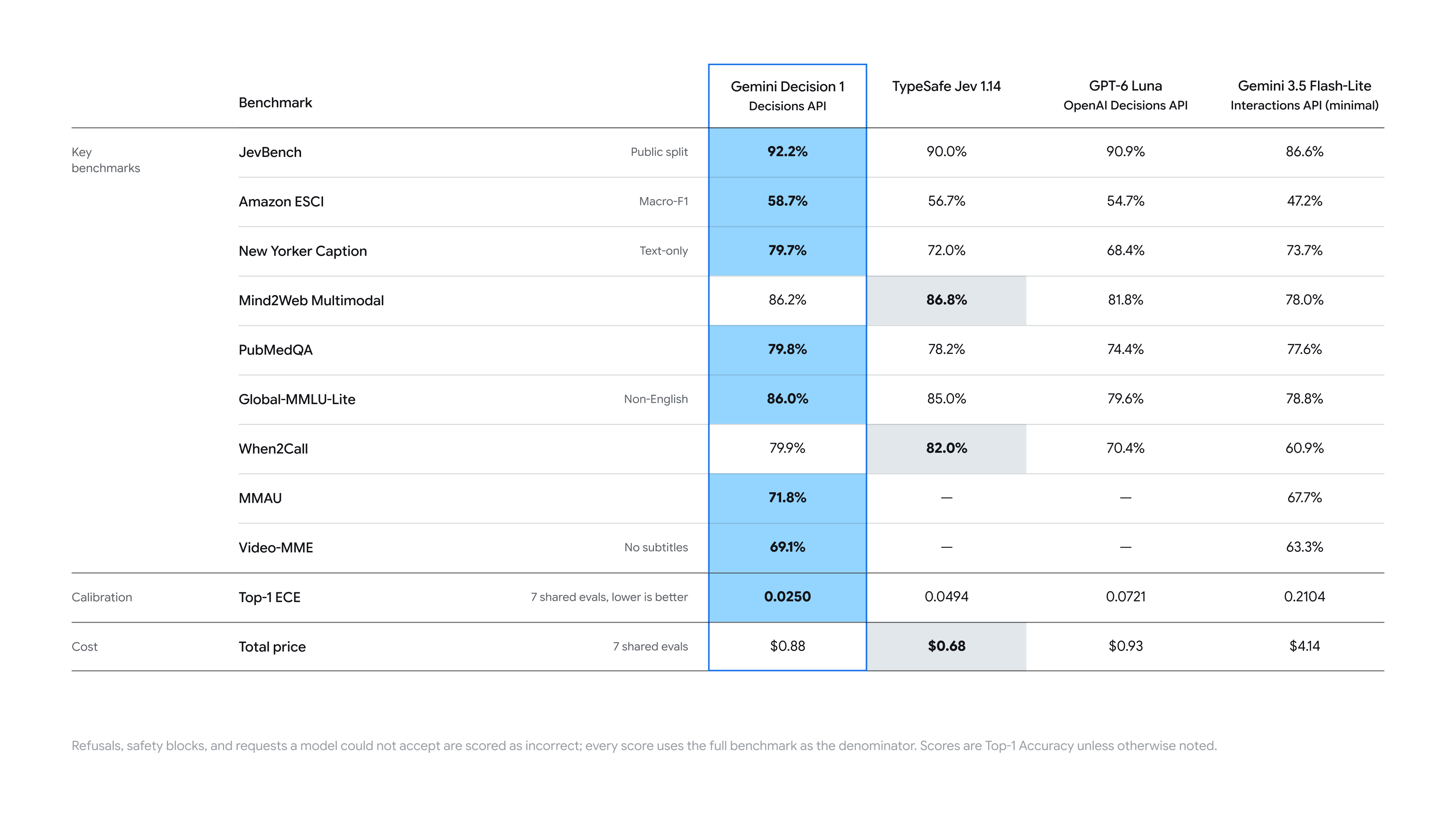
Latency figures are Google’s own: median 50 to 100 ms of model compute, 150 to 250 ms end to end, staying nearly flat from 1 to 100 questions for inputs up to 16K tokens. Google also claims the lowest calibration error on its benchmark suite and a cost nearly 5x lower than Gemini 3.5 Flash-Lite through the Interactions API. Treat both as vendor numbers until you measure your own traffic.
Rate limits from Google’s rate limits page, checked November 12, 2026:
| Usage tier | Requests/min | Tokens/min | Requests/day |
|---|---|---|---|
| Free | 200 | 50,000 | 10,000 |
| Tier 1 | 1,500 | 1,000,000 | 50,000 |
| Tier 2 | 5,000 | 4,000,000 | Unlimited |
| Tier 3 | 15,000 | 10,000,000 | Unlimited |
The free tier is covered in depth in Gemini Decisions API for free.
Where the Decisions API fits
Google’s docs name five patterns, and its internal teams map onto them:
- Model routing. Gemini Notebook routes queries to a model tier and thinking level, with up to 40% lower latency on everyday queries, per Google.
- Policy checks. Many rules against one input in one call; Google Search uses it as a safety layer for MCP tools.
- Agent control. Which tools to load, or whether to compact, escalate or stop.
- Grading and ranking. Score candidates or retrieved chunks against a rubric.
- Real-time media. CC from Google Labs picks an emoji from 200+ options.
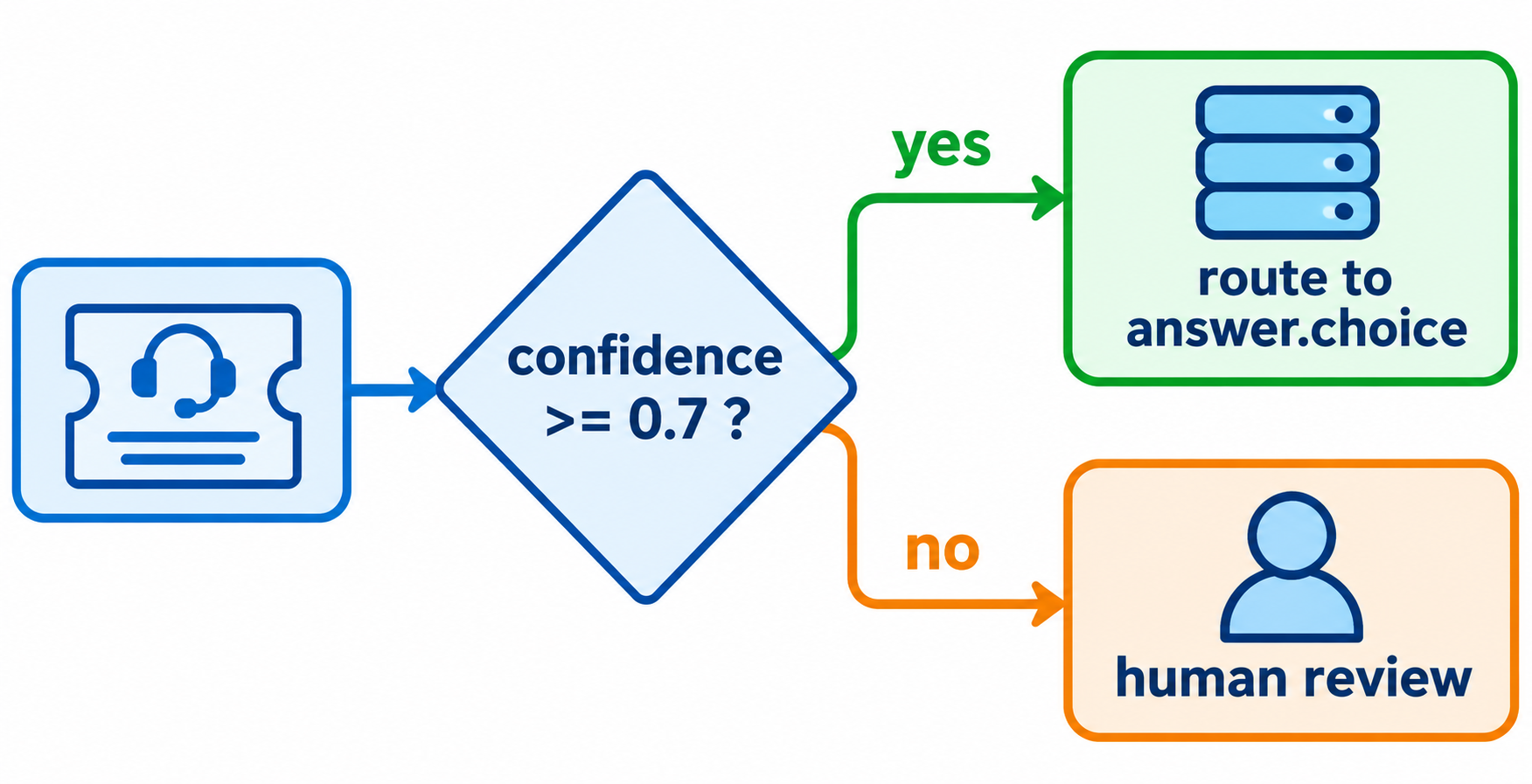
Google’s guidance is to set that threshold from labeled examples of your own traffic, weighing the cost of a false positive against a false negative.
OpenAI shipped a similar endpoint in October on GPT-6 Luna, with predicate, choice and score questions; our OpenAI Decisions API explainer covers it. The head-to-head on limits, modalities and pricing lives in Gemini Decisions API vs OpenAI Decisions API.
Limits and open questions
What the docs state today:
v1betaon the Gemini Developer API, with Gemini Decision 1 only- Question instructions are text only; media in questions isn’t supported
- Conversation history, thought and tool-call blocks aren’t valid input; serialize multi-turn context as text
Google hasn’t published a GA date, regions, or data-residency terms. It also warns that user text can argue for its own classification, so keep a human check on high-stakes actions such as payouts.
Let your coding agent test it with Apidog CLI
A decision endpoint is only useful if its contract holds: every confidence between 0 and 1, every choice inside your set. Your coding agent can write and run that regression test with Apidog CLI while you keep working.
Set up once:
npm install -g apidog-cli@latest
apidog auth login --with-token <YOUR_APIDOG_TOKEN>
apidog skill install
Then give your agent one prompt:
In Apidog project <projectId>, create an environment "gemini" with base URL
https://generativelanguage.googleapis.com and a secret variable GEMINI_API_KEY.
Define POST /v1beta/decisions with header x-goog-api-key: {{GEMINI_API_KEY}}
and the support-ticket body from this article. Add a test case asserting:
status 200, usage.total_output_tokens == 0, every answers.*.confidence is
between 0 and 1, answers.department.choice is one of billing|technical|shipping|other,
and answers.is_defect.noul is between 0.01 and 0.99. Run it and summarize failures.
The agent validates each payload against its schema, then creates and runs the case:
apidog environment create gemini --project <projectId> --base-url https://generativelanguage.googleapis.com
apidog cli-schema get environment-update
apidog environment update <envId> --project <projectId> --file env.json
apidog cli-schema get endpoint-create
apidog cli-schema validate endpoint-create --file decisions-endpoint.json
apidog endpoint create --project <projectId> --file decisions-endpoint.json
apidog cli-schema get test-case-create
apidog cli-schema validate test-case-create --file decisions-case.json
apidog test-case create --project <projectId> --file decisions-case.json
apidog run --test-case <caseId> --project <projectId> -e <envId> -r cli,json
To keep the key out of the saved environment, pass it at run time with --env-var "GEMINI_API_KEY=..." instead. The same apidog run with -r junit drops into CI; the apidog run command reference lists every flag, and Apidog CLI in Claude Code shows the full agent setup. Apidog’s Free plan covers up to 4 users.
FAQ
Is the Gemini Decisions API free? Yes, within the free tier: 200 requests per minute, 50,000 tokens per minute and 10,000 requests per day. Paid usage is $0.10 per 1M input tokens.
How many questions can I ask in one request? From 1 to 1,000, bounded by the 262,144-token context window shared by the input and every question.
What does noul mean? It’s the yes/no question type. It returns the probability that the answer is yes, between 0.01 and 0.99, plus a confidence score.
Can I use it on Vertex AI? Not yet. Google lists Gemini in Google Cloud support as coming soon; today it’s on the Gemini Developer API (v1beta).
Does it support batch or context caching? No. Context caching, the Batch API and Flex or Priority inference aren’t supported, so repeated input is billed in full.