Firecrawl self-hosted used to mean one thing: clone the repo, run Docker Compose, and keep an API, a Playwright service, Redis, RabbitMQ and Postgres alive on your box. On November 18, 2026, Firecrawl shipped a second option. Firecrawl Local is one Rust binary that scrapes, crawls and maps sites to markdown and answers the same v2 API on localhost:3002, with no database, queue or container.
Quick answer: pick Firecrawl Local if you want scrape, crawl, map and batch scrape on a laptop or in an agent’s toolbelt with zero infrastructure. Keep the self-hosted Docker stack if you need persistent jobs, the json and summary formats, LLM extraction through your own model, or a search route that never touches Firecrawl Cloud.
What is Firecrawl self-hosted, and what is Firecrawl Local?
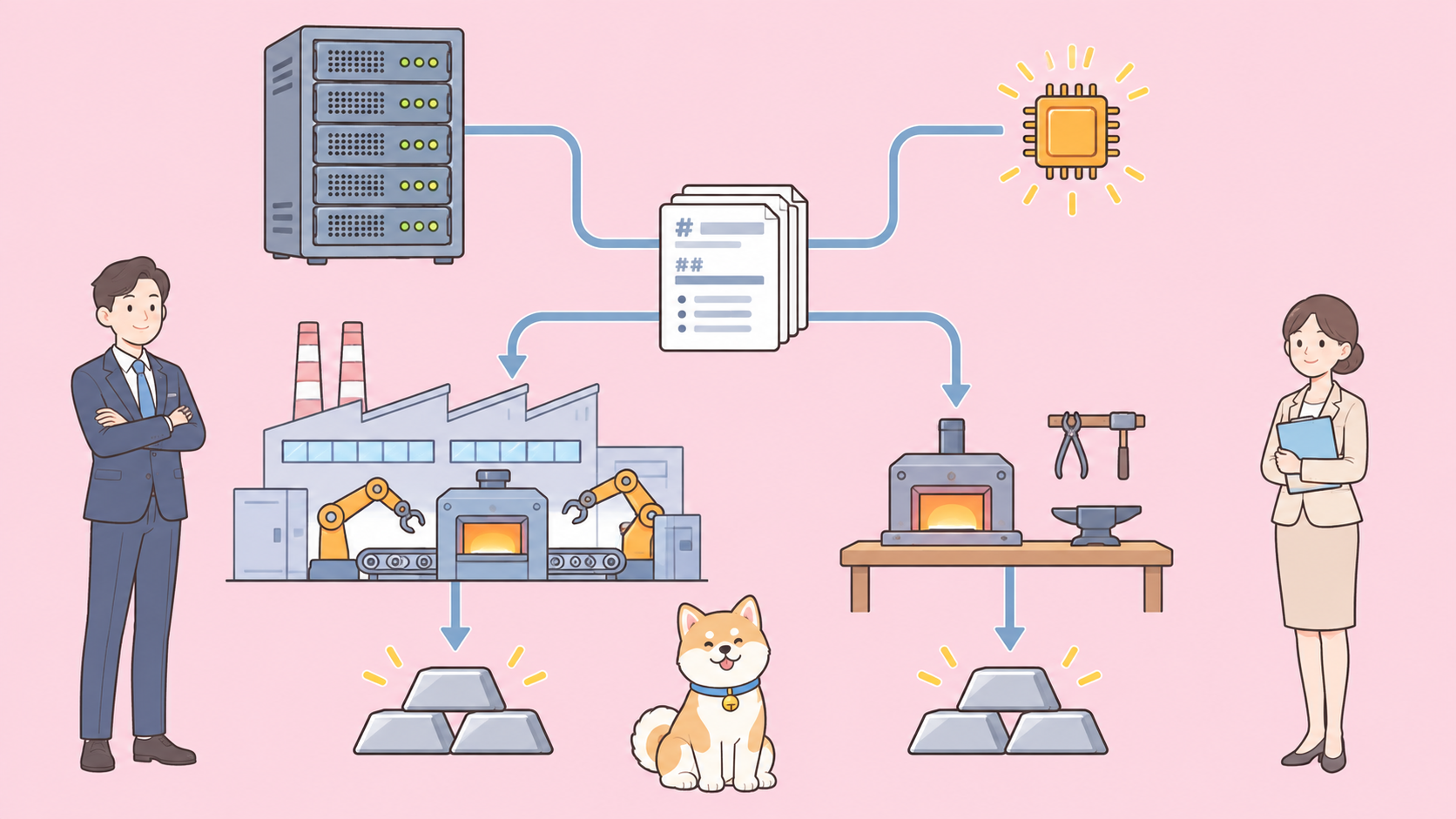
Self-hosted Firecrawl is the full Firecrawl server from apps/api, run on your own infrastructure with Docker Compose. Firecrawl Local is a separate, lighter build in apps/local: one binary that fetches and cleans pages on your machine using the same HTML cleaning code, and hands search, blocked pages and Alexandria to Firecrawl Cloud.
Both live in the Firecrawl GitHub repository, both serve the v2 API on port 3002, and both are open source under AGPL-3.0. Firecrawl Local doesn’t replace the server. The Firecrawl Local README says so directly: the self-hosting guide “lives in apps/api and is unchanged by Firecrawl Local.”
New to Firecrawl? Start with our Firecrawl web scraping guide.
Firecrawl Local vs self-hosted Firecrawl at a glance
Here’s the short version, built from the self-hosting guide, the open source vs cloud page and the Local README, all read on November 19, 2026.
| Self-hosted Firecrawl | Firecrawl Local | |
|---|---|---|
| What you run | Docker Compose stack: api, playwright-service, redis, rabbitmq, nuq-postgres | One binary, firecrawl-local |
| Install | git clone, write .env, docker compose up --build -d |
cargo install firecrawl-local |
| Prerequisites | Git, Docker Engine, Compose v2 | Rust and a C compiler; Chrome and Node 22+ optional |
| API | v2 on port 3002 | v2 on port 3002 (scrape, map, crawl, batch scrape, health) |
| Search route | Included in the default stack | Forwarded to Firecrawl Cloud |
LLM formats (json, summary) |
Connect an OpenAI-compatible provider or Ollama | Skipped with a warning |
| Screenshots | Need Fire-engine, not in the default stack | Work if Chrome is installed |
Browser actions |
Need Fire-engine | Ignored |
| Job storage | Postgres-backed queue | In memory, expires after 1 hour |
| Alexandria | Not listed in the self-host feature table | Through Firecrawl Cloud with a free account |
| MCP setup | Point the MCP server at your URL | firecrawl-local init writes the config |
| License | AGPL-3.0 | AGPL-3.0 |
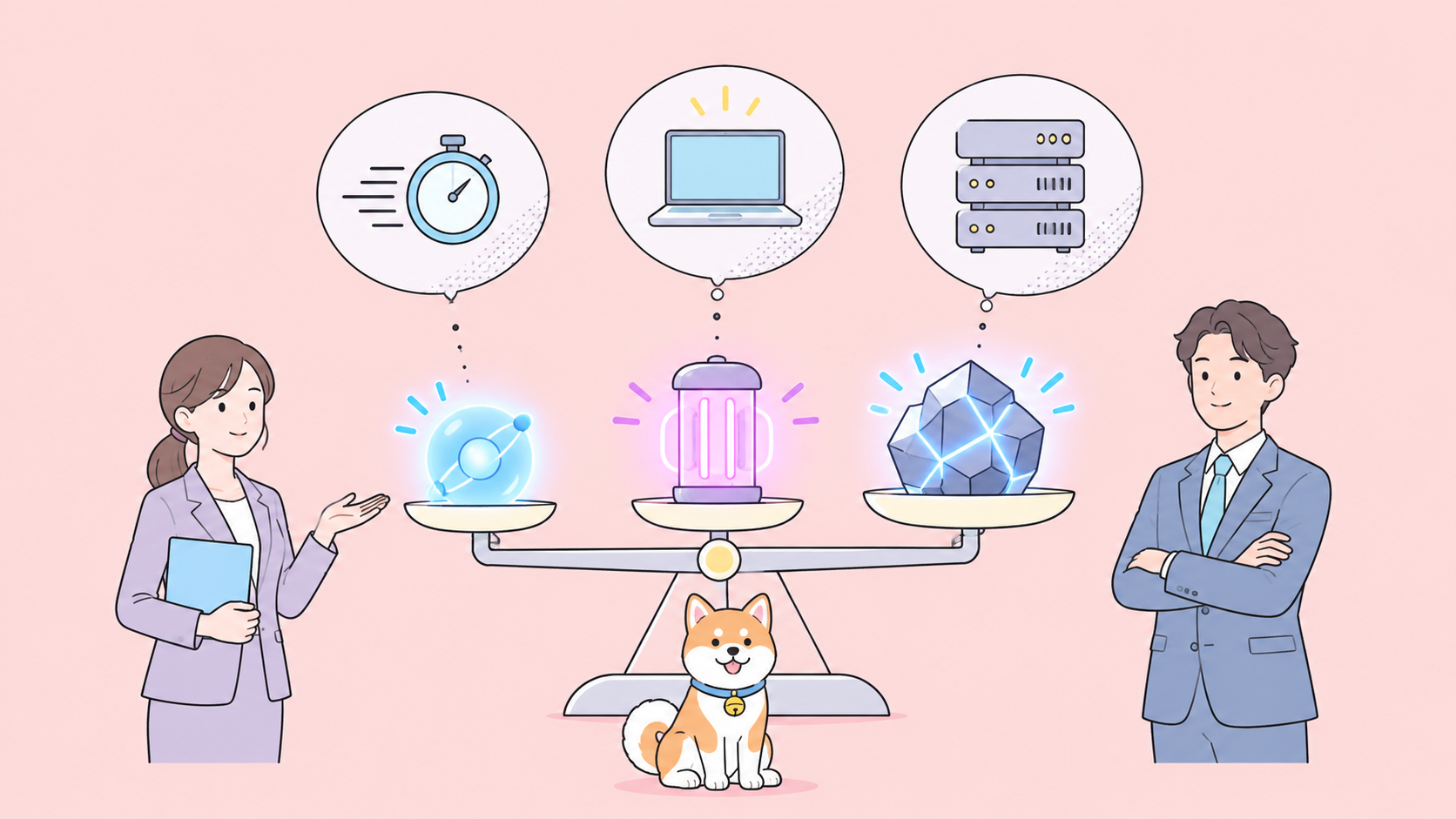
Local trades depth for weight: it keeps the routes agents call most and drops what needs a queue, a model or a browser farm.
What changed: from five services to one binary
The self-hosted path pins release v2.11.162 in its guide. You clone the repo, write a small .env with Postgres credentials and USE_DB_AUTHENTICATION=false, then build and start the stack:
git clone https://github.com/firecrawl/firecrawl.git
cd firecrawl
git checkout v2.11.162
docker compose up --build -d
docker compose ps --all
That compose file starts an api container (it also runs the workers), a playwright-service for rendering, redis, rabbitmq and nuq-postgres for the job queue. The compose file caps the API at 4 CPUs and 8 GB of memory and the Playwright service at 2 CPUs and 4 GB, and the guide notes those limits “are not verified minimum requirements.”
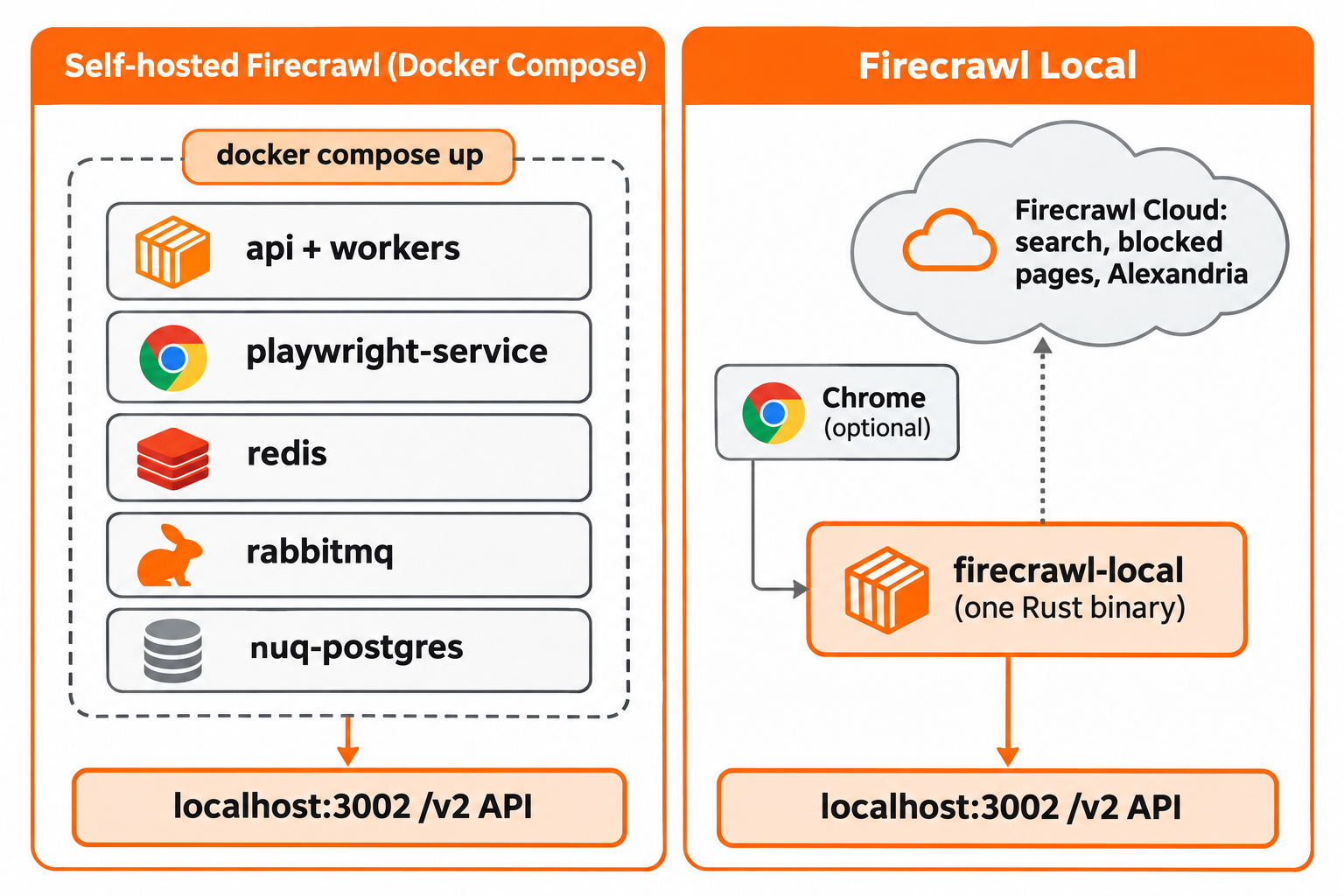
Firecrawl Local collapses that into one command:
cargo install firecrawl-local
firecrawl-local scrape https://example.com --markdown
firecrawl-local crawl https://docs.firecrawl.dev --limit 50 --out ./pages
firecrawl-local map https://firecrawl.dev
firecrawl-local serve
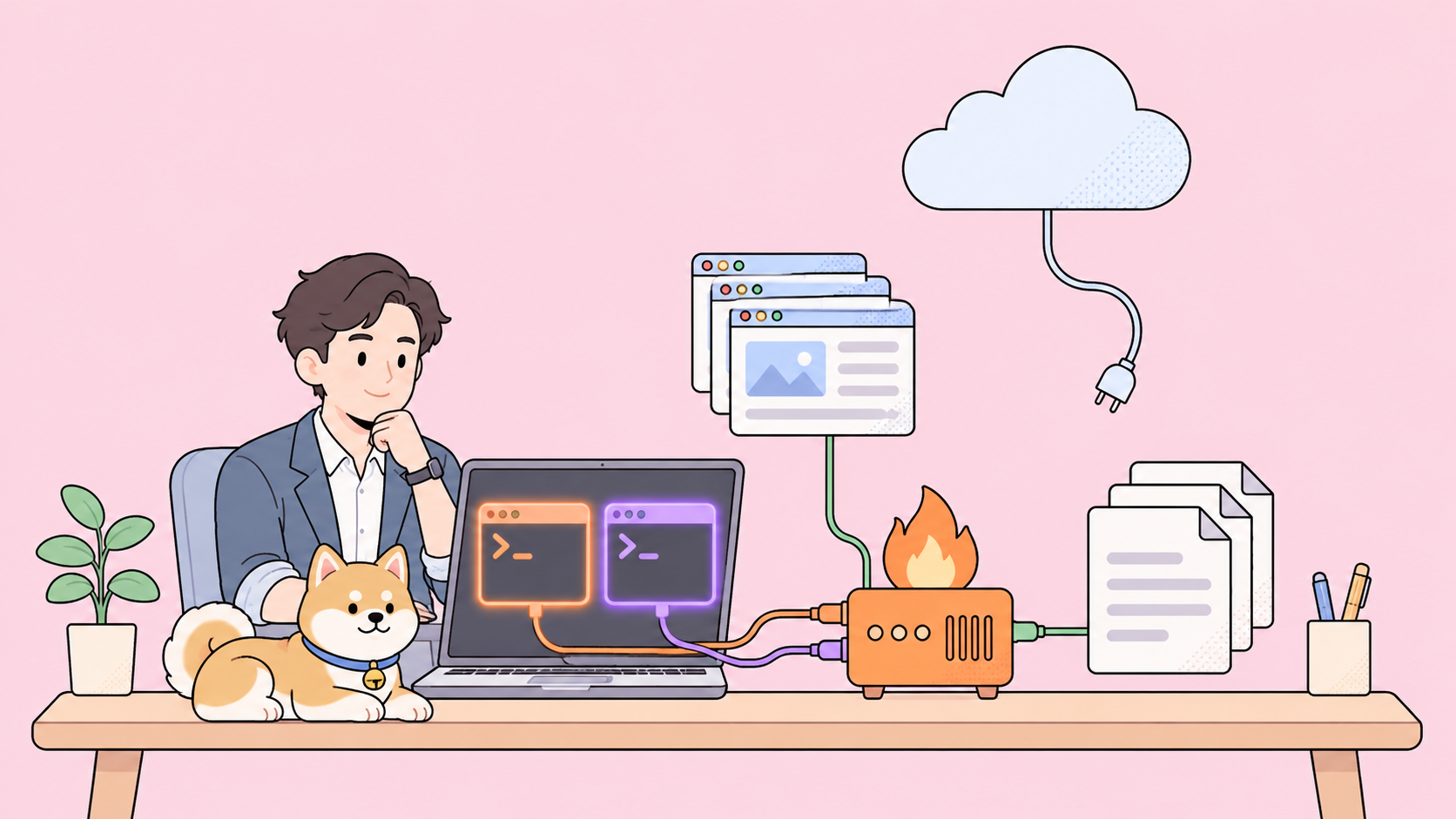
There’s no .env and no containers. JavaScript pages render in the Chrome or Chromium you already have; without one, static pages still work and the rest return a warning.
The search, find-tools, data and login commands reach Firecrawl Cloud. firecrawl-local login reuses the credentials of the hosted CLI from our Firecrawl CLI install guide.
Endpoint coverage: what each one serves
This is where migrations break, so check it before you switch an SDK’s base URL.
Firecrawl Local serves these routes on your machine:
POST /v2/scrapescrapes one URLPOST /v2/maplists a site’s URLsPOST /v2/crawl, plusGETandDELETE /v2/crawl/{id}POST /v2/batch/scrape, plusGETandDELETE /v2/batch/scrape/{id}GET /health
Every other /v2 route, such as /v2/search, passes through to Firecrawl Cloud unless FIRECRAWL_CLOUD says otherwise. The v0 and v1 routes aren’t served at all.
Self-hosted Firecrawl covers core scrape, crawl, map and search in its default stack, per the open source vs cloud page. LLM-backed extraction needs a provider you connect. Agent, Browser, Interact and the dashboard aren’t included.
Two practical gotchas:
- Health checks differ. The self-hosting guide checks readiness at
/v0/health/readiness. Firecrawl Local doesn’t serve v0, so useGET /healthinstead. Update your monitors and compose healthchecks. - Search changes where it runs. On the Docker stack, search stays on your infrastructure. On Local, it goes to Firecrawl Cloud, and keyless search is rate limited. Set
FIRECRAWL_CLOUD=offif nothing may leave the machine; search then stops working.
Speed and memory: read the claims carefully
Firecrawl’s launch post on X says Firecrawl Local is a “37x faster rust based scrape primitive (vs self-hosted)” and uses “230x less memory (11 MB idle).” The post drew about 324K views and 3.2K likes in its first day.
Treat those numbers as Firecrawl’s claims. The README publishes no benchmark method, no page set and no hardware, so we can’t tell you what “37x” measured. What the architecture does support is the direction: one idle process should sit far lighter than five containers whose compose limits allow up to 12 GB between the API and Playwright services alone.
If speed decides your choice, measure it on your own URLs. Run the same scrape against both servers, compare timings, and check the markdown matches. The section on Apidog CLI below shows one way to make that a repeatable test.
Security, cloud hand-off and data flow
Self-hosting gives you full control and full responsibility. The guide’s quickstart disables authentication and warns it “is not a production architecture,” so durable volumes, auth, TLS and monitoring are yours to add.
Firecrawl Local ships with tighter defaults for a single machine:
servebinds to127.0.0.1and refuses localhost and private addresses unless you pass--allow-private.- Link-local and cloud metadata addresses are blocked in every mode, including after redirects.
scrape,crawlandmcpaccept--public-only, which the README recommends when an agent browses sites you don’t trust.- Crawls respect
robots.txt.
The trade is the cloud hand-off. With the default FIRECRAWL_CLOUD=auto, search, pages that block your machine, and Alexandria go to Firecrawl Cloud. Those results carry "source": "firecrawl-cloud". Set FIRECRAWL_CLOUD=search to allow only search, or off to send nothing.
Alexandria, Firecrawl’s catalog of data providers, needs a free account and firecrawl-local login. Our Firecrawl Alexandria explainer covers what it returns.
Which one should you pick?
Pick Firecrawl Local if:
- You want an AI agent to scrape and crawl on your laptop.
firecrawl-local initadds the MCP server to Claude Code, Claude Desktop, Cursor, Windsurf, Gemini CLI and Codex, backing up each config first. - You run short jobs that finish within an hour.
- You only need markdown, HTML, raw HTML and links.
- You don’t want to own Postgres, Redis and RabbitMQ.
Keep self-hosted Firecrawl if:
- Crawl jobs must survive a restart or run longer than an hour.
- You need
jsonorsummaryoutput through your own model. - Search must stay on your infrastructure.
- Several services or users share one scraping backend behind your auth.
Many teams will run both: Local on laptops and in agents, the Docker stack or Firecrawl Cloud in production. For agent setups that only need search, our roundup of open-source web search for Claude lists other options, and the Firecrawl MCP and llms.txt guide covers the hosted MCP server.
Migrating SDK code from self-hosted to Local
Your SDK code doesn’t change, only the URL: set the Python or Node SDK’s API URL to http://localhost:3002, with no API key for local routes. Before you flip it, confirm your code makes no v0 or v1 calls, never asks for json, summary or actions, and never polls a crawl ID older than an hour or across a serve restart.
Let your coding agent run a parity test with Apidog CLI
Switching backends is a contract question: does /v2/scrape on Local return the same shape your code already parses? Don’t diff responses by hand. Run both servers side by side (Docker on 3002, firecrawl-local serve --port 3012) and let your coding agent test both with Apidog CLI.
Set it up once:
npm install -g apidog-cli@latest
apidog auth login --with-token <YOUR_TOKEN>
apidog skill install
Then give your agent one prompt:
Self-hosted Firecrawl runs on http://localhost:3002 and Firecrawl Local on
http://localhost:3012. In Apidog project <id>, create two environments,
"self-hosted" and "local". Add test cases for POST /v2/scrape on
https://example.com (assert 200, success: true, non-empty data.markdown) and
POST /v2/map (assert 200 and a non-empty links array). Run the cases against
both environments and tell me every assertion that differs.
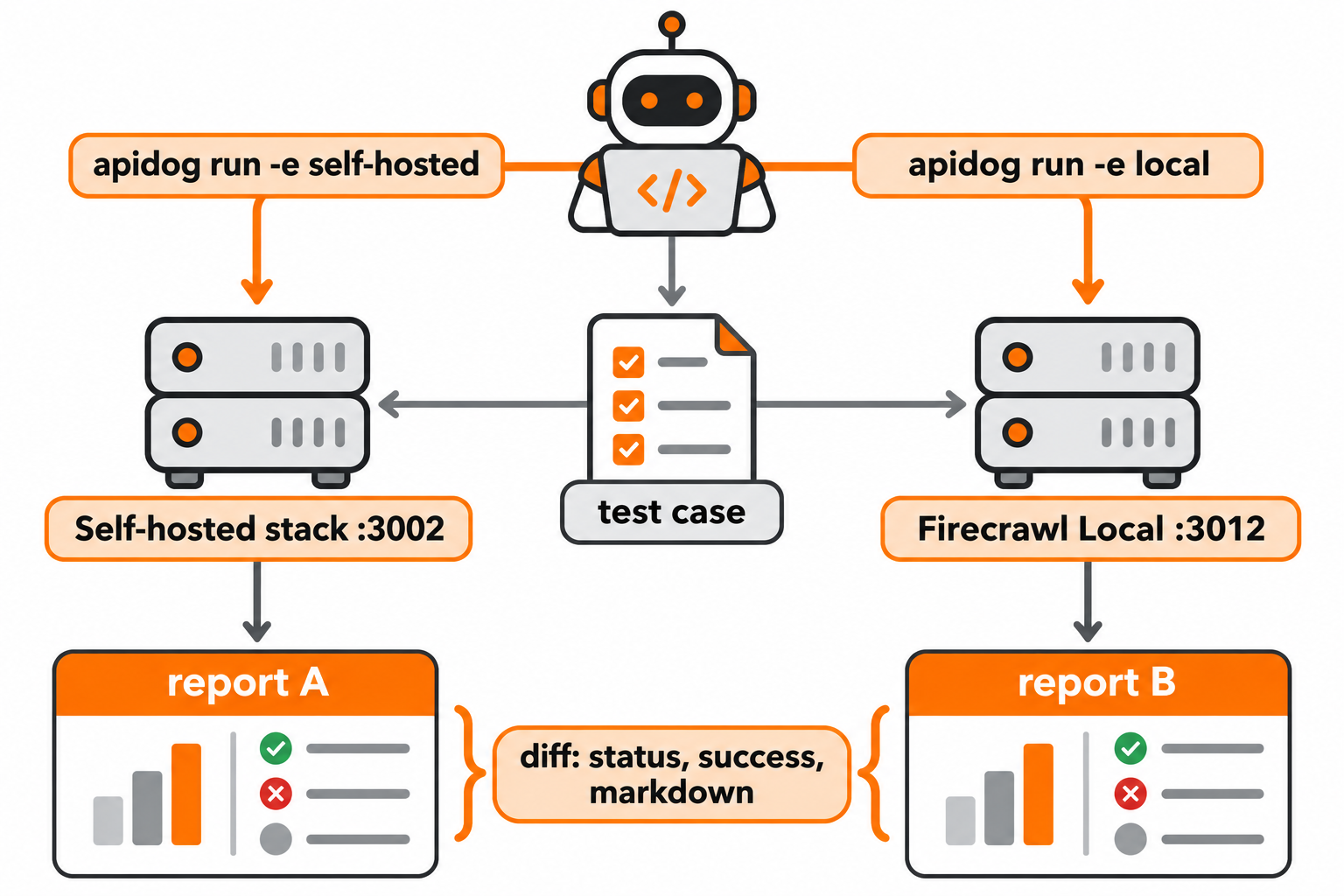
The agent reads the payload schema, validates it and runs the same case twice:
firecrawl-local serve --port 3012 &
apidog environment create self-hosted --project <id> --base-url http://localhost:3002
apidog environment create local --project <id> --base-url http://localhost:3012
apidog cli-schema get test-case-create
apidog cli-schema validate test-case-create --file scrape-case.json
apidog test-case create --project <id> --file scrape-case.json
apidog run --test-case <caseId> --project <id> -e <selfHostedEnvId> -r cli,json --out-file self-hosted
apidog run --test-case <caseId> --project <id> -e <localEnvId> -r cli,json --out-file local
Apidog CLI sends requests from your machine, so both localhost ports are reachable. Swap -r cli,json for -r junit and the same check runs in CI on every Firecrawl upgrade; our Apidog CLI CI/CD guide shows the setup, and Apidog CLI in Claude Code covers the agent side. Apidog’s Free plan covers teams of up to 4 users.
FAQ
Does Firecrawl Local replace self-hosted Firecrawl? No. It’s a separate build in apps/local. The full server in apps/api and its self-hosting guide are unchanged, and you still need it for persistent jobs and LLM formats.
Is Firecrawl Local really 37x faster than self-hosted Firecrawl? That’s Firecrawl’s claim from its launch post, along with 230x less memory and 11 MB idle. The README publishes no benchmark method, so test it on your own URLs.
Does Firecrawl Local work without the cloud? Yes. Set FIRECRAWL_CLOUD=off and scraping, crawling and mapping stay on your machine. Search, the blocked-page fallback and Alexandria stop working.
Is self-hosted Firecrawl free? The code is free under AGPL-3.0, for both the server and Local. You pay for the machines and the time to run Postgres, Redis and RabbitMQ yourself.
Which one should an AI agent use? Firecrawl Local, in most cases. firecrawl-local init registers it as an MCP server in six agent tools, and --public-only keeps an agent from reaching your private network.