
When you’re building a frontend, debugging a client, or learning a new HTTP library, you often need an endpoint that returns real-looking JSON without standing up a backend. A dummy API gives you exactly that: a public, free, always-on service you can call right now. This guide lists the best public dummy APIs, shows you how to call them, and explains when to stop borrowing someone else’s data and build your own fake REST API instead. If you want a deeper primer on the public-API landscape, the MDN guide to using the Fetch API pairs well with everything below.
What a dummy API actually is
A dummy API is a hosted service that returns canned, realistic JSON for common resource types: users, posts, products, carts, todos. You don’t sign up, you don’t host anything, and you don’t worry about breaking production data. Most of them accept GET, POST, PUT, PATCH, and DELETE, but the write operations are usually faked. The server echoes your payload back with an ID and pretends it saved, while nothing actually persists.
That’s the key trait to understand before you rely on one. A dummy API is perfect for read-heavy prototyping and for proving that your request code works. It’s a poor fit the moment you need stateful behavior, your own data shapes, or custom error conditions.
The best free dummy and fake APIs to test against
Here are the public APIs worth knowing. All of them are free and need no backend setup on your side.
JSONPlaceholder
JSONPlaceholder is the classic. It serves six related resources: 100 posts, 500 comments, 100 albums, 5,000 photos, 200 todos, and 10 users. The relationships are real, so a post has comments and an album has photos, which makes it good for testing nested fetches.
curl https://jsonplaceholder.typicode.com/posts/1
You get back a single post object. Write requests are accepted but not saved, so a POST /posts returns a fake id: 101 every time.
DummyJSON
DummyJSON goes broader. It ships products, carts, users, posts, comments, quotes, todos, and recipes, plus an auth flow that hands you a token. If you’re testing a shopping cart UI or a login screen, this is the one to reach for.
curl https://dummyjson.com/products/1
The auth endpoint lets you POST a username and password and receive a JWT, which is handy for practicing token storage and authenticated requests without wiring up a real identity provider.
reqres.in
reqres.in focuses on the request and response lifecycle: list users, single user, register, login, delayed responses. It’s built for demoing pagination and auth flows. One thing to know: the free tier now expects an API key header. Send x-api-key: reqres-free-v1 with your requests, or you’ll get a 401.
curl https://reqres.in/api/users/2 -H "x-api-key: reqres-free-v1"
Where each one fits
| Dummy API | Best for | Auth flow | Write persistence |
|---|---|---|---|
| JSONPlaceholder | Nested reads, blog-style data | No | Faked, not saved |
| DummyJSON | E-commerce, carts, login | Yes (token) | Faked, not saved |
| reqres.in | Pagination, register/login demos | API key header | Faked, not saved |
If you want a wider catalog of options beyond these three, the roundup of public APIs for testing covers more specialized choices, and the list of free public APIs for developers is useful when you need themed data like weather or currency.
How to call a dummy API in your code
Calling one is the same as calling any HTTP endpoint. Here’s a plain fetch example in JavaScript that reads a user and then posts a new one.
// Read
const res = await fetch('https://dummyjson.com/users/1');
const user = await res.json();
console.log(user.firstName);

// Write (echoed back, not persisted)
const created = await fetch('https://dummyjson.com/users/add', {
  method: 'POST',
  headers: { 'Content-Type': 'application/json' },
  body: JSON.stringify({ firstName: 'Ada', lastName: 'Lovelace' }),
});
console.log(await created.json()); // returns an object with a fake id
In Python with requests, the shape is just as short.
import requests

r = requests.get("https://jsonplaceholder.typicode.com/todos/1")
print(r.json())
Drop either of these into a test file and you have a working integration to assert against. If you need believable values for those assertions, the guide on creating realistic API test data shows how to generate names, emails, and timestamps that look like production traffic instead of test123.
When a public dummy API stops being enough
Public dummy APIs are great until your needs get specific. You’ll hit a wall in a few common situations:
- Your data shapes don’t match. Your app expects a
subscription_tierfield and a nestedbillingobject. JSONPlaceholder gives youpostsandalbums. You can’t bend their schema to yours. - You need state. A real cart updates when you add an item. Dummy APIs forget your POST the moment it returns.
- You need controlled failures. Testing how your UI handles a 429, a slow 200, or a malformed body is hard when the public service always behaves.
- You’re building before the backend exists. Frontend and backend teams often start at the same time. You need endpoints that match the agreed contract today, not whenever the API ships.
At that point you don’t need a borrowed API. You need your own fake API that returns your shapes, on demand, with the responses you control. That’s a mock API built for testing, and it’s where Apidog fits in.
How to build your own fake API with Apidog
Apidog is an API platform that combines design, testing, debugging, and mocking in one place. Its mocking is schema-driven, so it reads the structure of your endpoint and generates realistic fake data automatically using built-in Faker rules. You define the shape once, and every request returns fresh, plausible values.
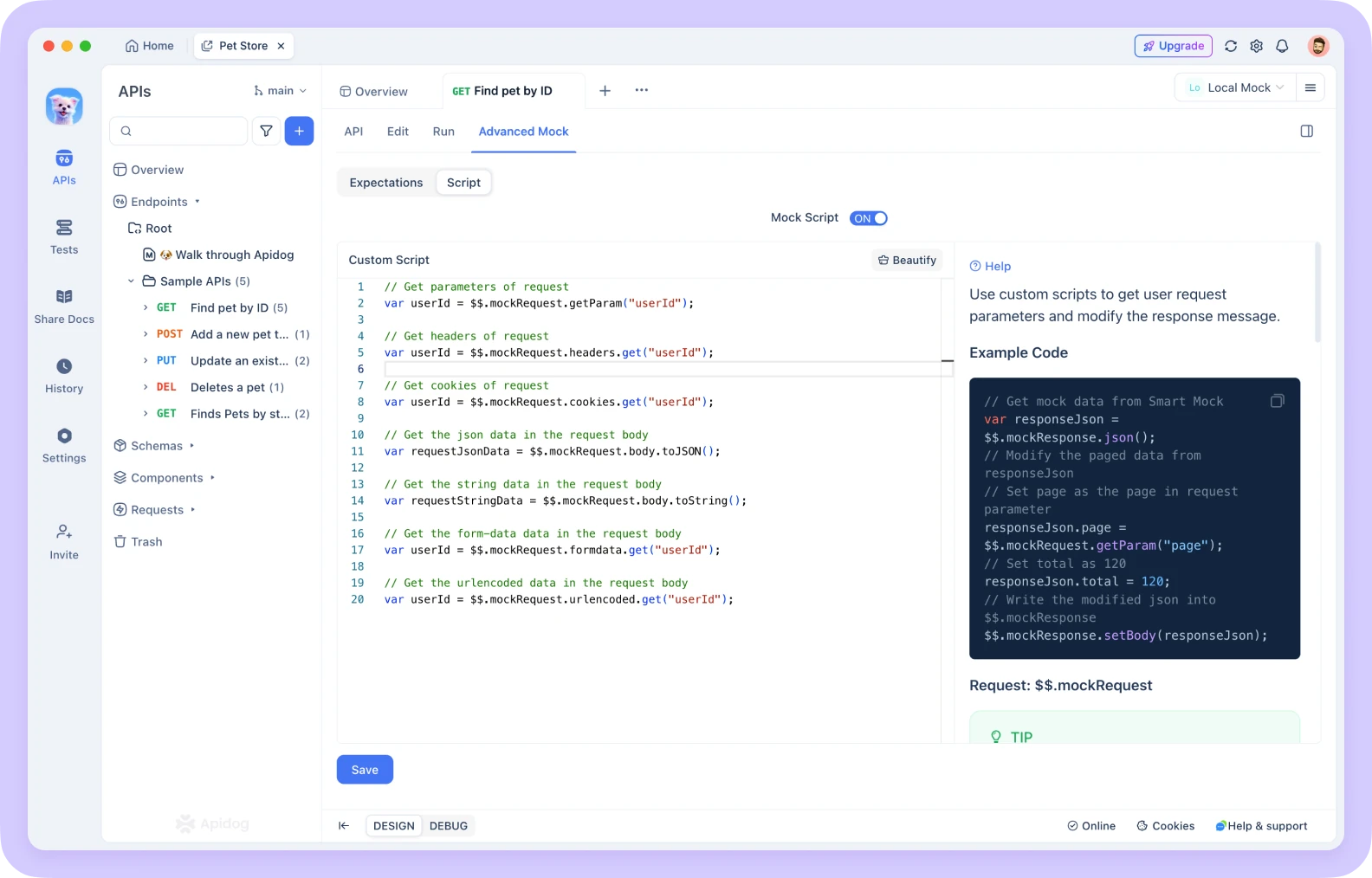
Here’s the short version of the workflow.
- Create or import an endpoint. Define a new API in Apidog, or import an existing OpenAPI or Swagger file. Apidog reads the schema directly.
- Let the smart mock fill in data. For a field named
email, Apidog returns an email. ForcreatedAt, it returns a timestamp. Forprice, a number. You can tune these rules per field, so acountryfield returns real country names instead of random strings. - Hit the local mock URL. Apidog spins up a mock server and gives you a URL for each endpoint. Call it from your frontend, your tests, or curl, exactly like a public dummy API, except the responses match your contract.
- Add conditional and error responses. Configure a mock to return a 500, a 404, or a delayed response based on the request. Now you can test the unhappy paths the public services never let you reproduce.
Because the mock is generated from your spec, it stays in sync as your design evolves. Change a field, and the mock reflects it. If you want a wider view of generating mocks straight from a spec, the walkthrough on generating mock data from OpenAPI schemas goes deeper into the Faker side of things.
Public dummy API vs. your own Apidog mock
| Need | Public dummy API | Apidog mock |
|---|---|---|
| Quick read-only data | Excellent | Excellent |
| Your exact data shapes | No | Yes |
| Custom error and delay responses | No | Yes |
| Matches your OpenAPI contract | No | Yes |
| Setup time | Zero | Minutes |
Neither one is strictly better. A public dummy API wins when you just need any JSON in five seconds. Your own Apidog mock wins the moment correctness against your real contract matters. Most teams use both: the public ones for throwaway experiments, a project mock for everything that ships.
Frequently asked questions
Is a dummy API the same as a mock API?
They overlap but aren’t identical. A dummy API usually means a public, shared service with fixed sample data, like JSONPlaceholder. A mock API is one you define and control, returning your own shapes and behaviors. A dummy API is one flavor of mock that someone else already hosts. If you want the distinction spelled out, see the explainer on what a mock API is.
Are free fake APIs safe to use with real data?
No. Never send real user data, secrets, or tokens to a public dummy API. Treat everything you POST as logged and visible. Use them only with throwaway test values. When you need privacy or persistence, host your own mock instead.
Do dummy APIs save the data I send?
Almost never. JSONPlaceholder, DummyJSON, and reqres.in all accept write requests and echo a result back with a generated ID, but nothing persists. Refresh and your “created” record is gone. If you need state that sticks, you need a stateful mock or a real backend.
Can I build a fake API without writing any code?
Yes. With Apidog you define the endpoint shape and let smart mocking generate the data, no server code required. You can also import an OpenAPI file and get working mock endpoints in minutes.
Wrapping up
Public dummy APIs like JSONPlaceholder, DummyJSON, and reqres.in are the fastest way to get realistic JSON for prototyping and learning. They cost nothing and need no setup. The moment you need your own data shapes, real state, or controlled error responses, build a fake API you actually own.
Apidog lets you do exactly that: import your spec, get schema-driven mock data, and call your own endpoints in minutes. Download Apidog and turn your next API contract into a working mock before a line of backend code exists. See how it fits your testing workflow at Apidog.