
Document360 built its name on clean, structured knowledge bases, and in 2026 it still does that part well. What changed is the pricing model and how the product is packaged. The company moved to quote-only pricing in late 2024, pulled its public price list, and put its Eddy AI suite front and center.
That is why teams are re-evaluating. If you are paying knowledge-base prices but your real problem is API documentation, developer docs, or a simple internal wiki, you are buying the wrong shape of tool. This guide sorts the best Document360 alternatives in 2026 by what you are actually documenting, with current pricing and an honest read on where each one fits. The short list: Apidog for API documentation, GitBook for a hosted docs site, Mintlify for AI-native developer docs, Notion for internal wikis, and Docusaurus for open-source self-hosting.
What changed with Document360 in 2026

Document360 is a cloud-based platform for building public help centers, internal knowledge bases, and product manuals. The core product is still solid. Three things shifted that send people looking elsewhere.
Pricing went quote-only
Since late 2024, Document360 no longer publishes plan prices. The pricing page is now a questionnaire: you answer a few questions about workspaces, languages, team accounts, and AI usage, share your contact details, and sales follows up with a quote. Document360 explains it this way: it "prices around your specific configuration," because a flat tier would either overcharge small teams or undercharge enterprises. That is a fair argument, and on the upside a small team may pay less than it would on a flat enterprise tier. The trade-off is that you cannot line Document360 up against the alternatives on price without booking a call. Billing is per project, so each separate knowledge base adds to the cost.
Eddy AI is now the headline
Eddy AI is now front and center. The core suite ships with the plans: readers get AI search and answers, writers get an AI agent that drafts articles and FAQs, and you also get an auto-glossary and duplicate-content detection. A separate AI Premium Suite is a paid add-on that layers on screen capture, step-by-step guides, interactive demos, and video. If AI-assisted authoring is your priority, the tooling is genuinely strong.
Strong knowledge base, but not a full API platform
Document360 is good at structured public and private knowledge bases, category management, versioning and rollback, analytics, SSO and SCIM, and 20-plus integrations. It also has a dedicated API documentation feature that imports OpenAPI and Postman specs and lets developers try endpoints right inside the docs, so it can host an API reference. Where it stops is the rest of the API lifecycle: it does not design, mock, or run automated tests against your API. If your docs need to track an API you also build and test, a tool that only renders the reference leaves you stitching several products together. The other friction points are familiar: pricing you can only get through a sales call, and limited branding and customization.
How to choose a Document360 alternative
Skip the feature-by-feature spreadsheet. Start with one question: what are you actually documenting? The answer points you straight at the right tool.
| What you are documenting | Best pick | Why |
|---|---|---|
| APIs (endpoints, schemas, "try it") | Apidog | Docs, testing, and mocking in one platform |
| A polished product or developer docs site | GitBook | Git-backed, AI search, transparent pricing |
| AI-native developer docs | Mintlify | Built for docs that both people and AI agents read |
| Internal wikis, SOPs, team knowledge | Notion | Flexible, collaborative, cheap to start |
| Open-source docs you fully control | Docusaurus | Free, self-hosted, docs-as-code |
The 5 best Document360 alternatives in 2026
1. Apidog: best for API-first documentation
For API documentation specifically, Apidog can replace both Document360 and your separate testing tool. Document360 can host an API reference; Apidog covers the whole API lifecycle, so the docs fall out of the design, testing, and mocking work you already do, and they stay in sync with the real API.
Why Apidog stands out
- Auto-generated API docs from an OpenAPI spec or visual design, so the reference never drifts from the real API. It is one of the best API documentation tools for spec-driven teams.

- Interactive docs with a built-in Try-It console, so readers can call your endpoints from the page.

- Built-in testing and mocking, so the same project that documents the API also validates it.

- Real-time sync between API design and published docs, with branches and shared workspaces for the team.
Honest fit: Apidog is not the tool for a marketing FAQ, an HR handbook, or a general customer help center. That is Document360 or Notion territory. Pick Apidog when the thing you are documenting is an API.
Best for: API platforms, developer-facing products, backend teams
Pricing: Free for up to 4 users; Basic $9/user/month; Professional $18/user/month (both annual billing); Enterprise $27/user/month with SSO and SCIM
2. GitBook: the closest like-for-like
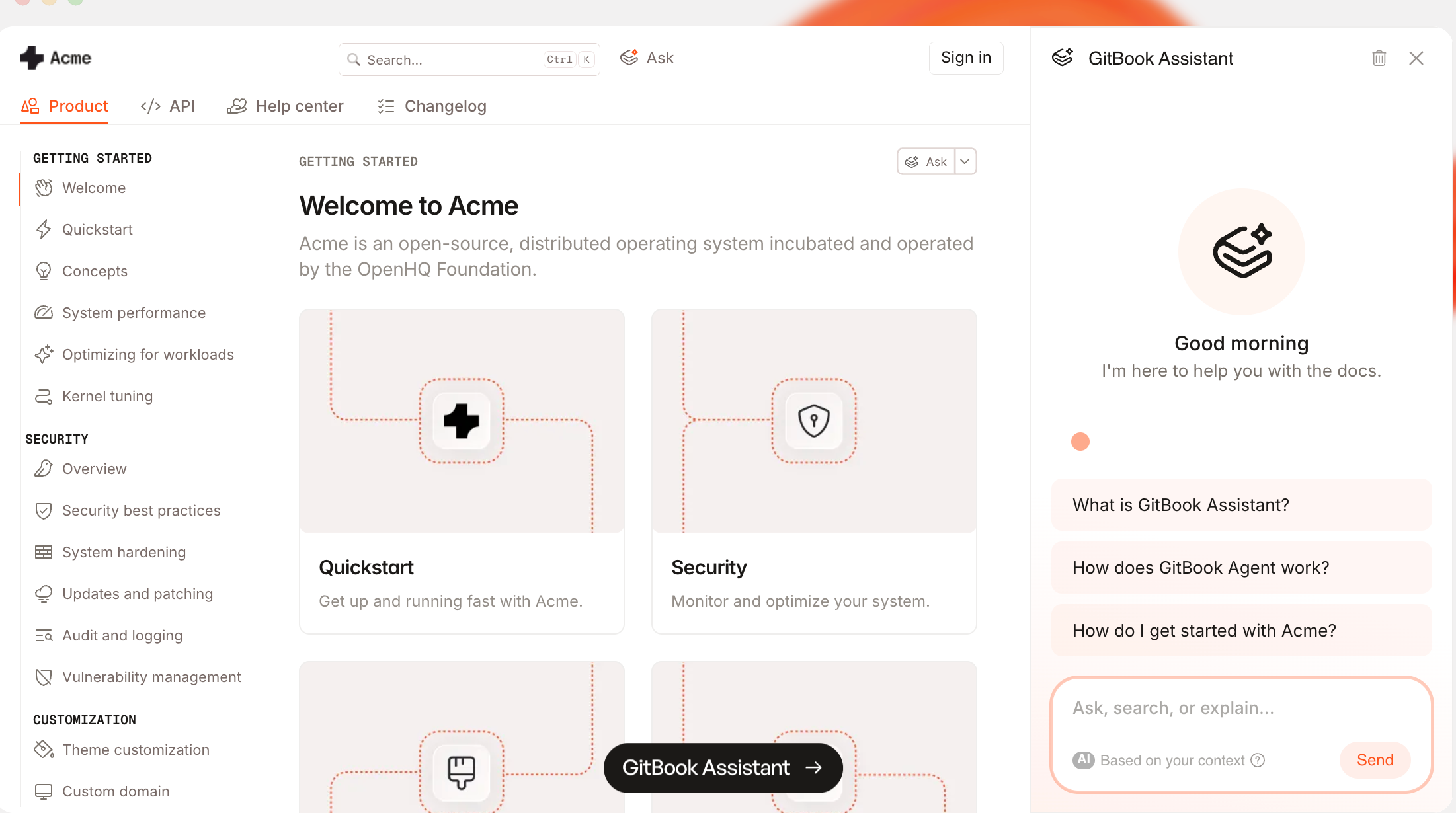
GitBook is the most direct swap if you want a polished, hosted docs site without the quote-only sales process. It targets the same product-and-knowledge-docs space as Document360, but it is git-backed and publishes its prices.
Why GitBook stands out
- Git Sync with GitHub and GitLab, so docs live next to code and follow the same review flow.
- AI search across your docs, plus an AI assistant on the Ultimate tier that answers reader questions from your content.
- API playground for interactive reference, plus branchable, reviewable content.
Honest fit: GitBook is cloud-hosted, so it is not the pick if you need fully self-hosted, open-source docs.
Best for: product and developer docs teams who want docs-as-code without running their own stack
Pricing: Free for 1 user; Premium $65/site plus $12/user per month; Ultimate $249/site plus $12/user per month (adds the AI assistant); Enterprise is custom
3. Mintlify: best for AI-native developer docs
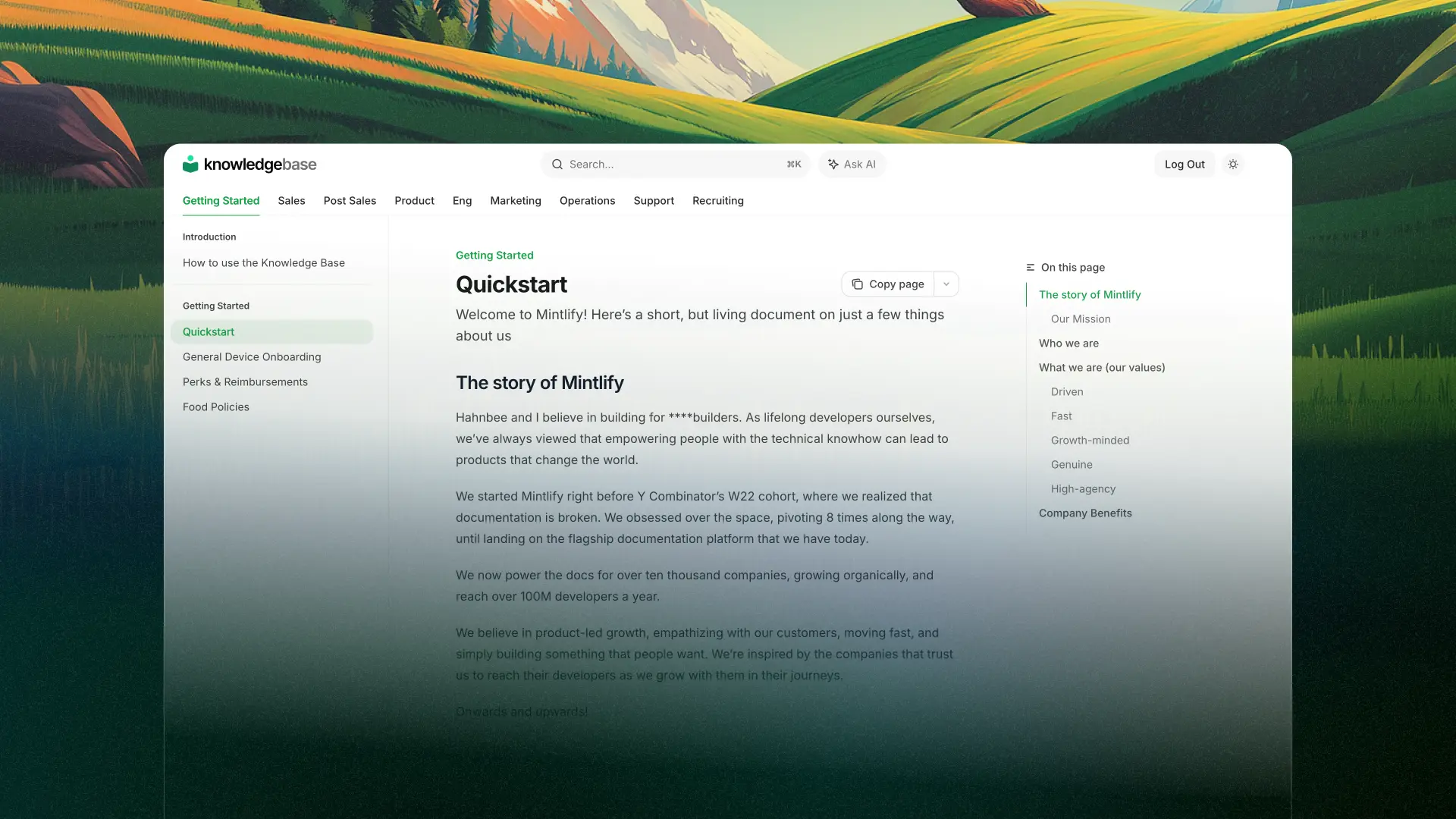
Mintlify builds developer documentation for a world where AI agents read your docs as much as humans do. It powers the docs for teams like Anthropic, and it leans hard into AI-native authoring and retrieval.
Why Mintlify stands out
- AI assistant and writing agent baked into the editor and the published site.
- OpenAPI-driven reference with an API playground, generated from your spec.
- Git-based workflow and MCP server support, so assistants can query your docs directly.
Honest fit: the real cost climbs fast once you add editors and AI usage, so it is a stretch for budget-conscious small teams, and it is built for developer docs rather than general help centers. If you are weighing it against other reference tools, see the best REST API documentation tools.
Best for: developer-docs teams that want AI-native docs and agent access
Pricing: Mintlify publishes only two tiers, a free Starter plan and a custom-priced Enterprise plan. Paid usage is metered in AI credits (overage around $0.01 per credit, with credit packages that scale with spend). Third-party trackers still cite a mid-tier near $250/month, but Mintlify no longer lists one, so treat any seat price as an estimate until you get a quote
4. Notion: best for internal wikis and teams

Notion is not a traditional documentation platform, but it has become one of the most popular tools for internal knowledge, team wikis, and SOPs. Its strength is flexibility and fast, collaborative editing.
Why Notion stands out
- Block-based editor with databases, tables, and embeds.
- Real-time collaboration for distributed teams, with templates and drag-and-drop structure.
- Full Notion AI, the Notion agent, AI meeting notes, and enterprise search, is bundled into the Business tier; Free and Plus get a limited AI trial.

Honest fit: Notion is ideal for internal docs and onboarding, though less so for structured, version-controlled public or API documentation.
Best for: internal teams, operations, and onboarding
Pricing: Free for individuals; Plus $10/user/month; Business $20/user/month (both annual), where full Notion AI lives. Custom AI agents draw on metered credits on top of the seat price
5. Docusaurus: best open-source, self-hosted option

Maintained by Meta, Docusaurus is a free, open-source static site generator for documentation. It is the answer when you want to own your stack and run docs-as-code.
Why Docusaurus stands out
- Write in Markdown, extend with React components (including community OpenAPI plugins for an API reference), and get full control of theme and layout.
- Built-in content versioning and localization.
- Deploy anywhere: GitHub Pages, Netlify, or Vercel. You can even convert an OpenAPI spec into clean Markdown to seed the API section.
Honest fit: Docusaurus has no built-in AI, analytics, or hosted backend. You host and maintain it, which is a fair trade only if you have the engineering time.
Best for: engineering teams and open-source projects that want self-hosted control
Pricing: Free and open-source (MIT)
Frequently asked questions
Is Document360 still worth it in 2026?
Yes, for structured customer-facing knowledge bases that need analytics, SSO, and AI-assisted authoring, if you can accept quote-only pricing. For API or developer documentation, a purpose-built tool fits better and usually costs less.
What is the cheapest Document360 alternative?
Docusaurus is free if you have the engineering time to host it. Apidog's free tier covers up to 4 users when your docs are API docs, and Notion's free plan handles small internal wikis.
What is the best Document360 alternative for API documentation?
Apidog. Document360 can host an API reference, but Apidog generates interactive docs from the same spec you design, test, and mock against, so the docs stay in sync with the real API. See how it compares in our roundup of the best API documentation tools.
Is there a self-hosted Document360 alternative?
Docusaurus is the main open-source, self-hosted option. MkDocs and BookStack are other self-hosted choices if you prefer a wiki-style structure.
Does Document360 still have a free plan?
Document360 offers a free trial, but day-to-day pricing is quote-based. There is no public free tier the way GitBook, Mintlify, and Notion all offer one.
Pick by what you are documenting
There is no single best Document360 alternative, only the right one for what you are writing.
Choose Apidog if your documentation is API documentation. You get docs, testing, and mocking in one platform. You can download Apidog for free, or compare it against the top REST API documentation tools first.
Choose GitBook for a polished, git-backed product docs site with transparent pricing.
Choose Mintlify for AI-native developer docs that both people and agents can read.
Choose Notion for internal wikis, SOPs, and team knowledge.
Choose Docusaurus for open-source, self-hosted docs you fully control.
Match the tool to the job, and you stop paying knowledge-base prices for the wrong shape of product.