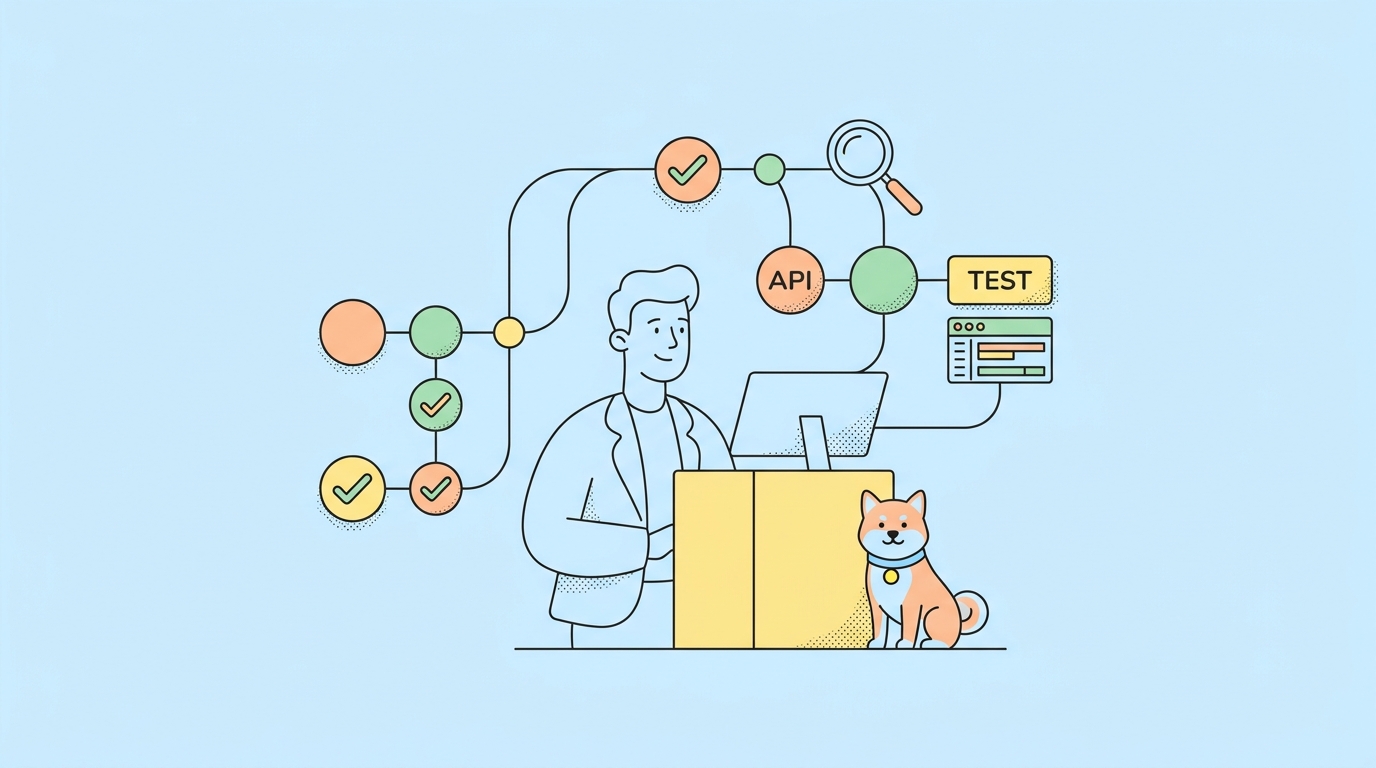
There’s a ceiling you hit with any single AI coding session: the context window. Pack one conversation with a sprawling refactor, three rounds of test output, and a code review, and the agent starts losing the thread. Claude Code subagents are the fix. Instead of one agent juggling everything in one context, you spin off focused workers, each with its own context window, its own instructions, and its own tool permissions. They do one job, hand back a result, and keep the main thread clean.
This is the hands-on build guide. How to create a custom subagent as a config file, what each frontmatter field does, how Claude decides to delegate to it, and how to wire a practical setup where one agent reviews code while another writes tests in parallel. If you want the conceptual overview first, our piece on what Claude Code sub-agents are and why they matter covers the ground floor. Here we focus on building them, and on the API testing angle that turns a test subagent into a verification step you can trust.
TL;DR
You create a Claude Code subagent by writing a Markdown file in .claude/agents/ with YAML frontmatter: a name, a description that tells Claude when to delegate, an optional tools allowlist, and an optional model. The body of the file becomes the subagent’s system prompt. Each subagent runs in its own context window with its own tools, so you get context isolation, parallelism, and specialization. Claude delegates automatically based on the description, or you invoke a subagent by name. The official reference is the Claude Code subagents docs.
Subagents in 60 seconds
A subagent is a separate agent instance the main Claude Code agent hands a task to. The main agent is the lead engineer; subagents are specialists it pulls in. The specialist works in its own conversation, with its own context window and system prompt, then returns just the result. Three properties make them worth configuring:
- Its own context window. A subagent starts fresh with only the task it’s given, so the main thread never fills up with its intermediate work.
- A custom system prompt. You shape how it behaves: a reviewer that hunts security holes, a test writer that follows your conventions.
- Configurable tools. You grant each subagent only the tools it needs, so a reviewer can’t write and a test runner gets just enough shell access.
That’s the conceptual floor; the conceptual overview goes deeper on the why. The rest of this guide is about building them, which is the same principle behind the Claude Code agent harness applied at the level of individual tasks.
Why use subagents
Three reasons, and they compound.
Context isolation. A long session degrades as the context window fills. Every file read, every test run, every tangent eats budget and dilutes focus. Delegating a chunky task to a subagent keeps all that work in the subagent’s context, not the main one. The main agent gets back a clean summary instead of 50,000 tokens of intermediate noise. That isolation is also a cost lever, since you’re not dragging a bloated context through every turn. Our notes on reducing agent token costs get into the economics.
Parallelism. Independent tasks don’t need to run one after another. A main agent can dispatch several subagents at once: review this module while testing that one while documenting a third. The wall-clock time drops to the slowest single task instead of the sum. Claude Code’s dynamic workflows push this to its limit, fanning out hundreds of parallel subagents from a single session.
Specialization. A general agent is fine at everything and great at nothing. A subagent with a tight system prompt and the right tools is great at one thing. A reviewer prompted to be adversarial finds more bugs than a generalist glancing at the diff. A test writer that knows your assertion style produces tests you’ll actually keep. You build a small team of specialists instead of one overloaded generalist.
How to create a custom subagent
Subagents are plain Markdown files. Put project-level ones in .claude/agents/ and personal ones in ~/.claude/agents/. Each file has YAML frontmatter and a body that becomes the subagent’s system prompt.
Here’s a code reviewer:
---
name: code-reviewer
description: Reviews code changes for bugs, security issues, and convention violations. Use after writing or editing code.
tools: Read, Grep, Glob
model: sonnet
---

You are a senior code reviewer. When given a diff or a set of files:

1. Look for correctness bugs, security holes, and missed edge cases.
2. Check that the code matches the project's existing conventions.
3. Report only high-confidence issues, ranked by severity.

Be specific. Cite file and line. Do not rubber-stamp.
The frontmatter fields:
name— the identifier you use to invoke it.description— this is the important one. Claude reads it to decide when to delegate automatically. Write it as a clear trigger (“Use after writing code”), not a vague label.tools— the allowlist. Omit it to inherit the main agent’s tools, or list specific ones to restrict. A reviewer that can’t write code can’t accidentally change it.model— optionally pin a model. Use a cheaper, faster model for mechanical subagents and a stronger one for hard reasoning.
The body is the system prompt. This is where specialization lives, so write it like you’d brief a new hire: what to do, what to prioritize, what to avoid. Pairing it with a project design.md or AGENTS.md gives the subagent your conventions without repeating them in every file.
How to invoke subagents
There are two ways a subagent runs.
Automatic delegation. Claude reads the description field of every available subagent and delegates on its own when a task matches. Finish editing a file and the main agent may hand the diff to your code-reviewer without being told, because the description says “use after writing code.” Good descriptions drive good delegation.
Explicit invocation. You can also name it directly: “use the code-reviewer subagent on the changes in the orders module.” This is how you force a specific specialist when you don’t want to leave delegation to chance.
Either way, the subagent runs in its own context, does the work, and returns a result to the main thread. You see the handoff happen, and you can configure how much detail surfaces. For chaining subagents into deterministic, repeatable sequences, slash commands and the SDK give you more control than ad hoc prompting; the Claude Code overview covers the configuration surface.
Subagents vs the Agent SDK vs dynamic workflows
These overlap, so here’s when each fits.
| Tool | Control model | Best for |
|---|---|---|
| Subagents | Model decides when to delegate (or you name one) | In-session specialization and light parallelism |
| Dynamic workflows | Model orchestrates large fan-out in one session | Hundreds of parallel tasks, broad sweeps |
| Agent SDK | You write the control flow in code | Deterministic loops, scheduled or unattended runs |
Subagents are the in-session, conversational option: you’re working in Claude Code and want a specialist or two. When you need a programmatic loop that runs on a schedule with no human present, you drop to the Claude Agent SDK and write the orchestration yourself. If you’re weighing a hosted option against rolling your own, our managed agents vs Agent SDK comparison breaks down the tradeoffs. The three aren’t competitors so much as rungs on a ladder from interactive to fully automated.
A practical example: parallel review and test writing
Put it together. Say you just had the main agent implement a new orders endpoint. You want it reviewed and tested, and there’s no reason those happen in sequence.
Define two subagents. The code-reviewer above, plus a test writer:
---
name: api-test-writer
description: Writes API test cases for new or changed endpoints. Use after an endpoint is implemented.
tools: Read, Grep, Write, Bash
model: sonnet
---

You write API tests against the project's OpenAPI spec.

1. Read the spec and the endpoint implementation.
2. Write tests covering success, validation errors, and auth.
3. Assert status codes and validate response bodies against the schema.
4. Run the suite and report pass/fail with reasons.
Now the main agent dispatches both at once: the reviewer reads the diff while the test writer reads the spec and writes coverage. Two specialists, two isolated contexts, running in parallel. The main thread stays clean and gets back two summaries: a review report and a test result.
That test result is the part that makes this trustworthy. A subagent that runs your API suite is a verification gate, the deterministic check that says whether the endpoint actually works rather than whether it looks done. This is the core idea from coding agent loops: the agent’s own confidence doesn’t count, the gate’s verdict does. Wire the test subagent against a real API test platform and the feedback gets sharper. Teams using Apidog point the subagent at an Apidog test scenario so every response is schema-validated, and route the agent’s live endpoint calls through the Apidog AI agent debugger so it inspects requests the way a human tester would. Take that same setup, wrap it in a loop, and you’ve got the unattended workflow we built in Claude workflows that run without you. Download Apidog if you want the test gate to be schema-aware out of the box.
Best practices
A few habits keep subagents useful instead of chaotic.
- One responsibility per subagent. A reviewer reviews. A tester tests. Don’t build a do-everything subagent; that’s just the main agent with extra steps.
- Write descriptions for delegation. The
descriptionfield is how Claude decides to call your subagent. Make it a clear trigger, not a title. “Use after editing code to review for bugs” beats “Code reviewer.” - Grant least privilege. List only the tools each subagent needs. A reviewer with no write access can’t change what it’s reviewing. This matters more when runs are unattended.
- Pin the right model per job. Mechanical subagents can run on a faster, cheaper model. Save the strongest model for subagents doing hard reasoning. This controls both speed and cost.
- Return structured results. Ask subagents to report in a consistent shape (a verdict, a list of issues, a pass/fail). Structured output is easier for the main agent, and for you, to act on.
- Don’t over-nest. Subagents calling subagents calling subagents gets hard to follow and expensive. Keep the hierarchy shallow.
These mirror the wiring patterns we covered in agentic workflow tool wiring, and they hold whether you’ve got two subagents or twenty.
When to reach for subagents (and when not to)
Subagents are a tool, not a default. Knowing when to skip them keeps your setup fast and cheap.
Reach for a subagent when a task is bounded, independent, and noisy. A code review is bounded (it has a clear end), independent (it doesn’t need the main thread’s running state), and noisy (it generates a lot of intermediate reading you don’t want clogging the main context). Same for writing a test suite, reproducing a bug, or auditing a module for security issues. These are perfect delegations: isolate the work, get back a verdict.
Skip the subagent when the task is small, tightly coupled, or sequential with the main work. Renaming a variable, fixing a one-line bug, or anything where the main agent already has the needed context in view doesn’t benefit from a handoff. Spawning a subagent there just adds latency and a context round-trip for no gain. If the main agent would have to explain half the conversation to brief the subagent, keep it in the main thread.
The rule of thumb: delegate work that’s self-contained enough to describe in a paragraph and valuable enough to run in parallel. A new endpoint to review and test fits. A typo fix doesn’t. As you scale to many concurrent subagents, the orchestration patterns in dynamic workflows take over, but the same judgment applies: parallelize the independent, keep the coupled work together.
Common mistakes
- Vague descriptions. If the
descriptionis a label, automatic delegation won’t fire when you expect. Write it as a usage trigger. - One bloated subagent. Cramming every job into a single subagent kills the specialization benefit. Split by responsibility.
- Inheriting all tools by default. Leaving
toolsunset gives a subagent everything the main agent has. Fine for trusted work, risky for anything automated. Allowlist deliberately. - No verification subagent. A review-and-build setup with no test gate ships code that looks right and breaks on edges. Always include a subagent that actually runs the tests.
- Treating subagents like the SDK. Subagents are model-dispatched and in-session. If you need deterministic, scheduled control flow, that’s the Agent SDK’s job, not a pile of subagents.
Get these right and a handful of well-scoped subagents turns Claude Code from a single busy assistant into a small, focused team. Anthropic’s building effective agents makes the broader case: structure around the model beats a bigger prompt.
When subagents outgrow one session
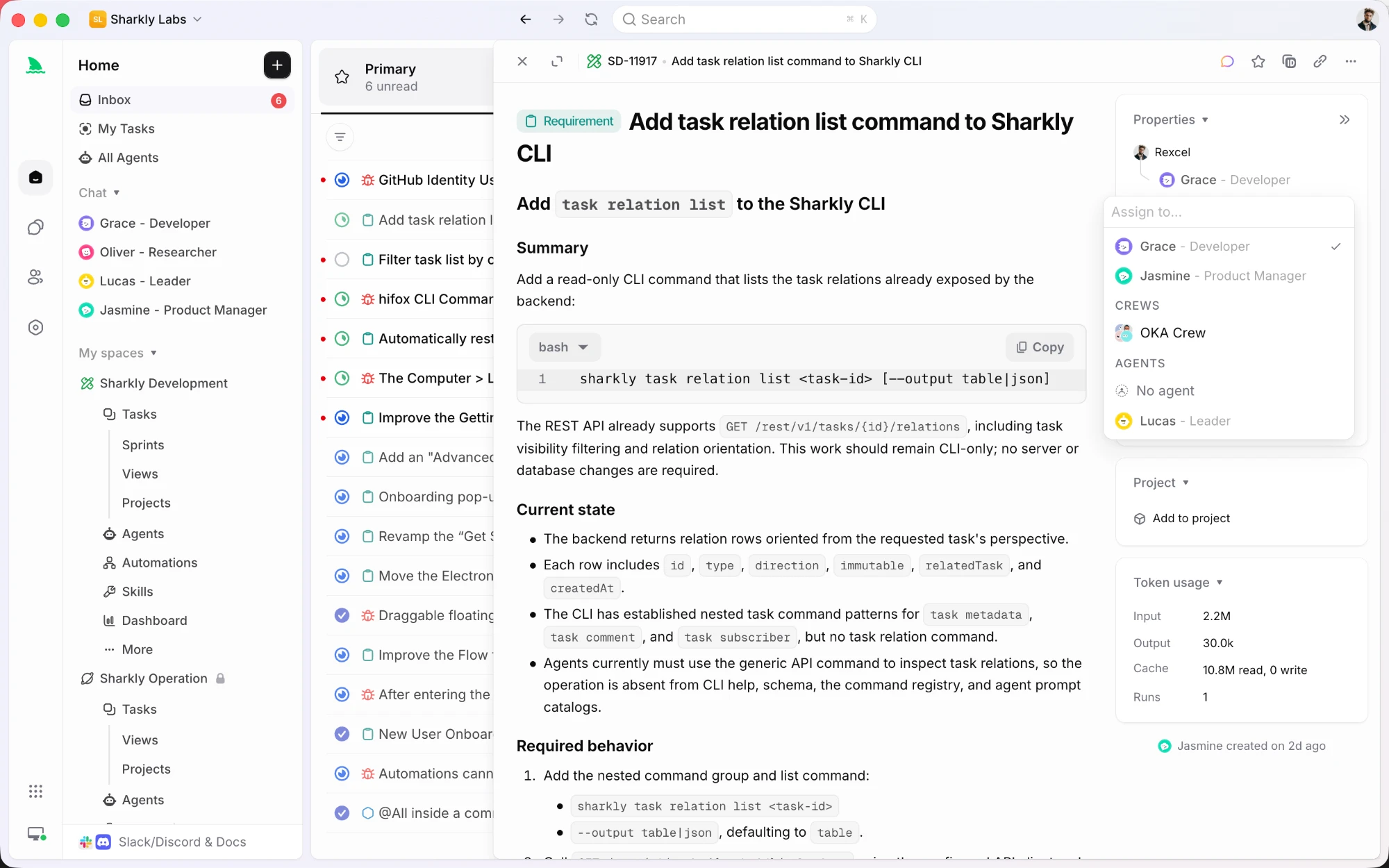
Everything above lives in one machine and one session. That is the right scope for most work, and it is worth knowing where the scope ends: a subagent file is not visible to your teammates, and its output is not a record anyone can review later.
Sharkly covers that second layer without replacing Claude Code. Agents are saved configurations a Space can share, so the reviewer or test-writer role you tuned becomes reusable instead of copied between repos. A Crew adds a leader agent that decides which specialists to involve on a given task and merges their results into one thread.
Runs execute on Computers you connect, through the runtime already installed there, and repository work can take a separate worktree per run so parallel tasks on one codebase stay isolated. Progress, tool calls, and results come back to the task, and the agent's replies are stored as comments you answer in place.
Same idea as subagents, which is splitting work by role. Different scope: the roles, the history, and the review live with the team.
Frequently asked questions
What is a Claude Code subagent? It’s a separate agent instance the main Claude Code agent delegates to. Each subagent has its own context window, a custom system prompt, and a configurable set of tools. It does a focused task and returns the result, keeping the main conversation clean and letting you run specialists in parallel.
How do I create a Claude Code subagent? Create a Markdown file in .claude/agents/ (project) or ~/.claude/agents/ (personal). Add YAML frontmatter with name, description, optional tools, and optional model, then write the system prompt in the body. The description tells Claude when to delegate to it automatically.
How does Claude decide which subagent to use? It reads the description field of each available subagent and delegates automatically when a task matches. You can also invoke one explicitly by name, like “use the code-reviewer subagent.” Clear, trigger-style descriptions make automatic delegation reliable.
What’s the difference between subagents and the Claude Agent SDK? Subagents are in-session and model-dispatched: you’re working in Claude Code and it pulls in specialists. The Agent SDK is programmatic, where you write the control flow in code for deterministic or unattended runs. Use subagents for interactive specialization, the SDK for scheduled loops.
Can subagents run in parallel? Yes. The main agent can dispatch multiple subagents at once for independent tasks, so review, testing, and documentation happen together instead of in sequence. For large-scale fan-out, Claude Code’s dynamic workflows extend this to many parallel subagents in one session.
How do subagents help with API testing? Define a subagent that writes and runs your API tests against the OpenAPI spec. It becomes a verification gate that checks whether an endpoint actually works, not just whether it looks done. Pointing it at a platform like Apidog makes the feedback schema-aware, so every response is validated against the contract.
The takeaway
Claude Code subagents solve the problem that one context window can’t hold everything. By giving each task its own context, instructions, and tools, you trade a single overloaded agent for a small team of specialists that work in parallel and report back clean. The setup is just a Markdown file, and the payoff is focus, speed, and the ability to put the right model on the right job.
Start with two: a reviewer and a tester. Write tight descriptions so Claude delegates on its own, grant each only the tools it needs, and make the tester a real verification gate by pointing it at your API suite. For anything that touches endpoints, Apidog gives that gate a schema to check against; download it and let a test subagent prove your code works before you ever read the diff.