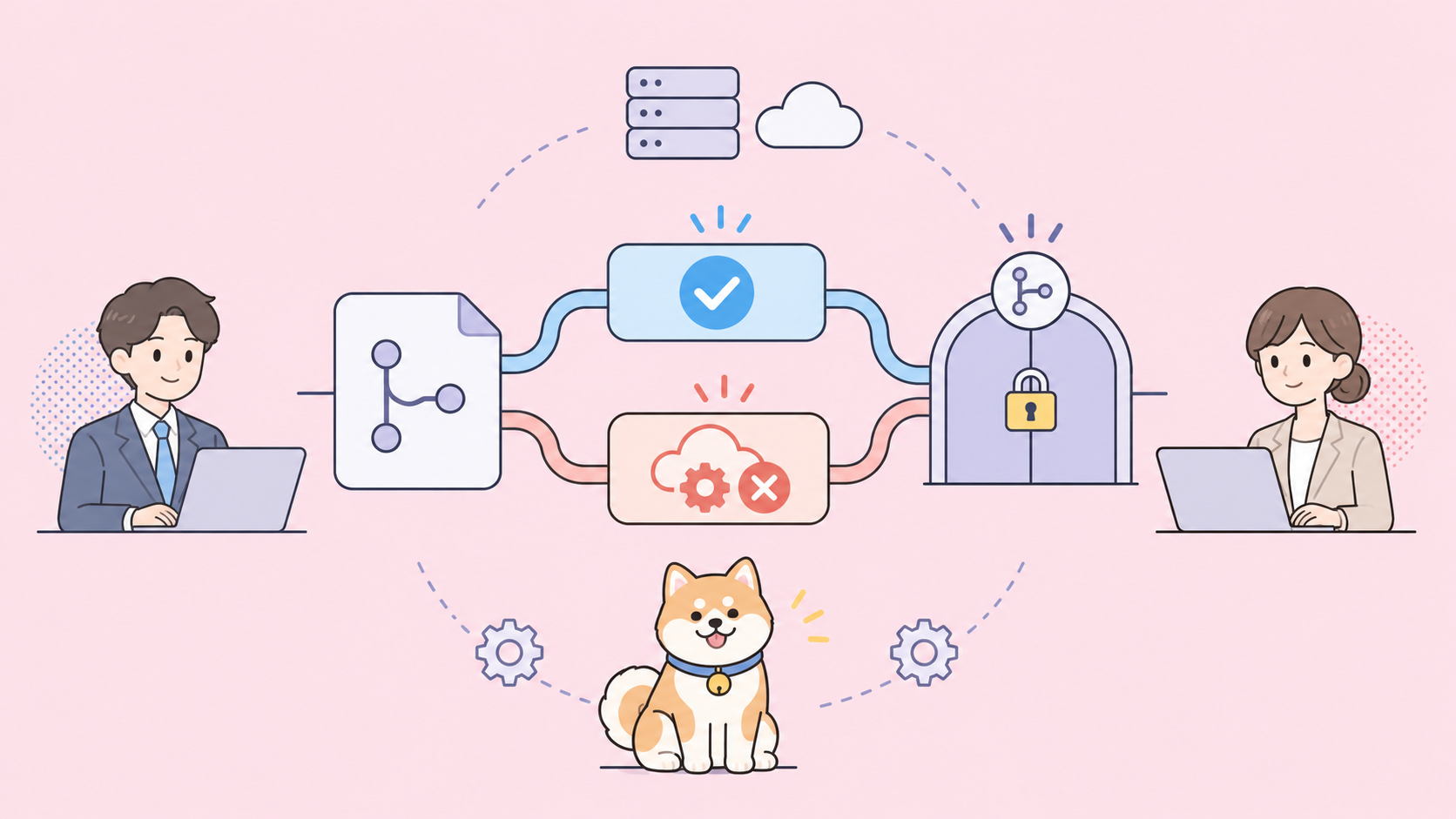
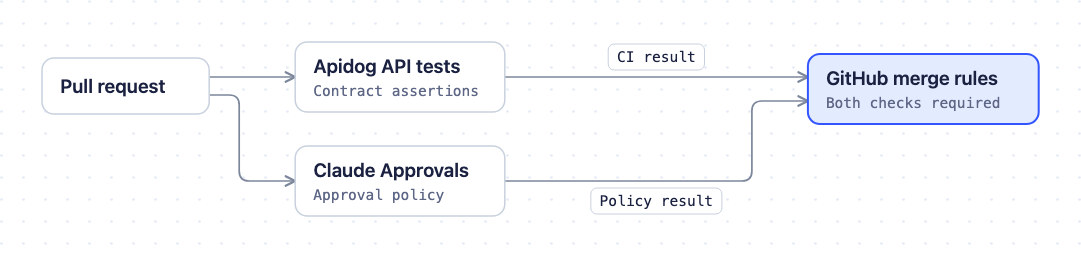
Use Claude approvals.yml to decide who can approve a pull request. Use a required GitHub Actions check to make sure the API tests pass before it merges. Claude Approvals can’t read CI results, so Claude may approve while the Apidog check is red. GitHub holds the merge until both required checks pass.
Say a PR changes the Orders endpoint. Claude’s review passes, but an API test catches a response that dropped orderId. That PR should stay open. Here’s how to wire the tests and the approval policy so that happens, with a separate job for each decision.
What Claude approvals.yml controls
The .claude/approvals.yml file defines which changes Claude can approve and which require people to sign off. GitHub Actions runs your API tests and reports a separate result. A ruleset on the target branch makes GitHub enforce both outcomes. Neither check has to finish first. Claude Approvals documentation
| Component | What it decides |
|---|---|
| Claude Approvals | Who can sign off under the policy, including whether Claude can post an approval |
| Apidog API contract | Whether the PR build satisfies the assertions in your test scenario |
| GitHub branch ruleset | Whether the PR can merge given the required checks and reviews |
A Code Review finding can call out a suspect line in a diff. An API assertion exercises the running build and can catch a different class of issue, such as a serializer dropping a field after a refactor. If you’re comparing review tools, see the guides to Codex code review and AI code review tools.
Start with an approvals.yml policy in observe mode
Merge the policy into the default branch in observe mode first. Open sample PRs to see how it handles everyday changes and edits to your CI files. Once the decisions match what your team expects, switch to enforce mode and require the Claude Approvals check in GitHub. Claude Approvals policy reference
Save this example as .claude/approvals.yml at the root of your repository. It gives routine changes a way to qualify for Claude’s approval after Code Review passes. Changes to the policy, GitHub configuration, and CI scripts still need someone other than the authors.
version: 1
mode: observe
rules:
  - purpose: "Review routine changes before allowing Claude to approve."
    paths: ["**"]
    verdict:
      claude: comments
      seats: 2
    override:
      - if: "claude/code_review = pass"
        verdict:
          claude: approves
          seats: 1
  - purpose: "Require an independent reviewer for policy and CI changes."
    paths: ["**/.claude/**", ".github/**", "scripts/ci/**"]
    nested: inherit
    verdict:
      claude: comments
      seats: [{ count: 1, from: [humans, "!pr/authors"] }]
On routine changes, the author can fill one seat if eligible. If your approval policy should also require a teammate on every PR, use an author-excluding seat in the routine rule and its override. When multiple rules apply, Approvals takes the strictest verdict. Extend the second rule to cover any other files in your repository that control the test run.
Claude Ship’s repository integration is available on Claude Team and Enterprise. Check the setup guide for prerequisites and usage charges before the pilot. The local /ship command is a separate entry point. For this recipe, configure the repository integration so the approval check appears on eligible PRs without a developer running /ship. Claude Ship setup
Run the API contract with Apidog CLI
Give your coding agent a scenario name, the project ID, and a test environment. Have it discover the IDs and run the same command your CI job will use. For an Orders API, start with a scenario that calls GET /orders/{id} for a seeded order and asserts the status code and the presence and value of orderId.
Set up a PR CI environment with a base URL of http://127.0.0.1:3000 if the API runs on that port on the runner. Start the API from your PR checkout and seed the order before running the scenario. A shared environment pointed at yesterday’s build could give you a green check for code that never ran in the PR.
Install the Apidog CLI with npm install -g apidog-cli. For agent setup, see Apidog CLI in Claude Code. For local use, provide your Apidog access token through the APIDOG_CLI_ACCESS_TOKEN environment variable in the agent’s shell. For Actions, add the token to GitHub Secrets and expose it only to the test step. Use a project and test data your team can run safely in CI. Apidog CLI authentication and commands
Give the agent this prompt after setting PROJECT_ID and starting the local build.
Find the Orders contract scenario and PR CI environment in my Apidog project. Inspect the CLI help, run that scenario against the local PR build, and report the first failed assertion and the exit status. Use CLI and JUnit reporters. Leave the scenario and workflow unchanged.
The agent can look up the IDs and use the flags shown by apidog run --help. Set SCENARIO_ID and ENVIRONMENT_ID from the returned lists before the last command.
apidog environment list --project "$PROJECT_ID"
apidog test-scenario list --project "$PROJECT_ID"
apidog run --help
apidog run --access-token "$APIDOG_CLI_ACCESS_TOKEN" \
  --project "$PROJECT_ID" --test-scenario "$SCENARIO_ID" \
  --environment "$ENVIRONMENT_ID" --reporters "cli,junit" \
  --out-dir apidog-reports
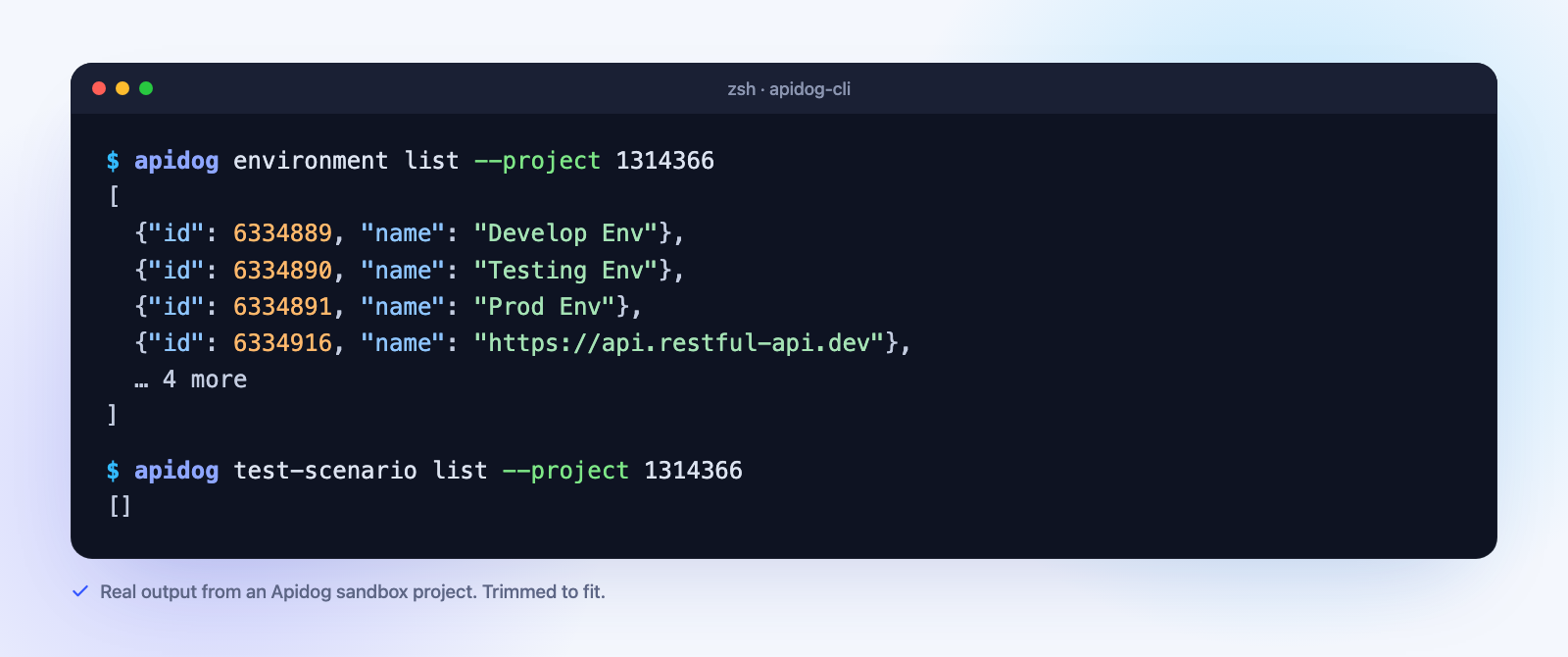
The sandbox screenshot shows the ID lookup and an empty scenario list. Your project should already contain the Orders contract scenario before you run the final command. The CLI reporter puts the run in the job log, and the JUnit file gives you structured results you can retain with your CI artifacts.
If your team wants to hand the setup, failure investigation, and review to different coding agents, assign the work as tasks in Sharkly and review what each agent ships from your team’s own computers.
Require the Apidog status check in GitHub
Create a GitHub Actions job with a stable name, run it on pull requests, and require the check on your target branch. Let the CLI’s exit status reach GitHub directly. Validate the job with an intentional failure before relying on it. The job must fail when an API assertion fails. Apidog’s GitHub Actions guide
This example assumes trusted contributors who open PRs from branches in the same repository, and a Node service whose dependencies can be installed with npm ci. Supply your own scripts/ci/start-orders.sh to start the checked-out build in the background, seed the test order, and wait until the API is ready. Have it return a failure if startup or seeding fails. Add the three IDs as repository variables and the Apidog token as a secret.
name: API contract
on:
  pull_request:
permissions:
  contents: read
jobs:
  api-contract:
    name: Apidog API contract
    runs-on: ubuntu-latest
    steps:
      - uses: actions/checkout@v6
      - uses: actions/setup-node@v6
        with:
          node-version: "24"
      - run: npm ci
      - run: npm install -g apidog-cli@2.2.12
      - run: bash scripts/ci/start-orders.sh
      - name: Run Orders contract
        env:
          APIDOG_CLI_ACCESS_TOKEN: ${{ secrets.APIDOG_CLI_ACCESS_TOKEN }}
          PROJECT_ID: ${{ vars.APIDOG_PROJECT_ID }}
          SCENARIO_ID: ${{ vars.APIDOG_SCENARIO_ID }}
          ENVIRONMENT_ID: ${{ vars.APIDOG_ENVIRONMENT_ID }}
        run: |
          : "${APIDOG_CLI_ACCESS_TOKEN:?Apidog token is required}"
          apidog run --access-token "$APIDOG_CLI_ACCESS_TOKEN" \
            --project "$PROJECT_ID" --test-scenario "$SCENARIO_ID" \
            --environment "$ENVIRONMENT_ID" --reporters "cli,junit" \
            --out-dir apidog-reports
- Run the workflow on a test PR. Open the PR’s checks and copy the exact display name GitHub reports for the API job.
- In your target branch ruleset, add the Apidog job under required status checks. After enforcing the policy, add
Claude Approvalstoo. - Open a PR that changes the response from
orderIdtoid. Confirm the Apidog check fails and the merge is blocked. RestoreorderIdand confirm GitHub checks the updated commit. Repeat with a policy or workflow file change to check that the independent approval requirement applies.
Keep the required workflow free of path filters, and keep the API test step mandatory. GitHub can treat a skipped job as successful, while skipping a whole required workflow can leave the check pending. If you use merge queue, also trigger the API workflow on merge_group and validate the build and test setup there. GitHub’s required status check troubleshooting
What PR Steward can do when API tests fail
PR Steward can try to fix a failing check on a PR it watches when the cause lies in code the PR touches. If it pushes a fix, GitHub reruns the test on the updated commit. The merge stays blocked while the required check is failing or awaiting its new result. PR Steward documentation
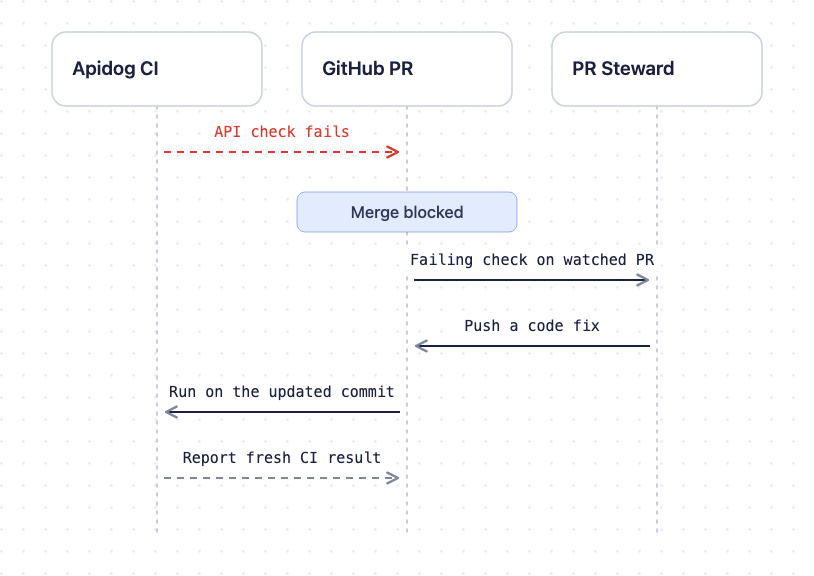
Start with manual mode on an eligible PR and comment @claude steward after the intentional failure. Check whether the job log names the failing endpoint, the expected field, and the observed mismatch. Those details give Steward and a human reviewer a place to start. Keep customer data and credentials out of the assertions and logs.
If the test token expired or the test server failed to start, fix the CI setup and rerun the check. Review any patch Steward pushes and make sure it fixes the endpoint behavior. A patch that removes the assertion would let the regression through.
FAQ
Can Claude approvals.yml require a passing Apidog test?
Use GitHub’s required status checks for the Apidog result. The policy’s conditions read pull request facts and classifier results. GitHub can block a merge while Apidog fails even when Claude’s approving review already appears.
What if Claude approves but GitHub shows Pending?
Check that the API workflow ran for the current commit, that the job name matches the ruleset, and that a workflow filter didn’t skip the run. If you use a merge queue, check for a run on the merge_group event.
Does the workflow work for pull requests from forks?
GitHub withholds repository secrets from ordinary fork PR workflows, so this job will fail at the missing token check. Keep that check required and design a credential-free or separately trusted test path if your repository accepts forks. GitHub Actions secrets
Can a failed test be fixed without another human review?
That depends on the approval policy and GitHub review settings. A new push that changes the diff normally invalidates earlier approvals for Claude Approvals unless a reuse rule applies. Check both required results on the updated commit before merging.