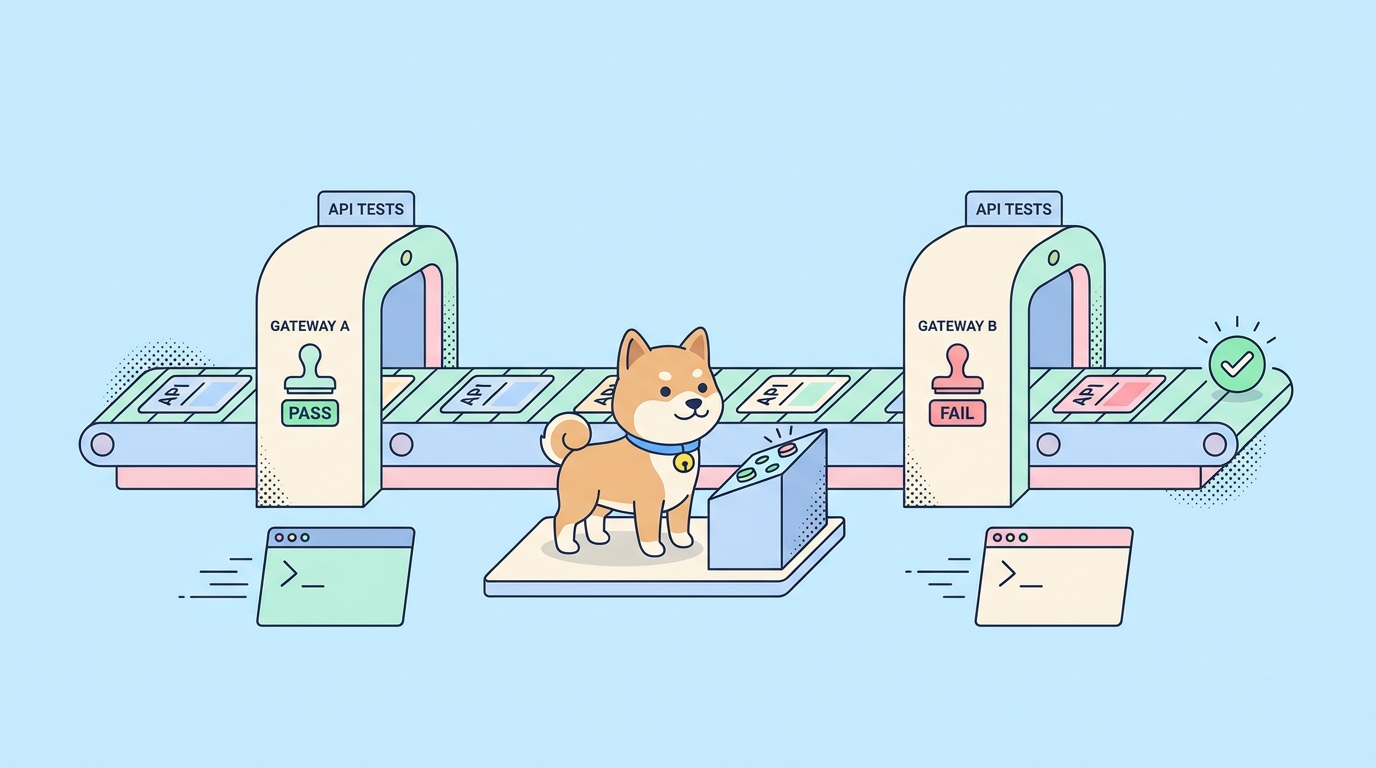
Your API tests pass on your laptop. The real question is whether they run on every pull request, every merge, every nightly build, without a human clicking anything. That job belongs to a command-line runner. It takes the tests you already authored and executes them headlessly inside your pipeline, exits with a clean status code, and writes a report your CI dashboard can read.
Two runners come up constantly when teams set this up: the Bruno CLI and the Apidog CLI. They solve the same problem from different starting points. Bruno is a git-native, offline-first, open-source API client, and its CLI runs the .bru files that live in your repository. Apidog is an all-in-one API platform, and its CLI runs the visual test scenarios you build in the app. Both plug into GitHub Actions, GitLab CI, Jenkins, and anything else with Node.js. Both fail the build when a test fails. The differences show up in how you author tests, how you authenticate, and how the test definition travels into CI.
This is an honest, command-level comparison of the two. No strawmen. Bruno does several things genuinely well, and you’ll see exactly where each runner fits before you wire one into your pipeline.
TL;DR
- Bruno CLI (
@usebruno/cli, binarybru) runs.brufiles straight from a folder in your git repo. It’s open source, offline, and needs no account or token. You point it at a directory and it runs every request and assertion it finds. - Apidog CLI (
apidog-cli, binaryapidog) runs the test scenarios you design in the Apidog app, fetched by ID using an access token. You don’t rewrite tests as code; the visual scenario is the test, and the CLI executes it headlessly. - Both emit JUnit, JSON, and HTML reports, and both fail the build on a failed test. JUnit XML is what plugs into CI dashboards in either case.
- Pick Bruno when you want everything in the repo, zero accounts, and full offline control of plain-text test files.
- Pick Apidog when you want visual authoring, scenario chaining, environment management, and data-driven runs without maintaining test code by hand.
The actual problem: tests that exist but never run
A test you run by hand is a test that rots. Someone built it, it passed once, and then it sat untouched while the API drifted underneath it. The fix is not more tests. It’s tests that run automatically on every change, with a pass/fail signal the pipeline can act on.
A CLI runner is what closes that gap. It needs three things to be useful in CI: it has to run without a GUI, it has to exit non-zero when something fails so the build goes red, and it has to write a machine-readable report so reviewers see what broke. Bruno and Apidog both clear that bar. Where they differ is upstream of the run command, in how the test got written and where it lives.
If you’re setting up CI from scratch, the broader patterns in automating API tests in CI/CD are worth reading alongside this comparison. Here we focus on the two runners themselves.
What Bruno CLI does well
Bruno’s whole design is git-native. Every request, environment, and assertion is a plain-text .bru file on disk, inside your repository, versioned like any other source file. That model has real advantages, and it’s worth stating them plainly before any comparison.
Your tests live with your code. A pull request that changes an endpoint can change the test for that endpoint in the same diff, reviewed by the same person. There’s no separate system to sync, no cloud copy that can drift from what’s in the repo. Diffs are readable because the format is text. You can grep your tests, refactor them with the same tools you use for code, and resolve merge conflicts in an editor.
It’s also open source and offline. The CLI runs entirely on your machine or your CI runner with no account, no login, and no token. For teams with strict data-handling rules or air-gapped environments, that matters. Bruno’s paid tier, Bruno Ultimate, adds team features including SSO and SCIM, secret-manager integrations, and audit capabilities, so the project is not only a hobbyist tool. But the core client and the CLI are free and self-contained, and that’s a legitimate strength.
Installing it is one command:
npm install -g @usebruno/cli
The binary is bru. You run a collection by pointing it at the folder that holds your .bru files:
bru run --env staging
Run from inside the collection directory and bru run executes the requests it finds there. Add -r to recurse through subfolders so it picks up nested requests:
bru run -r --env staging
That’s the core loop. No IDs, no token, no remote fetch. The files in the folder are the tests, and the CLI runs them.
We’ve covered the wider Bruno story in what makes Bruno different as a git-native API client and where its limitations show up for larger teams. For CI specifically, the strengths above are the ones that count.
What Apidog CLI does well
Apidog takes a different path to the same pipeline. You build tests visually in the Apidog app: chain requests into a scenario, add assertions, pull a value from one response into the next request, and loop the whole thing over a data file. The CLI is the headless executor for those scenarios. It doesn’t have its own file format. It fetches the scenario you name by ID from your Apidog project and runs it exactly as the app would.
The advantage is that nobody maintains two representations of the same test. The scenario in the project is the test. You author it in a visual builder that handles request chaining, variable extraction, and assertions without you writing and debugging script files. Then the CLI runs that same scenario in CI. The fast authoring loop and the automation loop use one source of truth.
Install is one npm command:
npm install -g apidog-cli
The binary is apidog. A typical run names a scenario by ID, picks an environment, and authenticates with an access token:
apidog run --access-token $APIDOG_ACCESS_TOKEN -t 605067 -e 1629989 -n 1 -r html,junit
You don’t type those IDs by hand. Open the test scenario, switch to its CI/CD tab, generate an access token, and Apidog builds the full command for you with the scenario ID and environment ID already filled in. You copy it once, then move the token into a CI secret and reference it as $APIDOG_ACCESS_TOKEN. The full flag reference lives in the Apidog CLI complete guide if you want every option in one place.
The token-based model is the clearest difference from Bruno. Apidog runs tests stored in a project that the CLI reaches over the network, authenticated. Bruno runs tests stored as files the CLI reads from disk. Neither is wrong; they suit different team setups.
Side by side
| Dimension | Bruno CLI (bru) |
Apidog CLI (apidog) |
|---|---|---|
| Package | @usebruno/cli |
apidog-cli |
| Run command | bru run |
apidog run |
| Test source | .bru files in your git repo |
Test scenarios in your Apidog project, fetched by ID |
| Authoring | Hand-edit text files or use the Bruno app | Visual scenario builder in the Apidog app |
| Auth in CI | None; runs offline | Access token (--access-token) |
| Select what runs | Folder path, -r recursive, --tags |
-t scenario, -f folder, --test-suite |
| Environment | --env <name> |
-e <environmentId> |
| Data-driven | --csv-file-path, --json-file-path |
-d <path> (CSV or JSON) |
| Iterations | --iteration-count <n> |
-n <n> |
| Reporters | JSON, JUnit, HTML | cli, html, json, junit |
| Fail-fast | --bail |
--on-error end (default fails on first error) |
| Open source | Yes | No (free npm CLI; runs scenarios from your plan) |
| License/account | None for the CLI | Apidog account for the project |
Two things stand out. First, both runners cover the same CI essentials: environment selection, data-driven iteration, the three report formats that matter, and a non-zero exit on failure. Second, the split is about where the test lives and how you wrote it, not about raw capability. Bruno keeps the test in the repo as text. Apidog keeps it in the project as a visual scenario and runs it by reference.
Reporters and exit codes: the parts CI actually reads
A runner earns its place in a pipeline through two behaviors: the report it writes and the exit code it returns. Get these right and the rest is wiring.
Bruno writes reports with per-format flags. You pass a path for each format you want:
bru run -r --env staging \
  --reporter-junit ./results/junit.xml \
  --reporter-html ./results/report.html \
  --reporter-json ./results/report.json
The JUnit XML is what your CI dashboard parses into a pass/fail tree. The HTML report is a browsable artifact. Bruno’s --bail stops the run after the first failed request, test, or assertion, which keeps feedback fast on a smoke test. Without --bail it runs everything and reports all failures at once.
Apidog uses a single -r flag with a comma-separated list, and writes everything under one output directory:
apidog run --access-token $APIDOG_ACCESS_TOKEN -t 605067 \
  -r html,junit --out-dir ./apidog-reports
Its --on-error flag shapes mid-scenario behavior: end stops at the first failure (the default), continue runs every step so you collect all failures in one report, and ignore skips past a known-flaky step. Either way the run ends non-zero if anything failed.
The exit-code contract is the same on both sides and it’s the load-bearing part. When an assertion fails, the runner exits with a non-zero code. CI reads that code, marks the step failed, fails the job, and blocks the merge or deploy. You configure nothing extra. The one trap, identical for both, is swallowing the exit code: if you wrap the run in a shell pipeline or append || true, the non-zero exit gets eaten and the gate silently stops working. Don’t do that.
Bruno CLI in GitHub Actions
Because the .bru files are already in the repo, the workflow is short. Check out the code, install the CLI, run the collection, upload the report.
name: API tests

on:
  pull_request:
    branches: [main]

jobs:
  api-tests:
    runs-on: ubuntu-latest
    steps:
      - name: Checkout
        uses: actions/checkout@v4

      - name: Set up Node.js
        uses: actions/setup-node@v4
        with:
          node-version: '20'

      - name: Install Bruno CLI
        run: npm install -g @usebruno/cli

      - name: Run API tests
        working-directory: ./api-tests
        run: bru run -r --env staging --reporter-junit ./results/junit.xml

      - name: Upload report
        if: always()
        uses: actions/upload-artifact@v4
        with:
          name: bruno-report
          path: ./api-tests/results
The working-directory points at the folder holding your collection. if: always() keeps the report upload running even when tests fail, which is exactly when you want to read it. No secret is needed because nothing authenticates to a remote service.
Apidog CLI in GitHub Actions
The Apidog workflow is structurally the same, with one addition: the access token comes from repository secrets, and you select the scenario by ID instead of by folder path.
name: API tests

on:
  pull_request:
    branches: [main]

jobs:
  api-tests:
    runs-on: ubuntu-latest
    steps:
      - name: Checkout
        uses: actions/checkout@v4

      - name: Set up Node.js
        uses: actions/setup-node@v4
        with:
          node-version: '20'

      - name: Install Apidog CLI
        run: npm install -g apidog-cli

      - name: Run API test scenario
        run: |
          apidog run \
            --access-token "$APIDOG_ACCESS_TOKEN" \
            -t 605067 \
            -e 1629989 \
            -r html,junit \
            --out-dir ./apidog-reports
        env:
          APIDOG_ACCESS_TOKEN: ${{ secrets.APIDOG_ACCESS_TOKEN }}

      - name: Upload report
        if: always()
        uses: actions/upload-artifact@v4
        with:
          name: apidog-report
          path: ./apidog-reports
Notice the symmetry. Same checkout, same Node setup, same install-then-run shape, same always-upload. The only real differences are the token wired in as a secret and the scenario selected by ID. If you want this expanded with GitLab CI and Jenkins variants too, the Apidog CLI complete guide carries the same pattern across runners.
How to choose
The decision rarely comes down to which runner is “better.” It comes down to how your team wants to author and store tests.
Choose Bruno when the repo is the source of truth. If you want every test as a plain-text file living next to the code it covers, reviewed in the same pull request, with no account and no network call at run time, Bruno fits that model exactly. It’s the natural pick for teams that treat tests as code, value offline and open-source tooling, and are comfortable editing .bru files directly. Bruno Ultimate adds SSO, SCIM, secret-manager integrations, and audit features if you later need the team and governance layer, so growing into it is an option rather than a wall.
Choose Apidog when authoring speed and an integrated workflow matter more than file-level control. If you’d rather build a test scenario visually, chain requests, extract variables, and run the same scenario across environments without hand-writing and debugging test code, Apidog’s model removes that friction. Design, debug, mock, and test live in one workspace, and the CLI runs the exact scenario you built. For teams coming from a Postman setup, the mental model maps cleanly, and the migration path is one Apidog covers as a Postman alternative for API testing.
There’s also a both-tools answer. Some teams keep Bruno’s git-native files for low-level request checks and use Apidog for the larger chained scenarios and environment-heavy regression runs. The two CLIs coexist fine in one pipeline; they’re separate steps with separate exit codes.
If you’ve been deciding between the platforms more broadly, not just the CLIs, the Apidog vs Bruno comparison covers design, mocking, and collaboration beyond the command line. To set up your first automated scenario and run it from the terminal the same afternoon, download Apidog and copy the generated command from any scenario’s CI/CD tab.
Frequently asked questions
Is the Bruno CLI free?
Yes. The Bruno CLI is open source and ships as the @usebruno/cli npm package. It runs entirely on your machine or CI runner with no account or token. Bruno Ultimate is a separate paid tier that adds team and governance features like SSO, SCIM, secret-manager integrations, and audit, but the CLI itself is free.
Is the Apidog CLI free?
The CLI is a free npm package, apidog-cli. It runs the test scenarios from your Apidog project, so what you can run depends on your Apidog plan, but the command-line runner is not a separate paid product.
Do I have to write tests as code for either runner?
For Bruno, your tests are .bru files you can hand-edit or author in the Bruno app, so there’s a text format you’ll touch directly. For Apidog, you build scenarios visually in the app and the CLI runs them by ID, so you don’t maintain test code by hand. That’s the core authoring difference between the two.
Do both runners fail the build when a test fails?
Yes. Both exit with a non-zero code when an assertion fails, which CI reads to mark the step failed and block the merge or deploy. Bruno’s --bail stops at the first failure; Apidog’s --on-error end does the same and is the default. Avoid wrapping either run in || true, which swallows the exit code and breaks the gate.
Which report format should I use in CI?
Use JUnit XML for the machine-readable result your CI dashboard parses into a pass/fail tree, and add HTML if you want a browsable artifact. Bruno writes them with --reporter-junit and --reporter-html; Apidog uses -r html,junit. Both also support JSON for custom post-processing.
Does Bruno CLI need an internet connection or account to run?
No. Bruno runs the .bru files in your repository locally, with no login and no remote fetch, which makes it a fit for offline or air-gapped CI. Apidog’s CLI authenticates with an access token and fetches the scenario from your project, so it needs network access to the Apidog service at run time.
Can I run either CLI without a global install?
Yes for both. Use npx @usebruno/cli run ... or npx apidog-cli run ... to execute without a persistent global install, which is convenient on ephemeral CI runners. Run bru run --help or apidog run --help to confirm the exact options available in your installed version.