Some developers never want to leave the keyboard. If you live in tmux, work over SSH, and treat the GUI as friction, you want a REST API client terminal tools can deliver without a window manager. The good news: that category has matured fast. A handful of terminal and TUI clients now give you collections, environments, and history without the weight of a desktop app.
This guide covers the strongest terminal and TUI REST clients in 2026. Every tool here runs in your shell, stores requests in local files, and works over SSH. We stay strictly terminal-scoped. This is not a generic roundup of GUI API clients.
Let’s clear up the categories first, then look at each tool.
TUI vs CLI vs GUI: what the terms mean
These three labels get blurred, so a quick definition helps.
A CLI client runs one command and prints a response. You type the request as arguments or flags. curl and httpie are CLI tools. They shine in scripts and one-off calls.
A TUI client draws an interactive interface inside the terminal. You navigate panels, edit a request body, and browse a sidebar of saved requests, all with the keyboard. atac, posting, and slumber are TUI tools. They feel like Postman without a browser or desktop window.
A GUI client is a graphical desktop or web app. Think Postman, Insomnia, or the Apidog desktop app. These add visual editors, team collaboration, and rich docs, at the cost of leaving the terminal.
The tools below sit in the first two buckets. If you eventually outgrow them, we cover where a GUI fits at the end. For a wider view of the field, see our roundup of Postman alternatives and awesome API clients.
atac: a Postman-like client in your terminal
atac is a TUI API client written in Rust and built on the Ratatui framework. The name stands for “Arguably a Terminal API Client.” It models itself on Postman, Insomnia, and Bruno, but renders entirely inside your shell.

Strengths. atac is free, account-less, and offline by design. Collections save to readable JSON or YAML files you can commit to Git. It supports the full set of HTTP methods, multiple auth schemes (Basic, Bearer, Digest, JWT), and request bodies including multipart forms, JSON, and file uploads. You also get pre- and post-request JavaScript scripting, environment variables, syntax highlighting, and customizable key bindings. It can import Postman v2.1.0 collections, OpenAPI specs, and cURL commands, and export requests to cURL, Node.js Axios, Rust Reqwest, and more.
Install. Use cargo install atac --locked, brew install atac, or scoop install atac. Packages exist for Arch and Fedora, plus a Docker image and prebuilt binaries on GitHub releases.
When to pick it. Choose atac if you want the closest thing to Postman without leaving the terminal, and you value Git-friendly collection files. The Postman and OpenAPI import paths make it easy to bring existing work over.
posting: a modern TUI built on Textual
posting is a TUI HTTP client written in Python and built with the Textual framework. Its tagline is “the modern API client that lives in your terminal,” and it leans hard into keyboard-driven, version-controlled workflows.
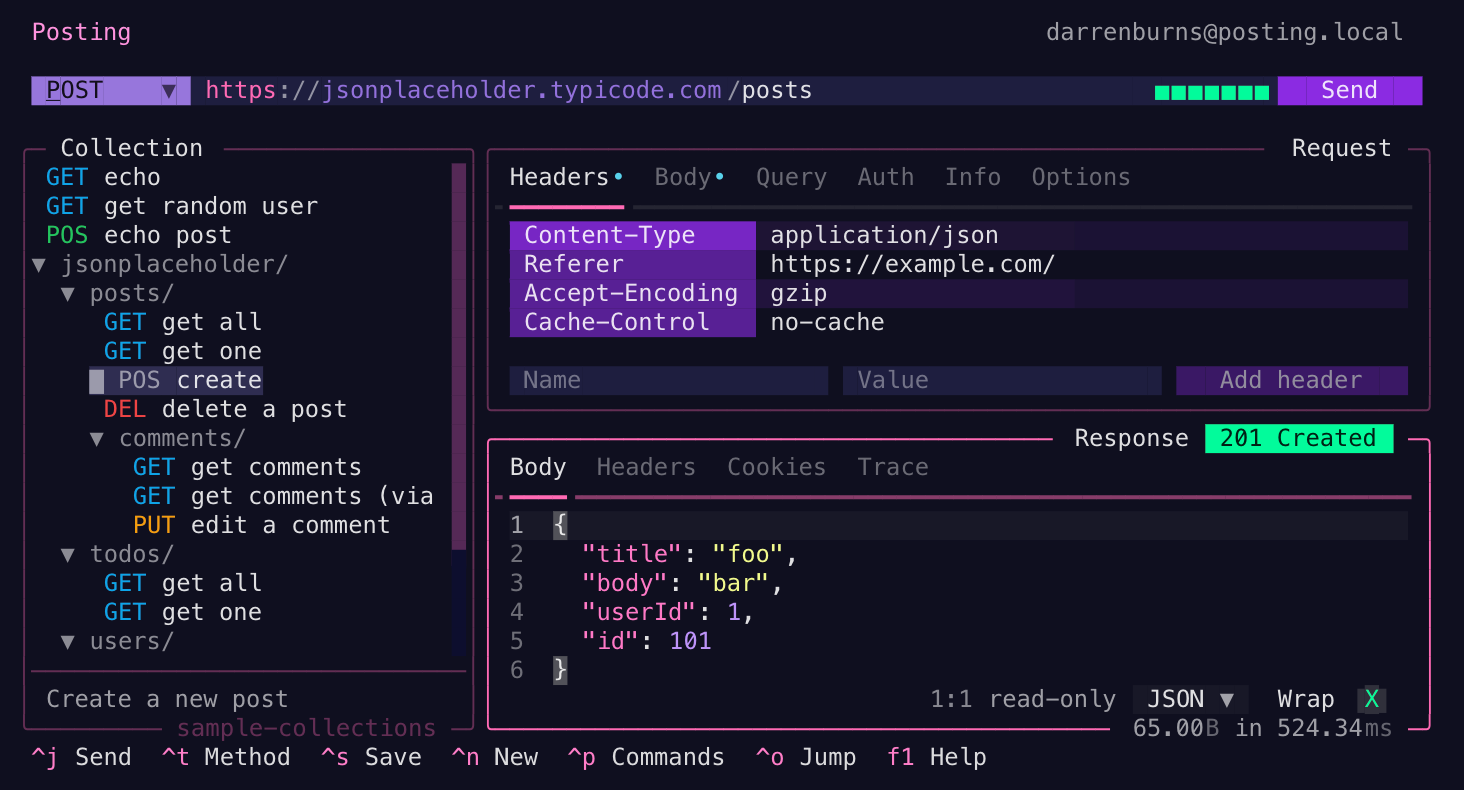
Strengths. posting stores requests as plain YAML files, so they read cleanly and version well in Git. It supports environments through one or more dotenv files, and it can read OS environment variables. You can run Python code before and after a request to set headers or compute variables. Because it is a TUI, it runs comfortably over SSH. The interface is fast and built around the keyboard rather than the mouse.
Install. The maintainer recommends uv tool install --python 3.13 posting. If you prefer pipx, pipx install posting works too. Both keep posting isolated from your other Python packages.
When to pick it. Choose posting if your team already lives in Python and you want readable YAML request files plus Python-based request hooks. It is a strong fit for keyboard-first developers who want a clean, modern feel.
slumber: configuration-first by design
slumber is a config-first terminal HTTP client written in Rust. Instead of building requests through a UI, you write them in a YAML collection file first, then run them. It offers both a TUI for interactive use and a CLI for quick calls and scripting.
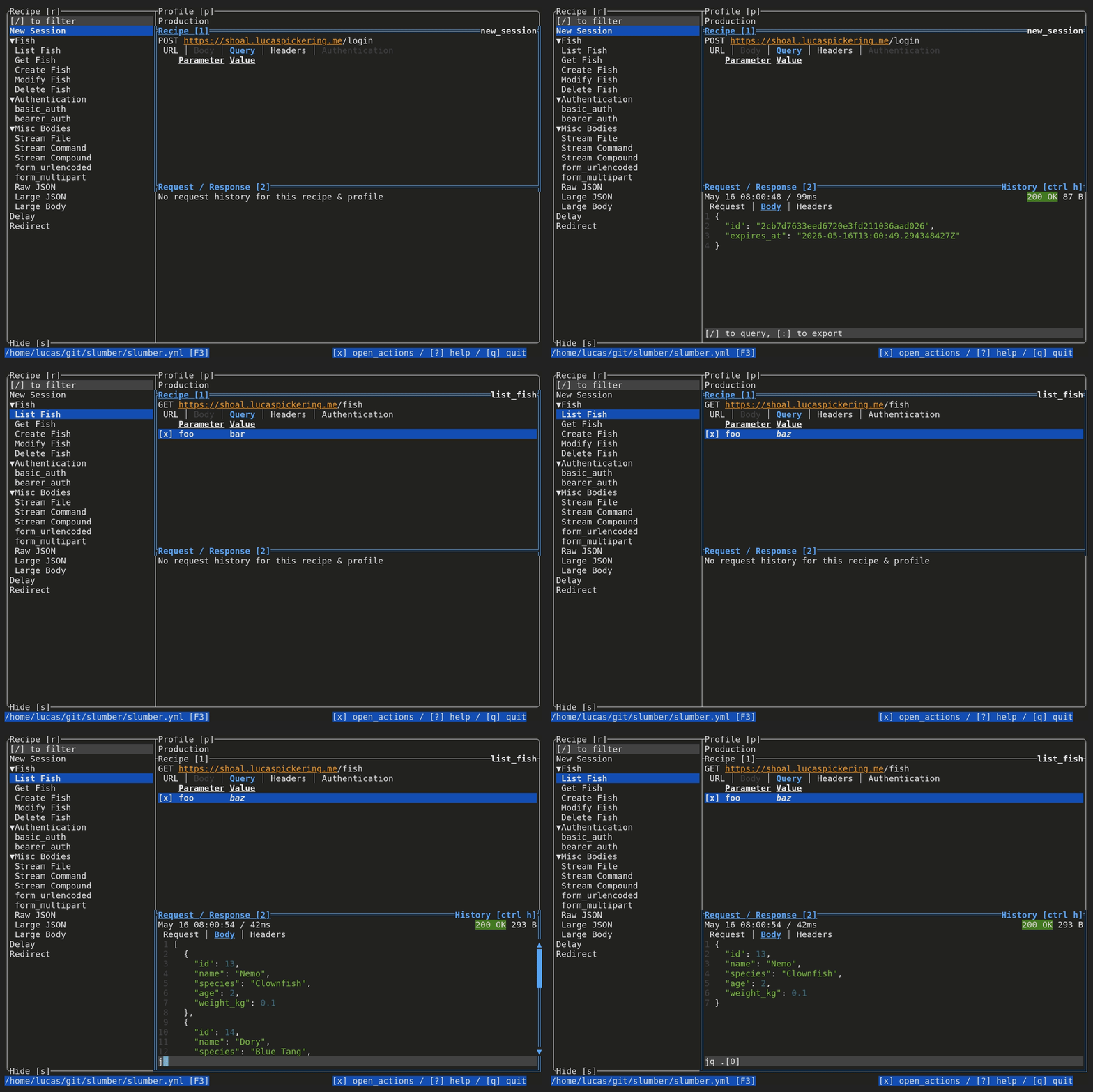
Strengths. slumber centers on a slumber.yml request collection. You define profiles, recipes (request templates), and dynamic values that pull from other requests, files, or shell commands. Inside the TUI, you can pipe a response through shell tools like jq, grep, or head to filter the body on the fly. You can also import from formats like Insomnia. Everything stays local and version-controllable.
Install. slumber installs through cargo install slumber --locked or a Homebrew tap, with prebuilt binaries available on GitHub releases. Check the project docs for the current Homebrew formula.
When to pick it. Choose slumber if you think in config files and want requests defined as code from the start. The shell-command chaining and templating make it powerful for building requests that depend on earlier responses.
ain: a file-based client that delegates to curl
ain takes a different shape. It is a terminal HTTP client that organizes APIs as template files and then delegates the actual call to curl, wget, or httpie as a backend. It is not a full-screen TUI. It is a file-driven CLI built around editable request templates.
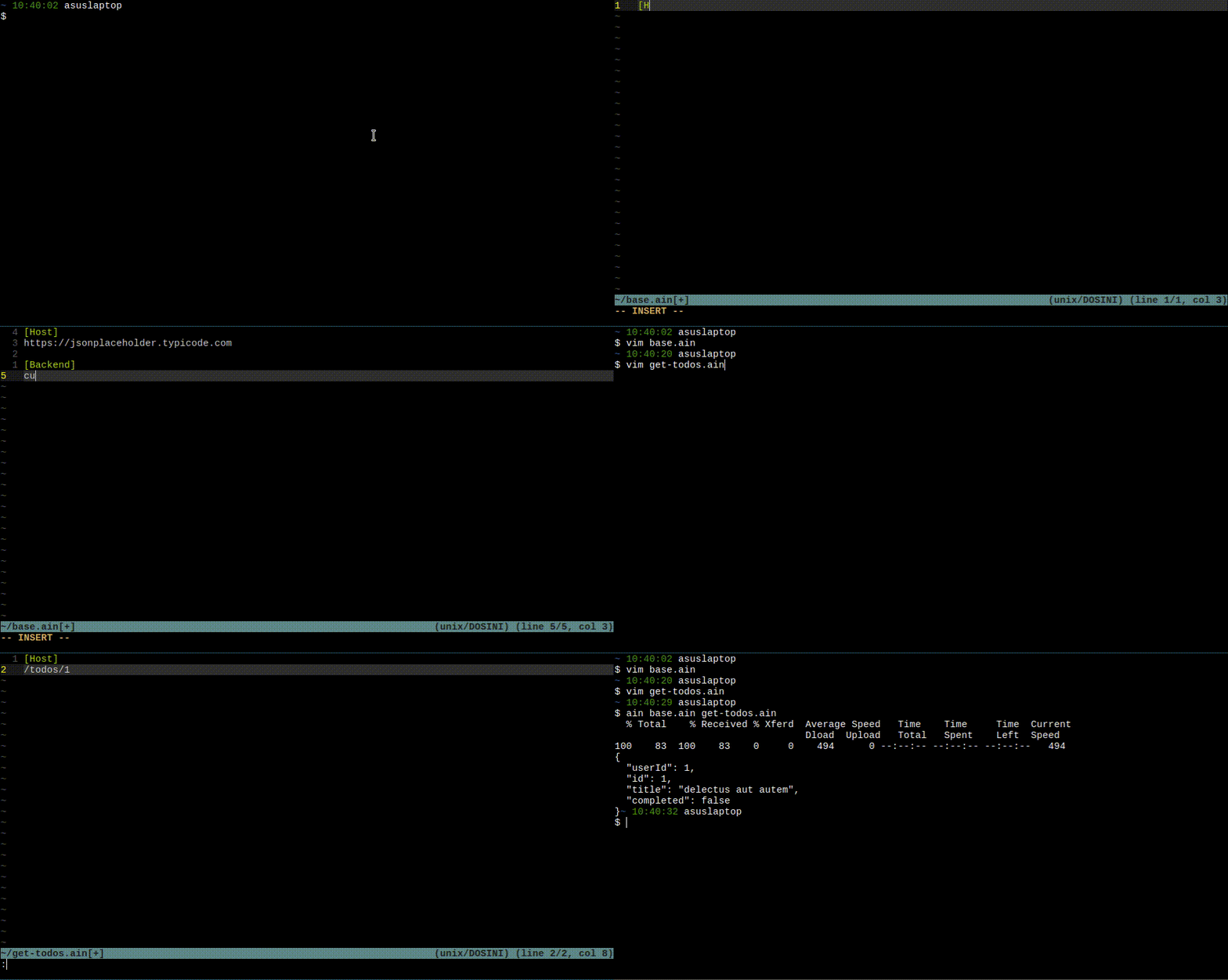
Strengths. ain template files split a request into clear sections: [Host], [Query], [Headers], [Method], [Body], [Config], [Backend], and [BackendOptions]. You organize APIs with files and folders, pull changing values from environment variables or .env files, and handle URL encoding for you. Because it can emit the underlying curl, wget, or httpie command, you can share or pipe the result into other tools. It is a clean middle ground between raw curl and a heavier client.
Install. ain ships prebuilt binaries on its GitHub releases page, and you can build it from source. Confirm the current packaging on the repository before installing.
When to pick it. Choose ain if you want versioned request files but prefer to lean on curl or httpie under the hood instead of a dedicated TUI. It suits scripting-heavy workflows.
httpie: the friendly CLI standard
httpie is the long-running, user-friendly CLI HTTP client. It is not a TUI, but it belongs in any terminal client discussion because it set the bar for readable command-line requests. The latest CLI line is 3.2.x.
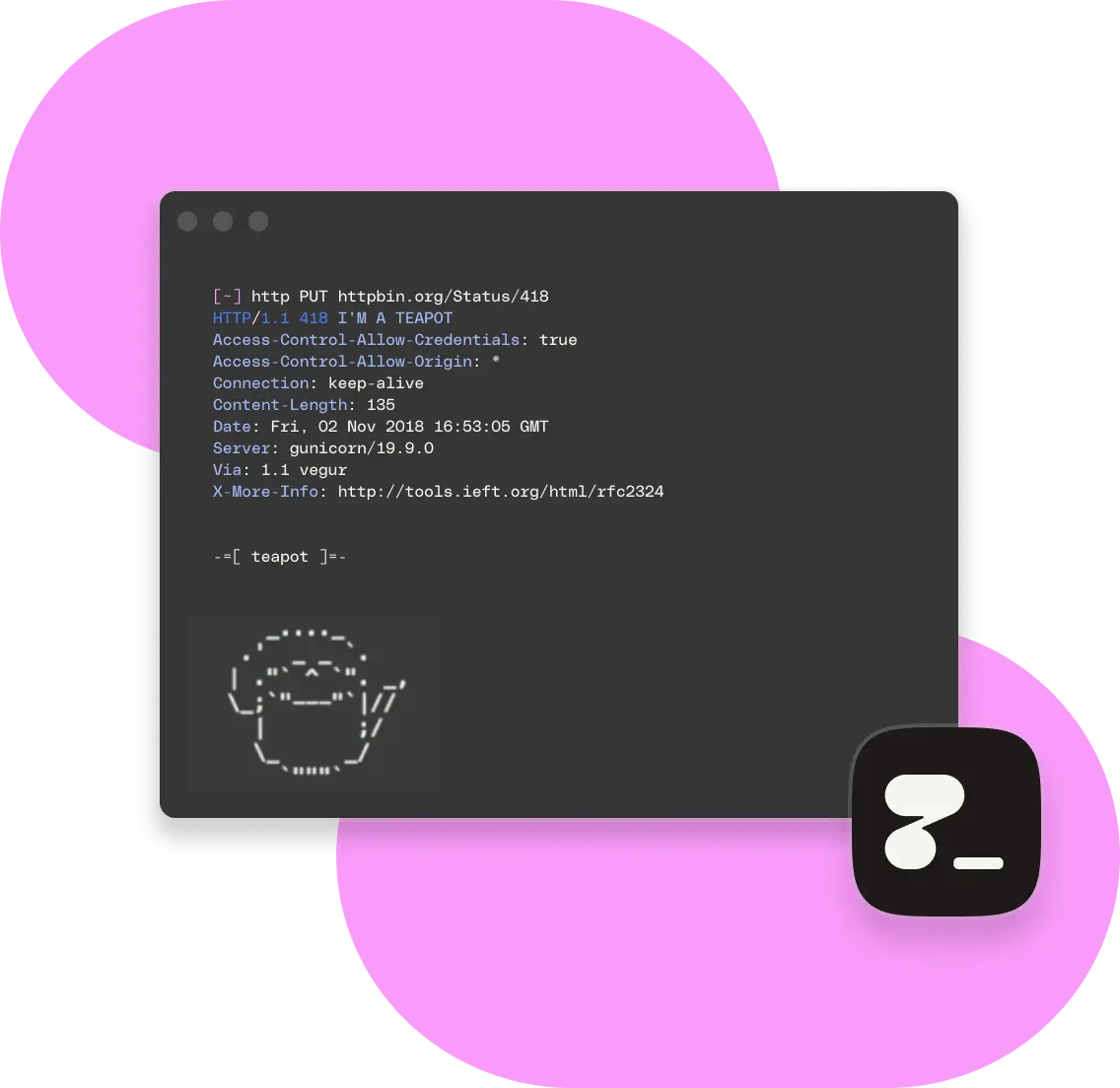
Strengths. httpie builds JSON request bodies from simple field syntax (name=value and field:=rawjson), so you rarely hand-write JSON. It colorizes and formats responses, supports downloads and plugins, and offers persistent sessions via --session. Session files are plain JSON you can edit by hand, stored under your config directory. The syntax is short enough to remember and clean enough to share.
Install. httpie is widely packaged: brew install httpie, apt install httpie, pip install httpie, and more. See the official install docs for your platform.
When to pick it. Choose httpie for fast ad-hoc requests, scripts, and any time you want curl’s reach with a friendlier grammar. It pairs well with the TUI tools above when you need a one-liner.
curlie: curl power with httpie ergonomics
curlie is a thin frontend to curl that borrows httpie’s syntax and output formatting. The pitch is exact: “the power of curl, the ease of use of httpie.” Every curl option stays available, so you lose no features.
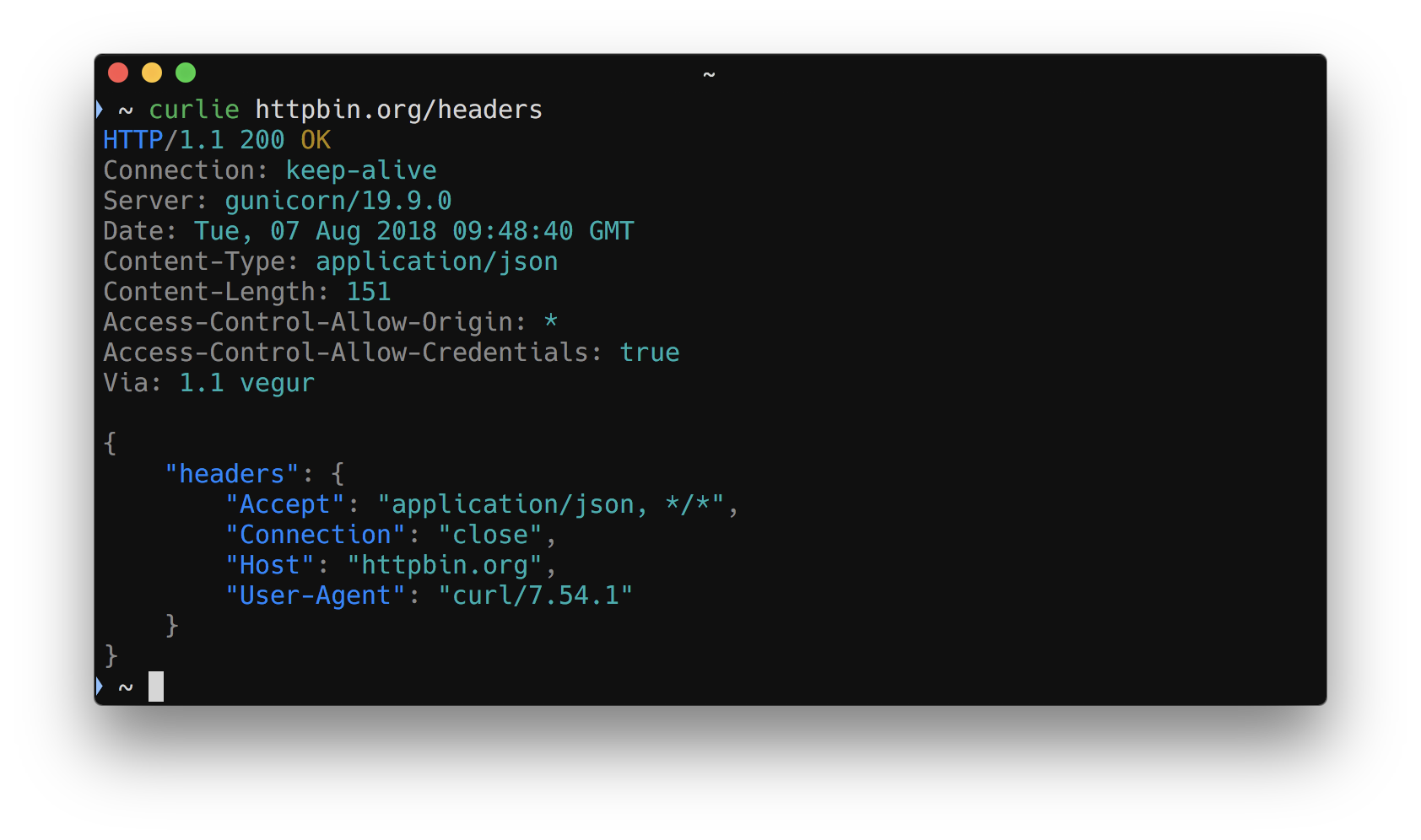
Strengths. curlie pretty-prints JSON when run interactively, and you can force it with --pretty. Output is not buffered, so you can debug streamed responses as they arrive. The --curl flag prints the equivalent curl command, which is handy for sharing or for moving a request into a script. Since it wraps curl directly, behavior matches what you already know.
Install. Use go install github.com/rs/curlie@latest, brew install curlie, or your distro’s package manager. For more options across the field, see our roundup of awesome API clients and Postman alternatives.
When to pick it. Choose curlie if you want every curl flag but a more readable surface. It is the smallest step up from raw curl, and it keeps full compatibility.
Comparison table
| Tool | Type | Language | Storage | Best for |
|---|---|---|---|---|
| atac | TUI | Rust | JSON / YAML | Postman-like terminal workflow, Git-friendly collections |
| posting | TUI | Python | YAML + dotenv | Keyboard-first teams, Python request hooks |
| slumber | TUI + CLI | Rust | YAML (slumber.yml) |
Config-first requests, shell-command chaining |
| ain | CLI (file-based) | Go | .ain template files |
Versioned requests on top of curl/wget/httpie |
| httpie | CLI | Python | JSON sessions | Readable ad-hoc requests and scripting |
| curlie | CLI | Go | none (wraps curl) | Full curl power with httpie ergonomics |
All six store data locally and run over SSH, which is the point of a terminal client. The TUI tools add interactive editing and a saved-request sidebar. The CLI tools win on speed and scripting. Many developers keep both: a TUI for exploration and httpie or curlie for quick checks. For more options across categories, browse our guides to REST API clients and the best offline API client picks.
How to choose your terminal client
Start with how you think about requests.
If you want a visual, Postman-like flow inside the terminal, pick a TUI: atac, posting, or slumber. atac is closest to Postman in feel. posting suits Python shops. slumber suits people who write requests as config.
If you mostly fire ad-hoc calls and live in scripts, pick a CLI: httpie for a friendly grammar, curlie when you need raw curl power, or ain when you want those calls saved as versioned files.
Then weigh storage. Every tool here keeps data local in readable files, which is great for Git and for working offline. If you need free, offline tooling beyond REST clients, our free API client guide is a useful companion.
Where Apidog fits
Terminal clients are excellent for one developer sending requests fast. They start to strain when a team needs shared collaboration, mock servers, or published documentation. That is the point where a platform makes sense.
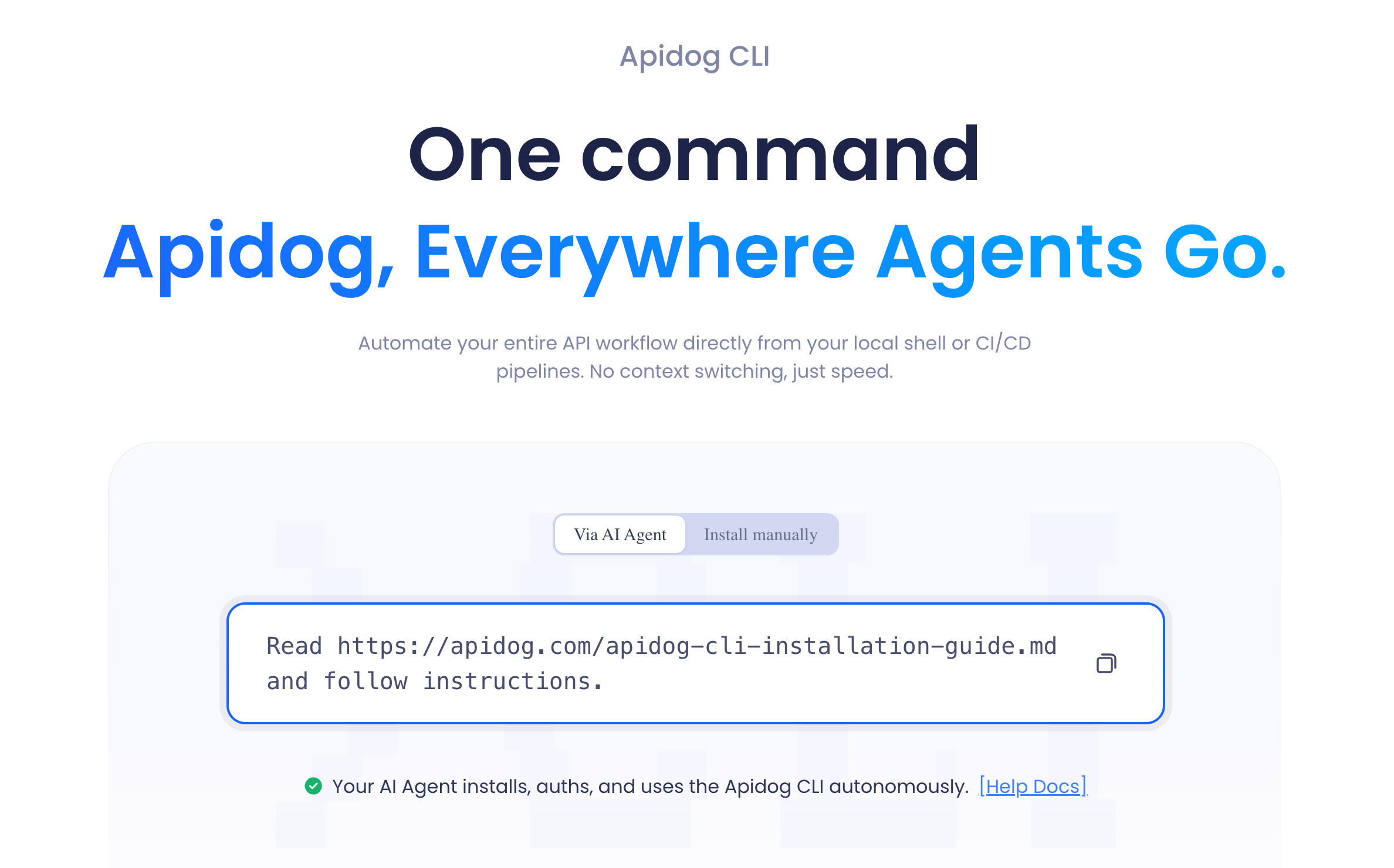
Apidog is an all-in-one API platform with a desktop app (Windows, Mac, Linux), a web app, and a CLI. It covers design with a visual OpenAPI editor, automated test scenarios with visual assertions, smart mock servers, auto-generated interactive docs, and real-time team collaboration. It supports REST, GraphQL, gRPC, WebSocket, SOAP, and Socket.IO. Think of the GUI and web app as the graduation path when a local TUI is no longer enough for a team.
Two honest clarifications matter here.
First, Apidog is the API-quality layer: design, test, mock, and document the contract. It is not a CMS, a commerce platform, an API gateway, or a load generator. If you only need ad-hoc terminal requests today, the tools above already do that job well.
Second, the Apidog CLI is not an interactive terminal request client. The apidog run command executes saved test scenarios in CI pipelines, with cli, html, json, and junit reporters, data-driven runs via -d, and environment selection via -e. That is automation, not live ad-hoc sending. It does not replace httpie, curl, or atac for typing a request and seeing the response. If running saved suites in CI is your goal, see the Apidog CLI complete guide and how to test a REST API from the command line.
The clean mental model: use a terminal or TUI client for interactive requests, and reach for Apidog when collaboration, mocking, docs, or CI test runs enter the picture.
FAQ
What is the best terminal REST API client? There is no single winner. atac is the closest to Postman in a TUI. httpie is the friendliest CLI. slumber suits config-first workflows. Pick based on whether you want an interactive interface or a fast command, and whether you store requests as files.
Can these clients work over SSH? Yes. Every tool here runs inside the terminal, so they work over SSH sessions. This is a core reason developers choose terminal clients over desktop apps.
Do terminal API clients store requests locally? Yes. atac, posting, slumber, and ain save requests in local files (JSON, YAML, or template formats) you can commit to Git. httpie stores sessions as JSON. curlie wraps curl and saves nothing itself.
Is httpie a TUI? No. httpie is a CLI tool. You type a request as a single command and get a formatted response. For an interactive panel-based interface in the terminal, use a TUI like atac, posting, or slumber.
Should I use a terminal client or Apidog? Use a terminal or TUI client for fast, interactive, ad-hoc requests. Use Apidog when a team needs shared collaboration, mock servers, published docs, or CI test automation. The Apidog CLI runs saved test suites in CI; it does not replace interactive terminal sending.
Is there a TUI client that imports Postman collections? Yes. atac imports Postman v2.1.0 collections and environments, OpenAPI specs, and cURL commands, which makes migrating existing work straightforward.