
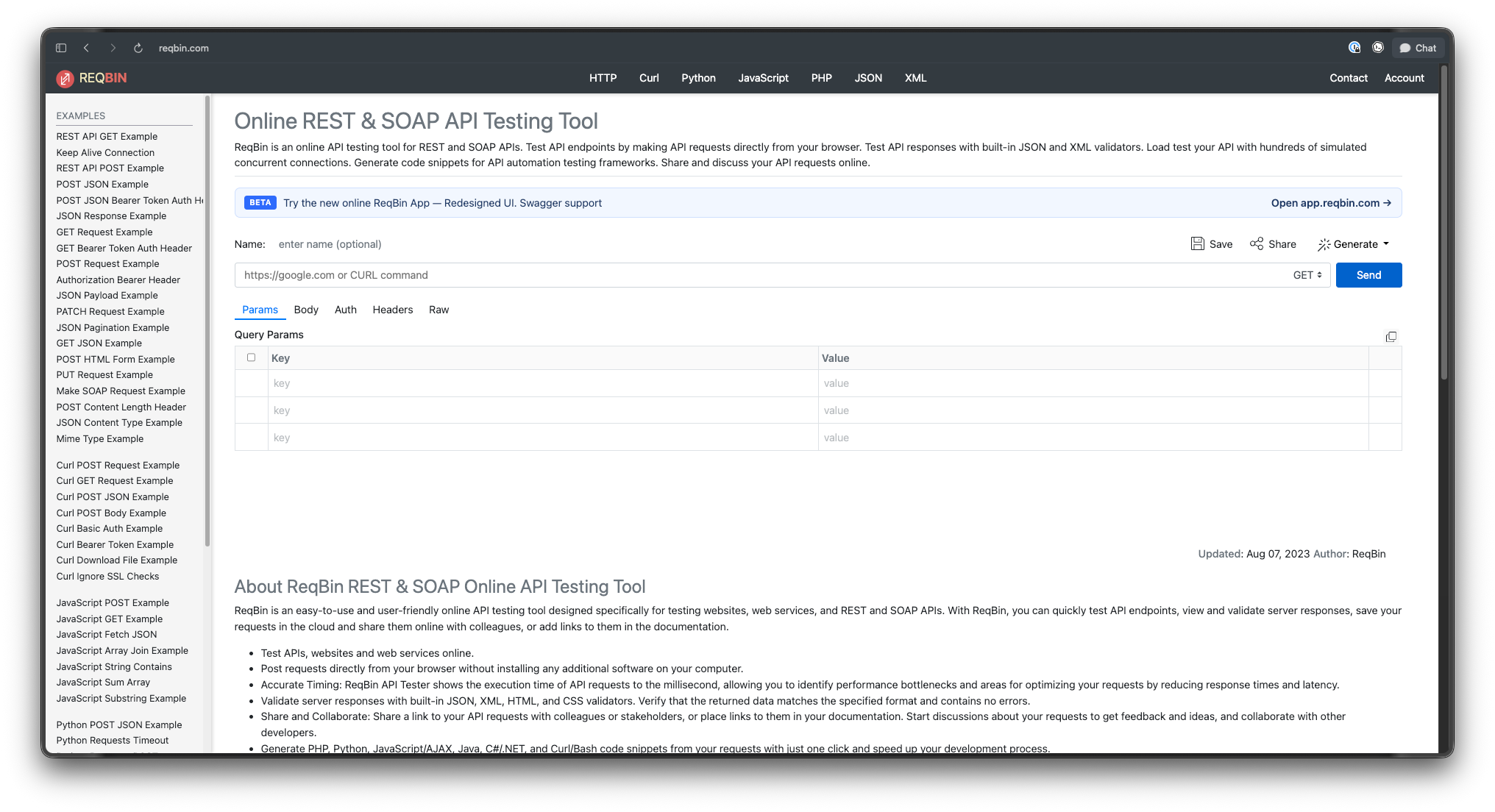
ReqBin is a handy first stop for API work. You open a browser tab, paste a URL, set a method, add headers, and hit send. No install, no account, no setup. It runs on Windows, macOS, Linux, and Chromebooks because it lives entirely in the browser. It supports REST and SOAP, validates JSON and XML responses, and generates code snippets in cURL, Python, JavaScript, Java, C#, and PHP with one click.
That simplicity is the point. It’s also the ceiling.
Once your work grows past one-off requests, ReqBin starts to feel thin. There’s no real desktop persistence for your collections. There’s no built-in mock server, no API design surface, no auto-generated documentation, and no command-line runner for CI. When you’re testing the same endpoints daily, sharing them with a team, or wiring API checks into a pipeline, you need more structure than a single shared URL can give you.
What you actually need after ReqBin
Before the list, get clear on the jump you’re making. People leave ReqBin for a predictable set of reasons.
- Persistence. You want your requests saved on your machine or in an account, organized in folders, not living in a URL you might lose.
- Collections and environments. You want to group related requests and swap between dev, staging, and prod without rewriting variables.
- Collaboration. You want teammates to see and edit the same requests, with sync or version control instead of pasted links.
- Mocking. You want a fake endpoint that returns realistic data before the backend exists.
- Documentation. You want readable, shareable docs generated from your API, not a manual write-up.
- CI/CD. You want your tests to run automatically in a pipeline, not by hand in a browser.
No single reason fits everyone. Match the tool to the gap you feel most. If you want a broader survey first, see our roundup of REST API clients and the overview of web-based API clients.
1. Apidog: the all-in-one platform
Apidog is the natural next step if ReqBin’s single-purpose feel is what’s holding you back. It covers the full API lifecycle in one place: design, test, mock, and document, with team collaboration built in.
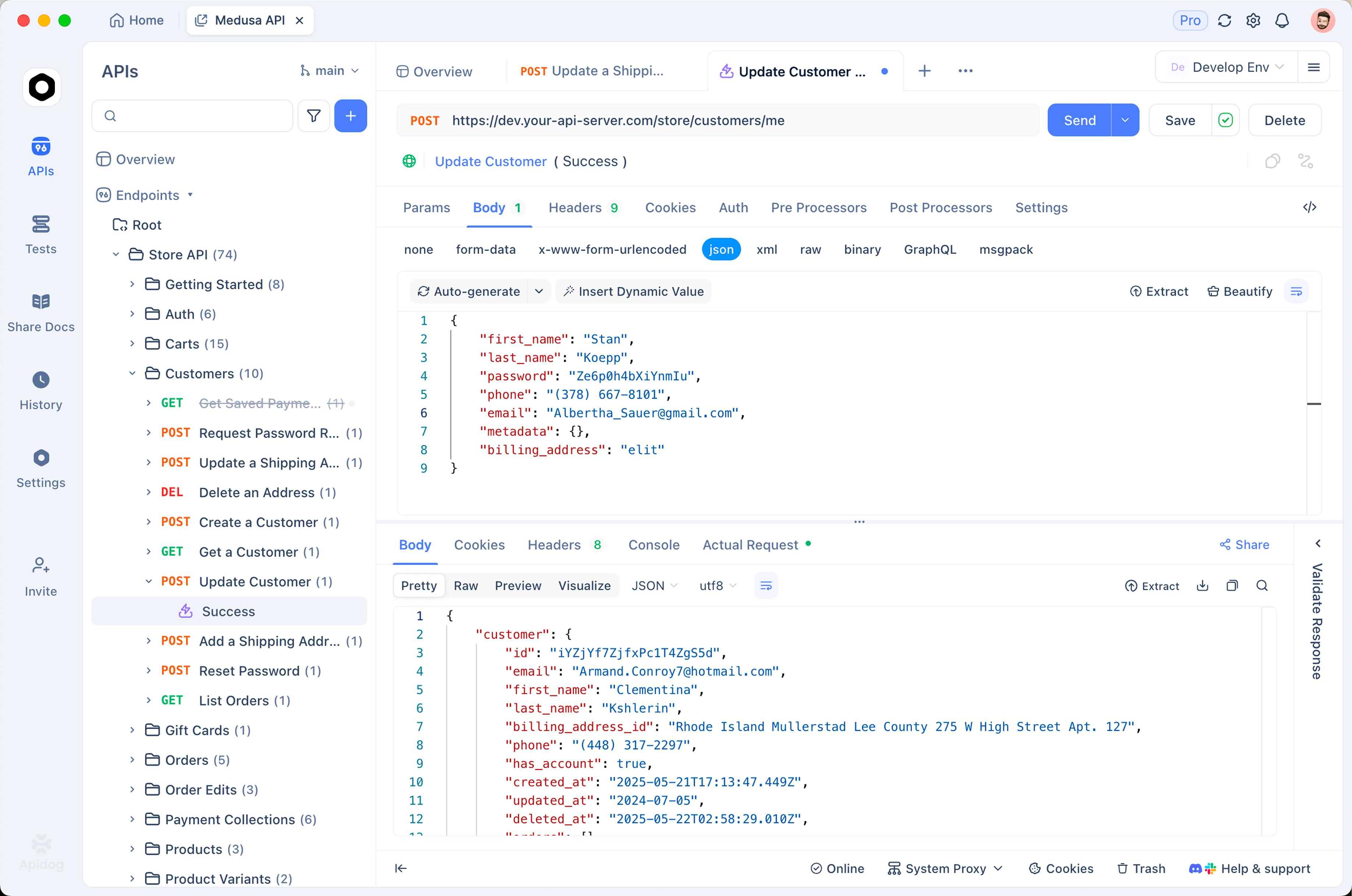
You design APIs with a visual OpenAPI editor, so the spec stays the source of truth. From that spec, Apidog auto-generates a mock server that returns realistic, schema-aware data with no code. You build test scenarios with visual assertions, then run them in CI through the Apidog CLI. The same project also produces interactive documentation you can host on a custom domain.
Apidog runs as a desktop app on Windows, macOS, and Linux, as a web app, and as a CLI. It supports REST, GraphQL, gRPC, WebSocket, SOAP, and Socket.IO, so the SOAP requests you ran in ReqBin carry over. Collections persist locally and sync across a team workspace in real time.
The Apidog CLI handles the CI piece ReqBin can’t touch. apidog run executes saved test scenarios and suites, with reporters for cli, html, json, and junit. You point it at an environment with -e, feed data-driven runs with -d/--iteration-data, and push results back with --upload-report. One thing to set expectations on: the CLI runs saved scenarios. It is not an interactive terminal for ad-hoc requests, so it doesn’t replace curl or httpie for quick one-liners.
Pros: One tool for design, test, mock, and docs. Desktop, web, and CLI. Strong protocol coverage including SOAP. Real-time team sync.
Cons: More surface area than a pure request client. If all you ever want is to fire a single request, that breadth is more than you need. Apidog owns the API-quality layer; it is not an API gateway, CMS, or load generator.
Best for: Teams and solo developers who want ReqBin’s job plus design, mocking, docs, and CI in one place.
2. Postman: the established platform
Postman is the most widely used API platform, and for many teams it’s the default. It has collections, environments, scripting, monitors, mock servers, and documentation, backed by a huge library of integrations and learning material.
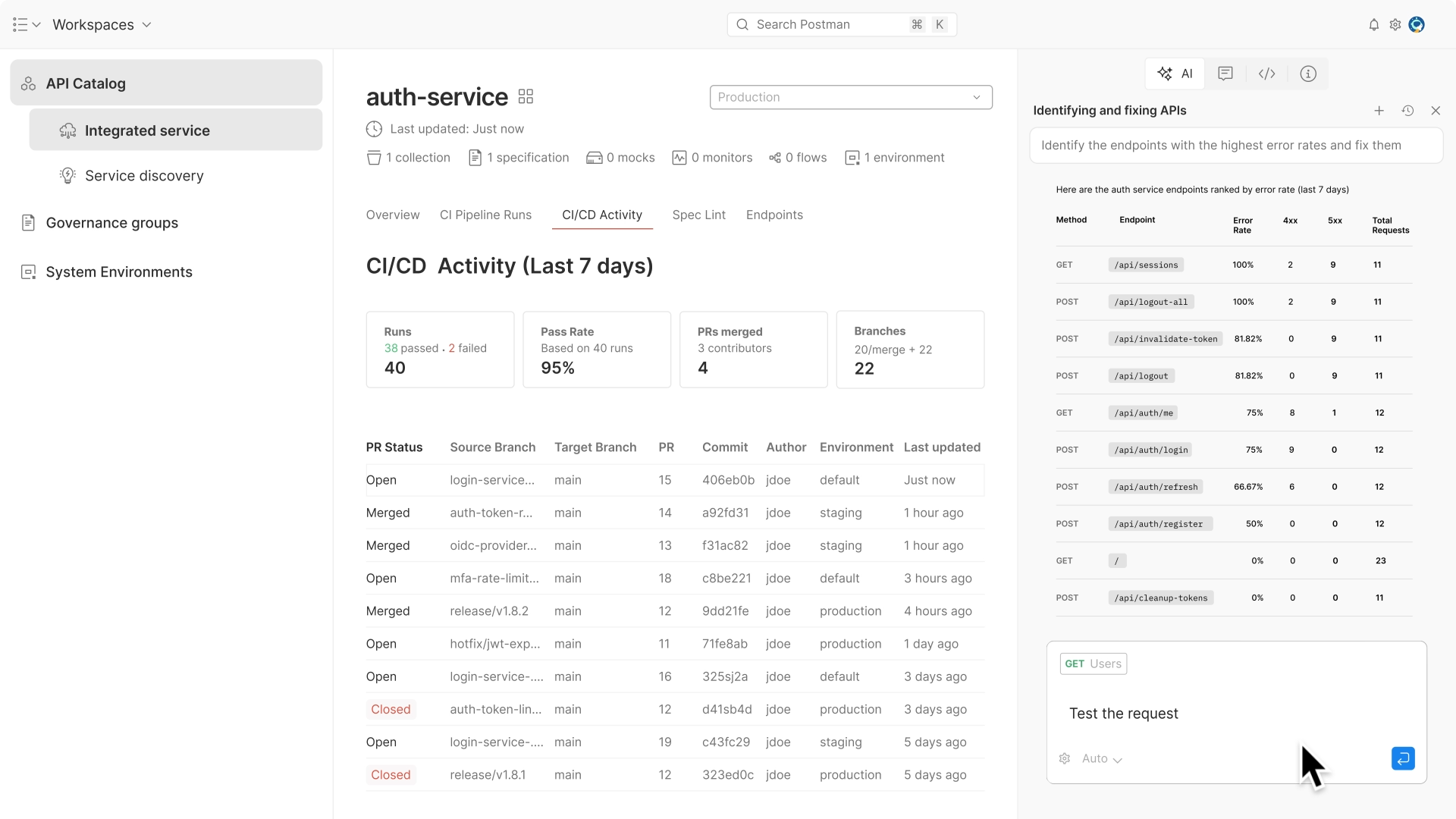
If you want the most-supported option with the deepest ecosystem, Postman is hard to ignore. The trade-off is recent pricing. As of March 2026, Postman’s Free plan supports a single user. Team collaboration now requires a paid plan, which changes the math if you moved to Postman from ReqBin specifically to share work for free. For a deeper look at the options, see our list of Postman alternatives and the ultimate Postman alternative.
Pros: Mature feature set, large ecosystem, broad protocol and auth support, strong docs and tutorials.
Cons: Free plan is now single-user; team features are paid. Heavier than ReqBin, and the desktop app can feel cloud-tethered.
Best for: Individuals and teams who want the most-supported platform and are fine paying for collaboration.
3. Insomnia: clean and storage-flexible
Insomnia, maintained by Kong, is a focused, well-designed API client. It handles REST, GraphQL, gRPC, WebSockets, and Server-Sent Events, and it’s open source.
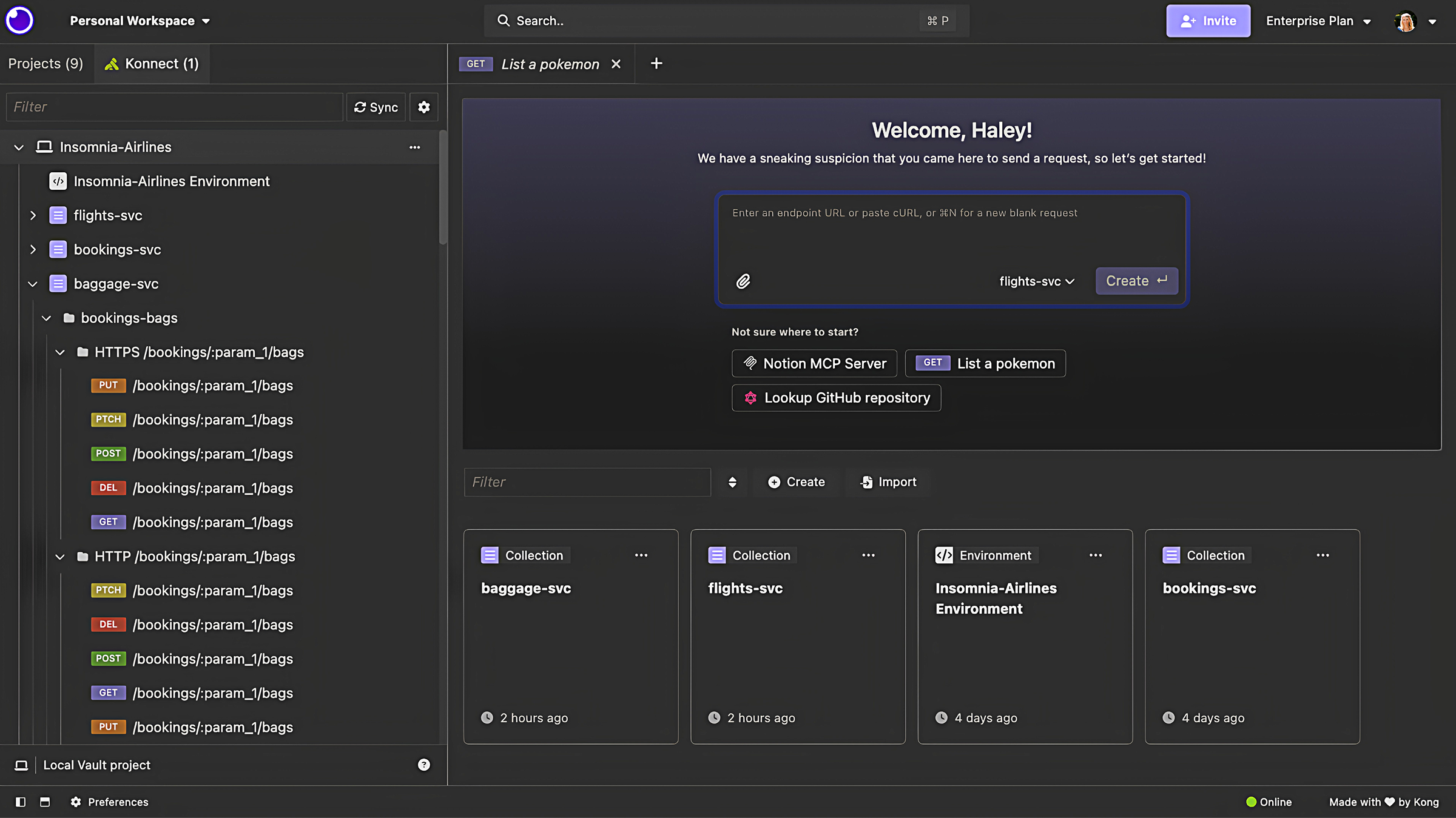
Its standout is storage flexibility. You can work fully local with the Scratch Pad and no account, store collections in Git for version-controlled collaboration, or use cloud sync. That range lets a team pick the model that fits its security posture. Note that most features beyond the local Scratch Pad need a free account. For a side-by-side, read Apidog vs Insomnia.
Pros: Clean interface, open source, local/Git/cloud storage options, solid plugin ecosystem.
Cons: Account required for most features past the local Scratch Pad. Design and mocking are lighter than a full platform.
Best for: Developers who want a tidy client with a choice of local, Git, or cloud storage.
4. Hoppscotch: lightweight and browser-first
Hoppscotch will feel familiar coming from ReqBin. It’s a fast, open-source client that runs in the browser, with desktop and CLI options too. It supports HTTP, GraphQL, WebSocket, Socket.IO, MQTT, and Server-Sent Events.
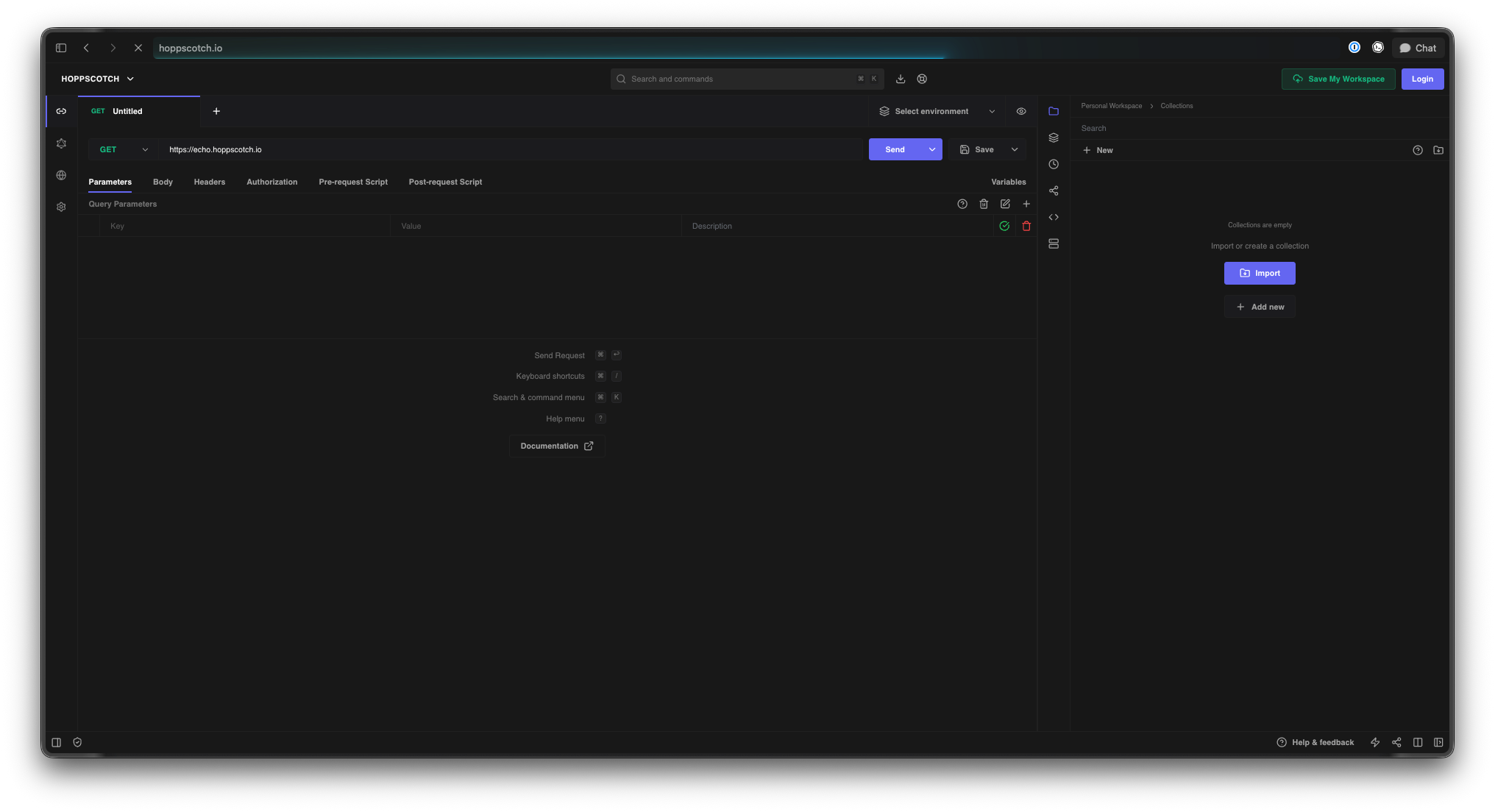
The upgrade over ReqBin is real persistence and structure. You get request collections, environment variables, post-request tests, and real-time sync across devices when you sign in. It’s a small step up in weight for a big step up in capability, and it stays fast. If browser-based work is your priority, compare it against other web-based API clients.
Pros: Light and quick, open source, browser plus desktop plus CLI, good protocol range, real-time sync.
Cons: Design and documentation features are thinner than a full platform. Advanced workflows lean on scripting.
Best for: ReqBin users who want the same browser-first feel with collections, environments, and sync.
5. Bruno: Git-native and offline-first
Bruno takes the opposite approach to cloud sync. It’s an offline-first, open-source client that stores collections as plain-text .bru files on your filesystem. Those files live in your Git repo next to your code.
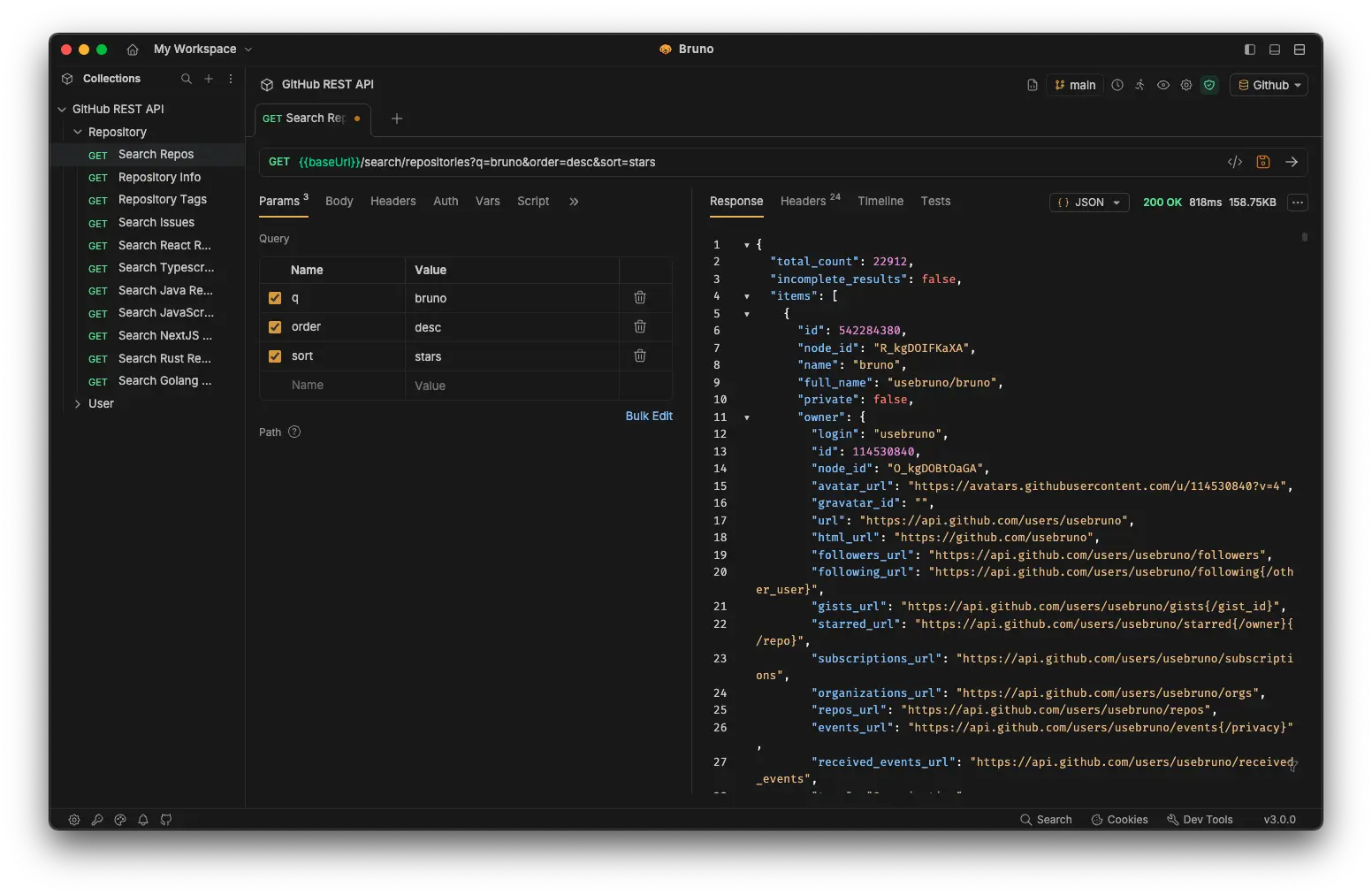
That design makes collaboration a normal Git workflow. API changes show up in pull requests, get reviewed with the code, and version alongside it. There’s no separate sync service and no proprietary cloud format. Bruno’s core is free and MIT-licensed, with paid support options for teams. If versioning matters to you, see our take on Git-native API clients and Apidog vs Bruno.
Pros: Offline-first, plain-text and diff-friendly, Git-native collaboration, free and open source.
Cons: No built-in cloud sync by design. Mocking and documentation are limited compared to a platform.
Best for: Developers who want API collections versioned in Git and reviewed like source code.
6. Thunder Client: API testing inside VS Code
Thunder Client lives where many developers already work: inside Visual Studio Code. It’s a lightweight extension for sending requests without leaving the editor.
It supports REST, GraphQL, WebSocket, SSE, and gRPC, with collections, environment variables, scriptless GUI tests, Git Sync for teams, and a CLI for CI/CD. The free tier is capped and limited to non-commercial personal use; paid plans unlock team sync and commercial use, starting around a few dollars per month. If staying in the editor is the appeal, it’s a clean fit.
Pros: No context switch out of VS Code, scriptless tests, Git Sync, CLI for pipelines.
Cons: Tied to VS Code. Free tier is limited and non-commercial only. Lighter on design and docs.
Best for: VS Code users who want to test APIs without opening a separate app.
ReqBin alternatives compared
| Tool | Type | Persistence | Mock | API design | Docs | CLI / CI | Free tier |
|---|---|---|---|---|---|---|---|
| ReqBin | Browser only | URL share only | No | No | No | No | Yes |
| Apidog | Desktop / web / CLI | Local + team sync | Yes (no-code) | Yes (visual) | Yes (auto) | Yes (Apidog CLI) | Yes |
| Postman | Desktop / web | Account + cloud | Yes | Yes | Yes | Yes | Single user |
| Insomnia | Desktop | Local / Git / cloud | Limited | Limited | Limited | Yes | Yes (account) |
| Hoppscotch | Browser / desktop / CLI | Account sync | Limited | No | Limited | Yes | Yes |
| Bruno | Desktop | Local + Git | Limited | Limited | Limited | Yes (Bruno CLI) | Yes |
| Thunder Client | VS Code extension | Local + Git Sync | No | No | No | Yes | Limited |
Treat this as a starting map, not a verdict. Each tool’s depth varies by feature, and “limited” means it exists but isn’t the tool’s main job.
How to choose
Pick by the gap that pushed you off ReqBin.
- You want one tool for the whole lifecycle. Choose Apidog. Design, test, mock, docs, and CI in one place, with SOAP support carried over.
- You want the most-supported platform. Choose Postman, and budget for team features.
- You want clean storage flexibility. Choose Insomnia for local, Git, or cloud.
- You want the browser-first feel to stay. Choose Hoppscotch.
- You want everything in Git. Choose Bruno.
- You never want to leave VS Code. Choose Thunder Client.
If you want to keep exploring by category, our guides to free API clients, offline API clients, and clients for Mac and Windows narrow the field further. You can also browse the broader collection of Postman alternatives for API testing.
FAQ
Is ReqBin free to use?
Yes. ReqBin is a free online API client that runs in the browser. You can send REST and SOAP requests, validate responses, and generate code without an account. The limits show up when you need persistent collections, mocking, design, docs, or CI rather than one-off requests.
What is the closest alternative to ReqBin?
For the same browser-first feel, Hoppscotch is the closest match, with added collections, environments, and sync. If you want a single tool that also designs, mocks, and documents APIs, Apidog is the broader upgrade.
Does ReqBin have a desktop app or CLI?
No. ReqBin is browser-only with no desktop app and no command-line runner. If you need a desktop client, look at Apidog, Insomnia, or Bruno. If you need a CLI for CI/CD, Apidog, Hoppscotch, Bruno, and Thunder Client all offer one.
Can I run API tests in CI after leaving ReqBin?
Yes. ReqBin has no CLI, but several alternatives do. The Apidog CLI runs saved test scenarios with apidog run and reports in cli, html, json, or junit. Hoppscotch, Bruno, and Thunder Client also ship command-line runners for pipelines.
Which alternative is best for teams?
It depends on how your team works. Apidog offers real-time workspace sync plus design, mocking, and docs. Bruno suits teams that want collections versioned in Git and reviewed in pull requests. Postman is the most-supported option, though team collaboration now requires a paid plan.
Does Apidog support SOAP like ReqBin?
Yes. Apidog supports REST, GraphQL, gRPC, WebSocket, SOAP, and Socket.IO. The SOAP requests you ran in ReqBin transfer over, and you also gain design, mocking, documentation, and CI in the same project.