grpcurl is the go-to command-line tool for poking at gRPC services, but a flag-heavy terminal command isn’t always the fastest way to explore an API, replay streaming calls, or share a request with a teammate. If you want a visual gRPC client or a tool that does more than fire one method at a time, this guide walks through six grpcurl alternatives, GUI and CLI, with honest notes on where each one fits.
What grpcurl is and where it stops
grpcurl is curl for gRPC. You point it at a server, name a service and method, pass a JSON request body, and it returns the response. It supports server reflection, so it can list services and methods without you handing it a .proto file, and it works with TLS, metadata headers, and .proto or protoset descriptors when reflection is off.
That covers a lot. For a quick health check or a scripted call in CI, grpcurl is hard to beat. Here’s where it gets awkward:
- It’s CLI-only. Every call is a command, and exploring an unfamiliar API means reading method lists in your terminal and hand-typing JSON.
- Streaming is clunky. grpcurl can do client, server, and bidirectional streaming, but you feed messages as a stream of JSON on stdin. There’s no visual way to watch a server stream arrive message by message.
- Requests aren’t saved. There’s no built-in collection, history, or environment switching. You manage that yourself with shell scripts or a notes file.
- Sharing means sharing a command string. No shared workspace, no saved examples a teammate can open and run.
None of that makes grpcurl bad. It makes it a narrow tool. If your work has grown past single scripted calls, one of the options below will fit better.
The grpcurl alternatives at a glance
| Tool | Interface | Streaming support | Reflection | Best for |
|---|---|---|---|---|
| Apidog | GUI (desktop) | Unary + server, client, bidirectional | Yes | Visual gRPC testing alongside REST, GraphQL, and docs |
| grpcui | Web UI | Unary + streaming | Yes | A browser front end for grpcurl, same author |
| Postman | GUI (desktop/web) | Unary + streaming | Yes | Teams already standardized on Postman |
| Kreya | GUI (desktop) | Unary + streaming | Yes | A focused gRPC and REST desktop client |
| Evans | Interactive CLI | Unary + streaming | Yes | A REPL-style terminal workflow |
| BloomRPC | GUI (desktop) | Unary + streaming | Limited | Legacy projects only (unmaintained) |
1. Apidog (visual gRPC client)
Apidog is an API platform that handles REST, GraphQL, WebSocket, SOAP, and gRPC in one desktop app, so gRPC sits next to the rest of your API work instead of in a separate terminal. For gRPC specifically, you import a .proto file or connect through server reflection, and Apidog reads the service and method definitions for you.
From there you get a form-driven request builder. Methods show up in a list you can click, request messages render as editable fields based on the proto schema, and responses come back formatted. All four gRPC call types work: unary, server streaming, client streaming, and bidirectional streaming. For server streaming, you watch messages land in the response panel as they arrive, which is the part grpcurl makes you squint at on stdout.
Honest scope: Apidog is a GUI gRPC client, not a one-to-one CLI replacement for grpcurl. If your real need is a scriptable binary you drop into a shell pipeline, grpcurl or Evans stays closer to that shape. Where Apidog wins is exploration, saved requests, environment variables for endpoints and metadata, and keeping gRPC in the same workspace as your other protocols. If you build services across multiple protocols, the multi-protocol API workflow is smoother when one tool covers all of them.
Download Apidog to import a .proto file and run your first streaming call in a GUI.
2. grpcui
grpcui comes from the same author as grpcurl, fullstorydev, and it’s the natural next step if you like grpcurl but want a visual surface. It spins up a local web server that gives you a browser form for invoking gRPC methods. You get dropdowns for services and methods, generated form fields for request messages, and metadata inputs, all backed by server reflection or proto descriptors.
It supports streaming and reflects the same gRPC feature set you’d expect from the grpcurl family. The trade-off is that grpcui is single-purpose. It’s a gRPC explorer and nothing else, so there’s no REST testing, no saved collections across sessions, and no team workspace. If you want a quick browser UI on top of a single server, it’s a clean fit. The grpcui repo has setup details.
3. Postman
Postman added gRPC support, and if your team already runs on Postman it’s worth using before adding another tool. You create a gRPC request, point it at a server, load a .proto (or use a server that supports reflection), and invoke methods through Postman’s UI. It handles unary and streaming calls, lets you set metadata and authorization, and saves requests in collections like the rest of your Postman work.
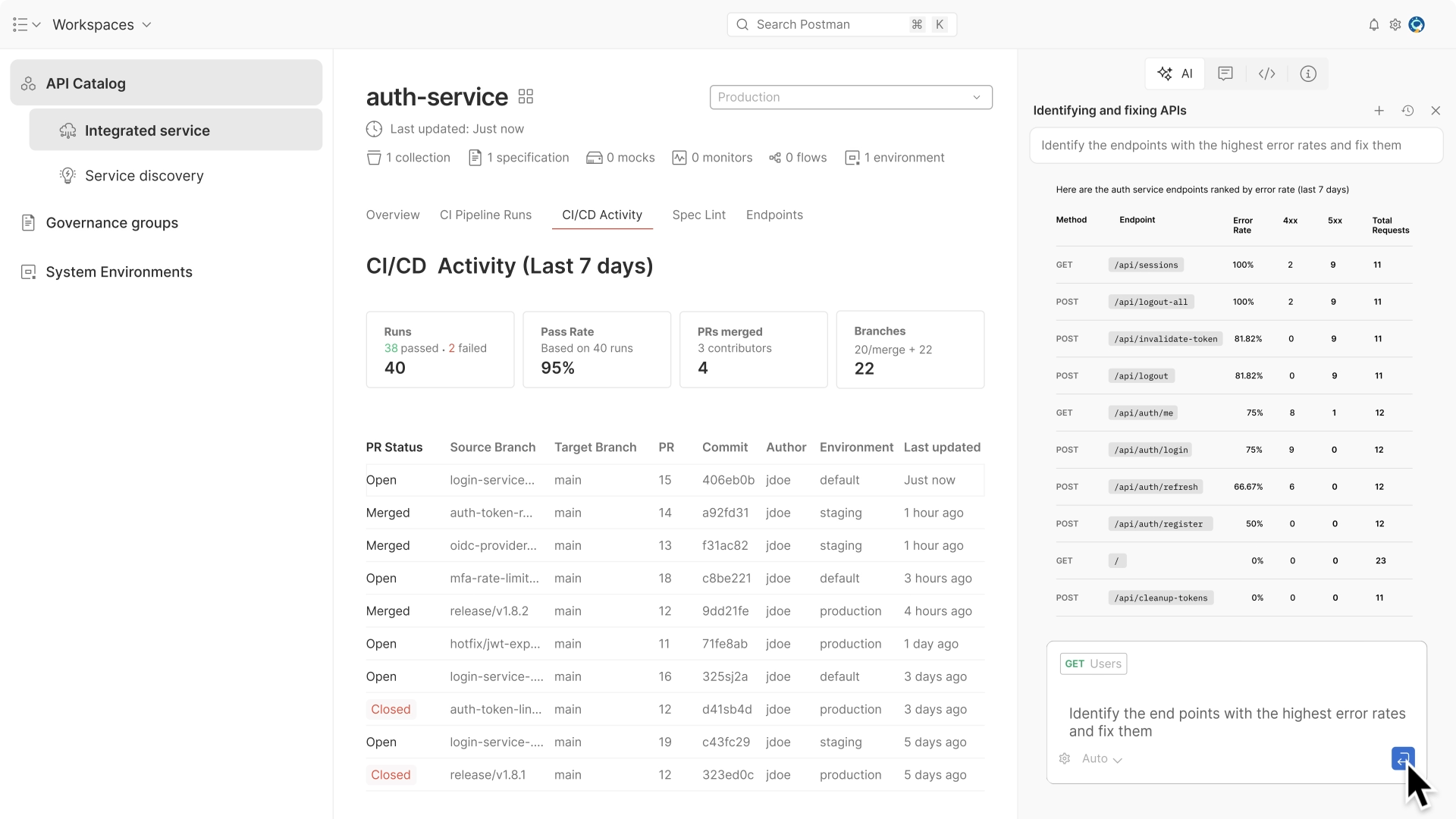
The strengths are real: collections, environments, and a workspace your team already knows. The catch is that gRPC in Postman has historically lagged its REST experience in polish, and heavier Postman accounts come with cloud-sync and pricing considerations some teams would rather avoid. If you’re weighing the broader tool, see our roundup of Postman alternatives for API testing. Postman’s own gRPC documentation covers the current feature set.
4. Kreya
Kreya is a desktop client focused on gRPC and REST. It reads .proto files and supports server reflection, generates request forms from your schema, and handles all the streaming modes. It leans into a clean, project-based layout where you organize calls, set environments, and reuse variables, which makes it a solid pick if you want a dedicated gRPC GUI without a full platform around it.
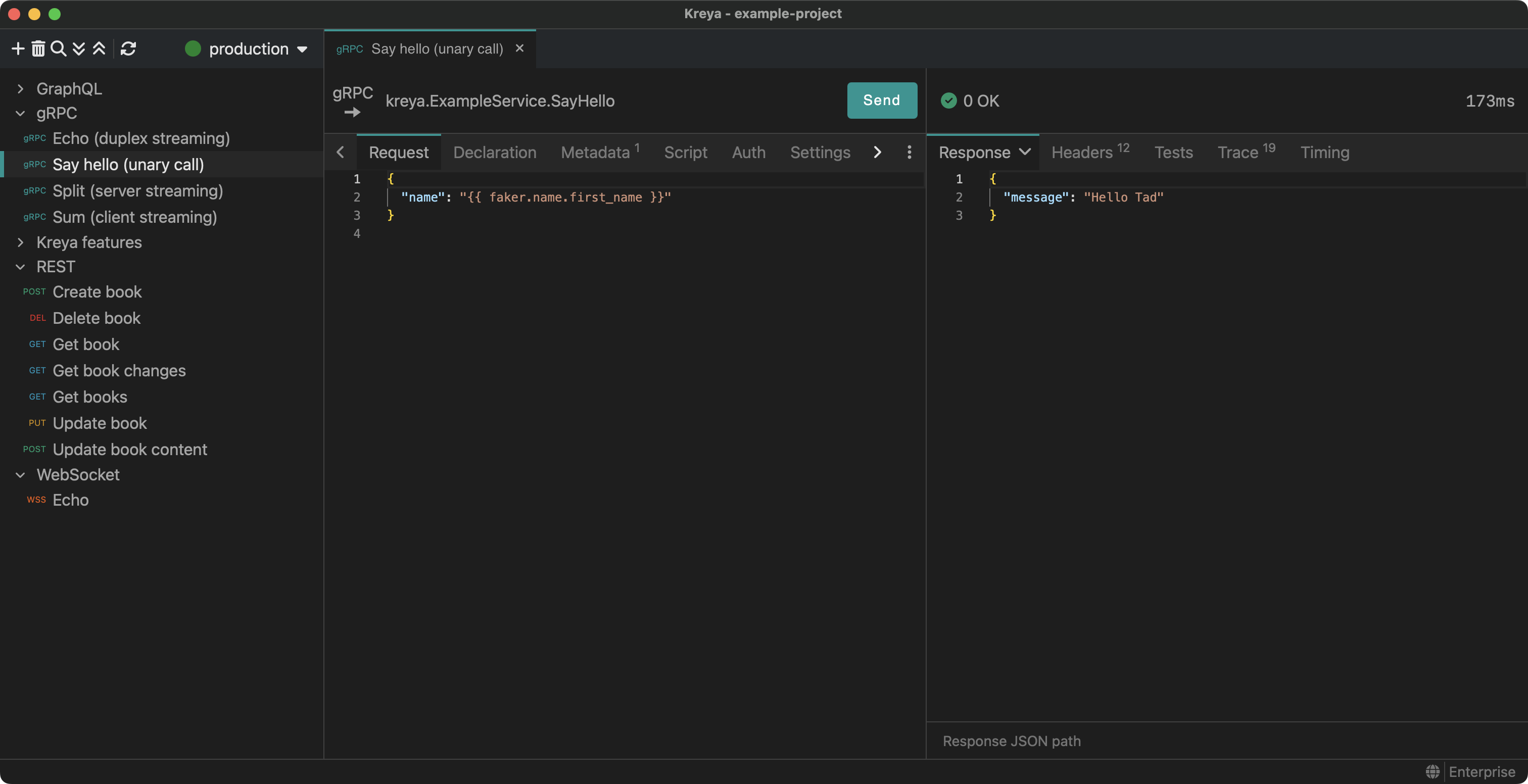
It’s lighter in scope than a full API platform, so you won’t find mocking, documentation generation, or design tooling. For developers who mostly need to explore and test gRPC services with a tidy interface, that focus is a feature, not a gap.
5. Evans
Evans is an interactive gRPC client that lives in your terminal but behaves more like a REPL than a one-shot command. You start a session, and Evans lets you browse packages, services, and methods, then build and send requests interactively. It supports server reflection and .proto files, handles streaming, and keeps you in a guided prompt instead of forcing you to remember every flag.
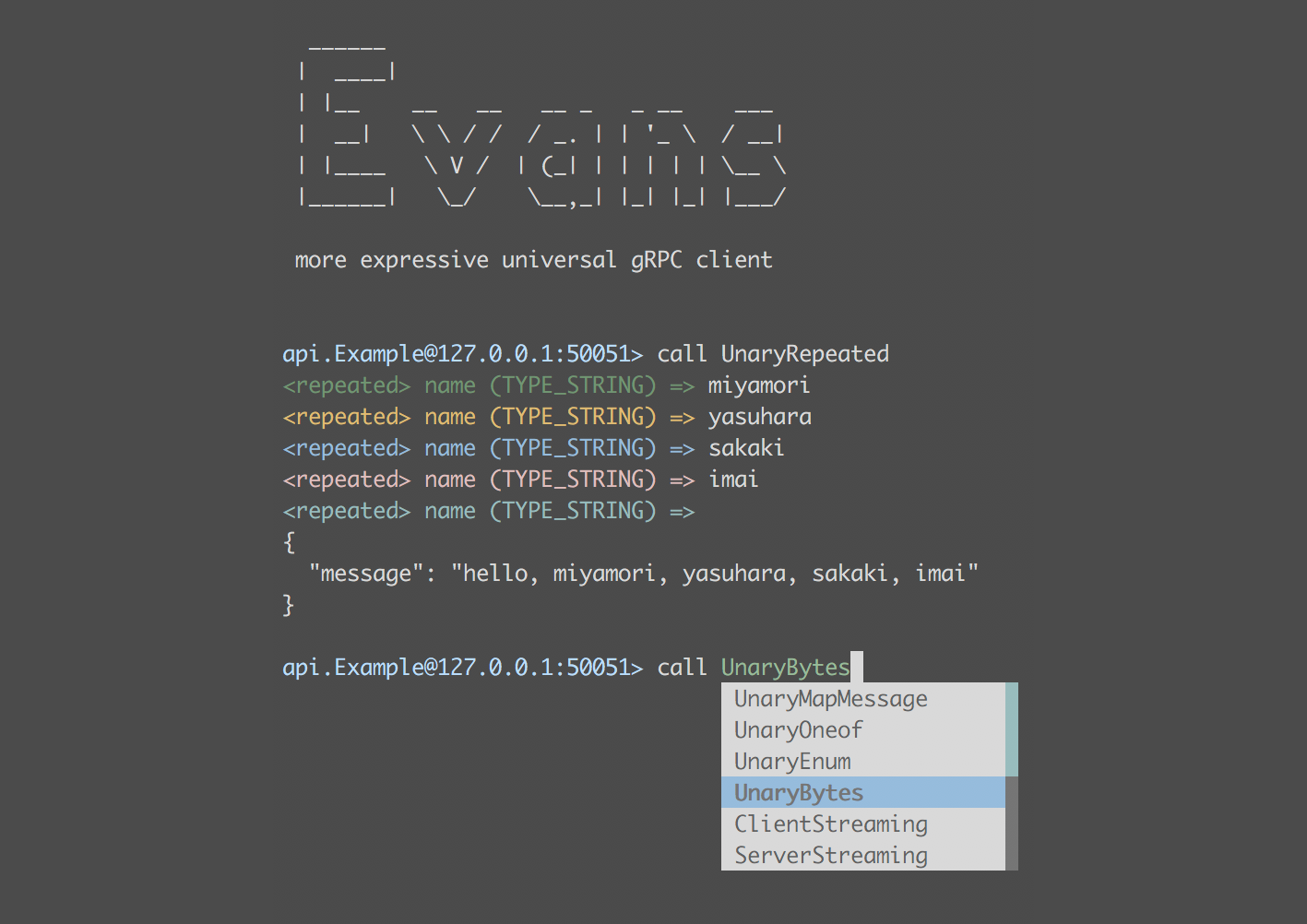
If you want grpcurl’s terminal-native feel but hate re-typing long invocations, Evans is the middle ground. It’s still a CLI tool, so there’s no visual streaming view and no shared workspace, but the interactive mode removes a lot of grpcurl’s friction. The Evans GitHub repo has install instructions.
6. BloomRPC (legacy only)
BloomRPC was once the popular open-source gRPC GUI, a desktop app with a method explorer and request editor. It still gets mentioned in older guides, so it’s worth naming, but the project is no longer actively maintained. That means newer gRPC features, dependency updates, and OS compatibility fixes aren’t landing.
Don’t pick BloomRPC for a new project. If you inherited a workflow built around it, plan a move to one of the maintained options above. We list it here only so you know what it is and why it’s no longer a current recommendation.
How to choose
Match the tool to how you actually work:
- You want a visual gRPC client with streaming you can watch and requests you can save and share: Apidog.
- You like grpcurl and want a browser form on top of it: grpcui.
- Your team already standardized on Postman: Postman’s gRPC support.
- You want a focused gRPC and REST desktop client: Kreya.
- You want to stay in the terminal but lose the flag fatigue: Evans.
- You’re maintaining a legacy setup: know that BloomRPC is unmaintained and plan to migrate.
If you’re testing gRPC end to end and want the full method-by-method walkthrough, our guide on how to test gRPC APIs efficiently covers the workflow in depth, and the original grpc-curl walkthrough stays the right starting point if you’re committed to the command line.
Frequently asked questions
Is there a GUI version of grpcurl?
grpcui, from the same author, is the closest direct GUI: it puts a browser form over the same reflection and proto handling grpcurl uses. If you want a full desktop app with saved requests, environments, and streaming you can watch visually, Apidog covers gRPC alongside REST and GraphQL in one client.
Can I test gRPC streaming without the command line?
Yes. Apidog, Postman, Kreya, and grpcui all support gRPC streaming through a UI, including server streaming where messages render as they arrive. grpcurl and Evans can stream too, but they feed and display messages as terminal text rather than a visual panel.
Do these tools need a .proto file?
Not always. Every tool here supports gRPC server reflection, so if your server exposes reflection, the client can discover services and methods on its own. When reflection is off, you supply a .proto file or a compiled protoset, and most of these tools accept both. For the broader testing picture, the API testing ultimate guide explains where gRPC fits among REST and other protocols.
Is grpcurl still worth using?
Absolutely, for the right job. grpcurl is excellent for scripted calls, CI checks, and quick one-off invocations from the terminal. The alternatives here matter when you outgrow single commands and want visual exploration, saved collections, watchable streaming, or a shared team workspace.
Conclusion
grpcurl is a sharp tool for command-line gRPC, and nothing here replaces it for scripted, terminal-native calls. What changes is the job. Once you’re exploring unfamiliar services, watching streams, or sharing requests with a team, a visual client saves real time. Among the GUI options, Apidog stands out because it puts gRPC, REST, GraphQL, mocking, and docs in one place, so your gRPC testing doesn’t live in a silo.
Want to test a gRPC service without writing a single flag? Try Apidog free, import your .proto or connect through reflection, and run unary and streaming calls in a GUI in minutes.