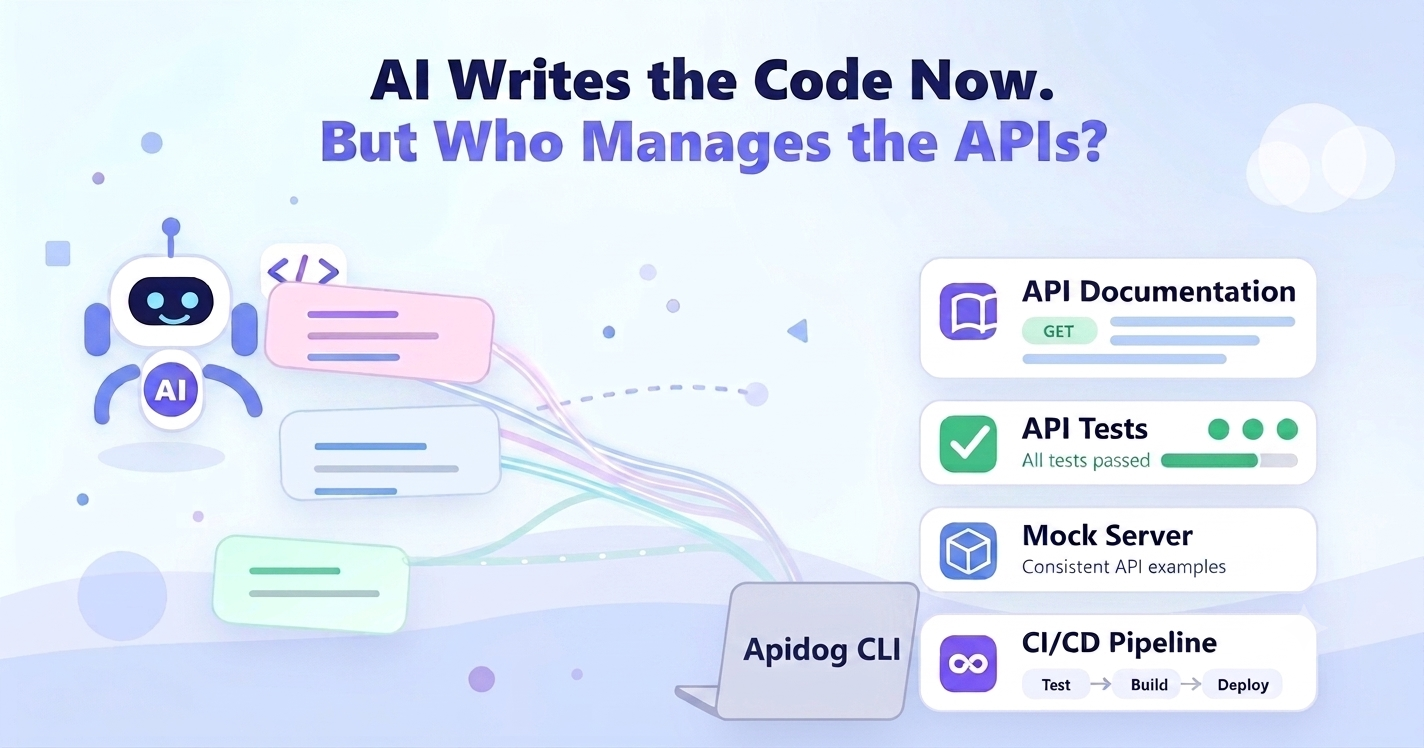
AI coding agents are changing how software gets built.
A developer can open Claude Code, Cursor, Codex, GitHub Copilot, Windsurf, Trae, Cline, or another agentic coding tool and ask it to build a feature. In minutes, the agent can create routes, handlers, request logic, database calls, validation code, tests, and frontend integration.
That speed is exciting.
But it also creates a new problem:
AI can write the code. But who manages the APIs?
Because APIs are not just code.
An API is a contract between teams, services, users, frontends, backends, mobile apps, third-party systems, and sometimes external customers. If AI creates or changes API code without updating documentation, tests, mocks, schemas, environments, and team workflows, your product can become harder to understand instead of easier to build.
That is why API management matters even more in the AI coding era.
And that is exactly where Apidog CLI fits.
Apidog CLI gives developers and AI agents a command-line way to manage API workflows: design, documentation, mocks, tests, environments, variables, test reports, imports, exports, and branch collaboration. Instead of asking AI to only generate source code, teams can connect AI coding tools to a real API management workflow.
This article explains the problem, the new workflow, and how Apidog CLI helps teams manage APIs when AI writes the code.
TL;DR
AI agents can generate API code quickly, but API management still needs structure. Apidog CLI lets developers and AI coding agents design APIs, document endpoints, create mocks, run API tests, manage environments, and automate API workflows from the command line.
If your team uses AI coding tools, Apidog CLI can become the API management layer between generated code and reliable production software.
Code Generation Is Not API Management
AI agents are good at producing code.
They can write:
- Express routes
- FastAPI handlers
- Spring Boot controllers
- Database queries
- Request validators
- Response objects
- Frontend API calls
- Unit tests
- Integration tests
- OpenAPI-like descriptions
But API management is bigger than generating files.
A real API workflow includes:
- API design
- Endpoint naming
- Request parameters
- Request body schemas
- Response schemas
- Error formats
- Authentication rules
- Environment variables
- Mock servers
- API documentation
- API test cases
- Scenario testing
- Test reports
- CI/CD validation
- Team review
- Version control
- Branch collaboration
When a human developer creates an endpoint, the team usually knows they must also document it, test it, mock it, and tell others how to use it.
When an AI agent creates ten endpoints in one session, those follow-up steps can be forgotten.
That is the gap.
AI coding tools increase the speed of implementation, but they do not automatically create a reliable API lifecycle.
The Hidden Risk of AI-Generated APIs
AI-generated code often looks convincing. It compiles. It follows local patterns. It may even include tests.
But API problems are not always obvious in the code editor.
Here are the common risks.
1. Undocumented Endpoints
An AI agent may add a new endpoint like:
http POST /api/orders/refund The backend works. The route exists. The function returns data.
But if the API documentation is not updated, no one else knows:
- What request body is required
- What fields are optional
- Which status codes can return
- What errors look like
- Whether authentication is required
- Whether frontend or mobile teams can use it
The endpoint exists, but the API contract is invisible.
2. Inconsistent Schemas
One AI-generated endpoint may return:
{ "userId": "u_123", "fullName": "Alex Chen", "emailAddress": "alex@example.com" }Another endpoint may return:
{ "id": "u_123", "name": "Alex Chen", "email": "alex@example.com" }Both responses make sense to the AI model. Both may pass local tests.
But for your product, this inconsistency creates real costs:
- Frontend code becomes harder to maintain
- SDKs need extra mapping logic
- Tests become brittle
- Documentation becomes confusing
- API consumers lose trust
API consistency does not happen automatically. It needs a shared workflow.
3. Stale Mock APIs
Mocks are critical when frontend and backend work happen in parallel.
But if AI changes backend behavior and mocks are not updated, frontend developers may build against old assumptions.
For example:
- The mock returns `status: "success"`
- The real API returns `state: "completed"`
- The frontend works in mock mode but breaks in production
This is exactly the type of problem that gets worse when development speed increases.
4. Tests That Do Not Match the Real API Contract
AI agents can write tests, but generated tests are not always the same as managed API tests.
A generated test may verify one happy path in code. A real API testing workflow should check:
- Required fields
- Invalid input
- Authentication
- Authorization
- Status codes
- Response schemas
- Error responses
- Multi-step scenarios
- Environment-specific behavior
That is why API tests need to be part of the API management workflow, not just scattered source files.
5. CI/CD Blind Spots
If API checks only happen manually, AI-generated changes can move too fast for your team to review properly.
A pull request may include:
- New endpoints
- Changed payloads
- Updated response fields
- Modified authentication behavior
- Removed fields
- New error formats
Without command-line API validation, those changes may merge before anyone checks the API behavior as a product contract.
The New Question for Engineering Teams
The question is no longer:
Can AI write code?
It can.
The better question is:
Can your team manage the API changes that AI creates?
That means every AI-generated API change should still answer:
- Is the API contract clear?
- Is the documentation updated?
- Are the mocks aligned?
- Are the tests passing?
- Are environments configured?
- Can CI/CD validate it?
- Can the team review it?
- Can future AI agents understand it?
If the answer is no, AI may make your team faster in the short term but less stable in the long term.
Apidog CLI: API Management for AI-Native Development
Apidog CLI is a command-line tool that brings core Apidog workflows into terminals, AI agents, and CI/CD pipelines.
It is designed for teams that want API management to work outside the browser UI.
With Apidog CLI, developers and AI agents can work with:
- API documentation
- Data schemas
- Mock APIs
- Environments
- Variables
- API test cases
- Test scenarios
- Test suites
- Test reports
- Import and export workflows
- Branch collaboration
That matters because AI coding agents work best when they can call tools through the command line.
Instead of asking an agent to only edit source files, you can ask it to participate in the API lifecycle:
Build this endpoint, update the API documentation, check the mock behavior, and run the API tests.
That is a much better workflow than:
Generate some code and hope the API is still correct.
You can view the full CLI capability set in the Apidog CLI Commands & Options documentation, or start with the Installing and Running Apidog CLI guide.
If your project is hosted in Apidog Europe, remember to specify the EU API base URL:
--api-base-url https://api.eu.apidog.com How Apidog CLI Fits Into an AI Coding Workflow
A good AI-native API workflow should not stop at implementation.
Here is what the workflow can look like.
Step 1: The Developer Gives the AI Agent a Feature Task
For example:
Add an endpoint for creating refund requests.
The AI agent can inspect the project, create backend logic, add validation, and update related files.
But this is only the beginning.
Step 2: The API Contract Is Designed or Updated
Before the endpoint becomes part of the product, the team needs a clear API contract.
That includes:
- Path
- Method
- Request body
- Query parameters
- Headers
- Response body
- Error responses
- Authentication rules
If your team wants to manage this from the command line, read: How to Design APIs in CLI
Step 3: Documentation Is Updated
Every AI-generated endpoint should be documented.
Documentation answers the questions other people will ask later:
- What does this endpoint do?
- How do I call it?
- What fields do I send?
- What does the response mean?
- What errors should I handle?
Apidog CLI helps move API documentation into a command-line and automation-friendly workflow.
Read the full guide: How to Document APIs in CLI
Step 4: Mocks Stay in Sync
Mocks let frontend developers, backend developers, QA engineers, and AI agents work against the same expected API behavior.
This is especially important when AI agents generate code quickly. Without updated mocks, teams can test against old assumptions.
To learn how to manage mocks from the command line, read: How to Mock APIs in CLI
Step 5: API Tests Run from the Terminal
AI-generated code should be tested as API behavior, not just source code.
With Apidog CLI, teams can run API test cases, scenarios, and suites from the command line. This makes API testing easier to include in:
- Local development
- AI-agent workflows
- Pull request checks
- CI/CD pipelines
- Release validation
Start here: Apidog CLI Complete Guide
Step 6: API Workflows Run Headlessly
AI agents and CI/CD systems do not want to click through a UI. They need repeatable commands.
That is why headless API management matters.
A headless API workflow can run in:
- A terminal
- A build pipeline
- A container
- A remote development environment
- An AI coding session
- A scheduled automation task
Read more: Headless API Management Tool
Use Apidog CLI With Your AI Coding Agent
AI coding workflows are not tied to one tool. Different teams use different agents and editors.
Apidog CLI is built to fit this world because it gives AI agents a command-line path into API management.
Here are the Apidog CLI integration guides for popular AI coding tools:
| AI coding tool | Guide |
|---|---|
| Claude Code | How to Use Apidog CLI in Claude Code |
| Cursor | How to Use Apidog CLI in Cursor |
| Codex | How to Use Apidog CLI in Codex |
| GitHub Copilot | How to Use Apidog CLI in GitHub Copilot |
| Windsurf | How to Use Apidog CLI in Windsurf |
| Trae | How to Use Apidog CLI in Trae |
| Cline | How to Use Apidog CLI in Cline |
| Antigravity | How to Use Apidog CLI in Antigravity |
| OpenClaw | How to Use Apidog CLI in OpenClaw |
| Hermes Agent | How to Use Apidog CLI in Hermes Agent |
Each guide shows how Apidog CLI can fit into that specific AI coding environment.
The bigger idea is the same across all of them:
Your AI agent should not only generate code. It should help keep your API workflow healthy.
Why API Management Becomes More Important With AI
Some teams assume that if AI gets better at coding, API management becomes less important.
The opposite is true.
AI increases the amount of code your team can create. That means it also increases the number of API changes your team needs to understand, review, test, and document.
When development speed goes up, coordination becomes more important.
Think about what happens when AI helps create:
- More endpoints
- More services
- More request models
- More generated tests
- More frontend integration code
- More backend changes
- More experiments
- More branches
Without a central API workflow, this becomes noise.
With Apidog CLI, API work can remain visible, testable, and repeatable.
Apidog CLI and CI/CD
One of the most valuable places to use Apidog CLI is CI/CD.
AI-generated code should not go directly from editor to production. It should pass through the same validation process as human-written code.
A CI/CD workflow can use Apidog CLI to help check API behavior automatically.
For example, a team may want to:
- Run API test scenarios after a pull request
- Validate important endpoints before deployment
- Generate API test reports
- Check environment-specific behavior
- Keep API testing tied to the release workflow
This is where command-line API management becomes practical.
You can also read Apidog’s CI/CD documentation: Integrate with CI/CD
The Product Thinking Behind Apidog CLI
Apidog CLI did not appear by accident.
It comes from a real shift in software development: developers are moving from manual, UI-only workflows to automation-first and agent-driven workflows.
API tools need to work in that environment.
A modern API platform cannot only be a place where humans click buttons. It also needs to expose workflows that AI agents, scripts, terminals, and CI/CD systems can call.
That is the reason Apidog CLI matters.
If you want the product story behind it, read: The Apidog CLI Development Journey
That article explains how Apidog CLI was shaped by real development workflows and why the command line is becoming a key interface for API management.
Best Practices for Managing APIs When AI Writes Code
If your team is already using AI coding agents, here are practical API management rules to adopt.
1. Make API Documentation Part of the AI Task
Do not ask the agent only to build the endpoint.
Ask it to account for documentation too.
Instead of:
text Create a new endpoint for refunds. Use:
text Create a new endpoint for refunds, then update the API documentation and make sure the request and response schemas are clear. 2. Treat API Tests as Required, Not Optional
AI-generated code can look correct and still fail at runtime.
Every API change should be tested against real API behavior.
Ask:
- Does the endpoint return the expected status code?
- Does the response match the schema?
- Are errors handled correctly?
- Does authentication work?
- Does the scenario pass from start to finish?
3. Keep Mocks Close to the API Contract
Mocks should not be random sample JSON.
They should reflect the API contract your team expects.
If AI changes the real API but mocks stay old, frontend and backend teams drift apart.
4. Use CLI Workflows for Repeatability
Manual steps are easy to forget.
Command-line workflows are easier to repeat, automate, and give to AI agents.
That is why Apidog CLI is useful: it lets API management tasks become part of the development loop.
5. Add API Checks to CI/CD
If something matters, it should not depend on memory.
Add API checks to your CI/CD pipeline so important API behavior gets tested before release.
6. Review API Behavior, Not Just Code
When reviewing AI-generated changes, do not only inspect the code diff.
Also ask:
- Did the API contract change?
- Is the documentation updated?
- Are tests updated?
- Are mocks still correct?
- Are consumers affected?
- Are breaking changes clearly marked?
The Future: AI Agents Need API Tools, Not Just Code Editors
AI coding tools are becoming more capable every month.
But as they become better at writing code, they need better access to the systems around code:
- API platforms
- Testing tools
- Documentation systems
- Mock servers
- CI/CD workflows
- Deployment pipelines
- Monitoring tools
That is the next stage of AI-native development.
The best teams will not simply ask AI to generate more code. They will connect AI agents to the workflows that keep software reliable.
For API development, that means giving agents a way to work with API contracts, docs, mocks, tests, and reports.
Apidog CLI is built for that shift.
Conclusion
AI writes code now.
But code is only one part of software development.
APIs still need structure. They need contracts, documentation, mocks, tests, environments, reports, and team workflows. Without those pieces, AI-generated code can create confusion faster than it creates value.
Apidog CLI helps solve this by bringing API management into the command line, where developers, AI agents, and CI/CD systems can all use it.
If your team is adopting AI coding tools, now is the time to update your API workflow too.
AI can write the code.
Apidog CLI helps your team manage the APIs behind it.
FAQ about Apidog CLI
What is Apidog CLI?
Apidog CLI is a command-line tool that lets developers and AI agents work with Apidog capabilities outside the app. It supports API documentation, schemas, mocks, environments, variables, API test cases, test scenarios, test suites, reports, imports, exports, and branch collaboration, etc.
Why does API management matter when AI writes code?
AI agents can create API code quickly, but teams still need clear contracts, updated documentation, accurate mocks, reliable tests, and CI/CD validation. Without API management, AI-generated endpoints can become inconsistent, undocumented, or untested.
Can Apidog CLI work with AI coding agents?
Yes. Apidog CLI is designed for AI-agent and command-line workflows. It can be used with tools such as Claude Code, Cursor, Codex, GitHub Copilot, Windsurf, Trae, Cline, Antigravity, OpenClaw, and Hermes Agent.
Can I run API tests with Apidog CLI?
Yes. Apidog CLI supports running API test cases, scenarios, suites, and reports from the command line. This makes it useful for local development, AI-agent workflows, and CI/CD pipelines.
Can Apidog CLI help with API documentation?
Yes. Apidog CLI can support API documentation workflows from the command line, helping teams keep API docs aligned with development changes.
Can Apidog CLI create or manage API mocks?
Yes. Apidog CLI supports mocking workflows, which helps frontend teams, backend teams, QA engineers, and AI agents work against consistent API behavior.
Is Apidog CLI useful for CI/CD?
Yes. Because Apidog CLI runs from the command line, it can be used in CI/CD workflows to run API tests, generate reports, and validate API behavior automatically.
How do I use Apidog CLI with Apidog Europe?
If your project is hosted in Apidog Europe, specify the EU API base URL when running Apidog CLI commands:
bash --api-base-url https://api.eu.apidog.com