The agent asks for a customer record. Your API returns the customer, plus their last 200 orders, plus every line item on those orders, plus timestamps in three formats and a _links block for each one. Forty thousand tokens land in the context window. The agent needed the email address.
Do that four times in a run and the agent has spent most of its budget reading JSON it did not ask for. Then the interesting failures start: it forgets the original instruction, it summarizes the task instead of finishing it, and the cost per run climbs while quality drops.
This is a design problem at the API layer, not a prompt problem. Agents consume responses through a fixed window, and every field you return competes with the instructions, the conversation, and the plan. This guide covers where the bloat comes from, the field-selection and pagination patterns that fix it, how to trim inside the tool layer when you do not control the API, and how to measure the difference. Our pillar on why AI agents break in production treats context exhaustion as one of the core failure modes, and this is the practical half of it.
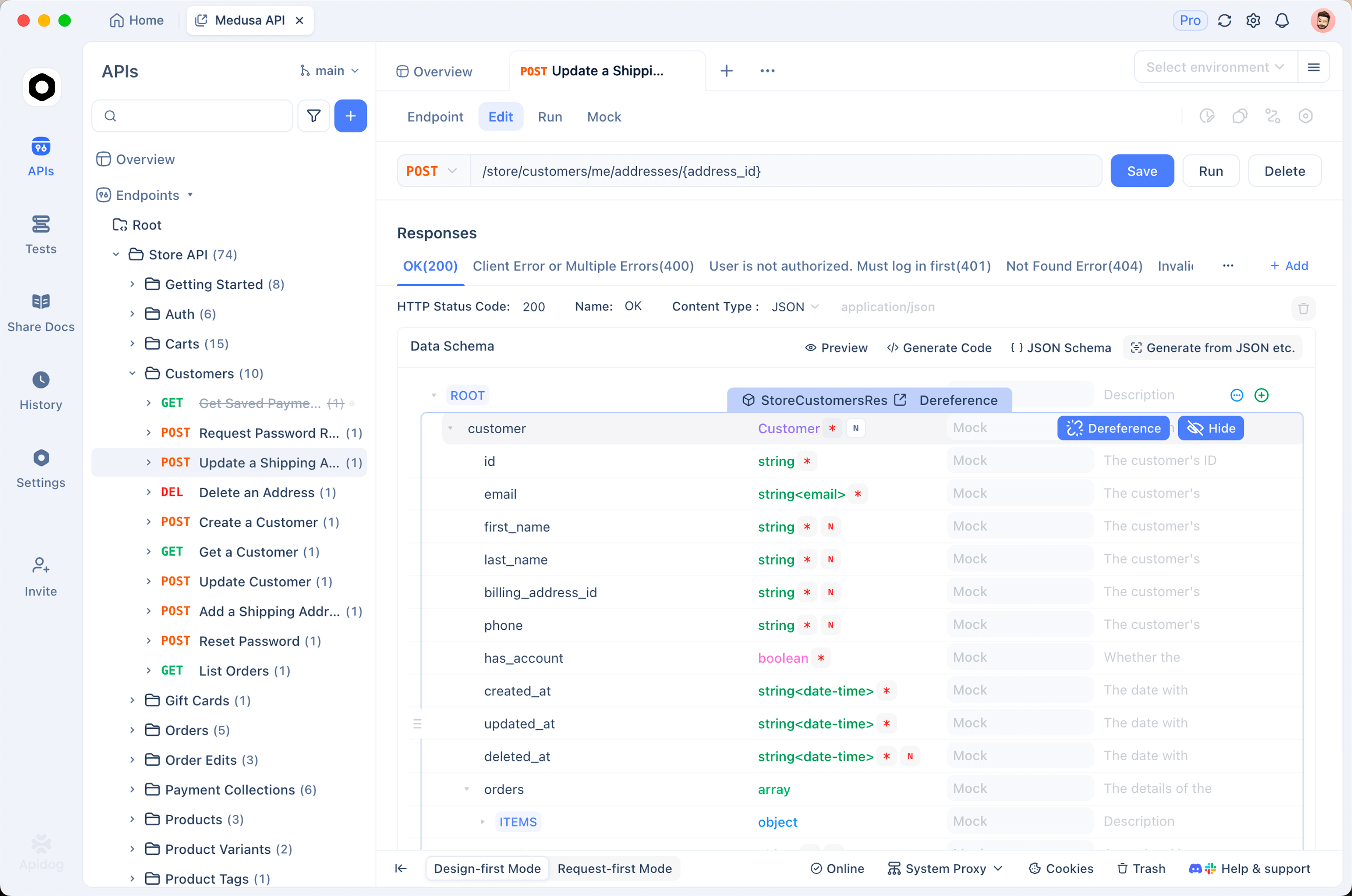
Apidog helps on the measurement side: you can see the real response size for every endpoint before an agent ever calls it, and mock the trimmed shape you want before the API team ships it.
Where the tokens go
Responses designed for browsers and dashboards carry a lot of freight that costs an agent real money.
Verbose envelopes. A data, meta, links, included wrapper around a five-field object can double the payload. Hypermedia links are useful to a client that follows them. Agents almost never do, and every URL is tokens.
Repeated keys. JSON repeats every field name on every array element. A 200-item list with 15 fields per item pays for 3,000 key strings. This is why list endpoints dominate context usage.
Nested expansion by default. Endpoints that inline related resources are convenient until an agent hits them. One customer plus their orders plus items is a tree, and trees grow fast.
Redundant formats. created_at, created_at_unix, and created_at_human on the same object is triple cost for one value.
Nulls and empties. Many serializers emit every field even when unset. Twenty nulls per record is pure waste.
A useful way to see it: token cost tracks the size of the serialized text, not the number of records. Two hundred records with five fields each can be cheaper than one deeply nested object.
Rule one: return fields, not resources
The single highest-value change is letting the caller ask for what it needs.
GET /v1/customers/8812?fields=id,email,plan,status
{ "id": "8812", "email": "dana@example.com", "plan": "pro", "status": "active" }
That is a 90 percent cut against a full record on most APIs, and it takes an afternoon to add. Google’s API design guide documents the field-mask pattern if you want a version with precedent behind it, and GraphQL solves the same problem by making selection mandatory.
Two implementation notes. Validate the field list against the schema and reject unknown names, so a hallucinated field produces a clear error instead of a silently truncated object. And keep a small default set for callers that send nothing, rather than defaulting to everything.
Then expose the parameter to the model in the tool description, with the fields spelled out:
{
  "name": "getCustomer",
  "description": "Fetch a customer by ID. Always pass `fields` with only what you need. Available: id, email, name, plan, status, created_at, billing_address, order_count.",
  "input_schema": {
    "type": "object",
    "required": ["customerId", "fields"],
    "properties": {
      "customerId": { "type": "string" },
      "fields": {
        "type": "array",
        "items": { "type": "string" },
        "description": "Field names to return. Keep this list minimal."
      }
    }
  }
}
Descriptions are the only place the model learns these rules, and both the OpenAI function calling guide and the Anthropic tool use documentation put the same weight on them. Making fields required is the trick. An optional parameter gets skipped; a required one forces the model to think about what it actually needs.
Rule two: cap the list, always
Unbounded list endpoints are the second big source of blowups. An agent asks for “recent orders” and gets everything since 2019.
Set a hard server-side maximum, not just a default. If the agent sends limit=5000, return 100 and say so. Our guides on REST API pagination and designing pagination for millions of records cover the mechanics; the agent-specific rules are narrower:
- Cap the page at something a model can read, in the range of 20 to 50 items for typical records.
- Return a total count so the agent can tell whether it has seen everything without paging to find out.
- Use cursor pagination. Offsets drift when data changes mid-run, and an agent that pages slowly will hit that.
- Include a plain statement in the response, such as
"truncated": true, so the model knows there is more. Models reliably misjudge completeness from an array length alone.
Also give the agent a way to avoid paging at all. A count endpoint, a filtered search with a narrow window, or a summary object will often answer the question without returning any records. The cheapest response is the one that does not contain the data.
Rule three: trim in the tool layer when the API is not yours
Third-party APIs will not add field selection because you asked. Put the trimming in your executor instead, between the HTTP response and the model.
KEEP = {
    "getCustomer": ["id", "email", "plan", "status"],
    "listOrders": ["id", "total", "status", "created_at"],
}

def project(tool_name, payload):
    keep = KEEP.get(tool_name)
    if keep is None:
        return payload
    if isinstance(payload, list):
        return [{k: item.get(k) for k in keep if k in item} for item in payload]
    return {k: payload.get(k) for k in keep if k in payload}
Three refinements make this hold up in practice.
Store the full response and hand the model the projection. Keep the untrimmed payload in your run log so debugging is still possible. Our post on tracing agent tool calls covers what to record.
Tell the model what you removed. A line such as "_omitted": ["billing_address", "notes", "metadata"] lets it ask for the full record when it genuinely needs one, instead of concluding the data does not exist.
Convert lists to a compact format. For tabular results, CSV or a markdown table costs far fewer tokens than JSON because field names appear once instead of per row. Models read both fine.
id,total,status,created_at
ord_91,4900,paid,2026-08-21
ord_92,1200,refunded,2026-08-22
Rule four: summarize on the server for the heavy cases
Some questions do not need records at all. “Has this customer had any failed payments this month?” is a boolean. Returning 40 payment objects so the model can work it out is the expensive way to answer.
Where a question recurs, add the endpoint that answers it directly. An account-health summary, a status rollup, a small aggregation. This looks like ordinary API design work because it is, and it is the most valuable version of everything above: instead of trimming a large response, you avoid producing one.
Two guardrails. Keep summaries stable in shape so agents can rely on them, and version them, because an agent’s prompt is written against a shape and a silent change breaks it. Our post on what happens when the API changes underneath an agent covers that risk, and best API versioning strategy covers the mechanics.
Measure before and after
None of this is worth doing blind. Three numbers tell you where the problem is.
Bytes per response, per endpoint. Send a realistic request to each tool your agent can call and record the payload size. Anything past a few kilobytes is a candidate. In Apidog you can run each endpoint once and read the size straight off the response, then save the request so the check repeats when the API changes.
Tokens per tool call. Bytes are a proxy; tokens are the bill. Run the payloads through your provider’s tokenizer, such as tiktoken for OpenAI models, and rank the endpoints. The ranking is usually lopsided, with one or two endpoints responsible for most of the cost.
Context used per run. Log the running total across a whole agent task. If a task ends near the limit, trimming buys you completed runs, not just cheaper ones.
Then design the shape you want and mock it before the API team builds it. A mock server returning the trimmed response lets you measure the improvement and verify the agent still succeeds with less data, which is the question that actually matters. Our post on running agents against mocks instead of production covers the workflow.
What good looks like
An agent-friendly response is small, flat, and honest about what it left out:
{
  "customer": { "id": "8812", "email": "dana@example.com", "plan": "pro" },
  "recent_orders": [
    { "id": "ord_91", "total_cents": 4900, "status": "paid" },
    { "id": "ord_92", "total_cents": 1200, "status": "refunded" }
  ],
  "recent_orders_total": 47,
  "truncated": true,
  "_omitted": ["billing_address", "metadata", "order_line_items"]
}
Under 200 tokens. It answers the common question, it says there are 47 orders rather than implying there are two, and it tells the model what it can ask for next.
Start with your loudest endpoint. Measure it, add field selection, cap the list, and run the agent again. The gap between the two numbers is usually large enough to justify the rest of the work. Download Apidog if you want the measurement and the mock in the same project.
Three places this shows up
Support triage. An agent reads a ticket, pulls the customer, and decides whether to escalate. The naive version fetches the full customer object and the last 50 tickets, burning 30,000 tokens before it reads the actual complaint. The fixed version calls a summary endpoint returning plan, status, open ticket count, and last contact date. Around 80 tokens, and the escalation decision gets better because the relevant facts are not buried.
Internal ops agents. A deploy agent checks service health across 40 services. Full status objects blow the window at service 12. A rollup that returns one line per service, name plus state plus error rate, fits all 40 in a few hundred tokens and lets the agent reason across the fleet instead of forgetting the first half.
Data-entry and reconciliation. An agent matches invoices to payments. Returning full invoice documents makes it fail past a few dozen records. Returning id, amount_cents, date, and reference as CSV lets it handle several hundred in one pass, because the comparison only ever used four fields.
The pattern across all three: the agent needed a decision surface, and the API gave it a document.
You need run history to see the pattern
A single run tells you a response was large. The pattern, which endpoint blows the budget and how often, only appears across runs.
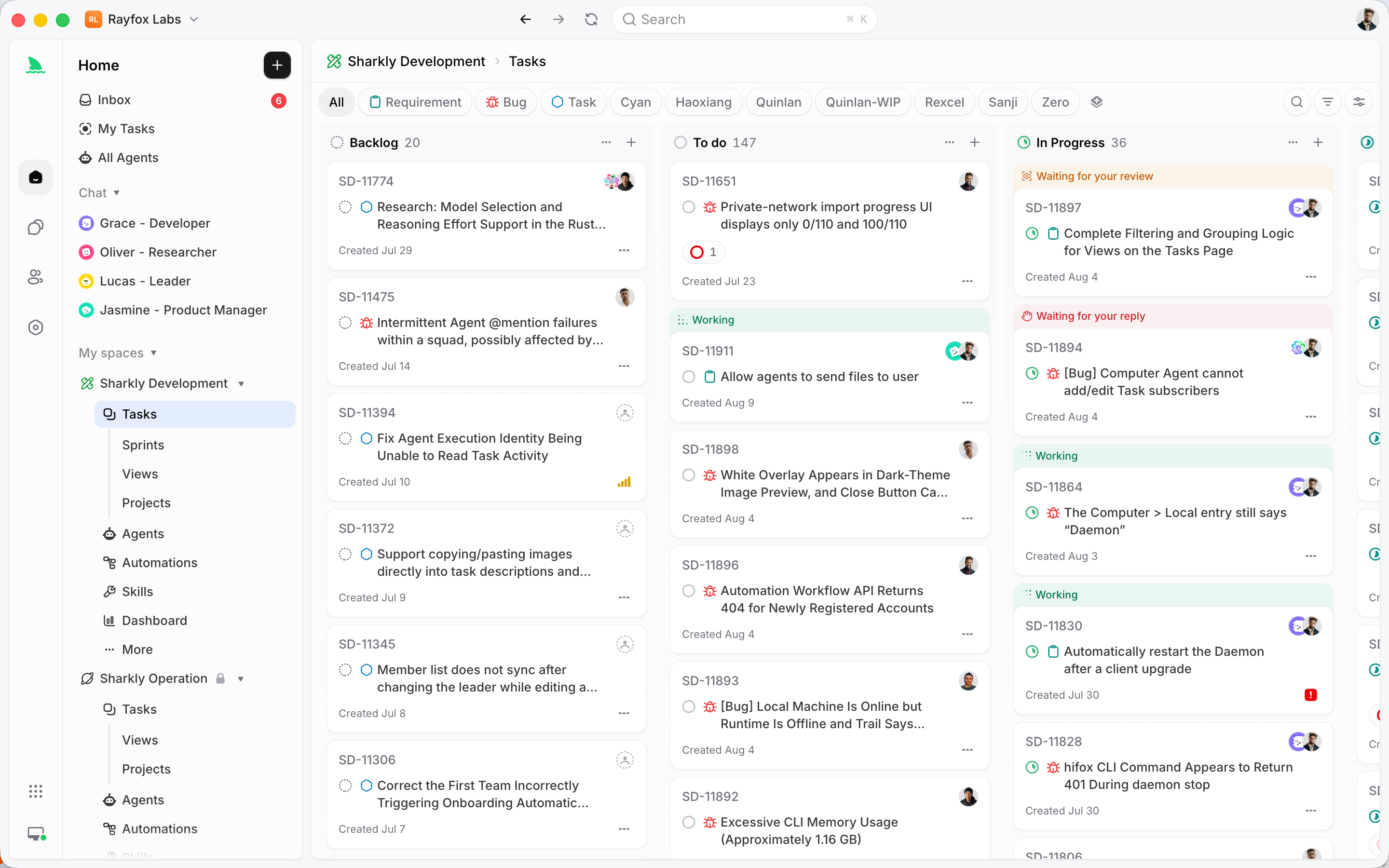
That means the numbers have to survive the session. For a service you deployed, that is your own telemetry. For coding agents executing assigned work, it is whatever platform runs them: Sharkly keeps each run’s execution trace and result on the Task it came from, so run-over-run comparison is a matter of reading task history rather than reconstructing terminal sessions. Either way, budget enforcement without history tells you that something is too big, but not what to fix first.
Set a budget per tool, not just per run
Most teams cap total context and stop there. A per-tool budget is more useful, because it turns a vague problem into a specific one.
Give each tool a ceiling, for example 1,500 tokens. When a response exceeds it, the executor trims to the projection, appends the omitted-field marker, and logs the overflow. Now you have a list of endpoints that regularly exceed budget, ranked by how often the agent calls them, which is your work queue.
The budget also protects you from the endpoint that is small in testing and enormous for one real customer. Distributions have tails, and the account with 4,000 orders is the one that will break a run at 2 AM. A hard cap turns that into a trimmed response instead of a failed task.
Frequently asked questions
Is truncating responses risky if the agent needs the missing data? Only if you hide the truncation. Include an explicit marker and a list of omitted fields so the model can request them. Silent truncation is what causes wrong answers, not trimming itself.
Should I use GraphQL for agents instead? GraphQL makes field selection mandatory, which solves this cleanly, but it moves complexity into query construction and models write invalid queries more often than they misuse a field list. Adding fields to REST endpoints is usually the smaller change.
How small should a tool response be? Aim for under 1,000 tokens for a single-record read and under 2,000 for a list. Past that, ask whether the agent needs records or an answer.
Does prompt caching solve this? It reduces the cost of repeated context, not the space it occupies. A cached 40,000-token response still fills the window, so caching helps the bill while leaving the reliability problem intact.
What about binary and file responses? Never put them in context. Store the file, hand the agent a reference and a short description, and give it a separate tool to extract only what it needs.
Where should trimming live, in the API or the tool wrapper? In the API when you own it, because every caller benefits and the bytes never cross the network. In the wrapper when you do not. Doing both is fine.