TL;DR: Agent-Reach is a single CLI that connects Claude Code, Cursor, Windsurf, or any agent that can run shell commands to X, Reddit, YouTube, GitHub, Bilibili, XiaoHongShu, Facebook, Instagram, LinkedIn, RSS, podcasts, and general web search. It uses free access paths instead of paid platform APIs, routes every platform through a primary backend with fallbacks, and costs nothing beyond an optional $1/month proxy. It sits at 77,134 stars as of September 1, 2026. The tradeoff is that free access paths are unofficial ones, so read the terms for any account you connect.
This is a deep dive on one tool from our roundup of five open source AI agent tools worth installing in 2026.
Your agent can write a service, refactor a module, and explain a stack trace. Ask it what people thought of a library release last week and it stalls. Ask it to summarize a 40-minute conference talk on YouTube and it cannot get the transcript.
The information your agent most needs is on platforms that either charge for access or block it. Agent-Reach is one CLI that routes around that, and its design decisions are more interesting than the feature list.
The problem it is solving
The repository states the economics plainly, and they match what anyone who has tried to build this hits:
| Platform | The barrier |
|---|---|
| Twitter/X | Paid API, moderate usage lands around $215/month |
| Server IPs get 403’d on anonymous endpoints | |
| XiaoHongShu | Login required to browse anything |
| Bilibili | Blocks overseas and datacenter IPs |
Each of those has a workaround. Each workaround needs a different tool, different dependencies, and its own config debugging. Wire up five platforms and you have five small integration projects that all break independently.
Agent-Reach’s proposition is that this should be one install and then invisible.
What it covers, and how much setup each needs
The platform list is longer than the headline suggests, and the setup effort varies a lot. Sorted by how much work you have to do:
Zero configuration, works right after install:
- Web pages. Any URL to clean markdown, through Jina Reader.
- GitHub. Read and search via the gh CLI. Public repos work immediately;
gh auth loginunlocks forks, issues, and PRs. - YouTube. Subtitles and search, through yt-dlp, which covers 1800+ video sites.
- Bilibili. Search and video detail through bili-cli, no login.
- RSS and Atom. Any feed, via feedparser.
- V2EX. Hot topics, node topics, threads with replies, user profiles, over a public JSON API.
- Web search. Auto-configured during install through Exa. No API key.
Needs a browser cookie or an existing Chrome session:
- Twitter/X. A cookie unlocks search, timeline, tweet reading, and articles.
- Reddit. No zero-config path exists because anonymous endpoints are blocked. Desktop uses an existing browser session, or a cookie with rdt-cli.
- XiaoHongShu. Read, search, comments.
- Facebook and Instagram. Search, profiles, feed, recent posts. Desktop only, reusing your logged-in Chrome session.
- Xueqiu. Stock quotes, search, hot posts.
Needs a free API key:
- Xiaoyuzhou podcasts. Audio to full transcript through Groq Whisper.
The honest read on that list: the zero-config half is genuinely free and low-risk. The cookie half is where you should slow down and think, and we will come back to that.
Installing it
The install path is unusual and tells you something about the project. You do not run a command. You paste a documentation URL at your agent and let it do the work:
Install Agent Reach: https://raw.githubusercontent.com/Panniantong/agent-reach/main/docs/install.md
The agent fetches the instructions, installs the Python package, checks the environment, and reports what is ready. Updating uses the same pattern with update.md.
The default is read-only. agent-reach install inspects the machine without installing system packages or writing configuration. System-level changes require an explicit flag:
# manual path, if you would rather not hand a URL to your agent
pip install https://github.com/Panniantong/agent-reach/archive/main.zip
agent-reach install --env=auto

# only after you have decided to approve system changes
agent-reach install --system
There is also a skill install for agents that support skills:
npx skills add Panniantong/Agent-Reach@agent-reach
And a diagnostic worth knowing about before you need it:
agent-reach doctor
That prints what works, what does not, and how to fix each one. For a tool whose whole job is brittle third-party access, shipping a health check as a first-class command is the right instinct.
One platform-specific gotcha: OpenClaw users need to enable the exec permission first, because Agent-Reach works by having the agent run shell commands. With the default messaging profile the agent silently cannot run anything. Set tools.profile to coding, restart the gateway, and start a new conversation. Claude Code, Cursor, and Windsurf are unaffected.
The design decision that makes it worth installing
Anyone can wrap a scraper. The reason this project is worth attention is the fallback chain.
Every platform routes through a primary backend plus an ordered list of alternates. When an access path dies, the project switches the default and ships an update, and you do nothing. Their own worked example: in June 2026 Bilibili started returning 412 errors to yt-dlp, so the default moved to bili-cli, and users noticed nothing.
That is the correct architecture for this problem, and it is the same architecture you should be using for any dependency you do not control. The failure mode it prevents is the one that kills homegrown versions of this: your scraper works for four months, breaks on a Tuesday, and you find out when an agent confidently reports that a topic has no discussion rather than that the fetch failed.
Which is the part worth generalizing. An agent that cannot tell “no results” from “the request failed” will make confident wrong statements either way. That distinction is the whole subject of designing API error messages for AI agents, and the recovery patterns around it are in AI agent error recovery. Agent-Reach handles it for these fifteen platforms. Every other integration in your stack is your problem.
Where the free access model gets uncomfortable
This section is the reason to read past the star count.
The zero-config platforms are fine. Public JSON APIs, the official GitHub CLI, RSS, and a search provider that wants your traffic. Nothing to think about.
The cookie-based platforms are a different question. Reading X, Reddit, Instagram, or XiaoHongShu through your own logged-in session is not an authorized API path. It works, and the project handles it responsibly, keeping cookies local, never uploading them, and staying open source so you can audit that claim. What it cannot do is change the terms of service you agreed to on those accounts.
Practical guidance:
- Personal research on your own accounts is the use case this fits, and it is what most people install it for.
- Anything commercial deserves a read of the relevant terms first, and probably a separate account rather than your main one.
- Anything automated at volume is where you will get the account limited, and no amount of fallback chaining prevents that.
- Do not point this at a production system and treat the results as a reliable data feed. Free unofficial access is a research tool, not infrastructure.
The project is upfront about all of this, including that a server proxy costs about $1/month if you need one and that local machines do not. That honesty is why it belongs on a shortlist. Go in knowing what you are running.
What Agent-Reach does not give you
Your agent can now read the internet. It still cannot read your API.
This is a sharper distinction than it first looks. Reading the public web is a research problem: fetch text, summarize, cite. Calling your own services is a contract problem, and no amount of web access helps. Your agent still does not know that your billing endpoint returns a 409 with a different error envelope on a repeated idempotency key, or that your cursor pagination is opaque rather than an offset, because that information is not on the internet. It is in your specification, or it is nowhere.
So the agent does what it always does: it infers a plausible shape and writes code against it. The research got better and the integration did not.
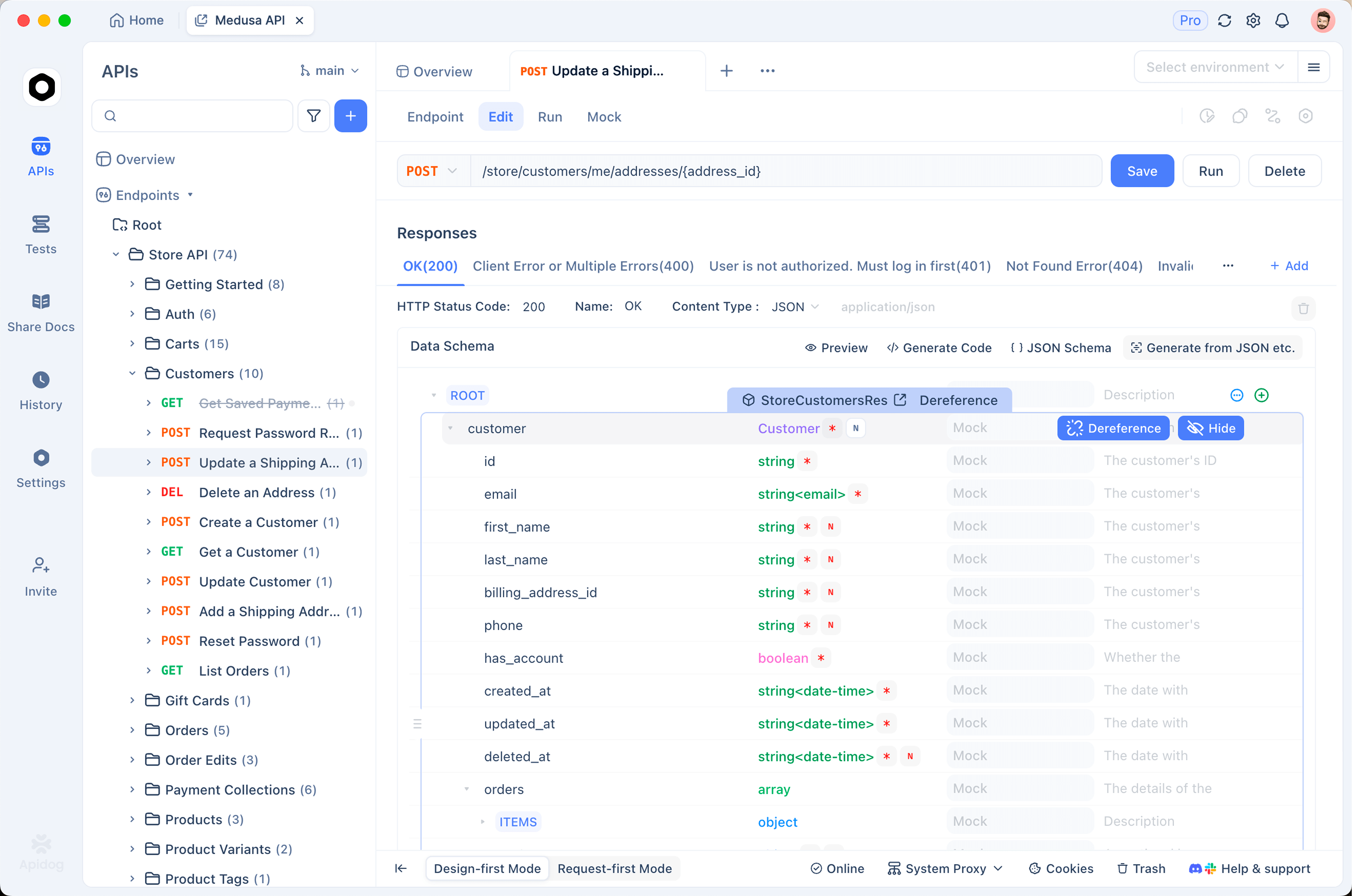
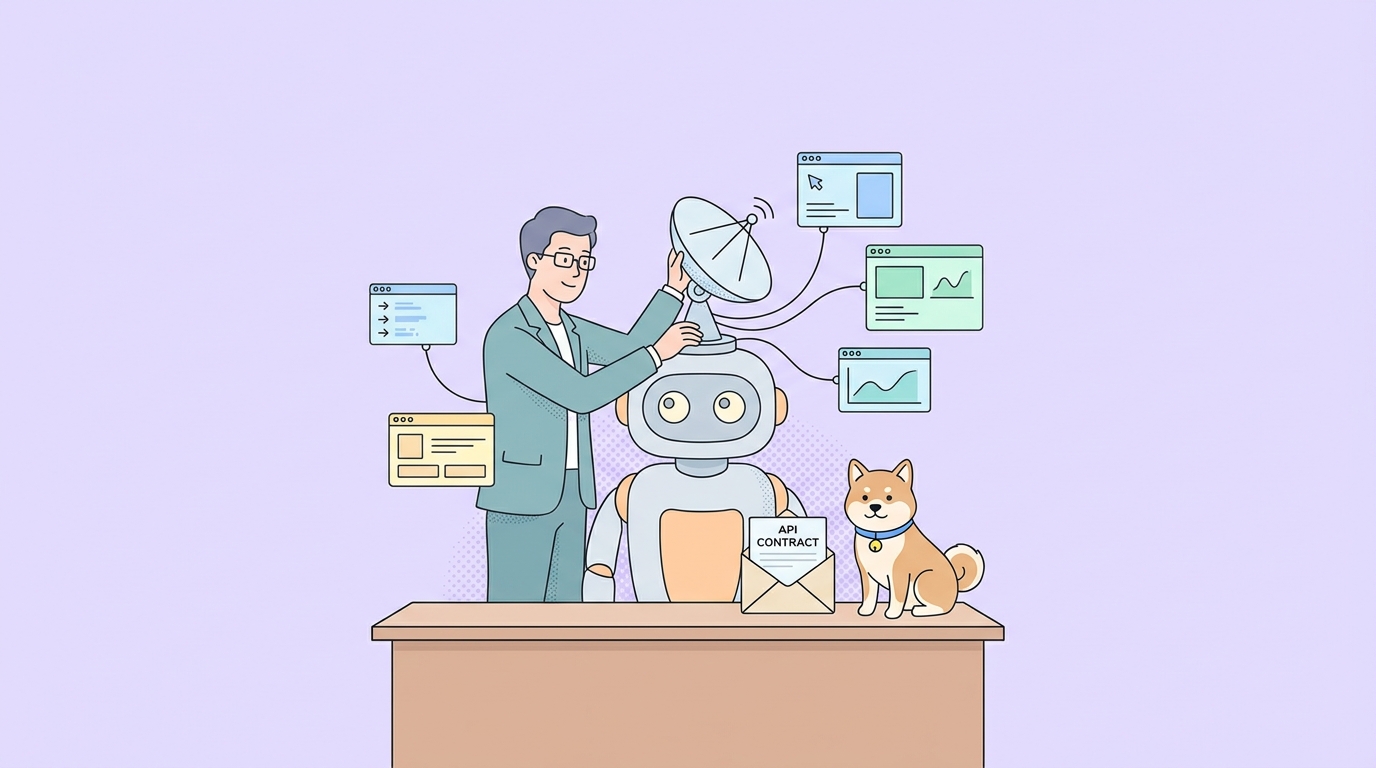
That is where Apidog sits relative to a tool like this:
- The OpenAPI spec is what the agent reads for your APIs, the same way Agent-Reach is what it reads for the public web. Real schemas, real status codes, real error envelopes. The reasoning is in using your OpenAPI spec as agent tools.
- Mocks come from the spec, including error branches, so the agent tests against your contract rather than its own assumption.
- Contract tests fail in CI when the shape moves, which is the failure Agent-Reach’s fallback chain models for scraping and almost nobody models for their own APIs. See what happens when API changes break AI agents.
For structural questions about your own repository rather than the public web, the equivalent tool is codebase-memory-mcp, which answers from an index instead of a search. Install Agent-Reach so your agent can research. Download Apidog so it stops guessing at the contracts it has to call. They cover opposite halves of the same gap.
Research is a long task, and long tasks need a record
There is a workflow problem that shows up the second week.
Research runs are long. An agent searching X, Reddit, Hacker News, and GitHub for two hours produces something valuable: sources, quotes, dates, links, a synthesis. Then the session ends and all of it lives in a terminal scrollback on one laptop. A colleague asks where a claim came from and the answer is unavailable. Worse, someone runs the same research again next month because nobody knew it existed.
Prompts are not a record. This is exactly the gap Sharkly closes, and research work is where it is easiest to see the value.
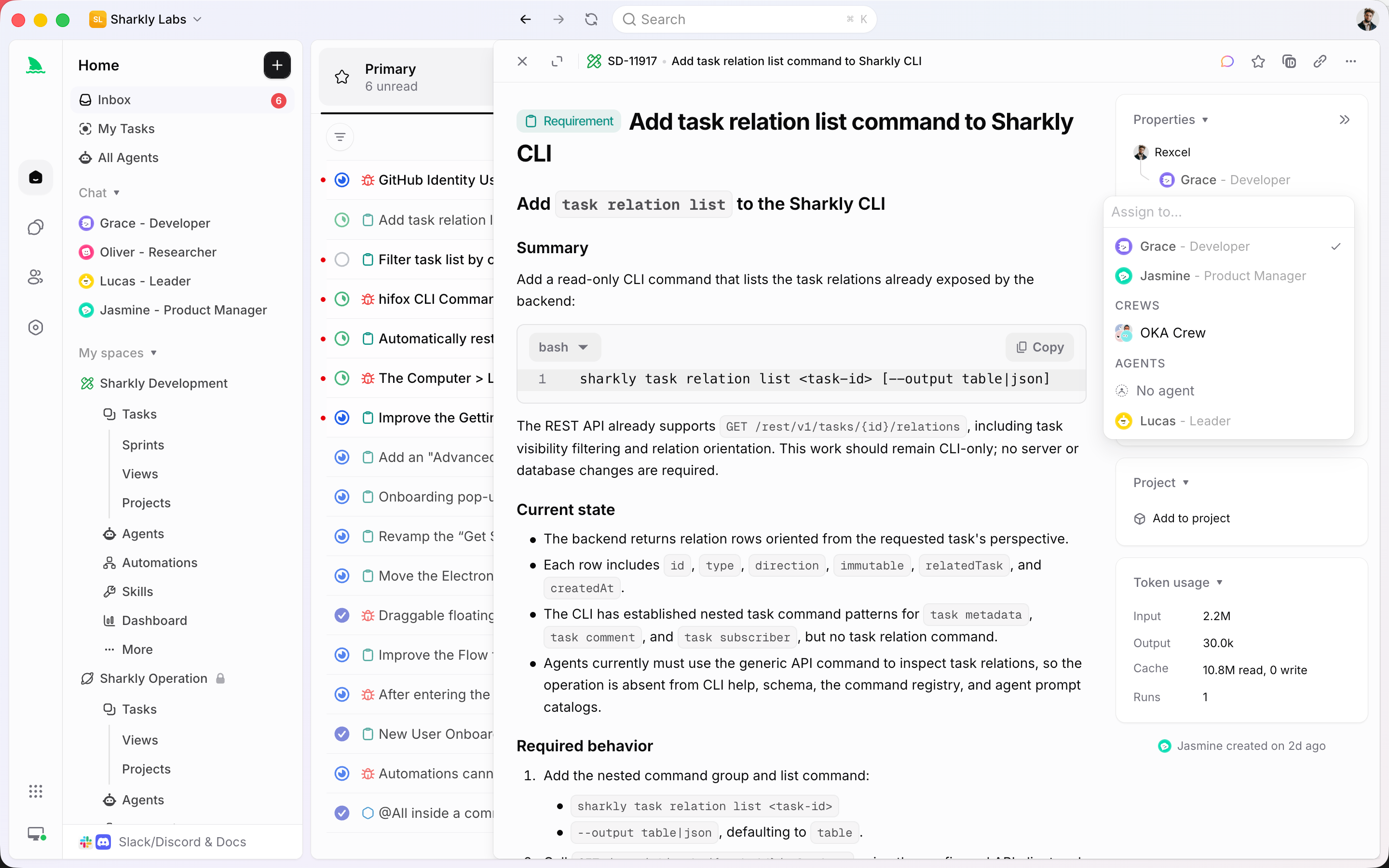
- The task is the record, not the prompt. Progress, tool calls, and results stream back to the task, and the agent’s output is stored as comments you reply to. The sources land somewhere a human can read them next quarter.
- An Agent is a saved configuration. Instructions, runtime, skills, repositories, environment. A research setup you tuned once, including the platforms it is allowed to touch, gets reused instead of retyped.
- A Crew is a leader agent plus other agents and people, running leader-first. The leader reads the task, pulls in a researcher and a writer, and combines their results in one place rather than three agents starting at once and duplicating searches.
- Backlog means backlog. A task sitting there does not start a run, so you can queue up research topics without burning API calls and rate limits the moment you write them down.
- Execution is bring your own. You connect a Computer, which can be your laptop, a server, or a container, and Sharkly uses the Runtime already installed on it. That matters here specifically: cookie-based access is tied to a machine with a browser session, so running research on the Computer that actually holds those sessions is the setup you want.
That last point is the practical one. Agent-Reach’s desktop-only platforms need a real logged-in browser. Deciding which machine research runs on is a real operational choice, and having it be an explicit connected Computer rather than “whichever laptop was open” is worth the setup.
A research workflow that holds up
Installing it is twenty minutes. Getting value out of it is a habit. The pattern that works:
Start with the zero-config platforms and a narrow question. Broad prompts produce broad summaries. Ask for something falsifiable:
Search GitHub and YouTube for how teams are handling rate limits with
the new API version. I want five specific approaches with links, not a
summary. Note the date on each source.
The agent has gh search repos, gh search code, and yt-dlp transcripts available with no setup, so this works on a fresh install. Requiring links and dates is what stops the output collapsing into confident paraphrase.
Add one cookie platform at a time. X is usually the highest-value addition for developer topics, because release reaction lands there first and nowhere else. Set the auth token, run agent-reach doctor, confirm it reports healthy, then use it. Adding four platforms at once means you cannot tell which one broke.
Separate gathering from judging. Have the agent collect sources in one pass and evaluate them in a second. A single pass that searches and concludes at the same time tends to find evidence for whatever it decided in the first thirty seconds. Two passes with the source list written down between them is measurably better, and it gives you something to check.
Treat every finding as unverified until you open the link. This is the discipline that matters most. The agent can read a tweet claiming a benchmark result; it cannot tell you whether the benchmark was real. Anything that will end up in a document, a decision, or a customer-facing claim gets a human opening the source. We take the same approach with monitored data in our own pipeline, and it is the reason nothing goes out with an unchecked number in it.
Write down what the research was for. A research run with no task attached is a run somebody repeats. This is the handoff problem in miniature, and the general shape of it is covered in agent handoff and context passing.
FAQ
Is Agent-Reach really free? The tools are open source and the access paths do not charge. The only possible cost is a server proxy at roughly $1/month, and only if you are running on a machine whose IP is blocked. Local machines do not need one. Free here means no vendor bill, not free of terms-of-service considerations.
Which agents does it work with? Any agent that can run shell commands. Claude Code, Cursor, Windsurf, OpenClaw, and Codex are all named in the docs. OpenClaw needs its exec permission enabled first. If you are choosing between clients, our comparison of API work in Cursor and Copilot covers the tradeoffs.
Are my cookies safe? The project states cookies stay local and are never uploaded, and it is open source so you can verify that. The real risk is not exfiltration, it is your account: automated reading from your session can get an account rate-limited or flagged by the platform. Use an account you can afford to lose.
Will it break when platforms change? Yes, and that is planned for. Every platform has a primary backend and fallbacks, and the project switches defaults when an access path dies. Run agent-reach doctor when something looks wrong; it tells you which platform is failing and why.
Does this replace a web search API? For research breadth, it goes further, because search APIs do not give you tweet threads, Reddit comments, or video transcripts. For reliability and support, a paid API is a paid API. Different guarantees.
Can my agent use this to call my own APIs too? No, and it is not trying to. Agent-Reach reads public platforms. For your own services the agent needs a specification, a mock, and tests, which is the argument in do you still need an API tool in the age of AI agents.
Wrapping up
Agent-Reach removes a real limit. An agent that can read the actual discussion around a library, watch the talk, and check the issue tracker gives better answers than one working from a training cutoff, and the fallback-chain design means it keeps working after the inevitable access-path breakage.
Install it for the zero-config platforms first. Think before you connect cookies, especially on anything commercial. And be clear about what it does not touch: your own API contracts still need Apidog to be true rather than assumed, and the research your agent produces still needs Sharkly or something like it if anyone other than you is ever going to see it.
Eyes on the internet are worth having. Just make sure the findings outlive the terminal.