
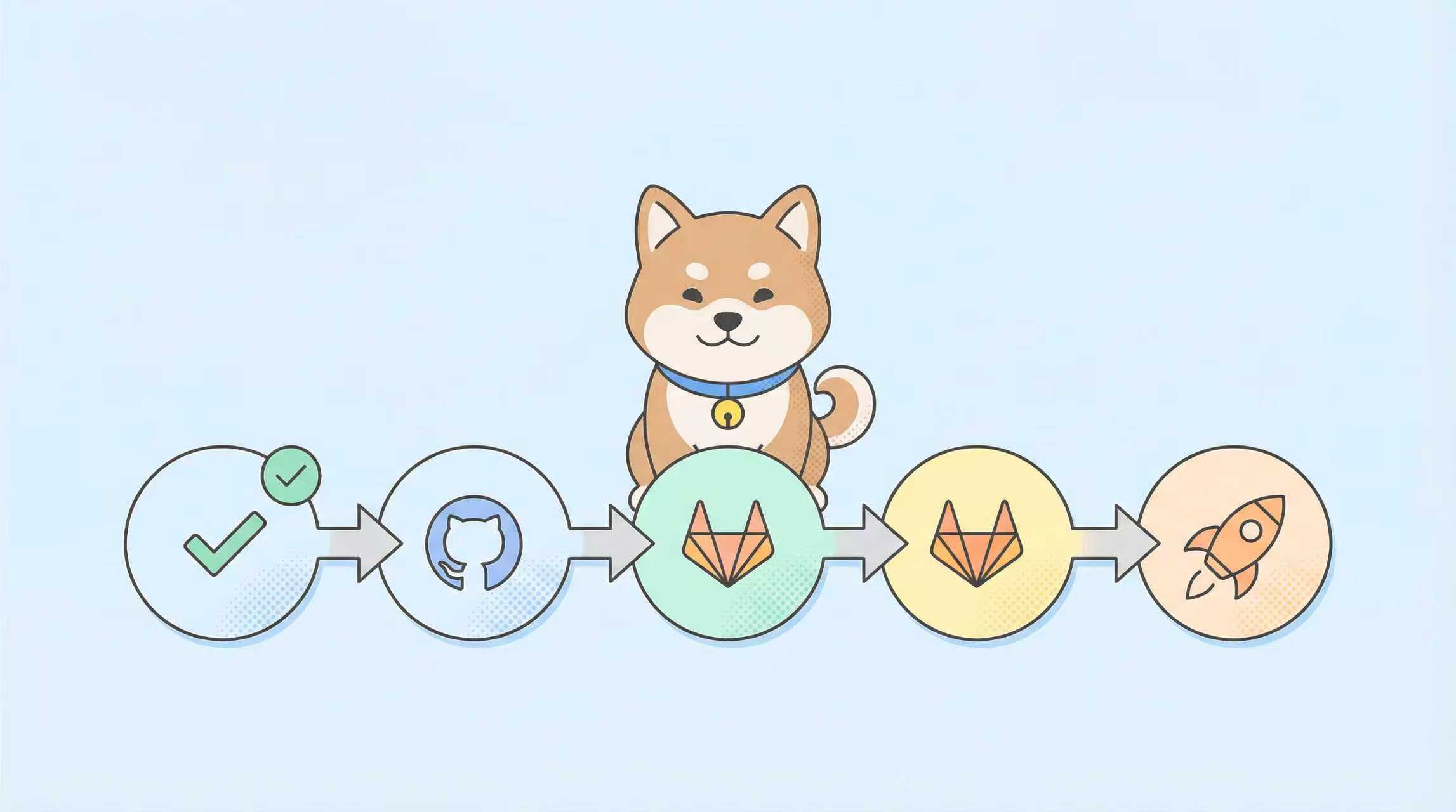
ทุกไปป์ไลน์การติดตั้งใช้งานประกอบด้วยงานที่ทำซ้ำๆ: การตรวจสอบ changelogs, การตรวจสอบการเปลี่ยนแปลง API ที่ส่งผลกระทบ, การสร้างบันทึกการออกรุ่น และการประสานงานการย้อนกลับหลายบริการ Claude Code เปลี่ยนจุดตรวจสอบด้วยตนเองเหล่านี้ให้เป็นระบบป้องกันอัตโนมัติและชาญฉลาดที่ทำงานได้โดยตรงในสภาพแวดล้อม CI/CD ของคุณ แทนที่จะเขียนสคริปต์ bash ที่เปราะบาง คุณจะได้เอเจนต์ที่ใช้เหตุผลซึ่งเข้าใจโค้ดเบส สัญญา API และประวัติการติดตั้งใช้งานของคุณ
ทำไม Claude Code จึงควรอยู่ในไปป์ไลน์ CI/CD ของคุณ?
สคริปต์ CI/CD แบบดั้งเดิมนั้นกำหนดตายตัวแต่ไม่ฉลาด พวกมันรัน grep สำหรับการเพิ่มเวอร์ชัน, git diff สำหรับการตรวจจับการเปลี่ยนแปลง และ regex แบบคงที่สำหรับการตรวจสอบ API เมื่อทีมของคุณปรับโครงสร้าง monorepo ใหม่หรือแนะนำ microservice ใหม่ สคริปต์เหล่านั้นจะหยุดทำงานโดยไม่มีการแจ้งเตือนล่วงหน้า Claude Code นำมาซึ่งความเข้าใจเชิงความหมาย: มันรู้ว่าอะไรคือการเปลี่ยนแปลงที่ส่งผลกระทบ, สามารถอนุมานการพึ่งพาบริการจากเส้นทางการนำเข้า และสร้างแผนการติดตั้งใช้งานตามบริบทได้
รูปแบบการรวมระบบนั้นตรงไปตรงมา: รัน Claude Code เป็นขั้นตอนคอนเทนเนอร์ในไปป์ไลน์ของคุณ ป้อนบริบทผ่านตัวแปรสภาพแวดล้อม และให้มันดำเนินการทักษะที่ตรวจสอบ สร้าง หรือประสานงาน เอเจนต์จะส่งคืน JSON ที่มีโครงสร้างซึ่งขั้นตอน CI ถัดไปสามารถดำเนินการได้ เช่น ทำให้บิลด์ล้มเหลว, ทริกเกอร์การติดตั้งใช้งานแบบ Canary หรือโพสต์คำเตือนไปยัง Slack
ต้องการแพลตฟอร์มแบบครบวงจรสำหรับทีมพัฒนาของคุณเพื่อทำงานร่วมกันด้วย ประสิทธิภาพสูงสุด หรือไม่?
Apidog มอบทุกความต้องการของคุณ และ มาแทนที่ Postman ในราคาที่จับต้องได้มากกว่ามาก!
การตั้งค่า Claude Code ในสภาพแวดล้อม CI/CD
การกำหนดค่าคอนเทนเนอร์
รัน Claude Code ใน Docker container โดยใช้ทรัพยากรน้อยที่สุด:
# Dockerfile.claude-cicd
FROM node:20-alpine

# Install Claude Code CLI
RUN npm install -g @anthropic-ai/claude-code

# Set working directory
WORKDIR /workspace

# Copy project files
COPY . .

# Set environment variables for non-interactive mode
ENV ANTHROPIC_API_KEY="${ANTHROPIC_API_KEY}"
ENV CLAUDE_CODE_CI_MODE=true
ENV CLAUDE_CODE_QUIET=true

# Default command runs a skill
ENTRYPOINT ["claude"]
สร้างและทดสอบในเครื่อง:
docker build -f Dockerfile.claude-cicd -t claude-cicd .
docker run -e ANTHROPIC_API_KEY=sk-ant-... claude-cicd --help
การรวม GitHub Actions
สร้างเวิร์กโฟลว์ที่ใช้ซ้ำได้ซึ่งเรียกใช้ Claude Code สำหรับงานตรวจสอบเฉพาะ:
# .github/workflows/claude-validation.yml
name: Claude Code Validation

on:
  workflow_call:
    inputs:
      skill_name:
        required: true
        type: string
      parameters:
        required: false
        type: string
        default: '{}'

jobs:
  validate:
    runs-on: ubuntu-latest
    steps:
      - uses: actions/checkout@v4
        with:
          fetch-depth: 0  # Full history for change analysis

      - name: Run Claude Code Skill
        uses: docker://claude-cicd:latest
        env:
          ANTHROPIC_API_KEY: ${{ secrets.ANTHROPIC_API_KEY }}
          GITHUB_TOKEN: ${{ secrets.GITHUB_TOKEN }}
        with:
          args: |
            --skill "${{ inputs.skill_name }}" \
            --params '${{ inputs.parameters }}' \
            --output /workspace/claude-output.json

      - name: Parse Claude Output
        id: parse
        run: |
          echo "claude_result=$(cat /workspace/claude-output.json)" >> $GITHUB_OUTPUT

      - name: Fail on Breaking Changes
        if: fromJson(steps.parse.outputs.claude_result).hasBreakingChanges
        run: |
          echo "Breaking changes detected: ${{ fromJson(steps.parse.outputs.claude_result).details }}"
          exit 1
เรียกใช้เวิร์กโฟลว์นี้จากไปป์ไลน์ CI หลักของคุณ:
# .github/workflows/ci.yml
jobs:
  check-breaking-changes:
    uses: ./.github/workflows/claude-validation.yml
    with:
      skill_name: "api-breaking-change-detector"
      parameters: '{"baseBranch": "main", "changedFiles": "${{ needs.changes.outputs.changed_files }}"}'
การรวม GitLab CI
บล็อก script ของ GitLab ทำให้การเรียกใช้ Claude Code ตรงไปตรงมา:
# .gitlab-ci.yml
stages:
  - validate
  - test
  - deploy

claude:validate:api:
  stage: validate
  image: claude-cicd:latest
  variables:
    ANTHROPIC_API_KEY: $ANTHROPIC_API_KEY
  script:
    - claude --skill api-breaking-change-detector
      --params "{\"baseBranch\": \"$CI_DEFAULT_BRANCH\", \"changedFiles\": \"$CI_COMMIT_CHANGED_FILES\"}"
      --output claude-output.json
    - |
      if jq -e '.hasBreakingChanges' claude-output.json > /dev/null; then
        echo "Breaking API changes detected: $(jq -r '.details' claude-output.json)"
        exit 1
      fi
  artifacts:
    reports:
      dotenv: claude-output.env
    paths:
      - claude-output.json
artifacts จะจับเอาต์พุตของ Claude สำหรับงานที่ตามมา ทำให้สามารถใช้ตรรกะการติดตั้งใช้งานแบบมีเงื่อนไขได้
การสร้าง Claude Code Skill สำหรับ CI/CD โดยเฉพาะ
โครงสร้าง Skill สำหรับงานไปป์ไลน์
CI/CD skill ต้องมีสามองค์ประกอบ:
- การตรวจจับการเปลี่ยนแปลง: วิเคราะห์ git diff, ข้อความ commit หรือ diff ของ merge request
- ตรรกะการตรวจสอบ: ใช้กฎทางธุรกิจ (การกำหนดเวอร์ชัน API, การครอบคลุมการทดสอบ, การสแกนความปลอดภัย)
- การสร้างแอคชัน: สร้างคำสั่งไปป์ไลน์หรือเหตุผลความล้มเหลว
สร้างคำจำกัดความของ skill:
mkdir -p ~/claude-skills/api-breaking-change-detector
cd ~/claude-skills/api-breaking-change-detector
คำจำกัดความ SKILL.md
---
name: api-breaking-change-detector
description: Detects breaking API changes in OpenAPI specs and TypeScript types
version: 1.0.0
author: CI/CD Team
mcp:
  transport: stdio
tools:
  detect-openapi-changes:
    description: Compare two OpenAPI specs and identify breaking changes
    parameters:
      baseSpec:
        type: string
        description: Path to base OpenAPI YAML/JSON file
        required: true
      headSpec:
        type: string
        description: Path to head OpenAPI YAML/JSON file
        required: true
      strictMode:
        type: boolean
        description: Treat optional-to-required changes as breaking
        default: true
  detect-typescript-changes:
    description: Compare TypeScript interfaces for breaking changes
    parameters:
      baseFiles:
        type: array
        items: { type: string }
        description: Glob pattern for base TypeScript files
        required: true
      headFiles:
        type: array
        items: { type: string }
        description: Glob pattern for head TypeScript files
        required: true
---

# API Breaking Change Detector Skill

This skill analyzes API contracts and type definitions to identify changes that could break consumers.

## Usage Examples

### OpenAPI Comparison
```bash
# In CI pipeline
claude --skill api-breaking-change-detector
  --tool detect-openapi-changes
  --params '{"baseSpec": "openapi/base.yaml", "headSpec": "openapi/head.yaml"}'
การเปรียบเทียบ TypeScript
claude --skill api-breaking-change-detector
  --tool detect-typescript-changes
  --params '{"baseFiles": ["src/types/v1/*.ts"], "headFiles": ["src/types/v2/*.ts"]}'
รูปแบบการส่งคืน
{
  "hasBreakingChanges": true,
  "details": [
    {
      "type": "field_removed",
      "location": "User.email",
      "severity": "breaking"
    }
  ],
  "recommendations": [
    "Revert field removal or add @deprecated marker"
  ]
}
ตรรกะการใช้งาน
สร้าง index.ts:
import { z } from 'zod';
import { parseOpenAPI } from './openapi-parser';
import { parseTypeScript } from './typescript-parser';
import { diffSchemas } from './diff-engine';

const OpenAPIParams = z.object({
  baseSpec: z.string(),
  headSpec: z.string(),
  strictMode: z.boolean().default(true)
});

const TypeScriptParams = z.object({
  baseFiles: z.array(z.string()),
  headFiles: z.array(z.string())
});

export const tools = {
  'detect-openapi-changes': async (params: unknown) => {
    const { baseSpec, headSpec, strictMode } = OpenAPIParams.parse(params);

    const base = await parseOpenAPI(baseSpec);
    const head = await parseOpenAPI(headSpec);
    const changes = diffSchemas(base, head, { strict: strictMode });

    return {
      hasBreakingChanges: changes.breaking.length > 0,
      details: changes.breaking,
      recommendations: generateRecommendations(changes)
    };
  },

  'detect-typescript-changes': async (params: unknown) => {
    const { baseFiles, headFiles } = TypeScriptParams.parse(params);

    const base = await parseTypeScript(baseFiles);
    const head = await parseTypeScript(headFiles);
    const changes = diffSchemas(base, head);

    return {
      hasBreakingChanges: changes.breaking.length > 0,
      details: changes.breaking,
      recommendations: generateRecommendations(changes)
    };
  }
};

function generateRecommendations(changes: any) {
  return changes.breaking.map((change: any) => {
    switch (change.type) {
      case 'field_removed':
        return `Field ${change.location} was removed. Add @deprecated first, then remove in next major version.`;
      case 'type_changed':
        return `Type of ${change.location} changed. Consider adding a new field with the new type.`;
      default:
        return `Review change: ${JSON.stringify(change)}`;
    }
  });
}
ประเด็นสำคัญ: Claude Code ไม่ได้แค่ส่งคืนข้อความเท่านั้น แต่ยังส่งคืนข้อมูลที่มีโครงสร้างซึ่งระบบ CI สามารถแยกวิเคราะห์และดำเนินการได้
เวิร์กโฟลว์ CI/CD ที่ใช้งานได้จริงด้วย Claude Code
เวิร์กโฟลว์ 1: Intelligent Test Runner
แทนที่จะรันการทดสอบทั้งหมดในการคอมมิตทุกครั้ง ให้รันเฉพาะการทดสอบที่ได้รับผลกระทบจากไฟล์ที่เปลี่ยนแปลง
# .github/workflows/intelligent-tests.yml
jobs:
  determine-tests:
    runs-on: ubuntu-latest
    outputs:
      test-matrix: ${{ steps.claude.outputs.matrix }}
    steps:
      - uses: actions/checkout@v4
      - id: claude
        run: |
          CHANGED_FILES=$(git diff --name-only HEAD~1)
          echo "changed_files=$CHANGED_FILES" >> $GITHUB_OUTPUT

          MATRIX=$(claude --skill test-selector \
            --params "{\"changedFiles\": \"$CHANGED_FILES\", \"testPattern\": \"**/*.test.ts\"}" \
            --output - | jq -c '.testMatrix')

          echo "matrix=$MATRIX" >> $GITHUB_OUTPUT

  run-tests:
    needs: determine-tests
    runs-on: ubuntu-latest
    strategy:
      matrix: ${{ fromJson(needs.determine-tests.outputs.test-matrix) }}
    steps:
      - uses: actions/checkout@v4
      - run: npm test ${{ matrix.testFile }}
skill test-selector ใช้การวิเคราะห์แบบสถิตเพื่อแมปการนำเข้าและกำหนดว่าการทดสอบใดครอบคลุมโค้ดที่เปลี่ยนแปลง
เวิร์กโฟลว์ 2: การสร้างบันทึกการออกรุ่นอัตโนมัติ
บันทึกการเปลี่ยนแปลงที่อิงตามข้อความคอมมิตมาตรฐานจะขาดบริบท Claude Code วิเคราะห์คำอธิบาย PR, การเปลี่ยนแปลงโค้ด และการอ้างอิงปัญหา:
# .github/workflows/release.yml
jobs:
  generate-notes:
    runs-on: ubuntu-latest
    steps:
      - uses: actions/checkout@v4
        with:
          fetch-depth: 0

      - name: Generate Release Notes
        run: |
          claude --skill release-notes-generator \
            --params "{\"fromTag\": \"${{ github.event.inputs.fromTag }}\", \"toTag\": \"${{ github.event.inputs.toTag }}\"}" \
            --output release-notes.md

      - name: Create GitHub Release
        uses: softprops/action-gh-release@v1
        with:
          body_path: release-notes.md
          tag_name: ${{ github.event.inputs.toTag }}
skill จะอ่านข้อความคอมมิต, diffs และปัญหาที่เชื่อมโยงเพื่อสร้างบันทึกการออกรุ่นเชิงบรรยายพร้อมคู่มือการย้ายข้อมูล
เวิร์กโฟลว์ 3: การจัดการการสแกนความปลอดภัย
รันเครื่องมือความปลอดภัยหลายตัว และให้ Claude Code จัดลำดับความสำคัญของสิ่งที่ตรวจพบ:
# .gitlab-ci.yml
security-scan:
  stage: validate
  script:
    - trivy image --format json $CI_REGISTRY_IMAGE:$CI_COMMIT_SHA > trivy.json
    - sonar-scanner -Dsonar.analysis.mode=preview > sonar.json
    - claude --skill security-triage \
        --params "{\"trivyReport\": \"trivy.json\", \"sonarReport\": \"sonar.json\"}" \
        --output triage-result.json
    - |
      if jq -e '.criticalIssues > 0' triage-result.json; then
        echo "Critical security issues found"
        exit 1
      fi
  artifacts:
    reports:
      security: triage-result.json
Claude Code เชื่อมโยงสิ่งที่ตรวจพบ, กำจัดรายการซ้ำ และจัดลำดับความสำคัญตามความเสี่ยงที่จะถูกใช้ประโยชน์ ทำให้ลดสิ่งรบกวนได้ถึง 80%
เวิร์กโฟลว์ 4: การประสานงานการติดตั้งใช้งานแบบ Canary
ประสานงานการออกรุ่นแบบ Canary ข้ามบริการหลายรายการ:
// skills/canary-deployment/index.ts
export const tools = {
  'plan-canary': async (params: unknown) => {
    const { services, trafficSplit } = params;

    // Query service mesh for current state
    const meshState = await $fetch('http://mesh-api.internal/state');

    // Generate deployment sequence
    const plan = services.map(service => ({
      service,
      traffic: meshState[service].traffic * trafficSplit,
      healthChecks: [
        `/health/${service}`,
        `/metrics/${service}/error-rate`
      ],
      rollbackThreshold: 0.05 // 5% error rate triggers rollback
    }));

    return { plan, estimatedDuration: `${services.length * 5} minutes` };
  },

  'execute-canary': async (params: unknown) => {
    const { plan } = params;

    for (const step of plan) {
      await $fetch(`http://mesh-api.internal/traffic/${step.service}`, {
        method: 'POST',
        body: { traffic: step.traffic }
      });

      // Wait for health checks
      const healthy = await waitForHealth(step.healthChecks, 30);
      if (!healthy) {
        throw new Error(`Service ${step.service} failed health checks`);
      }
    }

    return { success: true, servicesUpdated: plan.length };
  }
};
ไปป์ไลน์ CI เรียกใช้ plan-canary, ตรวจสอบแผน จากนั้นเรียกใช้ execute-canary พร้อมการอนุมัติด้วยตนเอง
การจัดการความลับและการอนุญาต
การจัดการความลับ
อย่าฮาร์ดโค้ดคีย์ API ในโค้ด skill ใช้ความลับของระบบ CI:
# GitHub Actions
- name: Run Claude with Secrets
  run: claude --skill deploy-skill
  env:
    DEPLOY_TOKEN: ${{ secrets.DEPLOY_TOKEN }}
    DATABASE_URL: ${{ secrets.DATABASE_URL }}

# In the skill
const deployToken = process.env.DEPLOY_TOKEN;
if (!deployToken) throw new Error('DEPLOY_TOKEN not set');
สิทธิพิเศษน้อยที่สุด
รัน Claude Code ด้วยสิทธิอนุญาตน้อยที่สุด ใน GitLab:
# .gitlab-ci.yml
claude-job:
  script: ...
  before_script:
    - export ANTHROPIC_API_KEY=${CI_JOB_TOKEN_LIMITED}
  variables:
    GIT_STRATEGY: fetch  # No push access
    CLAUDE_CODE_READONLY: true
สิ่งนี้จะป้องกันไม่ให้ Claude พุชคอมมิตโดยไม่ตั้งใจหรือลบสาขา
การเฝ้าระวังและการสังเกตการณ์
บันทึกการตัดสินใจของ Claude Code
บันทึกเหตุผลสำหรับการตรวจสอบ:
// In skill implementation
export const tools = {
  'deploy-service': async (params) => {
    const reasoning = [];

    reasoning.push(`Analyzing commit ${params.commitHash}`);
    const risk = await assessRisk(params.commitHash);
    reasoning.push(`Risk level: ${risk.level}`);

    if (risk.level === 'high') {
      reasoning.push('Deployment blocked: High risk detected');
      return { approved: false, reasoning };
    }

    reasoning.push('Deployment approved: All checks passed');
    return { approved: true, reasoning };
  }
};
จัดเก็บบันทึกในแพลตฟอร์มการสังเกตการณ์ของคุณ:
# Log to Loki/Elasticsearch
- run: |
    claude --skill deploy-service ... | \
    jq -c '{level: "info", message: "Claude decision", data: .}' | \
    promtail --client.url=http://loki:3100/loki/api/v1/push
เมตริกที่ต้องติดตาม
- จำนวนการเรียกใช้: skill แต่ละตัวทำงานบ่อยแค่ไหน
- อัตราความสำเร็จ: เปอร์เซ็นต์การดำเนินการที่สำเร็จ
- การใช้โทเค็น: ค่าใช้จ่ายต่องาน CI
- การกระจายการตัดสินใจ: มีการบล็อกบิลด์และอนุมัติกี่ครั้ง
การแก้ไขปัญหาการรวม CI/CD
ปัญหา: Claude Code ค้าง
สาเหตุ: รอพร้อมท์แบบโต้ตอบ
วิธีแก้ไข: ใช้แฟล็ก --quiet และ --non-interactive:
claude --quiet --non-interactive --skill your-skill --params '{}'
ปัญหา: MCP Server ล้มเหลวในการเริ่มทำงานในคอนเทนเนอร์
สาเหตุ: ขาดการพึ่งพาหรือเวอร์ชัน Node ผิด
วิธีแก้ไข: สร้างอิมเมจเฉพาะ:
FROM node:20-alpine
WORKDIR /skill
COPY package*.json ./
RUN npm ci --only=production
COPY dist ./dist
CMD ["node", "dist/server.js"]
ปัญหา: การจำกัดอัตราโดย Anthropic
สาเหตุ: การเรียก API มากเกินไปในงานคู่ขนาน
วิธีแก้ไข: ใช้การจัดคิวคำขอ:
import PQueue from 'p-queue';
const queue = new PQueue({ concurrency: 1 });

export const tools = {
  'safe-api-call': async (params) => {
    return queue.add(async () => {
      return await callAnthropicAPI(params);
    });
  }
};
ปัญหา: ไม่พบ Skills
สาเหตุ: เส้นทางสัมพัทธ์ในการกำหนดค่า MCP
วิธีแก้ไข: ใช้เส้นทางสัมบูรณ์และ checkout skills repo ใน CI:
- uses: actions/checkout@v4
  with:
    repository: your-org/claude-skills
    path: .claude-skills

- run: |
    echo "{
      \"mcpServers\": {
        \"api-validator\": {
          \"command\": \"node\",
          \"args\": [\"$PWD/.claude-skills/api-validator/dist/index.js\"]
        }
      }
    }" > ~/.config/claude-code/config.json
สรุป
Claude Code ในไปป์ไลน์ CI/CD เปลี่ยนระบบอัตโนมัติจากสคริปต์ที่แข็งทื่อเป็นเอเจนต์อัจฉริยะที่เข้าใจโค้ดเบส, สถาปัตยกรรม และกฎทางธุรกิจของคุณ ด้วยการสร้างคอนเทนเนอร์ Claude, การกำหนด skills เฉพาะ และการรวมเข้ากับ GitHub Actions หรือ GitLab CI คุณจะสร้างไปป์ไลน์ที่ปรับให้เข้ากับการปรับโครงสร้างใหม่, ตรวจจับการเปลี่ยนแปลงที่ส่งผลกระทบที่ละเอียดอ่อน และสร้างข้อมูลเชิงลึกที่นำไปใช้ได้จริง เริ่มต้นด้วย skill เดียว—การตรวจจับการเปลี่ยนแปลง API ที่ส่งผลกระทบ—และขยายไปเรื่อยๆ เมื่อทีมของคุณไว้วางใจระบบอัตโนมัติ การลงทุนเบื้องต้นในการพัฒนา skill จะให้ผลตอบแทนในการลดเวลาการตรวจสอบด้วยตนเองและลดเหตุการณ์ที่เกิดขึ้นในขั้นตอนการผลิต
เมื่อ skills ของคุณโต้ตอบกับ API ภายใน ให้ตรวจสอบสัญญาเหล่านั้นด้วย Apidog เพื่อให้แน่ใจว่าไปป์ไลน์ที่ขับเคลื่อนด้วย AI ของคุณจะไม่กลายเป็นแหล่งที่มาของความไม่เสถียร