
TL;DR: codebase-memory-mcp indexes your repository into a persistent knowledge graph so your coding agent answers structural questions from the graph instead of grepping and reading its way there. The project measures five structural queries at roughly 3,400 tokens through the graph versus roughly 412,000 through file-by-file exploration, a 99.2% reduction. Written in C, ships as a single native binary with no runtime and no API key, covers more than 160 languages, and runs entirely on your machine. 41,536 stars as of September 1, 2026, MIT licensed. If you install one thing from the 2026 agent tooling wave, make it this one.
This is a deep dive on one tool from our roundup of five open source AI agent tools worth installing in 2026.
Ask your agent where a function is called and watch what happens. It greps. It reads three files. It greps again with a different pattern. It reads four more files. Eventually it answers, correctly, having burned tens of thousands of tokens filling its context with source code it will forget the moment the session ends.
Then you ask a follow-up and it does the whole thing again.
That loop is where most of your usage limit goes on a long session, and it is also why answer quality degrades over an afternoon: a context window packed with file contents has less room for reasoning. codebase-memory-mcp attacks both problems with the same move.
What it does
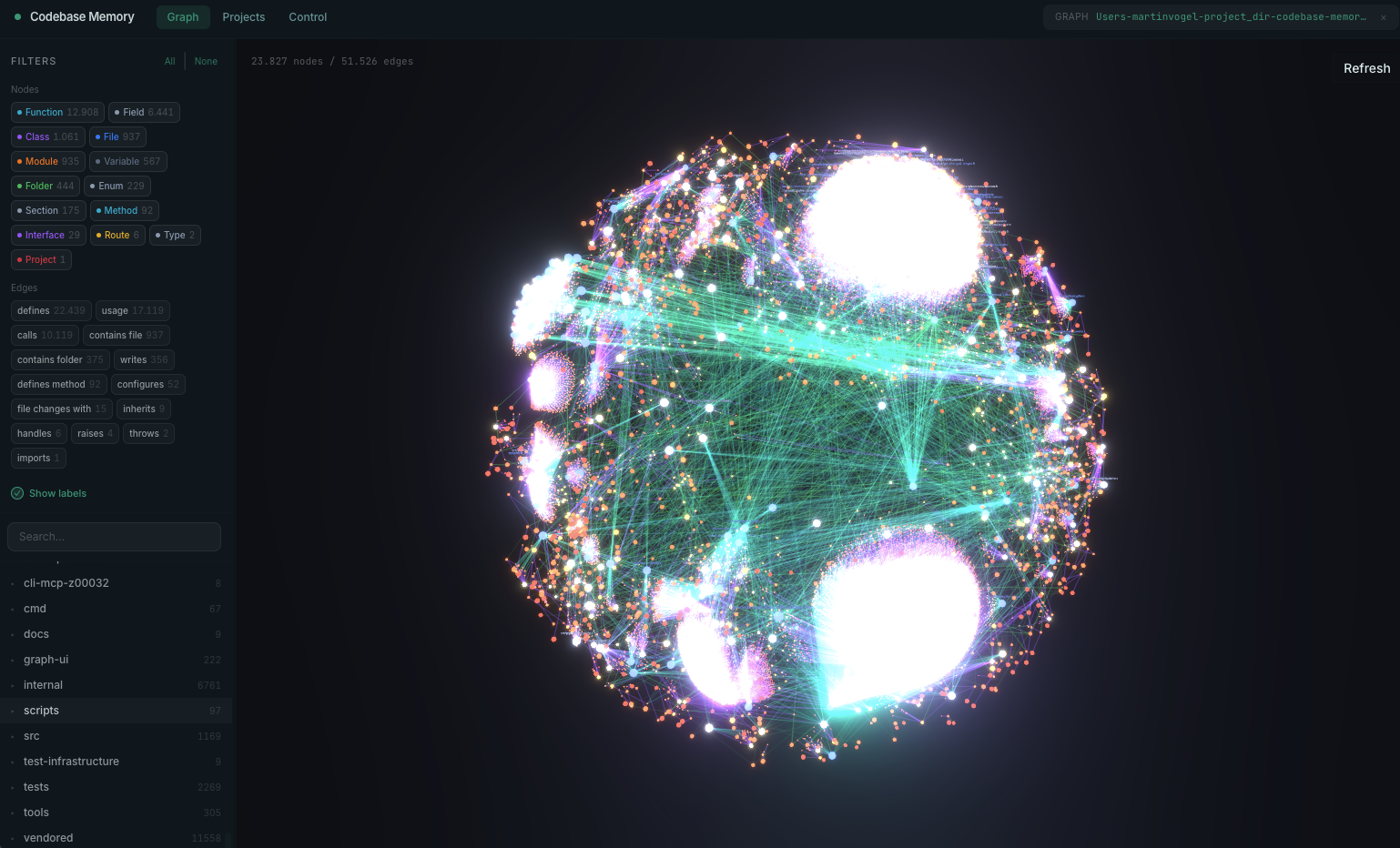
It parses your repository into a persistent knowledge graph of functions, classes, call chains, HTTP routes, and cross-service links, then answers structural questions from that graph.
Parsing runs through tree-sitter AST analysis across more than 160 languages, with a hybrid LSP layer adding semantic type resolution for a core group the README badge counts as ten: Python, the TypeScript and JavaScript family including JSX and TSX, PHP, C#, Go, C, C++, Java, Kotlin, Rust, and Perl. The distinction matters. AST parsing tells you a method named save is called; type resolution tells you which class it belongs to.
The result is exposed as 15 MCP tools covering search, call-chain tracing, architecture overview, impact analysis, index-coverage checks, Cypher queries against the graph, dead code detection, cross-service HTTP linking, and ADR management. Any client that speaks the Model Context Protocol can use it, and the project lists 45 supported agent surfaces including Claude Code, Codex, Cursor, Windsurf, OpenCode, Gemini CLI, Aider, and Kilocode.
The numbers
Two independent sets, and both are worth reading carefully.
The project’s own measurement: five structural queries consumed about 3,400 tokens through the graph against about 412,000 tokens through file-by-file grep exploration. That is a 99.2% reduction, or roughly 120 times fewer tokens for the same answers.
The academic version is in a preprint, Codebase-Memory: Tree-Sitter-Based Knowledge Graphs for LLM Code Exploration via MCP, evaluated across 31 real-world repositories. It reports 83% answer quality, 10 times fewer tokens, and 2.1 times fewer tool calls against file-by-file exploration.
The gap between 120x and 10x is the honest part. The 120x figure is five structural queries, which is the graph’s best case, because structural questions are exactly what a graph is for. The 10x figure is a broader mix across 31 repositories, which is closer to what you will see in daily use. Both are large. Take the 10x as your planning number and treat anything better as upside.
Speed is the other half. Indexing the Linux kernel, 28 million lines across 75,000 files, takes three minutes. An average repository indexes in milliseconds. Structural queries return in under a millisecond. The pipeline is RAM-first with LZ4 compression, in-memory SQLite, and fused Aho-Corasick pattern matching, and memory is released after indexing.
Writing it in C rather than TypeScript or Python is the reason those numbers exist, and it is also why there is no runtime to install.
Installing it
macOS and Linux:
curl -fsSL https://raw.githubusercontent.com/DeusData/codebase-memory-mcp/main/install.sh | bash
Windows, with the steps the project recommends rather than a blind one-liner:
Invoke-WebRequest -Uri https://raw.githubusercontent.com/DeusData/codebase-memory-mcp/main/install.ps1 -OutFile install.ps1
notepad install.ps1        # read it first
Unblock-File .\install.ps1
.\install.ps1
Options include --skip-config for the binary alone with no agent setup, and --dir=<path> for a custom location. The installer auto-detects installed coding agents and writes their documented MCP entries, plus instructions, skills, and lifecycle hooks where the client supports them. On macOS it strips quarantine attributes and ad-hoc signs the binary, so no manual xattr or codesign work.
Then restart your agent and tell it to index the project.
Two configuration flags worth setting on day one:
# index new projects automatically on first connection
codebase-memory-mcp config set auto_index true
codebase-memory-mcp config set auto_index_limit 50000

# graph visualization, built into the binary
codebase-memory-mcp --ui=true --port=9749
The UI at localhost:9749 renders the knowledge graph in 3D. It is genuinely useful for spotting structure you did not know was there, and it is a good sanity check that the index covered what you expected.
If you work across many repositories, auto_watch false keeps a session from registering its project with the background watcher, and watcher_enabled false turns the poll thread off entirely. That second one is read once when the daemon starts, so stop the daemon after changing it.
Two things to check before you run it
Both are documented by the project, which is a good sign, and both deserve thirty seconds of your attention.
Microsoft Defender may flag a release binary as Trojan:Script/Wacatac.B!ml. The project documents this as a known false positive, notes that typically 61 of about 62 engines return clean, and points out that the same detection family hits the GitHub CLI, llama.cpp, Godot, and Microsoft’s own Go toolchain. Every release is scanned on VirusTotal before publication and the release notes link the results. That is a more transparent posture than most projects take, and the underlying issue is a well-known heuristic problem with small unsigned native binaries.
It reads your codebase and writes to your agent configuration files. That is the job, and the project says so plainly rather than burying it. The mitigations are real: full source is available under MIT, releases carry an OpenSSF Scorecard and SLSA level 3 provenance, and processing is entirely local. The project also states it makes no network request on its own, does not check for updates in the background, and does not phone home. Updates run from the install script placed next to the binary rather than from inside the running process, which is a deliberate design choice explained at length in the README.
The right response to both is the same: read the install script before you pipe it to bash, and verify the local-only claim yourself if it matters to you. A large star count is popularity, not an audit.
Why this is the one to install first
Every other tool in the current agent wave changes your workflow. Personas change how you prompt. Parallel worktrees change how you organize work. Web access changes what you ask for.
This one changes nothing about how you work and makes every session cheaper and better. There is no new habit to learn. You install it, index the project, and your agent stops burning context on grep loops. On a long refactor the difference between hitting your limit at 2pm and finishing the day is not subtle.
The quality effect is the underrated half. An agent that spends 400,000 tokens reading files has that much less room for actually thinking about your problem, and its recall of what it read early in the session degrades. Answering from a graph keeps the context free. The same dynamic applies to what your tools return into that context, which is the subject of agent tool response context windows, and it is the same failure that makes bloated API responses expensive in agent workflows.
The tools you will actually use
Fifteen MCP tools sounds like a lot to learn. In practice you learn none of them, because the agent picks. What is worth knowing is which questions now have a cheap answer, so you start asking them.
Impact analysis is the highest-value one and the least used. Before changing a function signature, ask what breaks. The graph traces every caller across the repository in under a millisecond, where the grep version misses dynamic dispatch and gives up on anything indirect. This turns “I think that is safe” into a list.
Call-chain tracing answers how execution actually reaches a piece of code. Useful on unfamiliar repositories and much better than reading upward through five files hoping to find the entry point.
Architecture overview gives a structural map without the agent reading the whole tree. This is the one that makes onboarding to an unknown codebase feel different, and it pairs well with a read-only exploration persona.
Dead code detection finds what nothing calls. Run it before a cleanup sprint rather than arguing about it.
Cross-service HTTP linking traces a call in one service to the handler in another. On a microservice codebase this is the difference between an agent that understands one repository and one that understands the system. It is also exactly where the contract gap below shows up.
Cypher queries are the escape hatch. When you want something specific the other tools do not cover, you can query the graph directly.
The practical shift is in how you prompt. Questions you previously avoided because they cost 50,000 tokens and two minutes are now nearly free, so ask them. “What calls this?” before every refactor. “What does the request path look like for this endpoint?” before debugging. The tool changes the economics of curiosity, which matters more than any single feature.
What the graph knows, and what it does not
Here is the boundary, and it is a sharp one worth understanding before you over-trust the tool.
The graph is built from your code. It knows what your code is. Among the 15 tools is cross-service HTTP linking, which traces a call in one service to the handler in another, and that is a genuinely useful thing for an agent to know.
What it cannot tell you is what the contract says. It knows the route /v1/invoices/{id} exists and which function serves it. It does not know that the endpoint returns a 409 with a different error envelope when an idempotency key is reused, that the status field has exactly five valid values, that the cursor is opaque rather than an offset, or that a field is deprecated and disappears next quarter. None of that is derivable from the handler source, because most of it is agreement rather than implementation.
So the agent, now equipped with perfect structural recall, still guesses the contract. It writes a client against an inferred shape and tests against a mock it invented, and everything is green until staging.
This is why Apidog and a tool like this fit together rather than overlapping:
- The graph answers “where.” Which handler, which call chain, what breaks if this signature changes.
- The spec answers “what.” Real schemas, real status codes, real error envelopes, read by the agent rather than reconstructed. The reasoning is in using your OpenAPI spec as agent tools.
- Mocks generate from the spec, including error branches the agent would never think to fake.
- Contract tests fail in CI when implementation and agreement diverge, which is the failure mode described in what happens when API changes break AI agents.
There is a pleasing symmetry to it. codebase-memory-mcp exists because reading source to answer structural questions is expensive and unreliable. The same is true of reading source to infer a contract, and the answer is the same: index the thing once, in a form built for the question. Download Apidog if your agents are writing API clients against shapes nobody wrote down. Related: designing API tool schemas for agents and do you still need an API tool in the age of AI agents.
Memory of the code is not memory of the work
The second boundary is organizational.
The index lives in a cache directory on one machine, under one account. It is shared across your local Claude Code, Codex, and OpenCode sessions through a coordination daemon, which is a nice piece of engineering, and it stops at the edge of that machine.
More importantly, the graph is memory of the codebase, not memory of the work. It can tell you the retry helper calls the payments client. It cannot tell you why the backoff changed in July, who decided that, what the alternative was, or whether anyone reviewed it. That history existed in a terminal session that is gone.
Teams feel this as a strange gap: the agent has better recall of the code than any human on the team, and no recall at all of the decisions that produced it.
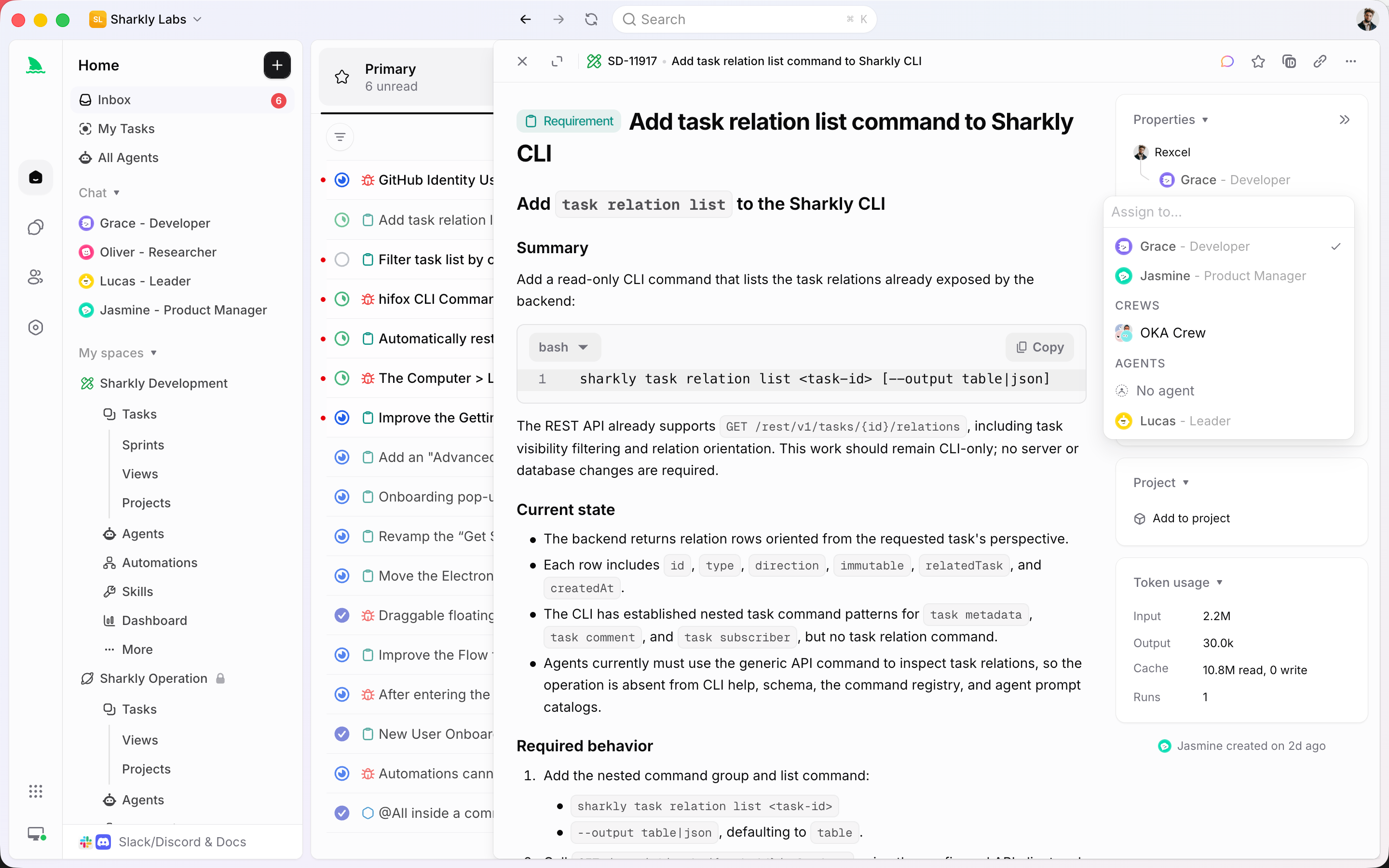
Sharkly covers the other half by making the task the durable record rather than the prompt:
- Work lives as tasks, and the agent’s output lands as comments you reply to. Progress and tool calls stream back to the task. The reasoning survives the session.
- An Agent is a saved configuration. Instructions, runtime, skills, repositories, environment. The setup where your agent has the index, the spec, and the right permissions is reused instead of rebuilt per machine.
- Execution is bring your own. You connect a Computer, which can be your laptop, a server, or a container, and Sharkly uses the Runtime already installed on it. That is directly relevant here, because the index is per-machine: knowing which Computer holds the indexed repository is the difference between a warm graph and a three-minute cold start.
- Repository work runs in a separate worktree per task, so parallel tasks against the same repo do not collide.
- A task in Backlog does not start a run, so work is prepared before anything executes.
- Structure a team already understands: spaces, projects, sprints, tasks, with Jira sync.
Code memory plus work memory is the combination. One tool gives your agent recall of the repository. The other gives your team recall of what the agents did in it.
FAQ
Does it work with Cursor, Codex, and OpenCode, or only Claude Code? It is an MCP server, so any MCP client works. The project lists 45 supported agent surfaces and the installer auto-detects what you have. If you are weighing agent clients for API work, see our look at API clients in Cursor and Copilot.
Does my code leave my machine? No. Processing is entirely local, and the project states it makes no network request of its own and does not check for updates in the background. Source is MIT if you want to verify that rather than take it on faith.
Is the 99% token reduction realistic for my repo? The 99.2% figure is five structural queries, which is the graph’s strongest case. The peer-reviewed number across 31 repositories is 10 times fewer tokens and 2.1 times fewer tool calls. Plan around 10x. Structural-question-heavy work will beat it.
How big a repository can it handle? The stated ceiling case is the Linux kernel at 28 million lines and 75,000 files in three minutes. The default auto-index limit is configurable at 50,000 files. Ordinary application repositories index in milliseconds.
Why is Defender flagging it? A known machine-learning false positive on small unsigned native binaries. The project documents it, notes 61 of about 62 engines return clean, and links VirusTotal results per release. The same family of detection hits the GitHub CLI and Microsoft’s own Go toolchain.
Does this replace reading the code? For structural questions, yes, and that is most of what agents ask. For behavior, edge cases, and intent, no. And for what an API returns, you need a specification rather than either, which is the argument in do you still need an API tool in the age of AI agents.
Wrapping up
This is the least flashy tool in the 2026 agent wave and the one with the best return. No workflow change, no new habit, a single native binary, and a measured order-of-magnitude reduction in the tokens your agent spends answering questions it should not have to grep for. It also pays off most when several agents run at once, which is the case for Orca. Install it, index your project, set auto_index, and open the graph viewer once to see what it built.
Then be clear about the two edges. The graph knows where your code is, not what your API promises, and that gap is what Apidog closes with a spec, a mock, and a test suite. And it remembers the repository, not the work, which is what Sharkly closes by making the task the record instead of the prompt.
Perfect recall of the code is a strong foundation. It is not the same as knowing what is true or what was decided.