TL;DR: OpenMontage is an open-source agentic video production system that runs inside your existing AI coding assistant. Eleven production pipelines, over 100 tools, 60+ provider integrations, and more than 700 skill and knowledge files take a request from research through script, assets, edit, and render. 55,047 stars as of September 1, 2026. Two things to know before you start: it is AGPL-3.0, not MIT like most of this category, and it is one of the most API-heavy agent systems you can install, with real money attached to every retry.
This is a deep dive on one tool from our roundup of five open source AI agent tools worth installing in 2026.
Most “AI video” tools give you one clip from one prompt. OpenMontage gives your coding agent a production department: a research stage, a script stage, a scene plan, asset generation, an edit, and a final composition, with human approval gates in between.
It is the most unusual project in the current wave of agent tooling, and the most instructive, because it is the one where agent work has a dollar cost attached to every step and the design has to take that seriously.
What it actually does
You open the repository in Claude Code, Cursor, Copilot, Windsurf, or Codex and describe what you want:
Make a 60-second animated explainer about how neural networks learn
The agent then runs a fixed pipeline:
research -> proposal -> script -> scene_plan -> assets -> edit -> compose
Each stage has a director skill, which is a markdown instruction file teaching the agent how to execute that specific stage. The agent reads the skill, uses the tools, reviews its own output, checkpoints state, and stops for human approval at creative decision points.

The research stage is the part that separates this from prompt-to-video toys. Before writing a word of script, the agent runs somewhere between 15 and 25 web searches across YouTube, Reddit, Hacker News, news sites, and academic sources, then produces a structured research brief with citations. The script is grounded in what it found rather than in what the model remembers.
The pipelines
The README table lists eleven complete production workflows, though the repository description advertises twelve:
| Pipeline | Produces | Good for |
|---|---|---|
| Animated Explainer | Research, narration, visuals, music | Tutorials, topic breakdowns |
| Animation | Motion graphics, kinetic typography | Social, product demos |
| Avatar Spokesperson | Presenter-driven video | Corporate comms, training |
| Cinematic | Trailers, teasers, mood edits | Brand films |
| Clip Factory | Ranked short clips from one long source | Repurposing long content |
| Documentary Montage | Thematic cut from indexed free footage | Video essays, real-footage B-roll |
| Hybrid | Source footage plus generated visuals | Enhancing existing footage |
| Localization and Dub | Subtitles, dubbing, translation | Multi-language distribution |
| Podcast Repurpose | Highlights to video | Podcast marketing |
| Screen Demo | Polished screen recordings | Product demos, docs |
| Talking Head | Footage-led speaker video | Presentations, interviews |
Documentary Montage is the technically interesting one. Rather than animating stills, it builds a CLIP-indexed corpus from free stock and open archives including Pexels, Archive.org, NASA, Wikimedia, and Unsplash, retrieves actual motion clips by semantic match, and cuts them into a real timeline. That gives you a finished video from real footage with no paid generation API involved, which is a materially different claim from most free AI video stacks.
For teams shipping developer content, Screen Demo and Clip Factory are the ones that pay for themselves fastest. A release goes out, the changelog exists, and turning it into a walkthrough usually needs a person with editing skills and a free afternoon.
Backlot, and why the approval gates matter
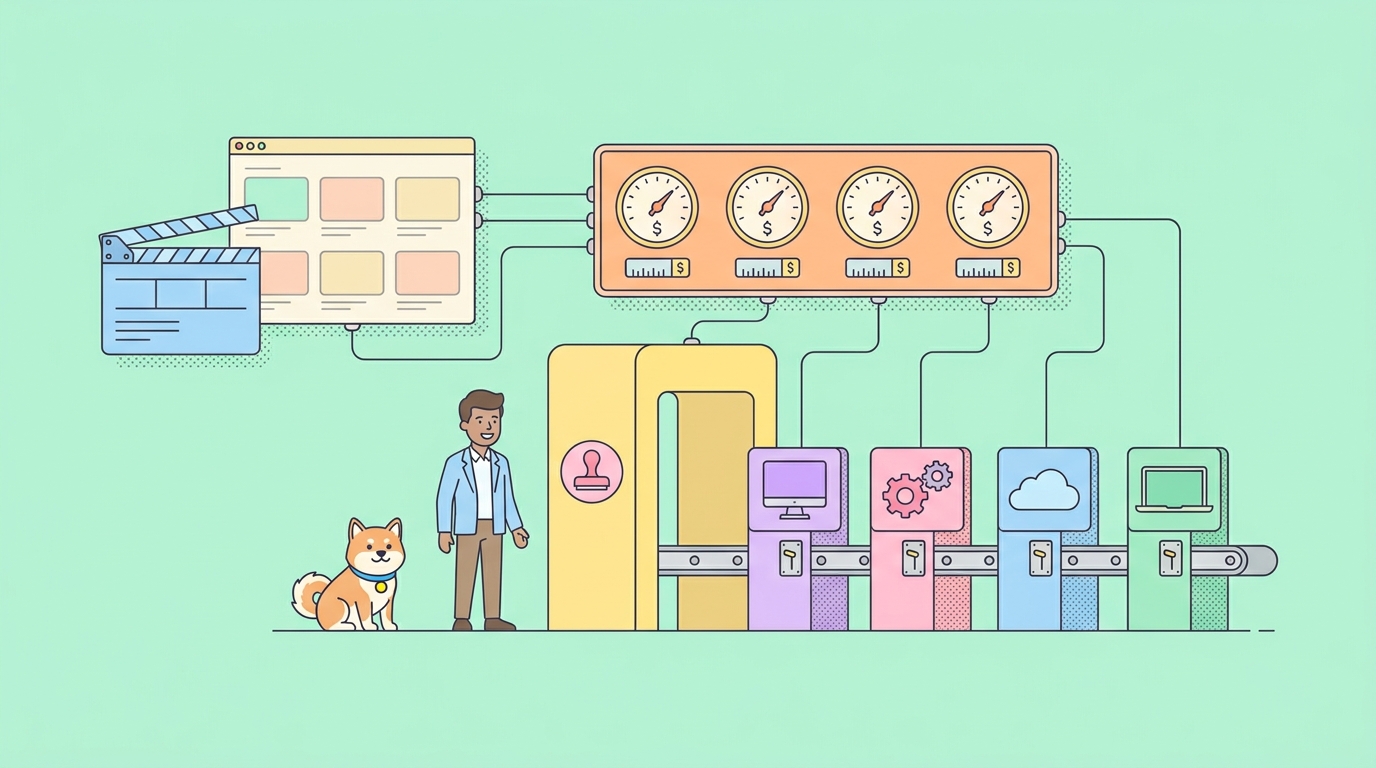
Chat tells you what the agent said. Backlot is a local board that shows what the production is doing: stages lighting up, the script landing as a screenplay page, scene cards while assets generate, and every provider decision and dollar spent on the wall.
python -m backlot open                  # library of every project on disk
python -m backlot open <project-id>     # one production's live board
python scripts/backlot_simulate_run.py  # watch a simulated run first
The board opens automatically when a production starts, and it derives everything from files the pipeline already writes rather than needing separate reporting.
The important part is that the storyboard is a real gate. Asset generation pauses on a scene-by-scene contact sheet showing takes, prompts, per-asset cost, and quality scores, so you approve the visuals before the render rather than after the money is spent. Script gates hold until you answer. When a run finishes, replay scrubs the whole production from its timestamps.
Approval gates before spend is the correct design for any agent system with a budget attached, and most agent tooling does not have them. A task that cannot start until a human says so is the single most useful safety property in this entire category.
Starting from a reference video
The other genuinely good idea here: you can hand it something you like instead of writing the perfect prompt.
Paste a YouTube video, Short, Reel, TikTok, or local clip and the agent analyzes the transcript, pacing, scenes, keyframes, and style, then comes back with two or three differentiated concepts, an honest tool path, cost estimates, and a sample before full production starts.
Here's a YouTube Short I love. Make me something like this, but about
API versioning.
What comes back names what it keeps from the reference, what it changes, what it will cost at your target length, and what it will look like with the providers you currently have configured. Cost before commitment, which is the theme of the whole project.
Installing it
git clone https://github.com/calesthio/OpenMontage.git
cd OpenMontage
make setup
Prerequisites are Python 3.10 or later, FFmpeg, Node.js 18 or later, and an AI coding assistant that can read files and run code. Then open the project in your agent and describe what you want.
Provider setup is optional and incremental. Every capability supports open-source local alternatives alongside paid APIs, and a scored selector ranks providers across seven dimensions, meaning task fit, output quality, control, reliability, cost efficiency, latency, and continuity, then picks a match. You are not locked to a vendor, and you can run a meaningful amount of this with nothing paid configured.
For scale: the project’s own showcase video, seven generated worlds using three image models and four video models, reports roughly $5 in source generation cost.
Read the license before you build on it
This is the one thing that separates OpenMontage from everything else in this category, and it is easy to miss.
OpenMontage is AGPL-3.0. agency-agents, Agent-Reach, Orca, and codebase-memory-mcp are all MIT. The difference is not cosmetic.
The AGPL’s network clause means that if you run a modified version as a network service, you are obliged to offer the source of your modifications to users of that service. Building an internal tool on it is fine. Wrapping it in a SaaS product and charging for it is a legal decision your company needs to make deliberately, not a detail to skim in a README.
That is a legitimate choice by the maintainers, and it is the license doing exactly what it exists to do. Just make the call with your legal team rather than discovering it during diligence.
The part nobody warns you about: this is an API integration project
Here is what actually bites people in week two, and it is not the creative work.
OpenMontage orchestrates 60+ provider integrations. Video generation, image generation, text to speech, music, audio mixing, subtitles, enhancement, analysis. Every one of those is a third-party API with its own auth, quotas, error format, and latency profile. The agent is not writing a video; it is running a distributed job across a dozen paid services and stitching the results.
That produces a specific set of failure modes that anyone who has integrated paid APIs will recognize:
- Video generation is long-running and asynchronous. You submit a job and poll for a result that arrives in minutes, not milliseconds. Agents handle this badly by default, either timing out or spinning. The patterns that work are in handling long-running API operations with AI agents.
- A naive retry costs real money. Retrying a generation request that already succeeded but timed out on the response means paying twice for the same clip. This is precisely the problem idempotency keys exist to solve, and it is worth reading idempotency keys for AI agents before you let an agent retry anything billable.
- Quota and rate-limit errors need to be distinguished from real failures. An agent that treats a 429 like a 500 will fail over to a worse provider when it should have waited. That distinction lives in the error format, which is the subject of designing API error messages for AI agents, and the recovery side is in AI agent error recovery.
- Provider APIs change without telling you. A response field moves, the pipeline breaks mid-production, and you find out from a render that looks wrong rather than from an error. See what happens when API changes break AI agents.
The project takes this seriously, which is to its credit. There is cost estimation before execution, spend caps, per-action approval thresholds, pre-compose validation to catch broken plans before wasting GPU time, mandatory post-render self-review using ffprobe with frame extraction and audio analysis, and an auditable decision trail for every provider choice and fallback.
That is a better-engineered integration layer than most production services have. It is also a good argument for treating your own provider integrations with the same discipline, which is where Apidog earns its place in a stack like this. If you are adding a provider, or wrapping OpenMontage behind your own service, having the contract written down as an OpenAPI spec, mocked from that spec so you can test the failure branches without paying per call, and covered by contract tests that fail in CI is the difference between a pipeline that degrades gracefully and one that burns budget on retries. Testing an expensive, slow, non-deterministic API against a mock rather than the live service is the single biggest cost saver here, and Apidog generates those mocks from the spec including the error responses. More on the general shape of this in using your OpenAPI spec as agent tools.
Production is a team sport, and Backlot is local
The second gap is organizational rather than technical.
Backlot is a good board. It is also a local board, on one machine, for one production. That is fine when you are making a video for yourself. Video work in a company is not that. A script needs a subject-matter reviewer. Visuals need someone from brand. Claims need someone who can confirm they are true. The final cut needs a sign-off from whoever owns the channel.
OpenMontage’s gates pause for a human. They have no concept of which human, no queue for the person whose approval you are waiting on, and no record afterward of who approved what. When the video ships and someone asks who signed off on the pricing claim in scene four, the answer is a timestamp in a local project folder.
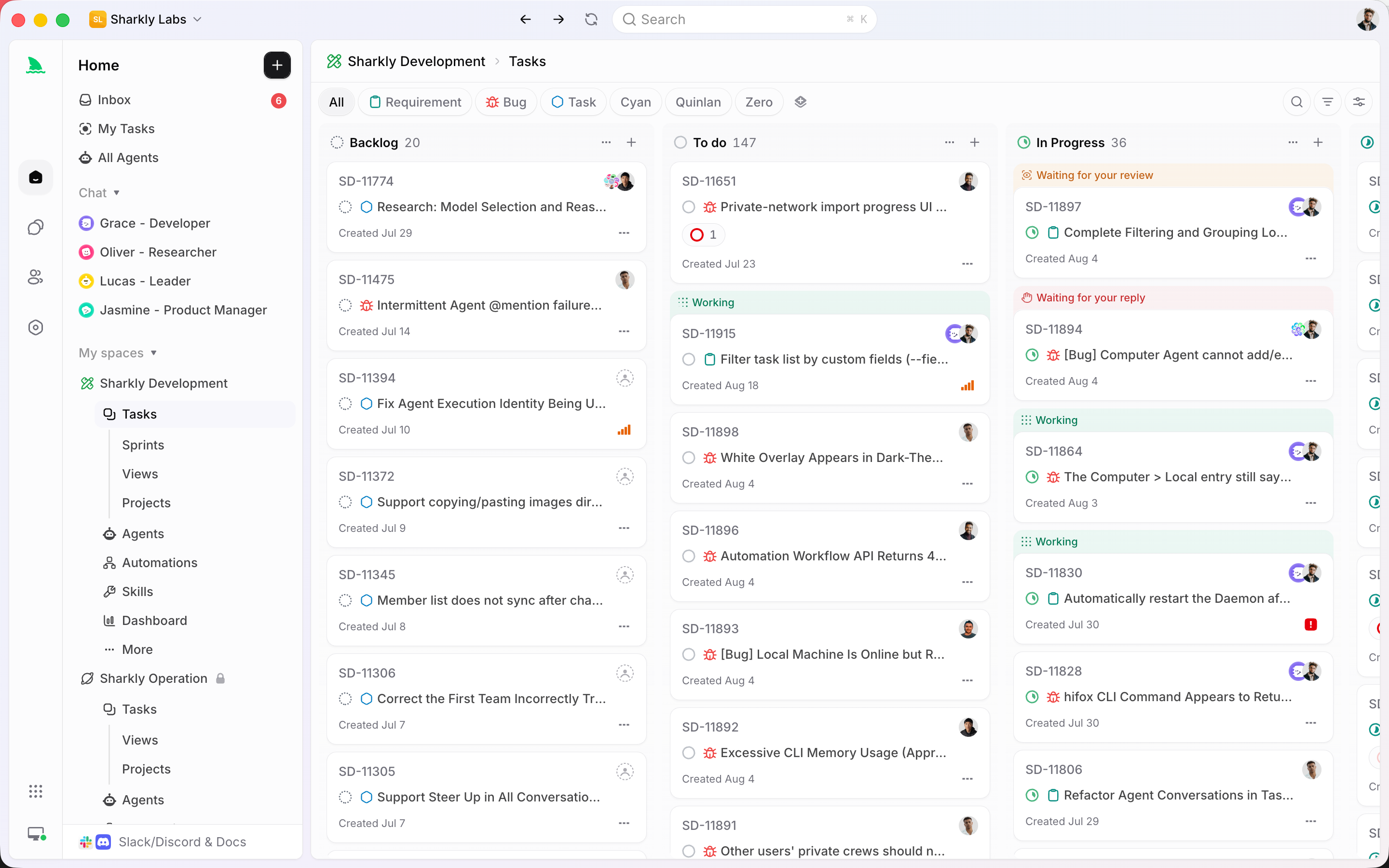
Sharkly is the layer that fixes that shape, and video production maps onto it unusually cleanly:
- The task is the record. Progress, tool calls, and results stream back to it, and the agent’s output is stored as comments you reply to. Script feedback lands on the task, not in someone’s terminal, and it is still there in three months.
- A Crew is a leader agent plus other agents and people, running leader-first. That is literally the production model: a director who reads the brief, decides which specialists to pull in, and combines their output. Sharkly runs it that way by design rather than having every agent start at once.
- A task in Backlog does not start a run. You can queue a month of video work without spending a cent, then release items as they get approved. For a pipeline where starting a run means paying generation providers, that gate matters more than usual.
- An Agent is a saved configuration. Instructions, runtime, skills, repositories, environment. Your tuned OpenMontage setup, with the providers you trust and the budget caps you chose, becomes something reusable instead of a local checkout on one laptop.
- Execution is bring your own. You connect a Computer, which can be your laptop, a server, or a container, and Sharkly uses the Runtime already installed on it. Video rendering wants a machine with real disk and CPU, and being explicit about which machine runs the job is a feature here, not overhead.
- Repository work runs in a separate worktree per task. Two productions at once do not collide.
The short version: OpenMontage automates the production. It does not automate the approvals, the assignment, or the record. On a team, those are the parts that actually gate shipping.
Who should install this
Honest assessment.
Worth it if you ship developer content regularly and have been paying for editing or going without. Screen Demo, Clip Factory, and Localization are the pipelines with the clearest return. A changelog to a walkthrough video, or one conference talk to a dozen social clips, pays for the setup in a week.
Worth it if you want real-footage output without paid generation APIs. The Documentary Montage pipeline is genuinely unusual and the free-archive corpus approach works.
Skip it if you need one video occasionally. The setup cost, provider configuration, and learning curve do not amortize over three videos a year.
Skip it if AGPL is a problem for how you intend to use it. Decide that first, not after you have built a workflow on it.
FAQ
Do I need paid API keys? No. Every capability supports open-source or local alternatives, and Documentary Montage builds from free archives. Paid providers get you higher quality and more generation options. Start with nothing paid configured and add providers when you hit a wall.
Which coding assistants work? Claude Code, Cursor, Copilot, Windsurf, and Codex are named. Anything that can read files and run code should work, since the pipeline is Python plus markdown skill files.
How much does a video actually cost? It depends entirely on the pipeline and providers. The project’s own seven-world showcase reports about $5 in generation cost. Documentary Montage using free archives approaches zero. The system estimates before executing and enforces spend caps, so you find out before you commit.
Is the AGPL license a problem for me? Internal use, personal projects, and open-source work are fine. Running a modified version as a service for others triggers the network clause and its source obligations. Ask your legal team before building a product on it.
Can it edit my own footage, or only generate? Both. Talking Head, Hybrid, Screen Demo, Clip Factory, and Localization all work on footage you supply. Generation is one option, not the only mode.
How is this different from an agent framework? It is a skill library in the same sense as agency-agents, scoped to one domain and shipped with real tooling. It is not orchestration infrastructure like Strands or AgentKit. It is a domain-specific skill and tool library that makes an existing coding agent competent at video production. Different layer.
Wrapping up
OpenMontage is the most ambitious thing on the current agent-tooling leaderboard, and it is better engineered than the category usually gets: gates before spend, cost estimation before execution, self-review after render, and an auditable decision trail. If you ship developer content, the Screen Demo and Clip Factory pipelines alone can justify the setup.
Go in with two things clear. The license is AGPL-3.0, which is a decision, not a footnote. And underneath the creative work this is a large, expensive, long-running API integration, which means the boring disciplines apply: a written contract, mocks you can test failure branches against without paying, idempotent retries, and error handling that tells a quota apart from an outage. That is what Apidog is for. Everything about who approved what, and when, is what Sharkly is for.
The agent can direct the video. It should not also be the only record that the video was approved.