
A broken Swagger file rarely announces itself. The YAML parses fine. The docs page renders. Then a frontend developer generates a client from your spec, the build fails on a missing required field, and you find out your “finished” API description had a typo in a $ref three commits ago. The spec was wrong the whole time. Nothing told you until it cost someone an afternoon.
That is the job a swagger validator does: it reads your OpenAPI or Swagger file and tells you, before anyone consumes it, whether the document is actually valid. Not “does it look right,” but “does it conform to the OpenAPI Specification, resolve every reference, and describe a schema a tool can trust.” A validator turns silent structural bugs into loud, line-numbered errors you fix in seconds instead of debugging downstream for hours.
What a Swagger validator actually checks
First, the naming. “Swagger” and “OpenAPI” describe the same thing at different points in history. The format was called Swagger through version 2.0, then donated to the OpenAPI Initiative and renamed; 3.0, 3.1, and 3.2 are all OpenAPI. People still say “swagger validator” out of habit, and most tools accept both Swagger 2.0 and OpenAPI 3.x. If the version history is fuzzy, the Swagger vs OpenAPI breakdown clears it up. For the differences between recent versions, see what changed in OpenAPI 3.2 vs 3.1 vs 3.0.
A real validator does three jobs, in order:
- Parse. Is the file even valid YAML or JSON? A stray tab, a duplicate key, an unclosed bracket, the document never loads. This is the cheapest error to catch and the most embarrassing to ship.
- Validate structure. Does the document conform to the OpenAPI schema? Every operation needs a
responsesobject. Every parameter needs aninvalue. A$refhas to point at something that exists. This is where most real bugs hide. - Resolve references. OpenAPI documents are full of
$refpointers that stitch reusable schemas together. A validator follows every one and fails if a target is missing, circular in a way the spec forbids, or pointing at the wrong file.
Pass all three and you have a document that any compliant tool, code generator, mock server, docs renderer, can read without choking. Fail any one and the failure shows up somewhere less convenient than your terminal.
The errors it catches that bite later
Validation feels abstract until you see what slips through without it. These are the spec mistakes that look harmless in the editor and turn into real incidents downstream.
Broken $ref pointers. You rename a schema from User to UserProfile but miss one reference deep in a response body. The YAML still parses. The docs still render the rest of the page. The code generator hits the dangling pointer and emits a client with a missing type, or just crashes. A validator flags the broken $ref the moment you save.
Schema and example disagreement. Your schema says age is an integer; your example shows "age": "thirty". Swagger UI happily displays both. A mock server built from the spec then returns a string where consumers expect a number, and a contract test three teams away goes red for reasons nobody can trace back to your file.
Missing required pieces. An operation with no responses. A path parameter declared in the URL template but never defined in parameters. A requestBody with no content. Each one is technically a malformed document, and each one produces a different downstream symptom depending on which tool reads the spec first.
Type and format drift. format: date-time on a field your backend returns as a Unix timestamp. type: string on something that is actually an array. These pass structural validation but break the contract between the spec and the running API, which is a separate problem we’ll get to.
The pattern is consistent: a spec error is invisible at the point you make it and expensive at the point someone else consumes it. Validation moves the cost back to where it’s cheap.
How to validate a Swagger file by hand
You don’t need a platform to get started. There are three quick ways to validate a spec today.
The Swagger Editor. Paste your YAML into the Swagger Editor and it validates as you type, underlining errors with line numbers in the right margin. It’s the fastest way to sanity-check a single file, and it’s free. The limit is that it’s a single text box: it validates the document but does nothing about whether your real API still matches it, and you’re hand-writing YAML with no visual schema builder. For learning the format that’s fine. For a spec a team depends on, it’s one tab in a workflow that needs several.
A linter like Spectral. Stoplight’s Spectral is an open-source CLI that goes past raw validity into style rules. It checks structural validity and lets you enforce a ruleset: every operation needs a description, every schema property needs a type, naming follows your convention. Spectral is genuinely the best-in-class tool for governing spec style across many files, and if consistent API design is your concern, it’s worth adopting. You run it like this:
npm install -g @stoplight/spectral-cli
spectral lint openapi.yaml
The trade-off is scope. Spectral validates and lints the document. It is not a request runner; it won’t tell you whether the API the spec describes actually behaves the way the spec claims. That’s a different layer, and it’s the layer where most production surprises live.
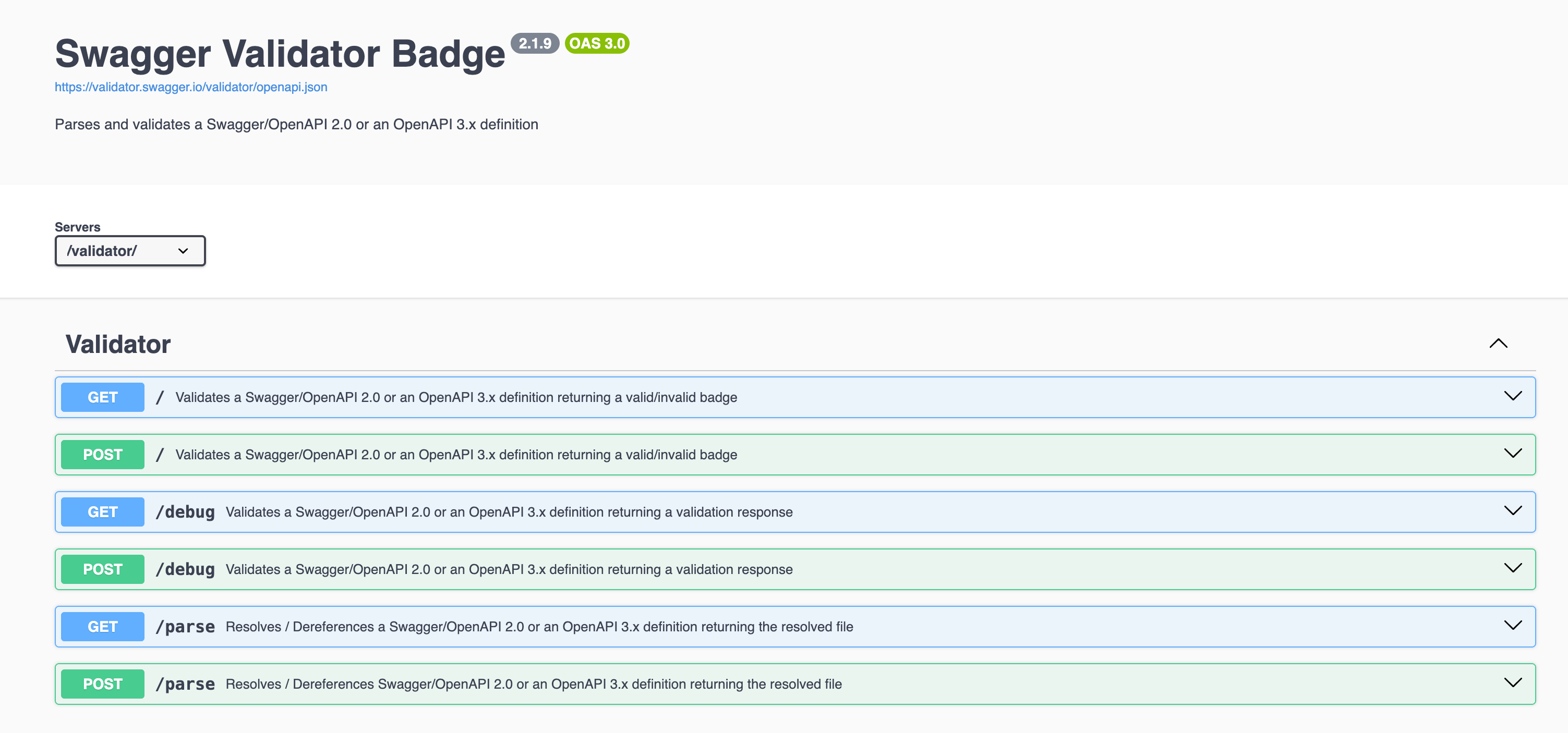
An online validator endpoint. The Swagger project publishes a validator service that returns a pass or fail badge for a hosted spec URL. It’s handy for a README badge, less so for an interactive fix loop. For deeper coverage of standalone options, we keep a roundup of the best OpenAPI validator tools and a focused walkthrough on how to validate OpenAPI specs.
All three validate the document. None of them close the gap between a valid spec and a correct API. That gap is where the next section lives.
Where Apidog fits: validate the spec, then prove the API matches it
Apidog is an all-in-one API platform: you design the schema, debug requests, build automated test scenarios, mock endpoints, and publish docs in one workspace. Spec validation isn’t a separate tool you bolt on; it’s a property of working in the platform.
When you import a Swagger or OpenAPI file, or design one in the visual editor, Apidog parses and validates it on the way in. A malformed document, a broken $ref, a parameter with no type, these surface as you work, not three tools downstream. Because the editor is visual, a whole category of hand-written YAML mistakes never happens: you can’t forget the in value on a parameter when the field is a required dropdown. The spec is valid by construction.
That handles the document. The harder problem is drift, the slow disagreement between a spec that says one thing and an API that does another. A standalone validator can’t catch this, because the file is valid; it’s the running service that’s wrong. This is the failure mode behind so many drifting Swagger docs and Postman collections.
Apidog closes it by making the spec the source of truth for testing. You generate test scenarios straight from your OpenAPI spec, then assert that real responses match the schema you declared. When the spec says age is an integer and the API returns a string, the test fails, and it fails against the spec, not against a hand-maintained copy of it. The validator question becomes a continuous one: not “was this file valid when I saved it” but “is the live API still true to its contract right now.” If you want the assertion mechanics, API assertions: a practical guide covers validating response shape, status, and fields.
For teams who want validation enforced automatically rather than remembered, Apidog also covers keeping APIs compliant with OpenAPI standards as part of the design loop.
Run spec-driven validation in CI with the Apidog CLI
A validator that only runs when someone opens the editor is a validator that eventually gets skipped. The fix is to put validation in the pipeline, where it runs on every push with no human involved. That’s what the Apidog command-line runner is for.
The CLI is an npm package called apidog-cli. It runs the test scenarios you built in Apidog, headlessly, from any environment with Node.js. Install it with one command:
npm install -g apidog-cli
Then run a saved scenario, the same scenario that asserts your live responses match the spec, against an environment:
apidog run --access-token $APIDOG_ACCESS_TOKEN -t 605067 -e 1629989 -r cli
A few notes on what those flags do. -t is the test scenario ID. -e is the environment ID, so you can point the same checks at staging in a pull request and at production after deploy. -r chooses report formats: cli for readable build-log output, and you can add html, json, or junit to feed a CI dashboard. The --access-token belongs in a CI secret, never inline. You generate both the token and the ready-made command from the scenario’s CI/CD tab inside Apidog. For the complete flag surface, run apidog run --help or read the full Apidog CLI guide.
The detail that makes this a real gate: the CLI exits with a non-zero status code when an assertion fails. CI systems read that exit code. A failing schema check fails the step, which fails the job, which blocks the merge. So the moment your API stops matching its OpenAPI contract, the build goes red, before the change ships, not after a consumer files a ticket. That’s the difference between validating a file once and validating the contract on every commit. The same exit-code behavior is why the runner slots into any CI platform, much like running Postman collections in CI without Newman.
Download Apidog if you want spec validation and contract testing in the same place your team already designs the API.
A practical validation workflow
Putting the pieces together, here’s a sequence that catches spec errors at every stage instead of just the last one:
- Design or import in a validating editor. Whether you import an existing Swagger file or build it in Apidog’s visual designer, the document gets parsed and structurally validated on the way in. Broken refs and missing types surface immediately.
- Lint for style if you have a ruleset. If your org enforces naming and description rules, run Spectral as a fast pre-commit check. Validity and house style are different concerns; cover both.
- Generate tests from the spec. Turn the OpenAPI document into test scenarios so your assertions are tied to the same definition you ship, not a separate copy that drifts.
- Gate every push with the CLI. Wire
apidog runinto your pipeline so a spec-versus-reality mismatch fails the build automatically. - Treat the spec as the source of truth. When the design changes, the tests point at the same file, so there’s nothing to keep in sync by hand.
Steps 1 and 2 validate the document. Steps 3 through 5 validate the contract. You need both, and the cheapest place to do all of them is one workspace rather than four browser tabs.
The short version
A swagger validator catches the structural bugs, broken refs, missing types, malformed YAML, that are invisible when you write them and expensive when someone else reads them. Validating the document is the floor, not the ceiling. The errors that actually reach production are the ones where a valid spec quietly stops matching a changing API, and no file-level validator can see those.
The fix is to validate in two layers and put both in one place: validate the document as you design it, then validate the contract on every push by asserting real responses against the spec. Apidog does the first by construction and the second through scenarios that the apidog-cli runner gates in CI. The spec stays the source of truth, the build goes red the moment reality drifts from it, and a broken Swagger file stops being something you discover an afternoon too late.