If you have searched for a Postman alternative that also watches your APIs after they ship, you have probably run into Testfully. It shows up in roundups of API testing tools, and its pitch is broader than a typical request client.
So what is Testfully, and where does it fit in your workflow?
This guide explains Testfully in plain terms. You will learn what it does, how its three core parts work together, how its CLI fits into CI/CD, and what it imports. We will keep it vendor-neutral. At the end, we note where Apidog fits if you also need API design and mocking.
What Is Testfully?
Testfully (testfully.io) is an API testing, monitoring, and documentation platform. It pairs a desktop and browser GUI client with no-code automated tests and scheduled uptime monitoring.
The core idea is one tool for two phases of the API lifecycle. You test the API while you build it, then you keep watching it after it goes live. Most request clients stop at the first phase. Testfully covers both.
It runs on Windows, macOS, and Linux, plus a browser version. Testfully ships in two flavors: an offline mode that keeps your data on your own machine, and a cloud mode for team collaboration. Both modes carry the same feature set, so choosing offline does not cost you functionality.
If you want a wider survey of clients in this space, see our roundup of REST API clients.
The Three Pillars of Testfully
Testfully is easier to understand if you split it into three parts: the client, automated tests, and monitoring. Each one builds on the last.
1. The API Client
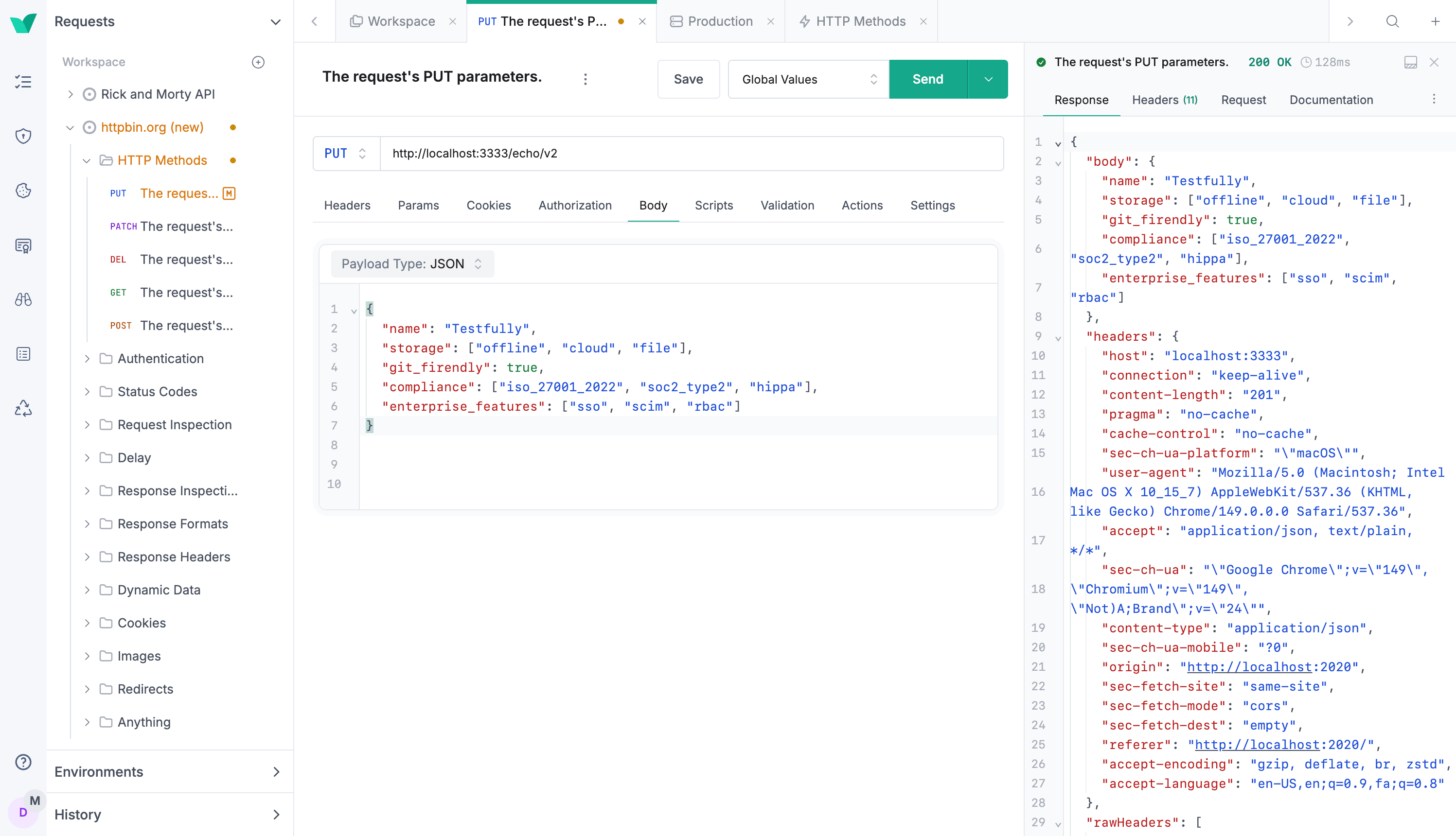
The client is where you compose and send requests. It handles REST, GraphQL, and XML, so you can hit most HTTP-based services without leaving the app.
You organize requests into collections and folders. You define environments and variables, so you can switch between local, staging, and production without rewriting URLs or tokens. Request chaining lets you pass a value from one response into the next request, which matters for flows like “log in, grab the token, then call a protected endpoint.”
Authentication is built in, including OAuth2. For anything the UI does not cover, you can drop into JavaScript scripting to shape requests and responses.
This is familiar territory if you have used any modern client. If you want offline-first behavior specifically, our guide to the best offline API client covers the tradeoffs.
2. No-Code Automated Tests
The second pillar turns single requests into repeatable tests. You add assertions to a request, group requests into folders, and run the whole folder as a suite.
The key word is no-code. You can build checks without writing test scripts, which lowers the barrier for QA folks and product engineers who do not want to maintain a test framework. You still have JavaScript available when a check needs custom logic, so you are not boxed in.
Testfully keeps a full history of test runs. That history is useful for spotting when a passing endpoint started failing, and for proving a regression to your team.
This is the layer that separates a request client from a testing platform. Sending a request once tells you the API works now. A saved, repeatable test tells you it still works after the next deploy.
3. Scheduled Monitoring and Alerting
The third pillar is what makes Testfully stand out. It runs your tests on a schedule and alerts you when they fail.
You can run health checks and functional tests around the clock. When something breaks, Testfully notifies you through email, SMS, Slack, or PagerDuty. The PagerDuty path matters for teams with an on-call rotation, because a failed API check can page the right person automatically.
This closes the loop. The same assertions you wrote for testing become production monitors. You do not rebuild your checks in a separate observability tool. You write a test once and point it at production on a schedule.
Most API clients have no monitoring at all. That built-in monitoring and alerting is Testfully’s clearest differentiator, and the main reason a team would pick it over a request-only tool.
The Testfully Run CLI for CI/CD
Tests that only run on your laptop catch fewer bugs. Testfully solves this with a command-line runner that fits into a pipeline.
The CLI installs from npm:
npm install -g @testfully/cli
You then run saved requests or folders with the testfully run command:
testfully run [options] -- [files]
Options let you target a specific request or folder, pick an environment, and load global variables. The runner supports two reporters: cli for human-readable console output, and junit for a JUnit XML report that CI systems can parse.
The JUnit reporter is the important one for pipelines. You point it at a path, and Testfully writes a report your CI tool can read to mark a build pass or fail:
testfully run rick-and-morty.json --reporters junit --reporter-junit-export ./junit-report.xml
Because the CLI ships as a standard Node.js package, it drops into GitHub Actions, GitLab CI, Jenkins, or any runner that has Node. It executes on the host without needing cloud resources, so local API testing works without internet access.
If you are setting up automated API checks in a pipeline, our guide to CI/CD best practices for API testing covers the patterns that apply to any runner.
Import Support: Postman and Insomnia
Switching tools is painful when your collections are locked in. Testfully reduces that friction with imports.
You can bring in API collections from both Postman and Insomnia. That means you can migrate existing requests, environments, and structure without rebuilding everything by hand.
This matters most for teams already invested in another client. If you are weighing a move, our list of Postman alternatives puts Testfully in context with the rest of the field.
Testfully Pricing
Pricing is worth checking before you commit, since plans change. Here is the structure at the time of writing, based on Testfully’s pricing page.
| Plan | Price | Who it fits |
|---|---|---|
| Developer (Free) | $0 | One offline and one cloud workspace, up to 5 users, unlimited collection runner, all core features, and the CLI |
| Team | $14 per user/month (billed annually) | Unlimited workspaces, Git integration for offline workspaces, custom roles, secret management |
| Enterprise | $29 per user/month (billed annually) | SSO, SCIM, audit logs, custom RBAC, and compliance reports (SOC 2 Type 2, ISO 27001:2022, HIPAA) |
The free Developer plan includes the CLI and the collection runner with no limits, which is generous for solo developers and small teams. Paid plans unlock collaboration, governance, and compliance features. Always confirm current numbers on the official pricing page before you plan a budget.
Who Should Use Testfully?
Testfully fits a specific need well. Reach for it when:
- You want one tool to both test an API and monitor it in production.
- You need on-call alerting (PagerDuty, Slack, SMS) tied to your API checks.
- You prefer no-code tests but want JavaScript as an escape hatch.
- You need an offline mode with the full feature set, not a stripped one.
- You are migrating from Postman or Insomnia and want to keep your collections.
If your main job is sending ad-hoc requests, a lighter free API client may be enough. If you need monitoring baked in, Testfully’s combined approach is the draw.
Where Apidog Fits
Testfully is strong at test plus monitor. If your team also needs to design and mock APIs, it helps to know the wider landscape.
Apidog is an all-in-one API platform that covers design, testing, mocking, and documentation in one place. You design the contract in a visual OpenAPI designer, generate mock servers with no code, build automated test scenarios with visual assertions, and publish interactive docs. It supports REST, GraphQL, gRPC, WebSocket, SOAP, and Socket.IO, and runs as a desktop app, a web app, and a CLI.
For CI/CD, the apidog run command executes saved test scenarios and suites in your pipeline. It supports cli, html, json, and junit reporters, data-driven runs with -d, and environment selection with -e. You can learn more in the Apidog CLI complete guide and the walkthrough on how to test a REST API from the command line.
The honest distinction is scope. Testfully centers on the test-and-monitor side, and its scheduled monitoring is a real strength. Apidog centers on the full API contract lifecycle, from design through mock and docs, with testing in the middle. Apidog does not offer scheduled production uptime monitoring with on-call paging the way Testfully does. Pick based on which side of the workflow you need most. Teams that build APIs from a spec and need mocking before the backend exists tend to lean toward a design-first platform.
FAQ
Is Testfully free?
Yes, there is a free Developer plan at $0. It includes one offline and one cloud workspace, up to 5 users, the collection runner with no limits, all core features, and the CLI. Paid plans start at $14 per user per month (billed annually) for the Team edition.
Does Testfully have a CLI?
Yes. The Testfully CLI installs from npm with npm install -g @testfully/cli. You run saved requests and folders with testfully run, and it supports cli and junit reporters for CI/CD pipelines.
What protocols does Testfully support?
The Testfully client supports REST, GraphQL, and XML over HTTP. It handles environments, variables, request chaining, OAuth2, and JavaScript scripting for custom logic.
Can Testfully import from Postman?
Yes. Testfully can import collections from both Postman and Insomnia, so you can migrate existing requests and environments without rebuilding them by hand.
What makes Testfully different from a normal API client?
Built-in monitoring. Testfully runs your tests on a schedule and alerts you through email, SMS, Slack, or PagerDuty when an API fails. Most request clients only send requests and have no monitoring layer.
Is Testfully a good Postman alternative?
It can be, especially if you want testing and production monitoring in one tool. For a wider comparison, see our roundup of the best Postman alternatives for API testing.