Hoppscotch is an open-source API ecosystem; web app, desktop app, CLI, and a self-hostable backend, often described as an open alternative to Postman and Insomnia. The Hoppscotch CLI is the piece that takes the collections you build in that ecosystem and runs them from a terminal, which is exactly what you need for CI/CD.
This guide explains what the Hoppscotch CLI is, how to install it, and how the hopp test command actually works, with the real flags and a working CI example. If you’re weighing it against other runners, the best Hoppscotch CLI alternatives post compares the options, and Apidog CLI vs Hoppscotch CLI is the direct head-to-head.
What the Hoppscotch CLI is
The Hoppscotch CLI ships as the npm package @hoppscotch/cli. Its job is narrow and useful: take a Hoppscotch collection, run every request in it, execute the test scripts attached to those requests, and exit with a pass/fail code your pipeline can read.
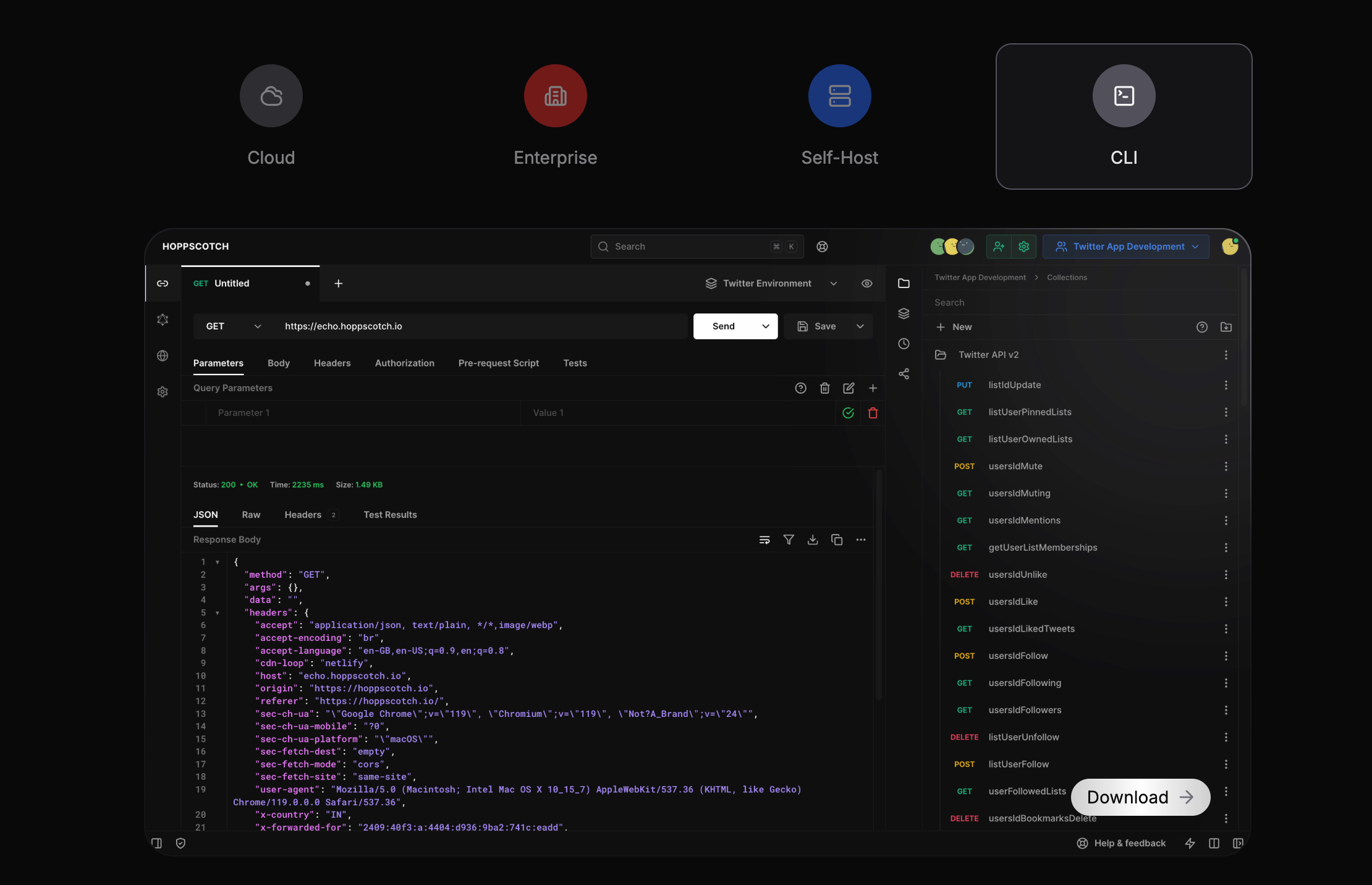
That makes it a collection runner, the same category as Newman for Postman or inso for Insomnia. It doesn’t design APIs, mock endpoints, or generate docs. It runs requests and checks assertions. For a free, open-source tool that you can also self-host, that focus is the point.
Because Hoppscotch is open source, you can run the whole stack yourself and point the CLI at your own instance. Teams that don’t want their request data sitting in a vendor cloud tend to like that. The trade-off is that you own the hosting.
Installing the Hoppscotch CLI
Install it globally from npm:
npm i -g @hoppscotch/cli
One requirement to watch: the current CLI needs Node.js v22 or newer. If you’re still on Node 20, you can stay on CLI v0.26.0, but the latest releases assume v22+. Check your version before you wire it into a build agent:
node --version
hopp --version
If your CI image ships an older Node, pin the runtime to v22 in the pipeline, or you’ll hit an install or runtime error that looks unrelated to your tests.
The hopp test command
Everything runs through hopp test. The basic shape points it at a collection file:
hopp test ./my-collection.json
You can pass an environment file and a delay between requests:
hopp test ./my-collection.json -e ./staging.env.json -d 500
Here -e (or --env) supplies the environment, and -d (or --delay) waits the given number of milliseconds between requests, which helps when you’re hitting a rate-limited API.
If your collections live in a Hoppscotch instance (cloud or self-hosted) rather than a local file, you reference them by ID and authenticate with a personal access token:
hopp test <collection-id> --token <access_token> --server https://hoppscotch.your-company.com
--token carries your personal access token, and --server points at your self-hosted URL. Drop --server if you’re on the hosted Hoppscotch cloud.
Data-driven runs and reporting
Two flags turn hopp test from a single pass into something CI-friendly.
For data-driven testing, feed a CSV and set how many iterations to run:
hopp test ./my-collection.json --iteration-data ./users.csv --iteration-count 3
--iteration-data takes a CSV whose columns become variables in each run, and --iteration-count controls how many times the collection repeats. That’s the same idea as Newman’s -d, and it covers the common “run this login flow against 50 accounts” case.
For reporting, the CLI writes JUnit XML, which most CI systems can ingest to show test results natively:
hopp test ./my-collection.json --reporter-junit ./report.xml
JUnit is the one structured report format the CLI produces. If you need HTML artifacts or hosted, linkable reports, that’s a gap worth knowing about before you commit. Tools like the Apidog CLI emit CLI, HTML, and JSON reports for comparison.
What actually executes during a run
When you run hopp test, the CLI walks the collection in order and, for each request:
- runs the pre-request script,
- sends the request,
- runs the test script and evaluates each assertion.
Test scripts use Hoppscotch’s scripting API: pw.test() defines a test block and pw.expect() makes assertions inside it. A small example attached to a request looks like this:
pw.test("Status is 200", () => {
  pw.expect(pw.response.status).toBe(200);
});
If any assertion fails, the command exits with a non-zero code. If everything passes, it exits 0. That exit-code behavior is the whole contract with CI: a non-zero exit fails the build, which is exactly what you want.
A GitHub Actions example
Wiring hopp test into CI is short. This workflow installs the CLI on a Node 22 runner and runs a collection on every push:
name: API tests
on: [push]
jobs:
  hopp:
    runs-on: ubuntu-latest
    steps:
      - uses: actions/checkout@v4
      - uses: actions/setup-node@v4
        with:
          node-version: 22
      - run: npm i -g @hoppscotch/cli
      - run: hopp test ./collection.json -e ./ci.env.json --reporter-junit ./report.xml
The setup-node step pinning v22 is the part people forget. Without it, the default runner Node may be too old for the current CLI.
Limitations to keep in mind
The Hoppscotch CLI is good at what it does, and honest about its scope:
- It’s a collection runner, not a platform. No design, mocking, or documentation. You bring those from elsewhere.
- You export or host collections yourself. The CLI runs a collection file or pulls one from an instance you point it at.
- JUnit is the only structured report. No built-in HTML or hosted report.
- Node v22+. A hard requirement on current releases.
None of that is a knock; it’s the cost of a small, free, open-source tool. If your needs grow past “run a collection in CI” toward design, mocking, data-driven runs with richer reports, and managing API resources as code, that’s where an integrated platform comes in. Apidog covers the full API lifecycle, and the Apidog CLI complete guide shows the terminal side. You can download Apidog and import a Hoppscotch collection to compare directly, or read the migration walkthrough.
FAQ
Is the Hoppscotch CLI free? Yes. It’s open source under the Hoppscotch project, and you can self-host the whole ecosystem. See the official CLI docs and the GitHub repo.
What’s the difference between hopp test and Newman? Both are collection runners with data-driven iterations. Newman runs Postman collections; hopp test runs Hoppscotch collections. The concepts map closely, including CSV iteration data and exit-code-based pass/fail.
Can the Hoppscotch CLI run collections from a self-hosted server? Yes. Use hopp test <collection-id> --token <access_token> --server <your-url> to pull and run a collection from your own instance.
Does it produce HTML reports? Not directly. It writes JUnit XML via --reporter-junit. For CLI, HTML, and JSON reports together, compare with Apidog CLI test reports.
The Hoppscotch CLI is a clean, free way to run API collections in CI, especially if you already use Hoppscotch or self-host it. Know its scope, pin Node v22, and lean on JUnit output, and it does its one job well.