
Swapping an LLM in your application is a one-line change and a much larger risk. The model id is a string. What that string changes is response latency, token cost, output format stability, tool-calling behavior, and whether your image pipeline works at all.
GLM-5.3-Flash makes this concrete. It is roughly nine times cheaper than GLM-5.3, it accepts images natively where GLM-5.3 does not, and it generates at about half the speed. Those are real tradeoffs, and the only way to know which side you land on is to run your own requests against both.
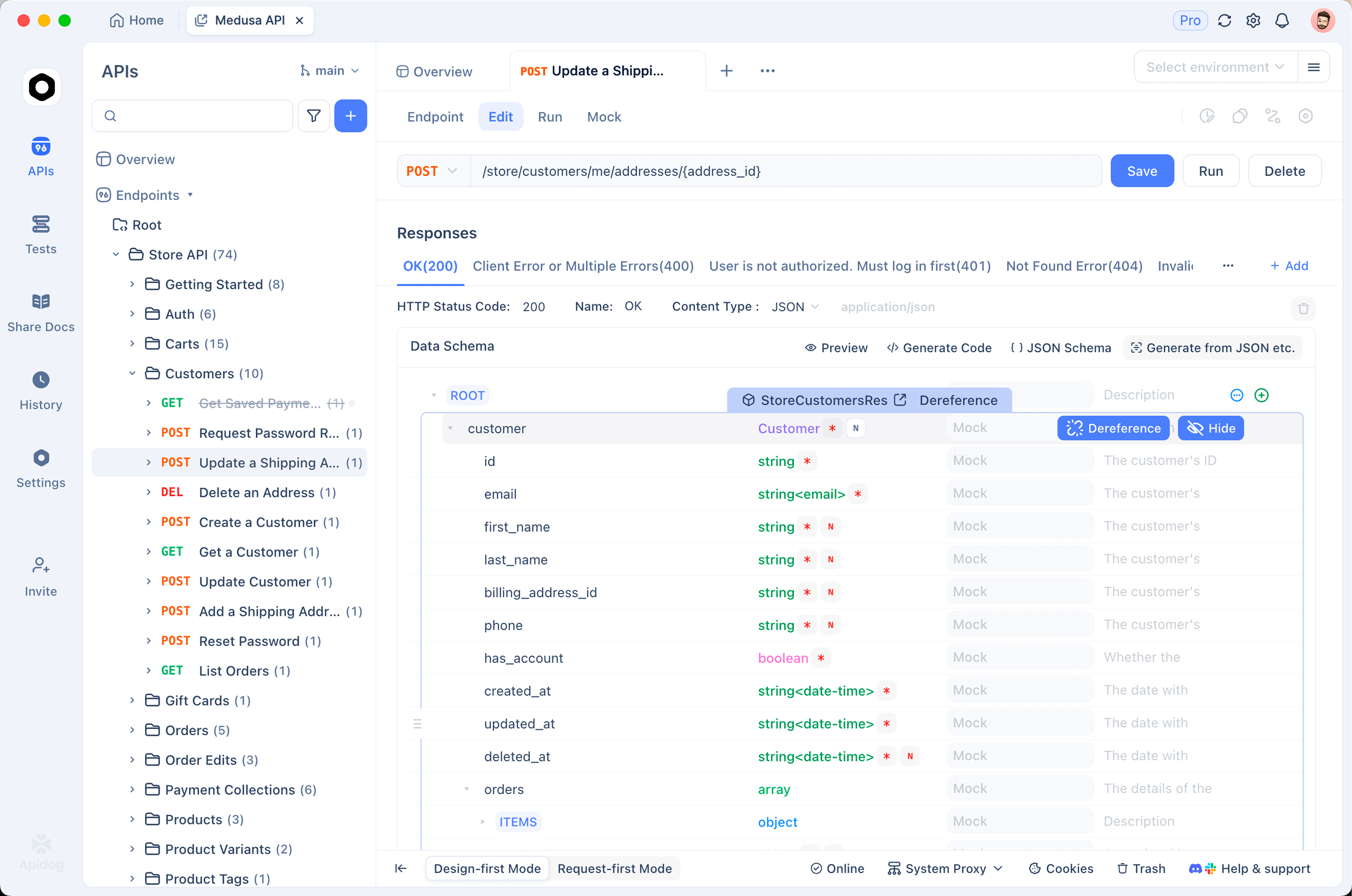
This guide sets up a reusable test collection for the GLM-5.3-Flash API in Apidog: text calls, image calls, tool calling, assertions, and a comparison run against the larger model.
Why not just use curl
You can absolutely test this endpoint with curl, and our API guide shows exactly that. Two things break down once you move past a first call.
Base64 image payloads. A data URL for a screenshot is thousands of characters. Pasting that into a terminal produces a command you cannot read, cannot edit, and will not re-run tomorrow. Multimodal testing is where shell history stops being a viable tool.
Nothing is asserted. A curl response is text on a screen. It tells you the call succeeded, not that the response still contains the fields your application reads. When you change models, that distinction is the entire point of the test.
A saved collection fixes both. The payload lives in a request you can edit, and the assertions run every time.
Set up the environment
Create an environment with the values that change between runs. Keeping the model id as a variable is the important part, because it is what lets you re-point the whole collection at a different model later.
| Variable | Value |
|---|---|
base_url |
https://api.z.ai/api/paas/v4 |
api_key |
your Z.ai key |
model |
glm-5.3-flash |
Store the key as an environment variable rather than pasting it into request headers. It stays out of anything you export or share with a teammate, which matters more than it seems the first time someone commits a collection.
Request 1: a text completion
Create a POST request to {{base_url}}/chat/completions.
Headers:
Authorization: Bearer {{api_key}}
Content-Type: application/json
Body:
{
  "model": "{{model}}",
  "messages": [
    {"role": "user", "content": "Reply with exactly: OK"}
  ],
  "reasoning_effort": "low"
}
Note reasoning_effort. It defaults to max on this model, which bills reasoning as output tokens. For a connectivity check that is pure waste, so set it to low here.
Add assertions on the response:
- Status code equals
200 choices[0].message.contentexistschoices[0].finish_reasonequalsstopusage.total_tokensexists
The finish_reason assertion is the one people skip and then regret. A value of length means the response was truncated at the output cap rather than completed. Given that the maximum output figure for this model is inconsistent between sources, catching truncation explicitly is worth the one line.
Request 2: an image call
This is the request that justifies the whole setup, and the capability GLM-5.3 does not have natively.
Same endpoint, different body shape. content becomes an array of typed blocks:
{
  "model": "{{model}}",
  "messages": [
    {
      "role": "user",
      "content": [
        {"type": "text", "text": "What color is the dominant shape in this image? Answer with one word."},
        {"type": "image_url", "image_url": {"url": "{{test_image_url}}"}}
      ]
    }
  ],
  "reasoning_effort": "low"
}
Add test_image_url to your environment pointing at a stable, publicly reachable image whose correct answer you know. A deterministic question against a fixed image is what makes this a regression test rather than a demo.
For local images the same field takes a base64 data URL. Store it as an environment variable so the request body stays readable:
data:image/png;base64,iVBORw0KGgo...
Assertions:
- Status code equals
200 choices[0].message.contentcontains your known answerusage.prompt_tokensis greater than the text-only request’s count
That last assertion is a useful canary. Images consume input tokens, so if the prompt token count does not rise, the image was not actually processed, and you have a request that returns 200 while silently ignoring your picture. That failure is invisible without the check.
More on the vision pathway and its failure modes in our GLM-5.3-Flash vision guide.
Request 3: tool calling
If your application uses function calling, test it explicitly. Tool-call format is the most version-sensitive part of any model integration and the most likely thing to break after a provider update.
{
  "model": "{{model}}",
  "messages": [
    {"role": "user", "content": "Is the checkout-api service healthy?"}
  ],
  "tools": [
    {
      "type": "function",
      "function": {
        "name": "get_deployment_status",
        "description": "Returns the current status of a named deployment.",
        "parameters": {
          "type": "object",
          "properties": {
            "service": {"type": "string", "description": "The service name."}
          },
          "required": ["service"]
        }
      }
    }
  ]
}
Assertions:
choices[0].message.tool_callsexists and is not emptychoices[0].message.tool_calls[0].function.nameequalsget_deployment_statuschoices[0].finish_reasonequalstool_calls
Asserting on the function name rather than just the presence of a tool call catches a subtler failure: a model that calls the wrong tool. With one tool defined that is unlikely, but the assertion costs nothing and stays correct as you add more.
If you are generating tool definitions from an API you already own, turning an OpenAPI spec into agent tools covers doing that without hand-writing schemas.
Comparing against GLM-5.3
Here is the payoff for putting the model id in an environment variable.
Duplicate your environment, change model to glm-5.3, and run the same collection. Three things to compare:
Correctness. Do the assertions still pass? The image request will not, because GLM-5.3 does not take images natively. That is a finding, not a broken test.
Latency. Apidog reports response time per request. Expect GLM-5.3 to finish faster on longer outputs, since it generates at roughly 86 tokens per second against Flash’s 49.
Cost. The usage object gives you prompt_tokens and completion_tokens per call. Multiply by each model’s rate and you have a real per-request cost comparison instead of a blended marketing figure. Our pricing breakdown has the current rates, and the full model comparison covers where each one wins.
Watch completion_tokens closely across reasoning-effort settings. With reasoning_effort at its max default, reasoning tokens are billed as output, so a short visible answer can carry a large completion count behind it. Running the same prompt at low, high, and max and reading the token counts is the fastest way to decide what your workload actually needs.
Testing a local deployment
If you are self-hosting the weights, vLLM and SGLang both expose OpenAI-compatible endpoints. Change base_url to your server and run the identical collection.
This is the highest-value use of the suite. A quantized build can pass a basic chat test and still mishandle your tool schemas or degrade on image input, and those are exactly the failures that surface in production rather than in a smoke check. Our local-run guide covers the deployment side.
Put it in CI
Once the collection is stable, run it on a schedule or in your pipeline. Useful triggers:
- Before a model migration, as the go or no-go signal.
- On a schedule, to catch provider-side changes you were not told about.
- After dependency updates, since SDK changes can alter request serialization.
Model providers update models behind stable ids. A scheduled run is how you find out that behavior shifted, rather than hearing it from a user.
What to test beyond the happy path
A few cases worth adding once the basics pass:
- A long-context request at the length you actually use. Behavior at 500K tokens is not implied by behavior at 5K.
- Malformed input, to confirm your error handling is exercised.
- A rate-limit response, if you can trigger one, to verify your retry logic works.
- Multiple images in one request, if that is part of your application. Each image needs its own
image_urlblock. - Streaming, if you use it, since the response shape differs from a standard completion.
Wrapping up
The value here is not the individual requests, it is that they are repeatable. A model choice you can re-test in thirty seconds is a decision you can revisit when prices change on September 9, when Z.ai ships the next revision, or when someone proposes moving to a different provider entirely.
Apidog is free to start with, and importing an OpenAI-compatible schema gets you most of this setup without hand-building each request. The collection you end up with is the thing that makes the next model swap a diff instead of a leap.
FAQ
Do I need a paid Apidog plan? No. A collection with environment variables and assertions works on the free tier.
How do I test base64 images without an unreadable request body? Store the data URL as an environment variable and reference it as {{test_image_url}} in the body.
Can I test the coding-plan endpoint the same way? Yes. Change base_url to https://api.z.ai/api/coding/paas/v4. Note that endpoint differs from the standard API one, as covered in our Claude Code and Cline guide.
Will these tests work against other providers? Mostly. OpenRouter, Cloudflare Workers AI, and Vercel AI Gateway all expose OpenAI-compatible surfaces. Change base_url and the model id namespace.
How do I assert on a non-deterministic response? Assert on structure and constraints rather than exact text: field presence, types, token counts, finish_reason, and substring containment for questions with a known answer.