
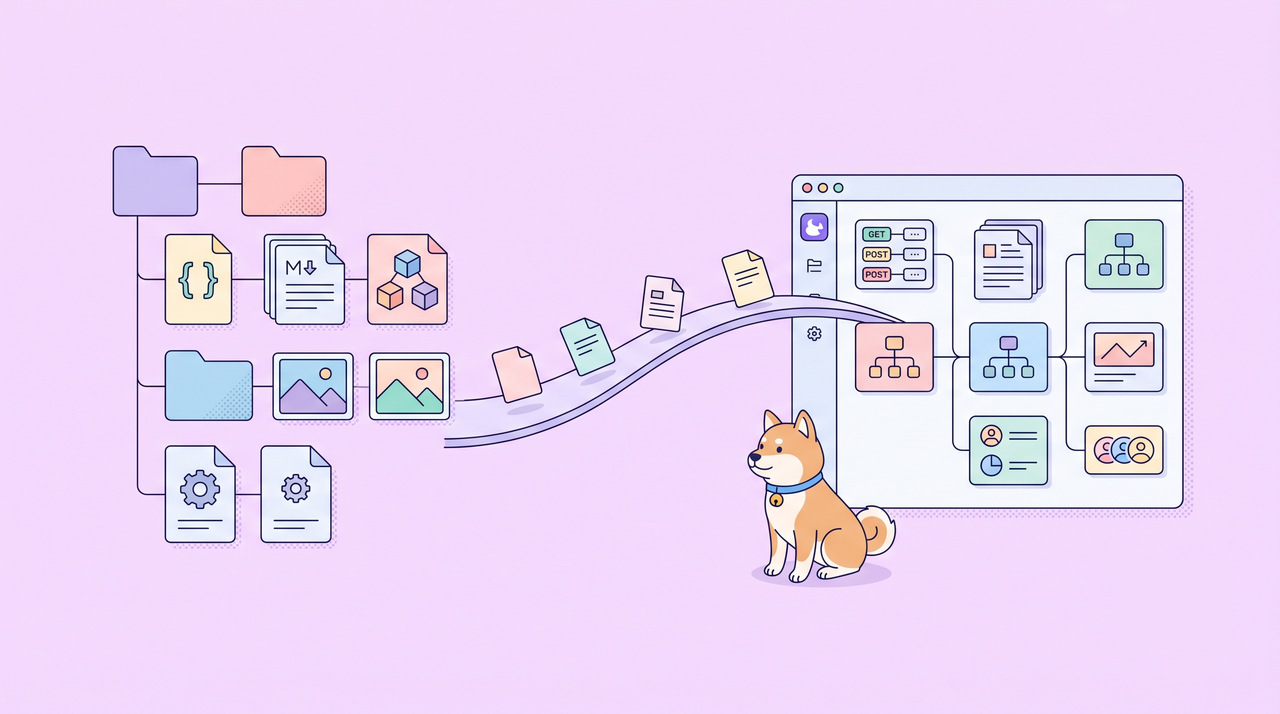
Migrating from Stoplight to Apidog is not just about importing an OpenAPI file. It is about transitioning a file-based API workflow.
For many teams, Stoplight projects included more than endpoints: OpenAPI specs in Git, Markdown docs, JSON Schema models, local images, supported toc.json navigation inputs, and supported .stoplight.json path settings.
A team may also have request examples in Postman and testing scripts in CI. If Stoplight migration to Apidog only imports one OpenAPI file, the endpoint list may survive, but the workflow does not.
Apidog Spec-first Mode helps teams keep OpenAPI files as the source of truth during Stoplight migration while connecting those files to a broader API workspace for docs, mocks, tests, reports, permissions, and collaboration.
This guide explains how to plan that migration: what can be carried over, what should be reviewed, what needs to be rebuilt, and what should be connected around the OpenAPI contract.
For the operational setup steps, see the Spec-first Mode help guide.
Why Stoplight Migration Is More Than an OpenAPI Import
An OpenAPI file describes the API contract. A Stoplight-style project usually contains more context around that contract.
Common project assets include:
- OpenAPI or Swagger files, often stored under
referenceor another configured directory; - Markdown documentation, often stored under
docs; - JSON Schema model files, often stored under
models; - local images referenced by documentation;
.stoplight.jsonfor supported path configuration;toc.jsonfor supported documentation navigation inputs, grouping, and ordering;- Stoplight identifiers such as
x-stoplight-idorx-stoplight.id.
If migration only imports one OpenAPI file, endpoints may move over, but the project model can still be lost. Documentation may need to be rebuilt. Navigation may not match the previous project. Models may be disconnected from the documentation. Tests, mocks, and request examples may still live in separate tools.
A better migration plan starts from the repository or file tree, not from a single spec file.
Migration Model: Carry Over, Review, Rebuild, Connect
Before starting, identify the real source of truth. If OpenAPI files in Git define the API contract, Spec-first migration can start from those files. If Postman or Bruno collections drive the actual request workflow, resolve that mismatch first.
The strongest migration plan is not "preserve everything." Stoplight projects can contain product-specific behaviorbehaviour that does not map one-to-one into another workspace.
Use a four-part model instead:
| Category | What belongs here | Migration stance |
|---|---|---|
| Carry over | OpenAPI files, supported .stoplight.json path settings, supported toc.json navigation inputs, Markdown docs, referenced local images, and JSON Schema models where supported. | Bring file-based project context into Spec-first Mode. |
| Review | Markdown links, anchors, images, TOC grouping, schema naming, external $refs, Stoplight IDs, generated pages, and rendering differences. | Verify the migrated workspace before treating it as production-ready. |
| Rebuild | Postman or Bruno request flows, environments, manual tests, mocks, CI jobs, and publishing rules if they lived outside the spec project. | Recreate these around the OpenAPI source of truth. |
| Connect | API docs, mock APIs, tests, CI reports, permissions, team collaboration, and partner-facing workflows. | Use Apidog to make the contract useful across the API lifecycle. |
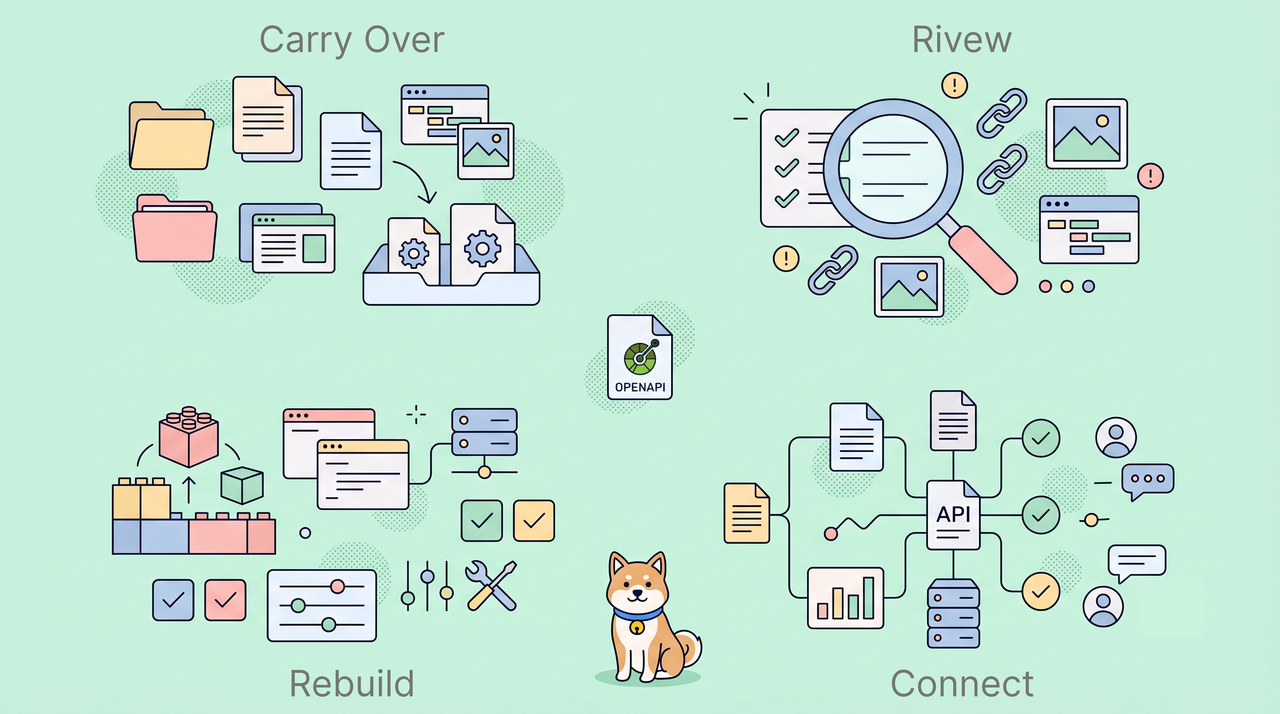
This distinction matters because Stoplight migration has two layers.
The first layer is the file layer: OpenAPI specs, Markdown docs, model files, images, and project structure files. This is where Spec-first Mode is most directly useful.
The second layer is the workflow layer: how your team reviews API changes, publishes documentation, runs tests, manages mocks, shares reports, and collaborates across backend, frontend, QA, product, and partner teams. This layer should not be treated as a byproduct of import. It is where Apidog can connect the contract to the rest of the API lifecycle.
How Apidog Spec-first Mode Fits Stoplight Projects
Apidog's Spec-first Mode is built for file-based workflows—exactly what your Stoplight project already uses.
Git-connected projects keep your repository at the center. Your branch remains the source of truth, and Apidog syncs with it.
File-backed projects let you work with spec files directly in Apidog first. You can connect Git later when you're ready.
The Specs workspace gives you one place to manage your source files, see your parsed API structure, and handle all your editing workflows.
Here's how each type of Stoplight asset works in Apidog:
| Stoplight asset | What Happens in Apidog | Review notes |
|---|---|---|
| OpenAPI / Swagger files | Can be imported and synced as API modules, endpoints, schemas, and examples. | Review bundled references, conversion warnings, module naming, and endpoint grouping. |
.stoplight.json | Supported fields can help Apidog locate OpenAPI, Markdown, and JSON Schema roots, apply OpenAPI include patterns, apply global exclude patterns, and resolve tocPath. | Treat it as path discovery for sync, not full Stoplight project configuration. Do not assume all Stoplight formats settings or project behavior are applied the same way. |
toc.json | Can help Apidog create DOCS folders from supported groups and dividers, filter and order TOC-listed Markdown docs, apply TOC titles, link DOCS folders to imported OAS modules or selected spec items, and import TOC-referenced JSON Schema models where supported. | Review the final Apidog sidebar after import. The final structure is rendered through Apidog's DOCS/OAS/MODELS model, so exact Stoplight navigation or arbitrary cross-type ordering may not be preserved. |
| Markdown docs | Markdown documentation can be carried into the project workflow. TOC-listed docs can retain more structure where supported. | Review internal links, anchors, formatting, missing files, and rendering differences. |
| Local images | Local images referenced by Markdown can be imported where supported. | Review broken references, external images, data URIs, and images not referenced by docs. Do not treat image root settings as an asset-library import guarantee. |
| JSON Schema models | JSON Schema files that are explicitly referenced by the supported project structure, such as toc.json, can be carried into Models where supported. | Review schema format, naming, grouping, references, and whether every model should be imported. |
| Stoplight IDs | Root-level Stoplight IDs may help Apidog match imported modules across syncs. | Do not assume endpoint-level or page-level identity is fully preserved. |
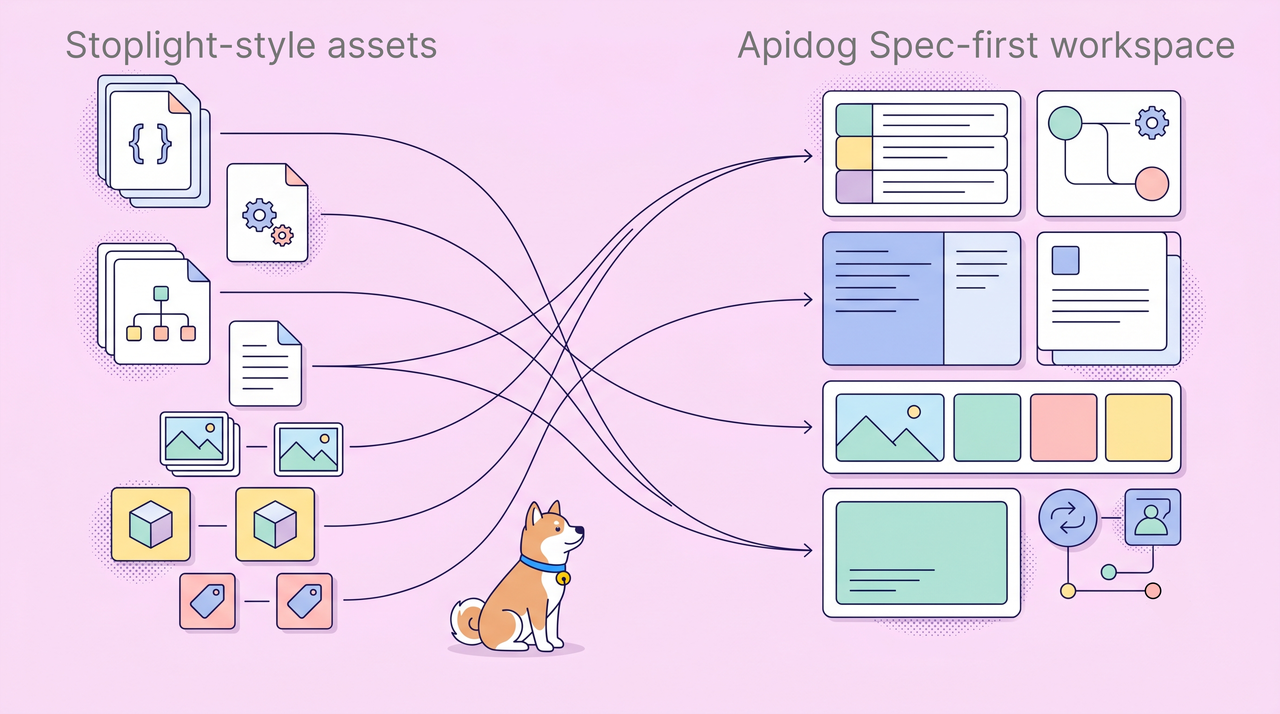
Compatibility notes for Stoplight project files
.stoplight.jsonshould be treated as a supported path-configuration subset for sync. Apidog can use supported root directories for OpenAPI, Markdown, and JSON Schema, OpenAPI include patterns, global exclude patterns, andtocPath. Other Stoplight project settings should be treated as ignored unless verified.toc.jsoncan help rebuild supported navigation semantics in Apidog, including DOCS folders, Markdown ordering, OAS/module links, selected spec-item links, and TOC-referenced model imports. The final sidebar is still rendered through Apidog's DOCS/OAS/MODELS model, so arbitrary Stoplight layouts and exact cross-type ordering may not be preserved.toc.jsondoes not fully customize the final online documentation sidebar.- Images are primarily migrated when they are referenced by Markdown. Unreferenced assets, external images, and data URIs should be reviewed separately.
- JSON Schema files are most predictable when they are explicitly referenced by the supported project structure, such as
toc.json, rather than assumed from a directory alone.
This gives teams a practical starting point: use the existing project files to recreate as much of the API workspace as possible, then review the parts that depend on Stoplight-specific behavior. The goal is not to recreate Stoplight pixel by pixel, but to preserve the portable file-based project context and reconnect it to a broader API lifecycle.
From File Import to Connected API Workflow
In a traditional import workflow, teams often import an OpenAPI file once and then continue working visually in the new tool. That can create drift: the file in Git, the documentation, and the API workspace may no longer represent the same source of truth.
Spec-first Mode is different. The files remain the foundation.
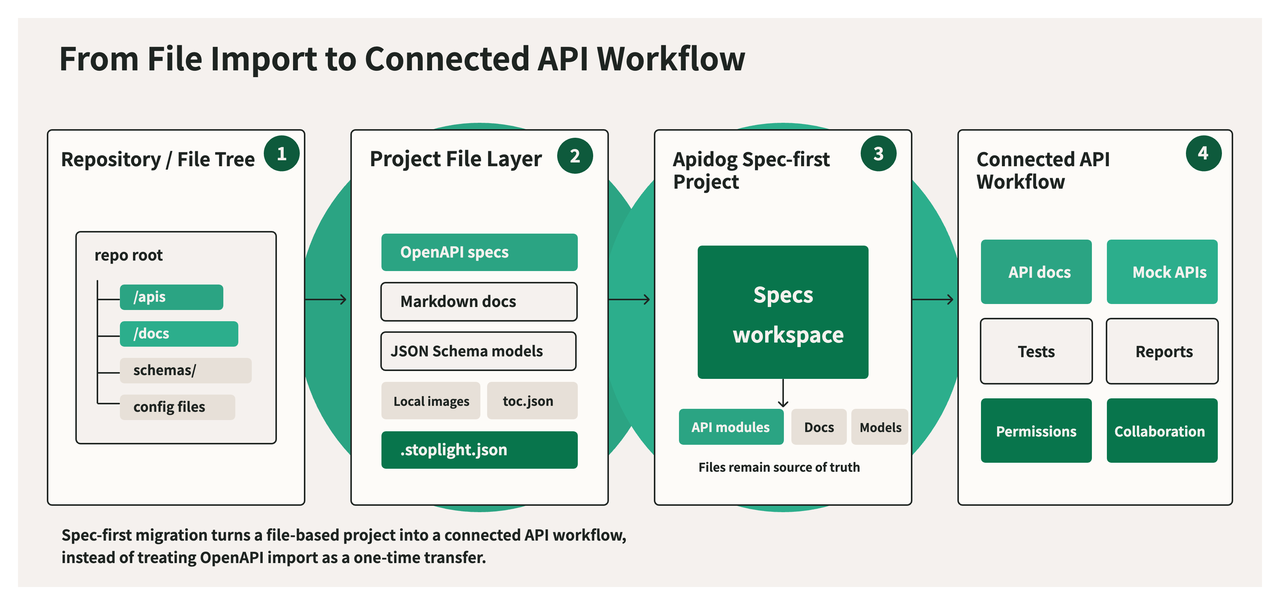
In a Git-connected Spec-first project, teams can edit files in the Specs workspace, then commit and push changes back to the repository. In a file-backed project, teams can edit and save spec files inside Apidog before connecting Git.
The practical split is:
| Responsibility | Recommended source |
|---|---|
| API contract | OpenAPI / Swagger files |
| Project file structure | Repository or file-backed project tree |
| Supported Stoplight-style path settings | .stoplight.json |
| Supported documentation navigation inputs | toc.json and Markdown docs |
| Daily API collaboration | Apidog project workspace |
| Mocks, tests, reports, and team permissions | Broader Apidog platform workflow |
This is the core migration value: teams can keep a file-first contract model while giving more stakeholders a usable API workspace around that contract.
That is the difference between moving data and moving a workflow. Importing a file moves the contract once. Connecting a Spec-first project gives the team a workspace around the contract.
Git-Connected vs File-Backed Migration Paths
Stoplight teams do not all start from the same workflow maturity.
Some teams already review every API change through Git branches and pull requests. Others have API specs and docs as files, but are not ready to make an external Git provider part of the first rollout.
Apidog Spec-first Mode supports both paths.
| Path | Best for | Typical workflow |
|---|---|---|
| Git-connected Spec-first project | Teams that already manage OpenAPI specs in Git. | Connect the repository, sync the branch, edit files, commit, and push. |
| File-backed Spec-first project | Teams that want file-based API design before connecting Git. | Work with spec files in Apidog, save changes, and validate the workflow first. |
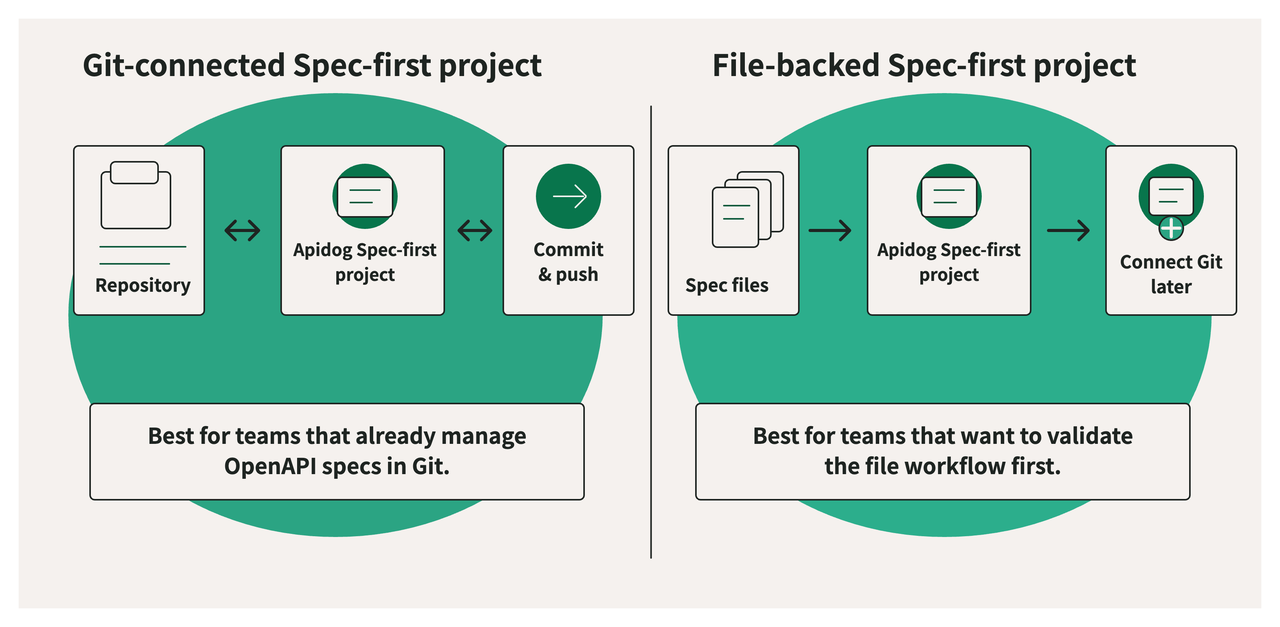
For most Stoplight migrations, Git-connected projects are the clearer long-term model because the repository remains the contract source of truth.
File-backed projects are useful when the team wants to evaluate the authoring experience, clean up project files, or stage the migration before adopting a stricter Git workflow.
What Should Be Reviewed After Migration
Even when project files can be carried over, migration should include a review pass. This is especially important for teams with large documentation sites, many schema files, or customized Stoplight navigation.
Use this checklist after creating the Spec-first project.
| Area | What to check |
|---|---|
| OpenAPI modules | Confirm all intended spec files were imported, module names are correct, and endpoints are grouped as expected. |
| External references | Check whether $ref dependencies were resolved as expected and whether any conversion issues were reported. |
| Lint / validation | Run Apidog Specs validation on imported OpenAPI files. Apidog can use root-level .spectral.yaml, .spectral.yml, .spectral.json, .spectral.mjs, and can fall back to .stoplight/styleguide.json for Spectral-based editor validation. Treat findings as review signals, not as full Stoplight style-guide governance migration. |
.stoplight.json | Confirm supported OpenAPI, Markdown, and JSON Schema roots, OpenAPI include patterns, global exclude patterns, and tocPath. Confirm actual import output rather than assuming every Stoplight config field was applied. |
toc.json | Review supported groups, dividers, titles, Markdown filtering and ordering, clickable groups, OAS/module links, selected spec-item links, TOC-referenced model imports, and final Apidog sidebar output. |
| Markdown docs | Check formatting, headings, relative links, anchors, and links to API files or operations. |
| Images | Confirm local referenced images render correctly. Review external images, data URIs, broken references, and unused assets separately. |
| Models | Confirm which toc.json-referenced JSON Schema files became model resources and whether names, folders, and references are correct. |
| Stoplight IDs | Confirm module matching behaves as expected across repeated syncs. Do not rely on IDs alone for every resource type. |
| Tests and mocks | Rebuild or reconnect scenarios that were previously maintained in Postman, Bruno, CI, or separate tooling. |
| Permissions and publishing | Recreate team access, documentation visibility, review rules, and release responsibilities in the new workspace. |
This review is not a workaround. It is the normal difference between moving files and moving a whole product-specific experience.
What About Postman and Bruno Assets?
Many Stoplight teams also use Postman or Bruno. Those assets should be planned separately from OpenAPI migration.
OpenAPI files define the API contract. Postman collections and Bruno .bru files usually define request workflows, examples, environments, or tests. They can be valuable, but they are not the same migration object as a Stoplight-style OpenAPI project.
Before migration, answer these questions:
| Question | Why it matters |
|---|---|
| Is OpenAPI the source of truth, or are collections driving the real API behavior? | Spec-first migration should start from the authoritative contract. |
| Which request examples still matter? | Rebuild important examples around the connected API workspace. |
| Which tests should continue running? | Move or reconnect API tests to the new workflow instead of assuming they migrate with docs. |
| Which environments and secrets are shared? | Plan environment management separately from spec migration. |
| Which CI jobs depend on current tooling? | Reconnect validation, testing, and reporting intentionally. |
For Bruno users, the key insight is that a Git-native workflow is already valuable. Spec-first Mode can keep the contract file-based, but Bruno assets may still need separate migration, rebuilding, or replacement depending on how the team uses them.
Recommended Migration Plan
Use a staged plan instead of trying to move every API workflow at once.
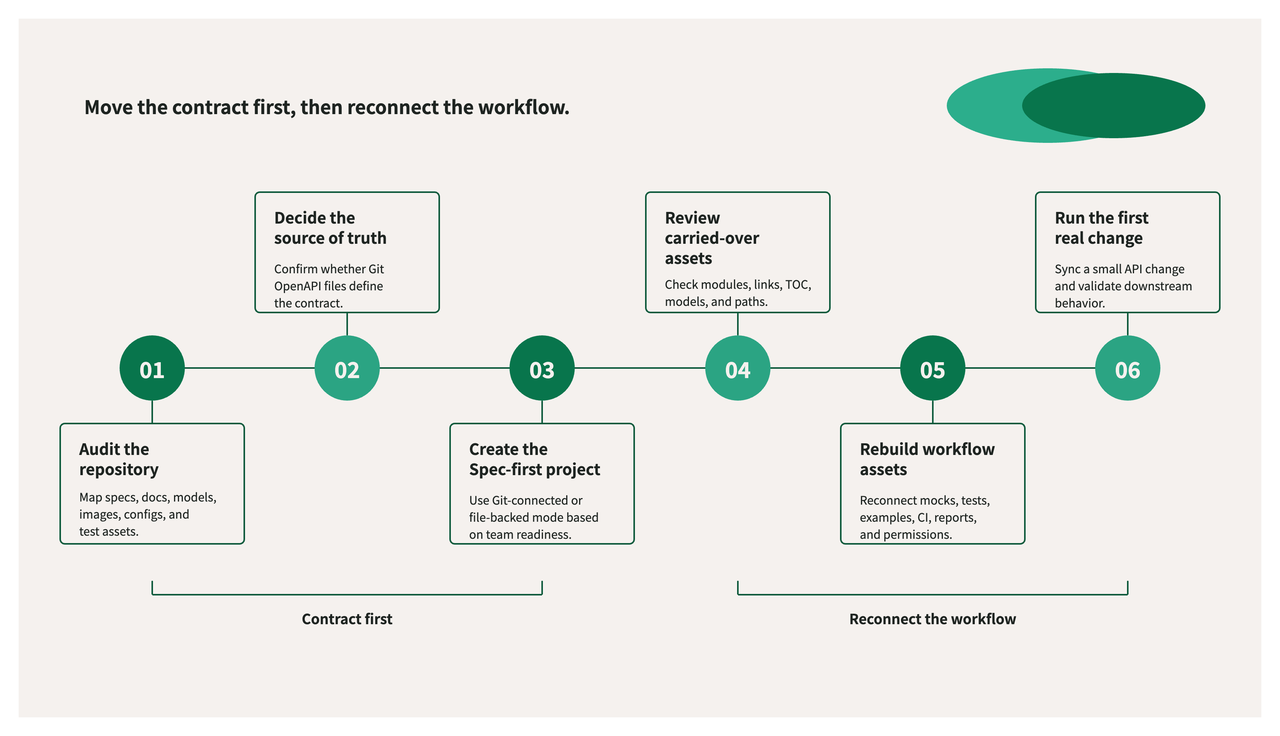
A staged migration plan: move the OpenAPI contract first, then reconnect the surrounding workflow.
1. Audit the Stoplight-style repository
Identify the OpenAPI files, .stoplight.json, toc.json, Markdown docs, models, images, and any related request or testing assets.
2. Decide the source of truth
Confirm whether OpenAPI files in Git are the contract source. If another tool or collection is effectively the source of truth, resolve that before migration.
3. Create the Spec-first project
Choose a Git-connected project if the team is ready to keep Git as the source of truth. Choose a file-backed project if the team wants to validate the file workflow first.
4. Review what was carried over
Check modules, docs, models, referenced images, links, supported toc.json navigation inputs, supported .stoplight.json path settings, and Specs validation results. Fix project files where possible rather than patching symptoms manually.
5. Rebuild workflow-level assets
Reconnect mocks, tests, request examples, CI jobs, reports, permissions, and publishing responsibilities around the migrated API contract.
6. Run the first real change through the new workflow
Make a small OpenAPI change, review it, sync it, update documentation if needed, and validate that downstream mocks, tests, and reports behave as expected.
If your team already maintains OpenAPI files, Markdown docs, and schema models in a Stoplight-style repository, Apidog Spec-first Mode can help you test the migration path before rebuilding the full workflow.
When This Migration Path Fits Best
This migration path is a good fit when:
- your team manages OpenAPI or Swagger specs as files;
- your Stoplight project includes Markdown docs, models, images,
.stoplight.json, ortoc.json; - your API review process already depends on Git branches or pull requests;
- you want API docs, mocks, tests, reports, and collaboration to stay connected to the contract;
- you want to reduce drift between API files and the workspace used by frontend, QA, product, platform, or partner teams.
It may require more planning when:
- the real API source of truth is a Postman or Bruno collection rather than OpenAPI;
- the Stoplight project relies heavily on custom publishing behavior;
- documentation contains many external links, anchors, generated pages, or unreferenced assets;
- JSON Schema models are stored in formats or structures that need manual review;
- the team wants a pixel-perfect recreation of Stoplight navigation or documentation rendering.
FAQ
Is Apidog Spec-first Mode a Stoplight alternative?
It can be used as a Stoplight alternative for teams that want to keep OpenAPI projects file-based while adding broader API collaboration, testing, mocking, documentation, reporting, and permission management around those files.
Can I keep OpenAPI specs in Git?
Yes. In a Git-connected Spec-first project, teams can keep Git as the source of truth, sync a branch, edit files, and commit changes back to the repository.
Do I need Git to start?
No. A file-backed Spec-first project can be used when the team wants to work with spec files first and connect Git later.
Are .stoplight.json and toc.json fully preserved?
No. Apidog uses supported parts of these files as migration inputs. .stoplight.json is used mainly for path discovery during sync, including supported OpenAPI, Markdown, JSON Schema roots, OpenAPI include patterns, global excludes, and tocPath. toc.json can help organize supported DOCS content, OAS/module links, selected spec-item links, and TOC-referenced model imports. The final online documentation sidebar is still constrained by Apidog's DOCS/OAS/MODELS model, so exact Stoplight navigation and arbitrary cross-type ordering may not be preserved.
What happens to Markdown docs?
Markdown docs can be carried into the Spec-first project workflow. When toc.json is present, TOC-listed docs can retain more of their structure where supported. Internal links, anchors, images, and rendering should still be reviewed.
What happens to JSON Schema models?
JSON Schema models can be carried over where supported when they are explicitly referenced by the supported project structure, such as toc.json. Do not assume every JSON file under a models directory will automatically become a model resource. Review schema format, names, folders, and references after migration.
What happens to images?
Local images referenced by Markdown can be imported where supported. Do not treat formats.image.rootDir as a guarantee that every image file in that directory will be imported. External images, data URIs, broken references, and unused image files should be checked separately.
Should I run lint or validation after migration?
Yes. After migration, run Specs validation on imported OpenAPI files. Apidog supports Spectral-based editor validation and can read root-level .spectral.yaml, .spectral.yml, .spectral.json, .spectral.mjs, or fall back to .stoplight/styleguide.json. Use the results to review contract and style issues; do not treat validation success as proof that every Stoplight-specific behavior was preserved.
What should Bruno or Postman users do?
First identify whether OpenAPI or collections are the source of truth. Spec-first migration is centered on OpenAPI and related project files. Collection-based request workflows, environments, and tests may need separate migration or rebuilding.
Does Apidog also support mocks, tests, CI/CD, reports, and collaboration?
Yes. Spec-first Mode connects the file-based API contract into Apidog, and the broader Apidog platform can support documentation, mocks, test scenarios, CI/CD execution with Apidog CLI, reports, permissions, and team collaboration around that contract.
Conclusion
Stoplight migration should not mean giving up file-based API work.
The repository can remain the source of truth. OpenAPI specs, Markdown docs, referenced images, TOC-referenced JSON Schema models, and supported project structure files can stay portable and reviewable. At the same time, the API workflow around those files can become more connected.
Apidog Spec-first Mode gives Stoplight teams a practical migration path: carry over the file-based parts of the project where supported, review Stoplight-specific structure carefully, and rebuild workflow-level assets around a connected API workspace.
If your team is evaluating a Stoplight migration, start by auditing your repository structure and deciding which files define the API contract. Then use Spec-first Mode to connect those files to docs, mocks, testing, reports, permissions, and collaboration in Apidog.
For enterprise migration planning, refer to Apidog Enterprise.