Artificial intelligence is rapidly transforming how developers build intelligent applications. One of the most exciting breakthroughs is the Qwen2.5-Omni-7B model—a truly unified multimodal AI that can process and generate text, images, audio, and video in real time. For API developers, backend engineers, and technical leads looking to integrate advanced AI into their products and workflows, Qwen2.5-Omni-7B sets a new benchmark for versatility and performance.
💡 Looking for an API testing tool that generates beautiful API documentation? Want an all-in-one platform to maximize your developer team's productivity? Apidog has you covered—and replaces Postman at a much more affordable price!
What is Qwen2.5-Omni-7B?
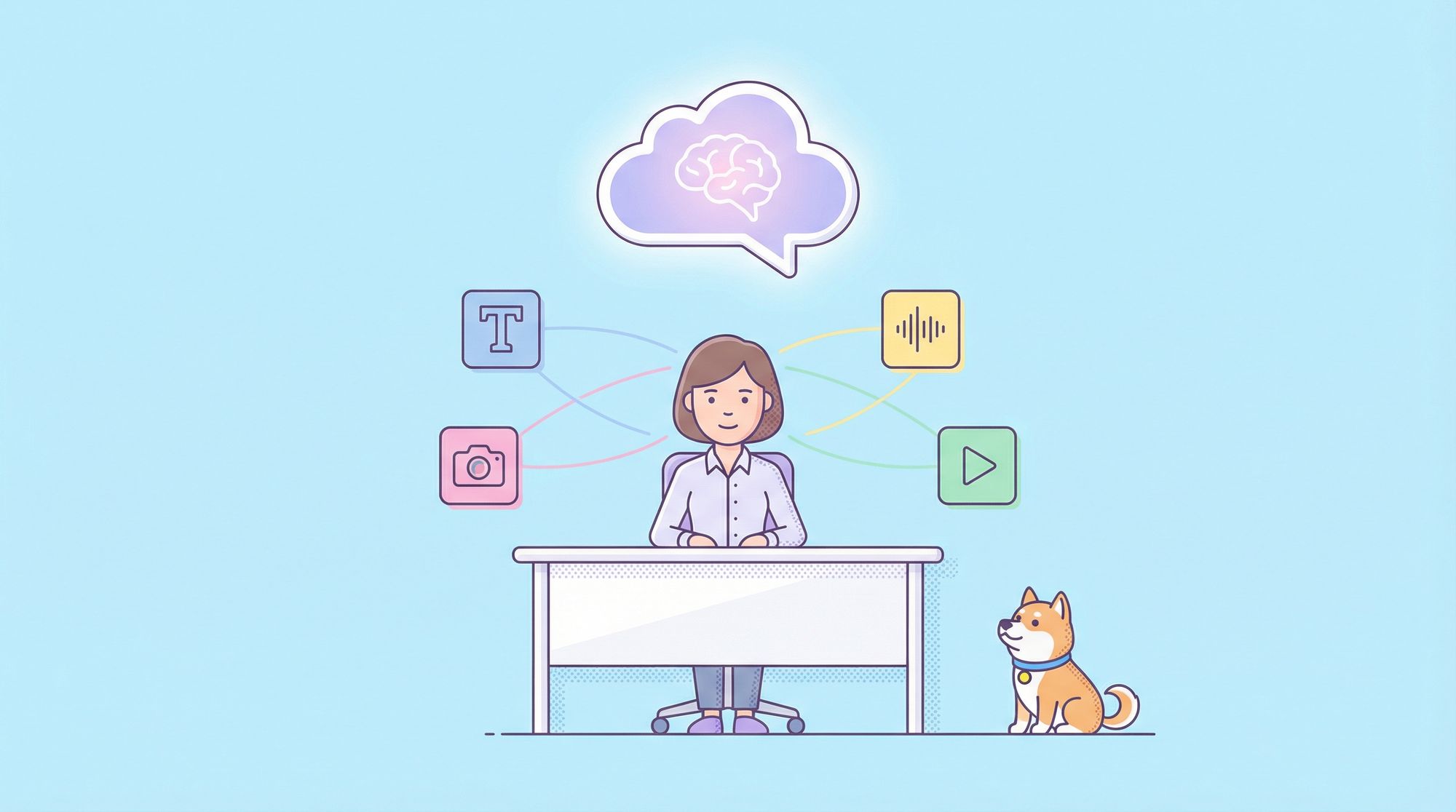
Qwen2.5-Omni-7B is a flagship end-to-end multimodal model from the Qwen team. Unlike previous models focused solely on text or vision, Qwen2.5-Omni-7B is designed for seamless interaction across:
- Text
- Images and video frames
- Audio (voice, environmental sounds, music)
- Video (with synchronized audio)
It can generate both written responses and natural-sounding speech, often in a real-time streaming fashion—making it ideal for responsive applications, virtual assistants, and content analysis tools.
How Qwen2.5-Omni-7B Works: Key Technical Innovations
At its core, Qwen2.5-Omni-7B uses a "Thinker-Talker" architecture:
The "Thinker"
- Multimodal Encoders: Specialized modules process text, images, audio, and video, extracting rich features from each.
- Time-aligned Multimodal RoPE (TMRoPE): Synchronizes video frames with corresponding audio segments, enabling the model to reason about events that unfold over time (e.g., "What sound occurs when the object is dropped in the video?").
The "Talker"
- Text Decoder: Generates textual responses based on fused multimodal understanding.
- Speech Synthesizer: Produces high-fidelity speech output in real time, supporting multiple voices (such as 'Chelsie' and 'Ethan').
The end-to-end design means perception and generation happen within a single, unified model—minimizing latency for streaming or interactive use cases.
Why Qwen2.5-Omni-7B Matters for Developers
Qwen2.5-Omni-7B stands out for several reasons:
- True Omni-Modal Capability: Handles mixed inputs—analyzing video, audio, and text together—and generates both text and audio outputs.
- Real-Time Streaming: Supports chunked input and immediate output, enabling voice assistants and tools that respond mid-sentence or in sync with video events.
- Competitive Performance: Outperforms many specialized models on leading benchmarks, including:
- OmniBench: 56.13% (beats Gemini-1.5-Pro at 42.91%)
- Audio (ASR): WERs of 1.8/3.4 on Librispeech, matching Whisper-large-v3 and Qwen2-Audio
- Vision-Language: Comparable to Qwen2.5-VL-7B on MMMU, MMBench, and TextVQA
- Video Understanding: Strong scores (64.3 on Video-MME, 70.3 on MVBench)
- Speech Synthesis: Low WER and high speaker similarity on SEED-TTS-eval
- Instruction Following via Speech: Able to follow voice commands as accurately as text instructions.

Practical Guide: How to Use Qwen2.5-Omni-7B in Your Projects
For backend and API engineers, integrating Qwen2.5-Omni-7B is straightforward with Python, Hugging Face Transformers, and the qwen-omni-utils package.
1. Environment Setup
Install the required libraries and the preview version of Transformers:
pip install transformers accelerate torch soundfile qwen-omni-utils[decord] -U
pip install git+https://github.com/huggingface/transformers@v4.51.3-Qwen2.5-Omni-preview
Tip: Use bfloat16 precision (
torch_dtype=torch.bfloat16) and Flash Attention 2 (attn_implementation="flash_attention_2") for optimal performance on modern GPUs.
2. Load the Model and Processor
import torch
import soundfile as sf
from transformers import Qwen2_5OmniForConditionalGeneration, Qwen2_5OmniProcessor
from qwen_omni_utils import process_mm_info

model_path = "Qwen/Qwen2.5-Omni-7B"
model = Qwen2_5OmniForConditionalGeneration.from_pretrained(
    model_path,
    torch_dtype=torch.bfloat16,
    device_map="auto",
    attn_implementation="flash_attention_2"
)
processor = Qwen2_5OmniProcessor.from_pretrained(model_path)
3. Example: Automatic Speech Recognition (ASR)
audio_url_asr = "https://qianwen-res.oss-cn-beijing.aliyuncs.com/Qwen2.5-Omni/hello.wav"
conversation_asr = [
    {"role": "system", "content": [{"type": "text", "text": "You are Qwen, a virtual human..."}]},
    {"role": "user", "content": [
        {"type": "audio", "audio": audio_url_asr},
        {"type": "text", "text": "Please provide the transcript for this audio."}
    ]}
]

text_prompt_asr = processor.apply_chat_template(conversation_asr, add_generation_prompt=True, tokenize=False)
audios_asr, images_asr, videos_asr = process_mm_info(conversation_asr, use_audio_in_video=False)
inputs_asr = processor(
    text=text_prompt_asr,
    audio=audios_asr, images=images_asr, videos=videos_asr,
    return_tensors="pt", padding=True, use_audio_in_video=False
).to(model.device).to(model.dtype)

with torch.no_grad():
    text_ids_asr = model.generate(**inputs_asr, use_audio_in_video=False, return_audio=False, max_new_tokens=512)
transcription = processor.batch_decode(text_ids_asr, skip_special_tokens=True, clean_up_tokenization_spaces=False)[0]
print(transcription)
4. Example: Sound Event Recognition
sound_url = "https://qianwen-res.oss-cn-beijing.aliyuncs.com/Qwen2.5-Omni/cough.wav"
conversation_sound = [
    {"role": "system", "content": [{"type": "text", "text": "You are Qwen, a virtual human..."}]},
    {"role": "user", "content": [
        {"type": "audio", "audio": sound_url},
        {"type": "text", "text": "What specific sound event occurs in this audio clip?"}
    ]}
]

text_prompt_sound = processor.apply_chat_template(conversation_sound, add_generation_prompt=True, tokenize=False)
audios_sound, _, _ = process_mm_info(conversation_sound, use_audio_in_video=False)
inputs_sound = processor(text=text_prompt_sound, audio=audios_sound, return_tensors="pt", padding=True, use_audio_in_video=False)
inputs_sound = inputs_sound.to(model.device).to(model.dtype)

with torch.no_grad():
    text_ids_sound = model.generate(**inputs_sound, return_audio=False, max_new_tokens=128)
analysis_text = processor.batch_decode(text_ids_sound, skip_special_tokens=True, clean_up_tokenization_spaces=False)[0]
print(analysis_text)
5. Example: Video Analysis with Audio
video_url = "https://qianwen-res.oss-cn-beijing.aliyuncs.com/Qwen2.5-Omni/draw.mp4"
conversation_video = [
    {"role": "system", "content": [{"type": "text", "text": "You are Qwen, a virtual human..."}]},
    {"role": "user", "content": [
        {"type": "video", "video": video_url},
        {"type": "text", "text": "Describe the actions in this video and mention any distinct sounds present."}
    ]}
]

text_prompt_video = processor.apply_chat_template(conversation_video, add_generation_prompt=True, tokenize=False)
audios_video, images_video, videos_video = process_mm_info(conversation_video, use_audio_in_video=True)
inputs_video = processor(
    text=text_prompt_video,
    audio=audios_video, images=images_video, videos=videos_video,
    return_tensors="pt", padding=True, use_audio_in_video=True
).to(model.device).to(model.dtype)

with torch.no_grad():
    text_ids_video, audio_output_video = model.generate(
        **inputs_video,
        use_audio_in_video=True,
        return_audio=True,
        speaker="Ethan",
        max_new_tokens=512
    )

video_analysis_text = processor.batch_decode(text_ids_video, skip_special_tokens=True, clean_up_tokenization_spaces=False)[0]
print(video_analysis_text)

if audio_output_video is not None:
    sf.write("video_analysis_response.wav", audio_output_video.reshape(-1).detach().cpu().numpy(), samplerate=24000)
Real-World Applications for API Teams
The Qwen2.5-Omni-7B model unlocks new possibilities, including:
- Conversational AI: Voice assistants that understand complex queries involving images, audio, or video.
- Content Moderation: Automated detection and explanation of events in multimedia files.
- Accessibility: Transcribing, describing, or translating multimedia content for users with special needs.
- Developer Tooling: Enhanced documentation, testing, and collaboration using multimodal AI.
For teams building API products, having an integrated platform like Apidog streamlines collaboration, API testing, and documentation. Apidog helps you prototype, test, and document APIs for intelligent services, so your team can focus on building innovative features—not glue code.
Conclusion
Qwen2.5-Omni-7B represents a leap forward in multimodal AI for developers. Its unified, real-time processing of text, images, audio, and video—along with robust benchmarks and practical code samples—makes it a compelling choice for next-generation applications. As multimodal AI becomes essential to modern products, combining the power of models like Qwen2.5-Omni-7B with collaborative API platforms such as Apidog will set your team apart.
💡 Ready to build smarter APIs and accelerate team productivity? Try Apidog for beautiful API documentation and streamlined workflows—all at a better price than Postman.