

Most developer workflows still run through the terminal, and the tools that hold up over years tend to share one trait: they’re open source. You can read the code, self-host anything that runs a server, and never hit a seat license or a “contact sales” wall. When a tool is MIT or Apache licensed and lives on GitHub, you also get a maintenance signal you can check yourself, plus the freedom to fork it if the project stalls.
This piece is a curated list of free, genuinely open-source CLI tools that earn a spot in day-to-day API development and backend work. Every tool here ships under a permissive or copyleft license, keeps its source on GitHub, and costs nothing to run. The lens is license and lock-in, not raw size or startup speed.
You’ll get seven tools for the core loop: making requests, parsing JSON, testing HTTP flows, working with GitHub, and exposing a local server to the internet. Each entry names the license, links the repo, and shows one real command so you can see it working. There’s also an honest note on where a free-tier commercial tool fits, clearly labeled so you never mistake it for an open-source entry.
What makes a CLI tool “open source” for development
Plenty of tools are free to download but closed underneath, or open at the core with the useful parts behind a paywall. For this list, a tool qualifies on three checks:
- License. It ships under an OSI-approved license: MIT, Apache 2.0, BSD, or GPL. That’s what lets you use it commercially, self-host it, and fork it without asking.
- Source on GitHub (or equivalent). You can read every line, file issues, and judge maintenance from commit history and release cadence.
- No lock-in. No mandatory account, no telemetry you can’t turn off, no server component you’re forced to rent. If it runs a service, you can run that service yourself.
Stars and recent commits matter too, but they’re secondary. A quiet, stable MIT tool beats a trendy one with a source-available license that restricts commercial use. Check the LICENSE file before you standardize on anything.
curl: the universal HTTP client
curl is the tool almost every other HTTP tool is measured against. It speaks dozens of protocols, ships on nearly every OS by default, and has been maintained continuously since 1996. It’s licensed under the permissive curl license (an MIT/X derivative), and the source lives at github.com/curl/curl.
For API work, curl is your lowest-common-denominator request tool. It’s already installed, so any script or CI job can rely on it.
curl -s -X POST https://api.github.com/repos/curl/curl/issues \
  -H "Authorization: Bearer $TOKEN" \
  -H "Content-Type: application/json" \
  -d '{"title":"Test issue","body":"Filed from curl"}'
Best at: portability and scripting. If it runs a shell, it runs curl. The honest limit is ergonomics. Raw curl output is dense, header handling is verbose, and reading a JSON body means piping it somewhere else. That’s exactly why the next two tools exist.
HTTPie: curl with human-friendly output
HTTPie is a modern HTTP client built for people, not just scripts. Requests read like plain English, JSON is the default body type, and responses come back colorized and formatted. It’s licensed under BSD-3-Clause and open at github.com/httpie/cli.

Install it with pip, then use the http command:
pip install httpie
http POST httpbin.org/post name=apidog role=platform
That’s the whole request. name=apidog becomes a JSON field automatically, headers and status print with color, and the body is pretty-printed without a second tool. Best at: interactive exploration and debugging by hand. The honest limit is that it’s a Python package, so it’s a heavier install than a single static binary, and in tight CI images you may still reach for curl.
jq: the JSON processor every pipeline needs
APIs return JSON, and jq is how you slice it from the command line. It filters, reshapes, and extracts fields with a small query language, and it composes cleanly with curl or HTTPie in a pipe. jq is MIT licensed and maintained by the community at github.com/jqlang/jq.
Pipe an API response straight into it:
curl -s https://api.github.com/repos/jqlang/jq \
  | jq '{name: .name, stars: .stargazers_count, license: .license.spdx_id}'
That pulls three fields out of a large response and builds a clean object. Best at: turning noisy JSON into exactly the shape you need for the next step in a script. The honest limit is the learning curve. jq’s syntax is powerful but terse, and complex transforms can get cryptic fast. For everyday field extraction, though, you’ll learn 90% of what you need in an afternoon.
gh: the GitHub CLI
gh brings GitHub into your terminal: pull requests, issues, releases, Actions runs, and API calls, all without opening a browser. It’s written in Go, MIT licensed, and lives at github.com/cli/cli. Since so much API and backend work lives in GitHub repos, it belongs in the core kit.
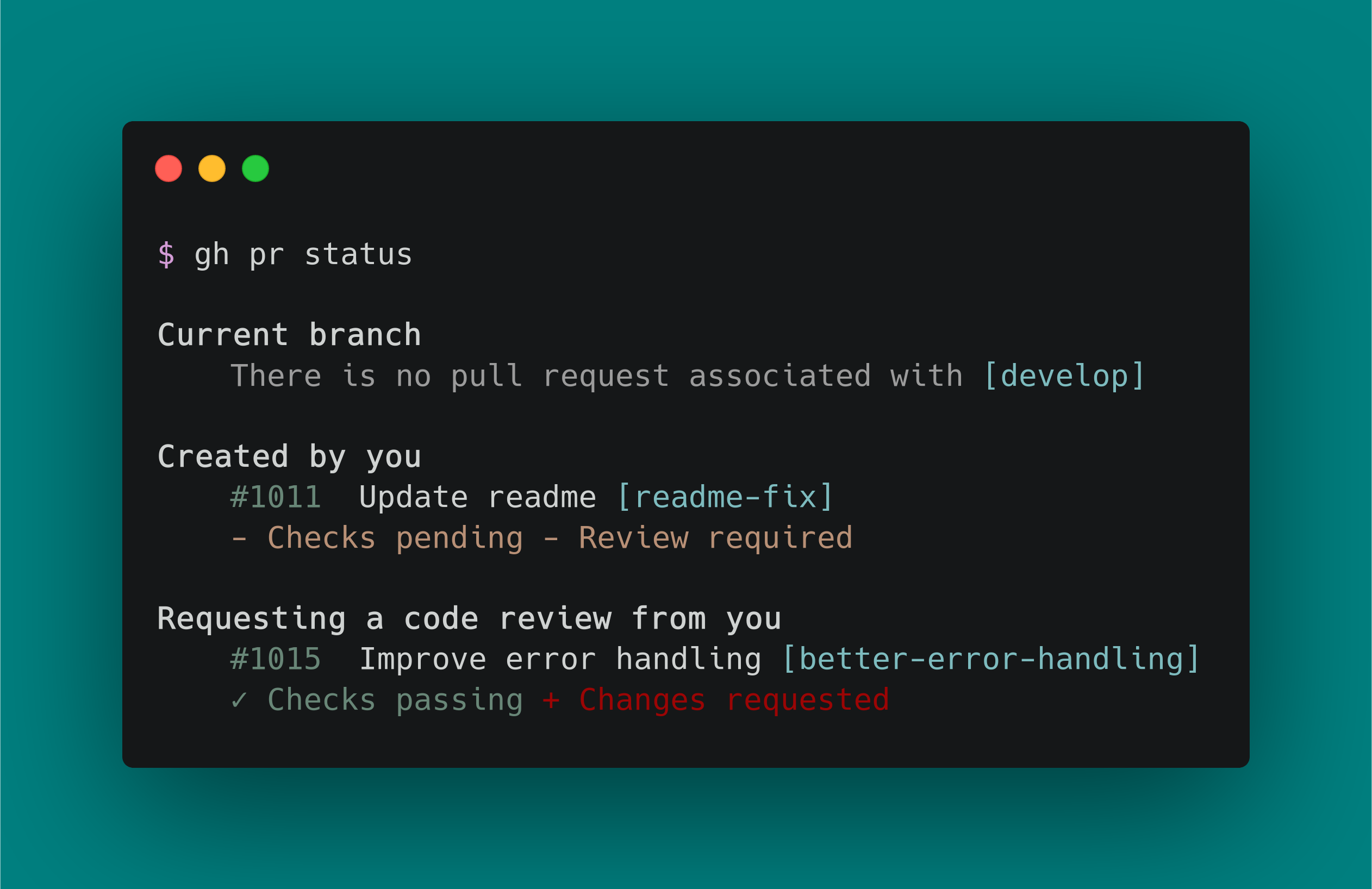
One useful trick: gh api gives you an authenticated, paginated wrapper over the GitHub REST and GraphQL APIs, so you don’t hand-roll tokens into curl.
gh api repos/cli/cli/releases --jq '.[0].tag_name'
That prints the latest release tag using gh’s built-in jq filter. Best at: scripting GitHub itself, from CI workflows to release automation. The honest limit is scope; it’s GitHub-only by design. For GitLab or Gitea you’ll want their respective CLIs or plain curl against their APIs.
Hurl: plain-text HTTP tests you can commit
Hurl runs and tests HTTP requests defined in a simple plain-text file. You write requests, assert on status codes, headers, and JSON bodies, and chain calls by capturing values from one response into the next. It turns “test the API” into a file you check into git. Hurl is written in Rust, Apache 2.0 licensed, and maintained by Orange at github.com/Orange-OpenSource/hurl.

Write a .hurl file:
GET https://api.github.com/repos/Orange-OpenSource/hurl

HTTP 200
[Asserts]
jsonpath "$.name" == "hurl"
jsonpath "$.stargazers_count" > 1000
Then run it:
hurl --test repo.hurl
Hurl exits 0 when every assertion passes and non-zero when one fails, which makes it drop straight into CI. Best at: readable, version-controlled integration tests that a whole team can edit without learning a framework. The honest limit is that it’s focused on HTTP request/response testing; it isn’t a full contract-testing or load-testing tool. For a broader look at how CLI testing fits a spec-first API development workflow, the assertion file pairs well with an OpenAPI source of truth.
cloudflared: expose a local server without a paid tunnel
Sometimes you need a public URL for the API running on your laptop: a webhook callback, a demo, a mobile test against a real host. cloudflared is Cloudflare’s tunnel client, and its quick-tunnel mode gives you a temporary public *.trycloudflare.com URL with one command and no account. It’s written in Go, Apache 2.0 licensed, and open at github.com/cloudflare/cloudflared.
Point it at your local port:
cloudflared tunnel --url http://localhost:3000
It prints a public HTTPS URL that forwards to localhost:3000 until you stop it. Best at: quick, free, ad-hoc tunnels when you don’t want to sign up for anything. If you’d rather stay fully in the npm ecosystem, localtunnel (MIT) does the same job with npx localtunnel --port 3000. The honest limit on quick tunnels: the URL is random and ephemeral, and for stable named tunnels you’ll create a Cloudflare account and a config, though the client stays open source either way.
git: version control as a CLI, not a GUI
It’s easy to forget git is a command-line tool first. Every API spec, test file, and Hurl scenario above belongs in a git repo, and the CLI is where the real power lives: precise staging, bisect, rebase, and hooks that run your API tests before a commit lands. git is GPLv2 licensed and developed in the open at github.com/git/git.
A small example that ties the kit together: a pre-commit hook that runs your Hurl tests before code lands.
echo 'hurl --test *.hurl' > .git/hooks/pre-commit
chmod +x .git/hooks/pre-commit
Best at: being the substrate everything else sits on. Self-hosted from day one, no server required, and forgeable in every sense. The honest limit is that git is version control, not project hosting; the hosting layer (GitHub, GitLab, Gitea) is a separate choice, and only some of those are open source themselves.
An honest aside: where Apidog fits
Apidog isn’t open source, so it doesn’t belong on this list as an OSS entry. It’s a commercial product with a free tier, and it’s worth naming here for one reason: the tools above are excellent individually, but you end up stitching them together by hand. curl for requests, jq to parse, Hurl for tests, a separate mock server, a docs generator, environment variables managed in shell profiles.
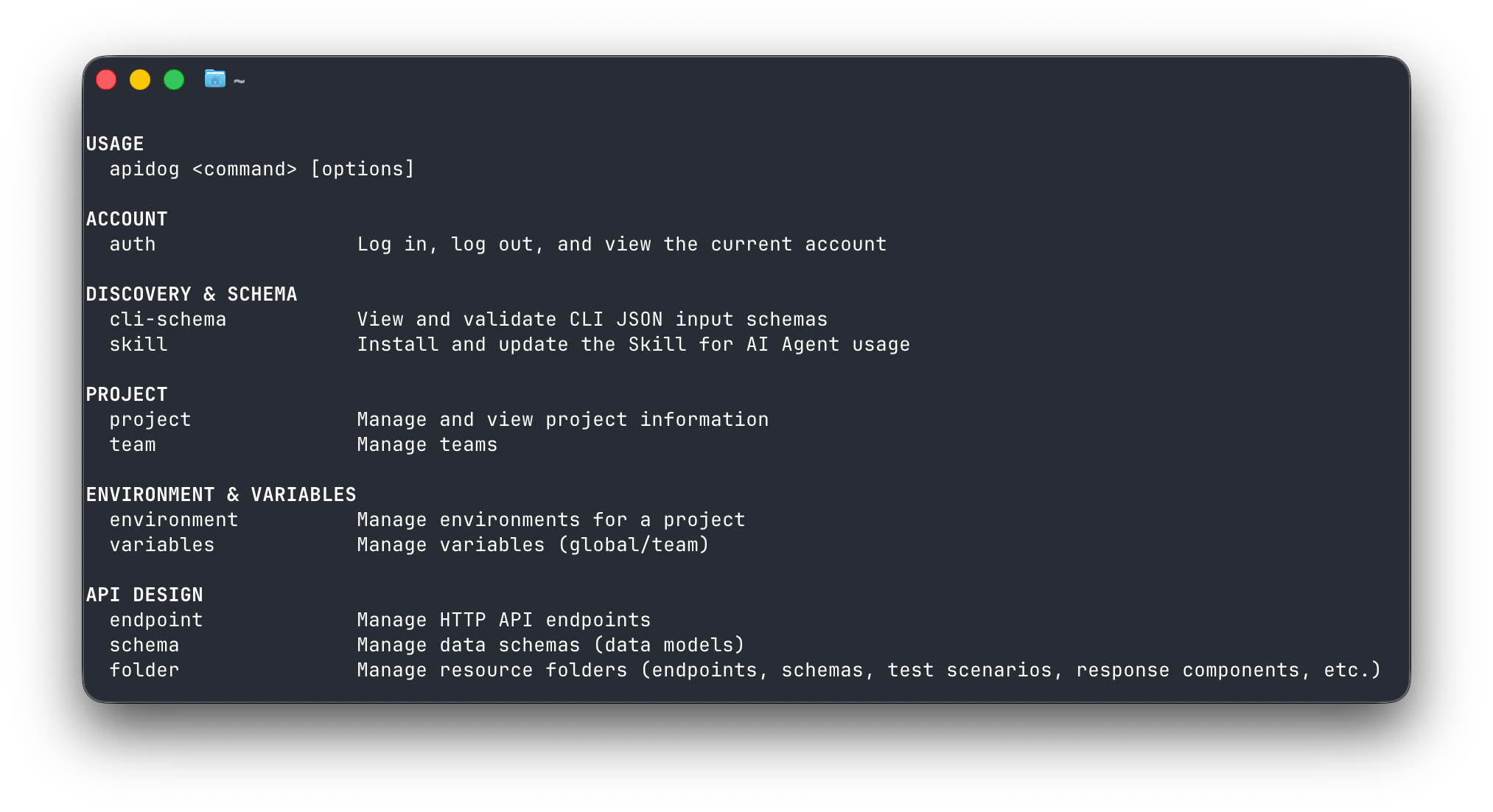
Apidog folds design, testing, mocking, and documentation into one workspace, and apidog-cli brings that into the terminal. It’s an npm package (npm install -g apidog-cli), and it runs test scenarios, manages endpoints and schemas, spins up mock expectations, and imports or exports OpenAPI, all with structured JSON output that scripts and AI agents can read. apidog run exits 0 on all-pass and non-zero on failure, so it drops into CI the same way Hurl does.
The honest framing: if you want zero lock-in and full source access, the open-source kit is the right call, and it’s what this article is about. If you’d rather not glue seven tools together and maintain the plumbing yourself, Apidog’s free tier plus its CLI gives you an integrated alternative. Both are valid; they optimize for different things. If you go the CLI route, the installation guide walks through auth and first commands.
How to choose
Match the tool to the job. Most developers run several of these together, curl or HTTPie to fetch, jq to parse, Hurl to test, git to version everything.
| Tool | Best for | Install | Open source? | Notes |
|---|---|---|---|---|
| curl | Portable requests, scripting | Preinstalled | Yes (curl/MIT-style) | On every system already |
| HTTPie | Human-friendly debugging | pip install httpie |
Yes (BSD-3-Clause) | Colorized, JSON by default |
| jq | Parsing JSON responses | pkg manager / binary | Yes (MIT) | The pipeline glue |
| gh | Scripting GitHub | pkg manager / binary | Yes (MIT) | GitHub-only by design |
| Hurl | Committable HTTP tests | Single binary | Yes (Apache 2.0) | Exits non-zero on failure |
| cloudflared | Free public tunnels | Single binary | Yes (Apache 2.0) | Quick tunnels need no account |
| git | Version control | Preinstalled | Yes (GPLv2) | Substrate for the rest |
| apidog-cli | Integrated API workflow | npm i -g apidog-cli |
No (free tier) | Design + test + mock + docs |
The rule of thumb: reach for the single-purpose open-source tool when you want to own the plumbing, and reach for an integrated platform when you’d rather not. If you’re weighing that trade-off across a full toolchain, the breakdown of Apidog as a comprehensive API development platform covers what the integrated route replaces.
Wrapping up
Open source earns its place in the terminal by being inspectable, self-hostable, and free of lock-in. curl, HTTPie, jq, gh, Hurl, cloudflared, and git cover the core of API and backend development, and every one of them is a license you can read and a repo you can fork. Start with the two or three that fit your current loop and add the rest as you need them.
If you’re building agent-driven workflows on top of these, the same terminal-first principles apply, and structured JSON output becomes the connective tissue; the piece on AI coding assistants for API development goes deeper there. And if maintaining seven separate tools starts to feel like a job of its own, Download Apidog and try the Apidog CLI to see what the integrated path looks like before you commit either way.