When I built my first production API, I used Express.js and the setup took about two hours: boilerplate, middleware, route handlers, TypeScript config, and deployment scripts. Recently, I shipped a complete REST API in only 20 minutes using NitroJs. No app.use() chains, no manual routing, no deployment headaches.
This guide shows you how NitroJs eliminates boilerplate while giving you a production-ready backend that runs anywhere, Node, Bun, Deno, serverless, or edge.
What Is NitroJs and Why Use It for Backend APIs?
NitroJs is a server toolkit from the UnJS ecosystem that treats your backend as a build artifact. Instead of writing a server that couples to a runtime, you write route handlers and Nitro compiles them into a portable bundle. Deploy the same code to Node.js, Cloudflare Workers, Vercel, or a Docker container without changing a line.
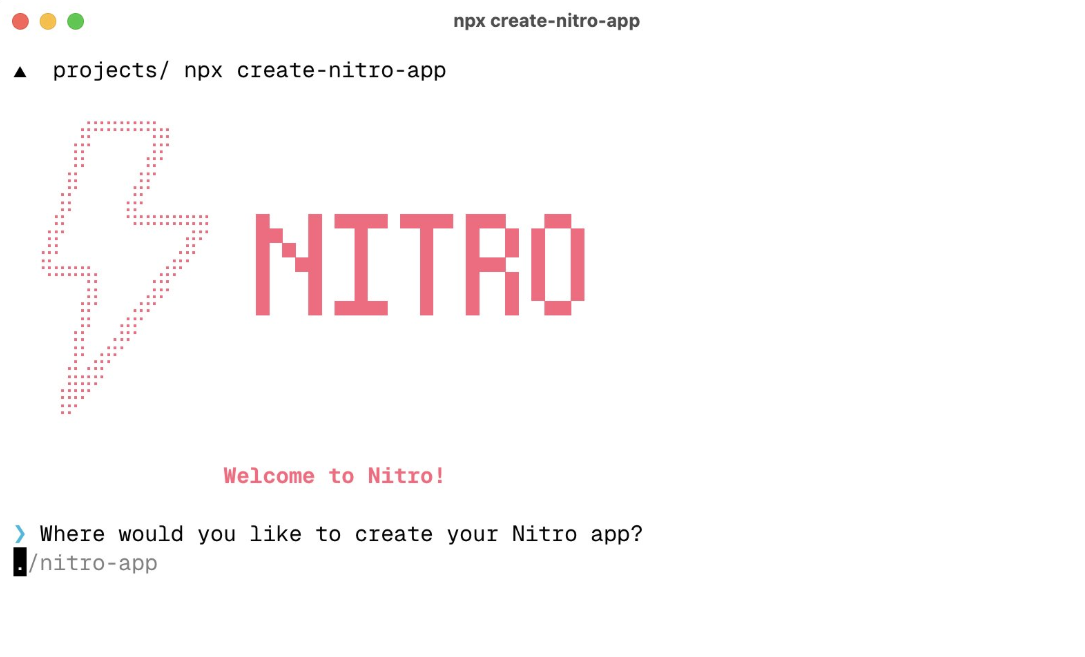
Core mental model: Write routes, not servers. You focus on API logic; Nitro handles HTTP, middleware, and platform glue.
Key advantages for backend APIs:
- Zero config: No
server.jsboilerplate - Filesystem routing:
routes/users.get.tsbecomesGET /users - TypeScript native: Auto-inferred types from handlers
- Universal deployment: One build, multiple targets
- Built-in caching: Store API responses in memory, Redis, or Cloudflare KV
- Storage layer: Abstracted file system for temporary data
For API developers, this means you ship faster and refactor less when changing infrastructure.
Getting Started: Install NitroJs in 5 Minutes
Step 1: Scaffold a Project
# Using pnpm (recommended)
pnpm dlx giget@latest nitro nitro-api-backend

# Or npm
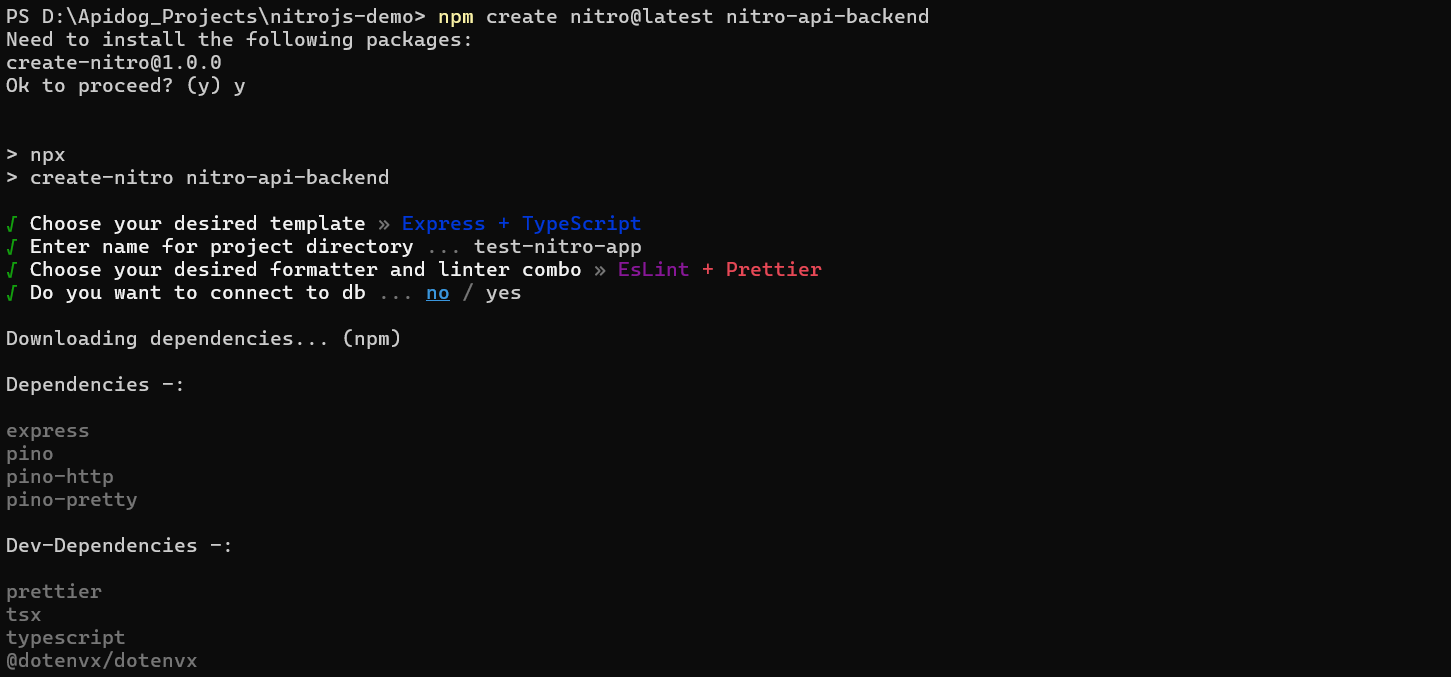
npm create nitro@latest nitro-api-backend

# Or bun
bunx giget@latest nitro nitro-api-backend
This clones the official starter template into nitro-api-backend.
Step 2: Explore the Structure
cd nitro-api-backend
tree -L 2
Output:
├── server
│   ├── api
│   ├── routes
│   ├── tasks
│   └── middleware
├── nitro.config.ts
├── package.json
└── tsconfig.json
Critical directories:
server/api/: API routes (no UI)server/routes/: Full-stack routes (for SSR)server/middleware/: Global middlewareserver/tasks/: Background jobs
For a pure backend API, ignore routes and put everything in api.
Step 3: Run Development Server
pnpm install
pnpm dev
Nitro starts on http://localhost:3000 with hot reload. Edit a file, and the server restarts in under 200ms.
Building Your First API Endpoint
Simple GET Handler
Create server/api/users.get.ts:
// server/api/users.get.ts
export default defineEventHandler(() => {
  return [
    { id: 1, name: "Alice", email: "alice@example.com" },
    { id: 2, name: "Bob", email: "bob@example.com" }
  ];
});
Nitro automatically serves this at GET /api/users. The defineEventHandler wrapper provides type safety and access to the request context.
Dynamic Route with Parameters
Create server/api/users/[id].get.ts:
// server/api/users/[id].get.ts
export default defineEventHandler((event) => {
  const id = getRouterParam(event, 'id');

  if (!id) {
    throw createError({
      statusCode: 400,
      statusMessage: 'User ID is required'
    });
  }

  return {
    id: Number(id),
    name: `User ${id}`,
    email: `user${id}@example.com`
  };
});
Access GET /api/users/42 to see { id: 42, name: "User 42", ... }.
POST with JSON Body
Create server/api/users.post.ts:
// server/api/users.post.ts
export default defineEventHandler(async (event) => {
  const body = await readBody(event);

  // Nitro parses JSON automatically
  const { name, email } = body;

  if (!name || !email) {
    throw createError({
      statusCode: 422,
      statusMessage: 'Name and email are required'
    });
  }

  // Simulate database insertion
  const newUser = {
    id: Math.floor(Math.random() * 1000),
    name,
    email,
    createdAt: new Date().toISOString()
  };

  return newUser;
});
Test it:
curl -X POST http://localhost:3000/api/users \
  -H "Content-Type: application/json" \
  -d '{"name":"Charlie","email":"charlie@example.com"}'
Type-Safe Responses
Nitro infers response types from your return values. For strict contracts, use explicit types:
// server/api/products.get.ts
interface Product {
  id: number;
  name: string;
  price: number;
  inStock: boolean;
}

export default defineEventHandler<Product[]>(() => {
  return [
    { id: 1, name: "Laptop", price: 1299.99, inStock: true },
    { id: 2, name: "Mouse", price: 29.99, inStock: false }
  ];
});
Now clients importing this endpoint get full IntelliSense.
Advanced API Patterns
Middleware for Auth
Create server/middleware/auth.ts:
// server/middleware/auth.ts
export default defineEventHandler(async (event) => {
  const protectedRoutes = ['/api/admin', '/api/users/me'];

  if (protectedRoutes.some(route => event.path.startsWith(route))) {
    const token = getHeader(event, 'authorization')?.replace('Bearer ', '');

    if (!token || token !== process.env.API_SECRET) {
      throw createError({
        statusCode: 401,
        statusMessage: 'Unauthorized'
      });
    }
  }
});
Middleware runs before every route. Add it to nitro.config.ts:
// nitro.config.ts
export default defineNitroConfig({
  srcDir: 'server',
  runtimeConfig: {
    apiSecret: process.env.API_SECRET
  }
});
Caching API Responses
Cache expensive computations for 60 seconds:
// server/api/stats.get.ts
export default defineCachedEventHandler(async () => {
  const db = useStorage('data');
  const users = await db.getItem('users') || [];

  return {
    totalUsers: users.length,
    activeUsers: users.filter(u => u.lastSeen > Date.now() - 86400000).length
  };
}, {
  maxAge: 60, // seconds
  name: 'stats',
  getKey: () => 'global-stats'
});
Nitro handles cache invalidation and storage (memory, Redis, or Cloudflare KV based on deployment target).
File Upload Handling
// server/api/upload.post.ts
export default defineEventHandler(async (event) => {
  const files = await readMultipartFormData(event);

  if (!files?.length) {
    throw createError({ statusCode: 400, statusMessage: 'No files uploaded' });
  }

  const storage = useStorage('uploads');
  const file = files[0];

  await storage.setItem(file.filename, file.data);

  return { success: true, filename: file.filename };
});
Test with:
curl -X POST http://localhost:3000/api/upload \
  -F "file=@/path/to/image.jpg"
Deployment: From Local to Production
Build for Production
pnpm build
Nitro generates a .output directory with platform-specific entry points.
Run on Node.js
node .output/server/index.mjs
No node_modules required—the build bundles everything.
Deploy to Cloudflare Workers
# Install preset
pnpm add -D nitro-preset-cloudflare-workers

# Build with preset
NITRO_PRESET=cloudflare-workers pnpm build

# Deploy
wrangler deploy .output
Deploy to Vercel (Serverless)
# Vercel detects Nitro automatically
vercel
Or configure nitro.config.ts:
export default defineNitroConfig({
  preset: 'vercel-edge'
});
Environment Variables
Create .env locally, then use platform dashboards in production:
# .env
API_SECRET=dev-secret-key
DATABASE_URL=file:./dev.db
Access in handlers:
const config = useRuntimeConfig();
const secret = config.apiSecret;
Advanced Use Cases
WebSockets & Server-Sent Events
Nitro supports WebSockets via defineWebSocketHandler:
// server/api/ws.ts
export default defineWebSocketHandler({
  open(peer) {
    console.log('WebSocket connected:', peer);
  },
  message(peer, message) {
    peer.send(`Echo: ${message.text()}`);
  },
  close(peer, details) {
    console.log('WebSocket closed:', details);
  }
});
Access at ws://localhost:3000/api/ws.
Background Tasks
Create server/tasks/cleanup.ts:
// server/tasks/cleanup.ts
export default defineCronHandler('0 2 * * *', async () => {
  const db = useStorage('temp');
  const keys = await db.getKeys();

  for (const key of keys) {
    const metadata = await db.getMeta(key);
    if (metadata.expiresAt < Date.now()) {
      await db.removeItem(key);
    }
  }

  console.log('Cleanup completed');
});
This runs daily at 2 AM. Deploy to a platform with cron support (e.g., Vercel, Netlify).
Workflow Engines
Integrate with useWorkflow.dev for complex orchestration:
// server/api/workflows/process.ts
import { createWorkflow } from '@useworkflow/sdk';

export default defineEventHandler(async (event) => {
  const workflow = createWorkflow('data-pipeline', {
    steps: [
      { id: 'fetch', run: 'https://api.example.com/data' },
      { id: 'transform', run: 'transform.js' },
      { id: 'store', run: async (data) => {
        const storage = useStorage('results');
        await storage.setItem('latest', data);
      }}
    ]
  });

  await workflow.start();
  return { status: 'started' };
});
Real Developer Scenarios
Scenario 1: Static Site Backend
Deploy a Nitro API to Cloudflare Workers that serves JSON data to a static JAMstack site. The free tier handles 100K requests/day.
Scenario 2: Mobile App API
Build REST endpoints for a React Native app. Use Nitro’s built-in CORS handling:
// nitro.config.ts
export default defineNitroConfig({
  routeRules: {
    '/api/**': { cors: true }
  }
});
Scenario 3: Microservices Gateway
Run Nitro as an API gateway that aggregates microservices. Use $fetch to proxy requests:
// server/api/aggregate.get.ts
export default defineEventHandler(async (event) => {
  const [users, posts] = await Promise.all([
    $fetch('https://users-service.internal/users'),
    $fetch('https://posts-service.internal/posts')
  ]);

  return { users, posts };
});
Test Your NitroJs APIs with Apidog
Nitro generates backends fast, but speed means nothing if your endpoints break. When you ship a new POST /api/users, import the route definition into Apidog. It reverse-engineers your handler’s return type and generates contract tests automatically.
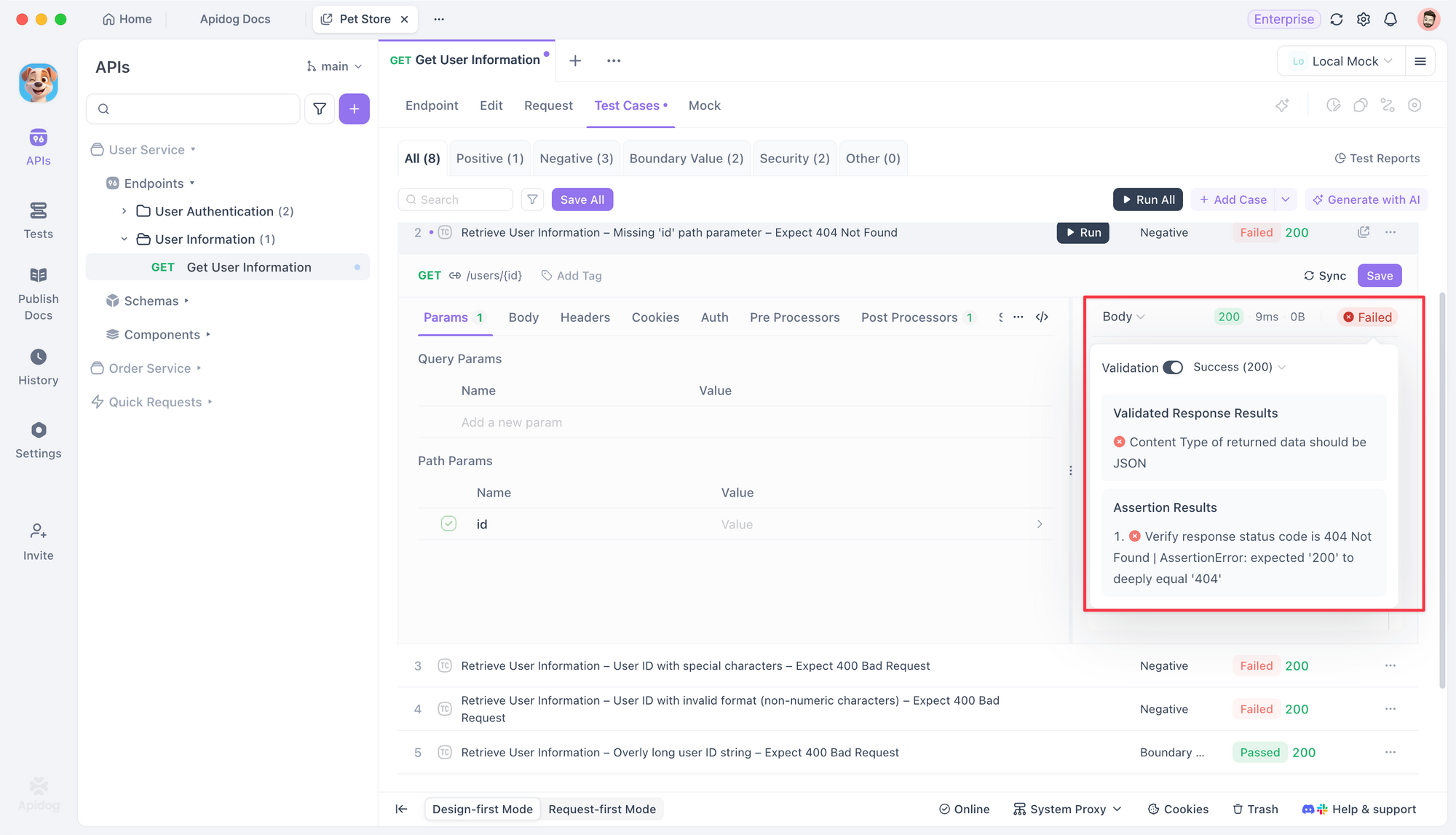
Run them in CI to catch breaking changes before your frontend team pulls their hair out. It’s free to start, and it’s the guardrail your rapid Nitro development needs.

Frequently Asked Questions
1. Can Nitro replace Express.js completely?
Yes. Nitro handles routing, middleware, and deployment better. Migrate by moving Express middleware to Nitro plugins and routes to server/api/.
2. How does Nitro handle database connections?
Use Nitro plugins to initialize pools on startup. The storage layer abstracts caching, but for SQL, bring your own ORM (Prisma, Drizzle).
3. Is Nitro production-ready?
Absolutely. Nuxt uses Nitro for millions of production sites. It’s battle-tested for scale.
4. Can I use Nitro with GraphQL?
Yes. Add a GraphQL handler in server/api/graphql.post.ts. Use any Node GraphQL library—Nitro doesn’t restrict you.
5. What’s the difference between Nitro and Hono?
Hono is a lightweight router. Nitro is a full server toolkit with builds, presets, and storage. Use Hono for microservices, Nitro for full backends.
Conclusion
NitroJs rethinks backend development by compiling your API into a portable artifact. You get filesystem routing, TypeScript safety, and universal deployment without boilerplate. Build your next REST API with Nitro, and validate it with Apidog. Your future self will thank you when you migrate from Node to the edge in one config line.