
TL;DR
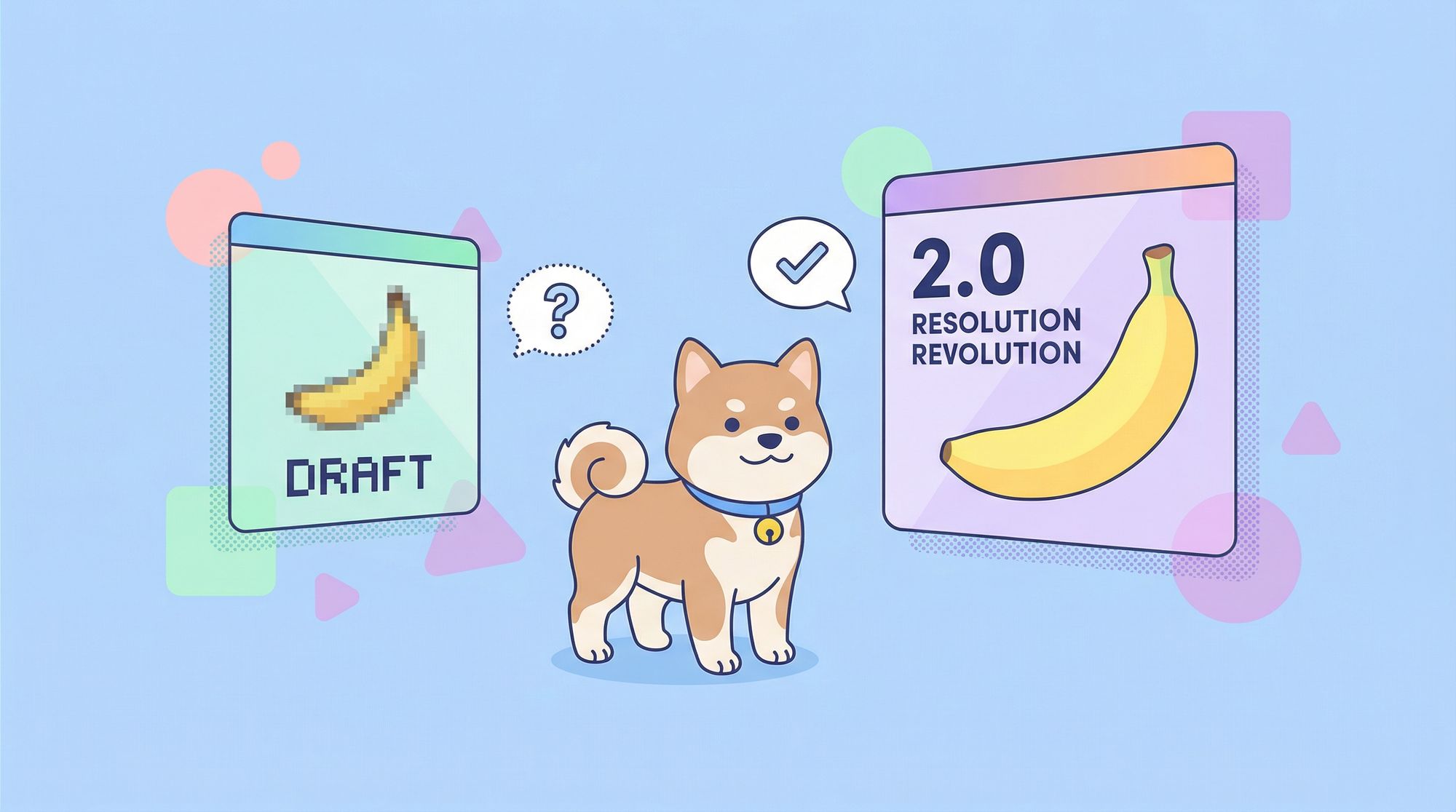
Nano Banana 2 represents a massive upgrade over its predecessor, delivering 2K resolution images (up from 1K), dramatically improved text rendering, superior prompt understanding, and built-in consistency for multi-image projects. While Nano Banana 1 remains suitable for quick, simple tasks, Nano Banana 2 is the clear choice for professional work requiring high fidelity, accurate text, and complex compositions. Both are accessible via Google's Gemini platform, though developers building applications can test either API using Apidog for streamlined API development and testing.
Introduction
Google's Nano Banana line has become one of the most talked-about AI image generation families in the industry. Released in 2025, Nano Banana 1 impressed developers and creatives with its speed and accessibility. Then, in early 2026, Google dropped Nano Banana 2, and the upgrade is substantial.
If you're deciding between these two versions, you might be wondering: is Nano Banana 2 worth the switch? Does it actually deliver meaningfully better results, or is it mostly marketing hype? And which one should you use for your specific needs?
Image Quality and Resolution
Nano Banana 1: Solid for Web Use
Nano Banana 1 generates images at 1024×1024 pixels (1K resolution). This is perfectly adequate for web graphics, social media posts, and digital content. The quality is good—you'll get crisp images that look professional in most digital contexts.
However, when you zoom in or print at larger sizes, the limitations become apparent. The detail isn't there for high-quality print work, and upscaling produces noticeable artifacts.
Nano Banana 2: Professional-Grade Output
Nano Banana 2 natively produces 2048×2048 pixel (2K) images—doubling the pixel count of its predecessor. That's four times the total resolution, translating to significantly more detail, sharper edges, and richer textures.
But resolution is only part of the story. Nano Banana 2 also introduces 16-bit color support, giving you a vastly broader color palette with smoother gradients and less color banding. The difference is especially noticeable in:
- Sky gradients and sunsets
- Product photography with subtle shadows
- Artistic illustrations with complex color blending
- Detailed textures (fur, fabric, foliage)
Winner: Nano Banana 2 — The jump from 1K to 2K is transformative for professional work. If you need print-quality output or detailed compositions, Nano Banana 2 is the clear choice.
Text Rendering Capabilities
Nano Banana 1: A Known Weakness
Text rendering has historically been one of the hardest challenges for AI image generators, and Nano Banana 1 exemplifies this struggle. Even simple words often come out as gibberish—letters merged together, wrong fonts, or completely illegible scrawls.
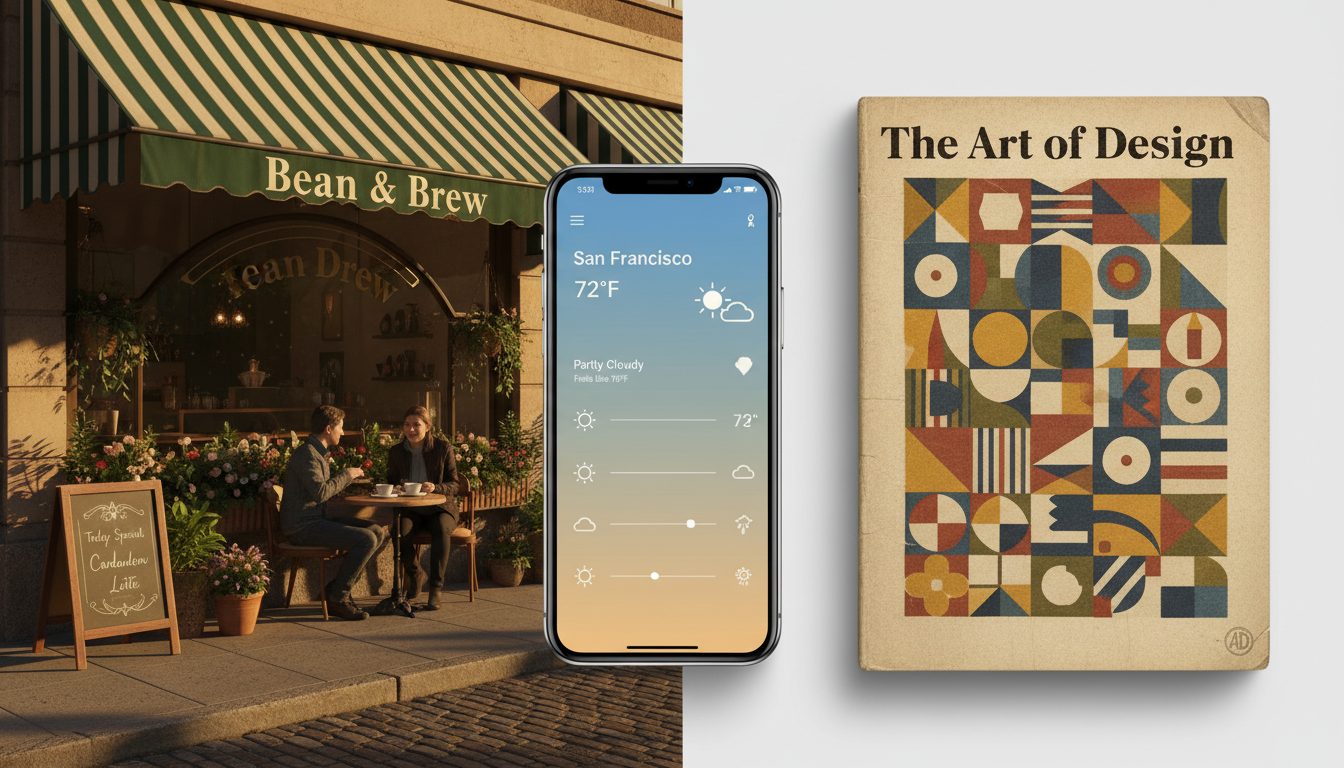
This made Nano Banana 1 unsuitable for any project requiring readable text: signs, book covers, t-shirt designs, marketing materials with copy, UI mockups—the list goes on. Developers working around this limitation had to use separate tools or post-process in Photoshop.
Nano Banana 2: A Game-Changing Leap
Nano Banana 2 tackles text rendering head-on, and the results are remarkable. You can now generate:
- Signs and logos: Clear, readable text on buildings, storefronts, and billboards
- Book covers: Titles and author names that are actually legible
- UI mockups: Interface designs with accurate button labels and text
- Product designs: T-shirts, mugs, and merchandise with crisp text
- Document visuals: Realistic papers, letters, and printed materials
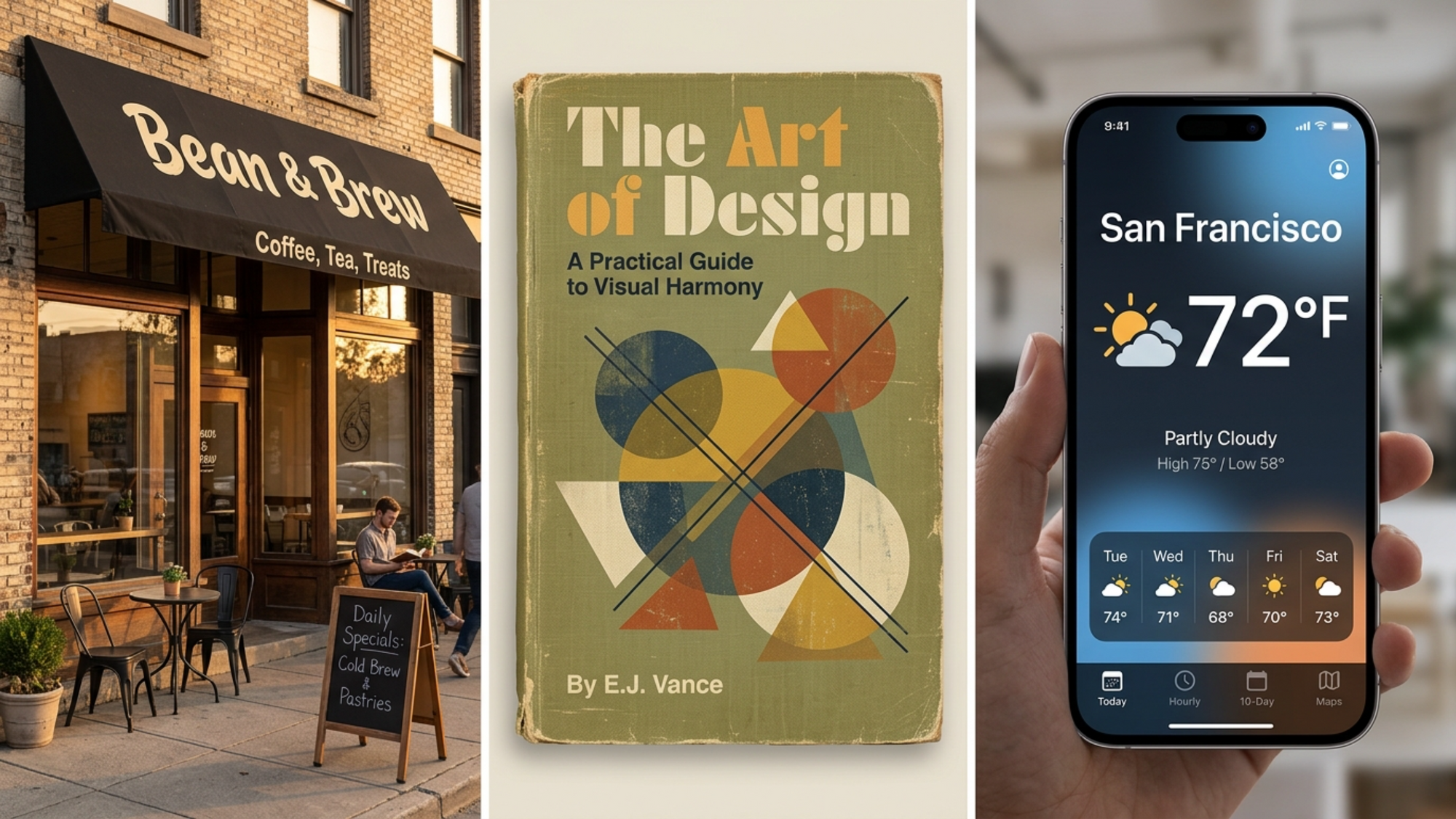
This alone makes Nano Banana 2 worth the upgrade for many use cases. Designers can now create composite images with text in a single generation rather than piecing things together in post-production.
Example Prompts That Work with Nano Banana 2:
A coffee shop storefront with "Bean & Brew" sign on the awning, warm afternoon light
A vintage book cover titled "The Art of Design" with abstract geometric patterns
A modern mobile app interface showing a weather app with "San Francisco 72°F" on screen
Winner: Nano Banana 2 — This isn't even close. Nano Banana 2's text rendering is in a completely different league.
Prompt Understanding and Reasoning
Nano Banana 1: Best with Simple Prompts
Nano Banana 1 performs well when you give it straightforward prompts. "A cat on a chair" or "a sunset over mountains" will yield good results. The model understands basic concepts and can generate coherent single-subject images.
However, complexity is where things break down. Try to include multiple subjects, specific spatial relationships, or nuanced instructions, and Nano Banana 1 starts to stumble:
- "A cat sitting on a chair next to a dog lying on a rug" → might mix up the positions
- "A reflection of the mountains in the lake" → often gets the reflection wrong
- "A person pouring coffee while reading a newspaper" → struggles with combined actions
The model doesn't inherently understand physics, spatial logic, or complex cause-and-effect relationships. You're often better off generating separate elements and combining them manually.
Nano Banana 2: Advanced Reasoning
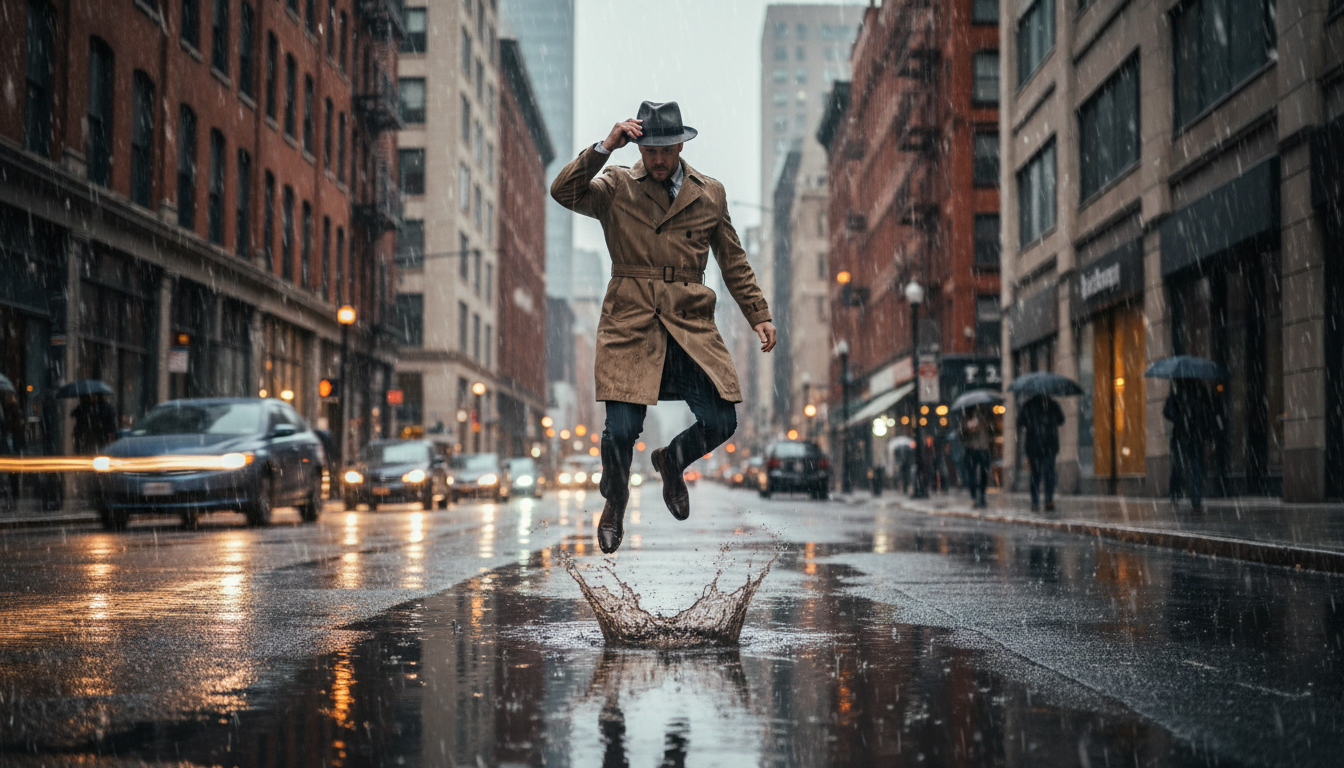
Nano Banana 2 introduces a fundamentally different approach to prompt understanding. It uses a two-part system: a reasoning AI (the "brain") that interprets your prompt and plans the composition, and a high-fidelity diffusion model (the "the hand") that executes the generation.
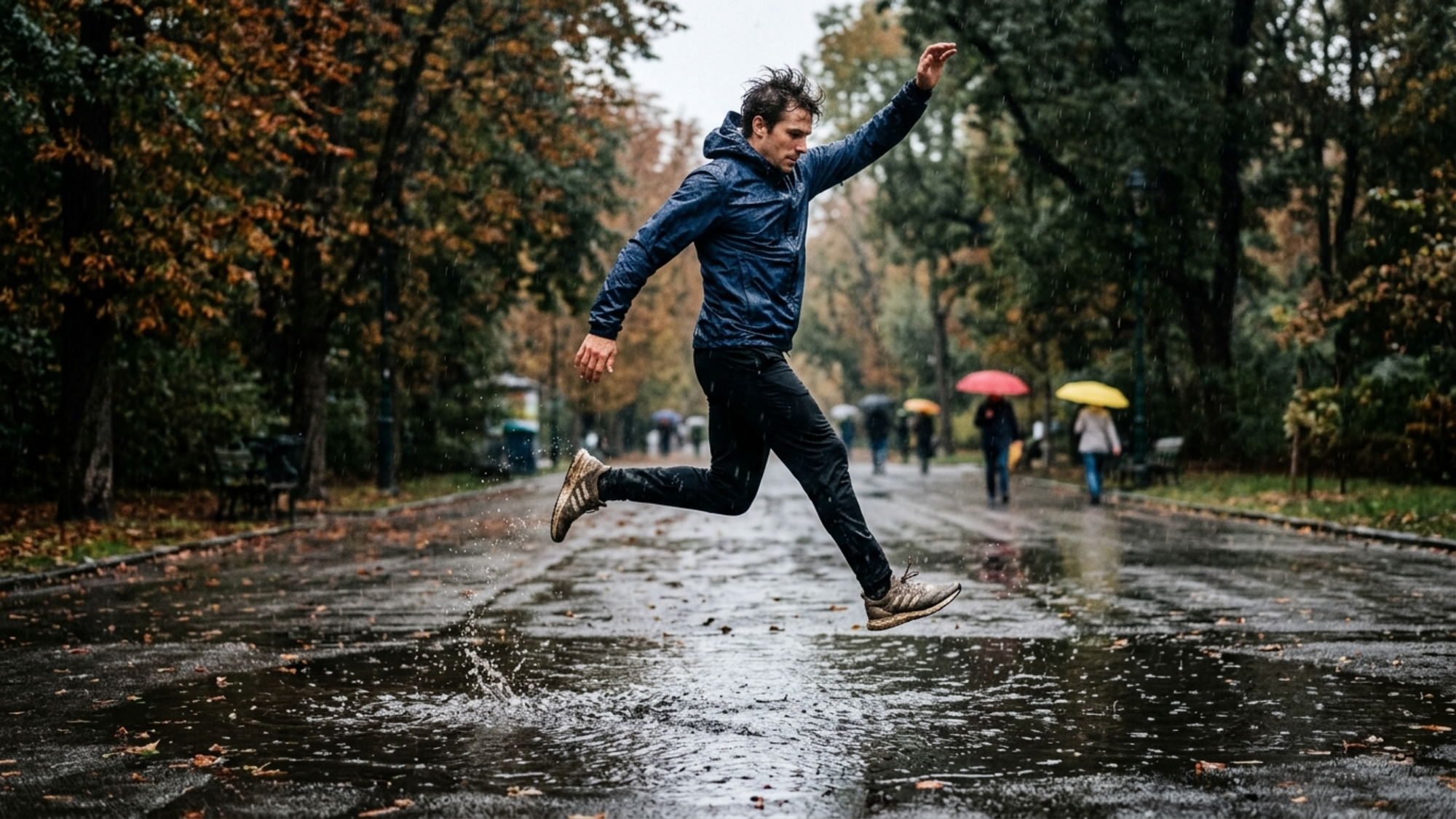
This "Plan → Evaluate → Improve" loop allows Nano Banana 2 to:
- Break down complex prompts: Understand multi-part instructions and execute them correctly
- Handle spatial relationships: Accurately render positions, reflections, and overlapping elements
- Understand physics: Show realistic interactions between objects (water splashing, fabric draping, light sources)
- Follow negation: When you say "without X" or "exclude Y," it actually listens
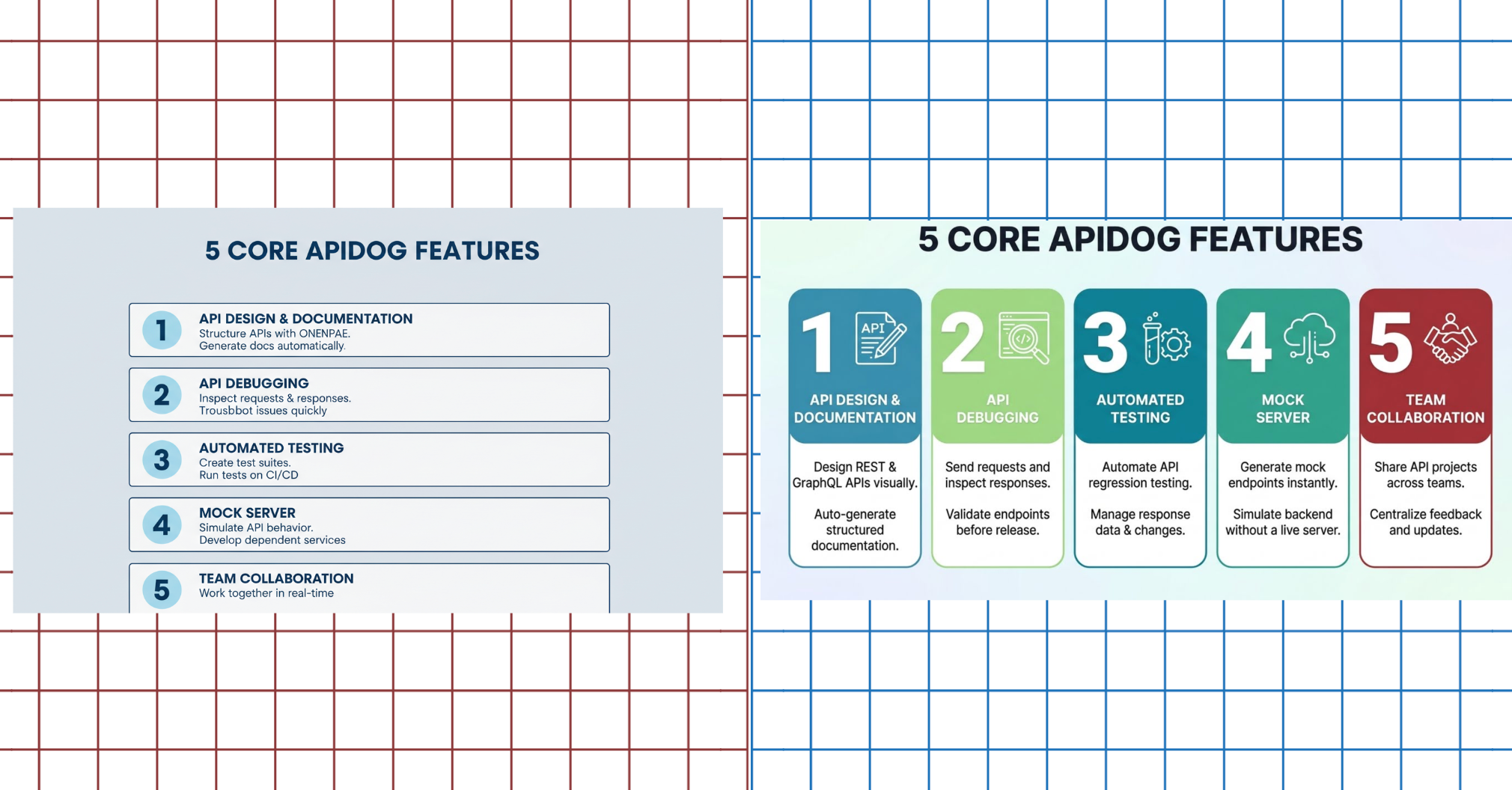
Example Comparison:
Prompt: Create a clean, modern flat infographic titled “5 CORE APIDOG FEATURES.” Add five numbered sections (1–5). Each section includes:Large step number Bold, ALL CAPS feature title 2 short descriptive lines
Sections: API DESIGN & DOCUMENTATION/API DEBUGGING/AUTOMATED TESTING/MOCK SERVER/TEAM COLLABORATION
Use minimal layout, strong hierarchy, clean typography, consistent spacing, easy to scan.
Architecture Differences
Nano Banana 1: Single Diffusion Model
Nano Banana 1 runs on a single diffusion model based on Gemini 2.5 Flash. This architecture prioritizes speed—getting you an image quickly without heavy computational overhead.
The approach is straightforward: your prompt goes in, the diffusion process generates an image, and you get your result. It's efficient and reliable for simple tasks but lacks the sophistication to handle nuance and complexity.
Nano Banana 2: Dual-System Architecture
Nano Banana 2 introduces a more sophisticated two-part system:
- Reasoning AI ("the Brain"): An advanced language model that analyzes your prompt, understands intent, plans the composition, and guides the generation process. It can evaluate intermediate results and make adjustments.
- High-Fidelity Diffusion Model ("the Hand"): A refined diffusion model optimized for quality and detail. It takes the reasoning AI's guidance and produces the actual image.
This architecture enables the dramatic improvements in text rendering, prompt understanding, and consistency. The reasoning layer acts like an art director, making sure the details come together correctly before the diffusion model executes.
Think of it like the difference between:
- Nano Banana 1: A talented painter who works quickly but can't take complex direction
- Nano Banana 2: That same painter working with a skilled art director who plans the composition first
Winner: Nano Banana 2 — The dual-system architecture is the technical foundation for all the improvements.
Speed and Performance
Nano Banana 1: Impressively Fast
One of Nano Banana 1's strengths is speed. Generation typically takes 10-15 seconds, which is remarkably quick for AI image synthesis. You can rapidly iterate through ideas without long waits.
Nano Banana 2: Same Speed, Better Results
Here's the remarkable part: Nano Banana 2 achieves significantly better quality at roughly the same speed—around 10 seconds for a full 2K render. That's actually slightly faster than Nano Banana 1 despite producing double the resolution.
This is a testament to the efficiency of the new architecture. The reasoning layer adds minimal overhead while dramatically improving output quality.
Winner: Tie — Both are fast, but Nano Banana 2's speed-to-quality ratio makes it the better value.
Consistency and Multi-Image Generation
Nano Banana 1: Limited Consistency
If you need to generate multiple images of the same character, product, or scene, Nano Banana 1 makes it challenging. Each generation is essentially a fresh start—the model doesn't inherently maintain consistency between images.
You might get a character's face slightly different in each image, colors that shift between generations, or style variations that break continuity. This is fine for one-off images but problematic for:
- Character design series
- Storyboard sequences
- Product variant images
- Brand consistency requirements
Nano Banana 2: Built for Consistency
Nano Banana 2 was designed with consistency as a core feature. You can now generate multiple images of the same subject with:
- Coherent style: Consistent artistic approach across generations
- Matching colors: Unified color palette
- Stable subjects: Character faces, products, and objects that look like they belong together
- Continuity: Scene elements that remain stable across image sequences
This opens up possibilities that were difficult with Nano Banana 1:
- Generate a character from multiple angles
- Create product variations with consistent branding
- Build storyboard sequences with coherent visuals
- Produce A/B testing assets with unified aesthetics
Winner: Nano Banana 2 — Consistency is a game-changer for professional workflows.
Aspect Ratio Support
Nano Banana 1: Square-Focused
Nano Banana 1 primarily produces square (1:1) images. While you can crop afterward, the native aspect ratio support is limited. This works fine for many use cases but constrains creative flexibility.
Nano Banana 2: 10 Native Aspect Ratios
Nano Banana 2 supports ten native aspect ratios, giving you tremendous flexibility:
| Aspect Ratio | Use Case |
|---|---|
| 1:1 | Instagram posts, profile images |
| 4:3 | Traditional photography, prints |
| 3:2 | Photography, banners |
| 16:9 | Widescreen displays, YouTube thumbnails |
| 21:9 | Ultrawide displays, cinema |
| 9:16 | Stories, TikTok, Reels |
| 4:5 | Instagram feed posts |
| 2:3 | Portrait photography |
| 9:21 | Mobile-first layouts |
| Custom | Various specialized formats |
This means no more awkward cropping or losing important composition elements. You can generate exactly what you need for your target platform.
Winner: Nano Banana 2 — The diversity of aspect ratios is far superior.
Use Case Recommendations
When to Use Nano Banana 1
Nano Banana 1 remains a solid choice for:
- Quick concept exploration: Brainstorming ideas quickly
- Simple social media graphics: Single-subject images, quotes, basic designs
- Rapid prototyping: Getting a visual direction before refining
- Learning AI image generation: Experimenting without commitment
- High-volume, low-stakes content: When you need many images and quality is less critical
If your needs are simple and budget-conscious, Nano Banana 1 gets the job done.
When to Use Nano Banana 2
Nano Banana 2 is the clear winner for:
- Professional design work: Client projects requiring high quality
- Print materials: Anything that will be printed at size
- Text-heavy images: Designs requiring legible text
- Complex compositions: Multi-subject scenes with specific relationships
- Multi-image projects: Character series, product lines, storyboards
- Brand-consistent content: Materials requiring unified aesthetics
- Platform-specific content: Optimizing for specific social platforms
For anything beyond the simplest use cases, Nano Banana 2 delivers meaningfully better results.
Pricing and Access
Free Access (Both Versions)
Both Nano Banana 1 and 2 are accessible through Google's Gemini platform:
- Gemini free tier: 15 generations per day
- No credit card required
- Web and mobile access
This makes experimenting with both versions accessible to everyone. If you're deciding which version suits your needs, try both with your actual use cases.
Paid Plans
Paid plans (required for API access) offer:
- Unlimited generations (Nano Banana 2)
- Higher resolution outputs
- API access for application development
- Priority processing during peak times
- Commercial license for professional use
Pricing varies by platform and usage volume. Check Google's official pricing page for current rates.
Recommendation: Start with the free tier to determine which version meets your needs. Upgrade to paid only when you've validated that the extra capabilities justify the cost.
Testing the Nano Banana API with Apidog
If you're a developer building applications that integrate either Nano Banana version, you'll need to test your API implementations. Apidog is an excellent tool for testing and debugging Nano Banana API calls.
Why Use Apidog for Nano Banana API Testing?
Whether you're working with Nano Banana 1 or Nano Banana 2's API, Apidog provides:
- Visual Request Builder: Construct API requests without writing cURL commands or boilerplate code
- Environment Variables: Securely manage your API keys across development and production environments
- Automated Testing: Create test scripts that validate API responses, check for errors, and verify image URL returns
- Request History: Track all your test requests for debugging and iteration
- Code Generation: Export working code in Python, JavaScript, cURL, and other languages
For developers building production applications, Apidog's ability to create automated test suites ensures your image generation pipeline remains reliable as you iterate.
Conclusion
The comparison between Nano Banana 1 and Nano Banana 2 isn't close in most categories. Nano Banana 2 is a meaningful generational upgrade that addresses nearly every weakness of its predecessor:
- Image quality: 2K vs 1K resolution with 16-bit color
- Text rendering: Actually usable vs. gibberish
- Prompt understanding: Complex reasoning vs. basic comprehension
- Consistency: Built-in vs. unreliable
- Aspect ratios: 10 native options vs. limited
That said, Nano Banana 1 still has a place. For quick experiments, simple use cases, or when you're just exploring AI image generation, it gets the job done. The free tier makes both versions accessible for testing.
Final Recommendation:
- Use Nano Banana 2 for professional work, text-heavy designs, complex compositions, and any project where quality matters
- Use Nano Banana 1 for quick prototyping, simple tasks, or learning the ropes
- Use both if you're building applications—test with Apidog to find the right balance of quality and cost
The AI image generation landscape continues evolving rapidly. Both versions represent Google's commitment to making powerful image synthesis accessible. Try them both and see which fits your workflow.


