Looking for a cost-effective, highly customizable AI agent that automates web tasks, handles complex reasoning, and protects your data privacy? Discover how to combine DeepSeek R1, a powerful open-source large language model (LLM), with Browser Use for web automation—creating a robust alternative to OpenAI’s ChatGPT Operator without hefty monthly fees.
If you’re an API or backend engineer, QA specialist, or technical lead interested in building advanced AI-driven automation, this guide walks you through setting up your own open-source AI agent. You’ll learn how to run DeepSeek R1 locally or via API, integrate it with Browser Use for browser-based tasks, and optimize the agent for real-world scenarios.
Why Replace ChatGPT Operator? The Case for Open Source AI Agents
OpenAI’s ChatGPT Operator lets users create sophisticated agents for reasoning, automation, and web interaction—but at $200/month, it’s out of reach for many developers and teams. More importantly, proprietary solutions often restrict fine-tuning, limit integrations, and raise data privacy concerns.
Limitations of ChatGPT Operator:
- High Cost: $200/month is prohibitive for individuals, startups, and many organizations.
- Data Privacy: All data is sent to external servers, complicating compliance.
- Customization: Closed platforms limit model fine-tuning and specialized task optimization.
Example:
- Booking a one-way flight from Zurich to Vienna using the Booking integration. This one required a bit of back and forth, with ChatGPT Operator pinging me and asking for my flight preference and having me take control of entering payment details Rowan Cheung on X
Benefits of Building an Open Source Alternative
By combining DeepSeek R1 and Browser Use, you can:
- Eliminate Subscription Fees: Both tools are fully open source and free.
- Gain Full Data Control: Deploy locally for complete privacy.
- Customize Extensively: Tailor models and workflows to your unique needs.
- Integrate Seamlessly: Connect to internal APIs, CI/CD pipelines, or QA workflows.
💡 Looking for a complete, cost-effective API lifecycle tool? Try Apidog — the all-in-one API design, testing, and documentation solution built for high-performing developer teams!
Key Components: DeepSeek R1 and Browser Use
DeepSeek R1: Open Source LLM Optimized for Reasoning
DeepSeek R1 is a leading open-source LLM designed for powerful reasoning, coding assistance, and natural language tasks. Available in multiple sizes (1.5B, 7B parameters), it’s adaptable to a range of hardware setups—from laptops to high-end GPU servers.
For a technical deep dive on model types, API usage, and benchmarks, see DeepSeek R1 Review: API Pricing & How to Use DeepSeek R1 API.
[]
[ ]
]
Browser Use: Web Automation for AI Agents
Browser Use is an open-source tool that empowers your AI agent to interact with websites—scraping data, filling out forms, and automating browser navigation. It features a friendly WebUI and can connect with LLMs like DeepSeek R1 for advanced workflows.
Explore the project on GitHub - browser-use/browser-use.
[ ]
]
[]
Step 1: Environment Setup for Running DeepSeek R1 & Browser Use
Hardware Recommendations
- DeepSeek R1 1.5B/7B: CPU or mid-range GPU (8GB VRAM) is sufficient.
- Larger models (e.g., 70B): High-end GPUs (NVIDIA A100/RTX 4090).
OS & Python Environment
- OS: Linux or macOS preferred. Windows users can utilize WSL.
- Virtual Environment:
python -m venv venv
source venv/bin/activate  # Linux/macOS
# venv\Scripts\activate   # Windows
pip install torch torchvision transformers sentencepiece
Step 2: Running DeepSeek R1 (API or Local)
Option 1: DeepSeek API Usage
-
Register and Obtain an API Key:
Sign up on DeepSeek, create an API key, and keep it secure. -
Make Your First API Call:
Python Example (OpenAI compatible):
from openai import OpenAI
client = OpenAI(api_key="<Your_DeepSeek_API_Key>", base_url="https://api.deepseek.com")
response = client.chat.completions.create(
    model="deepseek-reasoner",
    messages=[
        {"role": "system", "content": "You are a helpful assistant."},
        {"role": "user", "content": "Explain quantum entanglement."}
    ],
    stream=False
)
print(response.choices[0].message.content)
cURL Example:
curl https://api.deepseek.com/chat/completions \ -H "Content-Type: application/json" \ -H "Authorization: Bearer <Your_DeepSeek_API_Key>" \ -d '{ "model": "deepseek-reasoner", "messages": [ {"role": "system", "content": "You are a helpful assistant."}, {"role": "user", "content": "What is the capital of France?"} ], "stream": false }'- Use
model="deepseek-reasoner"for DeepSeek-R1. - For general chat, use
model="deepseek-chat".
- Use
Option 2: Run DeepSeek R1 Locally with Ollama
-
Install Ollama:
Download from the official Ollama website. -
Pull the DeepSeek Model:
# 7B model (recommended baseline) ollama pull deepseek-r1:7b # 1.5B model (for low-resource hardware) ollama pull deepseek-r1:1.5b # 70B model (for advanced users) ollama pull deepseek-r1:70b -
Start the Model:
ollama run deepseek-r1:7b -
Model Variants for Special Needs:
ollama run deepseek-r1:7b-qwen-distill ollama run deepseek-r1:70b-llama-distill -
API Access (Local):
curl http://localhost:11434/api/chat -d '{
    "model": "deepseek-r1:7b",
    "messages": [
        {"role": "user", "content": "Write a short poem about the stars."}
    ]
}'
Step 3: Installing Browser Use for Web Automation
[ ]
]
-
Clone and Install:
git clone https://github.com/browser-use/browser-use.git cd browser-use pip install -r requirements.txt -
Launch the WebUI:
python webui.py -
Configure Settings in Web Browser:
- Choose LLM model (e.g., DeepSeek R1)
- Set browser preferences (window size, etc.)
Step 4: Integrate DeepSeek R1 with Browser Use
To connect your LLM and browser agent, update the agent settings in Browser Use. Example configuration:
{
  "model": "deepseek-r1",
  "base_url": "http://localhost:5000",
  "browser_settings": {
    "window_height": 1080,
    "window_width": 1920,
    "keep_browser_open": true
  }
}
Startup Workflow:
- Start DeepSeek R1 API server:
python -m deepseek.api_server - Launch Browser Use WebUI:
python webui.py
Your agent can now automate browser tasks: filling forms, extracting data, navigating sites, and more.
Step 5: Prompt Engineering for Reliable Automation
Well-designed prompts are key to maximizing your AI agent’s accuracy and usefulness.
Prompt Template:
<instructions>
You are an AI assistant tasked with automating web tasks using Browser Use.
Follow these steps:
1. Navigate to [website].
2. Perform [specific task].
3. Return results in a structured format.
</instructions>
<example>
Navigate to https://example.com and extract all hyperlinks.
</example>
Tip: Use clear, stepwise instructions and provide examples for best results.
Practical Examples & Demos
You can demo these flows with Gradio:
uv pip install gradio
python examples/gradio_demo.py
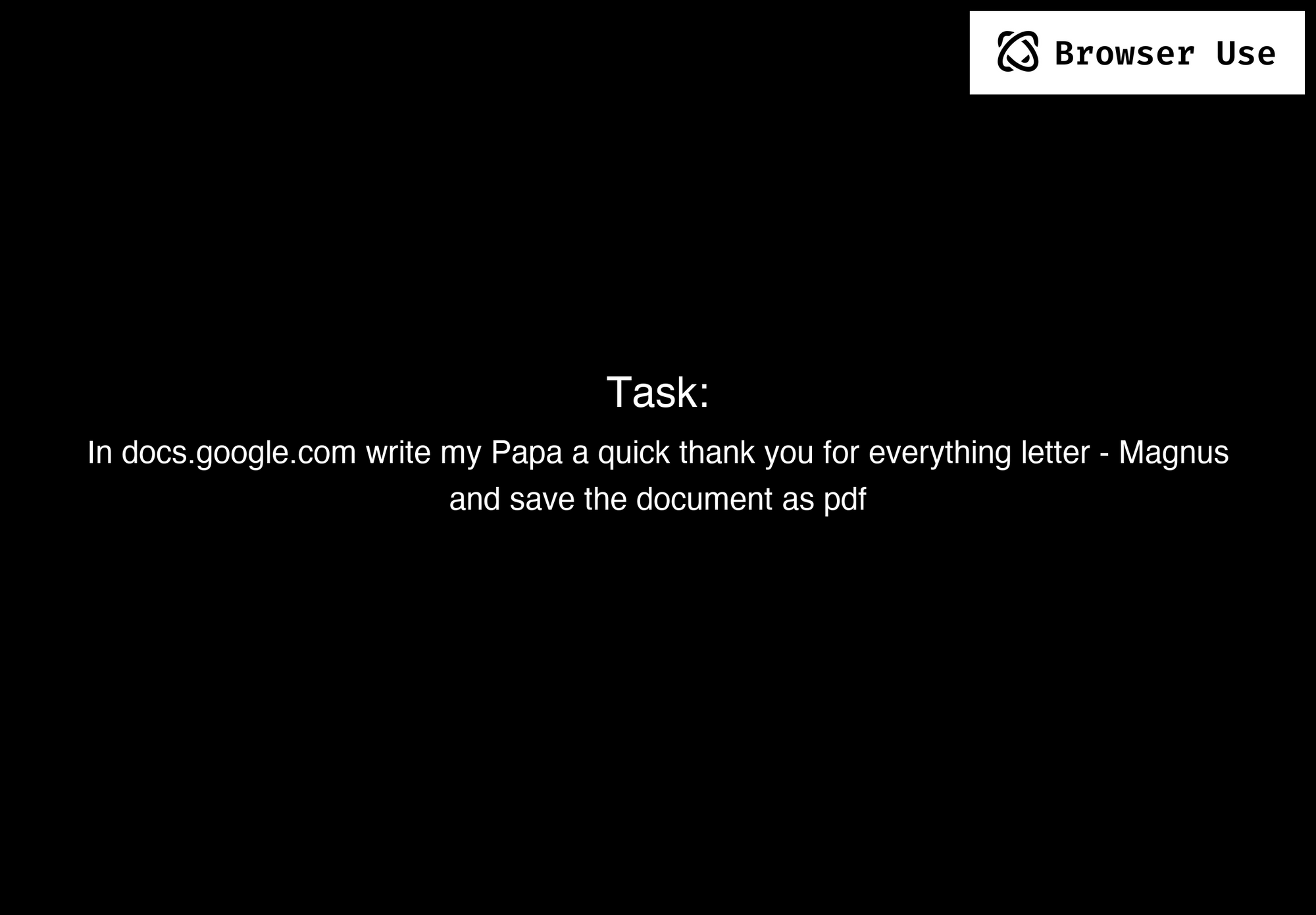
Example 1: Write & Save a Google Docs Letter
Prompt: Write a letter in Google Docs to my Papa, thanking him for everything, and save the document as a PDF.
[ ]
]
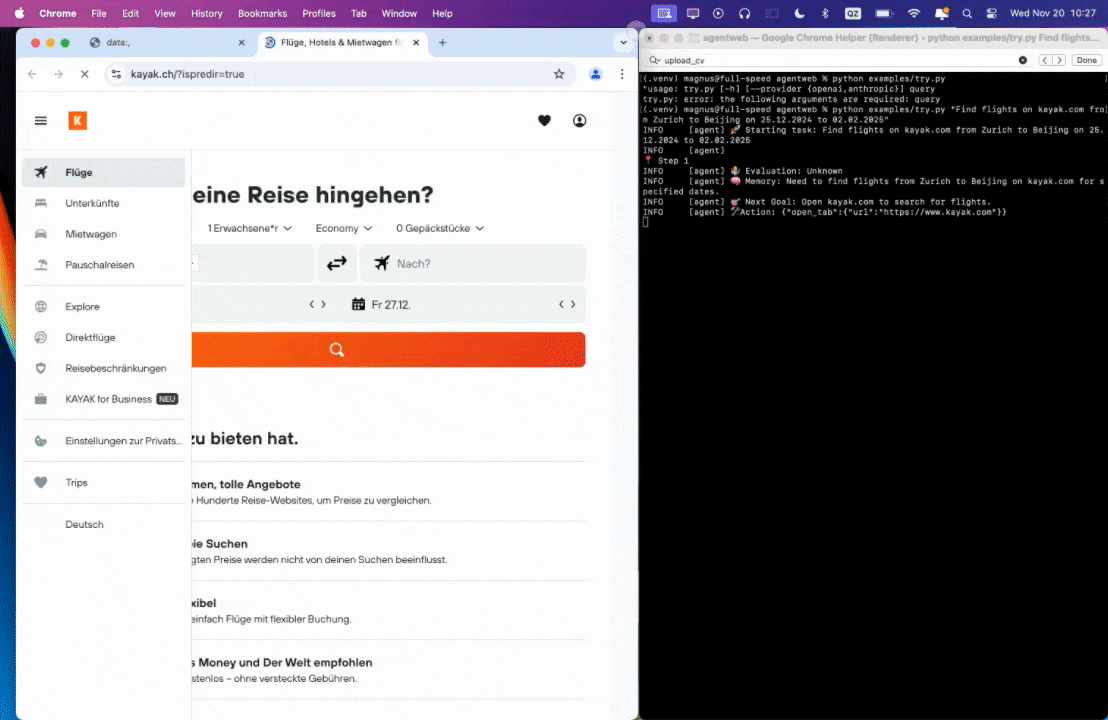
Example 2: Search Flights with Kayak.com
Prompt: Find flights on kayak.com from Zurich to Beijing from 25.12.2024 to 02.02.2025.
[ ]
]
Example 3: Apply for ML Jobs Using My CV
Prompt: Read my CV & find ML jobs, save them to a file, and then start applying for them in new tabs. If you need help, ask me.
Conclusion: Unlock Advanced Open Source AI Workflows
By combining DeepSeek R1 and Browser Use, you can build a ChatGPT Operator alternative that’s fully open source, free, and tailored to your needs. This approach gives you control over data, costs, and customization—whether you’re automating browser tasks, building conversational agents, or integrating with internal APIs.
Ready to supercharge your API development workflow?
Explore how Apidog streamlines API design, testing, and documentation for fast-moving teams.