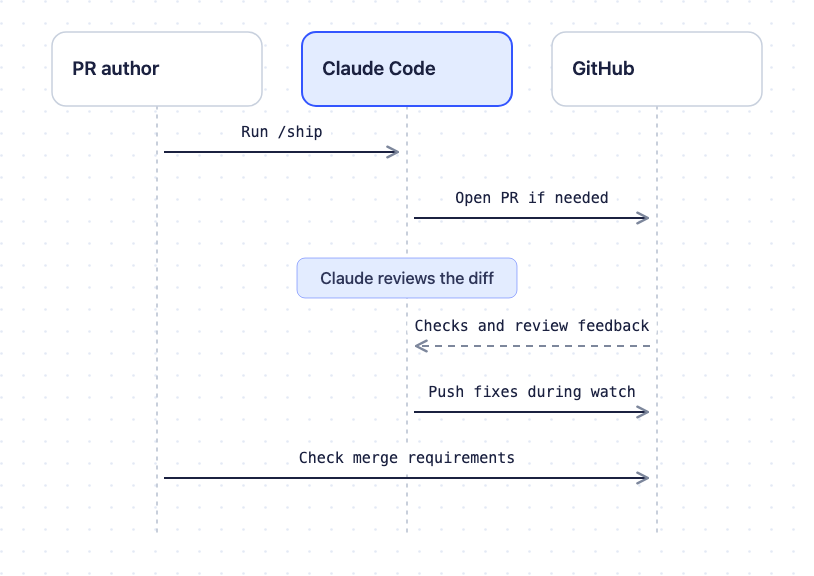
To learn how to use Claude Ship, open Claude Code in your local GitHub clone and run /ship on a finished change. Claude can open the pull request, review the diff, and push fixes during a watch. Repository-wide approvals require a separate policy, and GitHub’s rules determine whether the pull request can merge. Claude Code’s command guide
How to run /ship on your first pull request
- Check your versions and GitHub sign-in.
- Pick a small change in a repository you trust.
- Open Claude Code in the local checkout and type
/ship. - Check the pull request, review any fixes, and use GitHub’s merge box to see which requirements are still open.
Check your tools and checkout
Anthropic lists Claude Code 2.1.330 or later, GitHub CLI 2.63 or later, and Git 2.38 or later. The GitHub CLI version matters for pushing fixes. The Git version matters when Claude needs to bring new commits into your branch. Claude Code prerequisites
From your local clone, run these checks in your shell.
claude --version
gh --version
git --version
gh auth status
git status
If GitHub CLI needs a sign-in, run gh auth login. Check that the active account can push to the branch. Start with a finished change in a trusted repository, such as a docs correction on a feature branch. Read your diff and check the untracked files before opening Claude Code. On an eligible private repository, /ship can commit untracked files along with your edits. Its filename checks can catch names such as .env, so inspect file contents yourself for credentials and private notes.
Open and review the PR
Launch claude from the clone, or use the Claude Code session where you finished the change. At its prompt, enter the slash command on its own line.
/ship
When the branch already has a pull request, Claude uses it. Commit and push any additional changes you want reviewed first. For a public repository, commit the work on a feature branch before running the command. If you need a draft, a different base branch, or your repository’s PR template, open the PR yourself before invoking Claude. To practice on your own open PR, check out its branch and type /ship 41, substituting your real PR number.
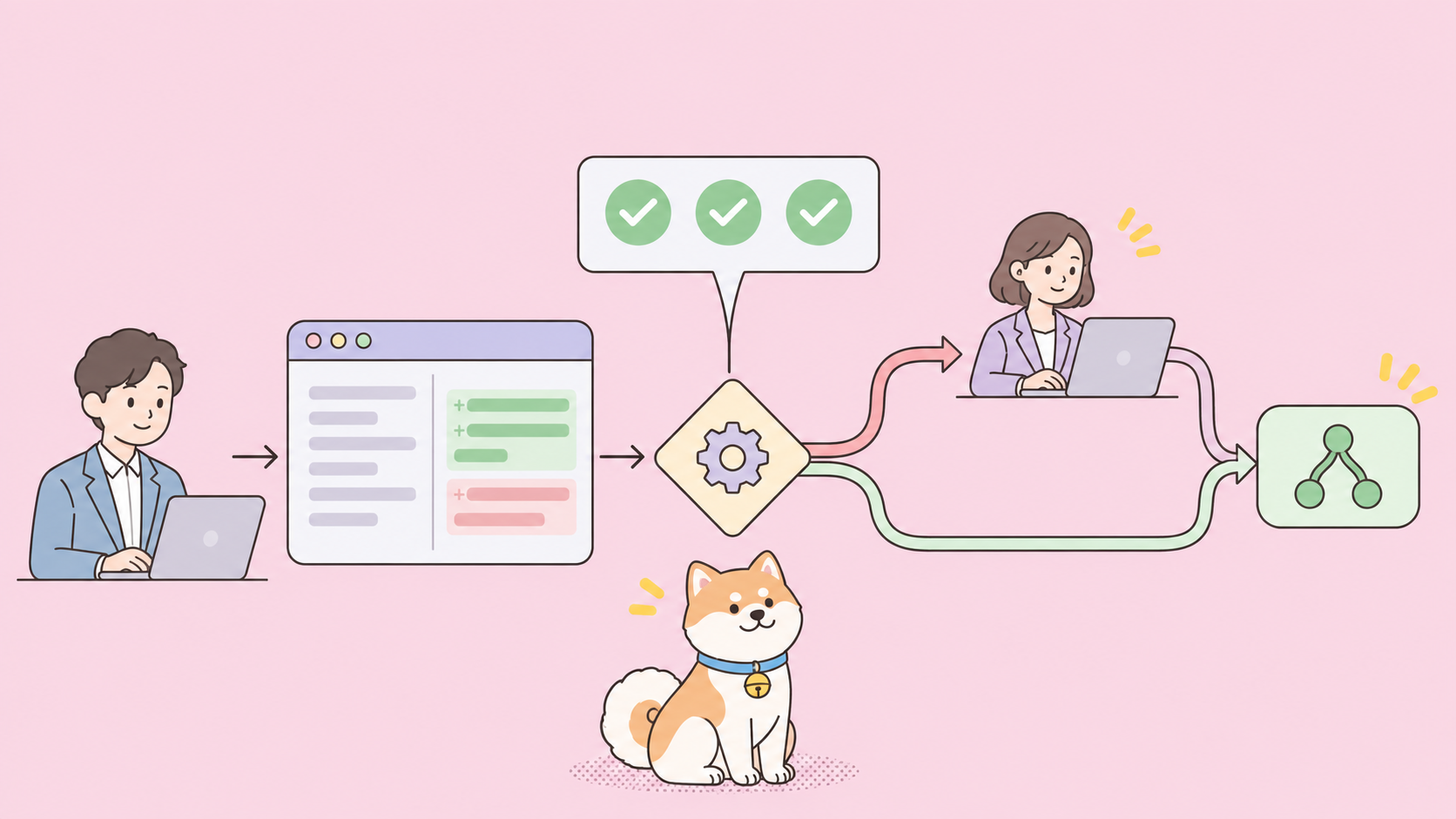
Watch the terminal for the commit and push notices. Claude proceeds after a short cancellation window, so check the working tree before pressing Enter. Open the resulting PR in GitHub and confirm the base branch, changed files, and title. After the initial review, Claude can watch the PR in your session, work on failed checks, conflicts and feedback, and push fixes under your GitHub identity.
Type /tasks in Claude Code to see whether the watch is scheduled. Keep the session in the foreground, the machine awake, and the PR branch checked out. Type /ship stop when you want to end the watch. If you already have a review and only want to work through feedback and checks, use /steward on your own open PR. A watch can execute repository code under your credentials, so pick a repo where you trust the people who can push to your branch or merge to its base. How the local watch works
What happens on a fork or GitHub Enterprise?
On a fork or GitHub Enterprise host where /ship leaves PR creation to you, push your branch and open the PR first. Then run /ship in the checkout for that PR. On a fork, the clone also needs a remote for the base repository before Claude can start a watch. GitHub Enterprise and fork troubleshooting
That setup concerns the local command. For the separate Claude Approvals integration, Anthropic documents support for repositories hosted on GitHub.com, including GitHub Enterprise Cloud on that host. Check where the repo is hosted and confirm whether you want a local watch or a repo-wide check before you configure either. Claude Approvals availability
Set up a starter .claude/approvals.yml
Put .claude/approvals.yml in the repository root and start in observe mode. Open a separate PR for the file and merge it to the default branch. Then open a second, non-draft PR into that branch and read the Claude Approvals check to see who would need to review it.
This setup requires an eligible Claude Team or Enterprise organization and the Claude GitHub App installed on the repository and linked to that organization. Before enforcing a two-seat policy, check that at least two people have write access. Repository admin access is required to make the check mandatory. Observe mode can incur usage charges. Anthropic’s Approvals setup guide
Here’s an observe-mode policy based on Anthropic’s two-person starter. It asks for two human seats on every path and lets Claude leave review comments.
version: 1
mode: observe
rules:
  - purpose: "Require two people for each change"
    paths: ["**"]
    verdict:
      claude: comments
      seats: 2
    advisory: [claude/code_review]
The author can usually fill one seat when they have write access, which means a second person typically needs to approve. The advisory entry keeps Claude Code Review in the policy for the covered files. That entry matters when adding a policy to a repository that already has automatic Claude reviews. Automatic reviews normally stop for covered changes when the matching rules omit claude/code_review. Claude Approvals policy reference
In the test PR, look for the observe-mode prefix and compare the reported decision with the reviews your team expects. Try a change with an eligible author and no review, then have another eligible person approve it and inspect the new verdict. Once the results match your expectations, set mode: enforce through a policy PR. Rerun Approvals on open PRs with @claude approvals rerun before putting them into a merge queue. An older observe-mode check may otherwise still show as passing.
What actually lets a Claude Ship PR merge?
GitHub applies the rules for the target branch. Those can require CI checks, approving reviews, code owner review, and a passing Claude Approvals check. When auto-merge is enabled on a PR, GitHub can complete the merge after the requirements are met. The Claude policy and GitHub’s settings both matter.
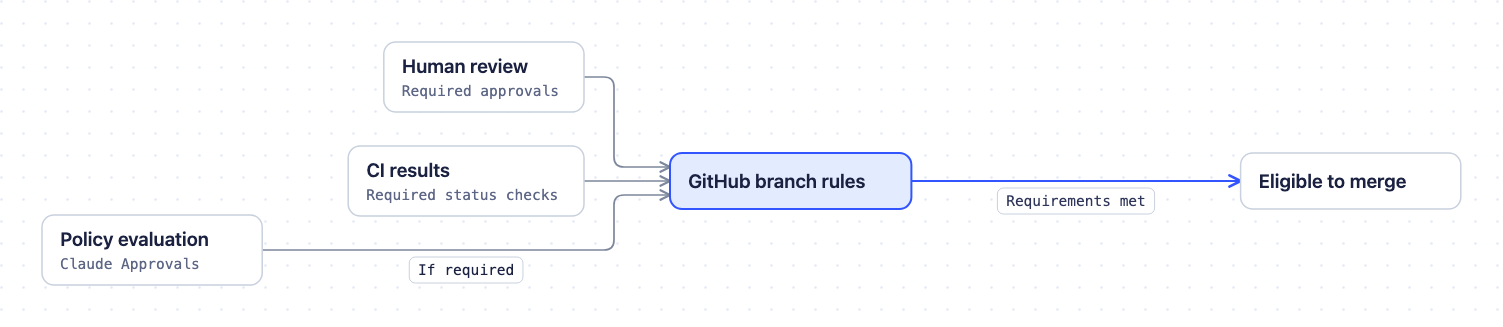
In GitHub repository settings, open the branch protection rule or ruleset for the target branch. Keep your existing required CI checks and reviews. When you’re ready to enforce the policy, add Claude Approvals to the required status checks and select the Claude app as its expected source. Test that a PR missing an approval stays blocked. A required check that never reports on the target branch can leave PRs waiting, so confirm the policy covers the files and branches you intend to gate. GitHub branch protection settings
Suppose Claude pushes a fix for a failing test. CI turns green, but a required code owner’s review is still pending. The PR waits for that review. If your branch dismisses stale approvals after new commits change the diff, ask the reviewer to check the new revision. An AI review may miss bugs and security issues, so keep the reviewers and checks your repository needs. How Claude Approvals interacts with GitHub rules
Check the API contract with Apidog CLI before opening the PR
If your change touches an API route, have Claude Code compare the method and path in your diff against your documented endpoints using Apidog CLI. The result gives your reviewer a concrete detail to check, such as whether a documented GET route has moved.
Install the CLI where Claude Code runs and sign in interactively with your Apidog token. Apidog CLI installation guide
npm install -g apidog-cli@latest
apidog login
Give Claude Code this prompt after sharing the project ID in the session.
Use Apidog CLI to list the first five GET endpoints in my API project. Match the route in my Git diff by method and path, report any mismatch, and say if the route was outside the returned page. Leave the project unchanged.
The agent uses the command below. Replace PROJECT_ID with that ID. Apidog CLI in Claude Code
apidog endpoint list --project PROJECT_ID --method GET --page 1 --page-size 5
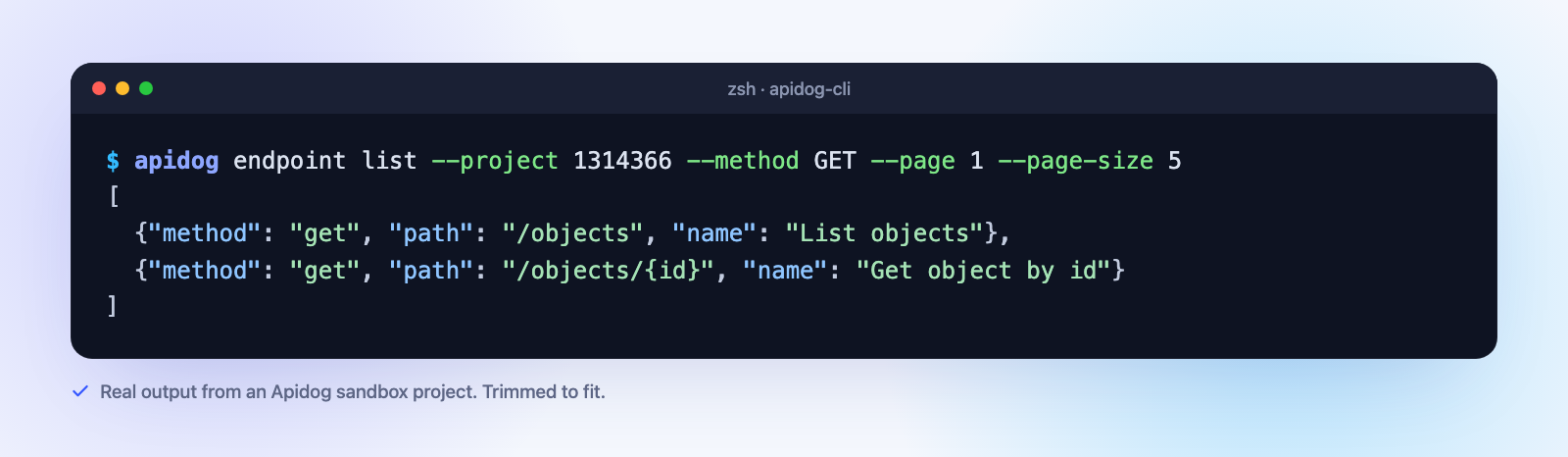
In the sandbox run above, the first page returns two routes: GET /objects and GET /objects/{id}. If your route isn’t on the first page, ask the agent to check the remaining pages before calling it missing. Put the method, path, and any discrepancy into the PR description so a reviewer can repeat the check. If the diff changes a response or status code, add a test for that behavior and let CI report the result.
For teams, Sharkly lets you assign API checks to coding agents on your own computers and review their findings alongside the work on the board.
FAQ
Is /ship the same as asking Claude to review a PR?
Use /code-review for a review on its own. Use /ship when you want the review followed by a watch that can work through checks and comments. For examples of tools that post review findings directly on PRs, see the Apidog guide to AI code review tools.
Does /ship approve the PR it opens?
The local command works on the PR using your sign-ins. Claude Approvals is the separate repository integration that can post an approving review when an enforced policy allows it. The starter above sets Claude to comment and keeps human seats.
Can I use /ship from the Claude desktop app?
Anthropic announced a desktop rollout. For the setup shown here, follow the command guide and use the Claude Code CLI in a terminal from your local clone. Anthropic’s launch announcement
What if I close Claude Code during the watch?
Ending the session ends the local watch. Reopen Claude Code with your PR’s branch checked out and use /steward to restart the watch without repeating the initial review.
Does my organization need to enable all three agents first?
The local command runs in your own session and counts toward your own usage. Repository-wide Code Review, PR Steward, and Claude Approvals have their own setup for eligible Team and Enterprise organizations. Organizations with Zero Data Retention enabled are ineligible for those repository agents. Claude Ship setup and billing