Most vision models ask you to choose. You can send an image, or you can send a lot of text, but the model that does one well is rarely the model that does the other.
GLM-5.3-Flash does not make you choose. It accepts images as content blocks inside a 1,048,576-token context window, in the same request as everything else. That combination, native image input plus a million tokens of room, opens workflows that neither capability enables on its own.
This guide covers the payload, the workflows worth building, and the parts that are still unproven.
Native, not adapter-based
Z.ai’s earlier vision work shipped as separate models. GLM-5V-Turbo and GLM-4.6V were distinct endpoints with distinct model ids, and using them meant routing image traffic somewhere other than your text traffic. GLM-5.3, the larger sibling of this model, routes vision through adapters rather than handling it natively.
GLM-5.3-Flash is the first model in the GLM-5 series where images are a first-class input to the same model, in the same call, sharing the same context.
Practically, that means one model id, one billing line, one set of rate limits, and, most importantly, one context window holding both your image and your text at once. If you are maintaining something on the older path, our GLM-5V-Turbo API guide and GLM-4.6V guide cover those models.
The payload
Image input works through typed content blocks. Instead of content being a string, it becomes an array:
from openai import OpenAI
import os

client = OpenAI(
    api_key=os.environ["ZAI_API_KEY"],
    base_url="https://api.z.ai/api/paas/v4/",
)

response = client.chat.completions.create(
    model="glm-5.3-flash",
    messages=[
        {
            "role": "user",
            "content": [
                {"type": "text", "text": "What is wrong with this layout on mobile?"},
                {
                    "type": "image_url",
                    "image_url": {"url": "https://example.com/mobile-view.png"},
                },
            ],
        }
    ],
)

print(response.choices[0].message.content)
For local or private images, use a base64 data URL:
import base64
from pathlib import Path

def image_block(path: str) -> dict:
    data = base64.b64encode(Path(path).read_bytes()).decode("utf-8")
    suffix = Path(path).suffix.lstrip(".").replace("jpg", "jpeg")
    return {
        "type": "image_url",
        "image_url": {"url": f"data:image/{suffix};base64,{data}"},
    }
Multiple images means multiple blocks. There is no shortcut array of URLs:
content = [
    {"type": "text", "text": "Image 1 is the design. Image 2 is what we built. List the differences."},
    image_block("design.png"),
    image_block("built.png"),
]
Order matters. The model reads the array in sequence, so put framing text before the images it refers to, and label images explicitly when you send several. “Image 1 is the design” gives the model something to anchor its answer to.
The basic setup and authentication are covered in our API guide.
Workflows worth building
Screenshot debugging
The obvious one, and the one Z.ai leans on. Its own materials describe the model observing “interfaces, rendering results, and interaction feedback,” which is a coding-agent framing rather than a photo-description one.
Send the broken rendering and the source that produced it in the same request:
content = [
    {"type": "text", "text": "This component renders incorrectly below 400px. Here is the screenshot and the source."},
    image_block("bug-mobile.png"),
    {"type": "text", "text": f"```jsx\n{component_source}\n```"},
]
The model reasons about the actual rendering rather than about your description of it. That removes the lossiest step in most front-end debugging conversations, which is a human translating a visual problem into words.
Design comparison
Two images and a question. Useful in CI as a soft check on visual regressions, where a diff tool tells you pixels changed and a model tells you whether the change matters.
Be realistic about reliability here. A model comparing screenshots is a judgment call, not an assertion. Use it to triage which diffs a human should look at, not to gate a deploy on its own.
Documents alongside their specification
This is where the 1M context earns its place. Put a long specification in the prompt as text and a rendered artifact as an image, then ask whether they agree.
content = [
    {"type": "text", "text": f"Specification:\n\n{spec_text}"},
    {"type": "text", "text": "Below is the generated report. Does it satisfy every requirement above? List gaps."},
    image_block("generated-report.png"),
]
A 40-page specification and an image in one prompt is not something you could do on a model with a 128K window and adapter-based vision. That is the actual new capability.
Z.ai’s release notes also mention office document and financial research workflows as targets for the model’s agentic behavior.
Charts and dashboards
Reading a chart image and returning structured data is a standard extraction task. Ask for JSON and validate it:
content = [
    {"type": "text", "text": "Extract the series in this chart as JSON: [{label, values: [...]}]. Return only JSON."},
    image_block("quarterly.png"),
]
Validate the output against a schema rather than trusting it. Chart reading is exactly the kind of task where a model produces confidently wrong numbers, and structural validation catches shape errors even when it cannot catch value errors.
For dedicated document extraction, a specialist may still beat a generalist. GLM-OCR for document understanding covers that path.
Video and files
Z.ai’s documentation lists video and file input alongside images, using the same content-block mechanism.
Be careful with this. Video support in this model is new, thinly documented, and lightly exercised in public compared to image input, which many people have now run. Provider support also varies: a model capability is not the same thing as an available feature on whichever gateway you call through.
If video matters to your application, test it directly against your own media and your own provider before you design around it. Do not treat a line in a capability table as a working feature.
Where it falls down
Native multimodality is not the same as reliable multimodality. Four failure modes are worth knowing before you ship something.
Confident numbers from charts. Reading values off a plotted line is the task most likely to produce a fluent, precisely formatted, wrong answer. Schema validation catches malformed output; it cannot catch a plausible number that is simply incorrect. If the numbers matter, get them from the underlying data rather than a picture of it.
Small text. Dense UI screenshots, tables in low-resolution captures, and code in compressed images all degrade. Downscaling to save tokens makes this worse, so there is a direct tension between the cost lever and accuracy. Crop to the region of interest instead of shrinking the whole frame.
Spatial precision. Models describe layout well and measure it badly. “The button overlaps the input” is usually right. “The button is 12 pixels too far left” usually is not.
Order and reference confusion. With several images in one request, the model can attribute a detail to the wrong one. Label them explicitly in the text blocks, and keep the count low when precision matters.
None of these are unique to GLM-5.3-Flash. They are the standard limits of vision language models, and the 57 Intelligence Index score does not exempt it. Design the workflow so a wrong answer is caught rather than acted on.
Cost
Images consume context tokens and are billed as input. There is no separate image surcharge.
At list pricing that is $0.15 per million input tokens, or $0.075 during the launch discount running through September 9, 2026. High-resolution images consume a meaningful number of tokens, so resolution is a cost lever: downscale before sending unless fine detail is the point of the request.
reasoning_effort defaults to max, which bills reasoning as output tokens. For straightforward extraction from an image, low is usually the right setting and materially cheaper. Our pricing breakdown covers both levers.
Keeping image costs under control
Images are billed as input tokens, so resolution is a direct cost lever, and the obvious optimization fights the accuracy notes above.
A workable order of operations:
- Crop before you scale. Sending the relevant region at full resolution beats sending the whole screen at half. You lose context the model did not need and keep the detail it does.
- Match resolution to the question. “Is the layout broken?” survives aggressive downscaling. “What does this error message say?” does not.
- Do not resend unchanged images. In a multi-turn conversation, an image sent once is already in context. Re-attaching it on every turn pays for it every turn.
- Set
reasoning_effortdeliberately. It defaults tomax, and reasoning bills as output. Straightforward extraction rarely needs it.
The usage object on each response gives you the real token count per call, which is the only way to find out what an image actually cost rather than guessing from its file size.
Testing multimodal calls
Multimodal requests are unpleasant to test by hand. A base64 data URL is thousands of characters, which makes a curl command unreadable and effectively impossible to re-run by editing. Responses are free-form text, so regressions are easy to miss.
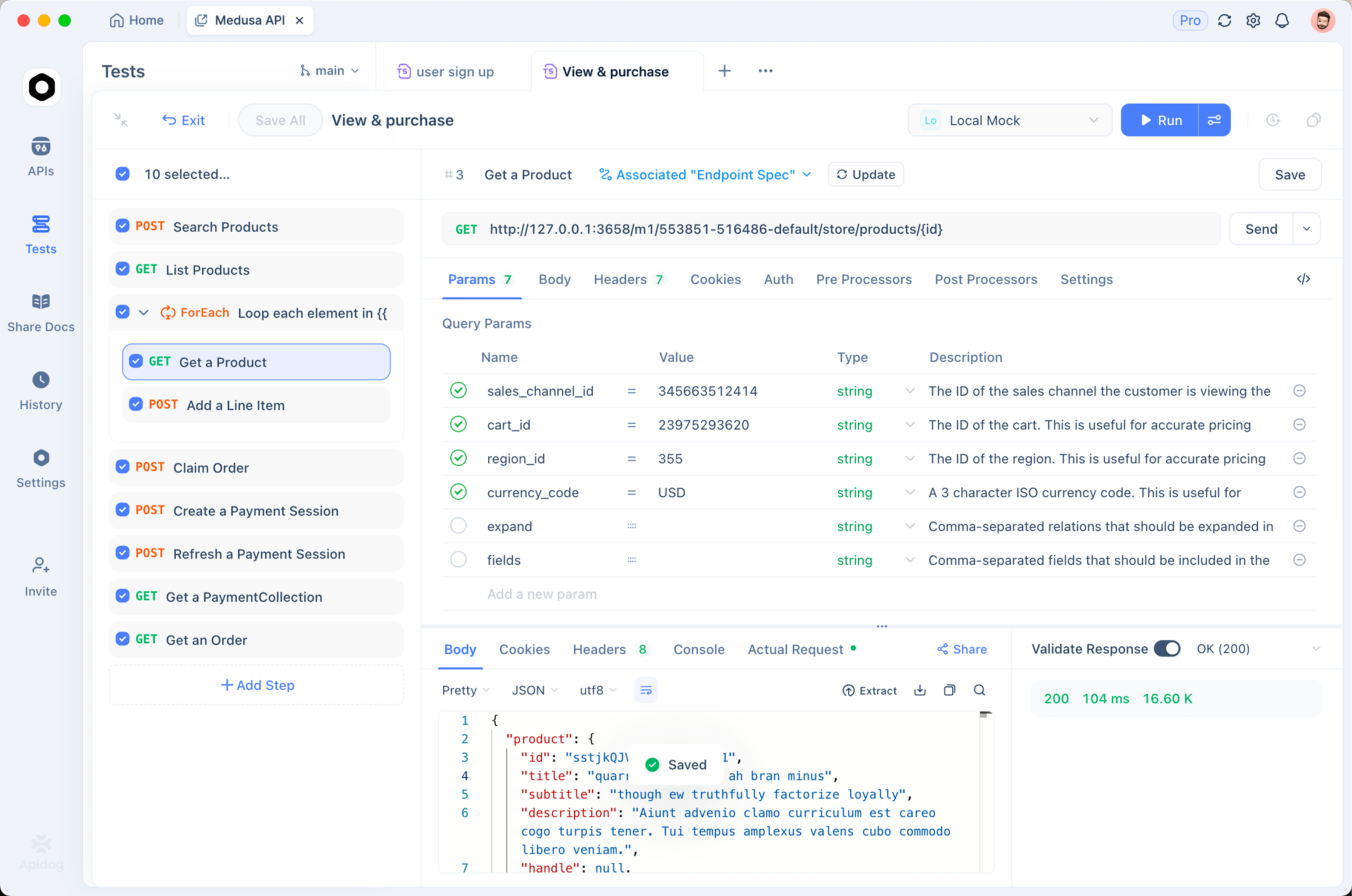
Two habits help. Keep a small fixed set of reference images and expected answers, so you can tell when behavior shifts. And validate structured extraction against a schema rather than eyeballing it.
Apidog is a practical home for this. Store image payloads in a saved request instead of a shell command, keep the API key as an environment variable, and attach assertions to the JSON your extraction prompts return. When you switch models or a provider updates something, re-running the suite tells you whether the vision path still behaves rather than leaving you to find out from a user.
FAQ
Does GLM-5.3 support images too? Not natively. GLM-5.3 routes vision through separate adapters. Flash is the natively multimodal one, which is covered in our comparison.
How many images per request? Multiple, each as its own image_url block. The practical limit is your context budget.
URL or base64? Both work. Use a public URL when the image is already hosted and reachable; use base64 for local or private images.
Does it accept video? Z.ai documents video input, but it is new and lightly exercised. Verify against your own media and provider first.
Are images billed differently? No surcharge. They consume input tokens, so resolution affects cost.