Let’s face it: coding is hard. Between debugging, writing documentation, and keeping up with syntax, even experienced developers get stuck. As a result, Cursor AI was created to assist developers. However, accessing its full capabilities often requires a Pro membership—which comes with a price tag. If you’re looking for ways to use Cursor AI for free, you’re in the right place!
In this guide, we’ll explore four effective ways to access Cursor AI’s premium features without paying:
- Using Cursor AI's 14-day Pro Trial
- Using Cursor Pro Trial Reset Tools
- Bypassing Cursor Membership with Cursor Free VIP
- Using Open-Source and Community Hacks
Let’s dive right in and learn how to maximize Cursor AI without spending a single dime!
4 Ways to Use Cursor AI for Free
1. Use Cursor AI's Free Tier (No Strings Attached)
Cursor AI offers a free tier packed with features that make it a standout choice for coders of all levels. Here’s how to get started:
Step 1: Download Cursor AI
- Head to the official Cursor AI website.
- Click "Download" and install the editor for your OS (Windows, macOS, or Linux).
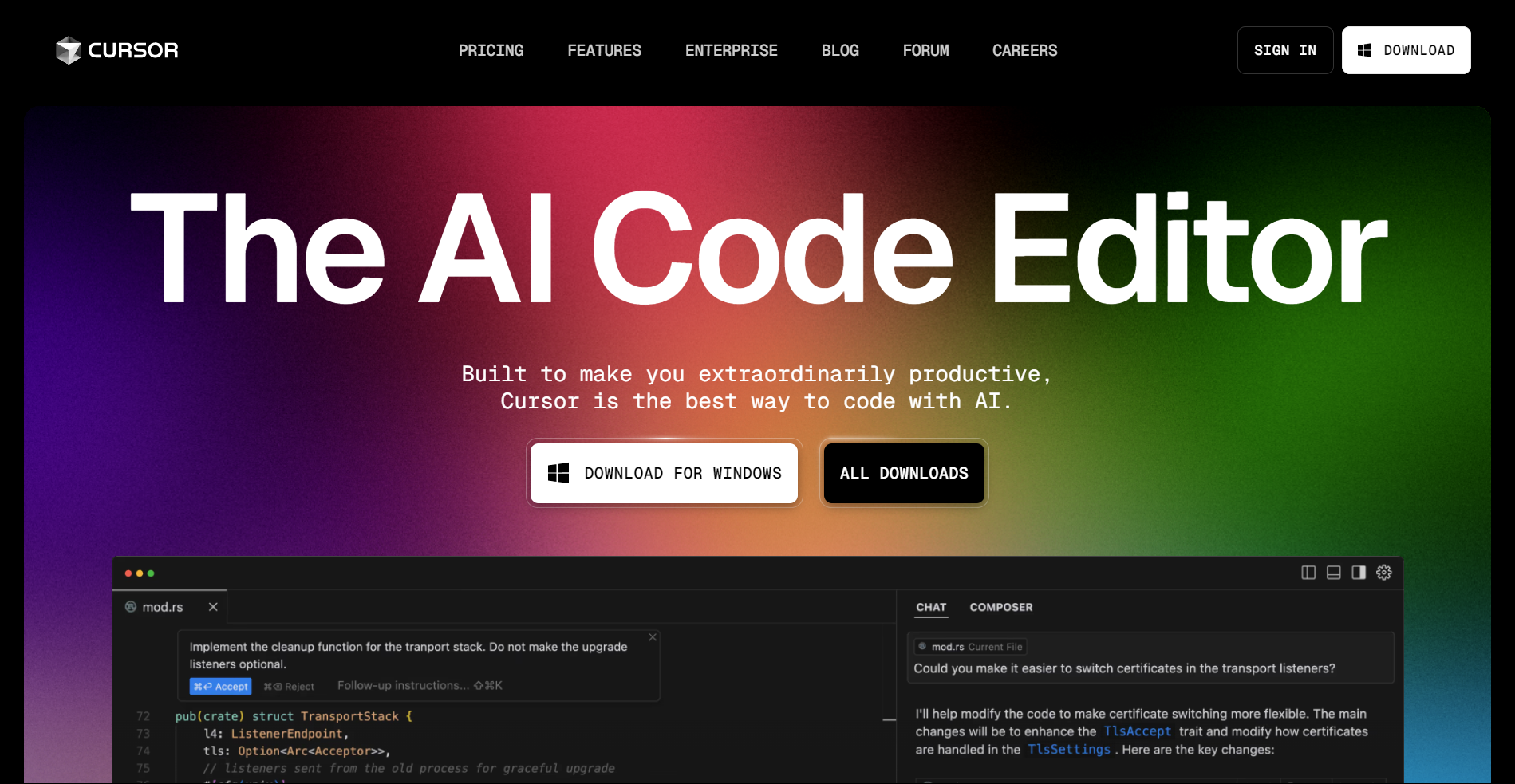
Step 2: Skip the Paid Plan
When prompted to upgrade to the Pro plan, simply close the pop-up. The free tier gives you access to:
- Basic AI Autocomplete: Get code suggestions as you type.
- Error Detection: Spot bugs before they crash your program.
- Limited AI Chat: Ask the AI questions about your code (up to 50 queries/month).
Step 3: Start Coding
- Open a project or create a new file.
- Type
defin Python orfunctionin JavaScript and watch Cursor AI suggest full-function templates.

Limitations to Know:
- The free tier restricts advanced features like code refactoring and unlimited AI chat.
- For small projects or learning, though, it’s more than enough!
Pro Tip: Use the free tier to practice coding concepts or build personal projects. Pair it with free tools like GitHub Codespaces for cloud-based development.
2. Use Cursor Pro Trial Reset Tools
One of the simplest ways to continue using Cursor AI for free is by resetting the Cursor Pro trial period. This method involves generating a new device identifier, allowing you to restart the free trial as if you were a new user.
How to Reset Cursor Pro Trial Using Cursor Pro Trial Reset Tool?
Step 1: Download the Cursor Pro Trial Reset Tool
- The Cursor Pro Trial Reset Tool is available on GitHub for Windows, macOS, and Linux.
Step 2: Log Out of Your Cursor Account
- Ensure that Cursor is completely closed (including background processes).
Step 3: Run the Reset Tool
- Open the tool and click "Replace Identifier."
- This generates a new machine ID, tricking Cursor AI into thinking it's a fresh installation.
Step 4: Modify Configuration Files
- Open the "storage.json" file located in the following directories:
- Windows:
%APPDATA%\Cursor\User\globalStorage\storage.json - macOS:
~/Library/Application Support/Cursor/User/globalStorage/storage.json - Linux:
~/.config/Cursor/User/globalStorage/storage.json - Replace the telemetry.macMachineId, telemetry.machineId, and telemetry.devDeviceId values with the new ones generated by the tool.
Step 5: Restart Cursor and Log Back In
- Open Cursor AI and sign in to your account.
- Your Pro trial should now be reset, allowing you to continue using premium features.
Bonus Tip: If you face issues, try using a new email account when signing up again.
3. Use Cursor Free VIP to Bypass Membership
Another way to unlock Cursor Pro features for free is by using Cursor Free VIP, an open-source tool that bypasses Cursor’s membership verification mechanism. This method grants access to Pro features without needing an official Pro subscription.
How to Install and Use Cursor Free VIP
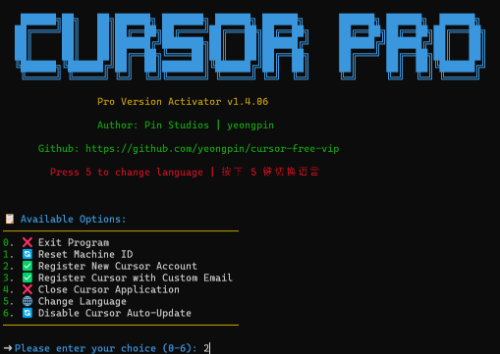
Step 1: Download the Cursor Free VIP Script
- Cursor Free VIP is available on GitHub.
Step 2: Install Cursor Free VIP
- For Windows Users:
Open PowerShell and run:
irm https://raw.githubusercontent.com/yeongpin/cursor-free-vip/main/scripts/install.ps1 | iex
- For macOS & Linux Users:
Open Terminal and run:
curl -fsSL https://raw.githubusercontent.com/yeongpin/cursor-free-vip/main/scripts/install.sh -o install.sh
chmod +x install.sh
sudo ./install.sh
Step 3: Log Out of Cursor & Restart the Software
- Before running the script, log out of your Cursor account.
- Run the script, restart Cursor AI, and enjoy full Pro access!
Step 4: Switch Cursor Modes
If you experience slow response times, switch between:
- GPT-4O-mini
- Cursor-Slow
- Cursor-Fast
This method automatically upgrades your Cursor account to Pro without requiring any payment.
4. Use Open-Source Hacks: Fake Machine ID & Go-Cursor-Help
If you’re looking for alternative ways to bypass Cursor AI’s limits, there are two additional open-source hacks:
Method 1: Use Fake Machine ID (cursor-fake-machine Plug-in)
This plug-in tricks Cursor AI into thinking you’re using a different computer, allowing you to bypass quota limits.
How to Use Fake Machine ID Plug-in?
1. Download the "cursor-fake-machine" plug-in.
2. Open Cursor AI and drag the plug-in into the extension area.
3. Go to Cursor settings > General > Manage (you will be redirected to the official website) > Delete account.
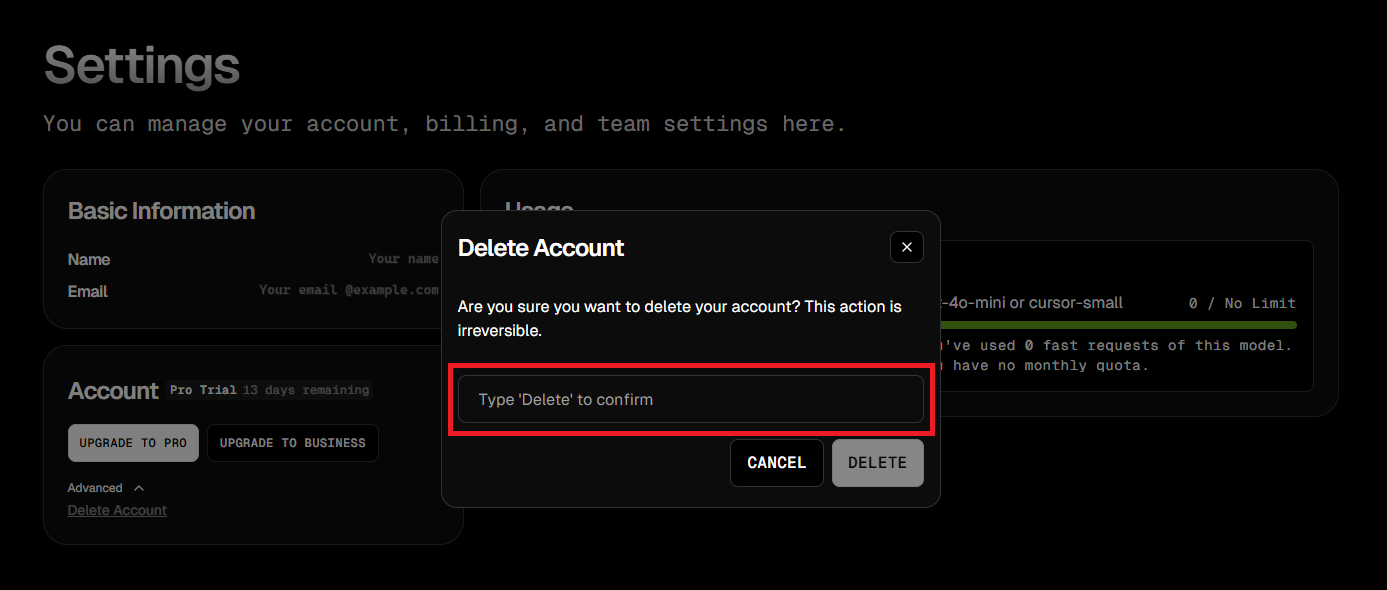
4. Go back and ensure you Logged out of Cursor completely.
5. Press Ctrl + Shift + P and search for "Fake Cursor".
6. Select it, and Cursor will generate a new machine ID.
7. Log in again with the account you deleted earlier and enjoy renewed access to Pro features!
Method 2: Use Go-Cursor-Help for One-Click Reset
If you encounter any issues with the plug-in, this tool allows you to reset the free trial period with a single command.
How to Use Go-Cursor-Help?
1. Run the following command in the terminal:
🔹 For macOS/Linux Users:
curl -fsSL https://raw.githubusercontent.com/yuaotian/go-cursor-help/master/scripts/install.sh | sudo bash
🔹 For Windows Users:
irm https://raw.githubusercontent.com/yuaotian/go-cursor-help/main/scripts/install.ps1 | iex
2. Finish Setup
After running the command, simply wait for the installation to complete and then you can restart Cursor AI and enjoy another free trial period!
Is It Safe to Use These Methods?
Using these methods may violate Cursor AI’s terms of service, and there are potential risks involved:
⚠️ Account Ban Risks – Cursor AI might detect unusual activity and ban accounts.
⚠️ Ethical Considerations – While these hacks work, supporting developers by purchasing a legitimate Pro membership is encouraged.
⚠️ Updates May Block Hacks – Cursor AI regularly updates its security, which might disable some of these methods.
💡 Tip: If possible, consider using Cursor AI’s official free tier or waiting for promotional offers instead.
Cursor’s biggest rival has its own free routes — see these 4 methods to use Windsurf for free before you pick a side.
If you've cycled through several of these free options and Cursor suddenly locks you out, we've traced what triggers the "too many free trial accounts" error and how to get past it.
Final Take Away
Cursor AI is a powerful AI-assisted coding tool, but its Pro version can be expensive. Fortunately, you can use Cursor AI for free by:
- Using Cursor AI's free 14-day pro trial
- Resetting the trial period with Cursor Pro Trial Reset Tool
- Bypassing membership verification using Cursor Free VIP
- Using open-source hacks like Fake Machine ID or Go-Cursor-Help
Each method has its own advantages and risks, so choose the one that best fits your needs. However, if you rely on Cursor AI for professional use, consider supporting the developers by purchasing a subscription.
For now, enjoy free access to Cursor AI, be sure to check out Apidog, and supercharge your coding workflow without limits!