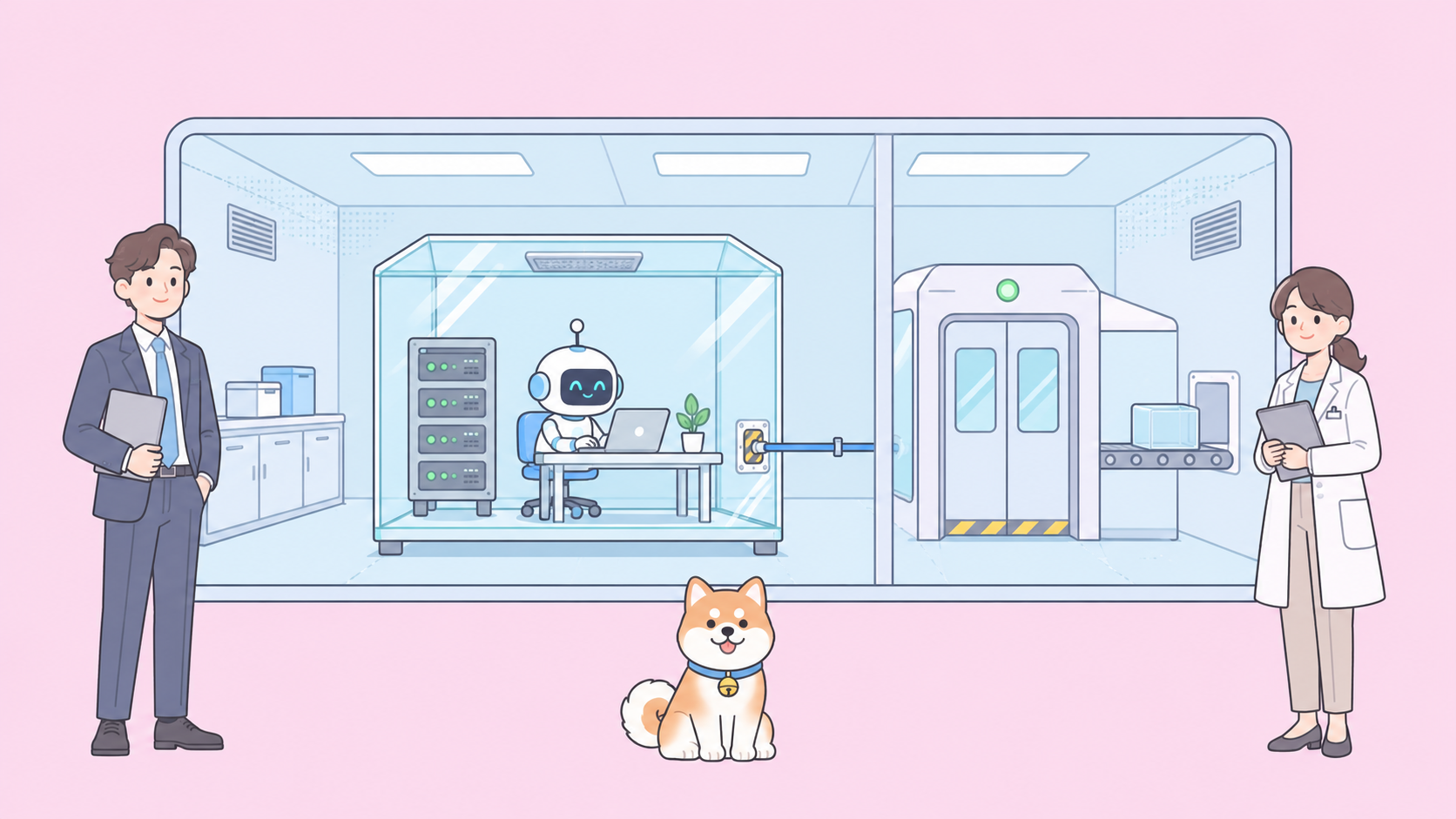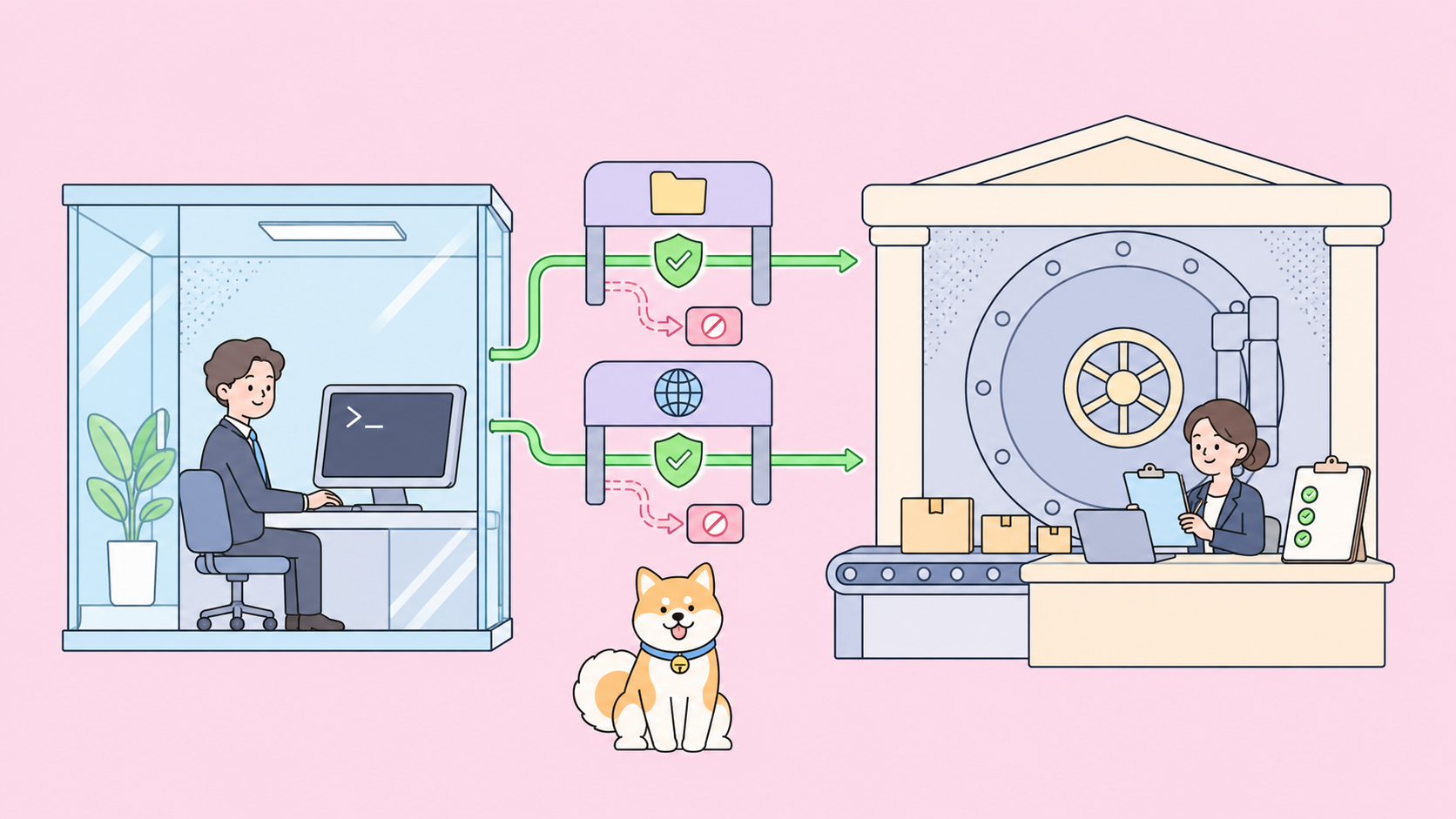
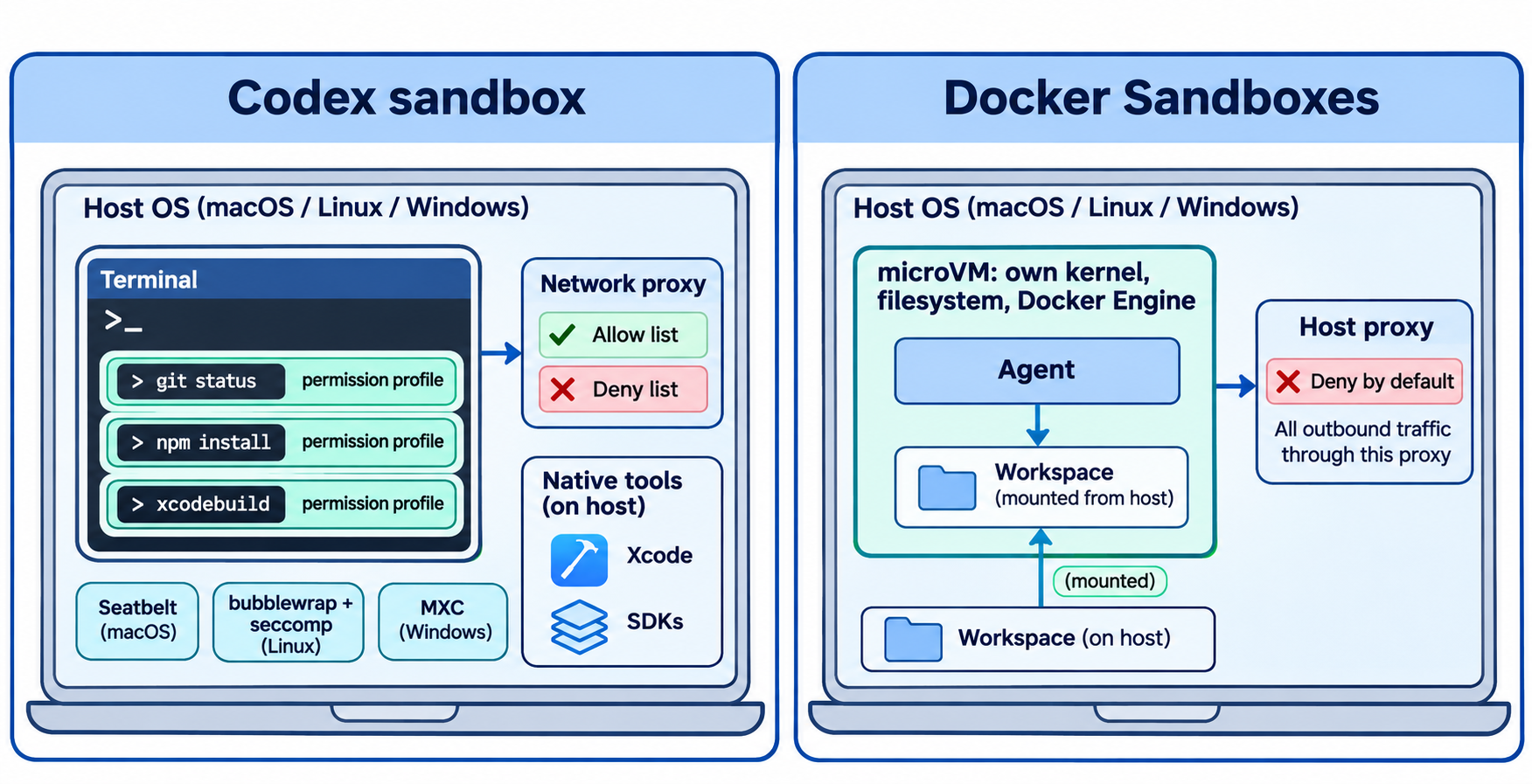
In the Codex sandbox vs Docker Sandboxes question, the difference is where the agent’s commands run. The Codex sandbox keeps commands on your own machine and limits them with OS tools (Seatbelt on macOS, bubblewrap plus seccomp on Linux, MXC on Windows). Docker Sandboxes move the agent into a microVM with its own kernel, filesystem, Docker Engine and network. Pick Codex’s sandbox when you need native toolchains; pick Docker Sandboxes when you want a hard boundary around everything the agent does.
Codex sandbox vs Docker Sandboxes at a glance
| Codex sandbox | Docker Sandboxes | |
|---|---|---|
| Where commands run | Your existing environment | A microVM per sandbox |
| Isolation mechanism | Seatbelt (macOS), bubblewrap + seccomp-bpf (Linux), MXC (Windows) | Hypervisor, separate kernel per sandbox |
| Configured with | Permission profiles in config.toml |
sbx CLI and policies |
| Default network | Off for the :workspace profile |
Deny-by-default proxy with a default allow list |
| Native host tools | Yes (Xcode, simulators, local SDKs) | No, only what’s inside the VM |
| Agents covered | Codex (plus any command via codex sandbox) |
Claude Code, Codex, Copilot, Cursor, Devin, Kiro, OpenCode and more |
| Team policy | requirements.toml managed requirements |
Docker AI Governance (separate paid subscription) |
| Price | Part of Codex | sbx CLI and local compute free; cloud is pay-as-you-go |
What is the Codex sandbox?
The Codex sandbox is the layer that limits what commands Codex runs on your computer can read, write and reach. It doesn’t move work into a container or VM. Instead, it wraps each command, and every child process it spawns, in the operating system’s own sandboxing facilities, using rules you set in a permission profile.
The built-in :workspace profile is the default for a Git repository. It allows writes inside the workspace while keeping .git and .codex read-only, allows broad reads elsewhere (compilers need SDKs outside the repo), and turns network access off. You can extend it in config.toml. This example is quoted from OpenAI’s post:
default_permissions = "dev"

[permissions.dev]
description = "Development with extra read-only protections."
extends = ":workspace"

[permissions.dev.filesystem]
"~/build-cache" = "write"

[permissions.dev.filesystem.":workspace_roots"]
".devcontainer" = "read"
".vscode" = "read"
"**/*.env" = "deny"
"secrets" = "deny"
The codex sandbox command runs any program under a profile, outside an agent session. That’s how you test a profile, or wrap a stdio MCP server that Codex would otherwise launch unsandboxed:
codex sandbox --permission-profile dev -- bash -c 'cat > .vscode/settings.json'
On macOS, that write fails with Operation not permitted. For copy-ready profiles, see the permission profiles docs.
What are Docker Sandboxes?
Docker Sandboxes run AI coding agents in isolated microVMs, on your machine or on Docker-managed cloud infrastructure. Each sandbox gets its own kernel, Docker daemon, filesystem and network. The agent has full privileges inside the VM, including sudo and a private Docker Engine, but reaches only the host resources you share.
You drive it with the sbx CLI, which doesn’t need Docker Desktop. Local sandboxes need macOS 14 or later on Apple silicon, Windows 11 with Hypervisor Platform, or Ubuntu 24.04 or later with KVM. From the get started guide:
cd ~/my-project
sbx run --name my-sandbox claude   # or: sbx run codex
sbx policy ls
sbx policy allow network registry.npmjs.org
sbx stop my-sandbox
sbx rm my-sandbox
Your project directory is mounted into the VM at the same absolute path. A direct mount is read-write, so the agent edits your working tree in place. With --clone, the host repo is mounted read-only and the agent works in a private Git clone instead. Credentials stay on the host: Docker’s architecture docs say “the raw credential values never enter the VM.”
Isolation strength: OS policy vs a separate kernel
Codex constrains processes on the host kernel. On macOS it generates a Seatbelt profile that starts from (deny default). On Linux it builds a filesystem view with bubblewrap, unshares the network, IPC and PID namespaces, and applies a seccomp-bpf filter with no_new_privs set. On Windows it’s moving to Microsoft’s MXC (Microsoft eXecution Container) library. The limits are real and kernel-enforced, but the agent shares your kernel and sees your machine through a filter.
Docker puts a hypervisor between the agent and your host. Each sandbox has a separate kernel and its own Docker Engine “with no path to the host daemon.” A kernel bug or a misconfigured rule inside the VM doesn’t hand the agent your laptop.
Both leave gaps they document honestly:
- Codex’s default profile keeps broad reads on, so a config file elsewhere holding an API key can stay readable. OpenAI also warns that an agent could tamper with an ignored file like
node_modules/prettier, which your editor later runs outside the sandbox. - Docker’s direct mount is read-write, so Git hooks, CI config and a
Makefilethe agent edits can run later on your host. Local stdio MCP servers also run outside the sandbox VM.
Neither removes the need to review the agent’s changes. If you’ve been fighting the Codex sandbox, our guide to bypassing the Codex sandbox covers the safer middle ground.
Native tools and setup cost
OpenAI’s argument against containers is concrete. If you sandboxed Codex inside Docker while building an iOS app, “Codex would not be able to run the iOS build toolchain composed of native Mac executables, nor could it launch the iPhone simulator.” Delegating those steps back to the host would put them outside the sandbox again.
So the Codex sandbox costs almost nothing to set up: your shell, SDKs and caches stay where they are.
Docker Sandboxes ask more up front. The VM starts from a template (docker/sandbox-templates:codex for Codex), and you add tools with kits or by installing them inside. Sandboxes don’t read user-level config such as ~/.codex, only project-level config in the working directory. In return you get a clean, reproducible environment that works the same for every agent, and a container workload can run safely inside the VM’s private Docker Engine.
For a service that already builds in a container, that cost is small. For Xcode or a licensed desktop SDK, it’s large.
Network control compared
Both route traffic through a proxy that checks domains, and both start closed.
Codex has three modes: network off (the :workspace default), full access (:danger-full-access), or a proxy that enforces per-profile domain rules:
[permissions.dev.network]
enabled = true

[permissions.dev.network.domains]
"*.openai.com" = "allow"
"localhost" = "allow"
"evil.example" = "deny"

[features]
network_proxy = true
Explicit denies beat allows, and a request to an unlisted domain can pause for your approval. The proxy resolves a hostname only after it’s allowed, though OpenAI notes broad wildcards can still permit DNS-based exfiltration.
Docker routes all outbound TCP from the VM through a proxy on the host, blocks UDP and ICMP by default, and manages rules with sbx policy. Its security model page warns that “the default allowed domains include broad wildcards,” so run sbx policy ls before you trust the defaults.
Team policy: managed requirements vs Docker AI Governance
Teams need a policy users can’t quietly loosen.
Codex uses managed requirements. An admin ships a requirements.toml, from a system file such as /etc/codex/requirements.toml or from cloud policy, that limits which profiles users may pick:
default_permissions = ":read-only"

[allowed_permission_profiles]
":read-only" = true
":danger-full-access" = false
Docker sells this layer as Docker AI Governance: sandbox network and filesystem policies, MCP tool policies written in Cedar and enforced at Docker’s MCP Gateway, and audit records of each decision that you can keep locally or send to the cloud. Docker’s docs list organization-level policy as a separate paid subscription. The upside is one policy across every agent your team uses, not just Codex.
When to use which
There’s no single winner. Match the boundary to the work:
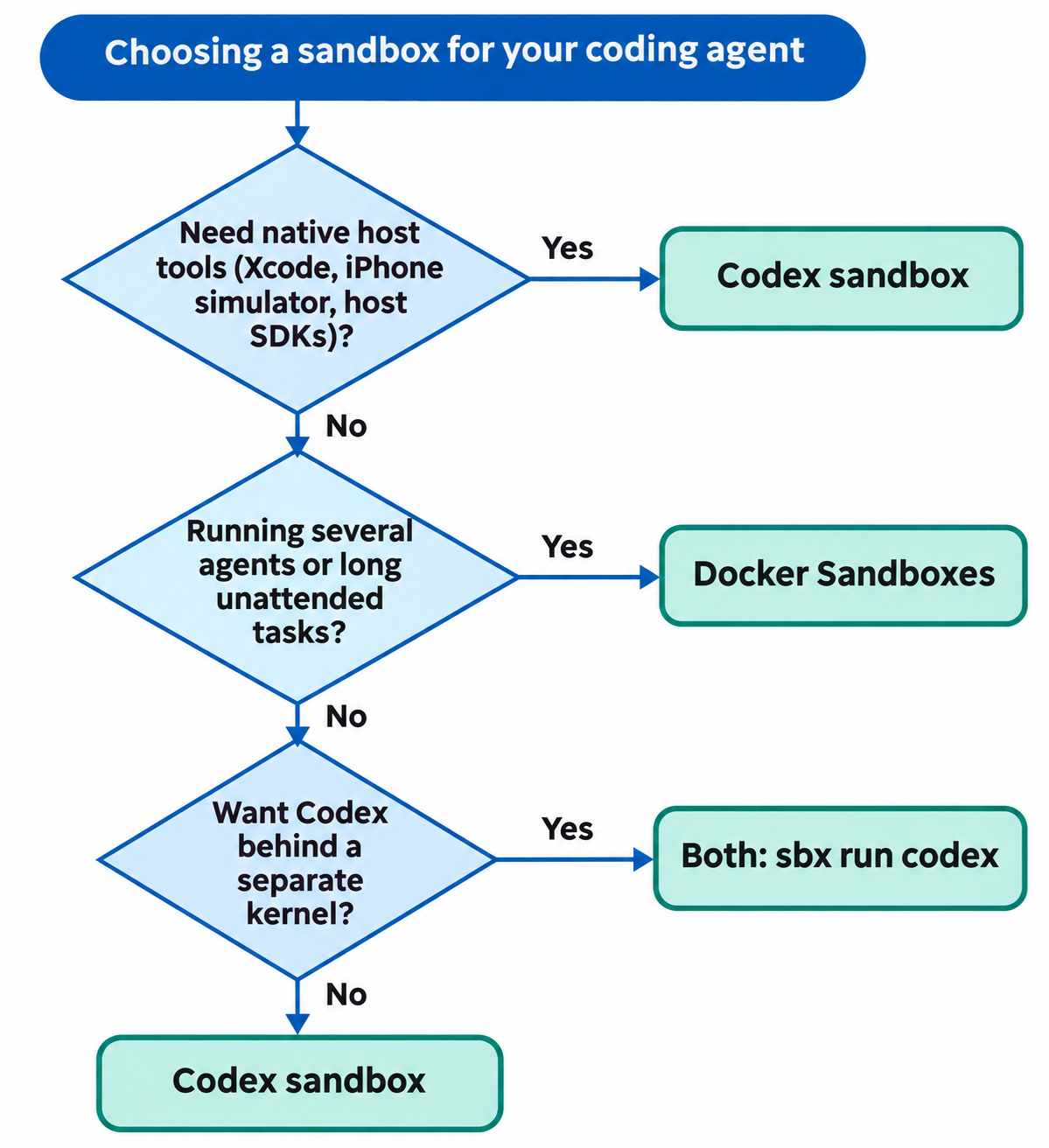
- Use the Codex sandbox when you build for macOS or iOS, rely on host-only SDKs, or want zero setup and Codex is your only agent.
- Use Docker Sandboxes when you run several agents, want a separate kernel between the agent and your laptop, or let the agent run long unattended tasks with Docker inside.
- Use both when you want Codex inside a hard boundary. Docker’s Codex page shows
sbx run codexstartingcodex --dangerously-bypass-approvals-and-sandboxby default: the microVM becomes the wall and Codex’s own approvals step aside. Keep that trade in mind before you pick it.
Test your API from either sandbox with Apidog CLI
Whichever wall you pick, your agent still has to prove its changes work against a real API. Apidog CLI gives it commands for test cases and runs with JSON output it can read. Set it up once:
npm install -g apidog-cli@latest
apidog auth login --with-token <YOUR_TOKEN>
apidog skill install
Then open the network to exactly two hosts: your API and api.apidog.com, the CLI’s default API base. In Codex, add both to the profile’s [permissions.<name>.network.domains] table. In Docker Sandboxes, run sbx policy allow network api.apidog.com plus your API’s host.
Give your agent one prompt:
Using Apidog CLI, create a test case in project <projectId> for
POST /orders on endpoint <endpointId> that asserts a 201 status and an
"id" field in the body. Run it against environment <envId> and summarize
any failures.
The agent reads the schema, validates its payload and runs the case:
apidog cli-schema get test-case-create
apidog cli-schema validate test-case-create --file case.json
apidog test-case create --project <projectId> --file case.json
apidog test-case run --project <projectId> --endpoint <endpointId> -e <envId> -r cli,json
If a run fails with a network error, the sandbox did its job: check which host the allow list missed. For the full Codex walkthrough, see Apidog CLI in Codex, and swap -r cli,json for -r junit when the same run moves into a CI pipeline. Apidog’s Free plan covers up to 4 users.
FAQ
Is the Codex sandbox a container? No. Codex constrains commands in your existing environment with Seatbelt on macOS, bubblewrap and seccomp-bpf on Linux, and MXC on Windows. There’s no separate filesystem image or VM.
Are Docker Sandboxes just containers? No. Docker’s docs describe them as microVMs with hypervisor isolation and a separate kernel per sandbox. Each one runs its own Docker Engine, so the agent can build and run containers inside it.
Can I run Codex inside Docker Sandboxes? Yes. sbx run codex starts Codex in a microVM. By default it launches with --dangerously-bypass-approvals-and-sandbox, so the VM, not Codex’s sandbox, is the boundary.
Are Docker Sandboxes free? Docker says the sbx CLI and local sandbox compute are free, including for commercial work. Cloud sandboxes use a pay-as-you-go subscription, model-provider charges are separate, and organization-level policy management is a separate paid subscription.
Does either sandbox cover MCP servers? Not by default. Codex doesn’t sandbox stdio MCP servers unless you wrap them with codex sandbox. Docker runs local stdio MCP servers outside the VM; its MCP gateway and Cedar policies govern servers routed through it.