Anthropic shipped its Fable and Mythos model lines with a different set of rules than developers were used to, and the reaction was loud. Two threads dominated the discussion: a new 30-day data retention requirement for Fable and Mythos traffic, and a round of guardrail changes that landed without much warning. If you run anything against the Claude API in production, these changes touch you directly.
This post separates the noise from the parts that affect your code. You’ll see what reportedly changed, what still works the same way it did last week, and how to verify your own integration with Apidog instead of guessing. If you maintain a Claude integration, the safest move right now is to test your assumptions, not trust them.
What actually changed
Three things are getting conflated in the discussion. Pull them apart and the picture gets clearer.
Data retention. The headline change is a 30-day retention window applied to Fable and Mythos requests. In practice this means request and response data tied to those models is held for a fixed period rather than dropped immediately. Teams with strict data-handling commitments care about this because it changes what you can promise your own users. If your privacy policy says “we don’t retain prompts,” your upstream provider’s retention behavior is now part of that claim.
Guardrails. A separate thread covered guardrail changes on Fable that some security researchers pushed back on. The complaint wasn’t that guardrails exist; it was that the behavior shifted quietly, so responses that passed yesterday might get filtered or reshaped today. For an application that depends on consistent output, a silent change in refusal behavior is a real bug source.
Programmatic access. This is the part most developers actually need to act on. The API surface, authentication model, and core request shape have not been replaced. Your existing keys, your messages calls, and your tool-use schema still work. What can move underneath you is behavior: which prompts get refused, how long calls take under load, and what a streamed response looks like when a guardrail trips mid-generation.
The short version: the contract is stable, the behavior is not guaranteed stable, and the policy around your data is stricter. That combination is exactly what testing is for.
What still works
Before you rewrite anything, confirm what’s unchanged so you don’t fix problems you don’t have.
- Authentication. API keys and the
x-api-keyheader work as before. You don’t need to rotate keys because of these changes, though key rotation is good hygiene regardless. See Anthropic’s API reference for the current header contract. - The Messages API shape. The request body, the
modelfield,max_tokens,systemprompts, and themessagesarray are unchanged. Code written against the Messages API keeps running. - Tool use. Your tool definitions and the
tool_use/tool_resultround trip behave the same. If you built an agent on function calling, the wiring holds. - Streaming. Server-sent events still stream tokens the same way. What can differ is the content of the stream when a guardrail intervenes partway through.
- Model aliases. If you pin a model by its full ID rather than a floating alias, you control exactly which model answers. Pinning is your best defense against silent behavior drift.
So nothing forces an emergency rewrite. The work is verification: prove the behavior your app depends on still holds, and catch the cases where it quietly doesn’t.
How to test your integration with Apidog
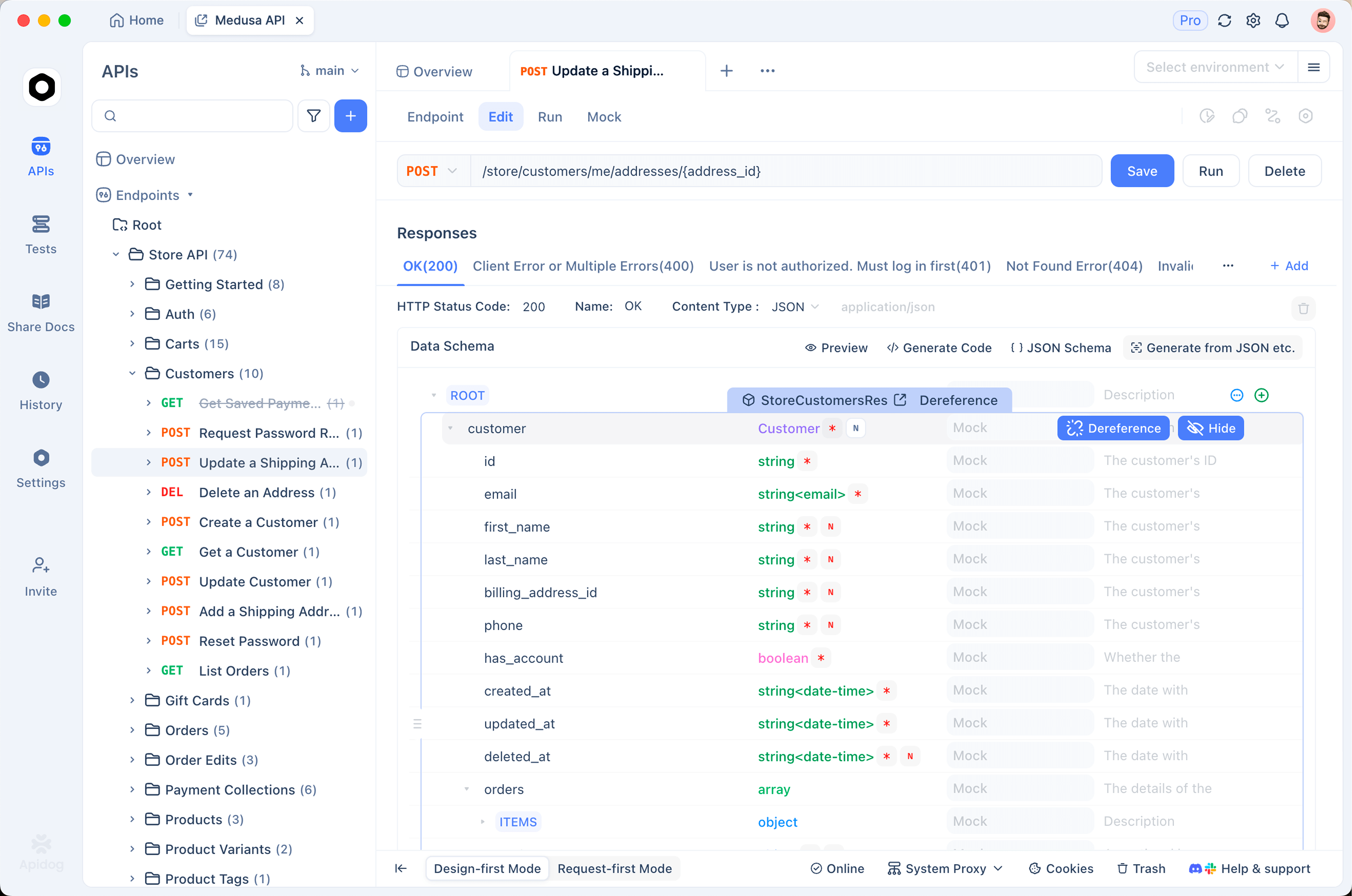
This is where a real API client earns its place. You can read changelogs all day, but the only way to know how your integration responds is to fire requests and inspect what comes back. Apidog gives you one workspace to design those requests, save them, mock the upstream, and run them as automated checks. If you’ve moved off Postman or never standardized, this is a clean place to start; here’s the broader case for API testing without Postman.
1. Capture a known-good baseline
Create a request in Apidog that hits the Messages API with a prompt you care about; a representative production prompt, not a toy. Pin the full model ID. Save the response. This is your baseline. When behavior drifts later, you compare against this saved response instead of relying on memory.
POST https://api.anthropic.com/v1/messages
x-api-key: {{ANTHROPIC_API_KEY}}
anthropic-version: 2023-06-01
content-type: application/json

{
  "model": "claude-fable-5",
  "max_tokens": 1024,
  "messages": [
    { "role": "user", "content": "Summarize this support ticket and label its priority: ..." }
  ]
}
Store the API key as an environment variable in Apidog rather than hardcoding it. That keeps the key out of your saved requests and lets you switch between staging and production with one dropdown. The same pattern works whether you’re testing Claude, Claude Code’s SDK, or any other model behind the same key.
2. Assert on the response, don’t eyeball it
A baseline is only useful if you check it automatically. In Apidog, add assertions to the request:
- Status is
200. stop_reasonisend_turn, notmax_tokensor a refusal.- The response body contains the structured field your app parses (for example, a priority label).
- Response time stays under your timeout budget.
Now you have a test, not a screenshot. Run it on a schedule and you’ll find out the day a guardrail change starts filtering a prompt that used to pass. This is the same discipline behind API contract testing; you’re pinning the behavior your downstream code assumes.
3. Test the refusal and guardrail paths on purpose
The guardrail complaints matter because refusals are easy to ignore until they break a workflow. Build a small set of requests that sit near your content boundaries and save the responses. If a previously-accepted prompt starts coming back refused or reshaped, your assertion fails and you know before your users do. Treat refusal behavior as a tested contract, not an afterthought.
4. Mock Anthropic so your own tests don’t depend on the live API
You don’t want your CI suite calling a paid, rate-limited, behavior-shifting upstream on every run. Apidog’s mock server lets you stand up a fake Messages endpoint that returns canned responses; including the refusal and error shapes you captured above. Point your application at the mock during development and integration tests. Your code exercises the real response structure without spending tokens or tripping rate limits. When you want the real thing, flip the base URL back. Building an agent on top of this? The same mock pattern is the backbone of a good AI agent testing setup.
5. Verify retention-sensitive behavior
If the 30-day retention window matters for your compliance story, document it where your team will see it and test the controls you do have. Confirm which endpoints you call, what data leaves your system in each request, and whether you’re sending more than you need. Apidog’s request history makes it easy to audit exactly what payloads your integration sends, so you can trim anything sensitive that doesn’t need to be in the prompt. You can’t change Anthropic’s retention policy, but you can control what you hand it.
6. Test under load and timeouts
Behavior under load is where silent changes hide. Use Apidog to run the same request repeatedly and watch for latency creep, partial streams, or intermittent guardrail trips. Set a realistic timeout and a retry policy in your client, then test that your retry actually handles a slow or truncated response instead of compounding the problem. If you’re seeing upstream slowness, the debugging approach in fixing upstream request timeouts applies directly.
A practical checklist
Run through this once and you’ll know exactly where you stand:
- [ ] Pin full model IDs; stop relying on floating aliases for production paths.
- [ ] Save a baseline response for every prompt your app depends on.
- [ ] Add assertions on status,
stop_reason, and the fields you parse. - [ ] Capture refusal and error shapes; assert they don’t change silently.
- [ ] Mock the Messages API so CI doesn’t hit the live endpoint.
- [ ] Audit outbound payloads against the 30-day retention window.
- [ ] Test timeout and retry behavior under repeated load.
None of this requires waiting for Anthropic to publish more detail. You control the verification, and verification is what turns a policy headline into a non-event for your team.
FAQ
Do I need to change my API keys because of the Fable and Mythos changes? No. Authentication is unchanged. Rotating keys on a schedule is still good practice, but these changes don’t force it.
Will my existing Messages API and tool-use code break? The request and response contract is stable, so your code keeps running. What can shift is behavior; refusals, latency, and streamed content under guardrails. That’s a testing problem, not a rewrite.
What is the 30-day retention change? Reports describe a 30-day retention window applied to Fable and Mythos traffic. If your own privacy commitments depend on upstream retention behavior, factor this in and confirm what data you actually send. Always check Anthropic’s current data-usage documentation for the authoritative terms.
How do I catch guardrail changes before users do? Save baseline responses for prompts near your content boundaries, add assertions, and run them on a schedule in Apidog. A failed assertion tells you the day behavior shifts.
Can I test all of this without spending tokens? Yes. Use Apidog’s mock server to replay captured responses, including refusal and error cases, so your development and CI runs never touch the live API.
Wrapping up
The Fable and Mythos changes are real, but for most developers they’re a behavior-and-policy story, not a broken-API story. Your keys work, your Messages calls work, your tools work. The exposure is in the parts that move quietly: refusals, latency, and what your data does after it leaves your system. Pin your models, capture baselines, assert on them, and mock the upstream so your tests stay cheap and honest. Download Apidog and turn “I think it still works” into “I checked, and here’s the proof.”