
TL;DR
WaveSpeedAI is one of the best free AI image generators online in 2026: access to 600+ models including Flux 2 Pro, Seedream 4.5, and Stable Diffusion 3.5 through a single platform, with pay-per-use pricing from $0.001 per image and free credits on signup. For developers, it’s the most complete option with a full REST API, no cold starts, and 99.9% uptime SLA.
Introduction
Free AI image generation used to mean limited models, watermarked output, and no API access. WaveSpeedAI changed that model. The platform gives developers and creators access to over 600 image models through one account, with free credits to start and pay-per-use pricing after.
This guide covers what WaveSpeedAI offers, how to use it, and how to test its API through Apidog.
What WaveSpeedAI offers
600+ models in one platform
WaveSpeedAI aggregates the leading image generation models under one API and one billing account:
- Flux 2 Pro v1.1: LM Arena Elo 1,265, top photorealism
- Flux 2 Pro: LM Arena Elo 1,258
- Seedream 4.5: ByteDance exclusive, strong text rendering and design output
- Stable Diffusion 3.5 Large: Open-source flexibility
- GPT Image 1.5: Available via the platform
- Ideogram 3.0: Text-in-image specialist
Switching models requires only changing the model ID in your API call. No new authentication, no new account.
Pay-per-use pricing
WaveSpeedAI doesn’t use subscriptions. Pricing starts at $0.001 per image for faster, lighter models and goes up to $0.08 per image for the highest-quality generation models.
For most mid-tier models (Flux 2 Dev, Stable Diffusion 3.5), expect $0.02-0.04 per image.
At 100 images per month, the cost is roughly $2-4. At 1,000 images per month, $20-40 depending on model selection. Compare that to subscription plans that charge $20-50/month regardless of actual usage.
No cold starts
Serverless GPU infrastructure often has cold start problems: the first request after inactivity takes much longer than subsequent ones. WaveSpeedAI’s infrastructure handles this, keeping models warm for production-grade response times.
99.9% uptime SLA
For teams building applications that depend on image generation, uptime matters. WaveSpeedAI’s enterprise SLA guarantees 99.9% availability.
How to get started
Step 1: Create an account and get API key
Go to wavespeed.ai and create a free account. No credit card required. Your account gets free credits to start.
Navigate to API Keys in your dashboard and create a new key. Copy it; you’ll use it in every API request.
Step 2: Test your first request
The simplest image generation request:
POST https://api.wavespeed.ai/api/v2/black-forest-labs/flux-2-pro
Authorization: Bearer YOUR_API_KEY
Content-Type: application/json

{
  "prompt": "A red panda sitting on a bamboo branch, sunset lighting, photorealistic",
  "image_size": "square_hd"
}
The response returns an image URL. The processing takes 3-10 seconds depending on model and size.
Step 3: Explore the model catalog
The API structure follows {developer}/{model-name}. Common ones:
black-forest-labs/flux-2-pro— Highest quality image generationblack-forest-labs/flux-2-schnell— Fastest Flux variantbytedance/seedream-4-5— Design and typographystability-ai/stable-diffusion-3-5-large— Open-source flexibilitywavespeed-ai/face-enhance— Portrait enhancementwavespeed-ai/background-removal— Background removal
Testing with Apidog
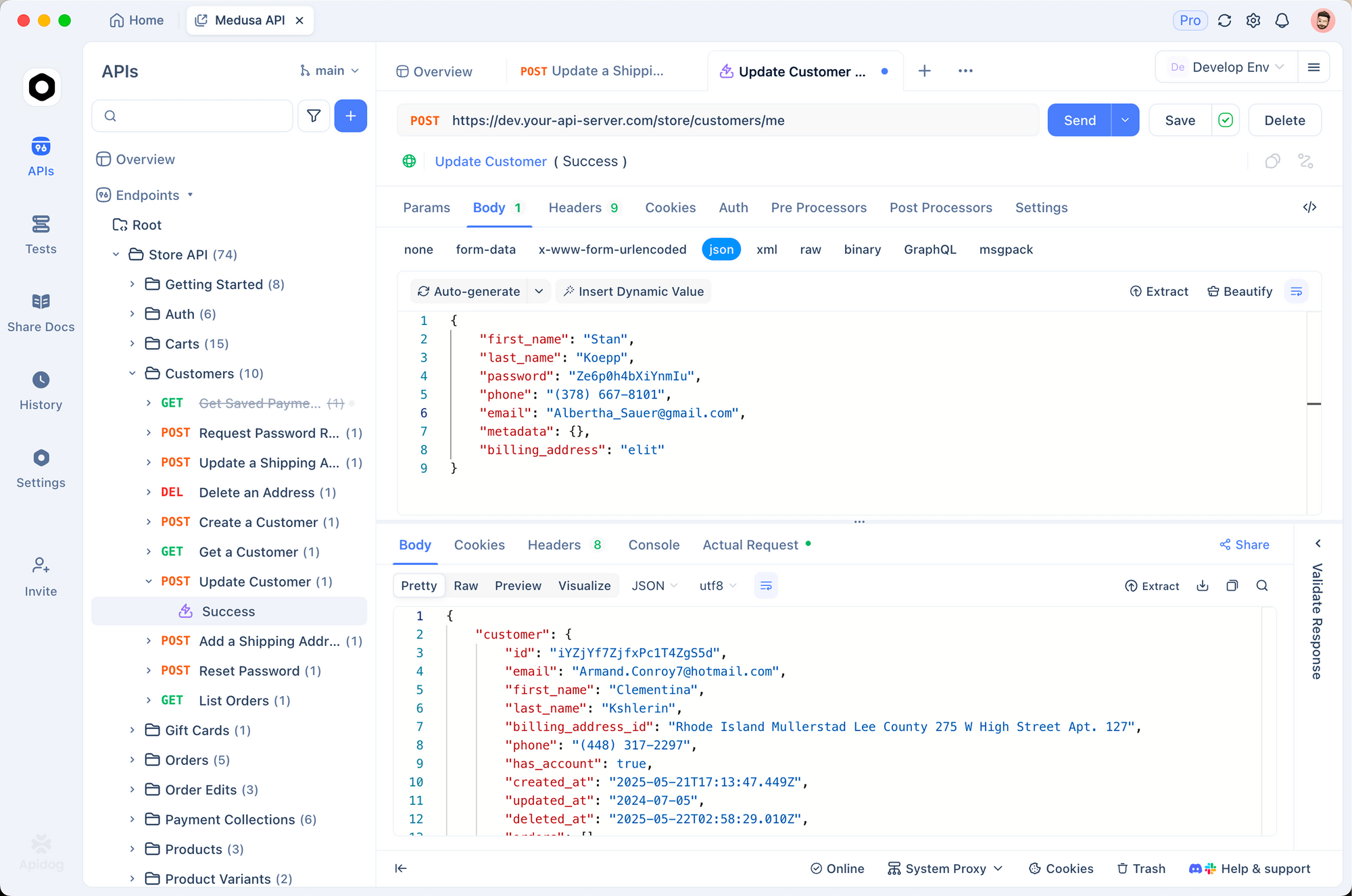
Apidog makes API testing faster than writing code and easier to share with teammates.
Setting up your environment:
- Open Apidog and create a new project
- Go to Environments, click New Environment, name it “WaveSpeed Production”
- Add a variable: Name =
WAVESPEED_API_KEY, Type = Secret, Value = your key - Save
Creating a test request:
In your project, create a new HTTP request:
- Method: POST
- URL:
https://api.wavespeed.ai/api/v2/black-forest-labs/flux-2-pro - Headers:
Authorization: Bearer {{WAVESPEED_API_KEY}},Content-Type: application/json - Body (JSON):
{
  "prompt": "{{test_prompt}}",
  "image_size": "{{image_size}}"
}
Set test_prompt and image_size as variables so you can run multiple test cases without editing the request body.
Add assertions:
In the Tests tab:
Status code is 200Response body has field output_urlResponse time is under 15000ms
Compare models:
Duplicate the request and change the URL to a different model (bytedance/seedream-4-5). Run the same prompt through both models. Use Apidog’s comparison view to evaluate outputs.
Image sizes available
WaveSpeedAI uses named size presets:
| Preset | Dimensions | Use case |
|---|---|---|
square_hd |
1024×1024 | Profile images, thumbnails |
portrait_4_3 |
768×1024 | Mobile, portrait format |
landscape_4_3 |
1024×768 | Landscape, website headers |
portrait_16_9 |
576×1024 | Story format |
landscape_16_9 |
1024×576 | Video thumbnail |
Advanced parameters
Beyond the basic prompt and size, most models accept additional controls:
{
  "prompt": "A studio product photo of a leather wallet on white background",
  "image_size": "square_hd",
  "num_inference_steps": 30,
  "guidance_scale": 7.5,
  "seed": 42,
  "num_images": 1
}
num_inference_steps: More steps = higher quality, slower generation. 20-30 is the sweet spot for most use cases.guidance_scale: How closely the model follows the prompt. Higher values mean stricter adherence (5-15 range).seed: Set for reproducible outputs. Same seed + same prompt = same image.
Practical use cases
Product photography automation:
E-commerce teams use WaveSpeedAI to generate product lifestyle shots at scale. One product photo becomes dozens of scene variations by changing the prompt context.
Marketing content:
Social media teams generate multiple ad creative variations from a single brief, test which performs better, then generate more variations of the winner.
App prototyping:
Developers use placeholder image generation to build realistic-looking app prototypes without commissioning actual photography.
FAQ
Is WaveSpeedAI actually free?
You get free credits on signup that cover meaningful testing. After credits run out, you pay per request. There’s no monthly subscription required.
Does it support batch generation?
Yes. You can run multiple concurrent API requests. The platform handles parallel processing without requiring special batch endpoints.
What models have exclusive access on WaveSpeedAI?
Seedream 4.5 and Kling 2.0 are exclusive to WaveSpeedAI as ByteDance models. They’re not available through OpenAI, Replicate, or other platforms.
Is there a web interface, or is it API-only?
Both. WaveSpeedAI has a web UI for trying models without writing code. The API is available for developers and automation.
What’s the rate limit?
Rate limits scale with your plan tier. The free tier has lower limits; paid plans have higher throughput. Check the current rate limit documentation on wavespeed.ai.


