Quality assurance testers constantly seek ways to enhance testing accuracy while minimizing time spent on repetitive tasks. AI tools for QA testers emerge as powerful solutions that automate complex processes, predict defects, and optimize workflows. These technologies enable testers to focus on strategic aspects rather than manual scripting. For instance, platforms integrate machine learning to generate test cases dynamically, ensuring comprehensive coverage across applications.
As software development accelerates, QA teams adopt AI to maintain pace. This shift not only improves test reliability but also scales operations effectively. Moreover, integrating these tools fosters collaboration between developers and testers, leading to faster releases.
Understanding AI in QA Testing
AI transforms traditional QA practices by introducing intelligent automation. Testers leverage algorithms that analyze code changes and predict potential failures. Consequently, this proactive approach reduces the likelihood of post-release bugs.
Machine learning models train on historical data to identify patterns. For example, they detect anomalies in user interfaces or API responses. Additionally, natural language processing allows testers to create tests using plain English, simplifying the process for non-coders.
AI tools for QA testers categorize into several types, including test automation frameworks, visual validation systems, and predictive analytics platforms. Each type addresses specific challenges in the QA lifecycle. Furthermore, these tools integrate with CI/CD pipelines, ensuring continuous testing.
Testers benefit from reduced flakiness in automated tests. AI self-heals scripts by adapting to UI changes automatically. Thus, maintenance efforts decrease significantly.
Benefits of Integrating AI Tools into QA Workflows
AI tools enhance efficiency by automating test creation. Testers generate thousands of scenarios in minutes, covering edge cases that manual methods often miss. As a result, coverage improves without proportional increases in effort.
These tools also accelerate defect detection. Algorithms scan logs and metrics to pinpoint issues early. Therefore, teams resolve problems before they escalate, saving costs.
Collaboration improves as AI provides actionable insights. Developers receive detailed reports on failures, enabling quick fixes. Moreover, AI-driven analytics forecast testing needs based on project complexity.
Security testing gains from AI as well. Tools simulate attacks and identify vulnerabilities in real-time. Consequently, applications become more robust against threats.
Scalability stands out as another advantage. Cloud-based AI platforms handle large-scale testing effortlessly. Testers run parallel executions across devices, ensuring compatibility.
Finally, AI promotes data-driven decisions. Metrics from tests guide process improvements, leading to iterative enhancements in QA strategies.
Top AI Tools for QA Testers in 2026
QA professionals select from a diverse array of AI tools tailored to specific needs. The following sections detail leading options, highlighting their technical capabilities and applications.
Apidog: Comprehensive AI-Powered API Testing
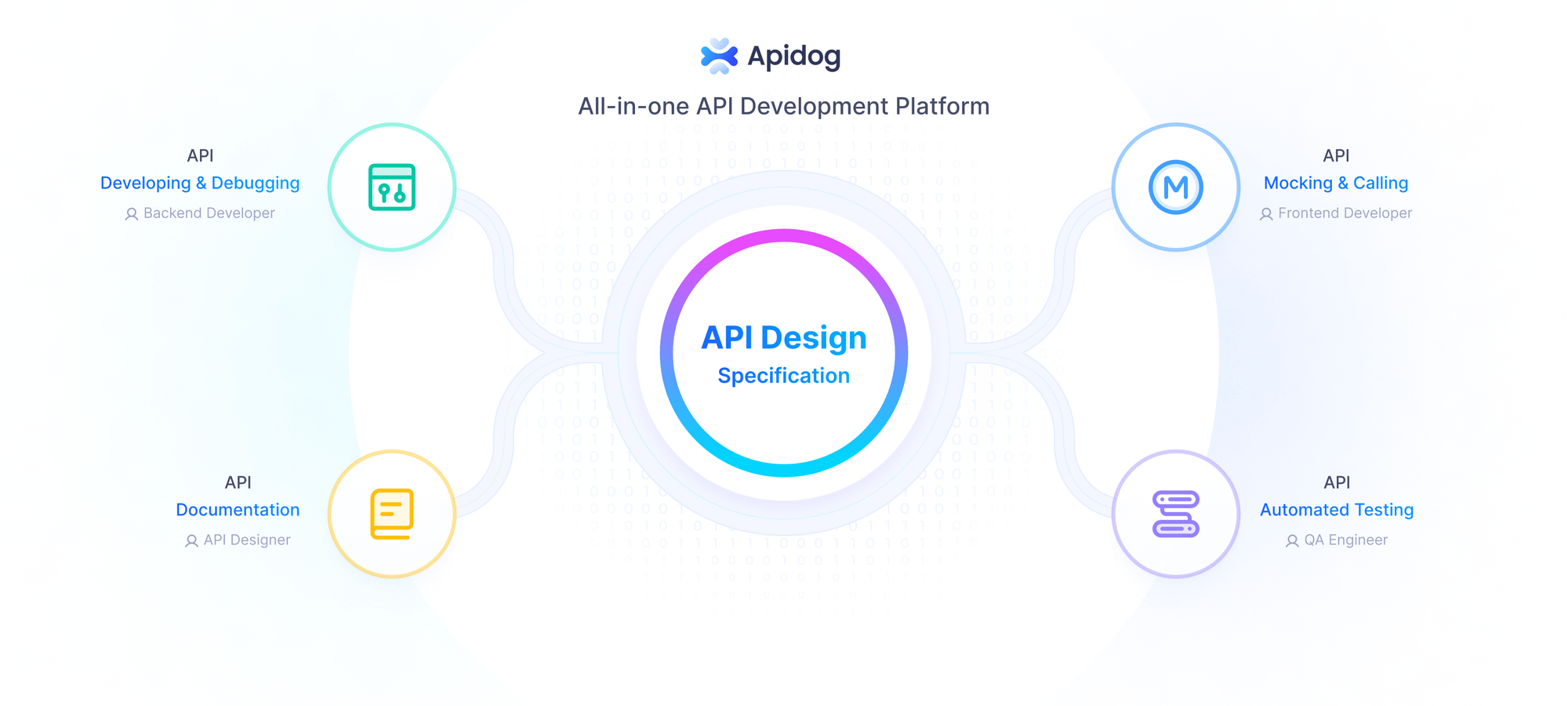
Apidog stands out among AI tools for QA testers by offering an all-in-one platform for API design, debugging, mocking, testing, and documentation. Developers and testers use its low-code interface to generate test cases automatically from API specifications. This feature employs AI to parse OpenAPI definitions and create assertions for responses, status codes, and data structures.
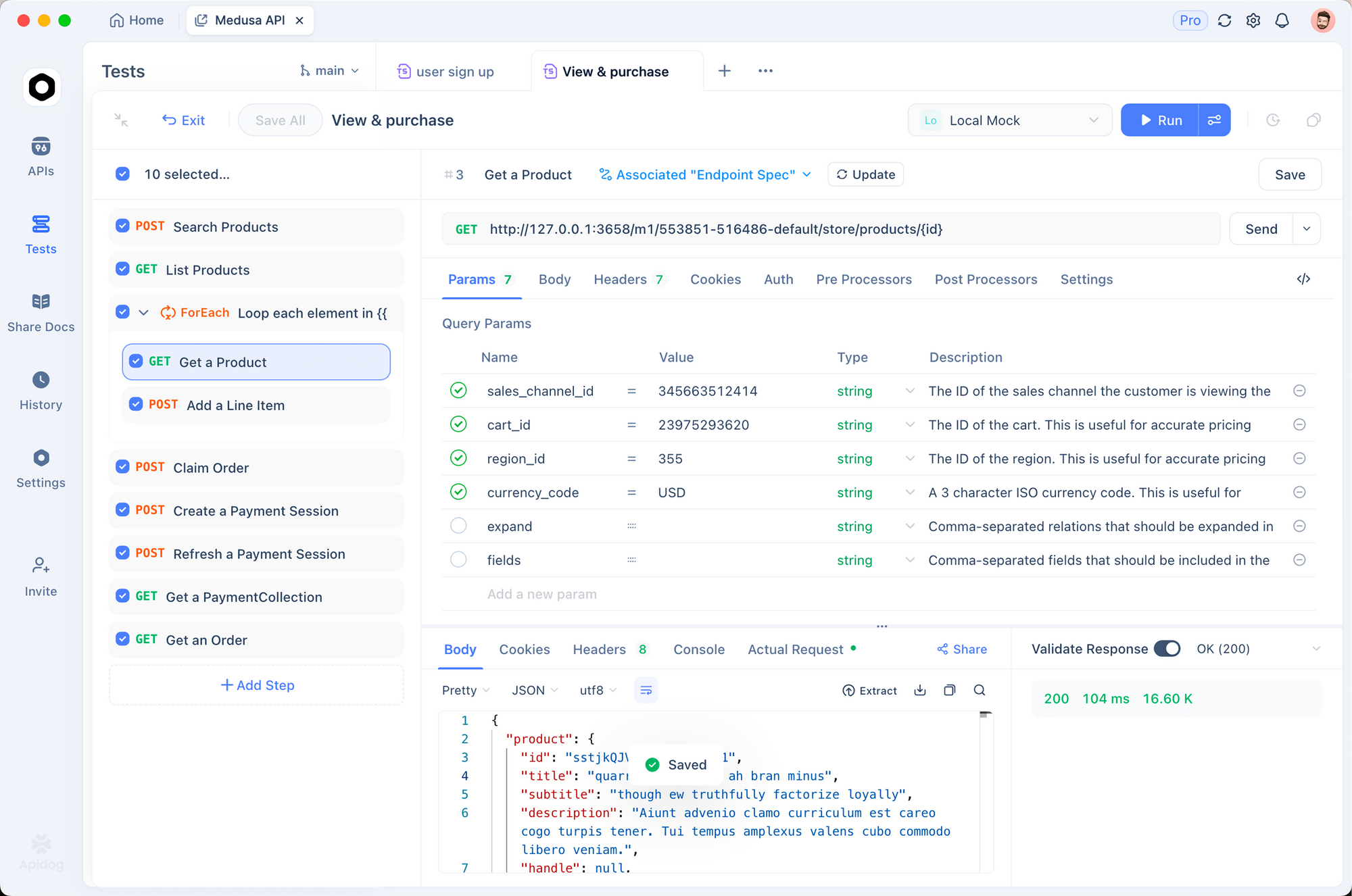
Testers configure scenarios with branches and iterations visually, reducing the need for custom scripting. For instance, Apidog's smart mock server generates realistic data based on field names, supporting advanced rules for conditional responses. This capability proves invaluable during early development stages when backend services remain incomplete.
Integration with CI/CD tools like Jenkins or GitHub Actions allows automated regression testing. Apidog analyzes test runs to highlight failures with detailed logs, including request/response payloads and performance metrics. Moreover, its AI-driven insights suggest optimizations, such as identifying redundant tests or potential coverage gaps.
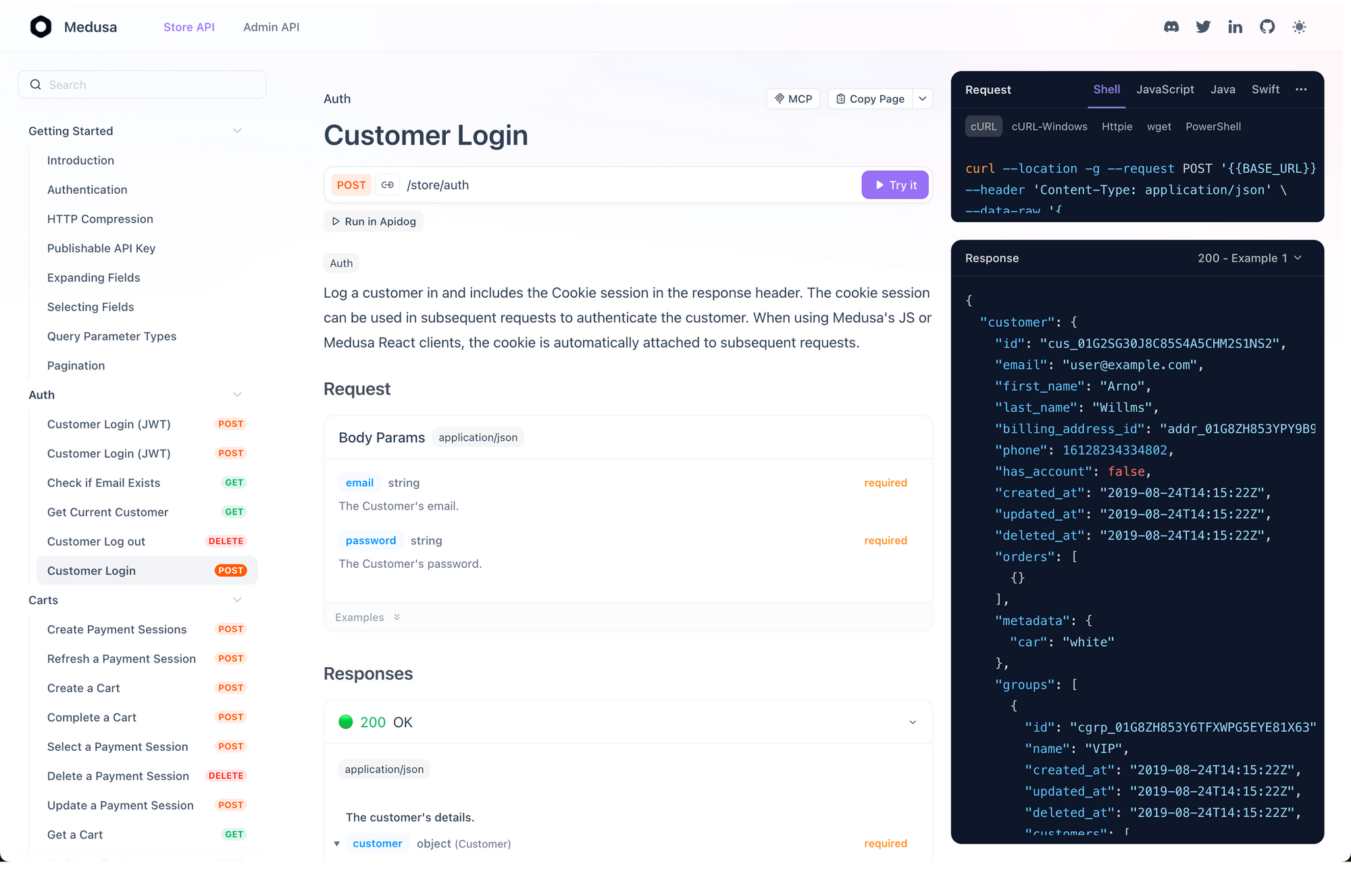
In practice, QA teams employ Apidog for performance testing by simulating load conditions. The tool measures latency, throughput, and error rates, providing graphs for analysis. Security features include automated scans for common vulnerabilities like SQL injection or XSS.
Pros include seamless collaboration via shared projects and version control. However, users note a learning curve for advanced mocking scripts. Overall, Apidog empowers QA testers to maintain high API quality with minimal manual intervention.
Shiplight
Shiplight is an agent-native verification platform. Instead of operating as a separate QA tool with its own scripting language, it installs directly into the coding agent you already use, including Claude Code, Cursor, Codex, VS Code, and more, as an MCP server plus a set of skills.
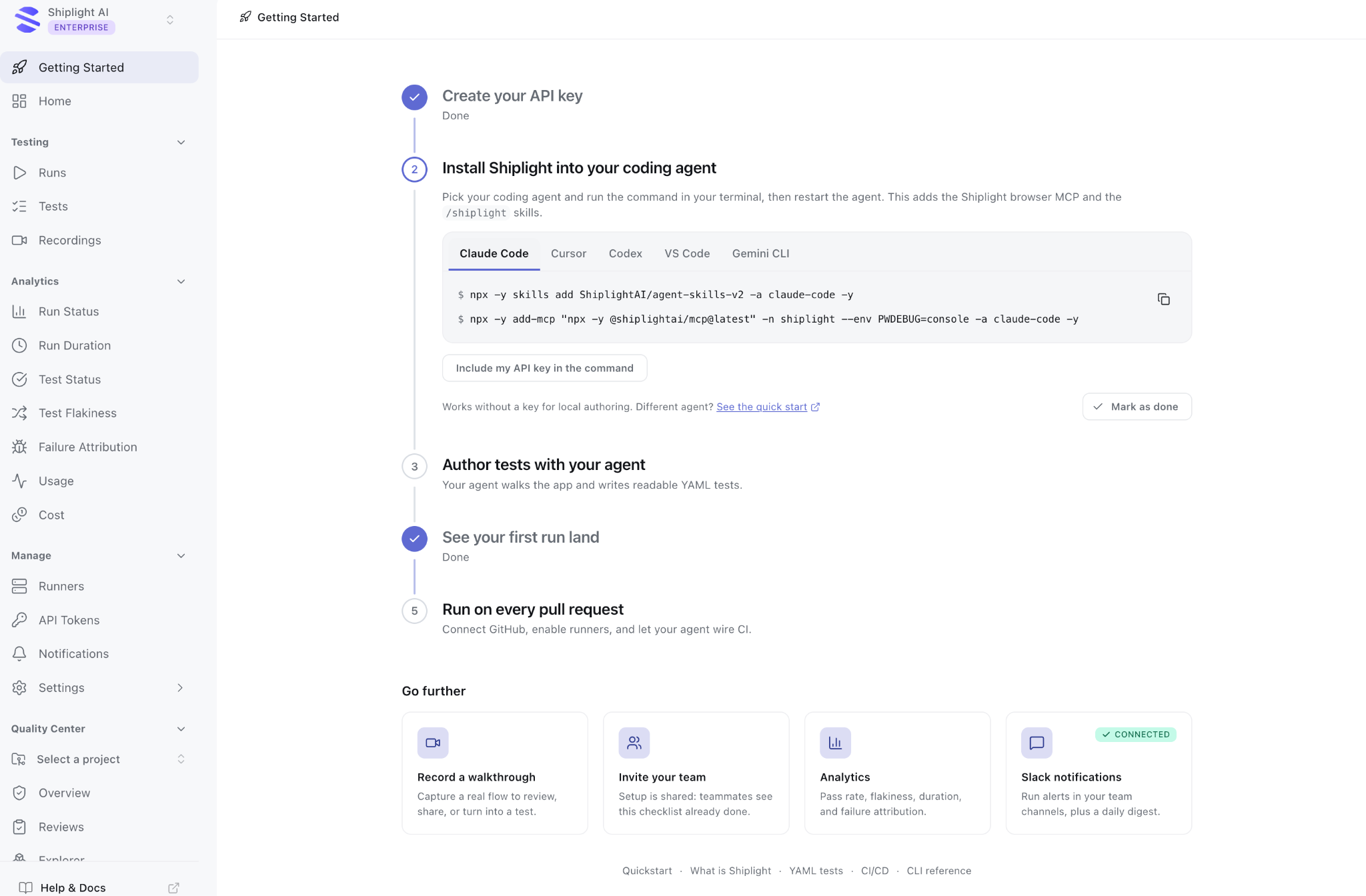
Shiplight gives the coding agent a real browser to verify UI changes as it builds, then authors and maintains E2E regression tests from the same session.
Tests are stored as readable YAML authored from intent, rather than brittle CSS or XPath selectors, helping them continue working as the UI changes. A step-level cache resolves locators deterministically when nothing has changed and automatically re-resolves them when something has. The fix is then available to the next run, with nothing extra to commit.
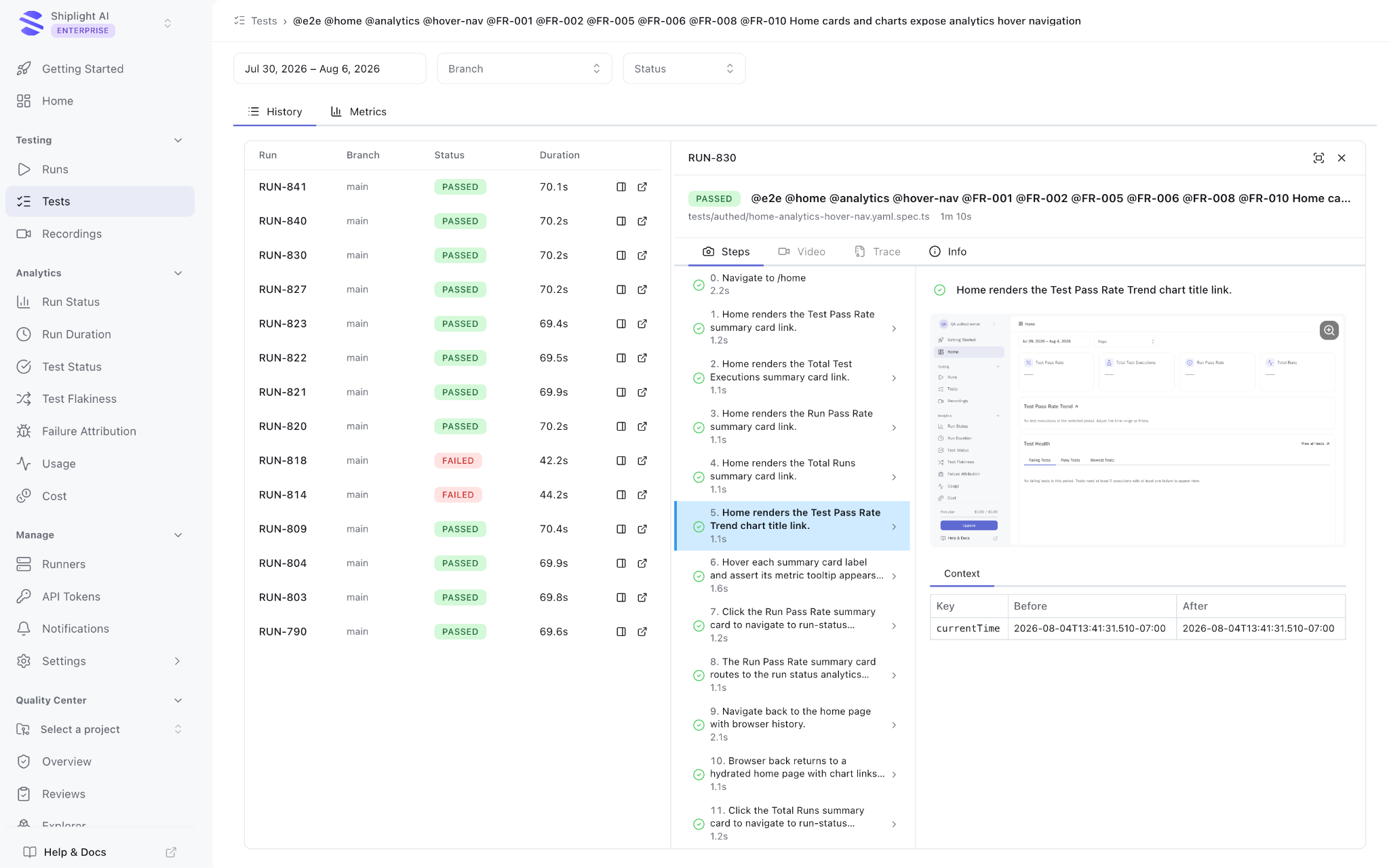
Because the coding agent writes and maintains the tests, coverage grows as a byproduct of shipping instead of becoming a separate QA backlog.
Teams with an existing Playwright suite can run both side by side and eject at any time. Teams starting without an existing test suite can use Shiplight directly.
Key features
- MCP-based installation for Claude Code, Cursor, Codex, VS Code, and other coding agents, with no separate scripting language to learn
- Real-browser verification during development, not only at test time
- Self-healing YAML tests authored from intent, with a step-level locator cache
- Works alongside existing Playwright test suites
- Every core feature, including auto-healing, MCP access, and CI integration, is available on the free plan. Tiers differ by credits and retention, not capability
Best for: Teams building with AI coding agents that want verification inside the same development workflow instead of using a separate QA tool.
Integration: MCP server plus skills with a one-line installation. CI support is available through npx shiplight test.
Pricing:
- Free: $0 forever, including $10 in signup credits
- Pro: $60 per month
- Enterprise: Custom contract pricing, including SOC 2 Type II compliance, a 99.99% uptime SLA, and a dedicated customer success manager
TestRigor: Generative AI for End-to-End Testing
TestRigor utilizes generative AI to enable testers to write tests in plain English. The platform interprets natural language commands and translates them into executable scripts. Consequently, non-technical team members contribute to automation efforts.
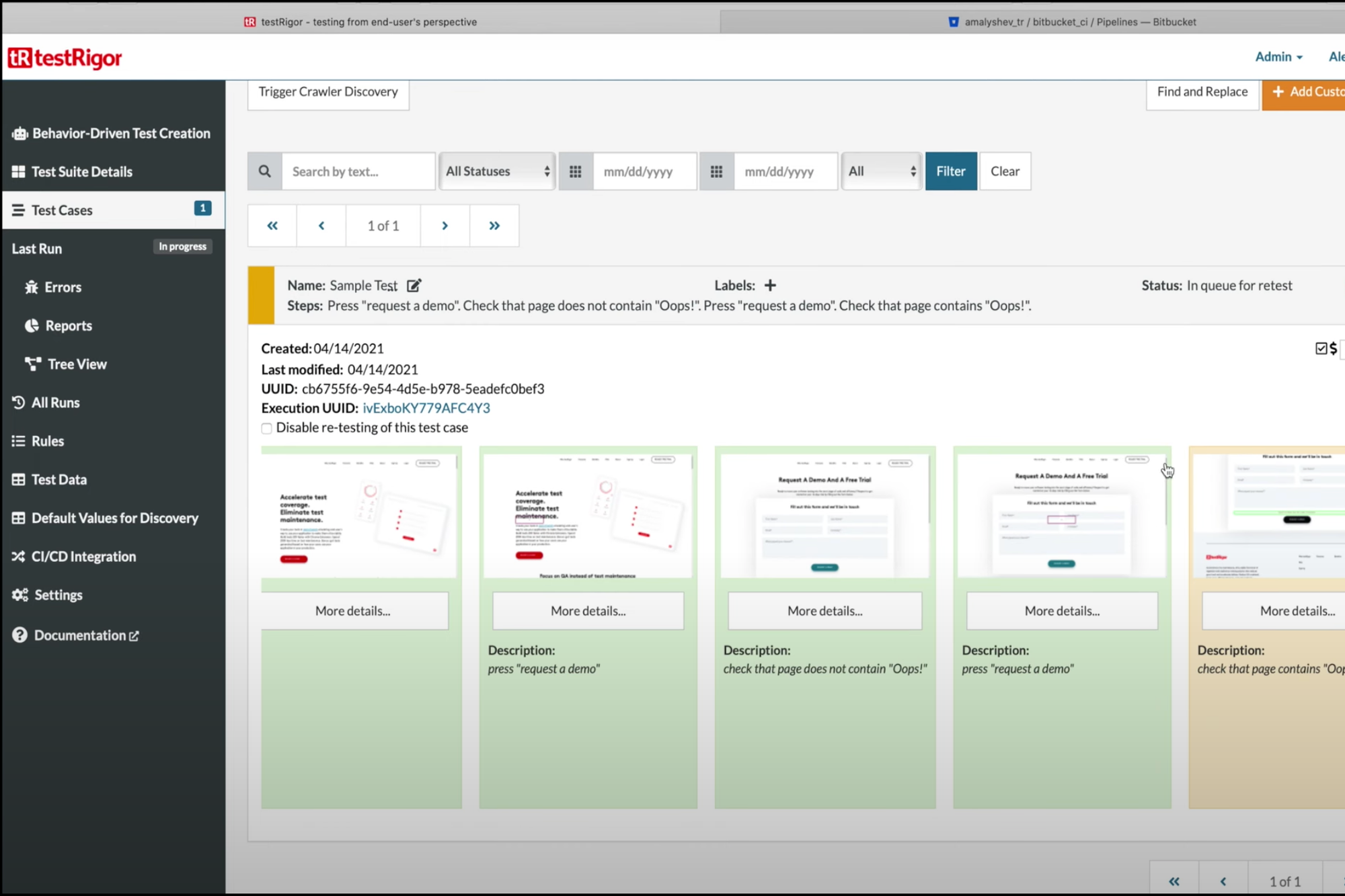
AI algorithms handle element locators dynamically, adapting to changes in the DOM structure. This self-healing mechanism minimizes test maintenance. Testers define steps like "click on login button" or "verify email field contains valid format," and TestRigor executes them across browsers and devices.
Integration with tools like Jira streamlines bug reporting. AI analyzes failures and suggests root causes based on patterns from previous runs. Furthermore, the platform supports API testing alongside UI, allowing hybrid scenarios.
In 2026, TestRigor's cloud infrastructure scales tests effortlessly, running thousands concurrently. Metrics dashboards provide insights into test stability and coverage. Testers appreciate its speed in creating complex flows, such as e-commerce checkout processes.
However, dependency on natural language accuracy requires clear phrasing. Despite this, TestRigor revolutionizes QA by democratizing automation.
Mabl: Intelligent Test Automation with Machine Learning
Mabl applies machine learning to automate web application testing. Testers record journeys, and the AI enhances them with auto-assertions for visual and functional elements. As applications evolve, Mabl detects changes and updates tests accordingly.
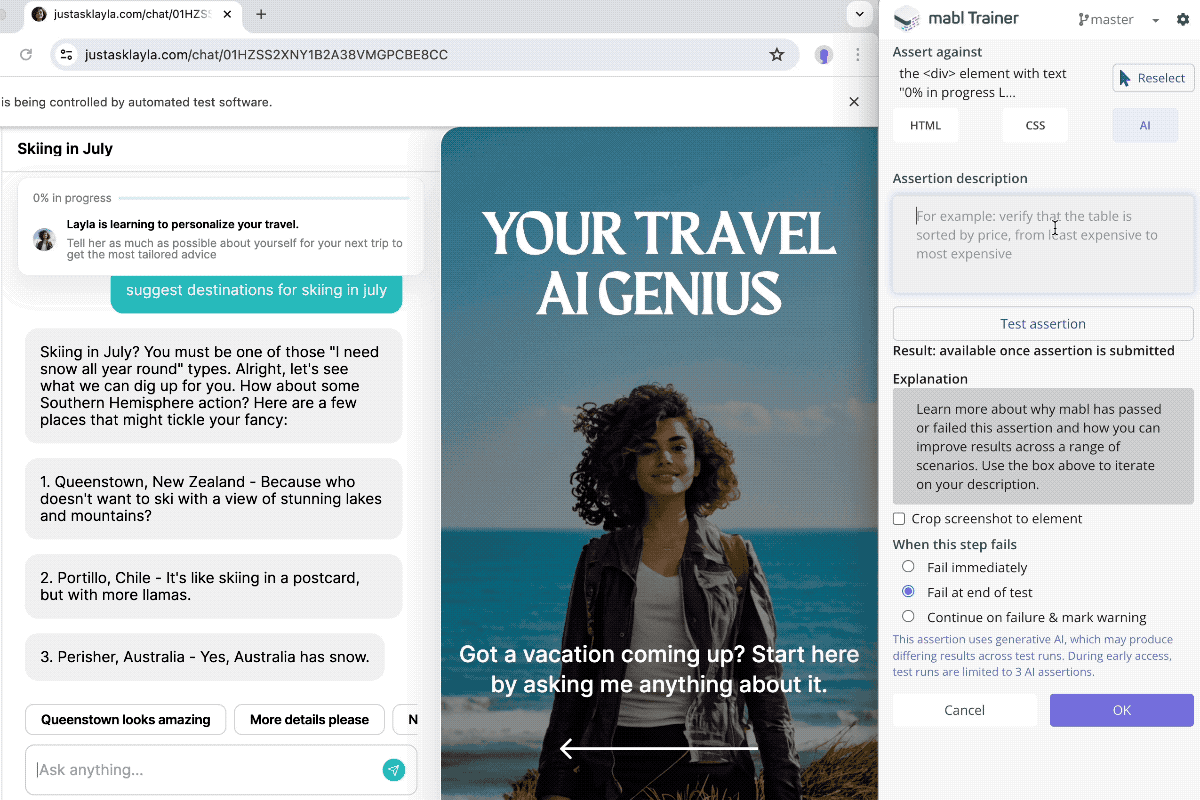
The platform's anomaly detection flags unexpected behaviors during runs. Testers receive alerts with screenshots and videos for quick debugging. Additionally, Mabl integrates with Slack for real-time notifications.
Performance monitoring tracks response times across builds, identifying regressions. AI prioritizes tests based on risk, focusing efforts on critical paths. This approach optimizes resource usage in large projects.
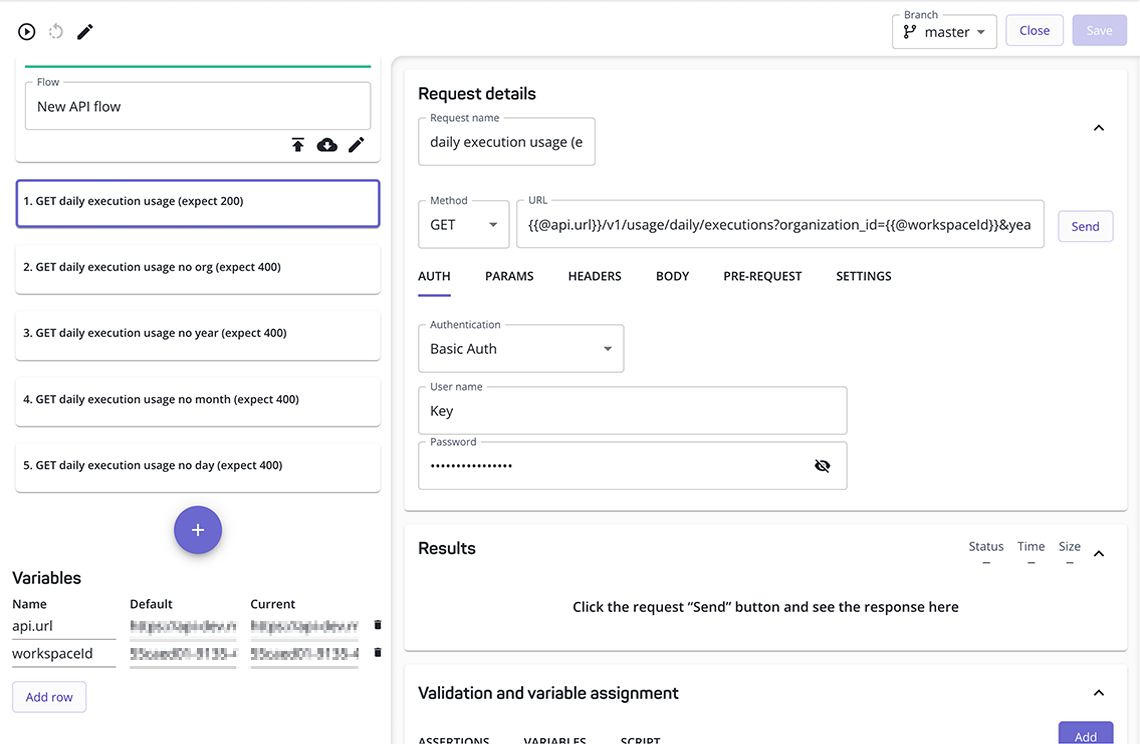
For mobile testing, Mabl supports Appium-based automation with similar AI features. Teams use it for cross-browser compatibility checks, ensuring consistent experiences.
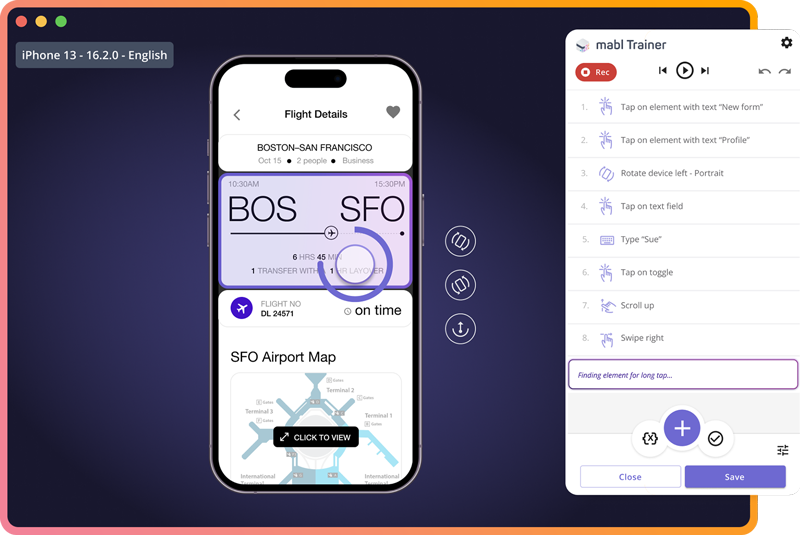
Mabl's reporting includes heatmaps of failure points, aiding in root cause analysis. While powerful, it requires initial setup for custom integrations. Nevertheless, it serves as a robust tool for agile QA teams.
Applitools: Visual AI for UI Validation
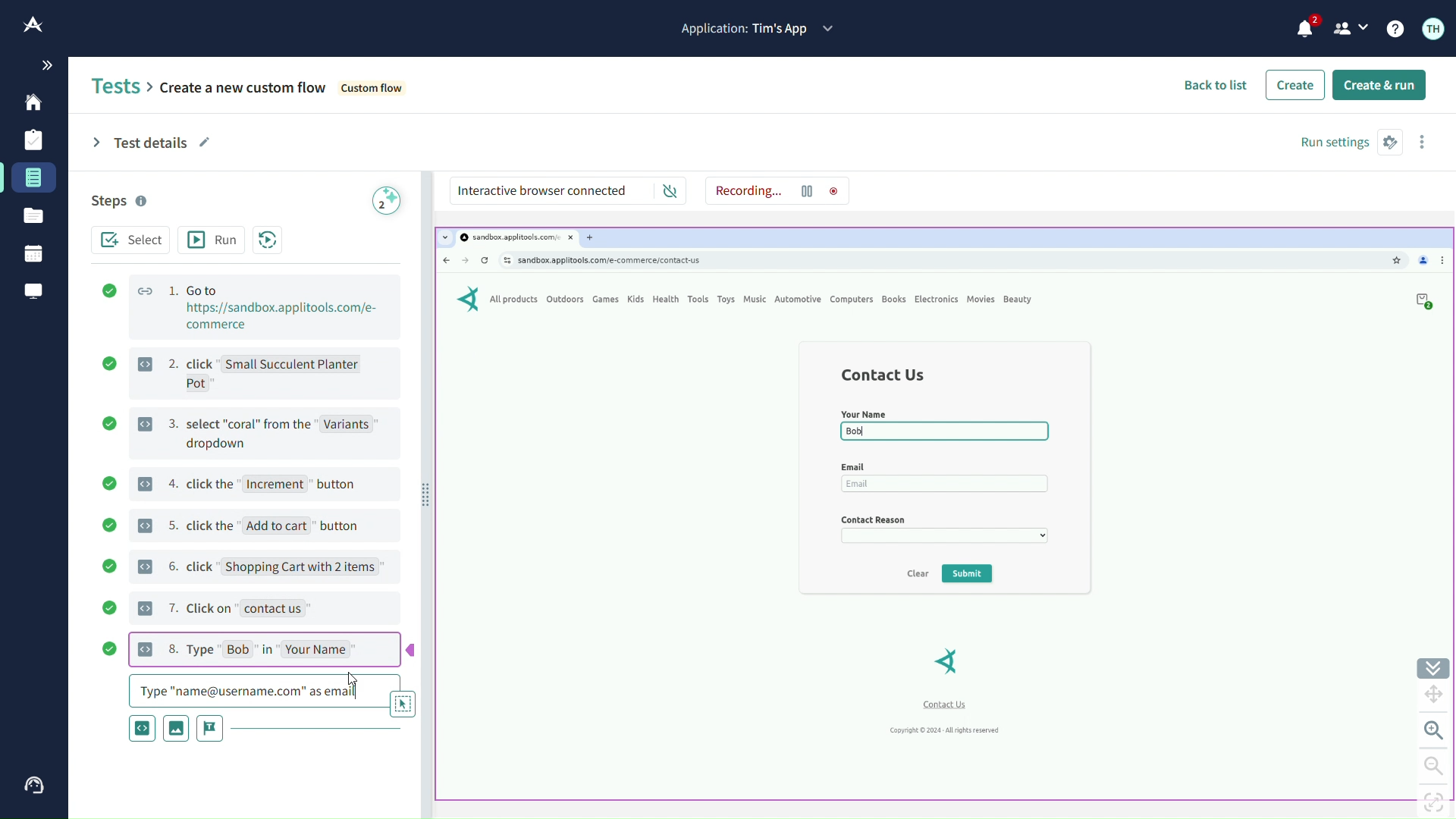
Applitools leverages visual AI to validate user interfaces across platforms. Testers capture baselines and compare subsequent renders pixel-by-pixel, ignoring irrelevant differences like dynamic content.
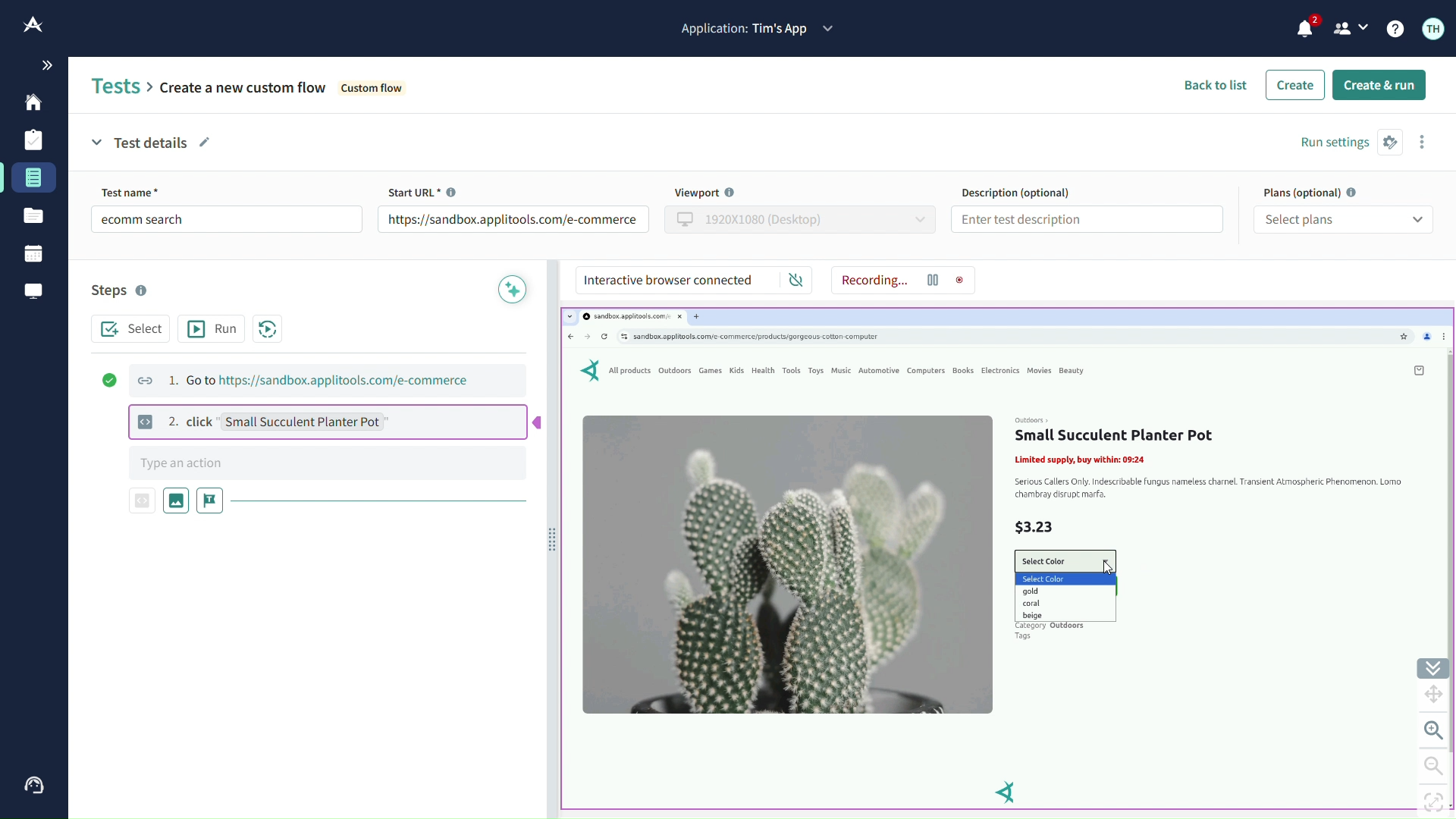
The AI classifies changes as bugs or acceptable variations, reducing false positives. Integration with Selenium or Cypress allows seamless incorporation into existing frameworks. Testers define regions to focus validation, such as ignoring ads.
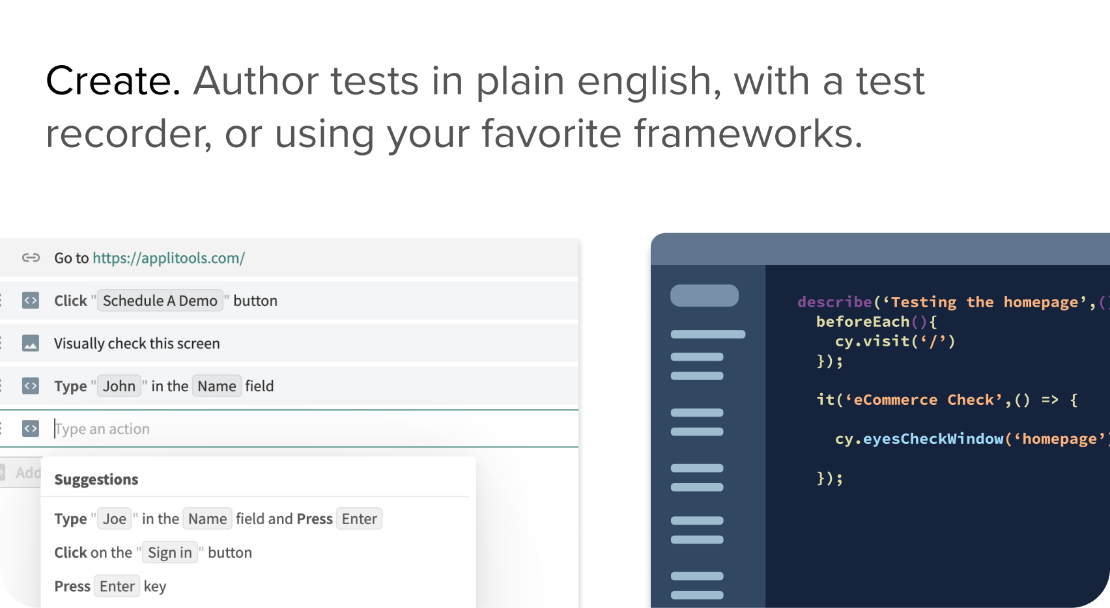
In multi-device testing, Applitools renders screens on various resolutions and highlights discrepancies. Analytics provide trends in visual stability over time.
For accessibility, the tool checks contrast ratios and element readability using AI models. Teams benefit from faster reviews, as visual diffs accelerate approvals.
Limitations include higher costs for enterprise scales, but its precision justifies the investment for UI-heavy applications.
Rainforest QA: No-Code AI Testing Platform
Rainforest QA offers no-code testing where AI generates and maintains tests based on user stories. Testers describe requirements, and the platform creates exploratory tests automatically.
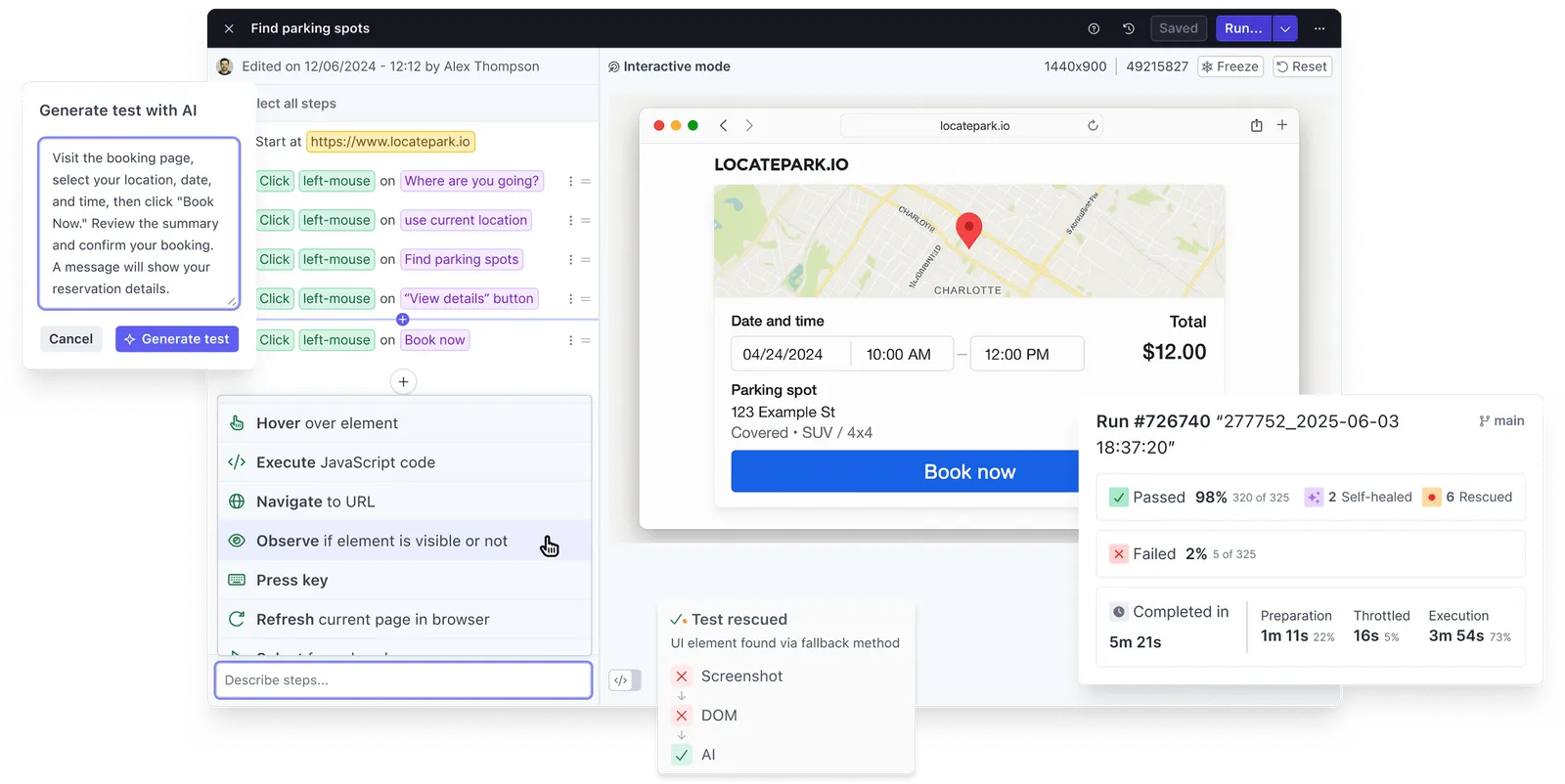
Crowdsourced execution combines with AI to run tests on real devices rapidly. Results include detailed reproductions of issues, facilitating fixes.
The tool's AI learns from past tests to improve future ones, predicting common failure modes. Integration with issue trackers automates workflows.
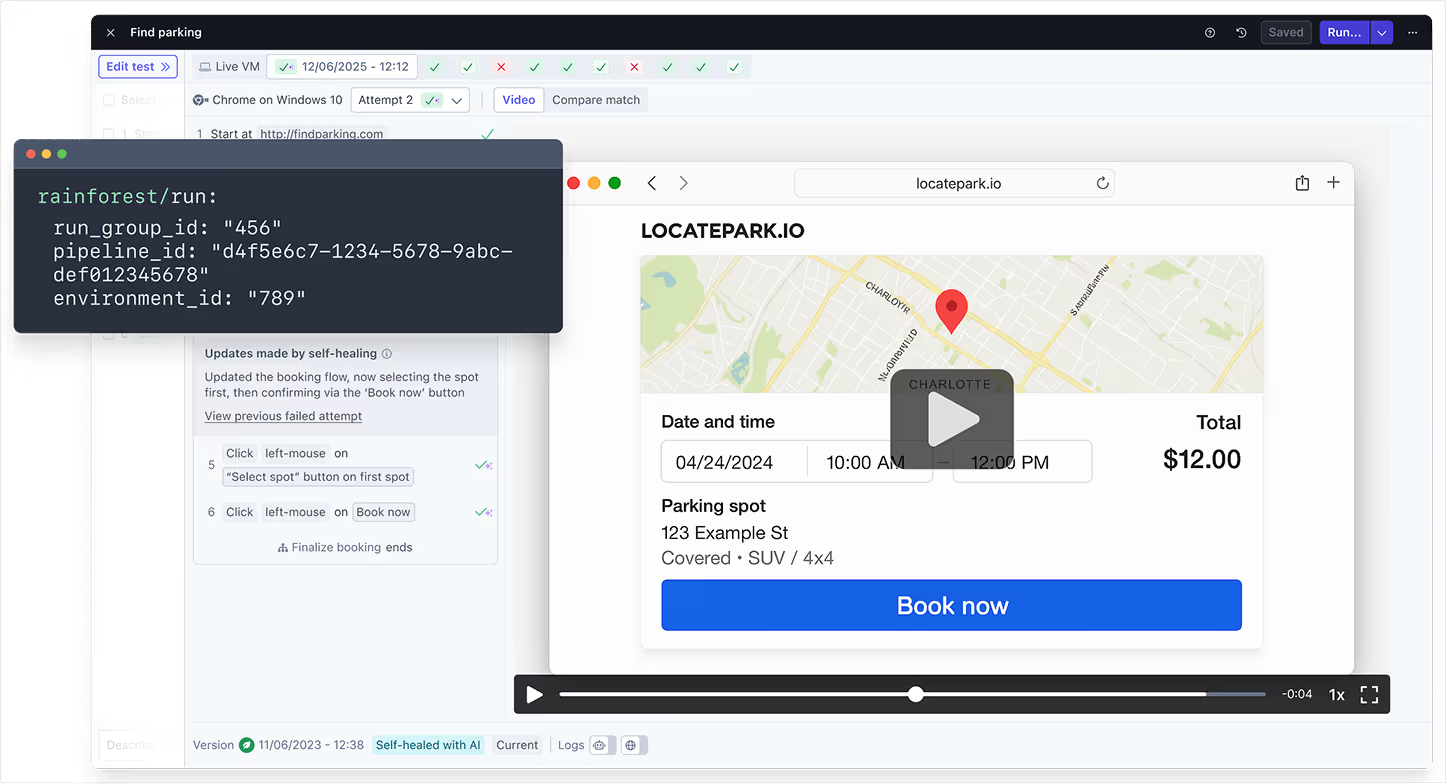
In fast-paced environments, Rainforest QA enables on-demand testing without infrastructure overhead. However, it may not suit highly customized scenarios.
Autify: AI-Driven Test Automation for Web and Mobile
Autify uses AI to record and replay tests across browsers and devices. The platform detects UI changes and suggests updates, ensuring longevity.
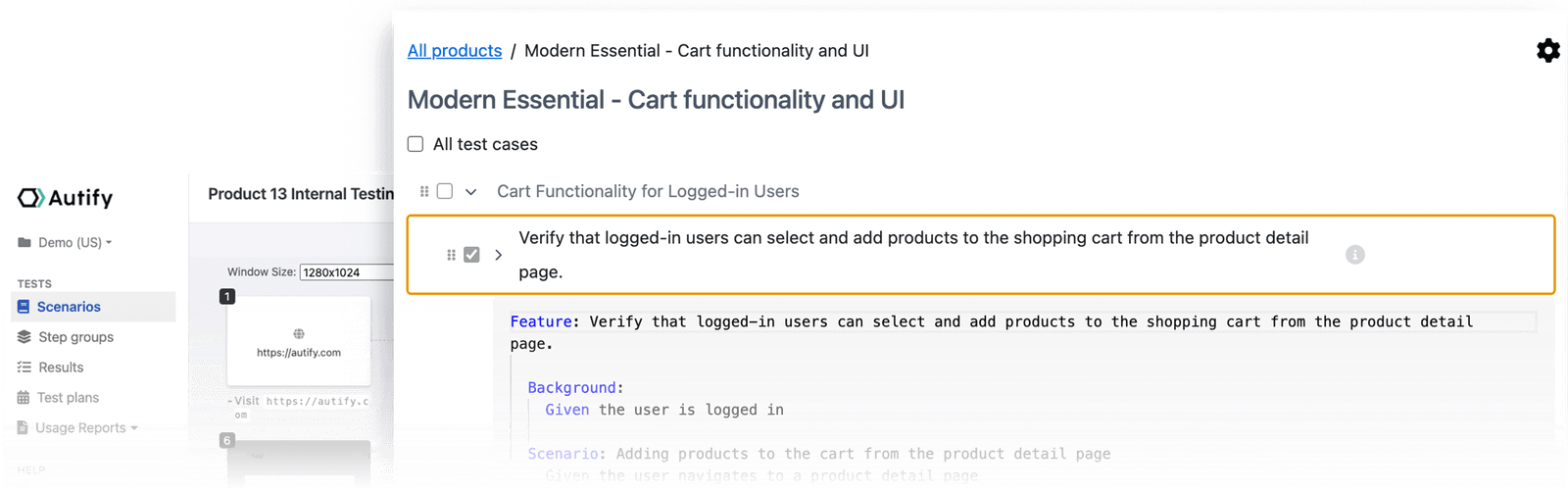
Testers build scenarios with drag-and-drop, enhanced by AI for data-driven testing. Parallel execution speeds up cycles, with reports detailing coverage.
For mobile, Autify supports iOS and Android natively. AI analyzes logs to correlate failures with code changes.
Teams value its ease of use, though advanced users seek more scripting options.
Harness: Continuous Testing with AI Insights
Harness integrates AI into CI/CD for predictive testing. It analyzes pipelines to recommend test subsets, reducing run times.

Machine learning models forecast flakiness, flagging unstable tests. Testers access dashboards for optimization suggestions.
Integration with Kubernetes enables scalable testing in microservices architectures.
Testim: Stable Automation with AI Self-Healing
Testim's AI stabilizes tests by adapting to code changes. Testers author tests visually, and the platform maintains them.
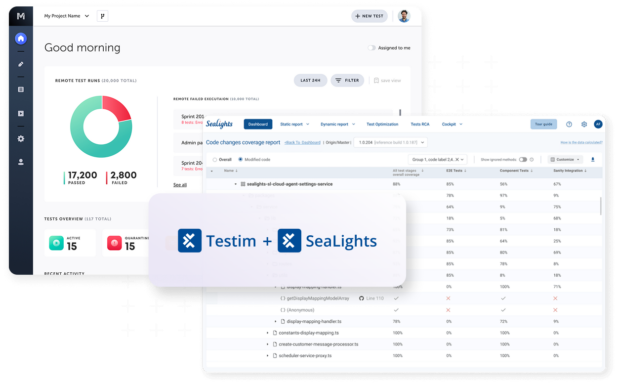
Grouping steps into reusable components streamlines management. AI identifies duplicates, consolidating efforts.
Reporting includes AI-generated summaries of failures.
ACCELQ Autopilot: Generative AI for Codeless Testing
ACCELQ employs generative AI for codeless automation. Testers input requirements, and Autopilot creates tests.
It supports web, mobile, and API testing uniformly. AI ensures modularity, easing updates.
Analytics predict test impacts from application changes.
LambdaTest KaneAI: Hyper-Execution with AI
KaneAI accelerates testing with AI-orchestrated executions. Testers define goals, and the tool plans strategies.
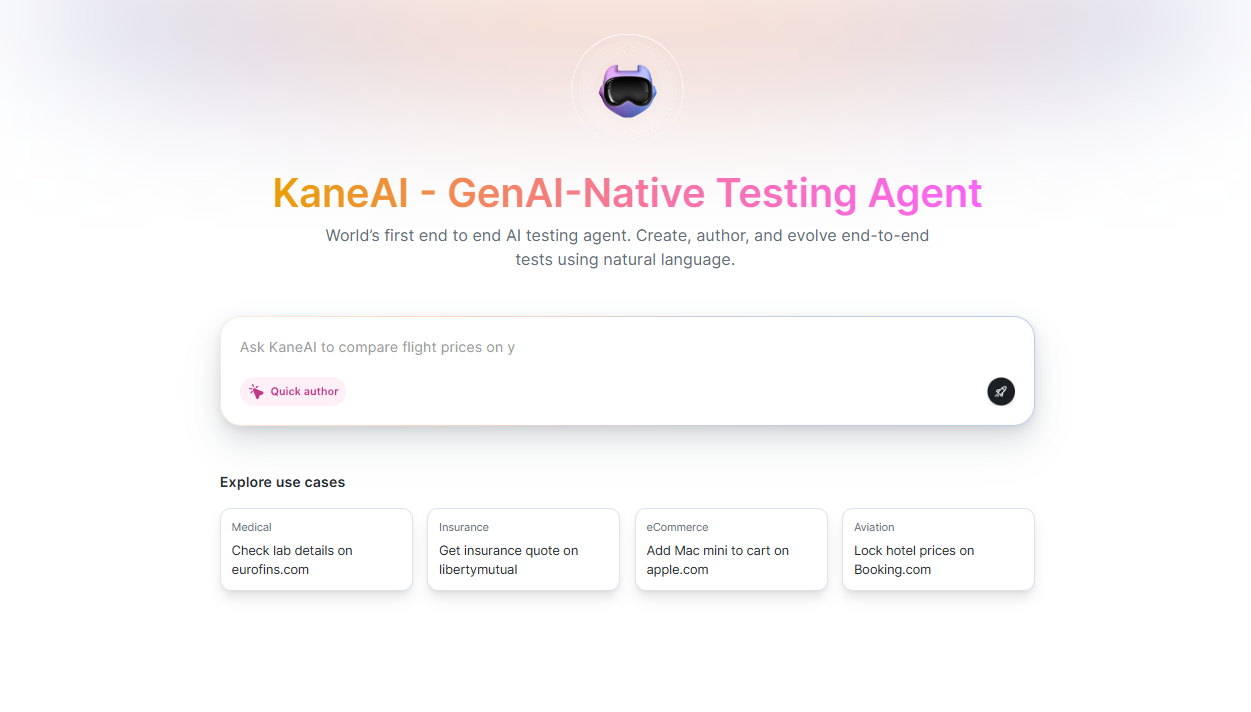
It integrates with cloud grids for massive parallelism. AI optimizes device selection based on usage patterns.
How to Choose the Right AI Tool for Your QA Needs
Assess your team's skills first. No-code tools like Rainforest QA suit beginners, while Apidog appeals to API-focused experts.
Consider integration capabilities. Tools that connect with your stack minimize disruptions.
Evaluate scalability. Cloud-based options handle growth better.
Budget plays a role; free tiers like Apidog's allow trials.
Finally, review community support and updates, ensuring longevity.
Implementation Best Practices for AI Tools in QA
Start small by piloting one tool on a project. Train teams on features to maximize adoption.
Define metrics for success, such as reduced test times or fewer escapes.
Iterate based on feedback, refining processes.
Combine tools for comprehensive coverage, like using Apidog for APIs and Applitools for UI.
Monitor AI decisions to override when necessary, maintaining control.
Challenges and Solutions in Adopting AI for QA
Data privacy concerns arise with AI tools. Choose compliant platforms and anonymize sensitive information.
Initial resistance from teams requires change management. Demonstrate quick wins to build buy-in.
Integration complexities demand planning. Use APIs for smooth connections.
AI hallucinations in test generation need validation. Always review outputs manually.
Cost overruns from overuse call for monitoring usage.
Case Studies: Real-World Applications of AI Tools
A fintech company adopted Apidog, reducing API test creation time by 70%. AI-generated cases covered 95% of endpoints.
An e-commerce platform used TestRigor, cutting manual testing by half through natural language automation.
A healthcare app leveraged Mabl, detecting UI regressions early and improving compliance.
Comparing AI Tools: A Technical Breakdown
| Tool | Key AI Feature | Best For | Integration | Pricing Model |
|---|---|---|---|---|
| Apidog | Auto test generation, smart mock | API Testing | CI/CD, GitHub | Freemium |
| Shiplight | Agent-native browser verification | AI Coding Teams | MCP, Claude Code, Cursor | Freemium |
| TestRigor | Natural language scripting | End-to-End | Jira, Slack | Subscription |
| Mabl | Self-healing tests | Web Apps | Jenkins | Enterprise |
| Applitools | Visual diff analysis | UI Validation | Selenium | Tiered |
| Rainforest | Generative test creation | No-Code | Issue Trackers | Pay-per-Use |
This table highlights differences, aiding selection.
Maximizing ROI with AI in QA
Calculate ROI by measuring time savings against costs. AI tools often pay off within months through efficiency gains.
Invest in training to unlock full potential.
Regularly audit tool performance, switching if needed.
Ethical Considerations in AI-Driven QA
Ensure AI models train on diverse data to avoid biases in testing.
Transparency in AI decisions builds trust.
Comply with regulations like GDPR in data handling.
Training Your Team on AI Tools
Conduct workshops on specific tools like Apidog.
Encourage certifications in AI testing.
Foster a culture of experimentation.
Integrating AI with Traditional QA Methods
Blend AI with manual exploratory testing for depth.
Use AI for regression, humans for usability.
This hybrid approach balances speed and insight.
Performance Metrics for AI-Enhanced QA
Track defect detection rates, test coverage percentages, and cycle times.
AI tools provide benchmarks for improvement.
Security Implications of AI in Testing
AI simulates advanced threats, strengthening defenses.
However, secure tool access to prevent breaches.
Scaling AI Tools in Enterprise Environments
Deploy in phases, starting with critical apps.
Use orchestration tools for management.
Customization Options in AI QA Tools
Many allow custom models, like Apidog's scripting.
Tailor to domain-specific needs.
Community and Support for AI QA Tools
Join forums for TestRigor or Mabl.
Vendor support accelerates issue resolution.
Conclusion
AI tools for QA testers redefine efficiency and accuracy in software delivery. From Apidog's API prowess to broader platforms like Mabl, these solutions empower teams to tackle modern challenges. As you implement them, focus on integration and training for optimal results. Ultimately, embracing AI positions your QA processes for sustained success in an evolving landscape.