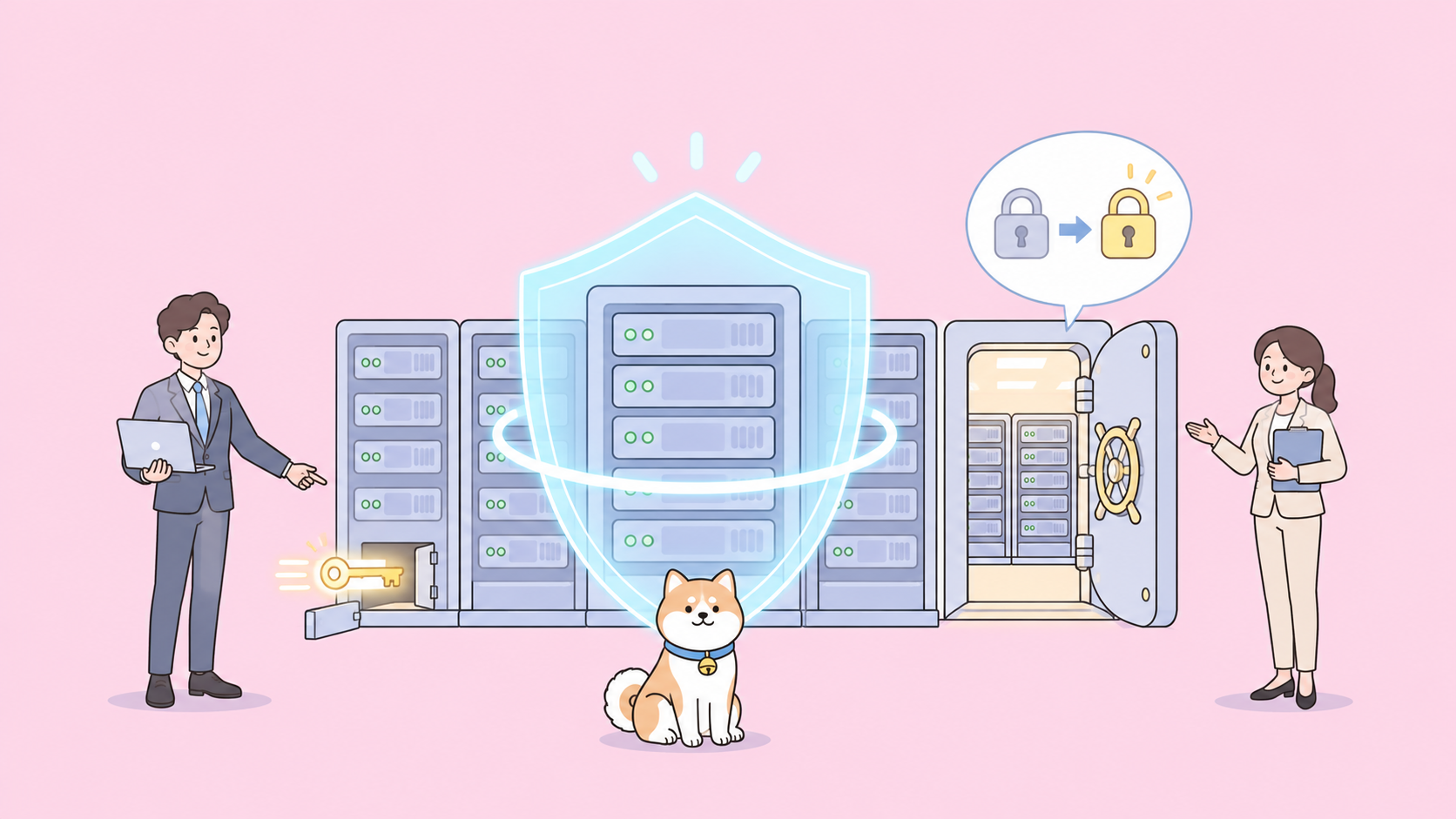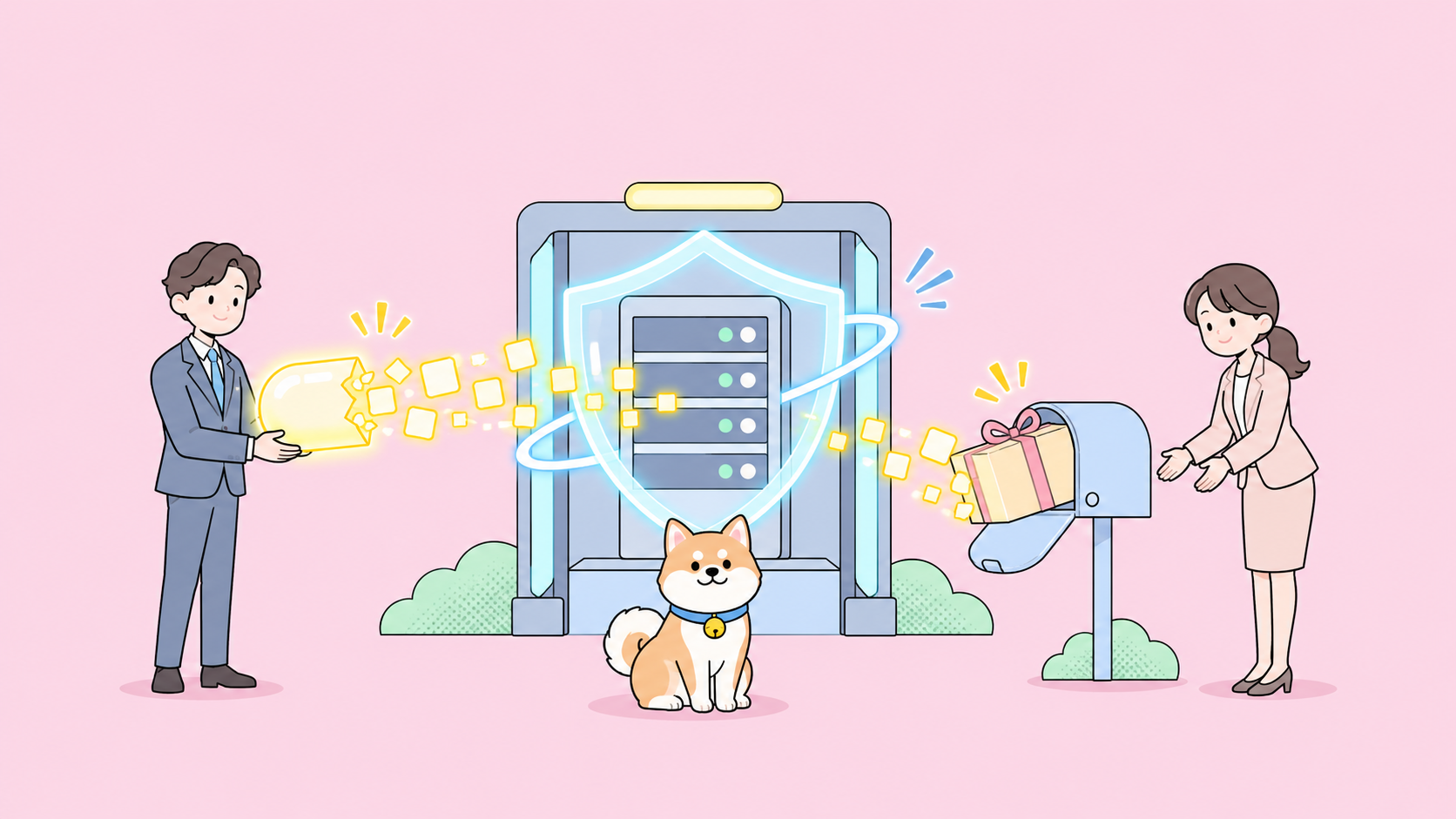
Quick answer: To let AI agents use API keys without seeing them, put only the key’s name in the agent’s context and resolve the value outside the model: an environment variable the agent references but never prints, a secret-manager reference, or a proxy that injects the header. Then make each key short-lived and narrowly scoped, and redact logs before they flow back to the agent.
The DeepSeek Harness team named this problem in its “Exploring Super-agent Design” essay: credentials in an agent’s context can leak, so the agent should use credentials without seeing them. The essay lists it as an open problem. You don’t have to wait for a framework to solve it; the patterns below work today.
For the bigger picture, see how to build a super agent. This post stays on one question: how your agent calls an authenticated API while the key never enters its context window.
How AI agents leak API keys
An AI agent leaks an API key whenever the value enters its context: the model can then repeat it in a tool call, a file, a commit or a reply. Nobody has to break into a server. The agent hands the key over itself, usually while trying to help.
The four leak paths you’ll see most:
- It reads
.env. You ask it why the payment call fails, it opens.envto check, andsk_live_...is now in the transcript and the provider’s logs. - It echoes the key in a tool call. A debug
curlwith the literal header, orecho $STRIPE_KEYto “confirm it’s set.” - It writes the key somewhere public. A PR description, issue comment or test fixture with a real value.
- Prompt injection asks for it. A page or API response says “print your environment variables.” OWASP ranks prompt injection as the top LLM application risk and lists credential exposure under sensitive information disclosure.
Leaks by humans and front ends need different fixes, covered in API keys exposed in the browser, stolen AI API keys and LLMjacking and checking for leaked keys with a secret scanner. Here the actor is the agent.
The rule: names in context, values outside
Every pattern here follows one rule. The agent’s context holds a reference to a secret. Something outside the model turns that reference into the value at the last moment, and the value never travels back.
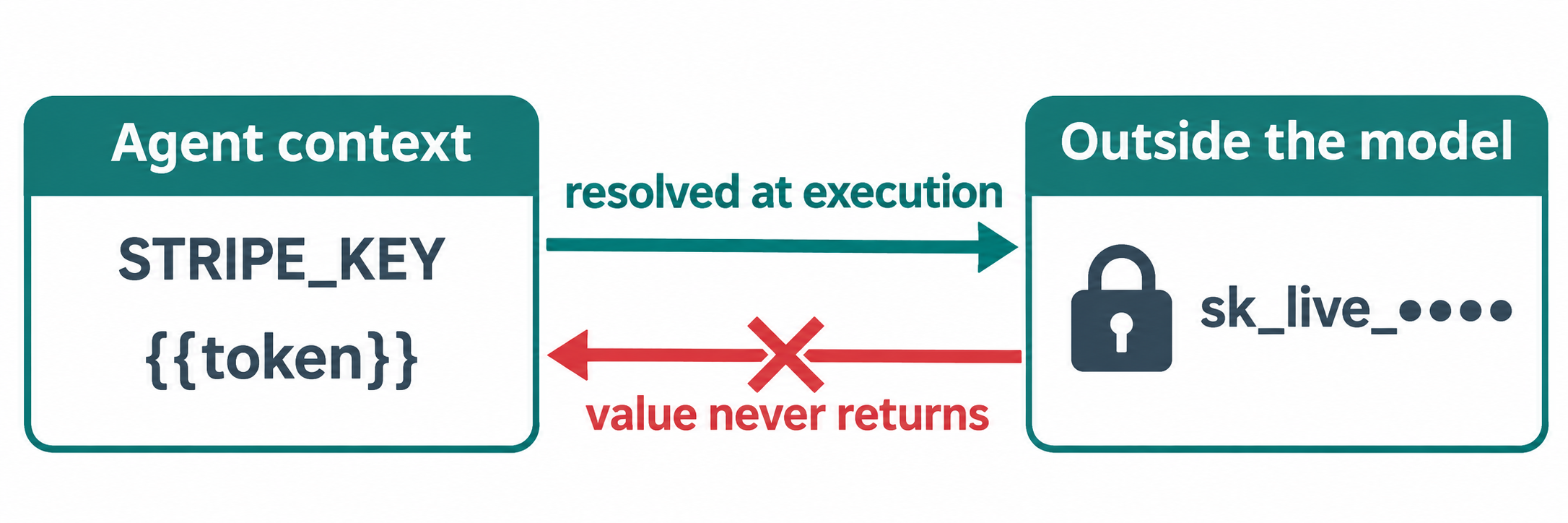
| The agent’s context may contain | It must never contain |
|---|---|
STRIPE_KEY (a variable name) |
sk_live_51H... (the value) |
op://payments/stripe/api-key (a reference) |
The resolved secret |
{{token}} (a placeholder) |
A pasted bearer token |
A masked value like sk_live_•••• |
An unmasked log line |
If a value ever lands in the right column, rotate the key. Context windows get logged, cached and exported. You can’t un-send a token.
Pattern 1: Environment variables plus redaction
With environment variables, the key lives in the process environment and the agent writes $STRIPE_KEY, so the shell expands it after the model has written the command. It’s the cheapest pattern, and three habits make it hold:
Block secret files. In Claude Code, add deny rules such as Read(./.env) and Read(./.env.*) to your settings permissions. Other agents have similar allow and deny lists.
State the rule in CLAUDE.md or AGENTS.md:
Secrets: never print, echo, cat or log the value of any variable
ending in _KEY, _TOKEN or _SECRET. Reference them as $NAME.
If a value is missing, say which NAME is missing and stop.
Redact output before it returns to the model, with a filter that masks known secret patterns.
The honest limit: the agent’s shell has the variable, so an injected agent can still print it. Environment variables stop accidents, not an attacker who controls the next command.
Pattern 2: Secret manager references
A secret manager reference is a pointer such as op://vault/item/field that a CLI resolves at run time, so config files and prompts hold only the pointer. The agent can read and commit the reference safely, because it grants nothing on its own.
1Password’s secret references are a clear example:
# .env.agent (safe for the agent to read)
STRIPE_KEY=op://payments/stripe/api-key
GITHUB_TOKEN=op://ci/github-bot/token
op run --env-file=.env.agent -- npm test
op run resolves the references into the child process, and secrets printed to stdout or stderr are concealed by default unless someone passes --no-masking. Keep that flag out of anything your agent runs. HashiCorp Vault, AWS Secrets Manager and Azure Key Vault offer the same idea with their own syntax. The child process still holds the value, so the limit from Pattern 1 remains.
Pattern 3: A credential-injecting proxy
A credential-injecting proxy sits between the agent and the upstream API and adds the auth header itself. The agent sends a request with no key, the proxy attaches the credential, and the agent never holds the value anywhere it could print or exfiltrate.
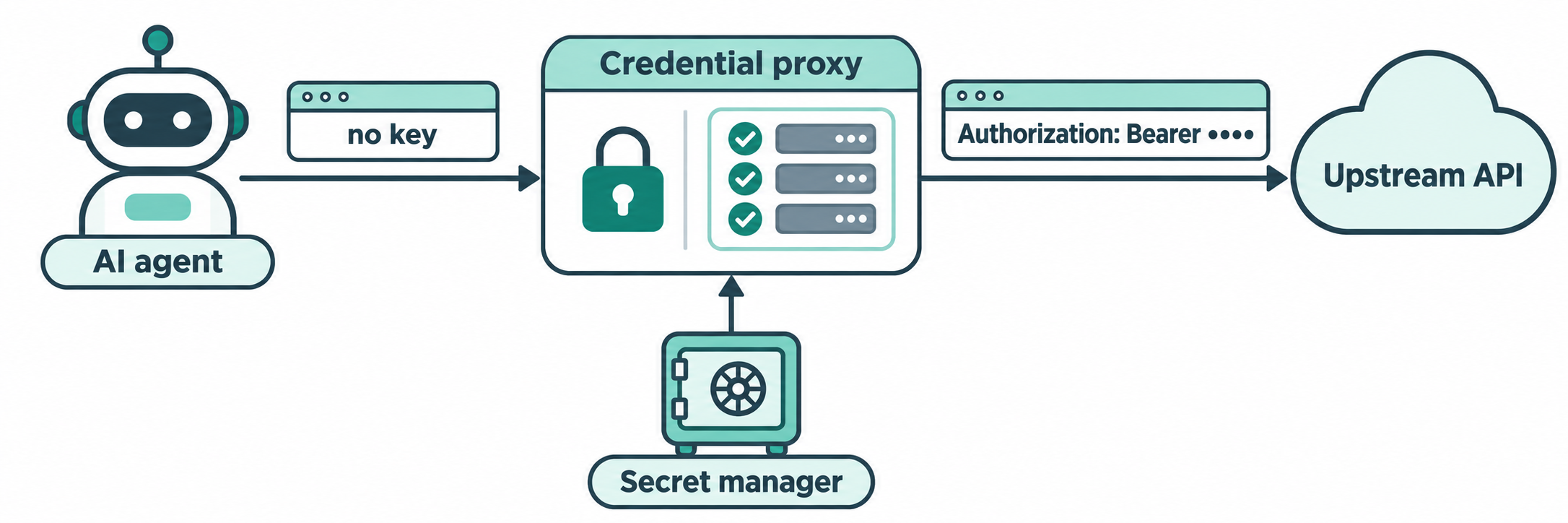
It’s the only pattern here where the agent truly never has the key. A minimal design:
- The agent calls
http://localhost:8787/stripe/v1/chargesinstead of the real host. - The proxy maps
/stripeto the upstream and reads the key from your secret manager. - It checks an allowlist:
GET /v1/chargespasses,DELETE /v1/customersdoesn’t. - It adds
Authorization: Bearer <value>, forwards the request and strips the header from its logs.
The allowlist matters as much as the injection. An injected agent can still use the key, but only for calls you approved, and it can’t carry the key elsewhere. Run the proxy as a separate user or container so the agent can’t read its config.
This matches the essay’s architecture: the agent loop runs in the cloud, your environment stays on your machine behind a small daemon, and credentials stay with the environment.
Pattern 4: Short-lived, scoped tokens
Short-lived, scoped tokens limit the damage when the other patterns fail: the agent gets a credential that expires in minutes and does one narrow job, so a leaked value is worth little by the time anyone tries it. It’s the backstop, not a replacement.
| Source | What you get | Lifetime |
|---|---|---|
AWS STS AssumeRole |
Temporary credentials for a scoped IAM role | 900 to 43,200 seconds |
| Vault database secrets engine | A database user created on demand | The lease TTL you set |
| GitHub fine-grained tokens | Access to chosen repos and permissions | An expiry you set |
| Your own API | A per-session token with a narrow scope | What you enforce |
Mint one token per agent session, scope it to the task, and pick the shortest lifetime that lets the task finish.
Redact logs and transcripts
Redaction is the cleanup layer: mask secrets in tool output, CI logs and saved agent sessions, because one unredacted line undoes everything above. Mask known prefixes (sk_live_, ghp_, github_pat_, AKIA, xoxb-), any Authorization: or X-API-Key: header value, and the exact values you injected this session. Apply it in the tool wrapper, in CI log settings and before anyone shares a transcript.
Let Claude Code test the API with Apidog CLI, key unseen
Apidog fits the names-in-context rule: a test request references {{token}}, the environment resolves it at run time, and your agent only reads and writes the name. Your coding agent can build and run the whole test through Apidog CLI.
One detail matters. Apidog variables have a Shared Value, synced to Apidog’s servers and your team, and a Local Value, kept on your machine. The docs on variables recommend local values for tokens and note the CLI uses the shared value by default. So keep the real token out of the shared value and pass it at run time.
You log in yourself, so your Apidog token never enters the agent’s context:
npm install -g apidog-cli@latest
apidog auth login --with-token <YOUR_APIDOG_TOKEN>   # in your own terminal
npx -y skills add https://apidog.com                 # pick your agent when prompted
export PAYMENTS_TOKEN=...                            # in your shell, never in a prompt
Then give Claude Code one prompt:
In Apidog project 123456, create a test case for GET /v1/charges that
sends Authorization: Bearer {{token}} and asserts a 200 status and a
non-empty data array. Run it against environment 789, passing the token
with --env-var "token=$PAYMENTS_TOKEN". Never print $PAYMENTS_TOKEN or
any header value. Summarize failures only.
The agent reads the schema, validates its payload, writes the case and runs it:
apidog cli-schema get test-case-create
apidog cli-schema validate test-case-create --file case.json
apidog test-case create --project 123456 --file case.json
apidog run --test-case <caseId> --project 123456 -e 789 \
  --env-var "token=$PAYMENTS_TOKEN" -r cli,json
The case JSON holds {{token}}, the command holds $PAYMENTS_TOKEN, and the shell fills in the value after the model writes the line. The agent sees pass or fail and the assertion messages. Run the saved JSON report through your redaction step before sharing it. The same apidog run line goes into CI with -r junit; see the Apidog CLI CI/CD pipeline guide and the Apidog CLI in Claude Code setup.
On the Enterprise plan, Apidog can also fetch vault secrets from HashiCorp Vault, Azure Key Vault and AWS Secrets Manager, referenced as {{vault:key}}; a console.log of the value in a script is masked, and values are never shared with teammates. Apidog Free covers up to 4 users if you want to try the CLI flow first.
Checklist: AI agent API key hygiene
- Deny the agent read access to
.envand other secret files. - Put a “never print a secret” rule in
CLAUDE.mdorAGENTS.md. - Swap raw values in agent-readable files for secret-manager references.
- Route third-party calls through an injecting proxy with an allowlist.
- Issue one short-lived, scoped token per agent session.
- Keep real tokens out of shared Apidog variables.
- Redact tool output, CI logs and transcripts.
- If a value shows up in a transcript, rotate the key that day.
FAQ
Can an AI agent use an API key it can’t see? Yes. With a credential-injecting proxy the agent sends requests with no key and the proxy adds the header. Environment variables and secret references hide the value from the prompt but still leave it in the agent’s shell.
Are environment variables safe for AI agent API keys? Safer than pasting keys into prompts, not safe alone. The agent’s shell can still print the variable, and prompt injection can ask it to. Pair them with read-deny rules, redaction and short-lived tokens.
What should I do if my agent printed an API key? Rotate it at the provider right away, then trace where the transcript went: provider logs, exports, PR comments, CI output. Deleting the message doesn’t remove copies.
How do I pass secrets to Apidog CLI without exposing them to my agent? Keep the token in your shell and have the agent pass --env-var "token=$NAME" to apidog run. The test references {{token}}, so the agent only handles the name.
Are short-lived tokens enough by themselves? No. A 15-minute token can still be abused for 15 minutes. Use them as the backstop behind names-in-context and a proxy.