The agent calls your video transcode endpoint. The endpoint returns 202 Accepted and a job ID. The agent, which has no idea what 202 means in your system, reports back that the transcode is complete and moves on to the next step, which reads a file that does not exist yet.
Long-running operations break agents in a specific way. A synchronous call has an obvious contract: you send, you wait, you get an answer. An asynchronous one splits that into a start and a finish, and the gap between them is where agents get confused. They declare success early, they poll a thousand times in a tight loop, or they sit blocked for six minutes holding a conversation turn open.
This guide covers how to design the async contract so an agent can follow it, when to poll and when to hand off, how to write the tools so the model behaves, and how to test the whole path including the slow and failed cases. Our post on agent error recovery covers the failure side of API calls; this one covers the ones that succeed slowly.
Apidog fits at the point where you need to prove the agent handles a job that takes four minutes and then fails, which is not something you want to discover in production.
Why agents mishandle async
Three habits cause most of the trouble.
Models treat a 2xx as done. A 202 says the request was accepted for processing, and the HTTP semantics spec is explicit that processing may not have completed. Models trained on ordinary request/response traffic tend to read any 2xx as completion unless the response says otherwise in words.
Loops are expensive. If an agent polls inside its reasoning loop, every check costs a model turn plus the tokens of the previous conversation. Polling every two seconds for a four-minute job is 120 turns, and the run either exhausts the context or the budget. Our post on keeping tool responses out of the context window explains why that adds up faster than people expect.
Agents lose track of jobs. A tool that starts work and returns a job ID has created state the agent must carry forward. If the ID lands in the middle of a long conversation, it can get compacted away, and the agent forgets it has a job in flight.
Design the response so the model cannot misread it
The most effective fix is wording, not architecture. Whatever your status code, make the body say plainly what happened and what to do next.
{
  "status": "processing",
  "job_id": "job_7f21c",
  "message": "The transcode has STARTED and is NOT complete. Do not report success. Check status with getJobStatus(job_id) after at least 30 seconds.",
  "poll_after_seconds": 30,
  "estimated_duration_seconds": 240,
  "status_url": "/v1/jobs/job_7f21c"
}
That reads as heavy-handed for a human API consumer. It is aimed at a model, and models follow explicit instructions in a response body far more reliably than they infer meaning from a status code. Three details do the work: the word “not complete”, the named next tool, and a minimum wait.
Google’s AIP-151 on long-running operations describes a clean resource shape for this, with a single Operation object carrying done, error, and response fields. Copying that structure gives you a consistent surface across every slow endpoint, which matters because an agent that learns one polling pattern can then handle all of them.
Keep the status response equally blunt:
{
  "job_id": "job_7f21c",
  "status": "processing",
  "done": false,
  "progress_percent": 45,
  "elapsed_seconds": 108,
  "poll_after_seconds": 45,
  "message": "Still processing. Do not proceed to the next step."
}
And on completion, return the result inline when it is small, so the agent does not need a third call:
{
  "job_id": "job_7f21c",
  "status": "succeeded",
  "done": true,
  "result": { "output_url": "https://cdn.example.com/out/7f21c.mp4", "duration_seconds": 372 }
}
Poll outside the model, not inside it
The single most important implementation choice: put the waiting in your tool wrapper, not in the agent’s reasoning loop.
import time

def start_and_await_transcode(client, source_url, max_wait=600):
    job = client.post("/v1/transcode", json={"source_url": source_url}).json()
    job_id = job["job_id"]
    delay = job.get("poll_after_seconds", 5)
    waited = 0

    while waited < max_wait:
        time.sleep(delay)
        waited += delay
        status = client.get(f"/v1/jobs/{job_id}").json()

        if status.get("done"):
            if status["status"] == "succeeded":
                return {"status": "succeeded", "result": status["result"]}
            return {"status": "failed", "error": status.get("error")}

        delay = min(int(delay * 1.5), 60)

    return {
        "status": "timed_out",
        "job_id": job_id,
        "message": f"Still running after {max_wait}s. Job {job_id} continues in the background.",
    }
From the model’s side this is one tool call that takes a while and returns a final answer. No polling loop in context, no forgotten job IDs, no 120 turns. The backoff keeps the request count sane, and the ceiling stops a stuck job from hanging the run forever. Amazon’s write-up on timeouts, retries, and backoff with jitter is the reference worth reading before you tune those numbers.
Two rules make this safe. Always cap the wait, and always return the job ID on timeout so the agent or a human can check later. Never return an ambiguous result: succeeded, failed, and timed_out are three different outcomes and the model should see three different words.
For jobs measured in hours rather than minutes, in-wrapper polling stops making sense. Then the right shape is two tools, one to start and one to check, plus a durable record of in-flight jobs outside the conversation so nothing is lost to compaction. Store job_id, the task it belongs to, and the time started, and have the agent read that list at the top of each run.
When webhooks are the better answer
Polling is simple and works everywhere. Callbacks are more efficient and more work to run. The tradeoff is well covered in our webhooks vs polling comparison, and the agent-specific version is narrower.
Use polling when the job takes seconds to minutes, when the agent is waiting on the result to continue, or when you cannot host a public endpoint. Most agent workloads land here.
Use webhooks when jobs take hours, when the agent fires work and moves on, or when many jobs run concurrently and polling each one is wasteful. The cost is real: you need a public receiver, signature verification, retry handling, and a way to wake the agent when the callback arrives. Our guides on designing reliable webhooks and webhook signature verification cover that groundwork.
A middle option is worth knowing about. Streaming the job’s progress over server-sent events gives you push semantics without a public endpoint, since the client holds the connection. It suits interactive agents where a human is watching, and our guide to streaming API responses with SSE covers the implementation.
Whichever you pick, the completion path must be idempotent. Webhooks retry, polls race, and an agent that sees “succeeded” twice should not start the downstream step twice. Our post on idempotency for AI agents covers the keys that make that safe.
Test the slow path, not just the fast one
Async bugs hide because test environments are fast. A job that takes four minutes in production finishes in 200 milliseconds against a local stub, so the agent never experiences the state it will actually meet.
Four scenarios are worth building deliberately.
The genuinely slow job. Mock the status endpoint so it returns processing for the first several calls and succeeded after that. This proves the wrapper polls, backs off, and eventually returns. In Apidog you can drive this with a mock that varies by request count or by a control parameter, so the same test runs the same way every time.
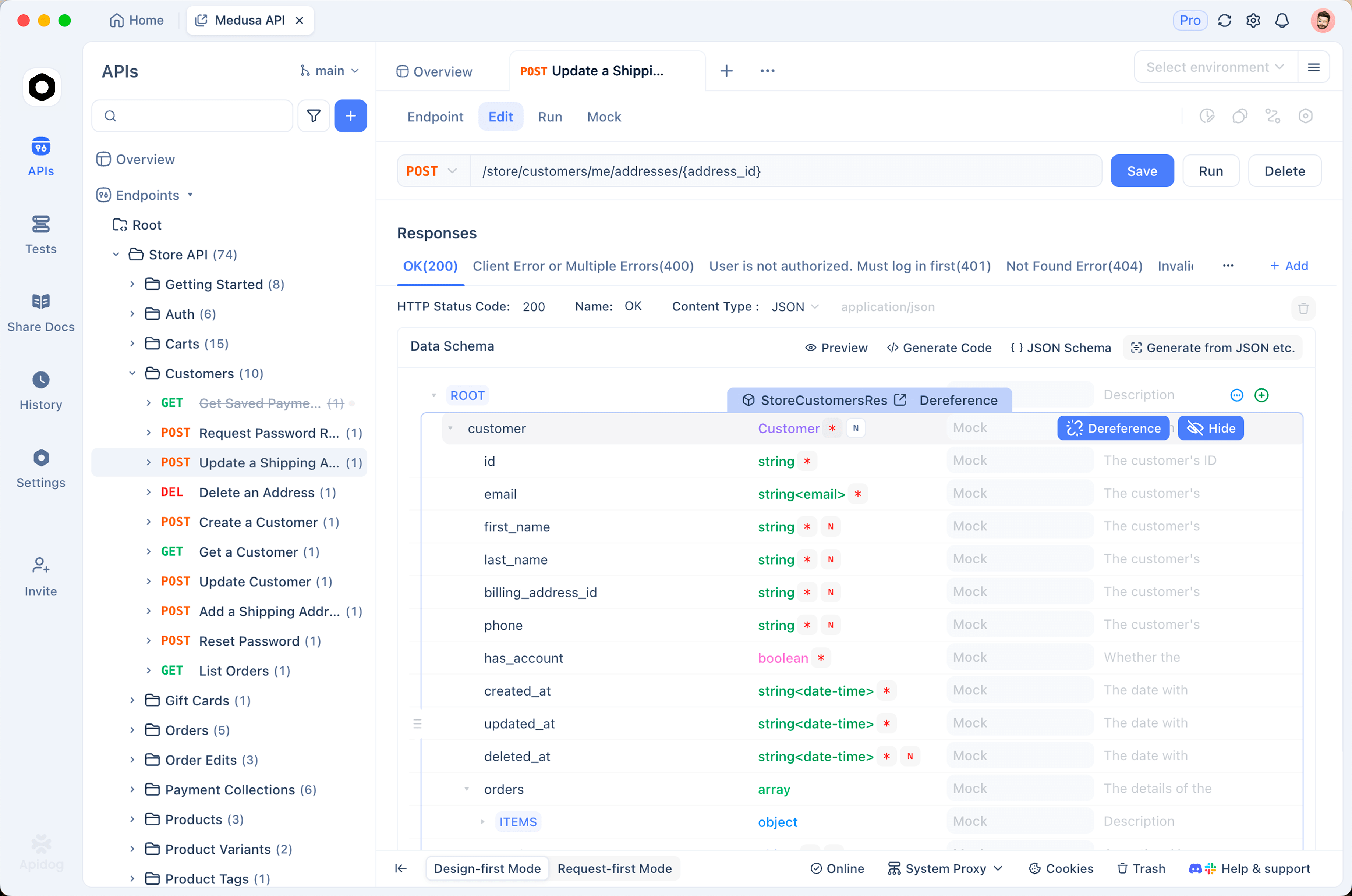
The job that fails late. Return processing three times, then failed with an error body. The agent must report failure rather than treating a completed poll as a completed job. This is the case that produces silent data loss when it is wrong.
The timeout. Keep the mock returning processing past the wrapper’s ceiling and assert the tool returns timed_out with the job ID intact, not an exception and not a fake success.
The duplicate completion. Deliver the success twice, by webhook retry or by a racing poll, and assert the downstream step runs once.
Save all four as scenarios so they run in CI. They cost nothing to re-run and they catch the regression where someone shortens a timeout or swallows an error. The wider approach is in our API contract testing guide.
Three jobs that expose the problem
Report generation. A finance agent requests a quarterly export. It takes 90 seconds. With a naive tool the agent gets a job ID, announces the report is ready, and then hands a broken download link to the user. With a blocking wrapper it waits 90 seconds and returns the real URL. Same API, opposite outcomes, and the only difference is where the waiting happens.
Bulk imports. An ops agent uploads 20,000 records. The import runs for eight minutes and partially fails on row 14,000. This is the case that punishes a naive success check: the job finished, so a status of done is true, but the result carries a list of rejected rows. Return partial outcomes explicitly, with counts, and make the agent read them before it moves on.
Model and build pipelines. An agent triggers a training run or a CI build that takes 40 minutes. In-wrapper polling is the wrong shape here; the run would hold a turn open far too long. Start the job, record the ID in durable storage, end the turn, and let a scheduled check or a callback wake the follow-up. Our post on multi-agent handoff and context passing covers moving that state between runs without losing it.
Give partial results a shape
Long jobs often end somewhere between success and failure, and a two-state model forces you to lie about it. Make the third state explicit:
{
  "job_id": "job_a11f",
  "status": "completed_with_errors",
  "done": true,
  "summary": { "processed": 20000, "succeeded": 19860, "failed": 140 },
  "errors_url": "/v1/jobs/job_a11f/errors?limit=50",
  "message": "Import finished. 140 rows failed and were not written. Review errors before reporting success."
}
Two things matter in that payload. The counts are inline, so the agent can decide without another call. The failing rows are behind a URL with a limit, so 140 error objects do not land in context uninvited.
Someone has to see the job that stalled
The timeout path ends with a job ID and a message saying the work is still running. That is the correct return value, and it is only useful if it reaches a person.
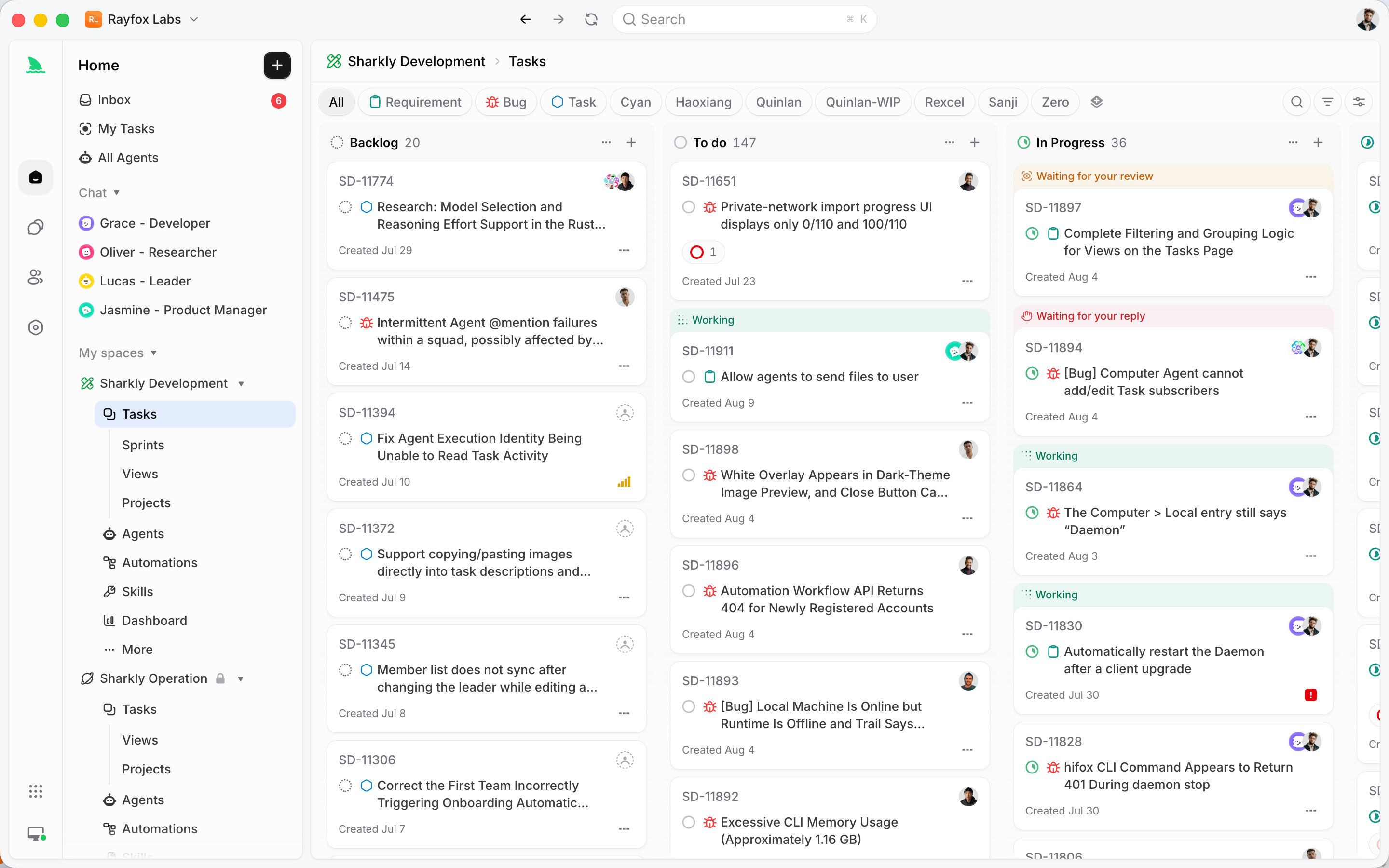
Where the agent is your own service, route it into whatever queue your team already watches. Where the agent is a coding runtime working through assigned tasks, the platform running it usually has somewhere for this to land. In Sharkly, a run that ends blocked stays on its Task with its execution state and result, and the Inbox separates the items that need a human reply or review from ordinary updates. The point is not the specific tool. It is that “still running, check later” needs an owner, or it becomes “nobody checked.”
A short checklist
- Every slow endpoint returns a job ID, a status URL, and a plain-language message saying the work is not finished.
- Status responses carry a boolean
donefield, not just a string the model has to interpret. - Polling lives in the tool wrapper with exponential backoff and a hard ceiling.
- Timeouts return the job ID so work can be resumed rather than lost.
- Success, failure, and timeout are three distinct return values.
- In-flight jobs are recorded outside the conversation for anything longer than a few minutes.
- Completion handling is idempotent, whether the signal arrives by poll or by callback.
- Slow, late-failing, timed-out, and duplicated completions all have saved tests.
Get the response wording and the wrapper right and long-running operations stop being a special case for the agent. It calls a tool, waits, and gets an answer, which is the contract it handles best. Download Apidog to build the slow-job mocks alongside the tests.
Frequently asked questions
Should the API return 202 or 200 for an async start? 202 Accepted is the honest code and signals to standard clients that processing is not finished. Do not rely on it alone for agents, since the body is what the model reads most reliably. Use both.
How long should the tool wrapper wait before giving up? Set the ceiling slightly above the endpoint’s realistic worst case, commonly two to ten minutes. Past that the wrapper is blocking a conversation turn for too long, and a check-later tool is a better shape.
What polling interval should I use? Start from the server’s own poll_after_seconds hint if it gives one, then back off by a factor of about 1.5 with a cap around 60 seconds. Fixed one-second polling wastes requests and can trip rate limits, as covered in our rate limit exceeded guide.
Can the agent do something useful while it waits? Only if your orchestrator supports concurrent tool calls. Where it does, start the job, do the independent work, then check status. Where it does not, the blocking wrapper is simpler and less error-prone than a hand-rolled scheduler.
How do I stop the agent from claiming success early? Say it in words in the response body, expose a boolean done field, and make the completion tool the only place a result appears. If the start response contains no result, there is nothing for the model to report as an outcome.
Do webhooks work for agents running on a laptop? Not directly, since there is no public endpoint. Use a tunnel for development, as in our guide to testing localhost APIs with webhook services, or stick to polling until the agent runs somewhere addressable.