요약
OpenClaw의 강점은 스킬을 통한 확장성에 있습니다. ClawHub에서 700개 이상의 커뮤니티 제작 스킬을 사용할 수 있으며, SKILL.md 파일이나 TypeScript를 사용하여 사용자 지정 스킬을 만들 수 있으므로 OpenClaw 어시스턴트를 거의 모든 작업을 위한 전문 도구로 변환할 수 있습니다. 이 가이드는 기존 스킬 설치부터 직접 스킬을 구축하고 게시하는 것까지 모든 것을 다룹니다.
소개
OpenClaw는 이미 기본적으로 강력한 기능을 제공하지만, 스킬을 통해 진정한 잠재력이 발휘됩니다. 전문적인 코딩 지원, DevOps 자동화, 연구 도구 또는 산업별 기능이 필요하든 관계없이, 이를 위한 스킬이 있을 가능성이 높으며, 그렇지 않다면 직접 만들 수 있습니다.
ClawHub에서 700개 이상의 커뮤니티 제작 스킬과 사용자 지정 스킬을 만들 수 있는 기능을 통해 OpenClaw는 필요한 모든 AI 비서가 될 수 있습니다.
이 종합 가이드에서는 다음 내용을 다룰 것입니다:
- ClawHub에서 스킬을 찾고 설치하는 방법
- 스킬 관리 및 정리
- 새로운 사용자 지정 스킬 구축
- 커뮤니티를 위한 스킬 게시
- 보안 모범 사례
OpenClaw 스킬 이해하기
스킬이란 무엇인가요?
스킬은 OpenClaw에 특정 기능을 추가하는 모듈형 확장입니다. 특정 유형의 이메일을 보내는 것부터 특정 API와 상호 작용하는 것까지, AI 비서에게 새로운 기능을 제공하는 플러그인이라고 생각할 수 있습니다.
스킬 유형
1. 자연어 스킬 (SKILL.md)
가장 간단한 형태이며, YAML 프론트매터가 포함된 Markdown으로 작성됩니다. 이는 특정 조건이 충족될 때 OpenClaw가 따르는 운영 런북을 정의합니다.
2. TypeScript 스킬
API에 접근하고, 복잡한 로직을 실행하며, 외부 서비스와 깊이 통합할 수 있는 TypeScript로 구축된 완전한 기능을 갖춘 스킬입니다.
3. CLI 기반 스킬
명령줄 도구를 래핑하는 스킬로, OpenClaw가 시스템에서 사용 가능한 모든 도구를 사용할 수 있도록 합니다.
스킬 작동 방식
스킬은 필요할 때 동적으로 로드(Just-in-time 로딩)되어 메모리 사용량을 관리할 수 있습니다. 사용자 요청이 스킬의 트리거와 일치하면 OpenClaw는 스킬에 정의된 작업을 실행합니다.
스킬 카테고리
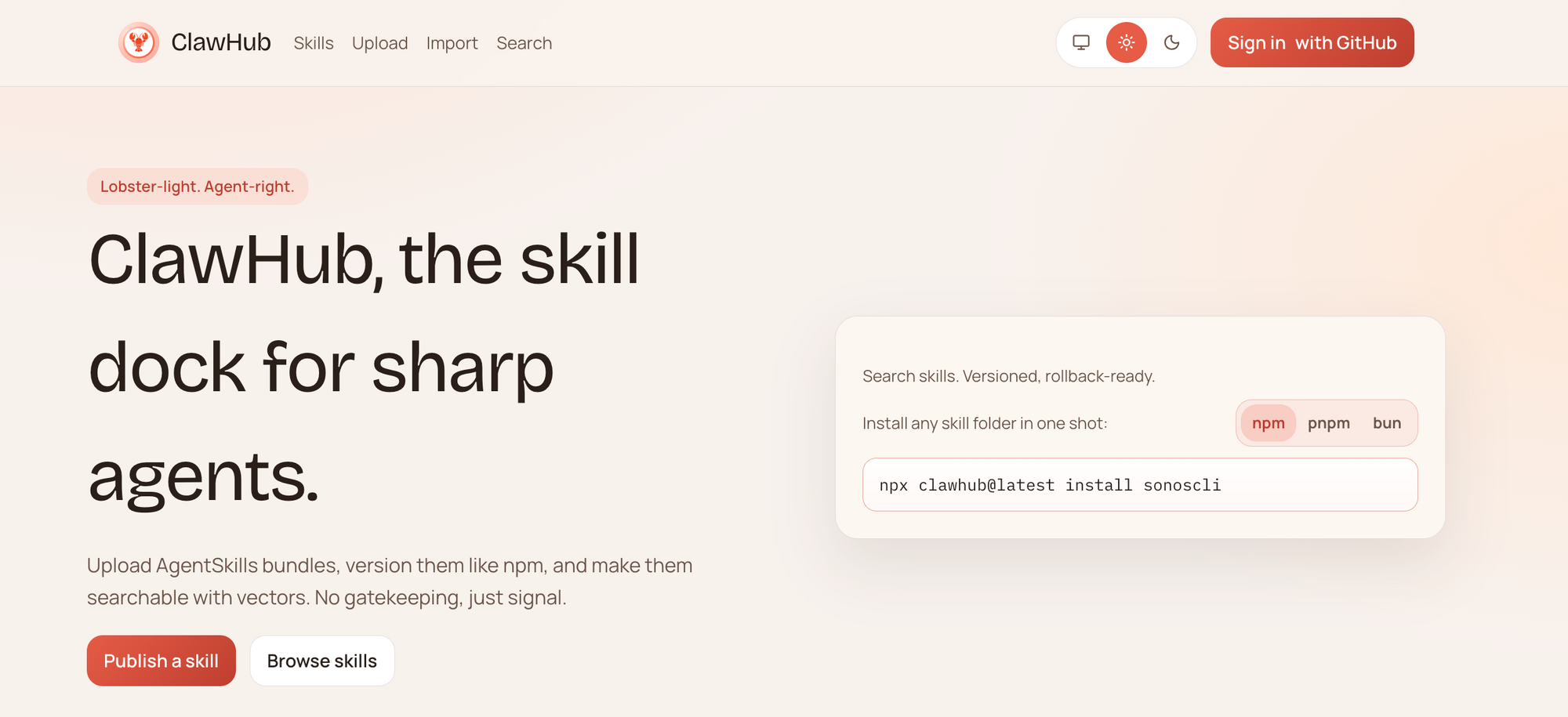
ClawHub는 다양한 카테고리의 스킬을 호스팅합니다:
- 코딩 에이전트 및 IDE (133개 이상 스킬)
- DevOps 및 클라우드 (212개 이상 스킬)
- 검색 및 연구 (253개 이상 스킬)
- AI 및 LLM (287개 이상 스킬)
- 생산성 (150개 이상 스킬)
- 데이터 및 분석 (100개 이상 스킬)
- 그리고 더 많은 카테고리...
ClawHub에서 스킬 설치하기
스킬 찾기
clawhub.ai에서 ClawHub 마켓플레이스를 탐색하거나 OpenClaw를 통해 직접 검색하세요:
# Search for skills
openclaw skills search "github"

# List popular skills
openclaw skills popular

# Browse a category
openclaw skills browse devops
스킬 설치하기
원하는 스킬을 찾으면 설치는 간단합니다:
# Install a specific skill
openclaw skills install github-actions

# Install with a specific version
openclaw skills install github-actions@1.2.0

# Install from a specific publisher
openclaw skills install @username/skill-name
권장 스킬 모두 설치하기
# Install popular starter skills
openclaw skills install-recommended
설치 확인하기
# List all installed skills
openclaw skills list

# Check skill details
openclaw skills info github-actions
설치된 스킬 관리하기
스킬 활성화 및 비활성화
# Disable a skill (keeps it installed but unused)
openclaw skills disable github-actions

# Enable a disabled skill
openclaw skills enable github-actions
스킬 업데이트
# Update a specific skill
openclaw skills update github-actions

# Update all skills
openclaw skills update-all
스킬 제거
# Uninstall a skill
openclaw skills uninstall github-actions
스킬 구성
많은 스킬이 사용자 지정 구성을 지원합니다:
# Configure a skill
openclaw skills config github-actions --set token=your-github-token
또는 스킬의 구성 파일을 직접 편집하세요:
# ~/.openclaw/skills/github-actions/config.yaml
token: your-github-token
default-branch: main
auto-merge: false
사용자 지정 스킬 구축하기
사용자 지정 스킬을 구축해야 할 때
다음과 같은 경우에 사용자 지정 스킬을 구축하세요:
- 기존 스킬로 다룰 수 없는 특정 API 통합
- 사용자 지정 자동화 워크플로우
- 산업별 기능
- 독점적인 내부 도구
스킬 구조
기본 스킬은 다음으로 구성됩니다:
my-custom-skill/
├── SKILL.md          # Skill definition (for natural language skills)
├── config.yaml       # Configuration schema
└── icon.svg          # Skill icon (optional)
TypeScript 스킬의 경우:
my-typescript-skill/
├── src/
│   └── index.ts      # Main skill code
├── package.json
├── tsconfig.json
├── config.schema.json
└── skill.yaml        # Skill manifest
SKILL.md 스킬 생성하기
기본 SKILL.md 구조
최소한의 SKILL.md 파일은 다음과 같습니다:
---
name: weather-alert
description: Get weather alerts for your location
triggers:
  - "weather"
  - "weather alert"
  - "forecast"
requires:
  - location
actions:
  - name: get_weather
    api: https://api.weather.com/v3
    params:
      location: "{location}"
---

# 날씨 알림 스킬

이 스킬은 사용자의 위치에 대한 날씨 알림 및 예보를 제공합니다.

## 구성

스킬 설정에서 위치를 설정하세요:
- city: 도시 이름
- units: 미터법 또는 야드파운드법
전체 예시: 이메일 요약 스킬
---
name: daily-email-summary
description: Receive a daily summary of your important emails
triggers:
  - "email summary"
  - "daily emails"
  - "summarize my emails"
requires:
  - email_access
  - api_key
actions:
  - name: fetch_emails
    method: gmail.users.messages.list
    params:
      q: "is:unread"
      maxResults: 10
  - name: summarize
    model: gpt-4
    prompt: "Summarize these emails in bullet points"
---

# 일일 이메일 요약 스킬

자동화된 일일 요약으로 받은 편지함을 관리하세요.

## 기능

- Gmail에서 읽지 않은 이메일 가져오기
- AI를 사용하여 핵심 요점 요약
- 선호하는 채널로 요약 전송

## 설정

1. OpenClaw 설정에서 Gmail API 접근 구성
2. 선호하는 요약 시간 설정
3. 배달 채널 선택 (Telegram, Discord 등)

## 사용 예시
사용자: 내 이메일 요약 보내줘
OpenClaw: 다음은 읽지 않은 이메일 8개의 요약입니다:
- 존으로부터의 3분기 계획 회의 요청
- 아마존 주문 확인
- 테크크런치 뉴스레터...
### 고급 트리거

더 정교한 트리거를 사용하세요:

```markdown
---
name: smart-reminder
triggers:
  # Exact phrases
  - "remind me to {action}"
  # Patterns
  - "remind me in {duration}"
  # Contextual
  context:
    - channel: work
      patterns: ["meeting", "deadline", "project"]
---

# 스마트 알림 스킬

지능형 구문 분석을 통해 모든 알림 요청을 처리합니다.
TypeScript 스킬 구축하기
더 복잡한 통합을 위해 TypeScript 스킬은 완벽한 제어를 제공합니다.
개발 환경 설정
# Create a new skill project
openclaw skills create my-awesome-skill

# Navigate to the skill directory
cd my-awesome-skill

# Install dependencies
npm install

# Start development server
npm run dev
TypeScript 스킬 구조
// src/index.ts
import { Skill, SkillContext, SkillResult } from '@openclaw/skill-sdk';

export default class MyAwesomeSkill implements Skill {
  name = 'my-awesome-skill';
  description = 'A skill that does something awesome';

  // 스킬이 로드될 때 호출됩니다
  async onLoad(context: SkillContext): Promise<void> {
    console.log('Skill loaded!');
  }

  // 스킬이 트리거와 일치할 때 호출됩니다
  async execute(context: SkillContext): Promise<SkillResult> {
    const { userMessage, config } = context;

    // 여기에 스킬 로직을 작성하세요
    const result = await this.doSomethingAwesome(userMessage.content);

    return {
      message: result,
      actions: []
    };
  }

  private async doSomethingAwesome(input: string): Promise<string> {
    // 스킬 로직을 구현하세요
    return `You said: ${input}`;
  }
}
스킬 매니페스트 (skill.yaml)
name: my-awesome-skill
version: 1.0.0
description: A skill that does something awesome
author:
  name: Your Name
  email: you@example.com

triggers:
  - pattern: "do something awesome"
    type: exact

config:
  apiKey:
    type: string
    required: true
    description: API key for the service

permissions:
  - network
  - filesystem

runtime: nodejs18
구성 스키마 (config.schema.json)
{
  "$schema": "http://json-schema.org/draft-07/schema#",
  "type": "object",
  "properties": {
    "apiKey": {
      "type": "string",
      "description": "API key for the service"
    },
    "enabled": {
      "type": "boolean",
      "default": true
    }
  },
  "required": ["apiKey"]
}
구축 및 테스트
# Build the skill
npm run build

# Run tests
npm test

# Package for distribution
npm run package
예시: GitHub 통합 스킬
API 통합을 보여주는 더 완전한 예시입니다:
import { Skill, SkillContext, SkillResult } from '@openclaw/skill-sdk';
import axios from 'axios';

export default class GitHubSkill implements Skill {
  name = 'github';
  description = 'Interact with GitHub repositories';

  async execute(context: SkillContext): Promise<SkillResult> {
    const { userMessage, config } = context;
    const message = userMessage.content.toLowerCase();

    if (message.includes('list repos')) {
      return this.listRepositories(config);
    } else if (message.includes('create issue')) {
      return this.createIssue(context);
    }

    return {
      message: 'I can help with listing repos, creating issues, and more.',
      actions: []
    };
  }

  private async listRepositories(config: any): Promise<SkillResult> {
    const response = await axios.get('https://api.github.com/user/repos', {
      headers: {
        Authorization: `token ${config.githubToken}`
      }
    });

    const repos = response.data.slice(0, 5).map((r: any) => r.name).join('\n');

    return {
      message: `Your recent repositories:\n${repos}`,
      actions: []
    };
  }

  private async createIssue(context: SkillContext): Promise<SkillResult> {
    // Extract issue details from user message
    return {
      message: 'I need more details to create an issue. Please specify the repository, title, and description.',
      actions: [
        {
          type: 'request_input',
          fields: ['repo', 'title', 'description']
        }
      ]
    };
  }
}
ClawHub에 스킬 게시하기
게시를 위한 스킬 준비
- 철저히 테스트: 스킬이 다양한 시나리오에서 작동하는지 확인하세요.
- 문서 추가: 예시가 포함된 명확한 SKILL.md를 작성하세요.
- 적절한 권한 설정: 필요한 접근 권한만 요청하세요.
- 아이콘 추가: 간단한 SVG 아이콘을 만드세요.
- 버전 관리: 시맨틱 버전 관리(1.0.0, 1.1.0 등)를 사용하세요.
게시 프로세스
# Login to ClawHub
openclaw skills login

# Check your skill is ready
openclaw skills validate

# Publish your skill
openclaw skills publish
게시 요구 사항
- 유효한 스킬 매니페스트 (skill.yaml)
- 필수: 이름, 버전, 설명, 작성자
- 하나 이상의 트리거 정의
- VirusTotal 스캔 (자동 수행)
- 신원 확인
버전 관리
# Bump version
openclaw skills version patch  # 1.0.0 -> 1.0.1
openclaw skills version minor  # 1.0.0 -> 1.1.0
openclaw skills version major  # 1.0.0 -> 2.0.0

# Publish new version
openclaw skills publish
보안 모범 사례
타사 스킬 설치
중요 보안 고지: 2026년 초 ClawHavoc 사건은 ClawHub에서 악성 스킬이 발견되었음을 드러냈습니다. 항상 다음 예방 조치를 따르십시오:
- 게시자 확인: 신뢰할 수 있고 검증된 게시자의 스킬만 설치하세요.
- 권한 검토: 스킬이 어떤 권한을 요청하는지 확인하세요.
- 코드 감사: TypeScript 스킬의 경우 소스 코드를 검토하세요.
- 격리된 시작: 스킬을 별도의 환경에서 먼저 테스트하세요.
# Check skill permissions before installing
openclaw skills inspect github-actions
보안 스킬 구축
자신의 스킬을 구축할 때:
# 항상 최소한의 필요한 권한을 지정하세요
permissions:
  - network  # 필요한 경우에만
  - filesystem  # 필요한 경우에만

# 절대 비밀을 하드코딩하지 마세요
# 나쁜 예:
const apiKey = "sk-1234567890";

# 좋은 예:
const apiKey = process.env.API_KEY;
권장 보안 구성
# ~/.openclaw/security.yaml
skill_security:
  require_virustotal: true
  require_verified_publisher: false  # 프로덕션 환경에서는 true로 설정하세요
  audit_permissions: true
  sandbox_mode: true
고급 스킬 개발
스킬 종속성
스킬은 다른 스킬에 의존할 수 있습니다:
# skill.yaml
dependencies:
  - name: github
    version: ">=1.0.0"
  - name: slack
    version: ">=2.0.0"
이벤트 기반 스킬
OpenClaw 이벤트에 반응하세요:
export default class EventSkill implements Skill {
  async onMessage(context: SkillContext): Promise<SkillResult> {
    // 모든 메시지에 대해 호출됩니다
  }

  async onTimer(context: SkillContext): Promise<SkillResult> {
    // 스케줄에 따라 호출됩니다
  }

  async onStartup(context: SkillContext): Promise<void> {
    // OpenClaw가 시작될 때 호출됩니다
  }

  async onShutdown(context: SkillContext): Promise<void> {
    // OpenClaw가 중지될 때 호출됩니다
  }
}
스킬과 함께 MCP 사용하기
스킬을 MCP 서버와 결합하세요:
# skill.yaml
mcpServers:
  - name: filesystem
    command: npx @modelcontextprotocol/server-filesystem ./data
  - name: github
    command: npx @modelcontextprotocol/server-github
문제 해결
스킬이 로드되지 않음
# Check skill status
openclaw skills status my-skill

# View skill logs
openclaw logs --skill my-skill
일반적인 원인:
- 누락된 종속성
- 잘못된 구성
- 권한 문제
트리거가 일치하지 않음
# Test trigger matching
openclaw skills test-trigger "your trigger phrase"
성능 문제
# Check skill resource usage
openclaw skills monitor

# Disable resource-heavy skills temporarily
openclaw skills disable heavy-skill
결론
OpenClaw의 스킬 시스템은 단순한 AI 비서에서 강력하고 확장 가능한 플랫폼으로 변화시킵니다. ClawHub에서 커뮤니티 제작 스킬을 설치하든, 자신만의 사용자 지정 솔루션을 구축하든, 가능성은 거의 무한합니다.
새로운 스킬이 추가될수록 OpenClaw 생태계는 더욱 강력해집니다. 지금 바로 구축을 시작하세요!