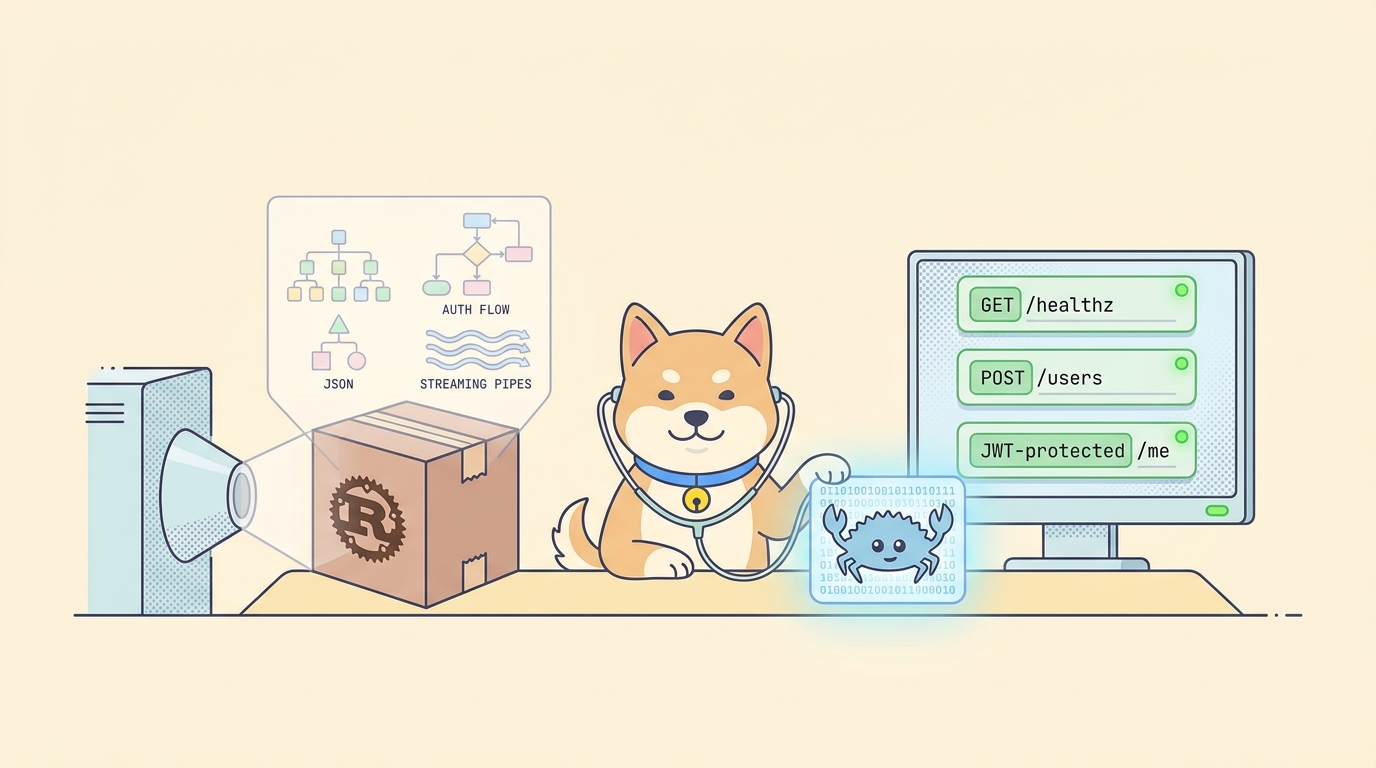
Rust gives you a fast, type-safe HTTP server in a few hundred lines. What it does not give you is a fast feedback loop for testing that server. The compile cycle is long, cargo test reruns everything on a single trait change, and most Rust HTTP frameworks make you write a separate integration test for each endpoint before you have even called it once. If you want to ship an API and not just a binary, you need a tool that lives outside the Rust toolchain and talks to the running server.
This guide walks the full Rust API testing workflow inside Apidog: pointing Apidog at your Axum or Actix server, building requests against your endpoints, validating Serde-serialized JSON, handling JWT auth, mocking endpoints so the frontend can move while you finish the handler, and packaging the whole thing as a CI test scenario. By the end, you have a reusable Apidog project that catches contract drift before cargo build --release finishes.
If you are coming from a Postman or curl workflow, you also get Apidog’s design-first features for free: an OpenAPI spec generated from your saved requests, shareable mock URLs, and team environments. Skip the Postman migration story for a separate read; this post stays focused on Rust.
TL;DR
- Run your Rust server locally (
cargo runagainst an Axum or Actix-web project), add the base URLhttp://localhost:3000as an Apidog environment, and store any secrets as variables. - Build the first request against
GET /healthz, save it, and reuse the auth and base URL across every handler in the folder. - For JSON endpoints, paste your Serde struct into Apidog’s body editor and assert response shape with Tests scripts that run after every send.
- For protected routes, mint a JWT once, save it as
{{token}}, and apply Bearer auth at the folder level so every test inherits it. - Mock unfinished Rust handlers in Apidog so your frontend team can render real responses before the handler compiles cleanly.
- Save the working set as a Test Scenario, export it, and run it in CI with
apidog-cli. Every PR that touches a handler now gets a contract check before merge.
Why test a Rust API outside the Rust toolchain
cargo test is good. It is also slow, opaque to non-Rust teammates, and built around code instead of HTTP. If you want to verify that your handler returns the right status code, the right JSON shape, the right headers, and the right error message when input is malformed, you write a fresh tower::ServiceExt::oneshot call for each case. Then you maintain that test as the handler changes. Then you write it again in JavaScript so the frontend can hit a mock.
Apidog gives you a single contract layer on top of the running server. The request lives once. Assertions live next to the request. Frontend teammates open the same project and see the same requests you do. When Serde gets a #[serde(rename_all = "camelCase")] attribute three weeks from now, the test that breaks is the one in Apidog, not the one that ships to production.
Three concrete reasons to add Apidog to a Rust workflow:
- Contract checks decouple from the build. Apidog runs against a running binary. You stop waiting on
rustcto validate that your endpoint still returns200. - Mocks are shareable. A frontend developer in another timezone gets a URL that returns the right JSON, not a Slack message saying “the handler is not done yet.”
- OpenAPI for free. Apidog can generate an OpenAPI 3.1 document from the saved requests. You hand that to anyone who wants a typed client without writing a
utoipaoraideannotation on every route.
Step 1: Add your Rust server as an Apidog environment
Start your Rust API. For an Axum project, the boilerplate is:
use axum::{routing::get, Router};
use tokio::net::TcpListener;

#[tokio::main]
async fn main() {
    let app = Router::new().route("/healthz", get(|| async { "ok" }));
    let listener = TcpListener::bind("0.0.0.0:3000").await.unwrap();
    axum::serve(listener, app).await.unwrap();
}
Open Apidog, create a new project, then open Environment Management (top-right dropdown) and add an environment called Rust Local:
| Variable | Value |
|---|---|
baseUrl |
http://localhost:3000 |
token |
leave empty for now |
apiVersion |
v1 |
Add a second environment called Rust Staging with the deployed base URL. Apidog scopes variables per environment, so you switch from local to staging with one dropdown click. No find-and-replace through saved requests.
Step 2: Hit the first endpoint
Create a folder called Rust API inside the project, then a new request:
- Method:
GET - URL:
{{baseUrl}}/healthz
Hit Send. If your server is running, you get a 200 with body ok. Save this as health-check. It is the simplest possible smoke test, and it confirms the environment and base URL work before you write anything more interesting.
If you get a connection refused error, your server is not bound to 0.0.0.0 or the port is wrong. Rust’s default TcpListener::bind("127.0.0.1:3000") will reject requests coming from anything that resolves to localhost on a different interface; bind to 0.0.0.0 for local development so Apidog and Docker containers can reach it.
Step 3: Test JSON request and response with Serde
The most common Rust API shape is a JSON-in, JSON-out handler backed by a Serde struct. Add a POST /users route:
use axum::{extract::Json, routing::post, Router};
use serde::{Deserialize, Serialize};

#[derive(Deserialize)]
struct CreateUser {
    name: String,
    email: String,
}

#[derive(Serialize)]
struct User {
    id: u64,
    name: String,
    email: String,
}

async fn create_user(Json(payload): Json<CreateUser>) -> Json<User> {
    Json(User { id: 1, name: payload.name, email: payload.email })
}

let app = Router::new().route("/users", post(create_user));
In Apidog, create a request:
- Method:
POST - URL:
{{baseUrl}}/users - Body (JSON):
{
  "name": "Ada Lovelace",
  "email": "ada@example.com"
}
Send it. You get back the User JSON. Save as create-user.
Now open the Tests tab and add assertions:
pm.test("Status is 200", () => {
  pm.expect(pm.response.code).to.eql(200);
});

pm.test("Body has id, name, email", () => {
  const body = pm.response.json();
  pm.expect(body).to.have.property("id");
  pm.expect(body.name).to.eql("Ada Lovelace");
  pm.expect(body.email).to.match(/^[^@]+@[^@]+$/);
});
The next time someone adds #[serde(rename_all = "camelCase")] to the struct and your response shape flips from user_id to userId, this test fails before the change ships. That is the contract Apidog gives you that cargo test does not, because cargo test runs your Rust code against your Rust types and would happily pass with either shape.
Step 4: Cover Serde rejection cases
The interesting part of Rust JSON handling is what Serde does with bad input. By default Axum returns a 422 Unprocessable Entity with no detail. Build three requests that intentionally break the schema:
| Request | Body | Expected |
|---|---|---|
create-user-missing-email |
{ "name": "Ada" } |
422, body mentions missing field email |
create-user-extra-field |
{ "name": "Ada", "email": "a@b.c", "admin": true } |
200 if #[serde(deny_unknown_fields)] is absent; 422 otherwise |
create-user-wrong-type |
{ "name": 1, "email": "a@b.c" } |
422, mentions invalid type: integer |
Assert each status code in Tests. This is the cheapest way to document your real validation policy. If you turn on deny_unknown_fields later, the second test flips red and tells you the public contract changed.
Step 5: Test JWT-protected routes
Most production Rust APIs hide handlers behind an auth middleware. Axum’s axum-extra JWT extractor is the common pattern:
use axum_extra::extract::cookie::PrivateCookieJar;
use jsonwebtoken::{decode, DecodingKey, Validation};

async fn me(jar: PrivateCookieJar) -> Result<Json<User>, StatusCode> {
    let token = jar.get("token").ok_or(StatusCode::UNAUTHORIZED)?;
    let claims = decode::<Claims>(token.value(), &DecodingKey::from_secret(b"secret"), &Validation::default())
        .map_err(|_| StatusCode::UNAUTHORIZED)?;
    Ok(Json(User { id: claims.claims.sub, name: "Ada".into(), email: "ada@example.com".into() }))
}
In Apidog, you do not need to hand-craft a JWT every test run. Create a Pre-Request Script on the folder:
const jwt = require("jsonwebtoken");
const token = jwt.sign(
  { sub: 1, exp: Math.floor(Date.now() / 1000) + 3600 },
  "secret"
);
pm.environment.set("token", token);
Open the folder settings, set Auth to Bearer Token, value {{token}}. Every request in the folder now signs and presents a fresh JWT. Stale-token bugs disappear from your test runs. For a deeper walkthrough on the assertion side, see how to test JWT authentication in APIs.
Step 6: Test streaming and Server-Sent Events
Rust web frameworks have first-class streaming. Axum’s Sse response wraps a futures::Stream and emits text/event-stream chunks. The wire format is data: { ... }\n\n per frame, terminated by the connection closing or an explicit done event.
A request that consumes this looks the same as any GET, but the response panel in Apidog switches to streaming mode when the Content-Type is text/event-stream. You see each frame as it arrives, with timestamps. That is the view you need when debugging a backpressure issue or a missing flush.
What to assert:
- The first chunk arrives within the SLA you advertise. Apidog shows per-chunk latency in the streaming panel.
- A specific event name fires before connection close (
event: done, for example). - The total stream duration is bounded. A handler that forgets to break out of a
while let Some(event) = stream.next().awaitwill stream forever; Apidog will show this and you can set a hard timeout in the request settings to fail the test.
If your endpoint uses WebSockets instead of SSE, Apidog has a separate WebSocket request type. The pattern is the same: build the connection once, save the message sequence, assert on the responses.
Step 7: Mock the Rust API for parallel frontend development
The frontend is rarely blocked by Rust compile times. It is blocked by handlers that do not exist yet. Apidog mocks let you publish a stable URL that returns the contract you and the frontend agreed on, before the handler ships.
Right-click create-user, choose Smart Mock, and enable it. Apidog now serves a synthetic User response at https://mock.apidog.com/m1/<projectId>/users. The mock body matches your saved example. The mock URL accepts the same body shape, so the frontend can POST against it as if it were the real Rust server.
For dynamic mocks, switch to Advanced Mock and write a script:
return {
  id: Math.floor(Math.random() * 10000),
  name: body.name,
  email: body.email,
  createdAt: new Date().toISOString()
};
That mock responds to whatever the frontend sends, with a generated id and timestamp. When the Rust handler is ready, the frontend flips its base URL back to http://localhost:3000 and nothing else changes. For more on this pattern, the team also covers building and testing a Spring Boot API and the general API testing workflow; same idea, different runtimes.
Step 8: Save as a CI test scenario
Apidog Test Scenarios chain requests with shared variables and run them headlessly. Build a scenario:
health-check, assert200.create-user, assert200, capturebody.idinto a variable.create-user-missing-email, assert422.me(with the JWT pre-request), assert200and the returnedidmatches the capturedid.- SSE request, assert the stream completes within 5 seconds.
Export the scenario as JSON, commit it to your repo under tests/apidog/, and call it from CI:
- name: Run API contract tests
  run: |
    cargo build --release
    ./target/release/myserver &
    sleep 2
    apidog-cli run tests/apidog/contract.json --env "Rust Local"
Every PR that touches a handler now runs against a live Rust binary with the full contract suite. If a Serde rename, a status code change, or a JWT validation tweak breaks the public shape, CI catches it before the merge button turns green.
Step 9: Generate OpenAPI from the saved requests
When the request set is stable, open Apidog’s Export menu and pick OpenAPI 3.1. You get a spec document covering every saved request, with the bodies you sent as examples. Hand that to anyone generating a typed client (TypeScript, Swift, Kotlin, Python) and they get a contract that matches what your Rust server returns today, not what someone hand-wrote in a .yaml six months ago.
If you want the spec checked into your Rust repo, run apidog-cli export from CI and write it to openapi.json. The next cargo build does not change, but every consumer of your API gets the truth on disk.
FAQ
Does Apidog work with both Axum and Actix-web? Yes. Apidog talks HTTP, not Rust. Anything that responds to a request (Axum, Actix-web, Rocket, Warp, Poem, Loco) works the same way. The only Rust-specific consideration is binding to 0.0.0.0 instead of 127.0.0.1 for local testing.
How do I test handlers that panic? Run your server with tower-http’s CatchPanicLayer in front of the router. The panic turns into a 500 with a JSON body. Build an Apidog request that triggers the panic path and assert the 500. If you do not wrap panics, the connection drops and Apidog reports a network error, which is also a valid contract test.
Can I run Apidog against a Rust binary in Docker? Yes. Point baseUrl at the container’s exposed port and you are done. If the container runs inside Docker Compose, give your Apidog runner the same network or use the host’s mapped port.
What about gRPC? Apidog has a gRPC request type. Import your .proto files, pick a service and method, fill in the request payload, and send. The auth, environments, and test scenarios pattern is identical to REST.
Does the test scenario replace cargo test? No. Unit tests for your Rust code stay in Rust. Apidog tests the running surface: the HTTP contract. The two layers catch different bugs. A unit test catches a broken function; an Apidog test catches a broken response shape, a missing CORS header, or a 400 that became a 422. You want both.
Is Apidog free for Rust open-source projects? Yes. The Apidog client is free for individuals and small teams. Test scenarios, mocks, and OpenAPI export are part of the free tier. If you maintain a public Rust API, you can ship the project file in your repo so anyone cloning gets the test suite.
Wrap up
Rust APIs deserve a feedback loop that does not wait on the compiler. A request collection in Apidog gives you that loop: real HTTP, real assertions, real mocks for the frontend, and a CI scenario that runs against the live binary. Build the requests above once, and every future change to your Axum or Actix handler becomes a controlled test run instead of a runtime surprise.
Download Apidog and point it at your Rust server. The setup takes under ten minutes. The payoff is a contract you control, decoupled from cargo, and a frontend team that stops asking when the handler is done.