If you’ve tried pointing Claude Code at DeepSeek V4, OpenRouter, or any other third-party model provider, you’ve probably run into this: Invalid custom3p enterprise config. The error is cryptic, the docs don’t explain it clearly, and it blocks you from doing something Claude Code officially supports.
This guide breaks down exactly what “custom3p” means, the six most common reasons the config fails, and step-by-step fixes for each one. If you’re trying to run Claude Code’s agent loop through DeepSeek or an LLM gateway like LiteLLM, you’ll find working configuration examples here.
TL;DR
Invalid custom3p enterprise config means Claude Code can’t validate your third-party provider configuration. “custom3p” is Claude Code’s internal label for any non-Anthropic API endpoint configured via ANTHROPIC_BASE_URL. The most common causes are: trailing /v1 in the base URL, wrong credential variable, malformed settings.json, and incomplete onboarding on a fresh install. Fix the URL format first, it solves roughly 60% of cases.
What “custom3p” actually means
Claude Code routes requests through one of four modes:
| Mode | How it’s triggered |
|---|---|
| Anthropic API (default) | No override set |
| Amazon Bedrock | CLAUDE_CODE_USE_BEDROCK=1 |
| Google Vertex AI | CLAUDE_CODE_USE_VERTEX=1 |
| Microsoft Foundry | CLAUDE_CODE_USE_FOUNDRY=1 |
| Custom third-party | ANTHROPIC_BASE_URL points to anything else |
The last row is “custom3p”, custom third-party. When ANTHROPIC_BASE_URL is set to a non-Anthropic host (LiteLLM, OpenRouter, a local vLLM server, a corporate gateway), Claude Code internally labels that path “custom3p” and runs a validation check before the first API call.
If that check fails, you get: Invalid custom3p enterprise config.
The error predates Anthropic’s 2026 restrictions on third-party harnesses. It’s a config validation error, not a policy block, which means you can fix it.
Why developers are hitting this error now
In April 2026, Anthropic blocked Claude Pro and Max subscription access for third-party agentic tools that were spoofing the Claude Code client ID. Tools like OpenClaw, which routed Claude Code sessions through their own backends, stopped working overnight.
That’s a separate issue from what this article covers.
What happened next is why you’re reading this: developers started using Claude Code’s official third-party provider support to route through cheaper backends. A Reddit thread documented switching the Claude Code agent loop to DeepSeek V4 Pro via OpenRouter, at $0.87 per million output tokens versus Anthropic’s $15, that’s roughly a 17x cost reduction. Projects like DeepClaude packaged this into a one-command setup.
The catch: Anthropic’s official third-party provider support requires correct enterprise config. Get one field wrong and you hit Invalid custom3p enterprise config. Most online guides either skip the enterprise config or show the wrong URL format.
Root cause 1: Trailing /v1 in ANTHROPIC_BASE_URL
This is the most common mistake. Claude Code automatically appends /v1/messages to whatever URL you set. If your base URL already includes /v1, the final path becomes /v1/v1/messages which returns a 404.
Wrong:
export ANTHROPIC_BASE_URL="https://api.openrouter.ai/api/v1"
Wrong:
export ANTHROPIC_BASE_URL="https://litellm.yourcompany.com/v1"
Correct:
export ANTHROPIC_BASE_URL="https://api.openrouter.ai/api"
Correct:
export ANTHROPIC_BASE_URL="https://litellm.yourcompany.com"
To verify the final URL Claude Code is hitting, run this curl:
curl -s -o /dev/null -w "%{http_code}" \
  -H "Authorization: Bearer $ANTHROPIC_AUTH_TOKEN" \
  "${ANTHROPIC_BASE_URL}/v1/messages" \
  -d '{"model":"claude-sonnet-4-6","max_tokens":1,"messages":[{"role":"user","content":"hi"}]}'
A 200 or 400 (bad request, but the endpoint exists) means the URL is correct. A 404 means you still have the /v1 problem.
Root cause 2: Wrong credential variable
Claude Code uses two different environment variables for authentication depending on context, and mixing them up causes the enterprise config to fail validation silently.
| Variable | Sent as | When to use |
|---|---|---|
ANTHROPIC_API_KEY |
x-api-key header |
Anthropic-format gateways that expect API key auth |
ANTHROPIC_AUTH_TOKEN |
Authorization: Bearer header |
OAuth-style gateways, LiteLLM, most OpenRouter setups |
OpenRouter, for example, expects a bearer token:
export ANTHROPIC_AUTH_TOKEN="sk-or-your-openrouter-key"
export ANTHROPIC_BASE_URL="https://openrouter.ai/api"
Using ANTHROPIC_API_KEY with OpenRouter sends an x-api-key header that OpenRouter ignores — the request fails authentication, and Claude Code reports it as an invalid enterprise config.
For LiteLLM:
export ANTHROPIC_AUTH_TOKEN="sk-litellm-your-virtual-key"
export ANTHROPIC_BASE_URL="https://your-litellm-server:4000"
For a DeepSeek gateway or a local vLLM server running with an API key:
export ANTHROPIC_API_KEY="your-key-here"
export ANTHROPIC_BASE_URL="https://your-vllm-server"
Check your gateway’s authentication docs to confirm which header it expects.
Root cause 3: Malformed settings.json
If you’re setting the base URL and credentials in ~/.claude/settings.json rather than environment variables, JSON formatting errors cause the enterprise config to fail before any request is made.
The most common mistakes:
Trailing comma (invalid JSON):
{
  "env": {
    "ANTHROPIC_BASE_URL": "https://openrouter.ai/api",
    "ANTHROPIC_AUTH_TOKEN": "sk-or-your-key",  ← trailing comma
  }
}
Curly/smart quotes (copy-paste from docs or Word):
{
  "env": {
    "ANTHROPIC_BASE_URL": "https://openrouter.ai/api"  ← wrong quotes
  }
}
Correct format:
{
  "env": {
    "ANTHROPIC_BASE_URL": "https://openrouter.ai/api",
    "ANTHROPIC_AUTH_TOKEN": "sk-or-your-openrouter-key"
  }
}
Validate your settings file before launching Claude Code:
python3 -c "import json; json.load(open('~/.claude/settings.json'.replace('~', __import__('os').path.expanduser('~'))))" && echo "Valid JSON"
Or use jq:
jq . ~/.claude/settings.json
A parse error here means the enterprise config validation never completes — Claude Code can’t read the config, so it flags the whole thing as invalid.
Root cause 4: Fresh install hasn’t completed onboarding
Claude Code checks ~/.claude.json for hasCompletedOnboarding: true before it reads enterprise config from settings.json. On a fresh install, this flag isn’t set, so Claude Code skips your custom third-party config and tries to authenticate through its standard flow — which fails if you don’t have an Anthropic subscription configured.
Check your current state:
cat ~/.claude.json | python3 -m json.tool 2>/dev/null | grep hasCompletedOnboarding
If that key is missing or false, Claude Code is in onboarding mode and your settings.json enterprise config won’t be read.
Fix: Add the onboarding flag to ~/.claude.json:
{
  "hasCompletedOnboarding": true,
  "primaryApiKey": "sk-placeholder"
}
The primaryApiKey value is a placeholder — it gets overridden by your enterprise config. Set it to anything starting with sk- to pass the format check. After saving, restart Claude Code.
Root cause 5: Gateway not forwarding required headers
Claude Code’s enterprise config validation includes a feature handshake — it sends an anthropic-beta header to the gateway to negotiate which capabilities are available. If your gateway strips this header, Claude Code gets back a response that doesn’t match what it expects, and reports Invalid custom3p enterprise config.
Required headers that your gateway must forward:
anthropic-beta
anthropic-version
X-Claude-Code-Session-Id
For LiteLLM, this works by default since v1.82.9+. For custom proxies or nginx setups, add header forwarding explicitly:
location /v1/ {
  proxy_pass http://backend;
  proxy_set_header anthropic-beta $http_anthropic_beta;
  proxy_set_header anthropic-version $http_anthropic_version;
  proxy_set_header X-Claude-Code-Session-Id $http_x_claude_code_session_id;
}
If you can’t modify the gateway to forward the beta header, set this before launching:
export CLAUDE_CODE_DISABLE_EXPERIMENTAL_BETAS=1
This tells Claude Code to skip features that require the beta header so requests succeed through gateways that can’t forward it. You lose access to some experimental features, but the core agent loop works.
Root cause 6: Enterprise policy conflict
If you’re on a Team or Enterprise Claude plan and your admin has deployed managed settings, those settings take priority over everything else — including your ~/.claude/settings.json and environment variables. A managed policy that restricts availableModels or blocks custom base URLs causes Invalid custom3p enterprise config even when your local config is correct.
Check whether managed settings are active:
ls ~/.claude/managed-settings.json 2>/dev/null && echo "Managed settings found"
Or from inside Claude Code:
/status
If “Managed settings” shows as active, you need to talk to your admin. They can either:
- Add your gateway domain to the allowed base URLs
- Create an
availableModelslist that includes the gateway model IDs - Exempt you from the custom base URL restriction
For enterprise deployments you control, managed settings go in /Library/Application Support/ClaudeCode/managed-settings.json (macOS) or the equivalent path on Windows/Linux.
Full working configurations
Claude Code + OpenRouter (DeepSeek V4 Pro)
OpenRouter exposes an Anthropic-compatible API. This configuration runs the full Claude Code agent loop through DeepSeek V4 Pro:
In ~/.claude/settings.json:
{
  "env": {
    "ANTHROPIC_BASE_URL": "https://openrouter.ai/api",
    "ANTHROPIC_AUTH_TOKEN": "sk-or-your-openrouter-key",
    "ANTHROPIC_DEFAULT_SONNET_MODEL": "deepseek/deepseek-v4-pro",
    "ANTHROPIC_DEFAULT_OPUS_MODEL": "deepseek/deepseek-v4-pro",
    "ANTHROPIC_DEFAULT_HAIKU_MODEL": "deepseek/deepseek-v4-pro"
  }
}
The model name override is required because Claude Code defaults to claude-sonnet-4-6 even when you’ve changed the base URL. Without pinning the model, the request reaches OpenRouter asking for claude-sonnet-4-6, which may succeed (OpenRouter supports Claude too) or may route incorrectly depending on your plan.
Note: OpenRouter doesn’t fully implement Anthropic’s streaming spec for tool calls — function call arguments may arrive empty in some edge cases. The main agent loop works, but complex multi-tool chains can break. Track OpenRouter’s compatibility status for updates.
Claude Code + LiteLLM (any provider)
LiteLLM is the most compatible gateway for Claude Code — it handles header forwarding correctly and supports model routing across OpenAI, Anthropic, Vertex, Bedrock, and Hugging Face models.
LiteLLM config.yaml:
model_list:
  - model_name: claude-sonnet-4-6
    litellm_params:
      model: deepseek/deepseek-v4
      api_key: "sk-your-deepseek-key"
  - model_name: claude-opus-4-7
    litellm_params:
      model: deepseek/deepseek-v4-pro
      api_key: "sk-your-deepseek-key"
Claude Code ~/.claude/settings.json:
{
  "env": {
    "ANTHROPIC_BASE_URL": "http://localhost:4000",
    "ANTHROPIC_AUTH_TOKEN": "sk-litellm-your-key"
  }
}
With this setup, Claude Code sends claude-sonnet-4-6 in the model field. LiteLLM intercepts that and routes it to DeepSeek V4, so you don’t need to override the model names in Claude Code config.
Claude Code + local vLLM
For local model inference with vLLM, start the server in Anthropic-compatible mode:
python -m vllm.entrypoints.openai.api_server \
  --model deepseek-ai/DeepSeek-V3 \
  --dtype auto \
  --api-key local-key \
  --port 8000
Then configure Claude Code:
export ANTHROPIC_BASE_URL="http://localhost:8000"
export ANTHROPIC_API_KEY="local-key"
export ANTHROPIC_DEFAULT_SONNET_MODEL="deepseek-ai/DeepSeek-V3"
Debugging the error
If none of the above fixes work, run Claude Code with debug logging:
claude --debug 2>&1 | head -100
The debug output shows the exact URL being called, the headers sent, and the response received. Look for:
Sending request to:— confirms the base URLResponse status:— the HTTP status from your gatewayenterprise config error:— the internal validation message
For gateway-side debugging, test the exact request Claude Code sends:
curl -v -X POST "${ANTHROPIC_BASE_URL}/v1/messages" \
  -H "Content-Type: application/json" \
  -H "Authorization: Bearer ${ANTHROPIC_AUTH_TOKEN}" \
  -H "anthropic-version: 2023-06-01" \
  -H "anthropic-beta: max-tokens-3-5-sonnet-2024-07-15" \
  -d '{
    "model": "claude-sonnet-4-6",
    "max_tokens": 10,
    "messages": [{"role": "user", "content": "hi"}]
  }'
A valid gateway returns a 200 with the message structure. If you get 401, 403, or 422, that’s an auth or format problem on the gateway side — not a Claude Code config problem.
Testing APIs with Apidog
When you’re debugging third-party provider integrations, Apidog makes it easier to inspect the exact requests and responses passing through your LLM gateway. You can create a collection for your gateway’s /v1/messages endpoint, save working request templates, and compare responses across providers without rerunning Claude Code each time.
Download Apidog and create a new collection pointing at your gateway URL. Add the anthropic-version, anthropic-beta, and Authorization headers as collection-level variables — that way, you can test different gateway configurations by changing one variable instead of editing every request.
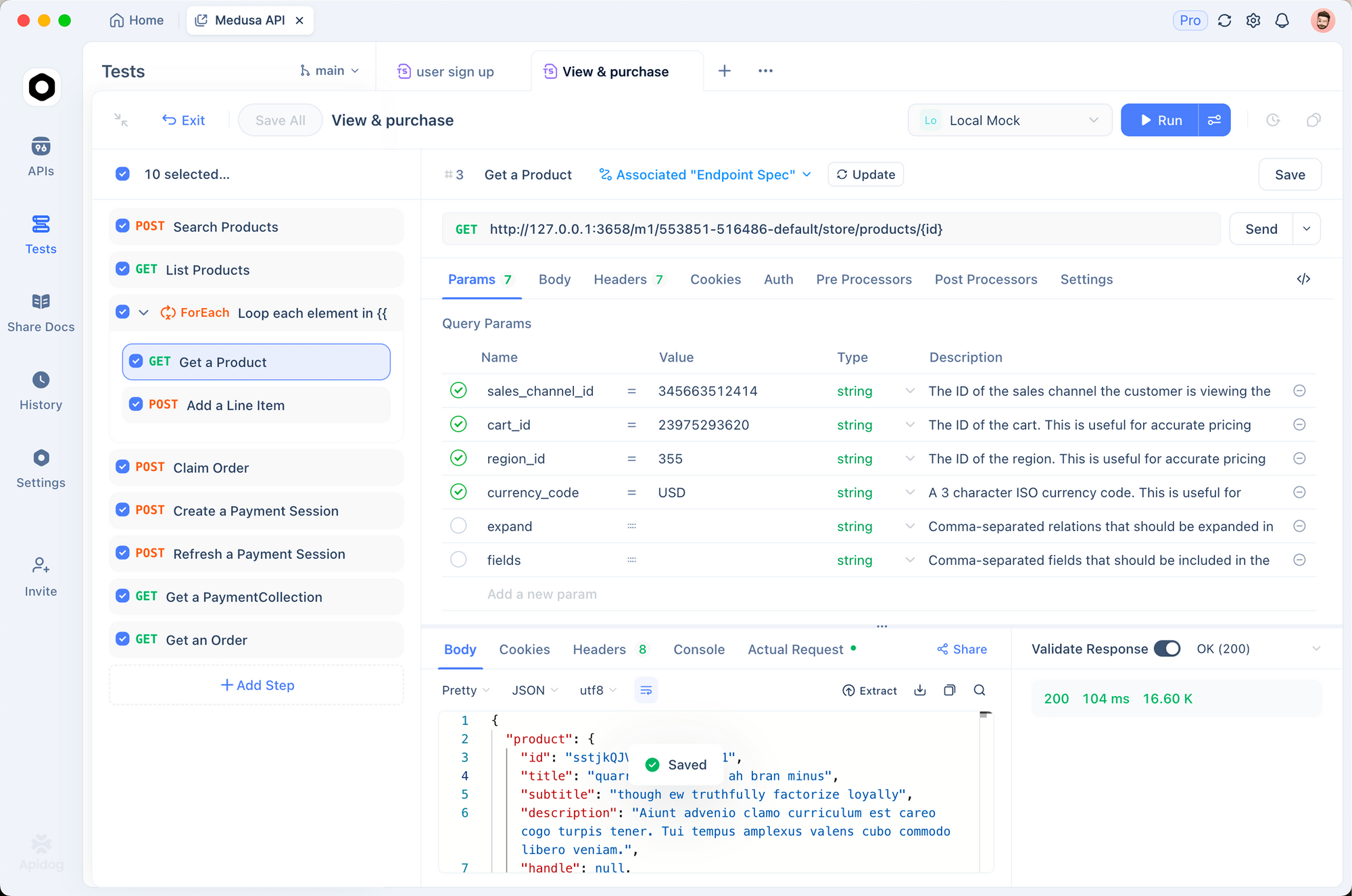
This is especially useful when debugging the header forwarding issues that trigger Invalid custom3p enterprise config. You can confirm which headers your gateway passes through before wasting time searching for bugs in Claude Code config.
Related Claude Code configurations worth knowing
Disable beta header dependency
Some enterprise gateways can’t forward custom headers. If that’s your situation:
export CLAUDE_CODE_DISABLE_EXPERIMENTAL_BETAS=1
This removes the beta feature handshake from the enterprise config validation. The agent loop still works; you lose access to features gated on the beta header (some extended thinking variants, certain tool call formats).
Model picker with gateway discovery
As of Claude Code v2.1.129, you can populate the /model picker automatically from your gateway’s model list:
export CLAUDE_CODE_ENABLE_GATEWAY_MODEL_DISCOVERY=1
Claude Code queries your gateway’s /v1/models endpoint at startup and adds discovered models to the picker. Only models with IDs starting with claude or anthropic are added — for other models like DeepSeek, pin them manually with ANTHROPIC_DEFAULT_SONNET_MODEL.
Custom model picker entry
Add a single custom model to the picker without affecting other settings:
export ANTHROPIC_CUSTOM_MODEL_OPTION="deepseek/deepseek-v4-pro"
export ANTHROPIC_CUSTOM_MODEL_OPTION_NAME="DeepSeek V4 Pro"
export ANTHROPIC_CUSTOM_MODEL_OPTION_DESCRIPTION="17x cheaper than Claude Opus"
This appears at the bottom of the /model picker, making it easy to switch between your gateway model and the default Claude model mid-session.
Related guides
If you’re exploring Claude Code’s agent capabilities with custom model backends, these posts cover adjacent topics:
- How to Write AGENTS.md Files for API Development Teams — configure Claude Code’s behavior for your specific stack
- Ruflo: Multi-Agent Orchestration for Claude Code — add swarms, persistent memory, and 100+ MCP tools to Claude Code
- Get Free Unlimited Claude API via Puter.js — browser-based alternative if you’re building client apps
- Best Local LLMs 2026 — if you’d rather run inference locally through vLLM
FAQ
Is using a third-party provider with Claude Code against Anthropic’s terms?
No. Anthropic documents and officially supports the ANTHROPIC_BASE_URL pattern for routing through Bedrock, Vertex AI, Foundry, and custom gateways. What Anthropic blocked in April 2026 was third-party tools spoofing the Claude Code client ID to access Anthropic’s own API at subscription pricing. Using your own gateway or a provider like OpenRouter with your own API key is a different thing entirely.
Does Claude Code’s agent loop work with DeepSeek V4 Pro?
The core loop works — file editing, shell commands, multi-step tasks. Two things don’t work through third-party providers: MCP server tools and image/vision input. If your workflow needs those, you need to stay on the Anthropic API or Bedrock/Vertex.
Why does the error say “enterprise config” when I’m not on an enterprise plan?
Claude Code uses the “enterprise config” label for any third-party provider setup, regardless of your subscription tier. It’s a code-level label, not a plan restriction. Individual developers on the free or Pro tier can configure and use custom third-party providers.
Can I switch between Anthropic and a third-party provider mid-session?
Not within a single session. The base URL is read at startup. To switch providers, exit Claude Code, change your environment variables or settings, and start a new session. The DeepClaude tool wraps this in a CLI flag (--backend ds, --backend anthropic) that handles the environment switching for you.
My gateway is behind a corporate firewall. Does Claude Code support proxy configuration?
Yes. Set HTTPS_PROXY before launching:
export HTTPS_PROXY="http://your-proxy:8080"
export ANTHROPIC_BASE_URL="https://your-internal-gateway"
For TLS interception by a corporate proxy, add your CA certificate:
export NODE_EXTRA_CA_CERTS="/path/to/corporate-ca-bundle.pem"
The error appears even though my curl test works. What’s different?
Claude Code makes an additional preflight validation request that curl doesn’t replicate. Run Claude Code with --debug to see the exact preflight request and compare it against your curl test. Common differences: the anthropic-beta header, the X-Claude-Code-Session-Id header, and the exact JSON body format for the validation request.
Google’s tools throw equally cryptic gatekeeping errors — if you have hit one, our fix for Antigravity’s “account not eligible” error walks through the causes.
Conclusion
Invalid custom3p enterprise config is a config validation error, not a policy block. Fix the ANTHROPIC_BASE_URL format first (drop the /v1), then check your credential variable (ANTHROPIC_AUTH_TOKEN vs. ANTHROPIC_API_KEY), validate your settings.json for JSON errors, and make sure onboarding has completed on fresh installs.
Once the config validates, Claude Code’s full agent loop runs through your chosen backend. DeepSeek V4 Pro through OpenRouter or LiteLLM covers the majority of Claude Code use cases at a fraction of Anthropic API costs — the main limitations are MCP tools and vision input, which require the Anthropic API.