Your API contract probably lives in three places at once. A diagram in a wiki. A Postman collection someone exported last quarter. A handwritten Markdown doc that drifted from the running service two releases ago. When those three disagree, your team guesses. Guessing breaks integrations.
Treating your API spec as code fixes this. You write one OpenAPI file, commit it to Git, and review it like any other source file. From that single file you generate mocks, tests, docs, and SDKs. The spec stops being an afterthought and becomes the contract everyone builds against.
This guide explains what spec-as-code means, why the OpenAPI file deserves the same rigor as your application code, and how to run the workflow without fighting your tools.
What spec-as-code means
Spec-as-code means your API definition is a plain-text file that lives in version control. Not a database record. Not a hosted document with a share link. A file you can git diff, branch, and merge.
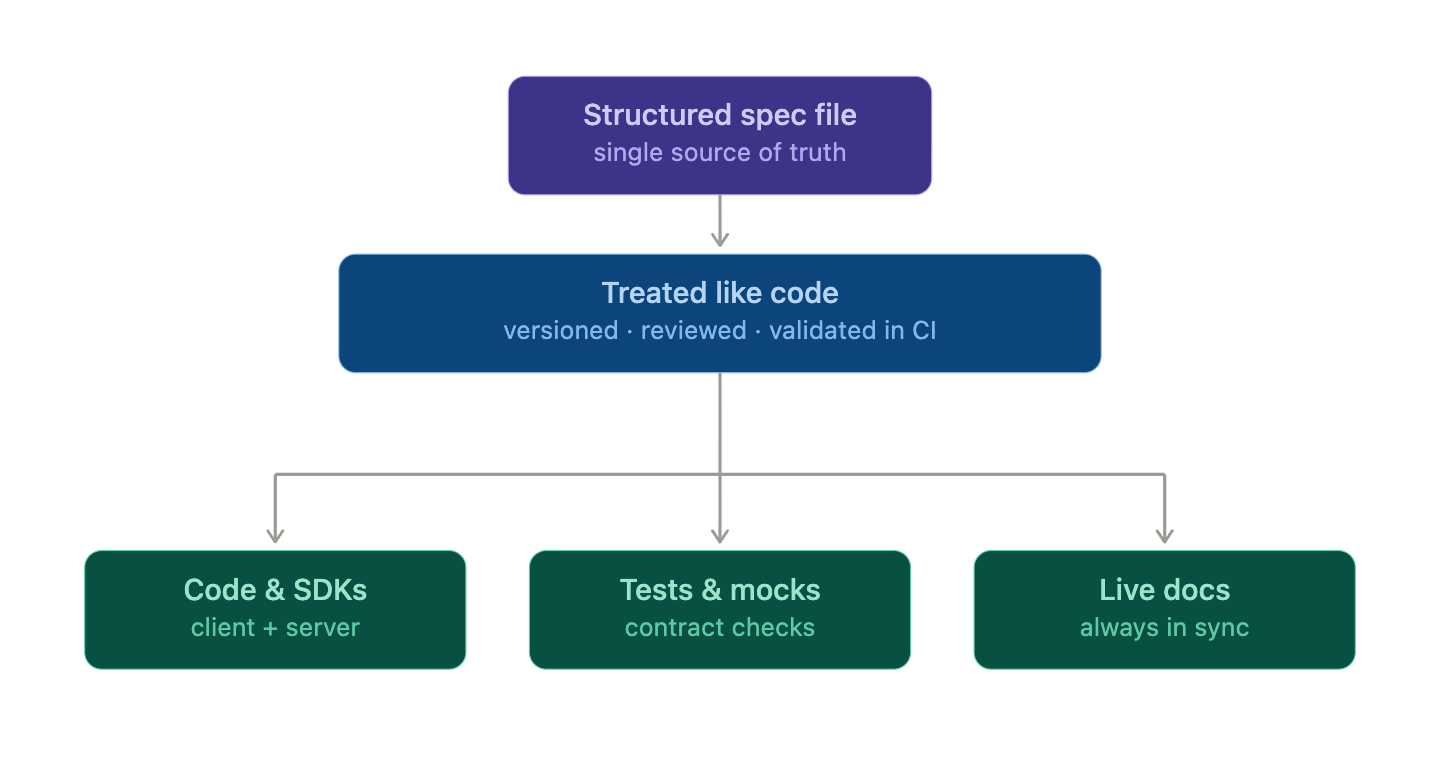
The idea borrows directly from docs-as-code, where documentation sits in the same repo as the code it describes and ships through the same pipeline. Spec-as-code applies the same discipline to the API contract itself. The OpenAPI document (YAML or JSON) is the artifact. Everything else downstream is generated from it.
That shift has one big consequence. The spec becomes the single source of truth. When a developer wants to know what /users/{id} returns, they read the spec, not a stale wiki page. When QA writes a test, they assert against the spec. When a partner integrates, they pull an SDK generated from the spec. One file, many outputs.
Why treat the spec like code
Once the spec is a file in Git, you inherit every workflow you already trust for source code.
Review in pull requests. A change to an endpoint shows up as a diff in a PR. Reviewers see exactly which fields changed, which status codes were added, and whether a response shape broke backward compatibility. A breaking change is no longer a surprise in production. It is a comment thread before merge. This is the core of a Git-native API workflow.
Diff-friendly format. Plain YAML diffs cleanly. You can read a five-line change and understand it in seconds. Compare that to a binary export or a hosted tool where “what changed” is invisible. With the spec in Git, blame, history, and diffs all just work.
Real versioning. Every change has a commit, an author, and a timestamp. You can tag a release, branch for a v2 redesign, and roll back a bad change with one command. Your API history becomes auditable. For a deeper look at tagging and branching strategies, see OpenAPI version control with Git.
One source of truth. Because mocks, tests, and docs all derive from the same file, they cannot drift independently. Update the spec, regenerate, and every output stays consistent.
Here is how the two approaches compare in practice.
| Concern | Spec in a hosted tool | API spec as code |
|---|---|---|
| Change review | Manual, easy to miss | PR diff, blocking review |
| History | Limited or vendor-locked | Full Git log |
| Rollback | Often manual | git revert |
| Source of truth | Ambiguous | The committed file |
| CI integration | Bolt-on | Native |
OpenAPI as the artifact
OpenAPI is the obvious format for the spec because it is widely supported and machine-readable. small but complete slice of an OpenAPI 3.1 file you would keep in your repo.
openapi: 3.1.0
info:
 title: Orders API
 version: 1.2.0
paths:
 /orders/{orderId}:
 get:
 summary: Get an order by ID
 operationId: getOrder
 parameters:
 - name: orderId
 in: path
 required: true
 schema:
 type: string
 format: uuid
 responses:
 "200":
 description: The requested order
 content:
 application/json:
 schema:
 $ref: "#/components/schemas/Order"
 "404":
 description: Order not found
components:
 schemas:
 Order:
 type: object
 required: [id, status, total]
 properties:
 id:
 type: string
 format: uuid
 status:
 type: string
 enum: [pending, shipped, delivered]
 total:
 type: number
 format: float
This file is the contract. Add a field to Order, and the diff is one line. Change the status enum, and a reviewer sees it instantly. Keep it under api/openapi.yaml next to your service code, and the spec travels with the implementation it describes.
Spec and docs
The payoff of one source file is everything you generate from it.
Mocks. Point a mock server at the spec and you get a runnable API before a single endpoint is built. Frontend and mobile teams start integrating against the contract on day one. When the spec changes, the mock changes with it.
Tests. Generate contract tests that assert the live service matches the spec. If a deployed endpoint returns a field the spec never declared, the test fails. This catches drift between the contract and the running code before customers do.
Docs. Render the spec into reference documentation automatically. No one hand-writes endpoint tables anymore. The docs match the spec because they are the spec, rendered.
SDKs. Generate client libraries in multiple languages from the same file. Partners get a typed SDK that always reflects the current contract.
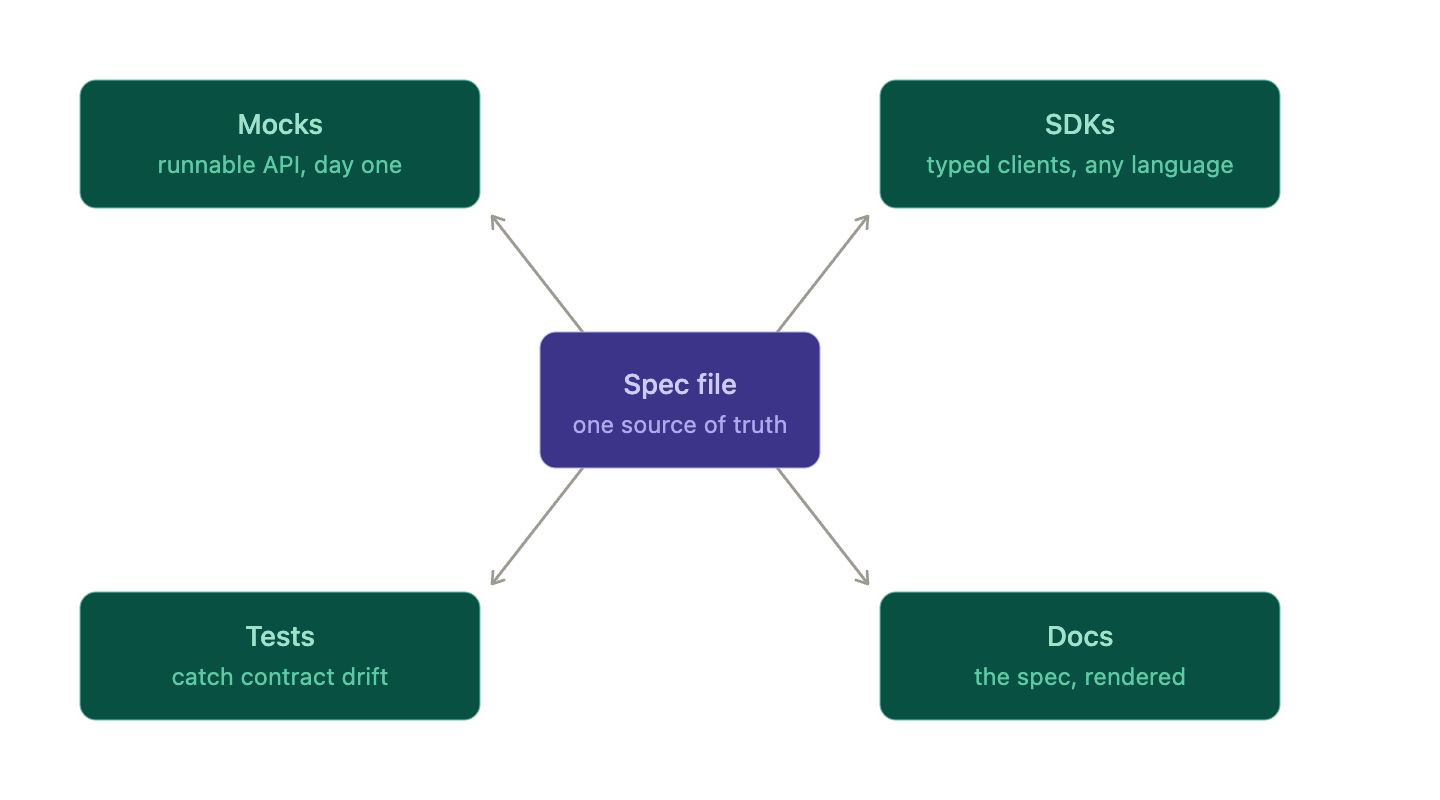
Each output is a function of the spec. Change the input, regenerate the outputs, and consistency is free.
How Apidog makes the spec the source of truth
Running spec-as-code by hand means stitching together a CLI, a mock server, a docs generator, and a Git hook. Apidog collapses that into one workflow.
Apidog’s Spec-First Mode treats your OpenAPI file as the authoritative definition. You design endpoints against the spec, and Apidog keeps your mocks, tests, and documentation in lockstep with it.
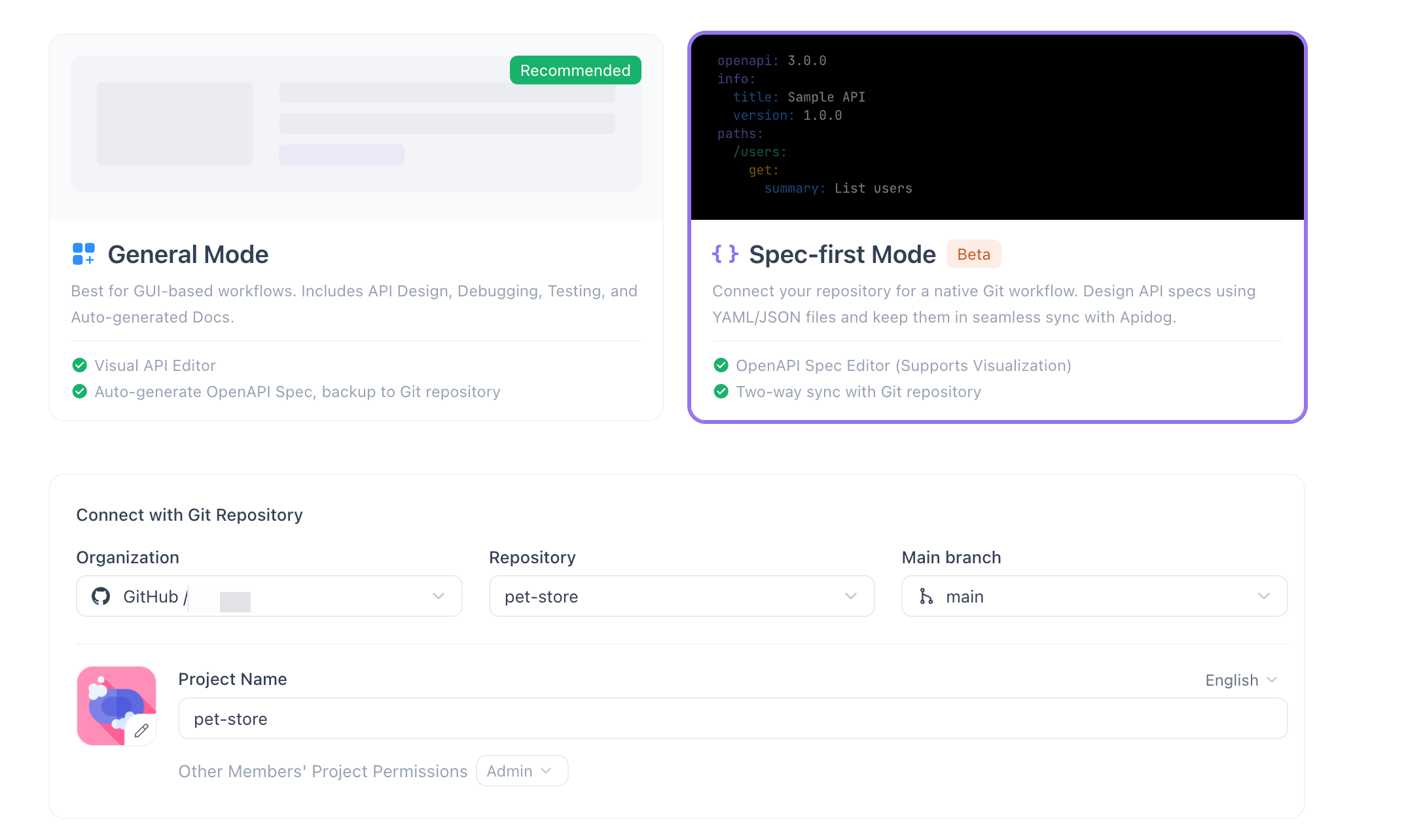
The piece that makes this practical is two-way Git sync. Apidog can read your OpenAPI file from a repo and write changes back to it, so the file in Git and the project in Apidog stay in agreement. Design visually when that is faster, edit YAML directly when that is faster, and both paths land in the same committed file. That keeps your PR review flow intact while giving your team a richer editor. For the mechanics of pushing spec changes upstream, see how to sync your OpenAPI spec to GitHub.
The result: the OpenAPI file stays the single source of truth, and the visual tooling sits on top of it rather than replacing it.
Common pitfalls
Spec-as-code is straightforward, but a few traps catch teams early.
Drift between spec and implementation. Writing the spec is not enough. If nothing checks that the running service matches it, the two diverge quietly. Add contract tests to CI so a mismatch fails the build, not the customer.
Generated versus handwritten confusion. Decide whether the spec is generated from code annotations or handwritten as the source. Mixing both leads to a file where no one knows which half is authoritative. Pick one direction. If the spec is your source of truth, treat code annotations as the thing you check against it, not a second master copy.
Treating the spec as documentation, not a contract. A spec you only read is a doc. A spec you generate mocks, tests, and SDKs from is a contract. The value comes from wiring the outputs, not from the file existing.
Skipping review. A spec in Git that merges without review is just a file in Git. The point is the pull request. Require a review on spec changes the same way you do for code.
Getting started
You can adopt spec-as-code incrementally.
- Commit your spec. Move your OpenAPI file into the repo at a known path, like
api/openapi.yaml. - Require PR review. Make spec changes go through the same review gate as code. Diffs become the conversation.
- Generate one output. Start with mocks or docs. Wire the spec to a generator so the output updates when the file does.
- Add a CI check. Lint the spec on every PR. Catch invalid OpenAPI before merge.
- Close the loop with contract tests. Once mocks and docs are flowing, add tests that assert the live service matches the spec.
Each step stands on its own. You get value at step one and compound it with each addition.
The shift is small to describe and large in effect. One file, in Git, reviewed like code, generating everything downstream. If you want the visual editing and Git sync to come built in, try Apidog’s Spec-First Mode and let the OpenAPI file stay your single source of truth.
FAQ
Is “API spec as code” the same as “docs-as-code”?
They share the same philosophy: keep the artifact in version control and ship it through your normal pipeline. Docs-as-code applies it to documentation. Spec-as-code applies it to the API contract itself. In practice they reinforce each other, since docs generated from a committed spec are docs-as-code by definition.
What format should the spec file use?
OpenAPI in YAML is the common choice. YAML diffs cleanly in pull requests and is readable by humans, while still being machine-parseable for generating mocks, tests, and SDKs. JSON works too, but YAML tends to produce tidier diffs.
How do I stop the spec from drifting away from the real API?
Add contract tests to CI that assert the running service matches the committed spec. If an endpoint returns an undeclared field or drops a documented one, the build fails. That feedback loop is what turns the spec from a hopeful document into an enforced contract.